Report Reverse Lot History: Difference between revisions
From Fishbowl Advanced
m (Text replacement - "[[File:Report-" to "{{BackToReports}} [[File:Report-") Tag: Reverted |
m (Text replacement - "[[File:Report-" to "{{BackToReports}} [[File:Report-") Tag: Manual revert |
| (4 intermediate revisions by the same user not shown) | |
(No difference)
| |
Latest revision as of 22:35, 12 March 2025
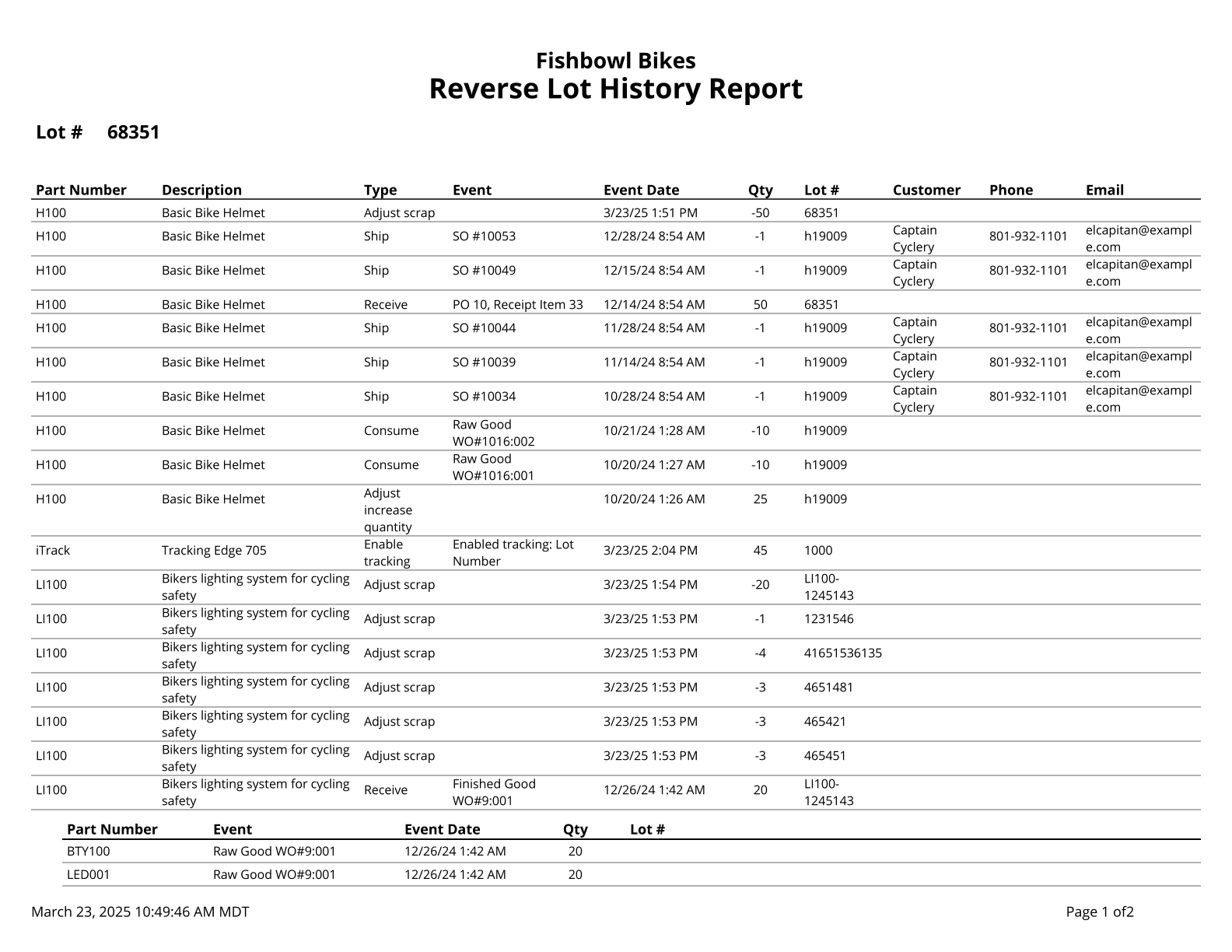
This report traces the history of a lot number from the current time to when it entered the system.
The  Modify Report button allows the following report filters to be customized:
- REQUIRED TAB
- Lot - Enter a lot number to show in the report.
- OPTIONAL TAB
- Part Number - Choose a specific part number to run the report for. Leave this field blank to run for all part numbers.
- Format Report for Exporting - Removes the page breaks and displays the report on one long page for exporting to CSV, Excel, and other formats.
- PRINTER TAB - Allows a default printer to be specified for the report in each location group.