Report POS Receipt: Difference between revisions
From Fishbowl Advanced
m (Text replacement - "[[File:Report-" to "{{BackToReports}} [[File:Report-") Tag: Reverted |
m (Text replacement - "{{BackToReports}} " to "") Tag: Manual revert |
||
| (3 intermediate revisions by the same user not shown) | |||
| Line 1: | Line 1: | ||
[[File:Report-POS Receipt.png|right|border|400px|link={{filepath:Report-POS Receipt.png}}]] This report generates a common 8.5 by 11 point of sale receipt for customers. | |||
The {{Button|Modify Report}} allows the following report filters to be customized:<br> | The {{Button|Modify Report}} allows the following report filters to be customized:<br> | ||
{{Spacer}}'''REQUIRED TAB''' | {{Spacer}}'''REQUIRED TAB''' | ||
Latest revision as of 21:16, 12 March 2025
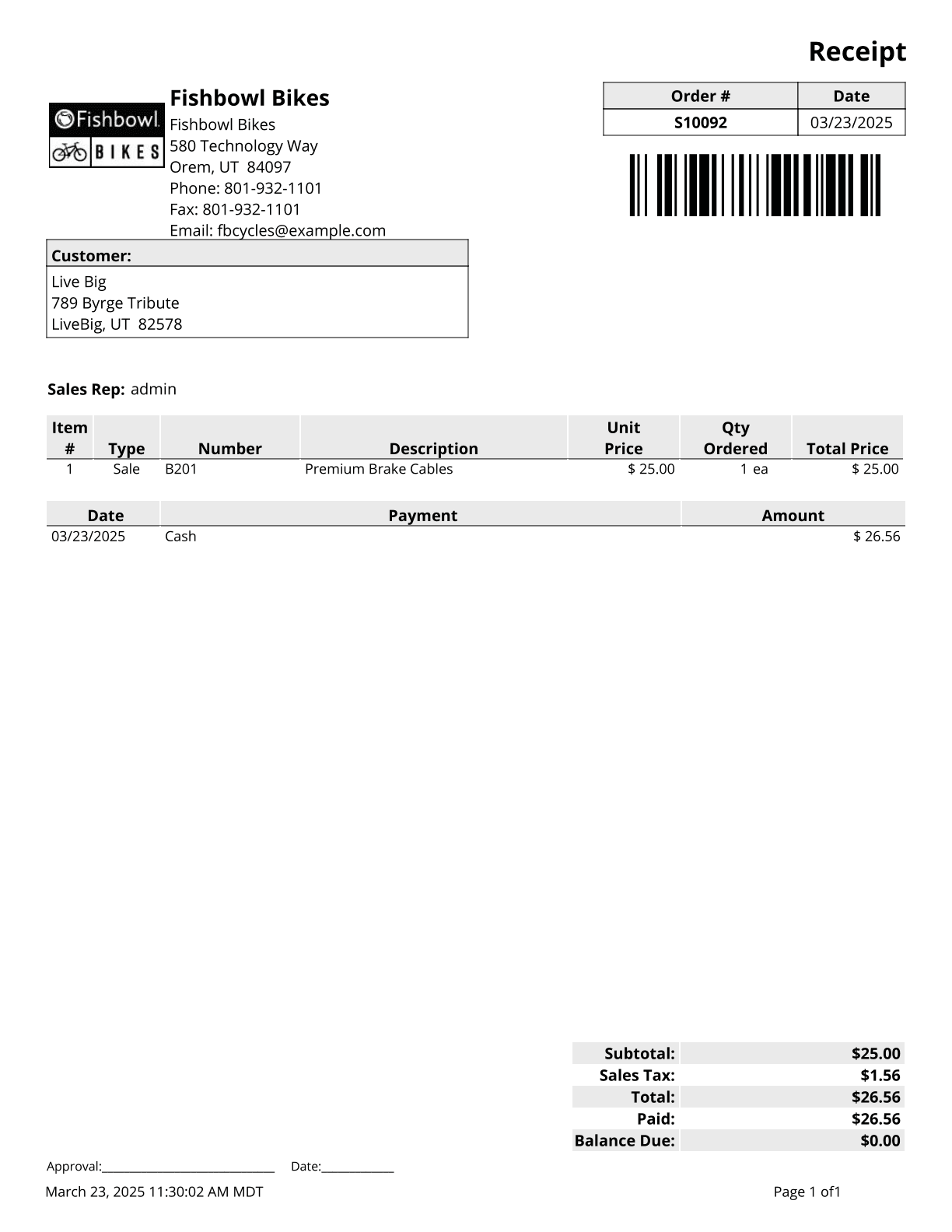
This report generates a common 8.5 by 11 point of sale receipt for customers.
The  Modify Report button allows the following report filters to be customized:
- REQUIRED TAB
- SO Number - Select the sales order number to run the report for. Leave this field blank to run for all sales orders.
- OPTIONAL TAB
- Display Seller - Select whether to display the sellers name as their username, first name or full name.
- Format Report for Exporting - Removes the page breaks and displays the report on one long page for exporting to CSV, Excel, and other formats.
- Include Customer Part Numbers - Choose to show/hide customer part numbers by checking/unchecking this checkbox.
- Show Barcode - Choose to show/hide the barcode on the report by checking/unchecking this checkbox.
- Show Bill To Email - Choose to show/hide the bill to email on the bill to address by checking/unchecking this checkbox.
- Show Bill To Fax - Choose to show/hide the bill to fax on the bill to address by checking/unchecking this checkbox.
- Show Bill To Phone Number - Choose to show/hide the bill to phone on the bill to address by checking/unchecking this checkbox.
- Show Company Address - Choose to show/hide your company address in the top left hand corner of the report by checking/unchecking this checkbox.
- Show Country - Choose to show/hide the country on all addresses by checking/unchecking this checkbox.
- Show Items - Choose to show/hide the items on the order by checking/unchecking this checkbox.
- Show Memos - Choose to show/hide memos by checking/unchecking this checkbox.
- Show Revision - Choose to show/hide the revision number of the order by checking/unchecking this checkbox. The revision number is pulled from the Details tab of the
 Sales Order module.
- Show Status - Choose to show/hide the orders status under the report title by checking/unchecking this checkbox.
- HIDE/SHOW TAB - Choose which columns to show/hide on the report by checking/unchecking the checkbox next to each column name.
- PRINTER TAB - Allows a default printer to be specified for the report in each location group.