Report Pick Ticket: Difference between revisions
From Fishbowl Advanced
m (Text replacement - ".png|border|800px|link={{filepath" to ".png|right|border|800px|link={{filepath") Tag: Reverted |
m (Text replacement - "{{BackToReports}} " to "") Tag: Manual revert |
||
| (One intermediate revision by the same user not shown) | |||
| Line 1: | Line 1: | ||
[[File:Report-Pick Ticket.png|right|border|400px|link={{filepath:Report-Pick Ticket.png}}]] This report generates a list of parts to pick, where to get them from, and where to put them after picking. The pick must be '''Started''' to display on this report. | |||
The {{Button|Modify Report}} allows the following report filters to be customized:<br> | The {{Button|Modify Report}} allows the following report filters to be customized:<br> | ||
{{Spacer}}'''REQUIRED TAB''' | {{Spacer}}'''REQUIRED TAB''' | ||
Latest revision as of 21:16, 12 March 2025
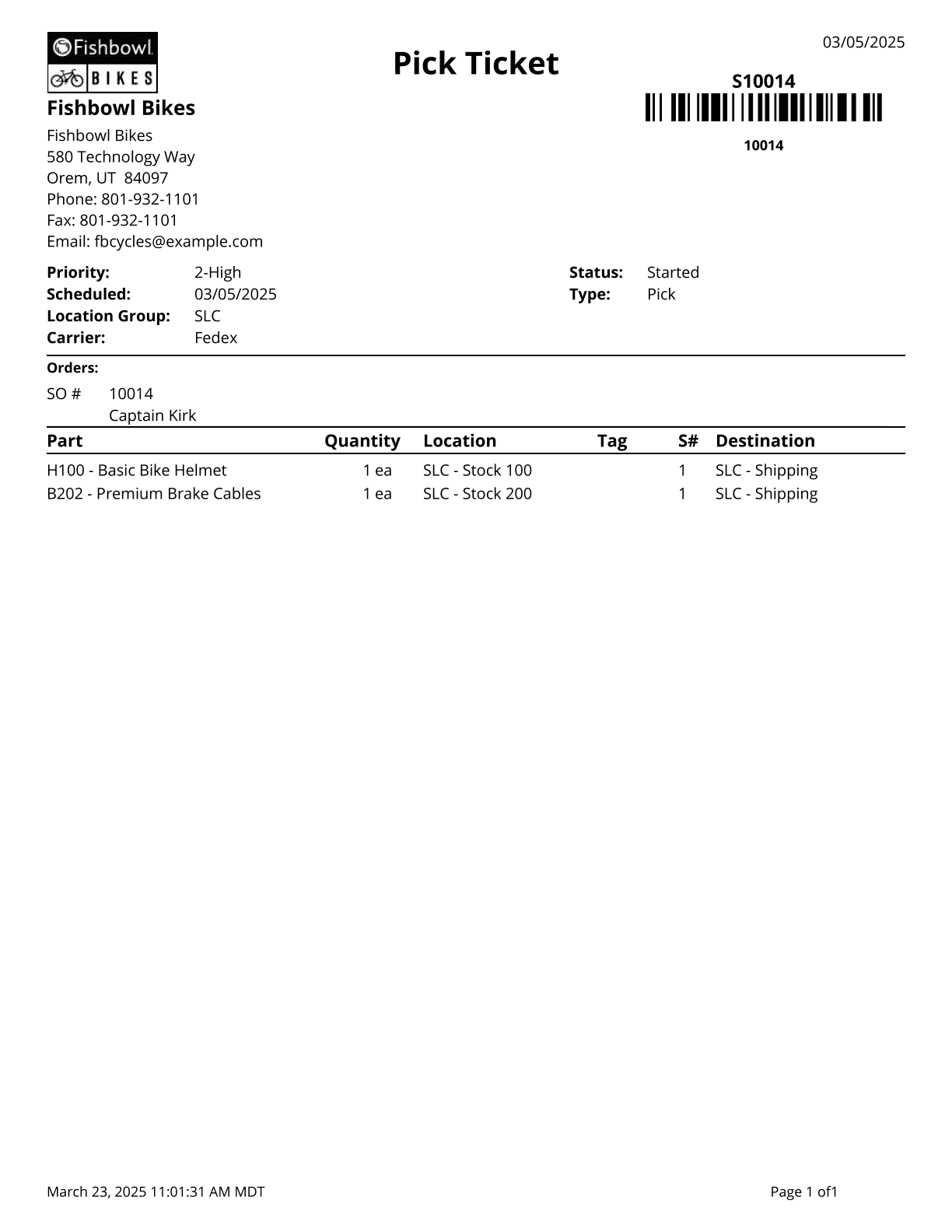
This report generates a list of parts to pick, where to get them from, and where to put them after picking. The pick must be Started to display on this report.
The  Modify Report button allows the following report filters to be customized:
- REQUIRED TAB
- Pick Number - Enter the pick order to run the report for. Only Started picks will populate this report.
- OPTIONAL TAB
- Show Barcode As - Choose whether the Order Num or Pick Num is the number for the barcode.
- Sort By - Choose to reorder the items on the report by Line Item or by Part.
- Show Committed - Choose to show/hide parts in committed status by checking/unchecking this checkbox.
- Combine Like Items - This option will combine line items if they are the same part, location, and destination.
- Sort By Location - If this option is checked, items will be sorted according to the location sort order. If this option is unchechecked, items will be sorted by the order line number.
- Format Report for Exporting - Removes the page breaks and displays the report on one long page for exporting to CSV, Excel, and other formats.
- Show Address - Choose to show/hide the address by checking/unchecking this checkbox.
- Show Barcode - Choose to show/hide the barcode on the report by checking/unchecking this checkbox.
- Show Country - Choose to show/hide the country on the addresses by checking/unchecking this checkbox.
- PRINTER TAB - Allows a default printer to be specified for the report in each location group.