Report Product Barcodes One Off: Difference between revisions
From Fishbowl Advanced
m (Text replacement - ".png|border|800px|link={{filepath" to ".png|right|border|800px|link={{filepath") Tag: Reverted |
m (Text replacement - "{{BackToReports}} " to "") Tag: Manual revert |
||
| (One intermediate revision by the same user not shown) | |||
| Line 1: | Line 1: | ||
[[File:Report-Product Barcodes One Off.png|right|border|400px|link={{filepath:Report-Product Barcodes One Off.png}}]] This report prints out product barcodes in a one off format. The label size is 2x1. | |||
The {{Button|Modify Report}} allows the following report filters to be customized:<br> | The {{Button|Modify Report}} allows the following report filters to be customized:<br> | ||
{{Spacer}}'''OPTIONAL TAB''' | {{Spacer}}'''OPTIONAL TAB''' | ||
Latest revision as of 22:16, 12 March 2025
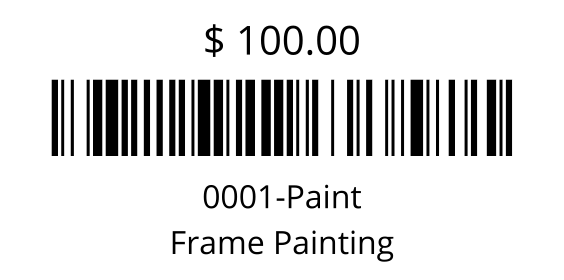
This report prints out product barcodes in a one off format. The label size is 2x1.
The  Modify Report button allows the following report filters to be customized:
- OPTIONAL TAB
- Product Number - Choose a specific product number to run the report for. Leave this field blank to run for all product numbers.
- Count - Enter the number of products to print out at one time.
- Skip - Enter the number of products to skip. This is most commonly used to print out the report in batches if the report is very large.
- Format Report for Exporting - Removes the page breaks and displays the report on one long page for exporting to CSV, Excel, and other formats.
- Show Description - Choose to show/hide the product description by checking/unchecking this checkbox.
- Show Price - Choose to show/hide the product price by checking/unchecking this checkbox.
- PRINTER TAB - Allows a default printer to be specified for the report in each location group.