Report Transfer Order Report: Difference between revisions
From Fishbowl Advanced
m (Text replacement - ".png|border|800px|link={{filepath" to ".png|right|border|800px|link={{filepath") Tag: Reverted |
m (Text replacement - "{{BackToReports}} " to "") Tag: Manual revert |
||
| (One intermediate revision by the same user not shown) | |||
| Line 1: | Line 1: | ||
[[File:Report-Transfer Order Report.png|right|border|400px|link={{filepath:Report-Transfer Order Report.png}}]] This report prints a basic report for a transfer order. This report includes the items being transferred, location groups affected, addresses (if shipping type), and the type and status of the order. | |||
The {{Button|Modify Report}} allows the following report filters to be customized:<br> | The {{Button|Modify Report}} allows the following report filters to be customized:<br> | ||
{{Spacer}}'''REQUIRED TAB''' | {{Spacer}}'''REQUIRED TAB''' | ||
Latest revision as of 21:16, 12 March 2025
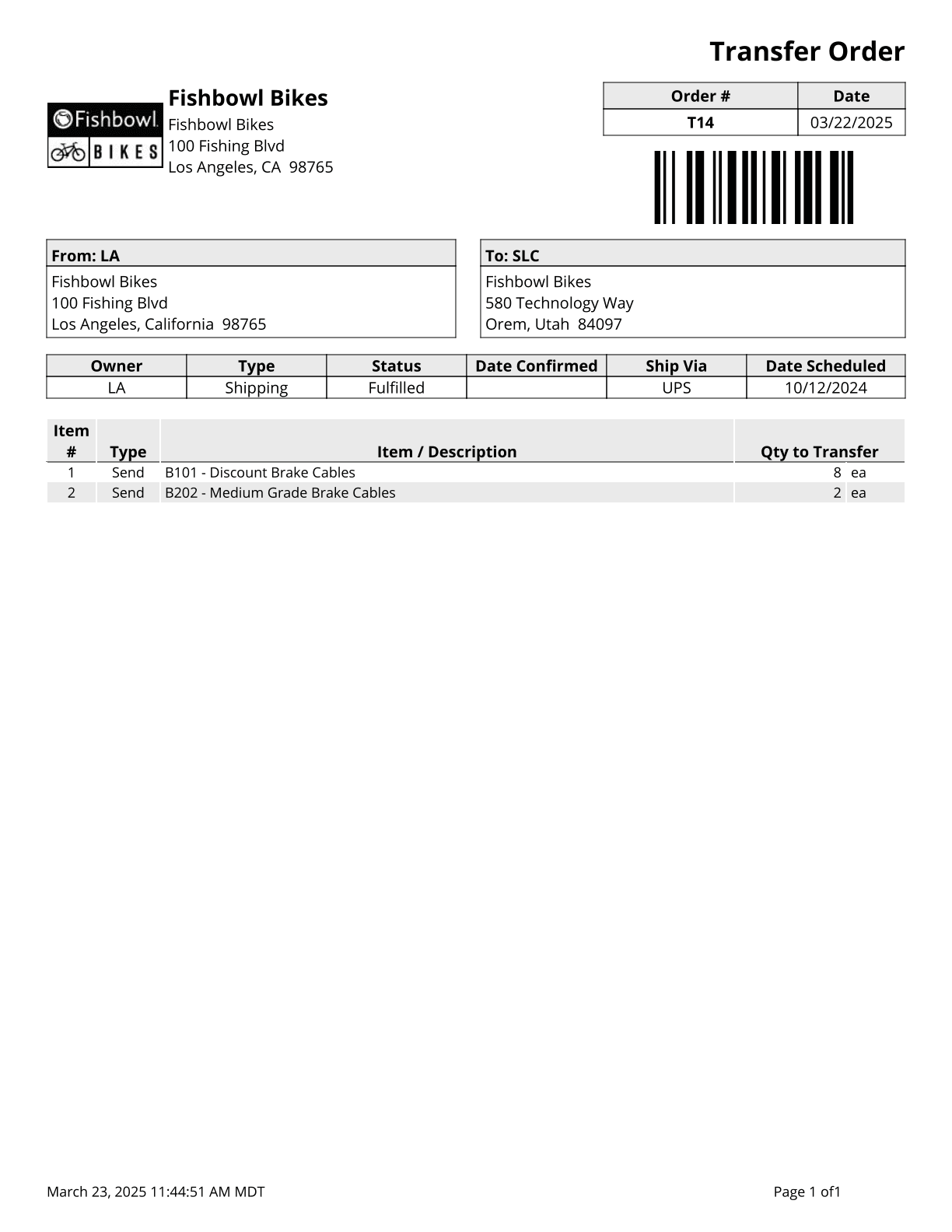
This report prints a basic report for a transfer order. This report includes the items being transferred, location groups affected, addresses (if shipping type), and the type and status of the order.
The  Modify Report button allows the following report filters to be customized:
- REQUIRED TAB
- TO Number - Enter the transfer order number to run the report for.
- OPTIONAL TAB
- Show Country - Choose to show/hide the country on the From: or To: addresses by checking/unchecking this checkbox.
- Format Report for Exporting - Removes the page breaks and displays the report on one long page for exporting to CSV, Excel, and other formats.
- Show Barcode - Choose to show/hide the barcode on the report by checking/unchecking this checkbox.
- Show Revision - Choose to show/hide the revision number of the order by checking/unchecking this checkbox. The revision number is pulled from the Details tab in the Transfer Order module.
- PRINTER TAB - Allows a default printer to be specified for the report in each location group.