Report Price Discrepancy: Difference between revisions
From Fishbowl Advanced
m (Text replacement - "[[File:Report-" to "{{BackToReports}} [[File:Report-") Tag: Reverted |
m (Text replacement - ".png|right|border|400px|link={{filepath" to ".png|border|800px|link={{filepath") Tag: Reverted |
||
| Line 1: | Line 1: | ||
{{BackToReports}} [[File:Report-Price Discrepancy.png | {{BackToReports}} [[File:Report-Price Discrepancy.png|border|800px|link={{filepath:Report-Price Discrepancy.png}}]] This report generates a list of all SO Items in the system that have a price different than the list price. List price means the product price from the Product module. | ||
The {{Button|Modify Report}} allows the following report filters to be customized:<br> | The {{Button|Modify Report}} allows the following report filters to be customized:<br> | ||
{{Spacer}}'''OPTIONAL TAB''' | {{Spacer}}'''OPTIONAL TAB''' | ||
Revision as of 20:36, 12 March 2025
←Back to list of reports 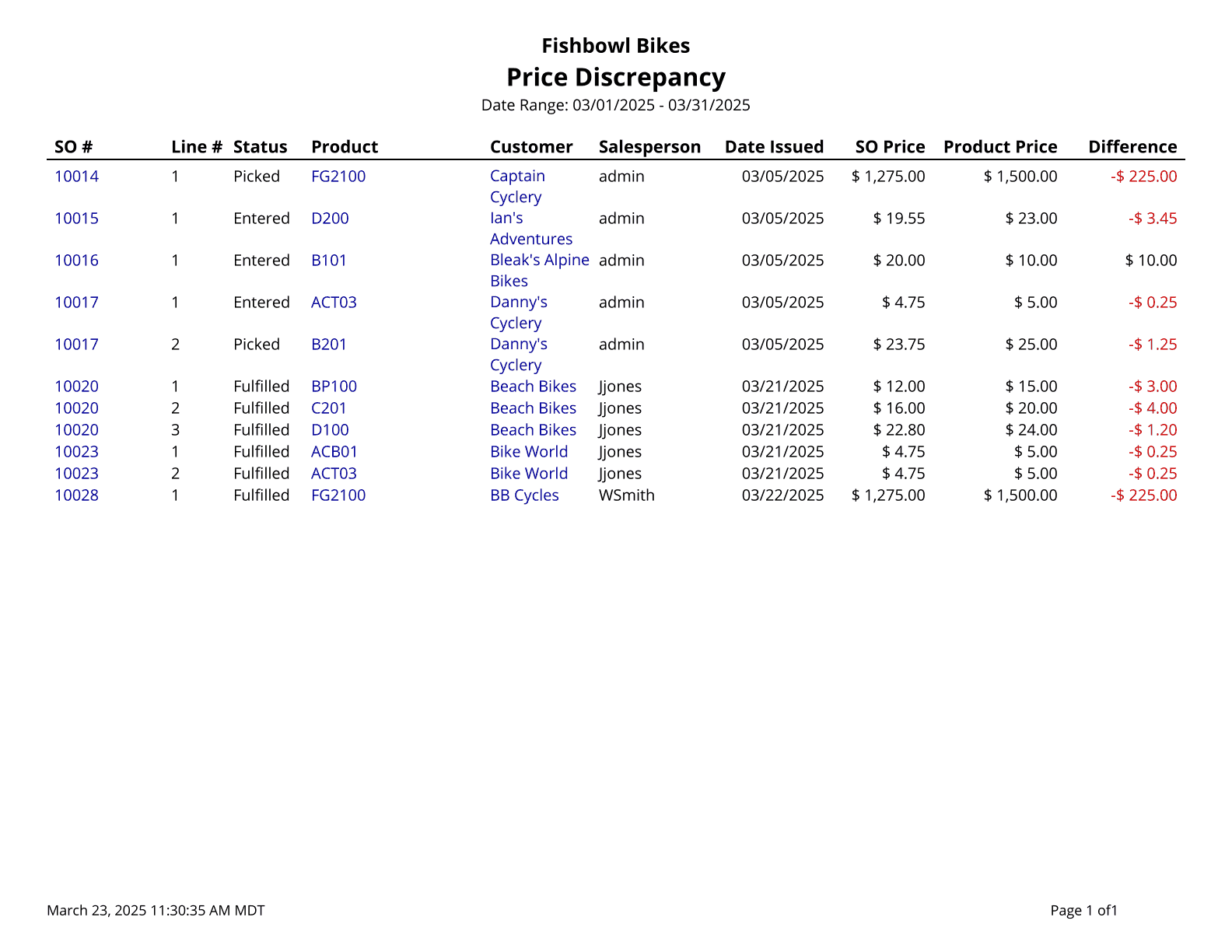 This report generates a list of all SO Items in the system that have a price different than the list price. List price means the product price from the Product module.
The
This report generates a list of all SO Items in the system that have a price different than the list price. List price means the product price from the Product module.
The  Modify Report button allows the following report filters to be customized:
- OPTIONAL TAB
- Sales Person - Choose which sales person to run the report for. Leave this field blank to run for all sales people.
- Customer - Choose to run the report for a specific customer. Leave this field blank to run for all customers.
- SO Number - Select the sales order number to run the report for. Leave this field blank to run for all sales orders.
- Date Range - Choose a date range to run the report for. This date range looks at the Date Issued on the SO table, meaning the date the sales order is issued.
- Format Report for Exporting - Removes the page breaks and displays the report on one long page for exporting to CSV, Excel, and other formats.
- PRINTER TAB - Allows a default printer to be specified for the report in each location group.