Report Forecast Report: Difference between revisions
From Fishbowl Advanced
m (Text replacement - ".png|border|800px|link={{filepath" to ".png|right|border|800px|link={{filepath") Tag: Reverted |
m (Text replacement - ".png|right|border|800px|link={{filepath" to ".png|right|border|400px|link={{filepath") Tags: Manual revert Reverted |
||
| Line 1: | Line 1: | ||
{{BackToReports}} [[File:Report-Forecast Report.png|right|border| | {{BackToReports}} [[File:Report-Forecast Report.png|right|border|400px|link={{filepath:Report-Forecast Report.png}}]] This report calculates a running total of allocated parts based on issued Sales Orders, Transfer Orders, Work Orders, and Purchase Orders. Allocated numbers are grouped by Location Group then by Part Number. | ||
The {{Button|Modify Report}} allows the following report filters to be customized:<br> | The {{Button|Modify Report}} allows the following report filters to be customized:<br> | ||
{{Spacer}}'''OPTIONAL TAB''' | {{Spacer}}'''OPTIONAL TAB''' | ||
Revision as of 20:42, 12 March 2025
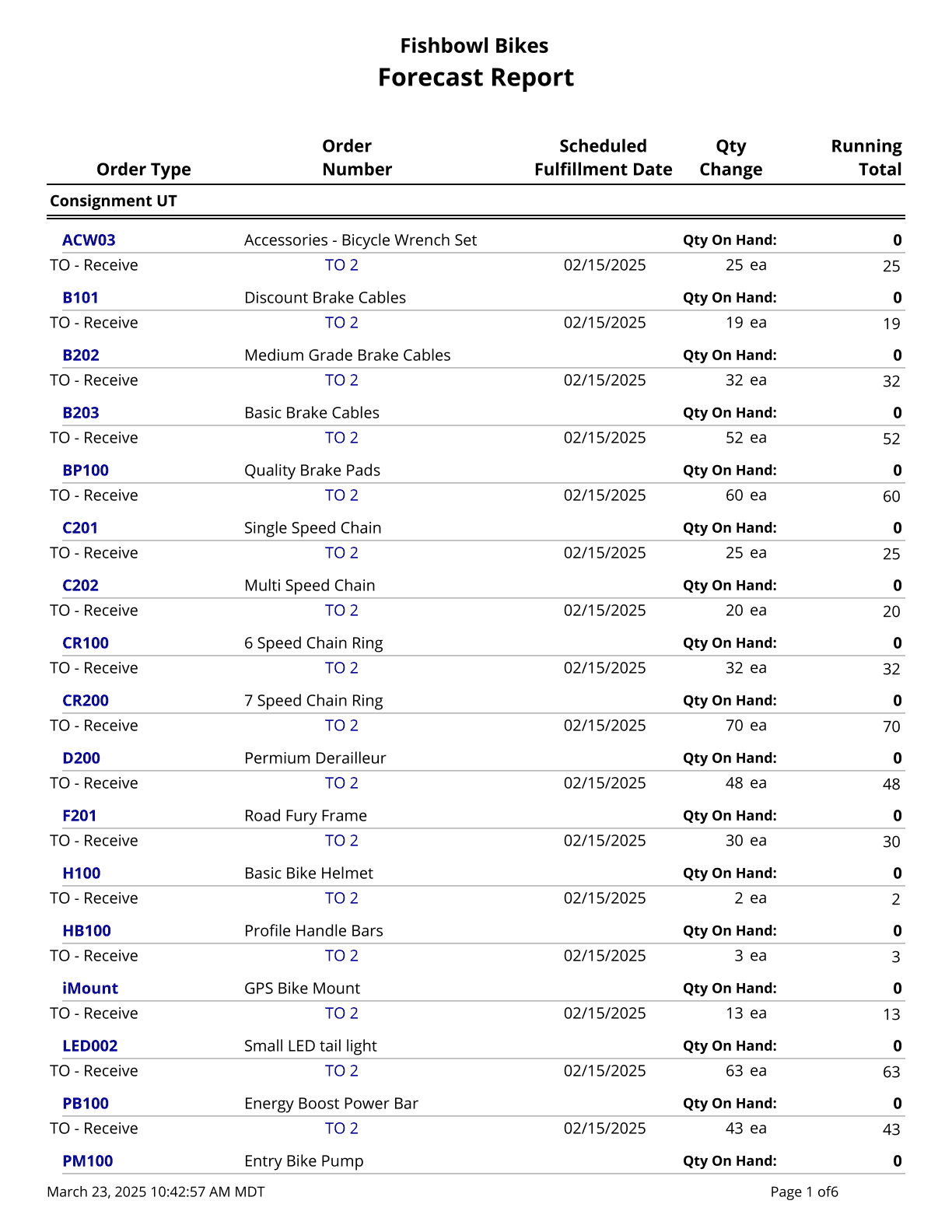
This report calculates a running total of allocated parts based on issued Sales Orders, Transfer Orders, Work Orders, and Purchase Orders. Allocated numbers are grouped by Location Group then by Part Number.
The  Modify Report button allows the following report filters to be customized:
- OPTIONAL TAB
- Location Group - Choose a specific location group to run the report for. Leave this field blank to run for all location groups.
- Part Number - Choose a specific part number to run the report for. Leave this field blank to run for all part numbers.
- Format Report for Exporting - Removes the page breaks and displays the report on one long page for exporting to CSV, Excel, and other formats.
- PRINTER TAB - Allows a default printer to be specified for the report in each location group.