Template:Add users
Template page
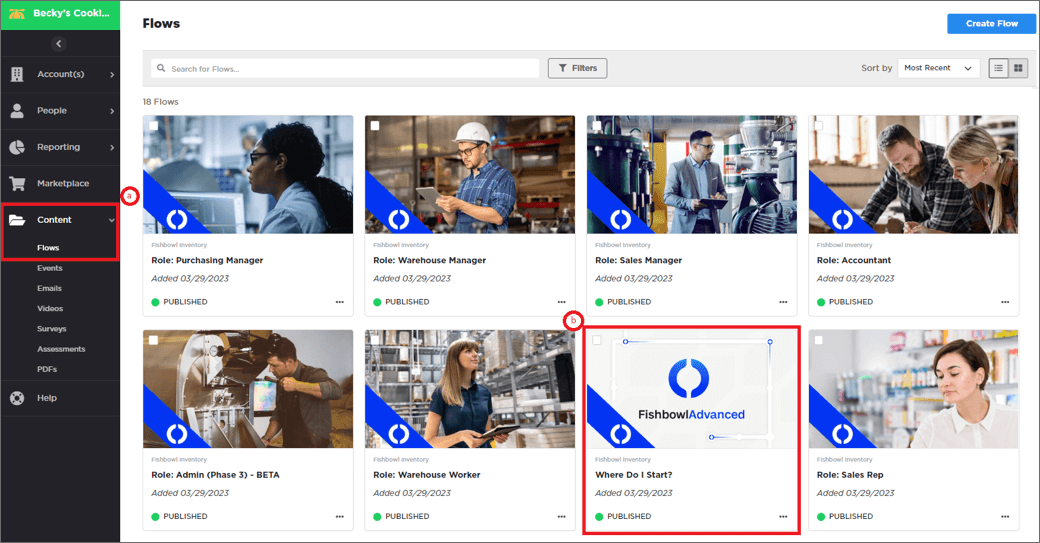
- Complete the following steps:
- a. Click on Content and select Flows
- b. Click on the Flow titled Where Do I Start?
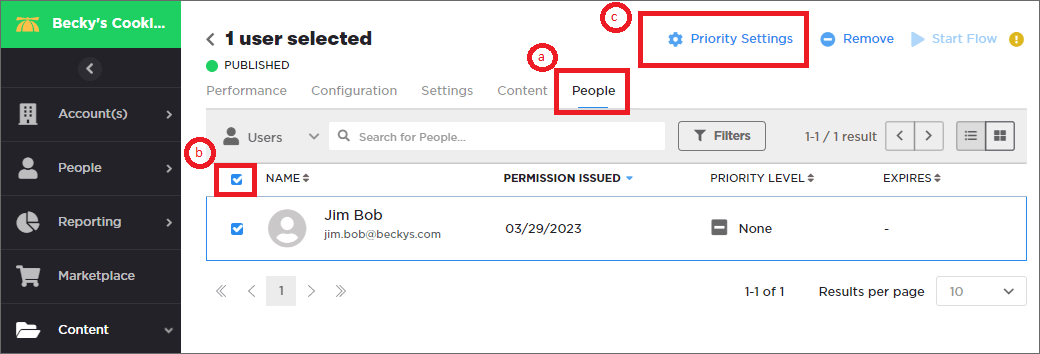
- Complete the following steps:
- a. Click on the People tab
- b. Select the box in the top left to choose all users in the list
- c. Click the Priority Settings in the top right corner
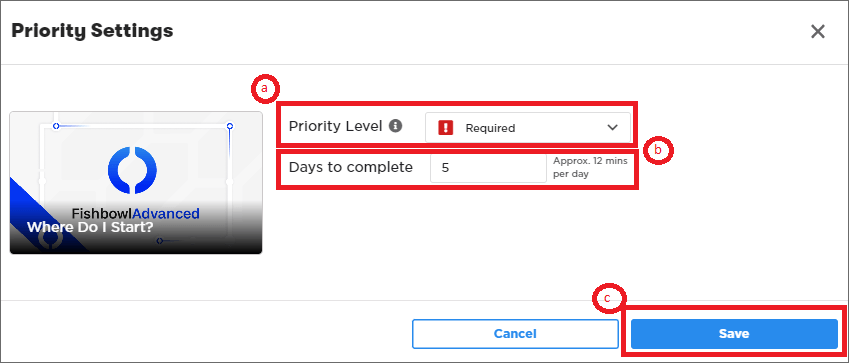
- Complete the following steps:
- a. Set the Priority Level to Required
- b. Set the Days to complete to 5
- c. Click the Save button
- Complete the following steps:
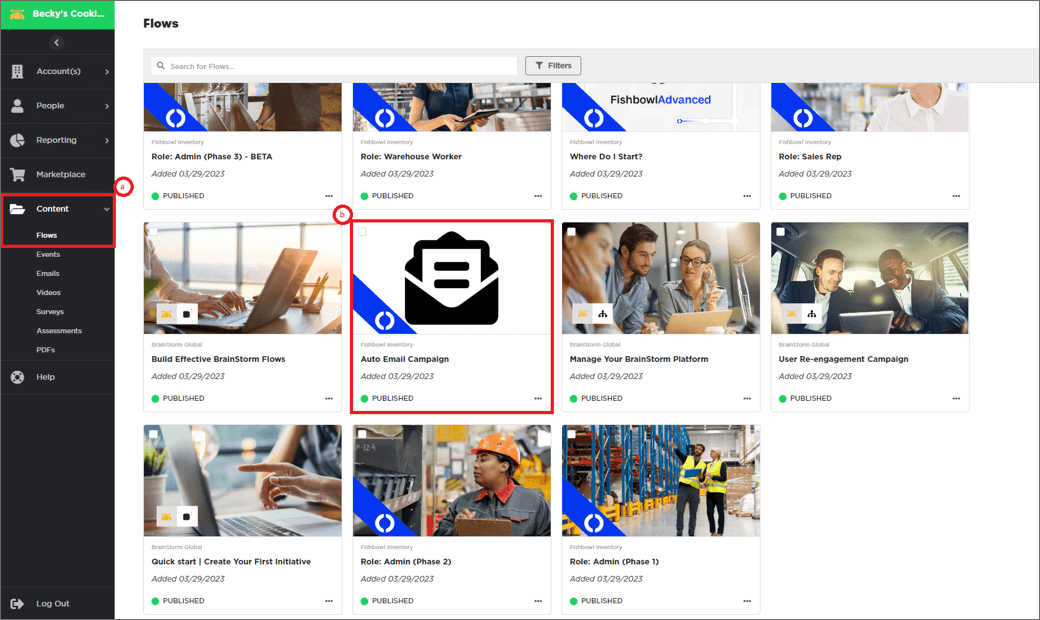
- a. Go under Content and click Flows
- b. Scroll down and click on the Auto Email Campaign Flow
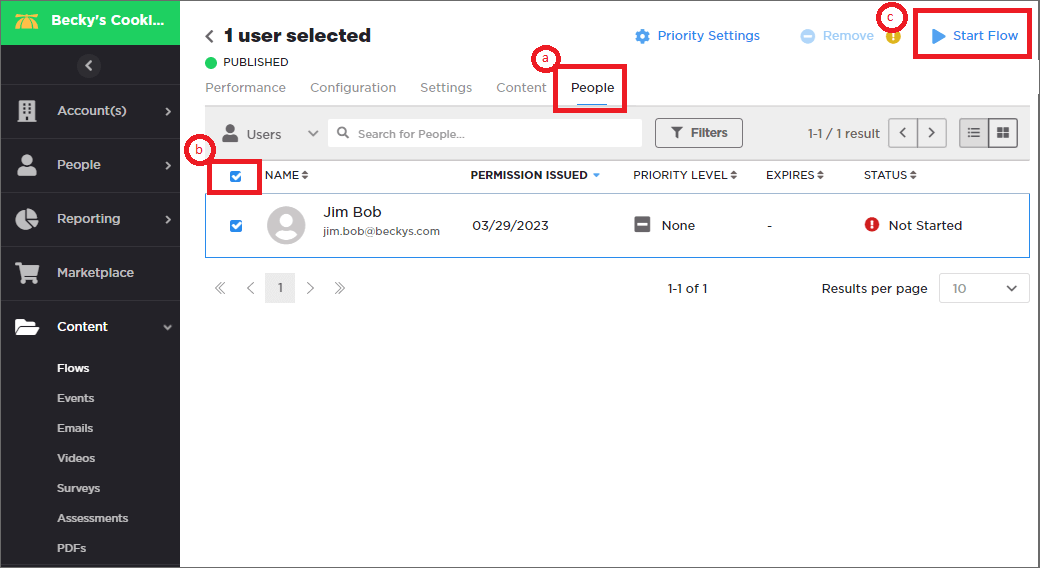
- Complete the following steps:
- a. Click on the People tab
- b. Select the box in the top left to choose all users in the list
- c. Click the Start Flow in the top right corner (This will send the customer their first welcome email! To get them started!)