Sales Dashboard
From Fishbowl Advanced
 The Sales Dashboard module, located in the
  Sales group, empowers businesses to make informed decisions by providing a clear picture of sales performance. By having access to real-time data, businesses can quickly identify trends, optimize pricing strategies, and improve customer satisfaction, ultimately leading to increased revenue and growth.

Key Features
- Sales Orders vs. Previous Period: Easily compare current sales performance against historical data to identify trends and areas for improvement.
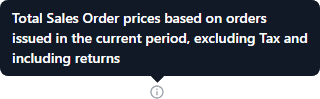
- Sales Order Summary: Access a comprehensive overview of all sales orders, including key metrics such as total sales, average order value, and order volume.
- Margins: Quickly analyze profit margins across different products and sales channels to optimize pricing strategies.
- Top Selling Products: Identify which products are driving the most revenue to focus marketing and inventory efforts effectively.
- Sales by Product Tree: Understand sales performance across your product categories and hierarchies for strategic decision-making.
- Orders Fulfilled in Full on Time: Track the percentage of orders fulfilled on time, helping to improve customer satisfaction and operational efficiency.
- Click any of the
 Information icons for more details.