Template:Rename
Template page
- Open the
 Company module and change the company name so that you can distinguish between the two databases.

- Open the
 Accounting Integration module module and disconnect from your live accounting database.
- Open the
 Schedule module and delete/modify any scheduled tasks.
- You will need to stop and then start the Fishbowl Server to apply the name change. Right-click the Fishbowl Server icon in the system tray and click Stop.
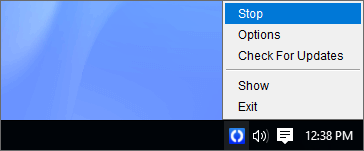
- Right-click the Fishbowl Server icon in the system tray and click Start to apply the name change.


