Report Packing Slip 4x6
From Fishbowl Advanced
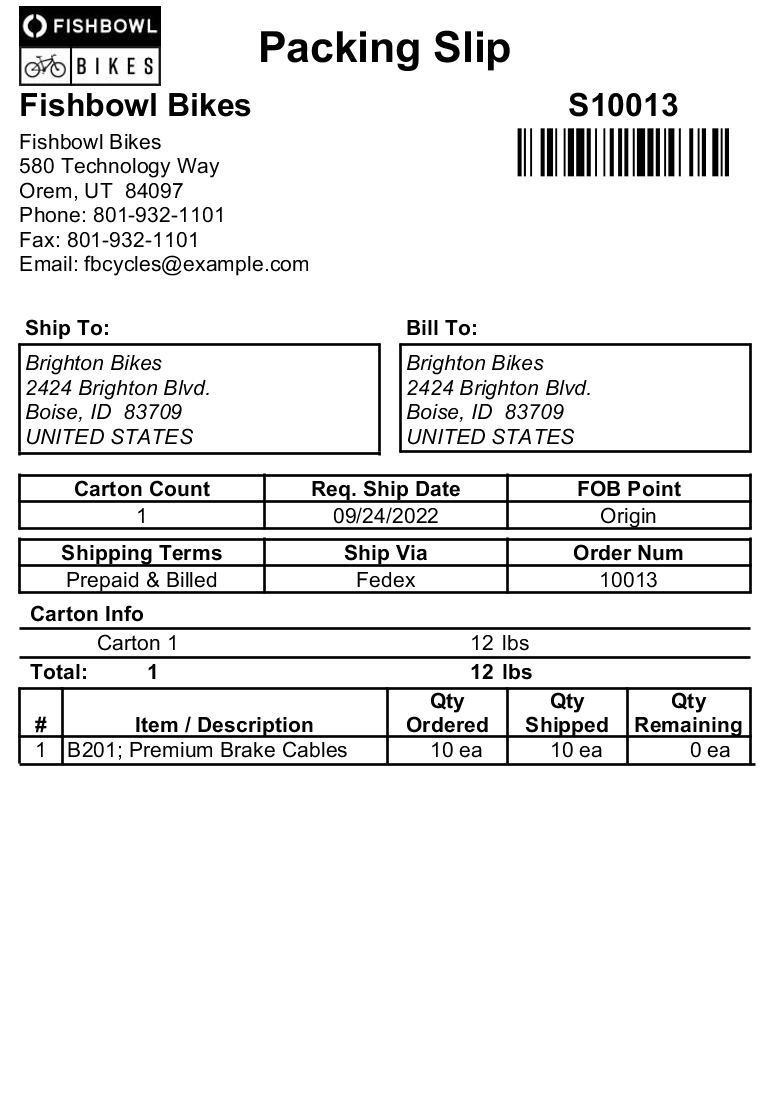
This report prints packing slips on 4x6 labels.
- REQUIRED TAB
- Shipping Number - Enter the order number to run the report for.
- OPTIONAL TAB
- Contact To Show - Choose which contact to show on the report. The choices are Address Name or SO Contact.
- Layout Format - Choose which packing list layout to print. The choices are Standard or By Carton.
- Order Number - Choose whether to show the Customer PO Number or the SO Number as the Order Number on the report.
- Show Back Order Items - Choose to show/hide back order items by checking/unchecking this checkbox.
- Show Country - Choose to show/hide the country on the Ship To and Bill To addresses by checking/unchecking this checkbox.
- Show Kit Headers - Choose to show/hide the Kit products' headers by checking/unchecking this checkbox.
- Format Report for Exporting - Removes the page breaks and displays the report on one long page for exporting to CSV, Excel, and other formats.
- Show Barcode - Choose to show/hide the barcode on the report by checking/unchecking this checkbox.
- Show Tracking - Choose to show/hide part tracking information by checking/unchecking this checkbox.
- Show Unique Ship Numbers - Choose to show/hide unique ship numbers (from partial shipping) by checking/unchecking this checkbox.
- PRINTER TAB - Allows a default printer to be specified for the report in each location group.