Report Single Product Barcodes Avery
From Fishbowl Advanced
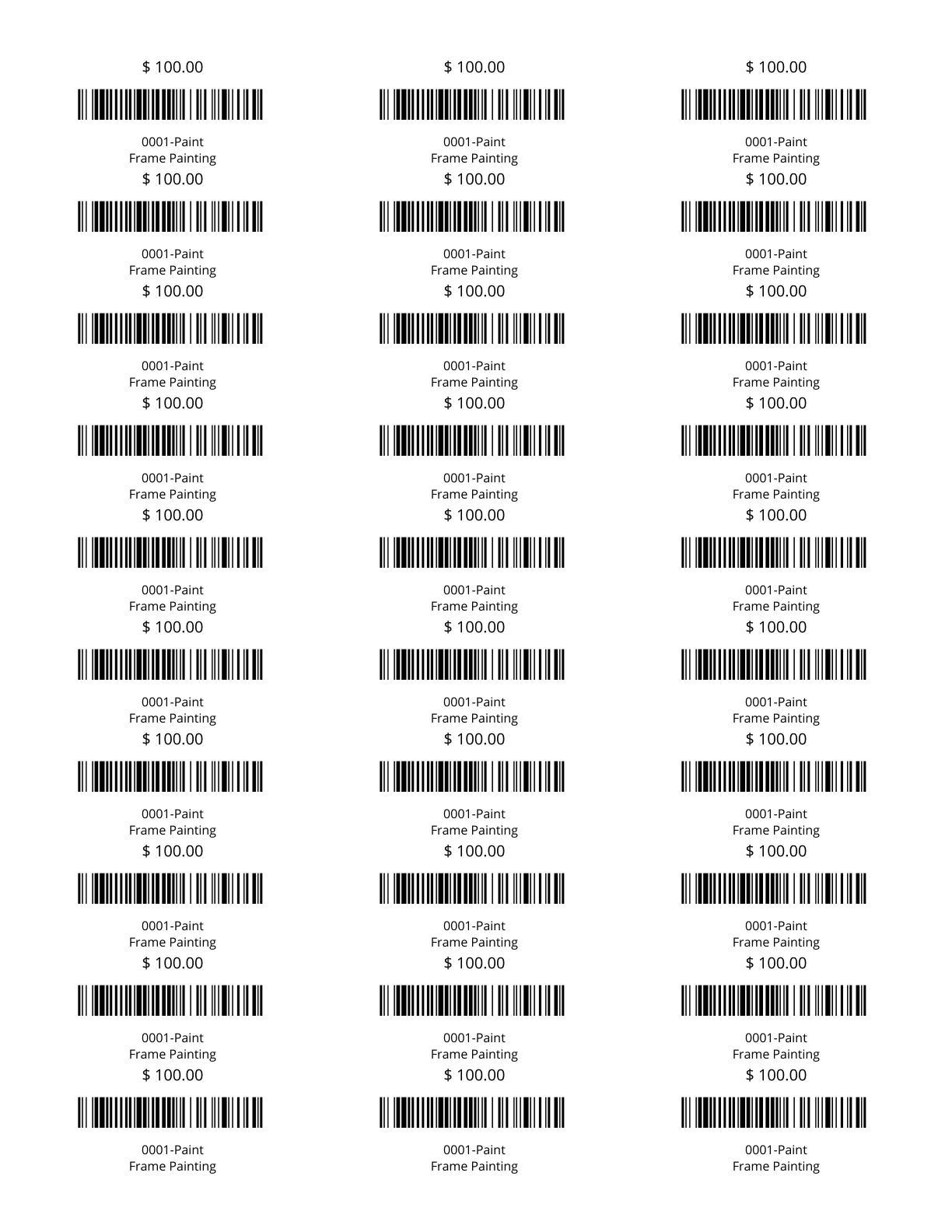
This report prints out product barcodes on an Avery 8160 label sheet. Prints out one barcode each for multiple products or multiple barcodes (Code 128) for a single product.
The  Modify Report button allows the following report filters to be customized:
- OPTIONAL TAB
- Product Number - Choose a specific product number to run the report for. Leave this field blank to run for all product numbers.
- Count - Enter the number of parts to print out at one time. If the Product Number field is left blank, this number signifies how many products to print starting from the beginning of the product list. If the Product Number field has a product selected, the count field signifies the number of barcode labels to print for that single product.
- Start At Label - Enter the position number for the labels to start printing on. It numbers top to bottom then left to right.
- Format Report for Exporting - Removes the page breaks and displays the report on one long page for exporting to CSV, Excel, and other formats.
- Show Description - Choose to show/hide the product description by checking/unchecking this checkbox.
- Show Price - Choose to show/hide the product price by checking/unchecking this checkbox.
- PRINTER TAB - Allows a default printer to be specified for the report in each location group.