Report Part List
From Fishbowl Advanced
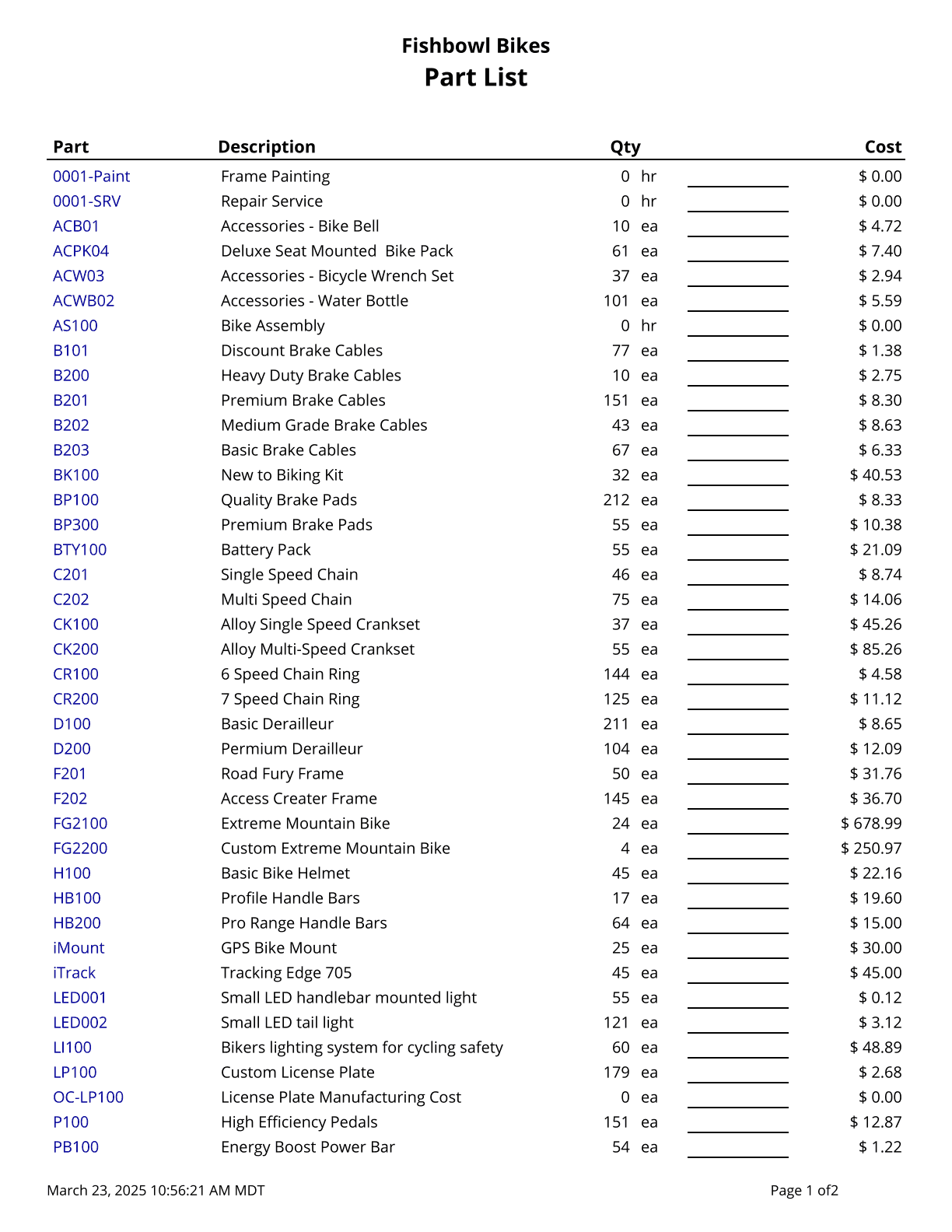
This report generates a part list with current quantity on hand and current cost. Cost values are based on today’s costs. Use % for a wild card search for the description field.
The  Modify Report button allows the following report filters to be customized:
- OPTIONAL TAB
- Costing Method - Choose a costing method to use when running the report: Average Cost, Standard Cost, LIFO, or FIFO.
- Part Number - Choose a part number to run the report for. Leave this field blank to run for all parts.
- Description - Enter the desired part description to search for. Use the % sign for a wild card search. Leave this field blank to run for all parts descriptions.
- Show Active - Choose to show/hide active parts by checking/unchecking this checkbox.
- Show Inactive - Choose to show/hide inactive parts by checking/unchecking this checkbox.
- Format Report for Exporting - Removes the page breaks and displays the report on one long page for exporting to CSV, Excel, and other formats.
- Show Description - Choose to show/hide parts descriptions by checking/unchecking this checkbox.
- Show Cost - Choose to show/hide part costs by checking/unchecking this checkbox.
- Show Qty On Hand - Choose to show/hide parts' quantity on hand by checking/unchecking this checkbox.
- PRINTER TAB - Allows a default printer to be specified for the report in each location group.