Report Reorder Report
From Fishbowl Advanced
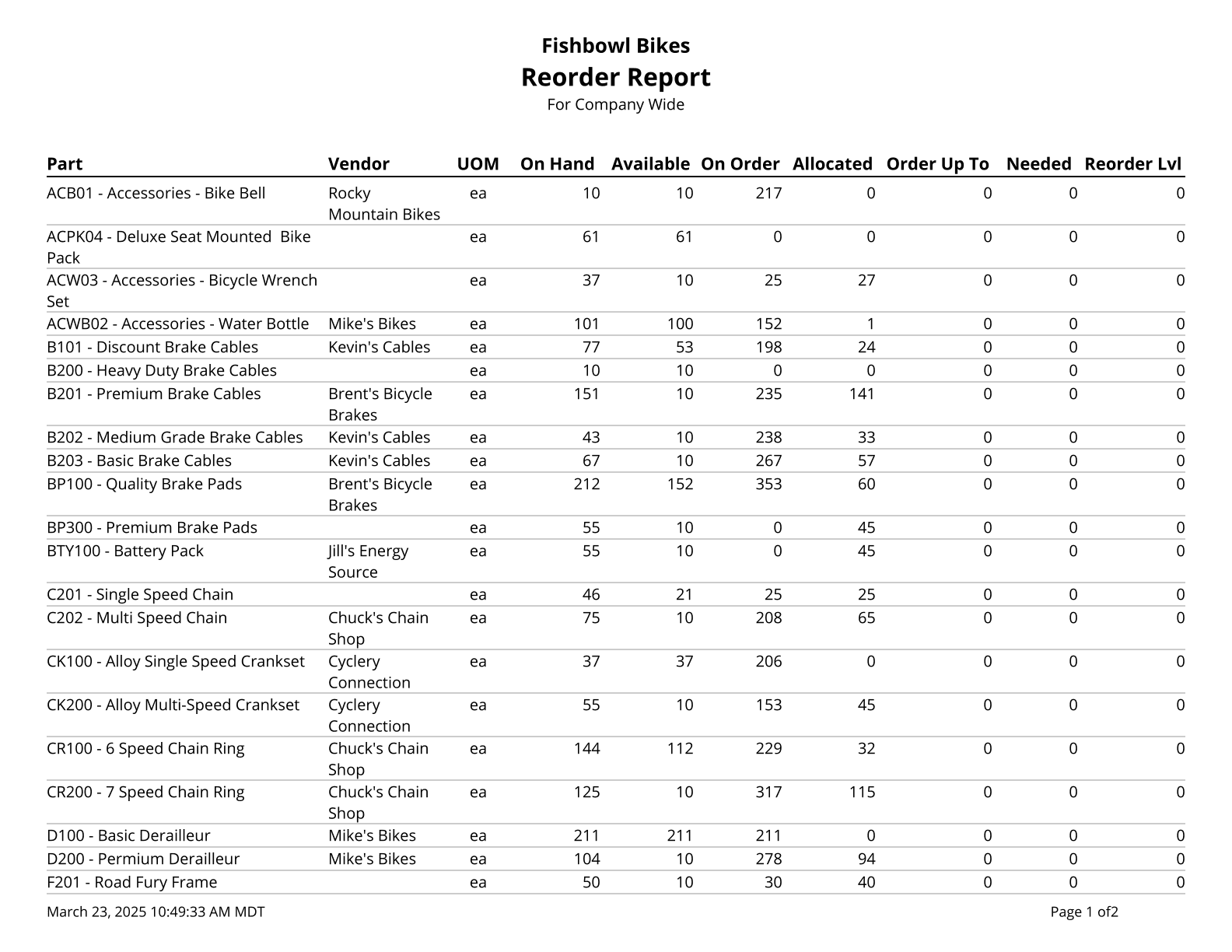
This report generates a list of parts below their reorder points. Available and Needed are calculated using the following formulas.
- Available = On Hand - Allocated - Not Available + Drop Ship
- Needed = Order Up To Level - On Hand + On Order - Allocated - Not Available
The  Modify Report button allows the following report filters to be customized:
- OPTIONAL TAB
- Location Group - Choose a specific location group to run the report for. Leave this field blank to run for all location groups.
- Part Number - Choose a specific part number to run the report for. Leave this field blank to run for all part numbers.
- Include No ROP/OUL - Choose to show/hide parts that do not have reorder points or order up to levels set by checking/unchecking this checkbox.
- Show Inactive Parts - Choose to show/hide inactive parts by checking/unchecking this checkbox.
- Format Report for Exporting - Removes the page breaks and displays the report on one long page for exporting to CSV, Excel, and other formats.
- Show All Items - Choose to show all items, even if they don’t need to be reordered, by checking this checkbox. To only show parts that need to be reordered, leave this checkbox unchecked.
- Show Default Vendor - Choose to show/hide a part's default vendor by checking/unchecking this checkbox.
- PRINTER TAB - Allows a default printer to be specified for the report in each location group.