Report Vendor Address
From Fishbowl Advanced
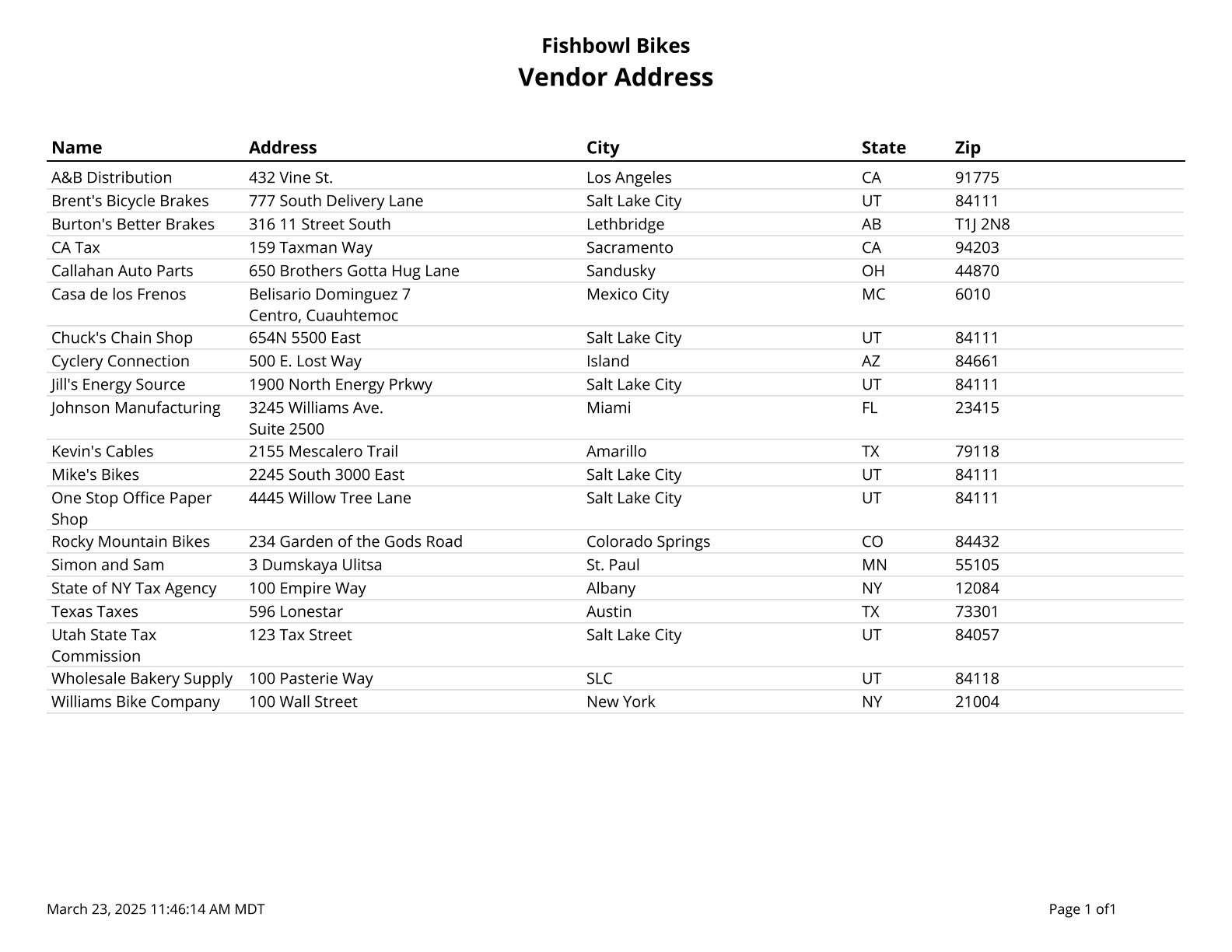
This report generates a list of vendors and all of their addresses.
The  Modify Report button allows the following report filters to be customized:
- OPTIONAL TAB
- Sort By - Choose whether to sort by Name, Address, City, Zip Code, State, Country. Add additional sorts that apply in sequence by clicking on the green Add More Sorting Options button. Also, choose Ascending or Descending order by clicking on the blue arrow icon.
- Format Report for Exporting - Removes the page breaks and displays the report on one long page for exporting to CSV, Excel, and other formats.
- Show Country - Choose to show/hide the country for each address by checking/unchecking this checkbox.
- PRINTER TAB - Allows a default printer to be specified for the report in each location group.