Report Z Report
From Fishbowl Advanced
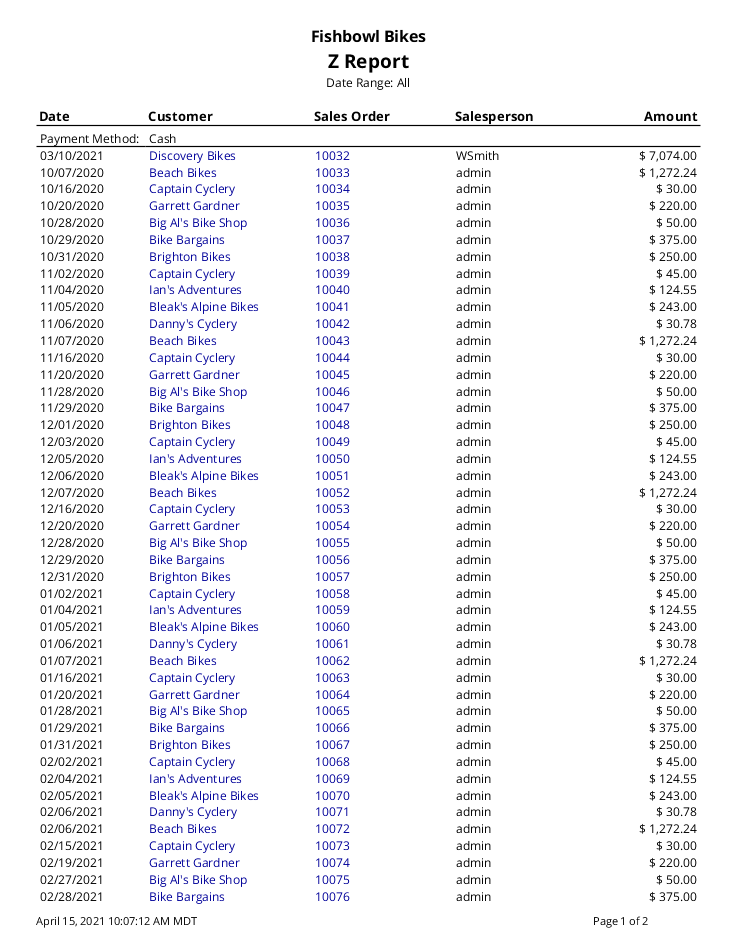
This report generates a list of all payments posted in Fishbowl for the date range specified.
The  Modify Report button allows the following report filters to be customized:
- OPTIONAL TAB
- Sort By - Choose to sort by Date, Customer, Sales Order, or Salesperson.
- Payment Method - Choose which payment method to run the report for. Choose All for all types.
- Sales Person - Choose which sales person to run the report for. Leave this field blank to run for all sales people.
- Class - Select a class to run the report for. Leave this field blank to run for all classes.
- Location Group - Choose a specific location group to run the report for. Leave this field blank to run for all location groups.
- Customer - Choose to run the report for a specific customer. Leave this field blank to run for all customers.
- Register - Enter a register name to see payments made at that register. Leave this field blank to run for all registers.
- Date Range - Enter a date range to run the report for. This date range looks at the DATETIME field on the POSTRANSACTION table in the database, meaning the date and time the payment was taken.
- Format Report for Exporting - Removes the page breaks and displays the report on one long page for exporting to CSV, Excel, and other formats.
- PRINTER TAB - Allows a default printer to be specified for the report in each location group.