Invoices
From Fishbowl Drive
The Invoices module allows you to view all invoices within Fishbowl Drive and directly link to the corresponding invoice in QuickBooks Online. Additionally, the module allows you to see all accounting transactions tied to each invoice within Fishbowl Drive.
- The search bar at the top of the module allows you to filter the list of invoices or select a date range.


- The list of invoices can also be sorted by clicking a column header.
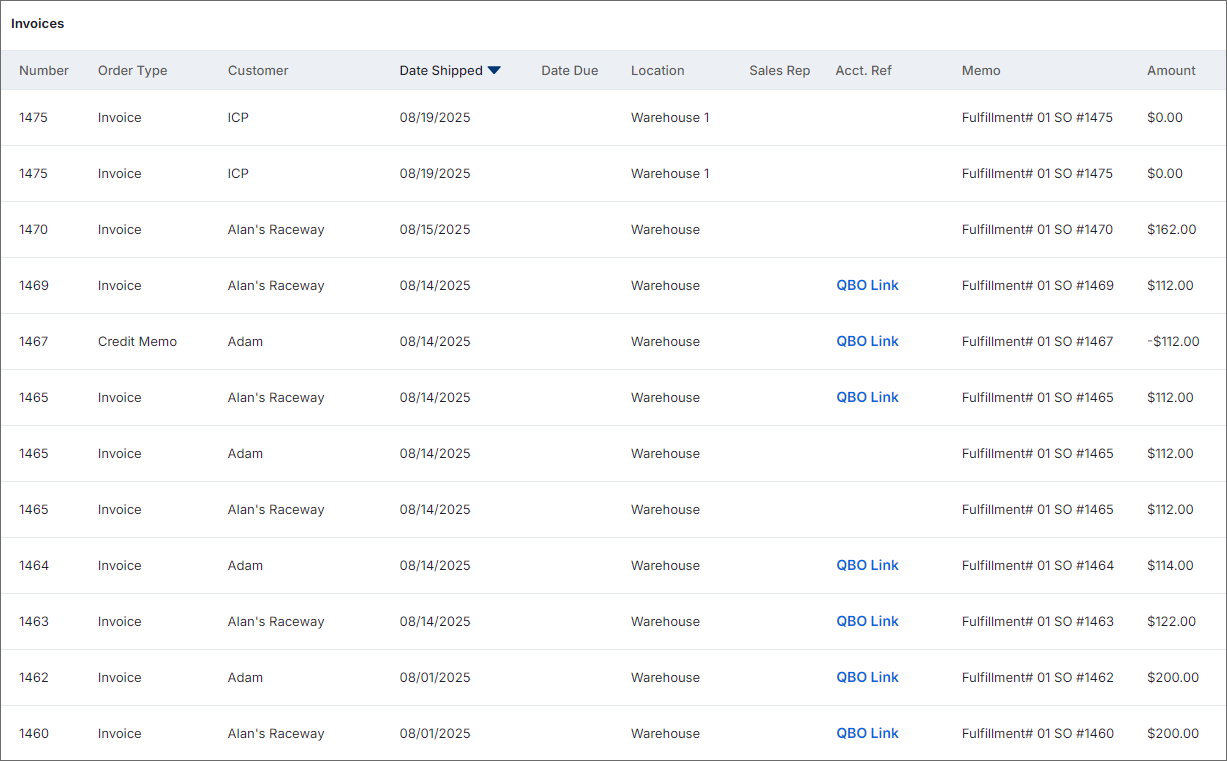

- Select an invoice from the list to see the details listed on the General tab.
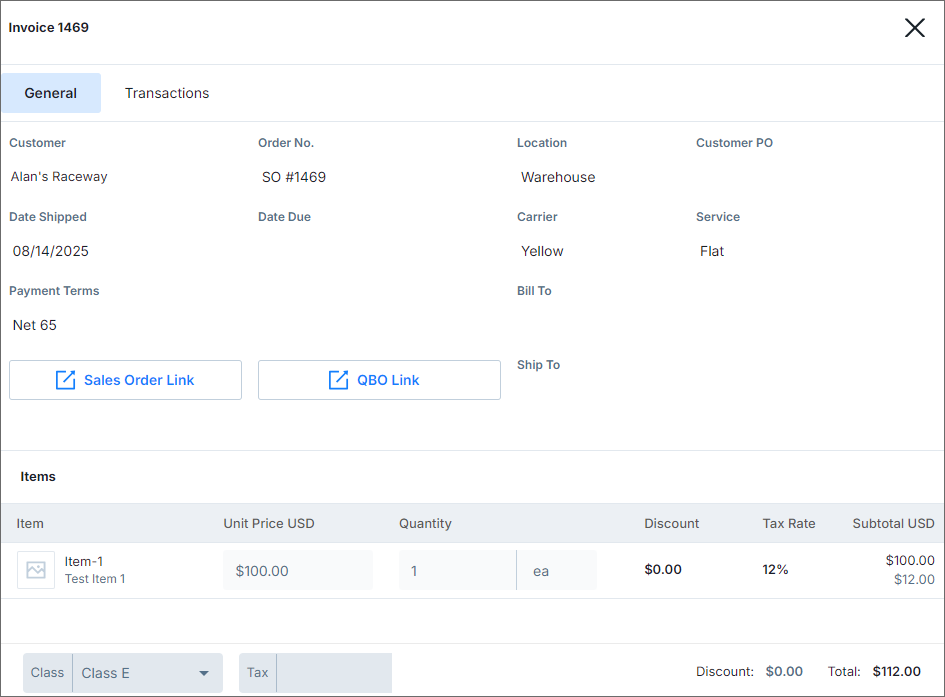

- To see the transactions associated with the invoice, click the Transactions tab.


FAQs
- What is the Invoices module?
- The Invoices module allows you to view all invoices and their associated accounting transactions within the module. It also provides a direct link to the corresponding invoice in QuickBooks Online.
- How can I benefit from this?
- The Invoices module provides a clear understanding of what will be posted to accounting. The ability to see all relevant information in one place also saves time and simplifies workflows.
- Where is the Invoices module located?
- The Invoices module is found inside the Accounting module group on the left side of Fishbowl Drive.
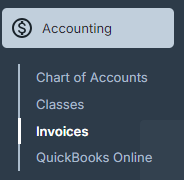
- The Invoices module is found inside the Accounting module group on the left side of Fishbowl Drive.

- When does an invoice show up in this module?
- Once a sales order has been partially shipped or completely shipped the invoice will appear in the Invoices module.
- When does the QuickBooks Online link show up in the Invoices module?
- Once an export has been performed the invoice will provide a link to the invoice that was generated in QuickBooks Online.
- How do I remove permissions to see the Invoices module?
- Permissions to the Accounting group can be added or removed in General section of the the Permissions module.
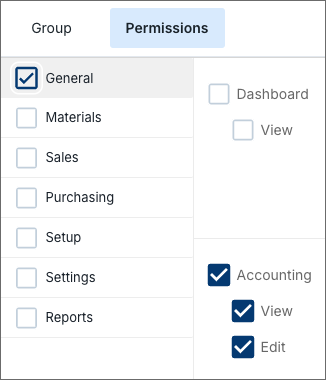
- Permissions to the Accounting group can be added or removed in General section of the the Permissions module.

- Why can't I edit details in the Invoices module?
- The Invoices module is designed to display the information of what has been fulfilled as a sales order. If you need to edit information you would need to void the shipment of the sales order to back it out and then you can make changes.