Release Notes archive: Difference between revisions
No edit summary |
Tag: Undo |
||
| (5 intermediate revisions by 2 users not shown) | |||
| Line 1: | Line 1: | ||
'''{{r|Note}}: This page is for previous versions of Fishbowl that are no longer [[System_Requirements#Supported_Fishbowl_versions|supported]]. Downloads on this page should only be used when needed for upgrading purposes. The most recent downloads are listed on the [[Release Notes]] page.''' | '''{{r|Note}}: This page is for previous versions of Fishbowl that are no longer [[System_Requirements#Supported_Fishbowl_versions|supported]]. Downloads on this page should only be used when needed for upgrading purposes. The most recent downloads are listed on the [[Release Notes]] page.''' | ||
{{HideReleased|23.11|11|14|23}} | |||
{{ | |||
{{HideH2|Highlights - 23.11}} | {{HideH2|Highlights - 23.11}} | ||
* {{r|Note:}} '''Please update to [[# | * {{r|Note:}} '''Please update to [[#SEP_20.2C_2023_-_Advanced_23.9.1|23.9.1]] before updating to 23.11 or verify that you are using the Web connection when logging in.''' | ||
* Support for MySQL 8.0 is here! Follow the instructions below to update. | * Support for MySQL 8.0 is here! Follow the instructions below to update. | ||
:{{MySQL 8 Notice}} | :{{MySQL 8 Notice}} | ||
| Line 50: | Line 36: | ||
* Resolved: Packing List not showing Part tracking when the report format was "By Carton" | * Resolved: Packing List not showing Part tracking when the report format was "By Carton" | ||
{{ | {{HideReleased|23.9.1|09|20|23}} | ||
{{HideH2|Highlights - 23.9.1}} | {{HideH2|Highlights - 23.9.1}} | ||
* Updated client allocation logic to handle larger data transfer on client updates. | * Updated client allocation logic to handle larger data transfer on client updates. | ||
* Resolved: JxBrowser update breaking the client update. This is resolved either by using the web connection or by increasing the client memory allocation to 2GB+. | * Resolved: JxBrowser update breaking the client update. This is resolved either by using the web connection or by increasing the client memory allocation to 2GB+. | ||
{{HideReleased|23.9|09|14|23}} | |||
{{ | |||
{{HideH2|New Features - 23.9}} | {{HideH2|New Features - 23.9}} | ||
| Line 97: | Line 78: | ||
* Updated the value of the “<code>EVNT ShortDate</code>" system property to be “dd/MM/yyyy” for non-US databases | * Updated the value of the “<code>EVNT ShortDate</code>" system property to be “dd/MM/yyyy” for non-US databases | ||
{{ | {{HideReleased|23.8|08|10|23}} | ||
{{HideH2|Highlights - 23.8}} | {{HideH2|Highlights - 23.8}} | ||
* The new [[Commerce]] plugin integrates with [https://sellware.com Fishbowl Commerce], which allows Fishbowl Advanced to connect to [https://sellware.com/partners-integrations/ many channels, shopping carts, and marketplaces].<br><br>[[File:Fishbowl Commerce integrations.png|link=https://sellware.com/partners-integrations/|400px]] | * The new [[Commerce]] plugin integrates with [https://sellware.com Fishbowl Commerce], which allows Fishbowl Advanced to connect to [https://sellware.com/partners-integrations/ many channels, shopping carts, and marketplaces].<br><br>[[File:Fishbowl Commerce integrations.png|link=https://sellware.com/partners-integrations/|400px]] | ||
| Line 129: | Line 110: | ||
* Added indexes on postransaction.dateTime | * Added indexes on postransaction.dateTime | ||
{{ | {{HideReleased|23.7|07|18|23}} | ||
{{HideH2|New Features - 23.7}} | {{HideH2|New Features - 23.7}} | ||
* Added the [[Advanced_Reports#Sales_Invoice|Sales Invoice]] as a separate report and set it as the default report for Sales Invoice printing and emailing | * Added the [[Advanced_Reports#Sales_Invoice|Sales Invoice]] as a separate report and set it as the default report for Sales Invoice printing and emailing | ||
| Line 143: | Line 124: | ||
**Resolved: USPS Ground Advantage not showing as a mapping option | **Resolved: USPS Ground Advantage not showing as a mapping option | ||
{{ | {{HideReleased|23.6|06|08|23}} | ||
{{HideH2|Features - 23.6}} | {{HideH2|Features - 23.6}} | ||
* Improvements to the QuickBooks Online connection. | * Improvements to the QuickBooks Online connection. | ||
| Line 154: | Line 135: | ||
*Contract status alerts have been reworded throughout the system. | *Contract status alerts have been reworded throughout the system. | ||
{{ | {{HideReleased|23.5|05|18|23}} | ||
{{HideH2|Fixes - 23.5}} | {{HideH2|Fixes - 23.5}} | ||
'''License Keys''' | '''License Keys''' | ||
| Line 163: | Line 144: | ||
*Resolved: Avalara estimated tax not being included in payment total when using a payment link. | *Resolved: Avalara estimated tax not being included in payment total when using a payment link. | ||
{{ | {{HideReleased|23.4.1|04|14|23}} | ||
{{HideH2|Highlights - 23.4.1}} | {{HideH2|Highlights - 23.4.1}} | ||
*[[Start_Fishbowl#Change_license_key_after_Fishbowl_is_installed|Active license keys are now permanent]]. New keys will no longer be required each year. Must be on version 23.1 or later. | *[[Start_Fishbowl#Change_license_key_after_Fishbowl_is_installed|Active license keys are now permanent]]. New keys will no longer be required each year. Must be on version 23.1 or later. | ||
| Line 200: | Line 181: | ||
*Resolved: Canceling a sales order after picking the second line item leaves an open shipment and inventory remains committed. | *Resolved: Canceling a sales order after picking the second line item leaves an open shipment and inventory remains committed. | ||
{{ | {{HideReleased|23.3|03|09|23}} | ||
{{HideH2|Highlights - 23.3}} | {{HideH2|Highlights - 23.3}} | ||
*New [[Advanced_Reports#Purchase_Order_Summary_Export|Purchase Order Summary Export]]. This new report that displays the same content as the '''Purchase Order Summary''' report, but it's formatted in column/row style for a better experience when exporting as CSV or XLS. The report also includes the option to display and filter by custom fields from the PO and PO items. | *New [[Advanced_Reports#Purchase_Order_Summary_Export|Purchase Order Summary Export]]. This new report that displays the same content as the '''Purchase Order Summary''' report, but it's formatted in column/row style for a better experience when exporting as CSV or XLS. The report also includes the option to display and filter by custom fields from the PO and PO items. | ||
| Line 241: | Line 222: | ||
*Resolved: Order level commit button doesn't commit newly available inventory if a portion has already been committed. | *Resolved: Order level commit button doesn't commit newly available inventory if a portion has already been committed. | ||
{{ | {{HideReleased|23.2|02|09|23}} | ||
{{HideH2|Highlights - 23.2}} | {{HideH2|Highlights - 23.2}} | ||
*New [[Fishbowl Payments]] product in Fishbowl Advanced (rebranded from Stax Pay to Fishbowl Payments). | *New [[Fishbowl Payments]] product in Fishbowl Advanced (rebranded from Stax Pay to Fishbowl Payments). | ||
| Line 268: | Line 249: | ||
*wallet table: Stax Pay gatewayname changed to Fishbowl Payments. | *wallet table: Stax Pay gatewayname changed to Fishbowl Payments. | ||
*paymenttype and paymentmethod tables: ACH type was added (id value of 120). | *paymenttype and paymentmethod tables: ACH type was added (id value of 120). | ||
{{ | {{HideReleased|23.1|01|12|23}} | ||
{{HideH2|Highlights - 23.1}} | {{HideH2|Highlights - 23.1}} | ||
*Added [[Payment_Gateway#Payment_links|Stax Pay payment links]]. Fishbowl users can generate a payment link for a sales order and email their customers the [[Advanced_Reports#Sales_Order_Report|Sales Order Report]], which now includes a '''Pay Online''' button.<br>[[File:Pay Online.png|link=Payment_Gateway#Payment_links]] | *Added [[Payment_Gateway#Payment_links|Stax Pay payment links]]. Fishbowl users can generate a payment link for a sales order and email their customers the [[Advanced_Reports#Sales_Order_Report|Sales Order Report]], which now includes a '''Pay Online''' button.<br>[[File:Pay Online.png|link=Payment_Gateway#Payment_links]] | ||
| Line 293: | Line 274: | ||
*Added a new type (Import Gateway Payments) to the fbscheduleactiontype table. | *Added a new type (Import Gateway Payments) to the fbscheduleactiontype table. | ||
{{HideReleased|22.12|12|08|22}} | |||
{{ | {{HideH2|Highlights - 22.12}} | ||
{{HideH2|Highlights - | |||
*Added the [[Advanced_Reports#Sales_Order_Summary Export|'''Sales Order Summary Export''' report]]. | *Added the [[Advanced_Reports#Sales_Order_Summary Export|'''Sales Order Summary Export''' report]]. | ||
**This new report includes all the great features of the '''Sales Order Summary''' report, but in a wide format that exports nicely to Excel. | **This new report includes all the great features of the '''Sales Order Summary''' report, but in a wide format that exports nicely to Excel. | ||
| Line 305: | Line 285: | ||
*Added [[Payment_Gateway#Card|Stax Pay '''Card on File''']] functionality. Fishbowl users can save tokenized cards on file for their customers with Stax Pay. | *Added [[Payment_Gateway#Card|Stax Pay '''Card on File''']] functionality. Fishbowl users can save tokenized cards on file for their customers with Stax Pay. | ||
{{HideH2|New Features - | {{HideH2|New Features - 22.12}} | ||
*The {{Module|Discount}} table columns can now be sorted, rearranged, and hidden. Settings will persist across logins and restarts. | *The {{Module|Discount}} table columns can now be sorted, rearranged, and hidden. Settings will persist across logins and restarts. | ||
*The [[Advanced_Reports#Export_Summary|'''Export Summary''' report]] can now be run in the {{Module|Schedule}}. | *The [[Advanced_Reports#Export_Summary|'''Export Summary''' report]] can now be run in the {{Module|Schedule}}. | ||
*Payments in the [[Payment_Gateway|Stax Pay]] portal display the '''Fishbowl SO#''' in the '''Memo''' field. | *Payments in the [[Payment_Gateway|Stax Pay]] portal display the '''Fishbowl SO#''' in the '''Memo''' field. | ||
{{HideH2|Fixes - | {{HideH2|Fixes - 22.12}} | ||
'''Web Connection''' | '''Web Connection''' | ||
*Resolved: Web connection memory inefficient. Slowness in large objects like reports. | *Resolved: Web connection memory inefficient. Slowness in large objects like reports. | ||
| Line 343: | Line 323: | ||
**Customer-Wallet -> Customer-Card on File | **Customer-Wallet -> Customer-Card on File | ||
{{ | {{HideReleased|22.11|11|10|22}} | ||
{{HideH2|Highlights - | {{HideH2|Highlights - 22.11}} | ||
*[[Payment_Gateway|Improved the Stax Pay enrollment process by adding the ability to validate company information in Fishbowl before starting the payments application]]. | *[[Payment_Gateway|Improved the Stax Pay enrollment process by adding the ability to validate company information in Fishbowl before starting the payments application]]. | ||
*[[Advanced_Reports#On_Hand|The On Hand]] [[Advanced_Reports#Inventory Availability|and Inventory Availability reports can now display and filter custom fields]]. | *[[Advanced_Reports#On_Hand|The On Hand]] [[Advanced_Reports#Inventory Availability|and Inventory Availability reports can now display and filter custom fields]]. | ||
*[[Schedule|The following reports are now available to run in the Schedule module: Part Activity Report, Part Activity Export, Historical Part Cost, MTD Sales, POS Hourly Breakdown, Dormant Customers]]. | *[[Schedule|The following reports are now available to run in the Schedule module: Part Activity Report, Part Activity Export, Historical Part Cost, MTD Sales, POS Hourly Breakdown, Dormant Customers]]. | ||
{{HideH2|Fixes - | {{HideH2|Fixes - 22.11}} | ||
'''Avalara''' | '''Avalara''' | ||
| Line 374: | Line 354: | ||
*Resolved: PO Report order field data defaults to the first PO created in the system and does not update upon changing the data in the PO module. | *Resolved: PO Report order field data defaults to the first PO created in the system and does not update upon changing the data in the PO module. | ||
{{ | {{HideReleased|22.10|10|13|22}} | ||
{{HideH2|Highlights - | {{HideH2|Highlights - 22.10}} | ||
*[[Payment Gateway|New payment gateway integration to Stax Pay in Payment Gateway module (enrollment link included). Stax Pay allows users to process, refund, and void credit card (not present) transactions.]] | *[[Payment Gateway|New payment gateway integration to Stax Pay in Payment Gateway module (enrollment link included). Stax Pay allows users to process, refund, and void credit card (not present) transactions.]] | ||
*[[Reports#Packing_Slip|The Packing Slip 4x6 label previously available on our Reports store has been added as a standard report.]] | *[[Reports#Packing_Slip|The Packing Slip 4x6 label previously available on our Reports store has been added as a standard report.]] | ||
{{HideH2|New Features - | {{HideH2|New Features - 22.10}} | ||
*[[Advanced_Reports#Gross_Sales_By_Product|Gross Sales By Product Report: Added some options and a slight redesign to make the report more Excel friendly.]] | *[[Advanced_Reports#Gross_Sales_By_Product|Gross Sales By Product Report: Added some options and a slight redesign to make the report more Excel friendly.]] | ||
*[[Advanced_Reports#Packing_List|Added custom fields to the following reports: Packing List, Shipping Invoice, and Sales Order Summary.]] | *[[Advanced_Reports#Packing_List|Added custom fields to the following reports: Packing List, Shipping Invoice, and Sales Order Summary.]] | ||
| Line 385: | Line 365: | ||
* [[Plugin|Updated to the latest version of JxBrowser.]] | * [[Plugin|Updated to the latest version of JxBrowser.]] | ||
{{HideH2|Fixes - | {{HideH2|Fixes - 22.10}} | ||
'''Picking''' | '''Picking''' | ||
*Resolved: Insufficient quantity error when picking decimal quantities from a UOM conversion with date or text tracking. | *Resolved: Insufficient quantity error when picking decimal quantities from a UOM conversion with date or text tracking. | ||
| Line 410: | Line 390: | ||
*Resolved: Part creation error due to not having a "returning as" part associated even for types other than "Outsource." | *Resolved: Part creation error due to not having a "returning as" part associated even for types other than "Outsource." | ||
{{ | {{HideReleased|22.9|09|08|22}} | ||
{{HideH2|Highlights - | {{HideH2|Highlights - 22.9}} | ||
*[[Settings#Email_tab|Sign in with Microsoft. Updated authentication process for Microsoft email settings.]] | *[[Settings#Email_tab|Sign in with Microsoft. Updated authentication process for Microsoft email settings.]] | ||
*[[Advanced_Reports#Custom Fields|Custom fields can now be displayed on standard reports. The SO Report can now display up to 6 SO custom fields and 3 SO line item custom fields. Custom fields will be added to additional reports in the coming months.]] | *[[Advanced_Reports#Custom Fields|Custom fields can now be displayed on standard reports. The SO Report can now display up to 6 SO custom fields and 3 SO line item custom fields. Custom fields will be added to additional reports in the coming months.]] | ||
{{HideH2|New Features - | {{HideH2|New Features - 22.9}} | ||
*[[Sales_Order#Take_a_payment|Estimated tax will now be displayed in the Payments wizard when integrated with Avalara.]] | *[[Sales_Order#Take_a_payment|Estimated tax will now be displayed in the Payments wizard when integrated with Avalara.]] | ||
*[[Access_Rights#Receiving|Added a user access right to hide/show tax columns in the Receiving module (non-US versions only).]] | *[[Access_Rights#Receiving|Added a user access right to hide/show tax columns in the Receiving module (non-US versions only).]] | ||
| Line 421: | Line 401: | ||
*[[Advanced_Reports#Purchase_Order_Report|Option to modify field titles added to PO Report, Shipping Invoice, and Packing List. Modify report window has also been reorganized with tabs and groups in these reports.]] | *[[Advanced_Reports#Purchase_Order_Report|Option to modify field titles added to PO Report, Shipping Invoice, and Packing List. Modify report window has also been reorganized with tabs and groups in these reports.]] | ||
{{HideH2|Fixes - | {{HideH2|Fixes - 22.9}} | ||
'''Sales Order''' | '''Sales Order''' | ||
*Resolved: Variable kit items with associated build-to-order BOMs are not creating Work Orders when added to a Sales Order in some instances. | *Resolved: Variable kit items with associated build-to-order BOMs are not creating Work Orders when added to a Sales Order in some instances. | ||
| Line 428: | Line 408: | ||
*Increased column sysValue to VARCHAR(3072) on the SysProperties table. | *Increased column sysValue to VARCHAR(3072) on the SysProperties table. | ||
{{ | {{HideReleased|22.8|08|11|22}} | ||
{{HideH2|Highlights - | {{HideH2|Highlights - 22.8}} | ||
* Functionality has been added to better allow for the organization of the [[Reports#Modify_report_filters|'''Modify Report''' window]]. More tabs can now be added, along with grouping and sorting inside of each tab. We’ve also made it possible for the displaying of tooltips for each setting within the tabs. Select reports have been updated to make use of this new functionality (SO Report, Customer Purchase History, and Part Activity Report). Additional reports will be updated in the coming months. | * Functionality has been added to better allow for the organization of the [[Reports#Modify_report_filters|'''Modify Report''' window]]. More tabs can now be added, along with grouping and sorting inside of each tab. We’ve also made it possible for the displaying of tooltips for each setting within the tabs. Select reports have been updated to make use of this new functionality (SO Report, Customer Purchase History, and Part Activity Report). Additional reports will be updated in the coming months. | ||
*The [[Advanced_Reports#Sales_Order_Report|Sales Order Report]] now has the ability to modify all field titles. | *The [[Advanced_Reports#Sales_Order_Report|Sales Order Report]] now has the ability to modify all field titles. | ||
{{HideH2|New Features - | {{HideH2|New Features - 22.8}} | ||
*[[Data#Query_parameters|Added a button that allows parameters to be easily added to queries in the Data module.]] | *[[Data#Query_parameters|Added a button that allows parameters to be easily added to queries in the Data module.]] | ||
{{HideH2|Fixes - | {{HideH2|Fixes - 22.8}} | ||
'''Class''' | '''Class''' | ||
| Line 465: | Line 445: | ||
* Removed Substitute product links from kits on the KITITEM table. | * Removed Substitute product links from kits on the KITITEM table. | ||
{{ | {{HideReleased|22.7|07|14|22}} | ||
{{HideH2|Highlights - | {{HideH2|Highlights - 22.7}} | ||
*[[API|The web connection Client functionality is now available to all users]]. | *[[API|The web connection Client functionality is now available to all users]]. | ||
*[[API|New Fishbowl installs now use the web connection by default]]. | *[[API|New Fishbowl installs now use the web connection by default]]. | ||
{{HideH2|New Features - | {{HideH2|New Features - 22.7}} | ||
*[[QuickBooks_Online#Module_Options_QuickBooks_Online_tab|Added a module option to allow Bank Transfer as an available payment method in QuickBooks Online]]. | *[[QuickBooks_Online#Module_Options_QuickBooks_Online_tab|Added a module option to allow Bank Transfer as an available payment method in QuickBooks Online]]. | ||
*[[API|Combo boxes in the Client now update appropriately when using the web connection]]. | *[[API|Combo boxes in the Client now update appropriately when using the web connection]]. | ||
{{HideH2|Fixes - | {{HideH2|Fixes - 22.7}} | ||
'''CSV''' | '''CSV''' | ||
| Line 515: | Line 495: | ||
*Resolved: Assigned users not saving when being set by right-clicking a Work Order. | *Resolved: Assigned users not saving when being set by right-clicking a Work Order. | ||
{{ | {{HideReleased|22.6|06|09|22}} | ||
{{HideH2|Highlights - | {{HideH2|Highlights - 22.6}} | ||
*[[Amazon#Release_Notes|Amazon Plugin customer mapping functionality updated to comply with Amazon's Data Protection Policy.]] | *[[Amazon#Release_Notes|Amazon Plugin customer mapping functionality updated to comply with Amazon's Data Protection Policy.]] | ||
{{HideH2|Fixes - | {{HideH2|Fixes - 22.6}} | ||
'''Checkout''' | '''Checkout''' | ||
| Line 557: | Line 537: | ||
* Resolved: Error when saving a Work Order after removing the class selection. | * Resolved: Error when saving a Work Order after removing the class selection. | ||
{{ | {{HideReleased|22.5|05|19|22}} | ||
{{HideH2|Highlights - | {{HideH2|Highlights - 22.5}} | ||
* [[Getting_Started#1._Install_Fishbowl|Improvements to the client connection.]] | * [[Getting_Started#1._Install_Fishbowl|Improvements to the client connection.]] | ||
{{HideH2|Fixes - | {{HideH2|Fixes - 22.5}} | ||
'''Database Update''' | '''Database Update''' | ||
*Resolved: Update issues related to removing UPS Ready. | *Resolved: Update issues related to removing UPS Ready. | ||
{{ | {{HideReleased|22.4.1|04|22|22}} | ||
{{HideH2|Highlights - | {{HideH2|Highlights - 22.4.1}} | ||
*Updated Fishbowl to account for a Java remote code execution vulnerability. | *Updated Fishbowl to account for a Java remote code execution vulnerability. | ||
{{HideH2|Fixes - | {{HideH2|Fixes - 22.4.1}} | ||
'''Fishbowl Advanced Mobile''' | '''Fishbowl Advanced Mobile''' | ||
| Line 586: | Line 566: | ||
*Removed DELIVERYCONFIRMATIONID column from SHIPCARTON table. | *Removed DELIVERYCONFIRMATIONID column from SHIPCARTON table. | ||
{{ | {{HideReleased|22.4|04|14|22}} | ||
{{HideH2|Highlights - | {{HideH2|Highlights - 22.4}} | ||
*[[User#MODULE_OPTIONS|Added Password Policy options that allow for more-secure user passwords.]] | *[[User#MODULE_OPTIONS|Added Password Policy options that allow for more-secure user passwords.]] | ||
*[[Shipping_Integration|The UPS Ready integration has been completely removed.]] | *[[Shipping_Integration|The UPS Ready integration has been completely removed.]] | ||
{{HideH2|New Features - | {{HideH2|New Features - 22.4}} | ||
*[[Start_Fishbowl#Creating_a_new_database|Database password is now blank when creating a new database on a Mac or Linux server install.]] | *[[Start_Fishbowl#Creating_a_new_database|Database password is now blank when creating a new database on a Mac or Linux server install.]] | ||
| Line 600: | Line 580: | ||
*[[Carrier#Add_a_new_carrier|Updated UPS Carrier Codes to be editable after UPS Ready removal.]] | *[[Carrier#Add_a_new_carrier|Updated UPS Carrier Codes to be editable after UPS Ready removal.]] | ||
{{HideH2|Fixes - | {{HideH2|Fixes - 22.4}} | ||
'''API''' | '''API''' | ||
| Line 635: | Line 615: | ||
*Removed column UPS from the COUNTRYCONST table. | *Removed column UPS from the COUNTRYCONST table. | ||
{{ | {{HideReleased|22.3|03|10|22}} | ||
{{HideH2|Highlights - | {{HideH2|Highlights - 22.3}} | ||
*[[Fishbowl_Server_Administration#Rebuild_database|Added the ability to rebuild a database.]] | *[[Fishbowl_Server_Administration#Rebuild_database|Added the ability to rebuild a database.]] | ||
{{HideH2|New Features - | {{HideH2|New Features - 22.3}} | ||
*[[API|Added the ability to run a data query through the REST API]]. | *[[API|Added the ability to run a data query through the REST API]]. | ||
*[[Legacy_Gateways#Clover_Connect_(Legacy)|Updated CardConnect branding to Clover Connect.]] | *[[Legacy_Gateways#Clover_Connect_(Legacy)|Updated CardConnect branding to Clover Connect.]] | ||
*[[API|Updated documentation for the REST Import call]]. | *[[API|Updated documentation for the REST Import call]]. | ||
{{HideH2|Fixes - | {{HideH2|Fixes - 22.3}} | ||
'''API''' | '''API''' | ||
| Line 661: | Line 641: | ||
*Updated OUTSOURCEDPARTNUMBER and OUTSOURCEDPARTDESCRIPTION on the POITEM table to be empty strings instead of null. | *Updated OUTSOURCEDPARTNUMBER and OUTSOURCEDPARTDESCRIPTION on the POITEM table to be empty strings instead of null. | ||
{{ | {{HideReleased|22.2.1|02|15|22}} | ||
{{HideH2|Fixes - | {{HideH2|Fixes - 22.2.1}} | ||
*Resolved: Client Auto Update running for plugins, causing the client to become inoperable. | *Resolved: Client Auto Update running for plugins, causing the client to become inoperable. | ||
{{ | {{HideReleased|22.2|02|10|22}} | ||
{{HideH2|Highlights - | {{HideH2|Highlights - 22.2}} | ||
*[[API|Added a REST API call for Imports]]. | *[[API|Added a REST API call for Imports]]. | ||
{{HideH2|New Features - | {{HideH2|New Features - 22.2}} | ||
* [[User_Group#Report_Rights_tab|The report rights assigned to the default user groups on new databases have been updated.]] | * [[User_Group#Report_Rights_tab|The report rights assigned to the default user groups on new databases have been updated.]] | ||
| Line 677: | Line 657: | ||
*[[Install_Fishbowl#Install_Fishbowl|The User License Agreement has been updated in the Fishbowl Installer.]] | *[[Install_Fishbowl#Install_Fishbowl|The User License Agreement has been updated in the Fishbowl Installer.]] | ||
{{HideH2|Fixes - | {{HideH2|Fixes - 22.2}} | ||
'''Accounting Exports''' | '''Accounting Exports''' | ||
| Line 702: | Line 682: | ||
*Resolved: Vendor street address pulling the company address instead of the vendor's address. | *Resolved: Vendor street address pulling the company address instead of the vendor's address. | ||
{{ | {{HideReleased|22.1|01|13|22}} | ||
{{HideH2|Highlights - | {{HideH2|Highlights - 22.1}} | ||
*[[Support|Updated Log4j to the latest version.]] | *[[Support|Updated Log4j to the latest version.]] | ||
| Line 711: | Line 691: | ||
*[[Legacy_Gateways#Clover_Connect_(Legacy)|The CardConnect payment gateway has been updated to use new mandated classification fields on transactions sent to CardConnect.]] | *[[Legacy_Gateways#Clover_Connect_(Legacy)|The CardConnect payment gateway has been updated to use new mandated classification fields on transactions sent to CardConnect.]] | ||
{{HideH2|New Features - | {{HideH2|New Features - 22.1}} | ||
*[[Part#MRP_wizard|A column displaying the part UOM was added to the Summary step of the MRP wizard.]] | *[[Part#MRP_wizard|A column displaying the part UOM was added to the Summary step of the MRP wizard.]] | ||
| Line 720: | Line 700: | ||
*[[API|Updated the SaveImageRq API call to accept images for Work Orders.]] | *[[API|Updated the SaveImageRq API call to accept images for Work Orders.]] | ||
{{HideH2|Fixes - | {{HideH2|Fixes - 22.1}} | ||
'''CSV''' | '''CSV''' | ||
| Line 734: | Line 714: | ||
*Resolved: Right-click and Issue ignored the "Issue Sales Orders" module option when manager approval would be needed. | *Resolved: Right-click and Issue ignored the "Issue Sales Orders" module option when manager approval would be needed. | ||
{{ | {{HideReleased|21.12|12|09|21}} | ||
{{HideH2|Highlights - | {{HideH2|Highlights - 21.12}} | ||
* [[Sales_Order#Search|Custom fields can now be viewed in the Sales Order line item table as additional columns.]] | * [[Sales_Order#Search|Custom fields can now be viewed in the Sales Order line item table as additional columns.]] | ||
* [[Purchase_Order#Search|Custom fields can now be viewed in the Purchase Order line item table as additional columns.]] | * [[Purchase_Order#Search|Custom fields can now be viewed in the Purchase Order line item table as additional columns.]] | ||
* [[User#Change_a_user_password|Updated encryption of passwords.]] | * [[User#Change_a_user_password|Updated encryption of passwords.]] | ||
{{HideH2|New Features - | {{HideH2|New Features - 21.12}} | ||
* [[API|Added the ability to Add Inventory with Tracking through the REST API]]. | * [[API|Added the ability to Add Inventory with Tracking through the REST API]]. | ||
* [[API|Added the ability to Add Inventory with Serial Numbers through the REST API]]. | * [[API|Added the ability to Add Inventory with Serial Numbers through the REST API]]. | ||
| Line 746: | Line 726: | ||
* [[API|Improved REST API documentation]]. | * [[API|Improved REST API documentation]]. | ||
{{HideH2|Fixes - | {{HideH2|Fixes - 21.12}} | ||
'''API''' | '''API''' | ||
* Resolved: Being able to add inventory for parts that are not Inventory type. | * Resolved: Being able to add inventory for parts that are not Inventory type. | ||
| Line 766: | Line 746: | ||
* Increased column userPwd to VARCHAR(255) on the SYSUSER table. | * Increased column userPwd to VARCHAR(255) on the SYSUSER table. | ||
{{ | {{HideReleased|21.11|11|11|21}} | ||
{{HideH2|Highlights - | {{HideH2|Highlights - 21.11}} | ||
* [[Part#Search|The Part Search has been updated to include inventory numbers and images.]] | * [[Part#Search|The Part Search has been updated to include inventory numbers and images.]] | ||
* [[Amazon#Release_Notes|Added the ability for the Amazon plugin to purge Personal Identifiable Information (PII) data from Fishbowl.]] | * [[Amazon#Release_Notes|Added the ability for the Amazon plugin to purge Personal Identifiable Information (PII) data from Fishbowl.]] | ||
{{HideH2|New Features - | {{HideH2|New Features - 21.11}} | ||
* [[Inventory#Search|Added the UOM column to the Inventory Search table.]] | * [[Inventory#Search|Added the UOM column to the Inventory Search table.]] | ||
* [[API|Added the ability to update a Manufacture Order through the REST API]]. | * [[API|Added the ability to update a Manufacture Order through the REST API]]. | ||
| Line 781: | Line 761: | ||
* [[QuickBooks#Required_QuickBooks_accounts|The QuickBooks Desktop integration has been updated to create the Cost Variance Account as a COGS type account.]] | * [[QuickBooks#Required_QuickBooks_accounts|The QuickBooks Desktop integration has been updated to create the Cost Variance Account as a COGS type account.]] | ||
{{HideH2|Fixes - | {{HideH2|Fixes - 21.11}} | ||
'''CSV''' | '''CSV''' | ||
* Resolved: Consumption Rate missing from the Part CSV instructions. | * Resolved: Consumption Rate missing from the Part CSV instructions. | ||
| Line 811: | Line 791: | ||
* Removed SOITEMTOMOITEM table. | * Removed SOITEMTOMOITEM table. | ||
{{ | {{HideReleased|21.10|10|14|21}} | ||
{{HideH2|Highlights - | {{HideH2|Highlights - 21.10}} | ||
* [[Part#Inventory_tab|Added a Consumption Rate to the Part module to be used in Reorder Point calculations.]] | * [[Part#Inventory_tab|Added a Consumption Rate to the Part module to be used in Reorder Point calculations.]] | ||
* [[Part#MRP_wizard|Updated the Auto ROP wizard to be named MRP.]] | * [[Part#MRP_wizard|Updated the Auto ROP wizard to be named MRP.]] | ||
| Line 825: | Line 805: | ||
* [[Part#MRP_wizard|The Summary step of the MRP wizard has the option to update the Part's Consumption Rate upon finishing the wizard.]] | * [[Part#MRP_wizard|The Summary step of the MRP wizard has the option to update the Part's Consumption Rate upon finishing the wizard.]] | ||
{{HideH2|New Features - | {{HideH2|New Features - 21.10}} | ||
* [[Access_Rights#Sales_Order|Added an access right for duplicating Sales Orders.]] | * [[Access_Rights#Sales_Order|Added an access right for duplicating Sales Orders.]] | ||
* [[Access_Rights#Purchase_Order|Added an access right for duplicating Purchase Orders.]] | * [[Access_Rights#Purchase_Order|Added an access right for duplicating Purchase Orders.]] | ||
| Line 831: | Line 811: | ||
* [[API|Added the ability to update a Manufacture Order through the REST API]]. | * [[API|Added the ability to update a Manufacture Order through the REST API]]. | ||
{{HideH2|Fixes - | {{HideH2|Fixes - 21.10}} | ||
'''Checkout''' | '''Checkout''' | ||
* Resolved: Company image not displaying on Checkout secondary monitor screen. | * Resolved: Company image not displaying on Checkout secondary monitor screen. | ||
| Line 877: | Line 857: | ||
* Added CONSUMPTIONRATE column to the PART table. | * Added CONSUMPTIONRATE column to the PART table. | ||
{{ | {{HideReleased|21.9|09|09|21}} | ||
{{HideH2|Highlights - | {{HideH2|Highlights - 21.9}} | ||
* [[Legacy_Gateways#Square_(Legacy)|The Square Payment Gateway has been updated to the latest API/SDK.]] | * [[Legacy_Gateways#Square_(Legacy)|The Square Payment Gateway has been updated to the latest API/SDK.]] | ||
{{HideH2|New Features - | {{HideH2|New Features - 21.9}} | ||
* [[API|Updated the PartGetRq to select active parts first when searching based on UPC.]] | * [[API|Updated the PartGetRq to select active parts first when searching based on UPC.]] | ||
* [[Currency|Added Suriname to the Currency country list.]] | * [[Currency|Added Suriname to the Currency country list.]] | ||
{{HideH2|Fixes - | {{HideH2|Fixes - 21.9}} | ||
'''Accounting Integrations''' | '''Accounting Integrations''' | ||
* Issue: "Balance Debits and Credits" export error. | * Issue: "Balance Debits and Credits" export error. | ||
| Line 906: | Line 886: | ||
* Resolved: Added dateExpiration column to the PaymentGateway table. | * Resolved: Added dateExpiration column to the PaymentGateway table. | ||
{{ | {{HideReleased|21.8|08|12|21}} | ||
{{HideH2|Highlights - | {{HideH2|Highlights - 21.8}} | ||
* [[Transfer_Order#1._Create_a_transfer_order|The line item Scheduled Date on Transfer Orders has been opened up to allow editing until item is received.]] | * [[Transfer_Order#1._Create_a_transfer_order|The line item Scheduled Date on Transfer Orders has been opened up to allow editing until item is received.]] | ||
* [[Inventory#View_quantity_details|The Order Location Group has been added to the Next Orders section of the Inventory Details screen.]] | * [[Inventory#View_quantity_details|The Order Location Group has been added to the Next Orders section of the Inventory Details screen.]] | ||
{{HideH2|Fixes - | {{HideH2|Fixes - 21.8}} | ||
'''Accounting Integrations''' | '''Accounting Integrations''' | ||
* Resolved: "Please Balance your debits and credits" export error. | * Resolved: "Please Balance your debits and credits" export error. | ||
| Line 941: | Line 921: | ||
* Resolved: Purchase Order inventory holding account transactions not being reversed upon fulfillment. | * Resolved: Purchase Order inventory holding account transactions not being reversed upon fulfillment. | ||
{{ | {{HideReleased|21.7|07|15|21}} | ||
{{HideH2|Highlights - | {{HideH2|Highlights - 21.7}} | ||
* [[QuickBooks_Online#Export|Multiple email addresses are now sent from Fishbowl to QuickBooks Online on Customers and Invoices.]] | * [[QuickBooks_Online#Export|Multiple email addresses are now sent from Fishbowl to QuickBooks Online on Customers and Invoices.]] | ||
{{HideH2|New Features - | {{HideH2|New Features - 21.7}} | ||
* [[Access_Rights#Inventory|Added a user right to limit the Add functionality of the Inventory module.]] | * [[Access_Rights#Inventory|Added a user right to limit the Add functionality of the Inventory module.]] | ||
* [[Customer#Check_balance|Updated the Check Balance button of the Customer module to exclude estimate status orders.]] | * [[Customer#Check_balance|Updated the Check Balance button of the Customer module to exclude estimate status orders.]] | ||
| Line 953: | Line 933: | ||
* [[API|Enhanced the MO create REST API call to allow for creation of custom orders]]. | * [[API|Enhanced the MO create REST API call to allow for creation of custom orders]]. | ||
{{HideH2|Fixes - | {{HideH2|Fixes - 21.7}} | ||
'''Custom Fields''' | '''Custom Fields''' | ||
* Resolved: Checkbox type custom fields are not transferred to the Sales Order module from the Customer module. | * Resolved: Checkbox type custom fields are not transferred to the Sales Order module from the Customer module. | ||
| Line 986: | Line 966: | ||
* Resolved: "Unexpected error: Please reintegrate with Xero." | * Resolved: "Unexpected error: Please reintegrate with Xero." | ||
{{ | {{HideReleased|21.6|06|10|21}} | ||
{{HideH2|Highlights - | {{HideH2|Highlights - 21.6}} | ||
* [[Fishbowl_for_Mac|Mac installer improvements.]] | * [[Fishbowl_for_Mac|Mac installer improvements.]] | ||
* [[Sales_Order|Added the ability to right-click multiple sales orders in the search pane and close short the orders]]. | * [[Sales_Order|Added the ability to right-click multiple sales orders in the search pane and close short the orders]]. | ||
{{HideH2|New Features - | {{HideH2|New Features - 21.6}} | ||
* [[Currency|Added the Zimbabwean Dollar to the available currencies list.]] | * [[Currency|Added the Zimbabwean Dollar to the available currencies list.]] | ||
* [[Getting_Started#Login|Updated the login message when exceeding the number of licensed users.]] | * [[Getting_Started#Login|Updated the login message when exceeding the number of licensed users.]] | ||
| Line 1,010: | Line 990: | ||
* [[API|Added the ability to close short a Manufacture Order through the REST API]]. | * [[API|Added the ability to close short a Manufacture Order through the REST API]]. | ||
{{HideH2|Fixes - | {{HideH2|Fixes - 21.6}} | ||
'''Client''' | '''Client''' | ||
* Resolved: Unable to open multiple client instances on the same computer. | * Resolved: Unable to open multiple client instances on the same computer. | ||
| Line 1,049: | Line 1,029: | ||
* Removed unused leadTimetoFulfill from the Part table. | * Removed unused leadTimetoFulfill from the Part table. | ||
{{ | {{HideReleased|21.5|05|13|21}} | ||
{{HideH2|Highlights - | {{HideH2|Highlights - 21.5}} | ||
* [[Purchase_Order#Auto_PO|Added the ability to enter a Forecast % on the Auto PO wizard Summary page.]] | * [[Purchase_Order#Auto_PO|Added the ability to enter a Forecast % on the Auto PO wizard Summary page.]] | ||
* [[Purchase_Order#Auto_PO|You can now set the schedule date for the Purchase Orders being created during the Auto PO wizard.]] | * [[Purchase_Order#Auto_PO|You can now set the schedule date for the Purchase Orders being created during the Auto PO wizard.]] | ||
| Line 1,061: | Line 1,041: | ||
* [[Receiving#Module_Options_Options_tab|Added a module option in the Receiving module to update vendor lead times when receiving a part.]] | * [[Receiving#Module_Options_Options_tab|Added a module option in the Receiving module to update vendor lead times when receiving a part.]] | ||
{{HideH2|New Features - | {{HideH2|New Features - 21.5}} | ||
* [[{{CSV}}|The Sales Order CSV pulls custom field values for customers when module option is enabled]]. | * [[{{CSV}}|The Sales Order CSV pulls custom field values for customers when module option is enabled]]. | ||
* [[{{CSV}}|The Sales Order CSV pulls custom field values for products when module option is enabled]]. | * [[{{CSV}}|The Sales Order CSV pulls custom field values for products when module option is enabled]]. | ||
| Line 1,076: | Line 1,056: | ||
* [[Reports#Included_reports|Pick Ticket - Added carrier service.]] | * [[Reports#Included_reports|Pick Ticket - Added carrier service.]] | ||
{{HideH2|Fixes - | {{HideH2|Fixes - 21.5}} | ||
'''Accounting''' | '''Accounting''' | ||
* Resolved: Errors in export due to voiding items in receiving. | * Resolved: Errors in export due to voiding items in receiving. | ||
| Line 1,109: | Line 1,089: | ||
* Resolved: Vendor Last Cost not updating the Last Date when cost is updated. | * Resolved: Vendor Last Cost not updating the Last Date when cost is updated. | ||
{{ | {{HideReleased|21.4|04|15|21}} | ||
{{HideH2|Highlights - | {{HideH2|Highlights - 21.4}} | ||
* [[User#Notifications|Added Purchase Order SMS based notification subscriptions for Purchase Order approvals.]] | * [[User#Notifications|Added Purchase Order SMS based notification subscriptions for Purchase Order approvals.]] | ||
{{HideH2|New Features - | {{HideH2|New Features - 21.4}} | ||
* [[QuickBooks_Online#Journal_entries|Added customer reference to Purchase Order journal entries in QuickBooks Online.]] | * [[QuickBooks_Online#Journal_entries|Added customer reference to Purchase Order journal entries in QuickBooks Online.]] | ||
* [[Customer#Details_tab|Increased Customer and Vendor alert notes character limit to 256.]] | * [[Customer#Details_tab|Increased Customer and Vendor alert notes character limit to 256.]] | ||
| Line 1,129: | Line 1,109: | ||
* [[Advanced_Reports#Sales_Order_Report|SO Report: Fulfillment Date label changed to Date Scheduled (still displays the item Date Scheduled).]] | * [[Advanced_Reports#Sales_Order_Report|SO Report: Fulfillment Date label changed to Date Scheduled (still displays the item Date Scheduled).]] | ||
{{HideH2|Fixes - | {{HideH2|Fixes - 21.4}} | ||
'''API''' | '''API''' | ||
* Resolved: Calls not setting the userid on the REVINFO table. | * Resolved: Calls not setting the userid on the REVINFO table. | ||
| Line 1,194: | Line 1,174: | ||
* Created NotificationType table. | * Created NotificationType table. | ||
{{ | {{HideReleased|21.3|03|11|21}} | ||
{{HideH2|Highlights - | {{HideH2|Highlights - 21.3}} | ||
* [[Purchase_Order#Module_Options_General_tab|Added the ability to require approval for Purchase Orders over a specified dollar amount.]] | * [[Purchase_Order#Module_Options_General_tab|Added the ability to require approval for Purchase Orders over a specified dollar amount.]] | ||
* [[Access_Rights#Purchase_Order|Added user right to allow users to approve Purchase Orders in the Pending Approval status.]] | * [[Access_Rights#Purchase_Order|Added user right to allow users to approve Purchase Orders in the Pending Approval status.]] | ||
* [[Shipping#Module_Options_Ship_Items_tab|Added the ability to assign different print defaults for packing and shipping.]] | * [[Shipping#Module_Options_Ship_Items_tab|Added the ability to assign different print defaults for packing and shipping.]] | ||
{{HideH2|New Features - | {{HideH2|New Features - 21.3}} | ||
* [[Fishbowl_Anywhere|Added logos for plugins into the module header bar.]] | * [[Fishbowl_Anywhere|Added logos for plugins into the module header bar.]] | ||
* [[Sales_Order|Sales Orders created by RMAs without a verified order will use customers default salesperson.]] | * [[Sales_Order|Sales Orders created by RMAs without a verified order will use customers default salesperson.]] | ||
| Line 1,210: | Line 1,190: | ||
* [[API|Added the ability to access memos in the Purchase Order REST API]]. | * [[API|Added the ability to access memos in the Purchase Order REST API]]. | ||
{{HideH2|Fixes - | {{HideH2|Fixes - 21.3}} | ||
'''Checkout''' | '''Checkout''' | ||
* Resolved: Null error when fulfilling a credit return. | * Resolved: Null error when fulfilling a credit return. | ||
| Line 1,264: | Line 1,244: | ||
* Added “Pending Approval” with id 15. | * Added “Pending Approval” with id 15. | ||
{{ | {{HideReleased|21.2|02|18|21}} | ||
{{HideH2|Highlights - | {{HideH2|Highlights - 21.2}} | ||
* [[Start_Fishbowl#Parts_of_the_screen|Fishbowl's look and feel has been updated with a new color scheme, icons, and splash screen for 2021.]] | * [[Start_Fishbowl#Parts_of_the_screen|Fishbowl's look and feel has been updated with a new color scheme, icons, and splash screen for 2021.]] | ||
* [[API|Beta release of web based Rest API with endpoints for Purchase Orders]]. | * [[API|Beta release of web based Rest API with endpoints for Purchase Orders]]. | ||
{{HideH2|New Features - | {{HideH2|New Features - 21.2}} | ||
* [[Sales_Order#Search|The Advanced Search for sales orders has a new tab to be able to search line item custom fields.]] | * [[Sales_Order#Search|The Advanced Search for sales orders has a new tab to be able to search line item custom fields.]] | ||
* [[Customize_Fishbowl#Program_options|Added a Program Option for setting the table line height throughout Fishbowl.]] | * [[Customize_Fishbowl#Program_options|Added a Program Option for setting the table line height throughout Fishbowl.]] | ||
| Line 1,278: | Line 1,258: | ||
* [https://fishbowlhelp.com/files/csv/importBCReceiving.html The Receiving Data CSV import now has the ability to update shipping information for the order]. | * [https://fishbowlhelp.com/files/csv/importBCReceiving.html The Receiving Data CSV import now has the ability to update shipping information for the order]. | ||
{{HideH2|Fixes - | {{HideH2|Fixes - 21.2}} | ||
'''API''' | '''API''' | ||
* Resolved: API not updating UserID on audit tables. | * Resolved: API not updating UserID on audit tables. | ||
| Line 1,353: | Line 1,333: | ||
* Added a new column to the MOITEM table for SOITEMID. | * Added a new column to the MOITEM table for SOITEMID. | ||
{{ | {{HideReleased|20.11.1|11|13|20}} | ||
{{HideH2|Highlights - | {{HideH2|Highlights - 20.11.1}} | ||
* [[BI_Report#Category_Capacity_Planning|Added new BI Report: Category Capacity Planning.]] | * [[BI_Report#Category_Capacity_Planning|Added new BI Report: Category Capacity Planning.]] | ||
* [[Advanced_Reports#Sales_Production_Demand|Added new report: Sales Production Demand.]] | * [[Advanced_Reports#Sales_Production_Demand|Added new report: Sales Production Demand.]] | ||
* [https://fishbowlhelp.com/files/csv/importBCReceiving.html Added an option to fulfill the receipt with the Receiving Data CSV import]. | * [https://fishbowlhelp.com/files/csv/importBCReceiving.html Added an option to fulfill the receipt with the Receiving Data CSV import]. | ||
{{HideH2|New Features - | {{HideH2|New Features - 20.11.1}} | ||
* [https://fishbowlhelp.com/files/csv/exportBOM.html Added Active flag to Bill of Materials CSV]. | * [https://fishbowlhelp.com/files/csv/exportBOM.html Added Active flag to Bill of Materials CSV]. | ||
* [https://fishbowlhelp.com/files/csv/exportBomDetails.html Added Active flag to Bill of Materials Details CSV]. | * [https://fishbowlhelp.com/files/csv/exportBomDetails.html Added Active flag to Bill of Materials Details CSV]. | ||
| Line 1,368: | Line 1,348: | ||
* [[Advanced_Reports#Sales_Order_Report|SO Report: Added the option to "Show Customer Name in Address" instead of the contact.]] | * [[Advanced_Reports#Sales_Order_Report|SO Report: Added the option to "Show Customer Name in Address" instead of the contact.]] | ||
{{HideH2|Fixes - | {{HideH2|Fixes - 20.11.1}} | ||
'''Fishbowl Client''' | '''Fishbowl Client''' | ||
* Connection security improvements. | * Connection security improvements. | ||
| Line 1,411: | Line 1,391: | ||
* Resolved: Tax Rate export issue with multicurrency enabled. | * Resolved: Tax Rate export issue with multicurrency enabled. | ||
{{ | {{HideReleased|20.10|10|08|20}} | ||
{{HideH2|Highlights - | {{HideH2|Highlights - 20.10}} | ||
* Added a [[Manufacture_Order#1._Add_items|Calendar tab]] to the Work Order Configuration wizard. | * Added a [[Manufacture_Order#1._Add_items|Calendar tab]] to the Work Order Configuration wizard. | ||
* Making changes to a [[Bill of Materials]] now prompts users to update open orders as well. | * Making changes to a [[Bill of Materials]] now prompts users to update open orders as well. | ||
| Line 1,419: | Line 1,399: | ||
* Added a module option to [[Manufacture_Order#Module_Options_General_tab|set a Manufacture Order's Number to the Sales Order Number that created it.]] | * Added a module option to [[Manufacture_Order#Module_Options_General_tab|set a Manufacture Order's Number to the Sales Order Number that created it.]] | ||
{{HideH2|New Features - | {{HideH2|New Features - 20.10}} | ||
* The [[Manufacture_Order#Create_MO_from_SO|Work Order configuration scheduled date]] now flows to the Sales Order item schedule date. | * The [[Manufacture_Order#Create_MO_from_SO|Work Order configuration scheduled date]] now flows to the Sales Order item schedule date. | ||
* Added a [[QuickBooks_Online#Module_Options_QuickBooks_Online_tab|module option to send "To be emailed" to "Send Later"]] in QuickBooks Online. | * Added a [[QuickBooks_Online#Module_Options_QuickBooks_Online_tab|module option to send "To be emailed" to "Send Later"]] in QuickBooks Online. | ||
| Line 1,425: | Line 1,405: | ||
* Added E-Check support for [[Legacy_Gateways#Intuit_Payments_(Legacy)|Intuit Payments.]] | * Added E-Check support for [[Legacy_Gateways#Intuit_Payments_(Legacy)|Intuit Payments.]] | ||
{{HideH2|Fixes - | {{HideH2|Fixes - 20.10}} | ||
'''API''' | '''API''' | ||
* Resolved: AddSoItemRq getting a new Sales Order Number instead of using the order number supplied. | * Resolved: AddSoItemRq getting a new Sales Order Number instead of using the order number supplied. | ||
| Line 1,447: | Line 1,427: | ||
* Added CalCategoryId column to MoItem table. | * Added CalCategoryId column to MoItem table. | ||
{{ | {{HideReleased|20.9|09|17|20}} | ||
{{HideH2|Highlights - | {{HideH2|Highlights - 20.9}} | ||
* Added Intuit Payments as an available [[Legacy Gateways|Payment Gateway]] integration. | * Added Intuit Payments as an available [[Legacy Gateways|Payment Gateway]] integration. | ||
* Added [[Legacy_Gateways#Wallets_(Legacy)|Wallet]] support for Intuit Payments. | * Added [[Legacy_Gateways#Wallets_(Legacy)|Wallet]] support for Intuit Payments. | ||
| Line 1,454: | Line 1,434: | ||
* Enhanced the [[Customer#Check_balance|'''Check Balance''' button in the]] {{Module|Customer|Check_balance}} to includes a total of all open orders and any unposted payments. | * Enhanced the [[Customer#Check_balance|'''Check Balance''' button in the]] {{Module|Customer|Check_balance}} to includes a total of all open orders and any unposted payments. | ||
{{HideH2|New Features - | {{HideH2|New Features - 20.9}} | ||
* The [[API]] requests to GET and SAVE work orders now include the calendar category. | * The [[API]] requests to GET and SAVE work orders now include the calendar category. | ||
* Updated to the latest [[QuickBooks Online]] API. | * Updated to the latest [[QuickBooks Online]] API. | ||
| Line 1,468: | Line 1,448: | ||
* Tax is additionally stored in the sales order post [[Data|database tables]]. | * Tax is additionally stored in the sales order post [[Data|database tables]]. | ||
{{HideH2|Fixes - | {{HideH2|Fixes - 20.9}} | ||
'''Avalara''' | '''Avalara''' | ||
* Resolved: Quick Fulfill issues with service type items. | * Resolved: Quick Fulfill issues with service type items. | ||
| Line 1,515: | Line 1,495: | ||
* Added TotalTax column to PostSoItem table. | * Added TotalTax column to PostSoItem table. | ||
{{ | {{HideReleased|20.8|08|13|20}} | ||
{{HideH2|Highlights - | {{HideH2|Highlights - 20.8}} | ||
* Replaced the Dropbox module with the {{Plugin|File Storage}}. | * Replaced the Dropbox module with the {{Plugin|File Storage}}. | ||
* The Class field on a Sales Order is now sent to the LocationCode in [[Avalara]]. | * The Class field on a Sales Order is now sent to the LocationCode in [[Avalara]]. | ||
| Line 1,526: | Line 1,506: | ||
* Added option to import custom single-level Bill of Materials on the [https://fishbowlhelp.com/files/csv/importSO.html Sales Order CSV import]. | * Added option to import custom single-level Bill of Materials on the [https://fishbowlhelp.com/files/csv/importSO.html Sales Order CSV import]. | ||
{{HideH2|New Features - | {{HideH2|New Features - 20.8}} | ||
* Customer Jobs entered on the Customer CSV now inherit the parent customer's address when leaving the address fields blank. | * Customer Jobs entered on the Customer CSV now inherit the parent customer's address when leaving the address fields blank. | ||
* Enhanced the VoidShipment API call to allow for unpacking a packed shipment. | * Enhanced the VoidShipment API call to allow for unpacking a packed shipment. | ||
| Line 1,537: | Line 1,517: | ||
* Updated the GS1 Code field to display 0's and leading 0's. | * Updated the GS1 Code field to display 0's and leading 0's. | ||
{{HideH2|Fixes - | {{HideH2|Fixes - 20.8}} | ||
'''Avalara''' | '''Avalara''' | ||
* Resolved: Estimate button not sending the product code to Avalara. | * Resolved: Estimate button not sending the product code to Avalara. | ||
| Line 1,590: | Line 1,570: | ||
* Updated TrackingInfo.info and TrackingText.info fields to be varchar(256). | * Updated TrackingInfo.info and TrackingText.info fields to be varchar(256). | ||
{{ | {{HideReleased|20.7|07|09|20}} | ||
{{HideH2|Highlights - | {{HideH2|Highlights - 20.7}} | ||
* [[Part#Create_a_tracking_method|Added a column in Part Tracking for GS1 code to support GS1 barcodes.]] | * [[Part#Create_a_tracking_method|Added a column in Part Tracking for GS1 code to support GS1 barcodes.]] | ||
* [[Settings#Email_tab|Added a '''Sign in with Google''' button to the email setup to use the Google OAuth 2.0 integration.]] | * [[Settings#Email_tab|Added a '''Sign in with Google''' button to the email setup to use the Google OAuth 2.0 integration.]] | ||
{{HideH2|New Features - | {{HideH2|New Features - 20.7}} | ||
* [[API|Updated MakePaymentRq API call to allow for negative payments and to store additional information.]] | * [[API|Updated MakePaymentRq API call to allow for negative payments and to store additional information.]] | ||
* [[API|Updated GetPartListRq to have StartIndex and RecordCount parameters.]] | * [[API|Updated GetPartListRq to have StartIndex and RecordCount parameters.]] | ||
| Line 1,602: | Line 1,582: | ||
* [[Advanced_Reports#Purchase_Order_Summary|Added options to the Purchase Order Summary report to hide/show headers, totals, and timestamp to make it more Excel friendly.]] | * [[Advanced_Reports#Purchase_Order_Summary|Added options to the Purchase Order Summary report to hide/show headers, totals, and timestamp to make it more Excel friendly.]] | ||
{{HideH2|Fixes - | {{HideH2|Fixes - 20.7}} | ||
'''API''' | '''API''' | ||
* Resolved: User access rights for viewing orders working opposite of expectation (GetSOSearchListRq). | * Resolved: User access rights for viewing orders working opposite of expectation (GetSOSearchListRq). | ||
| Line 1,649: | Line 1,629: | ||
* Added column on part tracking for GS1 code. | * Added column on part tracking for GS1 code. | ||
{{ | {{HideReleased|20.6|06|11|20}} | ||
{{HideH2|Highlights - | {{HideH2|Highlights - 20.6}} | ||
* [[Xero|Xero integration upgraded to OAuth 2.0 secure connection.]] | * [[Xero|Xero integration upgraded to OAuth 2.0 secure connection.]] | ||
* [[Location#Custom_tab|Added custom fields to the Location module.]] | * [[Location#Custom_tab|Added custom fields to the Location module.]] | ||
| Line 1,656: | Line 1,636: | ||
* [[Work_Order#Component_buttons|Added custom fields to Work Order Steps]] [[Bill_of_Materials#Instructions_tab|and BOM Instructions.]] | * [[Work_Order#Component_buttons|Added custom fields to Work Order Steps]] [[Bill_of_Materials#Instructions_tab|and BOM Instructions.]] | ||
{{HideH2|New Features - | {{HideH2|New Features - 20.6}} | ||
* [[Sales_Order#Add_custom_fields|Added a module option for custom field flow from Sales Order to Pick.]] | * [[Sales_Order#Add_custom_fields|Added a module option for custom field flow from Sales Order to Pick.]] | ||
* [[Picking#Add_custom_fields|Added a module option for custom field flow from Pick to Ship.]] | * [[Picking#Add_custom_fields|Added a module option for custom field flow from Pick to Ship.]] | ||
| Line 1,677: | Line 1,657: | ||
:*Added options to display Third Party Bill To address and PRO Number. | :*Added options to display Third Party Bill To address and PRO Number. | ||
{{HideH2|Fixes - | {{HideH2|Fixes - 20.6}} | ||
'''Avalara''' | '''Avalara''' | ||
* Updated order total and tax line item names to match Avalara requirements. | * Updated order total and tax line item names to match Avalara requirements. | ||
| Line 1,719: | Line 1,699: | ||
* Updated CustomFieldsView to include BomInstructionItem, WoInstruction, and Location custom fields. | * Updated CustomFieldsView to include BomInstructionItem, WoInstruction, and Location custom fields. | ||
{{ | {{HideReleased|20.5|05|21|20}} | ||
{{HideH2|New Features - | {{HideH2|New Features - 20.5}} | ||
{{r|'''IMPORTANT INFORMATION REGARDING FISHBOWL 2020.5 UPDATE:'''}} | {{r|'''IMPORTANT INFORMATION REGARDING FISHBOWL 2020.5 UPDATE:'''}} | ||
Fishbowl 2020.5 introduces a new way of storing Custom Fields. This change also affects custom reports and plugins. If you have custom reports and/or plugins, please contact Fishbowl's Reports Team (reports@fishbowlinventory.com), Plugins Team (pluginsdev@fishbowlinventory.com), or the partner who built the plugin prior to updating to 2020.5 to make sure they continue working after the update. | Fishbowl 2020.5 introduces a new way of storing Custom Fields. This change also affects custom reports and plugins. If you have custom reports and/or plugins, please contact Fishbowl's Reports Team (reports@fishbowlinventory.com), Plugins Team (pluginsdev@fishbowlinventory.com), or the partner who built the plugin prior to updating to 2020.5 to make sure they continue working after the update. | ||
| Line 1,790: | Line 1,770: | ||
:*Added an option to include drop ship items in Qty Allocated to SOs. | :*Added an option to include drop ship items in Qty Allocated to SOs. | ||
{{HideH2|Fixes - | {{HideH2|Fixes - 20.5}} | ||
'''Accounting''' | '''Accounting''' | ||
* Added pop-up message when selecting "Create a bill in {Accounting} after reconciling a receipt." | * Added pop-up message when selecting "Create a bill in {Accounting} after reconciling a receipt." | ||
| Line 1,874: | Line 1,854: | ||
* Updated ONTRACVIEW. | * Updated ONTRACVIEW. | ||
{{ | {{HideReleased|20.3|03|12|20}} | ||
{{HideH2|New Features - | {{HideH2|New Features - 20.3}} | ||
* [[Start_Fishbowl#Send_a_message|The Broadcast feature can now be unlocked for all users, allowing client-to-client messaging.]] | * [[Start_Fishbowl#Send_a_message|The Broadcast feature can now be unlocked for all users, allowing client-to-client messaging.]] | ||
* [[Imports_and_Exports|File exports can now be exported as XLS instead of just CSV.]] | * [[Imports_and_Exports|File exports can now be exported as XLS instead of just CSV.]] | ||
| Line 1,886: | Line 1,866: | ||
* [[BI_Report#Inventory_Watch_List|Created an Inventory Watch List report that can be displayed in the Dashboard]]. | * [[BI_Report#Inventory_Watch_List|Created an Inventory Watch List report that can be displayed in the Dashboard]]. | ||
{{HideH2|Fixes - | {{HideH2|Fixes - 20.3}} | ||
'''Auto PO''' | '''Auto PO''' | ||
* Resolved: Parts with sufficient quantity showing to be ordered. | * Resolved: Parts with sufficient quantity showing to be ordered. | ||
| Line 1,937: | Line 1,917: | ||
* Resolved: Connection error when trying to reintegrate. | * Resolved: Connection error when trying to reintegrate. | ||
{{ | {{HideReleased|20.2|02|20|20}} | ||
{{HideH2|Highlights - | {{HideH2|Highlights - 20.2}} | ||
* [[Fishbowl Advanced Mobile#Sales_Order|Added a '''Sales Order''' module to Fishbowl Advanced Mobile.]] | * [[Fishbowl Advanced Mobile#Sales_Order|Added a '''Sales Order''' module to Fishbowl Advanced Mobile.]] | ||
{{HideH2|New Features - | {{HideH2|New Features - 20.2}} | ||
* [[Sales_Order#Take_a_payment|Added a '''Date''' field for all payment types except credit cards.]] | * [[Sales_Order#Take_a_payment|Added a '''Date''' field for all payment types except credit cards.]] | ||
* [[Customer#Details_tab|Changing a customer's '''Status''' prompts to apply the new status to all customer jobs.]] | * [[Customer#Details_tab|Changing a customer's '''Status''' prompts to apply the new status to all customer jobs.]] | ||
| Line 2,007: | Line 1,987: | ||
:* Report title has been changed to "Customer Purchase History." | :* Report title has been changed to "Customer Purchase History." | ||
{{HideH2|Fixes - | {{HideH2|Fixes - 20.2}} | ||
'''{{Authorize.Net}}''' | '''{{Authorize.Net}}''' | ||
* Resolved: Payment Gateway integration being removed after deleting a payment that was taken before integrating with {{Authorize.Net}}. | * Resolved: Payment Gateway integration being removed after deleting a payment that was taken before integrating with {{Authorize.Net}}. | ||
| Line 2,104: | Line 2,084: | ||
** XO.fromAttn | ** XO.fromAttn | ||
{{ | {{HideReleased|19.11|11|21|19}} | ||
{{HideH2|New Features - | {{HideH2|New Features - 19.11}} | ||
* [[Getting_Started#1._Install_Fishbowl|Installer now asks for business type and industry to select the best demo database for prospective users.]] | * [[Getting_Started#1._Install_Fishbowl|Installer now asks for business type and industry to select the best demo database for prospective users.]] | ||
* [[Update_Fishbowl#Auto_update|Auto-updater improvements to preserve download files when attempting to run with a client or server already running.]] | * [[Update_Fishbowl#Auto_update|Auto-updater improvements to preserve download files when attempting to run with a client or server already running.]] | ||
| Line 2,117: | Line 2,097: | ||
* New call to show all parent classes (Get QBClassListRq). | * New call to show all parent classes (Get QBClassListRq). | ||
{{HideH2|Fixes - | {{HideH2|Fixes - 19.11}} | ||
'''Avalara Integration''' | '''Avalara Integration''' | ||
* Resolved: Sales orders created in version 2019.7 or earlier that include the Avalara tax item that are then exported after updating to 2019.10 cause an error because of the item name change. | * Resolved: Sales orders created in version 2019.7 or earlier that include the Avalara tax item that are then exported after updating to 2019.10 cause an error because of the item name change. | ||
| Line 2,165: | Line 2,145: | ||
* Resolved: Printing through the API fails (dies to silent rollback). | * Resolved: Printing through the API fails (dies to silent rollback). | ||
{{ | {{HideReleased|19.10|10|24|19}} | ||
{{HideH2|New Features - | {{HideH2|New Features - 19.10}} | ||
* [[Start_Fishbowl#Creating_a_new_database|Home currency can now be defined on database creation.]] | * [[Start_Fishbowl#Creating_a_new_database|Home currency can now be defined on database creation.]] | ||
* [[Currency#MODULE_OPTIONS|Added a default home country.]] | * [[Currency#MODULE_OPTIONS|Added a default home country.]] | ||
| Line 2,225: | Line 2,205: | ||
:*When the "Show Parts with Zero Quantity" box is checked, and a location group is specified, all parts will be displayed, even if there is no stock for that part in the location group. Quantity will show as 0 for those parts. | :*When the "Show Parts with Zero Quantity" box is checked, and a location group is specified, all parts will be displayed, even if there is no stock for that part in the location group. Quantity will show as 0 for those parts. | ||
{{HideH2|Fixes - | {{HideH2|Fixes - 19.10}} | ||
'''General''' | '''General''' | ||
* Updated to latest Hibernate and Spring. | * Updated to latest Hibernate and Spring. | ||
| Line 2,419: | Line 2,399: | ||
* Resolved: Hiding the Carton type field on the shipment causes shipments with carton tracking data to fail on shipping - we reenabled the field. | * Resolved: Hiding the Carton type field on the shipment causes shipments with carton tracking data to fail on shipping - we reenabled the field. | ||
{{HideH2| Database Changes - | {{HideH2| Database Changes - 19.10}} | ||
Table: SO | Table: SO | ||
Added column: createdByUserId | Added column: createdByUserId | ||
| Line 2,432: | Line 2,412: | ||
Removed column: cartonTypeId | Removed column: cartonTypeId | ||
{{ | {{HideReleased|19.7|07|11|19}} | ||
{{HideH2|New Features - | {{HideH2|New Features - 19.7}} | ||
* [[Currency|British Sterling Pounds added to currency default list]]. | * [[Currency|British Sterling Pounds added to currency default list]]. | ||
* [[Fishbowl_Canada|UPS Package type field is now hidden in shipping for Canada and Australia/New Zealand versions]]. | * [[Fishbowl_Canada|UPS Package type field is now hidden in shipping for Canada and Australia/New Zealand versions]]. | ||
* [[Advanced_Reports#Receiving_Label|Receiving Label report has been updated/enhanced]]. | * [[Advanced_Reports#Receiving_Label|Receiving Label report has been updated/enhanced]]. | ||
{{HideH2|Fixes - | {{HideH2|Fixes - 19.7}} | ||
'''Avalara Integration''' | '''Avalara Integration''' | ||
* Issue: AvaTax line is not recalculating the sales order total price field. | * Issue: AvaTax line is not recalculating the sales order total price field. | ||
| Line 2,518: | Line 2,498: | ||
* Resolution: Validation is now looking at tax name, not code. | * Resolution: Validation is now looking at tax name, not code. | ||
{{HideH2| Database Changes - | {{HideH2| Database Changes - 19.7 }} | ||
* Removed unused column (reference) from POStransaction table. | * Removed unused column (reference) from POStransaction table. | ||
{{ | {{HideReleased|19.6|06|13|19}} | ||
{{HideH2|Highlights - | {{HideH2|Highlights - 19.6}} | ||
* [[Class#MODULE_OPTIONS|Classes now export to Xero categories.]] | * [[Class#MODULE_OPTIONS|Classes now export to Xero categories.]] | ||
* [[Class#MODULE_OPTIONS|Class module option to label Xero categories/classes.]] | * [[Class#MODULE_OPTIONS|Class module option to label Xero categories/classes.]] | ||
{{HideH2|New Features - | {{HideH2|New Features - 19.6}} | ||
* [[Shipping#Search|Carrier service added as a column in the '''Shipping''' module search results.]] | * [[Shipping#Search|Carrier service added as a column in the '''Shipping''' module search results.]] | ||
* [https://fishbowlhelp.com/files/csv/updatePPP.html Part, Product, and Vendor pricing CSV import now includes revision level column to update parts]. | * [https://fishbowlhelp.com/files/csv/updatePPP.html Part, Product, and Vendor pricing CSV import now includes revision level column to update parts]. | ||
| Line 2,541: | Line 2,521: | ||
* [[Fishbowl Advanced Mobile#Pick|Option to see pick item notes in Fishbowl Advanced Mobile.]] | * [[Fishbowl Advanced Mobile#Pick|Option to see pick item notes in Fishbowl Advanced Mobile.]] | ||
{{HideH2|Fixes - | {{HideH2|Fixes - 19.6}} | ||
'''General''' | '''General''' | ||
* State-names database character limit increased from 30 to 60 characters. | * State-names database character limit increased from 30 to 60 characters. | ||
| Line 2,678: | Line 2,658: | ||
* Resolution: Wallet token data now includes all necessary data to bill correctly. | * Resolution: Wallet token data now includes all necessary data to bill correctly. | ||
{{ | {{HideReleased|19.5.1|05|10|19}} | ||
* Released an update to address an issue with the Sales Order CSV import item header data. | * Released an update to address an issue with the Sales Order CSV import item header data. | ||
{{ | {{HideReleased|19.5|05|09|19}} | ||
{{HideH2|Highlights - | {{HideH2|Highlights - 19.5}} | ||
* [[Fishbowl Advanced Mobile#Work_Order|Fishbowl Advanced Mobile '''Work Order''' module now includes work order steps/instructions]]. | * [[Fishbowl Advanced Mobile#Work_Order|Fishbowl Advanced Mobile '''Work Order''' module now includes work order steps/instructions]]. | ||
{{HideH2|New Features - | {{HideH2|New Features - 19.5}} | ||
* [[Shipping#Module_Options_Ship_Items_tab|'''Shipping''' module option to warn users on pack and ship steps if an order has NOT been paid]]. | * [[Shipping#Module_Options_Ship_Items_tab|'''Shipping''' module option to warn users on pack and ship steps if an order has NOT been paid]]. | ||
* [[Shipping#Module_Options_Ship_Items_tab|Module option in '''Shipping''' to show the PAID stamp when an order has been paid in full]]. | * [[Shipping#Module_Options_Ship_Items_tab|Module option in '''Shipping''' to show the PAID stamp when an order has been paid in full]]. | ||
| Line 2,694: | Line 2,674: | ||
* [[Customer#Parts_tab|Customer part numbers]] [[Sales_Order#Credit_return|are now included when creating a credit return sales order]]. | * [[Customer#Parts_tab|Customer part numbers]] [[Sales_Order#Credit_return|are now included when creating a credit return sales order]]. | ||
{{HideH2|Fixes - | {{HideH2|Fixes - 19.5}} | ||
'''General''' | '''General''' | ||
* Updated the way that Fishbowl closes MySQL connections to improve speed and performance. | * Updated the way that Fishbowl closes MySQL connections to improve speed and performance. | ||
| Line 2,770: | Line 2,750: | ||
* Resolution: Home currency is now set to NZD by default on database creation. | * Resolution: Home currency is now set to NZD by default on database creation. | ||
{{ | {{HideReleased|19.4|04|11|19}} | ||
{{HideH2|New Features - | {{HideH2|New Features - 19.4}} | ||
* [[Company#Module_Options_General_tab|Module option to define acceptable date range with warning when user-entered date falls outside specified range]]. | * [[Company#Module_Options_General_tab|Module option to define acceptable date range with warning when user-entered date falls outside specified range]]. | ||
* [[Inventory#Add_inventory|Notification when adding inventory with no cost to ensure the user wants a $0 valuation on the item(s)]]. | * [[Inventory#Add_inventory|Notification when adding inventory with no cost to ensure the user wants a $0 valuation on the item(s)]]. | ||
| Line 2,778: | Line 2,758: | ||
* [[Vendor#Parts_tab|Vendor Cost Rules are now stored in vendor currency to support multicurrency vendor purchase management]]. | * [[Vendor#Parts_tab|Vendor Cost Rules are now stored in vendor currency to support multicurrency vendor purchase management]]. | ||
{{HideH2|Fixes - | {{HideH2|Fixes - 19.4}} | ||
'''General''' | '''General''' | ||
* Fulfillment date has been renamed to Date Scheduled in messages, user interface labels, and search panels. | * Fulfillment date has been renamed to Date Scheduled in messages, user interface labels, and search panels. | ||
| Line 2,881: | Line 2,861: | ||
* Resolution: Vendor credit is now posting again. | * Resolution: Vendor credit is now posting again. | ||
{{ | {{HideReleased|19.3|03|14|19}} | ||
{{HideH2|Highlights - | {{HideH2|Highlights - 19.3}} | ||
* [[Avalara|Avalara integration improvements.]] | * [[Avalara|Avalara integration improvements.]] | ||
* [[Avalara|Update to latest API version.]] | * [[Avalara|Update to latest API version.]] | ||
| Line 2,893: | Line 2,873: | ||
* [[Avalara|Integration and warning messages have improved detail.]] | * [[Avalara|Integration and warning messages have improved detail.]] | ||
{{HideH2|New Features - | {{HideH2|New Features - 19.3}} | ||
* [[Bill_of_Materials#MODULE_OPTIONS|Module option to label BOM Instructions tab to a user-defined field up to 25 characters]]. | * [[Bill_of_Materials#MODULE_OPTIONS|Module option to label BOM Instructions tab to a user-defined field up to 25 characters]]. | ||
* [[Manufacture_Order#Module_Options_General_tab|Option to not advance steps in the Work Order Finish wizard]]. | * [[Manufacture_Order#Module_Options_General_tab|Option to not advance steps in the Work Order Finish wizard]]. | ||
| Line 2,909: | Line 2,889: | ||
* [[Access_Rights#Sales_Order|Access right to access custom-field data on sales order]] [[Access_Rights#Purchase_Order|and purchase order]]. | * [[Access_Rights#Sales_Order|Access right to access custom-field data on sales order]] [[Access_Rights#Purchase_Order|and purchase order]]. | ||
{{HideH2|Fixes - | {{HideH2|Fixes - 19.3}} | ||
'''Accounting''' | '''Accounting''' | ||
* Text changes made to location text, bill of materials, and inventory quantities messaging. | * Text changes made to location text, bill of materials, and inventory quantities messaging. | ||
| Line 2,975: | Line 2,955: | ||
{{HideH2|Database Changes - | {{HideH2|Database Changes - 19.3}} | ||
Table: Contact | Table: Contact | ||
Field: datus – size increased to 255 | Field: datus – size increased to 255 | ||
| Line 2,982: | Line 2,962: | ||
Field: properties – increased size to LongBlob, no longer truncating settings | Field: properties – increased size to LongBlob, no longer truncating settings | ||
{{ | {{HideReleased|19.2|02|14|19}} | ||
{{HideH2|Highlights - | {{HideH2|Highlights - 19.2}} | ||
* [[Update_Fishbowl|Ability to push updates and patches without a full cycle release]]. | * [[Update_Fishbowl|Ability to push updates and patches without a full cycle release]]. | ||
{{HideH2|New Features - | {{HideH2|New Features - 19.2}} | ||
* [[Fishbowl Hosted Services|Option for hosted instances of Fishbowl to auto-advance when server alerts and popups appear]]. | * [[Fishbowl Hosted Services|Option for hosted instances of Fishbowl to auto-advance when server alerts and popups appear]]. | ||
{{ | {{HideReleased|19.1|01|31|19}} | ||
{{HideH2|Highlights - | {{HideH2|Highlights - 19.1}} | ||
* [[Work Order|Created a new]] {{Module|Work Order}}. | * [[Work Order|Created a new]] {{Module|Work Order}}. | ||
* [[Work_Order#Component_buttons|Steps/instructions from bill of materials to complete a work order.]] | * [[Work_Order#Component_buttons|Steps/instructions from bill of materials to complete a work order.]] | ||
| Line 2,999: | Line 2,979: | ||
* [[Work_Order#Memo_tab|Memo tab added to work orders.]] | * [[Work_Order#Memo_tab|Memo tab added to work orders.]] | ||
{{HideH2|New Features - | {{HideH2|New Features - 19.1}} | ||
* Updated to the latest version of the {{Authorize.Net}} SDK for card processing. | * Updated to the latest version of the {{Authorize.Net}} SDK for card processing. | ||
* Database creation/restoring now replaces spaces with the underscore character (_) when creating. | * Database creation/restoring now replaces spaces with the underscore character (_) when creating. | ||
{{HideH2|Fixes - | {{HideH2|Fixes - 19.1}} | ||
'''General''' | '''General''' | ||
* JxBrowser component has been updated to the latest point release to resolve an issue where values in dropdown lists cannot be selected. | * JxBrowser component has been updated to the latest point release to resolve an issue where values in dropdown lists cannot be selected. | ||
| Line 3,077: | Line 3,057: | ||
* Resolution: Work order start date is preserved on fulfillment via Fishbowl Advanced Mobile and the API. | * Resolution: Work order start date is preserved on fulfillment via Fishbowl Advanced Mobile and the API. | ||
{{HideH2|Database Changes - | {{HideH2|Database Changes - 19.1}} | ||
* WoItem Table | * WoItem Table | ||
* Added oneTimeItem column | * Added oneTimeItem column | ||
| Line 3,084: | Line 3,064: | ||
{{ | {{HideReleased|18.12|12|13|18}} | ||
{{HideH2|Highlights - | {{HideH2|Highlights - 18.12}} | ||
* [[Bill_of_Materials#Instructions_tab|Bill of materials "instructions" have been updated to allow users to create "steps."]] | * [[Bill_of_Materials#Instructions_tab|Bill of materials "instructions" have been updated to allow users to create "steps."]] | ||
{{HideH2|New Features - | {{HideH2|New Features - 18.12}} | ||
* [[Manufacture_Order#General_tab|New Schedule tab on the work order.]] | * [[Manufacture_Order#General_tab|New Schedule tab on the work order.]] | ||
* [[Manufacture_Order#General_tab|Work order start date is now displayed on the Schedule tab of the work order.]] | * [[Manufacture_Order#General_tab|Work order start date is now displayed on the Schedule tab of the work order.]] | ||
| Line 3,102: | Line 3,082: | ||
* [https://fishbowlhelp.com/files/csv/exportBOMInstructions.html CSV Import/Export for bill of materials instructions]. | * [https://fishbowlhelp.com/files/csv/exportBOMInstructions.html CSV Import/Export for bill of materials instructions]. | ||
{{HideH2|Fixes - | {{HideH2|Fixes - 18.12}} | ||
'''General''' | '''General''' | ||
* Improved server startup time for databases with large customer lists. | * Improved server startup time for databases with large customer lists. | ||
| Line 3,233: | Line 3,213: | ||
* Issue: Customer CSV Import wasn't allowing the tax code to be imported by name then code. | * Issue: Customer CSV Import wasn't allowing the tax code to be imported by name then code. | ||
{{HideH2|Database Changes - | {{HideH2|Database Changes - 18.12}} | ||
* Removed: | * Removed: | ||
**Bom.typeID | **Bom.typeID | ||
| Line 3,252: | Line 3,232: | ||
**url | **url | ||
{{ | {{HideReleased|18.10|10|11|18}} | ||
{{HideH2|Highlights - | {{HideH2|Highlights - 18.10}} | ||
* [[Receiving|Receiving module improvements.]] | * [[Receiving|Receiving module improvements.]] | ||
* [[Receiving#Details_tab|Details tab order notes.]] | * [[Receiving#Details_tab|Details tab order notes.]] | ||
| Line 3,262: | Line 3,242: | ||
* [[Receiving#Receipt_tab|Unit cost is the vendor/order currency.]] | * [[Receiving#Receipt_tab|Unit cost is the vendor/order currency.]] | ||
{{HideH2|New Features - | {{HideH2|New Features - 18.10}} | ||
* [[Purchase_Order#General_tab|Carrier service added to purchase order.]] | * [[Purchase_Order#General_tab|Carrier service added to purchase order.]] | ||
* [[Vendor#Details_tab|Default carrier service added to vendor.]] | * [[Vendor#Details_tab|Default carrier service added to vendor.]] | ||
| Line 3,269: | Line 3,249: | ||
* [[Plugin#Update_plugins|Plugins auto-update when updating to the latest version of Fishbowl.]] | * [[Plugin#Update_plugins|Plugins auto-update when updating to the latest version of Fishbowl.]] | ||
{{HideH2|Fixes - | {{HideH2|Fixes - 18.10}} | ||
'''General''' | '''General''' | ||
* Issue: License-key activation by phone displays an error in some instances. | * Issue: License-key activation by phone displays an error in some instances. | ||
| Line 3,438: | Line 3,418: | ||
* ReportSecurity table added to demo is dropped for db version 119 (table unused). | * ReportSecurity table added to demo is dropped for db version 119 (table unused). | ||
{{ | {{HideReleased|18.9|08|30|18}} | ||
{{HideH2|Fixes - | {{HideH2|Fixes - 18.9}} | ||
* Issue: Part-search speed has degraded performance with larger part lists. | * Issue: Part-search speed has degraded performance with larger part lists. | ||
* Issue: Non-admin user report favorites don't display correctly. | * Issue: Non-admin user report favorites don't display correctly. | ||
| Line 3,451: | Line 3,431: | ||
* Issue: Closing the processing card dialog with a card reader connected keeps the payment processing, but doesn't record properly. | * Issue: Closing the processing card dialog with a card reader connected keeps the payment processing, but doesn't record properly. | ||
{{ | {{HideReleased|18.8|08|23|18}} | ||
{{HideH2|Highlights - | {{HideH2|Highlights - 18.8}} | ||
* [[BI Report|'''BI Report''' module.]] | * [[BI Report|'''BI Report''' module.]] | ||
{{HideH2|New Features - | {{HideH2|New Features - 18.8}} | ||
* [[BI_Editor|'''BI Editor''' module can now open multiple tabs associated with a page]]. | * [[BI_Editor|'''BI Editor''' module can now open multiple tabs associated with a page]]. | ||
* [[Documentation#Reporting|New module group called "Reporting" with '''BI Report''', '''BI Editor, Data''', and '''Reports''' module]]. | * [[Documentation#Reporting|New module group called "Reporting" with '''BI Report''', '''BI Editor, Data''', and '''Reports''' module]]. | ||
| Line 3,461: | Line 3,441: | ||
* [[Imports_and_Exports#Using_imports_and_exports|Exporting a CSV file now asks the user if they would like to open the file on export completion]]. | * [[Imports_and_Exports#Using_imports_and_exports|Exporting a CSV file now asks the user if they would like to open the file on export completion]]. | ||
{{HideH2|Fixes - | {{HideH2|Fixes - 18.8}} | ||
'''General''' | '''General''' | ||
* Issue: Tab hot keys aren't working. | * Issue: Tab hot keys aren't working. | ||
| Line 3,546: | Line 3,526: | ||
* Resolution: Dialog no longer shows where it shouldn't. | * Resolution: Dialog no longer shows where it shouldn't. | ||
{{HideH2|Database Changes - | {{HideH2|Database Changes - 18.8}} | ||
* Added BiReportAccess table. | * Added BiReportAccess table. | ||
* Added publish boolean column to BiScript table. | * Added publish boolean column to BiScript table. | ||
{{ | {{HideReleased|18.7|07|12|18}} | ||
{{HideH2|Highlights - | {{HideH2|Highlights - 18.7}} | ||
* [[Part#Vendors_tab|Vendor cost is now managed in the vendor home currency]]. | * [[Part#Vendors_tab|Vendor cost is now managed in the vendor home currency]]. | ||
{{HideH2|New Features - | {{HideH2|New Features - 18.7}} | ||
* [[Shipping#Search|Shipping Advanced Search now includes carrier service]]. | * [[Shipping#Search|Shipping Advanced Search now includes carrier service]]. | ||
* [[FAQs#How_do_I_backup_my_Fishbowl_database.3F|Database backup can now be performed with the server still running]]. | * [[FAQs#How_do_I_backup_my_Fishbowl_database.3F|Database backup can now be performed with the server still running]]. | ||
| Line 3,563: | Line 3,543: | ||
* [[BI_Editor#Component_buttons|Added an option to Lint check BI scripts]]. | * [[BI_Editor#Component_buttons|Added an option to Lint check BI scripts]]. | ||
{{HideH2|Fixes - | {{HideH2|Fixes - 18.7}} | ||
'''Accounting''' | '''Accounting''' | ||
* Issue: Creating a new account dialog window description textbox is too small to fully display text when all characters are used. | * Issue: Creating a new account dialog window description textbox is too small to fully display text when all characters are used. | ||
| Line 3,700: | Line 3,680: | ||
:* Resolution: A prompt was added to warn the user a change will occur. | :* Resolution: A prompt was added to warn the user a change will occur. | ||
{{ | {{HideReleased|18.6|06|14|18}} | ||
{{HideH2|Highlights - | {{HideH2|Highlights - 18.6}} | ||
*[[Currency|QuickBooks Online Multi-currency]] [[Tax_Rate|and international tax codes/rates]] | *[[Currency|QuickBooks Online Multi-currency]] [[Tax_Rate|and international tax codes/rates]] | ||
:* [[Currency|Currency codes are now validated and imported to Fishbowl from QuickBooks Online]] | :* [[Currency|Currency codes are now validated and imported to Fishbowl from QuickBooks Online]] | ||
| Line 3,711: | Line 3,691: | ||
* [[QuickBooks_Online#Fulfilled_purchase_order_with_inventory_item|QuickBooks Online Bill from Fishbowl PO now posts the Customer SO# to the memo on the bill when present]] | * [[QuickBooks_Online#Fulfilled_purchase_order_with_inventory_item|QuickBooks Online Bill from Fishbowl PO now posts the Customer SO# to the memo on the bill when present]] | ||
{{HideH2|New Features - | {{HideH2|New Features - 18.6}} | ||
* [[Fishbowl_for_Linux|Server improvements when running as a service / "Headless" environment]] | * [[Fishbowl_for_Linux|Server improvements when running as a service / "Headless" environment]] | ||
* [[Currency|Mauritian Rupee (MUR) added to default currency list]] | * [[Currency|Mauritian Rupee (MUR) added to default currency list]] | ||
| Line 3,725: | Line 3,705: | ||
* [[Fishbowl Advanced Mobile|Fishbowl Advanced Mobile can now pick and receive by vendor part number]] | * [[Fishbowl Advanced Mobile|Fishbowl Advanced Mobile can now pick and receive by vendor part number]] | ||
{{HideH2|Fixes - | {{HideH2|Fixes - 18.6}} | ||
'''CardConnect Integration''' | '''CardConnect Integration''' | ||
* Issue: Transactions can be recorded as debit rather than credit if the device records a PIN. | * Issue: Transactions can be recorded as debit rather than credit if the device records a PIN. | ||
| Line 3,853: | Line 3,833: | ||
* Intercom chat functionality has been removed. | * Intercom chat functionality has been removed. | ||
{{ | {{HideReleased|18.5|05|10|18}} | ||
{{HideH2|Considerations before updating - | {{HideH2|Considerations before updating - 18.5}} | ||
* If you are updating to 2018.5 from a version that is older than 2017.1 please note that you will first need to update to a version between 2017.1 and 2017.9 before proceeding with this version. | * If you are updating to 2018.5 from a version that is older than 2017.1 please note that you will first need to update to a version between 2017.1 and 2017.9 before proceeding with this version. | ||
* The integration with QuickBooks Merchant Services will be disabled for any users that are not currently integrated with QuickBooks Merchant Services as the gateway for credit card processing. | * The integration with QuickBooks Merchant Services will be disabled for any users that are not currently integrated with QuickBooks Merchant Services as the gateway for credit card processing. | ||
{{HideH2|Highlights - | {{HideH2|Highlights - 18.5}} | ||
* [[QuickBooks_Online|QuickBooks Online Integration Improvements]] | * [[QuickBooks_Online|QuickBooks Online Integration Improvements]] | ||
:* Carrier and service now post to ship via field on invoice | :* Carrier and service now post to ship via field on invoice | ||
| Line 3,881: | Line 3,861: | ||
:* Payment Terms are now imported into Fishbowl | :* Payment Terms are now imported into Fishbowl | ||
{{HideH2|New Features - | {{HideH2|New Features - 18.5}} | ||
* [[Sales_Order#Details_tab|Note added on sales order created by RMA that designates where it was created from]] | * [[Sales_Order#Details_tab|Note added on sales order created by RMA that designates where it was created from]] | ||
{{HideH2|Fixes - | {{HideH2|Fixes - 18.5}} | ||
'''Bill of Materials''' | '''Bill of Materials''' | ||
* Issue: Adding an Image to a Bill of Materials doesn't trigger a save prompt before loading another Bill of Materials. | * Issue: Adding an Image to a Bill of Materials doesn't trigger a save prompt before loading another Bill of Materials. | ||
| Line 4,018: | Line 3,998: | ||
:* Resolution: Kit now displays according to kit preference settings. | :* Resolution: Kit now displays according to kit preference settings. | ||
{{ | {{HideReleased|18.4|04|12|18}} | ||
{{HideH2|Considerations before updating - | {{HideH2|Considerations before updating - 18.4}} | ||
* If you are updating to 2018.4 from a version that is older than 2017.1 please note that you will first need to update to a version between 2017.1 and 2017.9 before proceeding with this version. | * If you are updating to 2018.4 from a version that is older than 2017.1 please note that you will first need to update to a version between 2017.1 and 2017.9 before proceeding with this version. | ||
* Stripe integration for credit card processing has been discontinued. Fishbowl recommends utilizing an alternate provider or establishing a workflow that is external of the Fishbowl client to continue utilizing Stripe. | * Stripe integration for credit card processing has been discontinued. Fishbowl recommends utilizing an alternate provider or establishing a workflow that is external of the Fishbowl client to continue utilizing Stripe. | ||
{{HideH2|Highlights - | {{HideH2|Highlights - 18.4}} | ||
* [[BI_Editor|New Business Intelligence (BI) Scripts module which allows the creation of robust HTML reports]]. | * [[BI_Editor|New Business Intelligence (BI) Scripts module which allows the creation of robust HTML reports]]. | ||
* [[Dashboard#Add_gadgets|New dashboard gadgets are available in conjunction with the new BI Scripts module including]]: | * [[Dashboard#Add_gadgets|New dashboard gadgets are available in conjunction with the new BI Scripts module including]]: | ||
| Line 4,032: | Line 4,012: | ||
:* [[Dashboard#Add_gadgets|Top Products Chart]] | :* [[Dashboard#Add_gadgets|Top Products Chart]] | ||
{{HideH2|New Features - | {{HideH2|New Features - 18.4}} | ||
* [[Inventory#Costing_tab|Moved the '''Inventory''' module costing layer details for each item to a new '''Costing''' tab]]. | * [[Inventory#Costing_tab|Moved the '''Inventory''' module costing layer details for each item to a new '''Costing''' tab]]. | ||
{{HideH2|Fixes - | {{HideH2|Fixes - 18.4}} | ||
'''General''' | '''General''' | ||
* Updated user group access right name from "Quick Ship" to "Quick Fulfill" under Sales Order group | * Updated user group access right name from "Quick Ship" to "Quick Fulfill" under Sales Order group | ||
| Line 4,153: | Line 4,133: | ||
:* Fixed the way Outsourced PO items show. | :* Fixed the way Outsourced PO items show. | ||
{{ | {{HideReleased|18.3|03|08|18}} | ||
{{HideH2|Considerations before updating - | {{HideH2|Considerations before updating - 18.3}} | ||
* Customers using CardConnect for the payment gateway will be required to reintegrate to configure merchant ID settings at the client level. | * Customers using CardConnect for the payment gateway will be required to reintegrate to configure merchant ID settings at the client level. | ||
* If you are updating to 2018.3 from a version that is older than 2017.1 please note that you will first need to update to a version between 2017.1 and 2017.9 before proceeding with this version. | * If you are updating to 2018.3 from a version that is older than 2017.1 please note that you will first need to update to a version between 2017.1 and 2017.9 before proceeding with this version. | ||
{{HideH2|Highlights - | {{HideH2|Highlights - 18.3}} | ||
* [[Legacy_Gateways#Clover_Connect_(Legacy)|CardConnect]] [[Sales_Order#Take_a_payment|now allows payment through direct entry (card not present) with no additional hardware required]]. | * [[Legacy_Gateways#Clover_Connect_(Legacy)|CardConnect]] [[Sales_Order#Take_a_payment|now allows payment through direct entry (card not present) with no additional hardware required]]. | ||
* [[Sales_Order#Take_a_payment|Ability to refund credit card payments is now available through the sales order payment window as well as in the payment viewer]]. | * [[Sales_Order#Take_a_payment|Ability to refund credit card payments is now available through the sales order payment window as well as in the payment viewer]]. | ||
{{HideH2|New Features - | {{HideH2|New Features - 18.3}} | ||
* [[Sales_Order#Take_a_payment|Added option to choose whether or not to store card to the wallet when processing payment(s)]]. | * [[Sales_Order#Take_a_payment|Added option to choose whether or not to store card to the wallet when processing payment(s)]]. | ||
* [[Schedule#Create_Scheduled_Task|Updated label and tooltip in the Schedule Module for the import file name when creating a new import scheduled task]]. | * [[Schedule#Create_Scheduled_Task|Updated label and tooltip in the Schedule Module for the import file name when creating a new import scheduled task]]. | ||
| Line 4,170: | Line 4,150: | ||
* [[Legacy_Gateways#Clover_Connect_(Legacy)|Each Fishbowl client now allows for a different merchant id with CardConnect as the payment gateway integration]]. | * [[Legacy_Gateways#Clover_Connect_(Legacy)|Each Fishbowl client now allows for a different merchant id with CardConnect as the payment gateway integration]]. | ||
{{HideH2|Fixes - | {{HideH2|Fixes - 18.3}} | ||
'''General''' | '''General''' | ||
* Issue: When using email functionality where there is no association with customers or vendors, an error would show warning there was no default email address | * Issue: When using email functionality where there is no association with customers or vendors, an error would show warning there was no default email address | ||
| Line 4,277: | Line 4,257: | ||
:* Fixed an issue where the status showed Rejected for Entered status items. | :* Fixed an issue where the status showed Rejected for Entered status items. | ||
{{HideH2|Plugins - | {{HideH2|Plugins - 18.3}} | ||
{{HideH2|Database Changes - | {{HideH2|Database Changes - 18.3}} | ||
{{ | {{HideReleased|18.2|02|08|18}} | ||
{{HideH2|Considerations before updating - | {{HideH2|Considerations before updating - 18.2}} | ||
* If you are updating to 2018.2 from a version that is older than 2017.1 please note that you will first need to update to a version between 2017.1 and 2017.9 before proceeding with this version. | * If you are updating to 2018.2 from a version that is older than 2017.1 please note that you will first need to update to a version between 2017.1 and 2017.9 before proceeding with this version. | ||
{{HideH2|Highlights - | {{HideH2|Highlights - 18.2}} | ||
* [[Sales_Order#Details_tab|Added ability to set a calendar category on Sales Order Details tab with the ability to manipulate the Sales Order event on the calendar]]. | * [[Sales_Order#Details_tab|Added ability to set a calendar category on Sales Order Details tab with the ability to manipulate the Sales Order event on the calendar]]. | ||
* [[Customer#Details_tab|Added ability to assign customers default priority on Customer Details tab]]. | * [[Customer#Details_tab|Added ability to assign customers default priority on Customer Details tab]]. | ||
| Line 4,289: | Line 4,269: | ||
* [[Reports#New_reports|Added 9 new label reports]]. | * [[Reports#New_reports|Added 9 new label reports]]. | ||
{{HideH2|New Features - | {{HideH2|New Features - 18.2}} | ||
* [https://fishbowlhelp.com/files/csv/importSO.html ShipToResidential field added to the sales order CSV import]. | * [https://fishbowlhelp.com/files/csv/importSO.html ShipToResidential field added to the sales order CSV import]. | ||
* [https://fishbowlhelp.com/files/csv/importCustomer.html Default Priority field added to the Customers csv import]. | * [https://fishbowlhelp.com/files/csv/importCustomer.html Default Priority field added to the Customers csv import]. | ||
| Line 4,301: | Line 4,281: | ||
* [[Accounting Integration|Improved the closing date error when exporting accounting data for Purchase Orders to include the PO Number(s)]]. | * [[Accounting Integration|Improved the closing date error when exporting accounting data for Purchase Orders to include the PO Number(s)]]. | ||
{{HideH2|Fixes - | {{HideH2|Fixes - 18.2}} | ||
'''General''' | '''General''' | ||
* Issue: Updating the license key by phone through manual entry didn't update correctly unless the server was restarted | * Issue: Updating the license key by phone through manual entry didn't update correctly unless the server was restarted | ||
| Line 4,373: | Line 4,353: | ||
:* Resolution: The field was renamed to "UPS Package Type" | :* Resolution: The field was renamed to "UPS Package Type" | ||
{{HideH2|Plugins - | {{HideH2|Plugins - 18.2}} | ||
{{HideH2|Database Changes - | {{HideH2|Database Changes - 18.2}} | ||
* Added calCategoryId column to SO table | * Added calCategoryId column to SO table | ||
* Added dateCalStart and dateCalStart columns to SO table | * Added dateCalStart and dateCalStart columns to SO table | ||
{{ | {{HideReleased|18.1|01|11|18}} | ||
{{HideH2|Considerations before updating - | {{HideH2|Considerations before updating - 18.1}} | ||
* If you are updating to 2018.1 from a version that is older than 2017.1 please note that you will first need to update to a version between 2017.1 and 2017.9 before proceeding with this version. | * If you are updating to 2018.1 from a version that is older than 2017.1 please note that you will first need to update to a version between 2017.1 and 2017.9 before proceeding with this version. | ||
{{HideH2|Highlights - | {{HideH2|Highlights - 18.1}} | ||
* [[Product#Options|Option to choose a dark theme for Fishbowl by clicking the '''Tools''' menu | '''Program Options''' | '''General''' tab]]. | * [[Product#Options|Option to choose a dark theme for Fishbowl by clicking the '''Tools''' menu | '''Program Options''' | '''General''' tab]]. | ||
* [[Company#Module_Options_General_tab|Added spellcheck to large text areas. Hover the mouse over a misspelled word to see suggestions]]. | * [[Company#Module_Options_General_tab|Added spellcheck to large text areas. Hover the mouse over a misspelled word to see suggestions]]. | ||
| Line 4,393: | Line 4,373: | ||
* [[Manufacture_Order#Start_a_work_order|You can now multi-select specific Work Orders and Start OR Finish only those orders]]. | * [[Manufacture_Order#Start_a_work_order|You can now multi-select specific Work Orders and Start OR Finish only those orders]]. | ||
{{HideH2|New Features - | {{HideH2|New Features - 18.1}} | ||
* [[Manufacture_Order#Details_tab|Manufacture Orders will now store the user that created the MO as well as the last user to modify it]]. | * [[Manufacture_Order#Details_tab|Manufacture Orders will now store the user that created the MO as well as the last user to modify it]]. | ||
* [[Sales_Order#Module_Options_SO_to_PO_tab|SO to PO now has an option to not transfer the Carrier to the new PO that is created]]. | * [[Sales_Order#Module_Options_SO_to_PO_tab|SO to PO now has an option to not transfer the Carrier to the new PO that is created]]. | ||
| Line 4,402: | Line 4,382: | ||
* [[Sales_Order#Delete.2C_void.2C_or_close_short|Sales Order Close Short message was updated to help a user understand they may need to unlink a Manufacture Order from a Sales Order to be able to close short]]. | * [[Sales_Order#Delete.2C_void.2C_or_close_short|Sales Order Close Short message was updated to help a user understand they may need to unlink a Manufacture Order from a Sales Order to be able to close short]]. | ||
{{HideH2|Fixes - | {{HideH2|Fixes - 18.1}} | ||
'''{{Authorize.Net}}''' | '''{{Authorize.Net}}''' | ||
* Issue: Using wallet cards would fail unless the wallet was processed with the card security code. | * Issue: Using wallet cards would fail unless the wallet was processed with the card security code. | ||
| Line 4,455: | Line 4,435: | ||
:* Resolution: Added better indexing to the Image table to load these orders much faster. | :* Resolution: Added better indexing to the Image table to load these orders much faster. | ||
{{HideH2|Plugins - | {{HideH2|Plugins - 18.1}} | ||
{{HideH2|Database Changes - | {{HideH2|Database Changes - 18.1}} | ||
{{ | {{HideReleased|17.13|12|18|17}} | ||
{{HideH2|Considerations before updating}} | {{HideH2|Considerations before updating}} | ||
* If you are updating to 2017.13 from a version that is older than 2017.1 please note that you will first need to update to a version between 2017.1 and 2017.9 before proceeding with this version. | * If you are updating to 2017.13 from a version that is older than 2017.1 please note that you will first need to update to a version between 2017.1 and 2017.9 before proceeding with this version. | ||
* If you have already updated to 2017.12 and are having issues with images, please contact support as additional steps may be needed to update to 2017.13. | * If you have already updated to 2017.12 and are having issues with images, please contact support as additional steps may be needed to update to 2017.13. | ||
{{HideH2|Fixes - | {{HideH2|Fixes - 17.13}} | ||
Issue: After updating to 2017.12, some companies are seeing issues with images being incorrect and in some cases are not able to make changes to those images. | Issue: After updating to 2017.12, some companies are seeing issues with images being incorrect and in some cases are not able to make changes to those images. | ||
:* Resolution: Images are now migrating correctly and can be updated as needed. '''If you are having these issues on 2017.12, please contact support and they can help you through the process of correcting the problem.''' | :* Resolution: Images are now migrating correctly and can be updated as needed. '''If you are having these issues on 2017.12, please contact support and they can help you through the process of correcting the problem.''' | ||
{{ | {{HideReleased|17.12|12|14|17}} | ||
{{HideH2|Considerations before updating - | {{HideH2|Considerations before updating - 17.12}} | ||
* If you are updating to 2017.12 from a version that is older than 2017.1 please note that you will first need to update to a version between 2017.1 and 2017.9 before proceeding with this version. | * If you are updating to 2017.12 from a version that is older than 2017.1 please note that you will first need to update to a version between 2017.1 and 2017.9 before proceeding with this version. | ||
* If you install 2017.12 to a new folder, you will need to move your Images folder from the previous Fishbowl install to your new install folder in order for your images to migrate. | * If you install 2017.12 to a new folder, you will need to move your Images folder from the previous Fishbowl install to your new install folder in order for your images to migrate. | ||
* Any custom reports that include images may be impacted by the change to storing images in the database directly. Please contact the custom reports team (email: {{email|reports}}) before updating to ensure that your custom report is compatible with 2017.12. | * Any custom reports that include images may be impacted by the change to storing images in the database directly. Please contact the custom reports team (email: {{email|reports}}) before updating to ensure that your custom report is compatible with 2017.12. | ||
{{HideH2|Highlights - | {{HideH2|Highlights - 17.12}} | ||
* [[#Considerations_before_updating_-_2017.12|Images will now be stored in the database. Current image files will be migrated during the update to 2017.12]]. | * [[#Considerations_before_updating_-_2017.12|Images will now be stored in the database. Current image files will be migrated during the update to 2017.12]]. | ||
:* [[Product#Add_a_product_image|Drag and drop images from your files to Fishbowl]] | :* [[Product#Add_a_product_image|Drag and drop images from your files to Fishbowl]] | ||
| Line 4,478: | Line 4,458: | ||
* [[Dashboard#Add_gadgets|New Dashboard Website widget - set any web URL to display inside the widget]]. | * [[Dashboard#Add_gadgets|New Dashboard Website widget - set any web URL to display inside the widget]]. | ||
{{HideH2|New Features - | {{HideH2|New Features - 17.12}} | ||
* [[Vendor#Associate_a_part_with_a_vendor|Minimum order quantity added to Vendor Parts]]. | * [[Vendor#Associate_a_part_with_a_vendor|Minimum order quantity added to Vendor Parts]]. | ||
* [[Vendor#Details_tab|Default vendor lead time on the Vendor Details tab]]. | * [[Vendor#Details_tab|Default vendor lead time on the Vendor Details tab]]. | ||
| Line 4,491: | Line 4,471: | ||
* [https://fishbowlhelp.com/files/csv/currency.html CSV Import/Export for Currency exchange rates]. | * [https://fishbowlhelp.com/files/csv/currency.html CSV Import/Export for Currency exchange rates]. | ||
{{HideH2|Fixes - | {{HideH2|Fixes - 17.12}} | ||
'''Accounting''' | '''Accounting''' | ||
* Issue: Updating currency conversions gets an error when using Yahoo as the conversion source. | * Issue: Updating currency conversions gets an error when using Yahoo as the conversion source. | ||
| Line 4,551: | Line 4,531: | ||
:* Resolution: Credit return Sales Orders now send to Xero correctly for amounts include tax. | :* Resolution: Credit return Sales Orders now send to Xero correctly for amounts include tax. | ||
{{HideH2|Plugins - | {{HideH2|Plugins - 17.12}} | ||
'''Avalara''' | '''Avalara''' | ||
* Issue: If a sales order item is split into different cartons on the shipment you may get a $0.00 item sent to Avalara returning no tax. | * Issue: If a sales order item is split into different cartons on the shipment you may get a $0.00 item sent to Avalara returning no tax. | ||
| Line 4,563: | Line 4,543: | ||
:* Resolution: We now display an error message specifically saying you need the access right to overpick. | :* Resolution: We now display an error message specifically saying you need the access right to overpick. | ||
{{HideH2|Database Changes - | {{HideH2|Database Changes - 17.12}} | ||
* Added '''image''' table | * Added '''image''' table | ||
{{ | {{HideReleased|17.11|11|09|17}} | ||
{{HideH2|Considerations before updating - | {{HideH2|Considerations before updating - 17.11}} | ||
* If you are updating to 2017.11 from a version that is older than 2017.1 please note that you will first need to update to a version between 2017.1 and 2017.9 before proceeding with this version. | * If you are updating to 2017.11 from a version that is older than 2017.1 please note that you will first need to update to a version between 2017.1 and 2017.9 before proceeding with this version. | ||
* {{r|Storing payment card information has been converted to a payment gateway specific token based system. Any payment card information stored prior to updating to 20107.11 will be removed from Fishbowl and will need to be reentered using the new [[Legacy_Gateways#Wallets_(Legacy)|Customer Wallet functionality]].}} | * {{r|Storing payment card information has been converted to a payment gateway specific token based system. Any payment card information stored prior to updating to 20107.11 will be removed from Fishbowl and will need to be reentered using the new [[Legacy_Gateways#Wallets_(Legacy)|Customer Wallet functionality]].}} | ||
{{HideH2|Highlights - | {{HideH2|Highlights - 17.11}} | ||
* [[Legacy_Gateways#Clover_Connect_(Legacy)|CardConnect payment gateway integration for both card not present and EMV transactions (hardware required)]]. | * [[Legacy_Gateways#Clover_Connect_(Legacy)|CardConnect payment gateway integration for both card not present and EMV transactions (hardware required)]]. | ||
* [[Legacy_Gateways#Wallets_(Legacy)|Storing credit cards to a Wallet for Stripe or {{Authorize.Net}} integration - includes storing cards per customer, using previously stored cards as payment methods, and removing cards as needed]]. | * [[Legacy_Gateways#Wallets_(Legacy)|Storing credit cards to a Wallet for Stripe or {{Authorize.Net}} integration - includes storing cards per customer, using previously stored cards as payment methods, and removing cards as needed]]. | ||
| Line 4,577: | Line 4,557: | ||
* [[Payment_Terms|Date Driven terms now send the due date to QuickBooks Online and Xero]]. | * [[Payment_Terms|Date Driven terms now send the due date to QuickBooks Online and Xero]]. | ||
{{HideH2|New Features - | {{HideH2|New Features - 17.11}} | ||
* [[Legacy_Gateways|List of available features for each Payment Gateway offering]]. | * [[Legacy_Gateways|List of available features for each Payment Gateway offering]]. | ||
* [[Fishbowl Advanced Mobile#Pick|Fishbowl Advanced Mobile Android - long pressing on a line item in Picking will show the order line item notes]]. | * [[Fishbowl Advanced Mobile#Pick|Fishbowl Advanced Mobile Android - long pressing on a line item in Picking will show the order line item notes]]. | ||
| Line 4,587: | Line 4,567: | ||
* [[Fishbowl Checkout#Accessing_other_modules|Added Payment Viewer as one of the available modules in SalesPoint for quick access to credit card tools like Refund]]. | * [[Fishbowl Checkout#Accessing_other_modules|Added Payment Viewer as one of the available modules in SalesPoint for quick access to credit card tools like Refund]]. | ||
{{HideH2|Fixes - | {{HideH2|Fixes - 17.11}} | ||
'''General''' | '''General''' | ||
* Issue: Customer, Vendor, Part, and Company modules all store a user name of only 15 characters when user name can be 100 characters. | * Issue: Customer, Vendor, Part, and Company modules all store a user name of only 15 characters when user name can be 100 characters. | ||
| Line 4,657: | Line 4,637: | ||
:* Resolution: Ship.cartonCount now populates the correct number or cartons when using Product carton count. | :* Resolution: Ship.cartonCount now populates the correct number or cartons when using Product carton count. | ||
{{HideH2|Database Changes - | {{HideH2|Database Changes - 17.11}} | ||
* '''posTransaction''' table - removed '''reference''' column | * '''posTransaction''' table - removed '''reference''' column | ||
* Added '''wallet''' and '''walletPayment''' tables | * Added '''wallet''' and '''walletPayment''' tables | ||
{{ | {{HideReleased|17.10|10|12|17}} | ||
{{HideH2|Considerations before updating - | {{HideH2|Considerations before updating - 17.10}} | ||
* If you are updating to 2017.10 from a version that is older than 2017.1 please note that you will first need to update to a version between 2017.1 and 2017.9 before proceeding with this version. | * If you are updating to 2017.10 from a version that is older than 2017.1 please note that you will first need to update to a version between 2017.1 and 2017.9 before proceeding with this version. | ||
| Line 4,668: | Line 4,648: | ||
:* The -07:00 number represents the Mountain timezone. Please adjust your timezone number accordingly (i.e. -08:00 for Pacific time) | :* The -07:00 number represents the Mountain timezone. Please adjust your timezone number accordingly (i.e. -08:00 for Pacific time) | ||
{{HideH2|Highlights - | {{HideH2|Highlights - 17.10}} | ||
* [[Legacy_Gateways|PayPal Payment Processing Integration]] | * [[Legacy_Gateways|PayPal Payment Processing Integration]] | ||
* [[Legacy_Gateways#Square_(Legacy)|Square Payment Processing Integration]] | * [[Legacy_Gateways#Square_(Legacy)|Square Payment Processing Integration]] | ||
| Line 4,674: | Line 4,654: | ||
* [[Purchase_Order#Details_tab|Dimensional Weight calculation on Purchase Order Details tab]] | * [[Purchase_Order#Details_tab|Dimensional Weight calculation on Purchase Order Details tab]] | ||
{{HideH2|New Features - | {{HideH2|New Features - 17.10}} | ||
* [https://fishbowlhelp.com/files/csv/exportCycleCount.html New message for Cycle Count CSV and function in Inventory module telling you to use the Add Inventory function if a part's cost is at $0]. | * [https://fishbowlhelp.com/files/csv/exportCycleCount.html New message for Cycle Count CSV and function in Inventory module telling you to use the Add Inventory function if a part's cost is at $0]. | ||
| Line 4,689: | Line 4,669: | ||
* [[Payment_Viewer#Refund_a_payment|When using the Refund in Payment Viewer, users will be able to select which SO the credit payment applies to]]. | * [[Payment_Viewer#Refund_a_payment|When using the Refund in Payment Viewer, users will be able to select which SO the credit payment applies to]]. | ||
{{HideH2|Fixes - | {{HideH2|Fixes - 17.10}} | ||
'''General''' | '''General''' | ||
* Issue: Selecting multiple emails in an email wizard will cause an SMTP error. | * Issue: Selecting multiple emails in an email wizard will cause an SMTP error. | ||
| Line 4,792: | Line 4,772: | ||
:* Resolution: Removed the WO option from the order type dropdown in Ship search. | :* Resolution: Removed the WO option from the order type dropdown in Ship search. | ||
{{HideH2|Plugins - | {{HideH2|Plugins - 17.10}} | ||
'''Avalara''' | '''Avalara''' | ||
* Issue: The tax line item added to the sales order does not get a price set on its postSoItem record causing issues with some reports. | * Issue: The tax line item added to the sales order does not get a price set on its postSoItem record causing issues with some reports. | ||
:* Resolution: The postSoItem for the Avalara tax item added to orders now gets price set correctly. | :* Resolution: The postSoItem for the Avalara tax item added to orders now gets price set correctly. | ||
{{HideH2|Database Changes - | {{HideH2|Database Changes - 17.10}} | ||
* '''woItem''' table - added '''standardCost''' column for tracking the standard cost at the time of WO fulfill | * '''woItem''' table - added '''standardCost''' column for tracking the standard cost at the time of WO fulfill | ||
{{ | {{HideReleased|17.9|09|21|17}} | ||
{{HideH2|Considerations before updating - | {{HideH2|Considerations before updating - 17.9}} | ||
* If you are updating to 2017.9 from a version that is older than 2017.1 please see [[#Considerations_Before_Updating_-_2017.1|Considerations before updating to 2017]] before proceeding. | * If you are updating to 2017.9 from a version that is older than 2017.1 please see [[#Considerations_Before_Updating_-_2017.1|Considerations before updating to 2017]] before proceeding. | ||
* Credit card processing APIs have been updated. If you process credit cards through Fishbowl, please review [[Legacy_Gateways#Wallets_(Legacy)|this page]] before updating. After updating to 2017.9 a re-integration to your payment processor is required. | * Credit card processing APIs have been updated. If you process credit cards through Fishbowl, please review [[Legacy_Gateways#Wallets_(Legacy)|this page]] before updating. After updating to 2017.9 a re-integration to your payment processor is required. | ||
{{HideH2|Highlights - | {{HideH2|Highlights - 17.9 }} | ||
* [[Legacy_Gateways|Stripe credit card processing integration]] | * [[Legacy_Gateways|Stripe credit card processing integration]] | ||
{{HideH2|New Features - | {{HideH2|New Features - 17.9}} | ||
* [[Sales_Order#Take_a_payment|Payment method no longer lists '''VISA''', '''MasterCard''', '''Discover''', etc. and are just listed as '''Credit Card''' type]]. | * [[Sales_Order#Take_a_payment|Payment method no longer lists '''VISA''', '''MasterCard''', '''Discover''', etc. and are just listed as '''Credit Card''' type]]. | ||
* [[Legacy_Gateways#Intuit_Payments_(Legacy)|QuickBooks Merchant Services Gateway has been re-instated. This is marked as deprecated by Intuit, but still available for the time being]]. Please note, all transactions processed through QuickBooks Merchant Services will be run as "card not present" type transactions. For EMV compliant transactions, integration with the CardConnect payment gateway is required. | * [[Legacy_Gateways#Intuit_Payments_(Legacy)|QuickBooks Merchant Services Gateway has been re-instated. This is marked as deprecated by Intuit, but still available for the time being]]. Please note, all transactions processed through QuickBooks Merchant Services will be run as "card not present" type transactions. For EMV compliant transactions, integration with the CardConnect payment gateway is required. | ||
{{HideH2|Fixes - | {{HideH2|Fixes - 17.9}} | ||
'''CSV Import/Export''' | '''CSV Import/Export''' | ||
* Issue: The Sales Order Details CSV was able to change an SO's status even if it was In Progress. | * Issue: The Sales Order Details CSV was able to change an SO's status even if it was In Progress. | ||
| Line 4,839: | Line 4,819: | ||
:* Updated the report to pull payment method and last 4 of the card number based on the new database table setup. | :* Updated the report to pull payment method and last 4 of the card number based on the new database table setup. | ||
{{HideH2|Database Changes - | {{HideH2|Database Changes - 17.9}} | ||
* '''PosTransaction''' table - column '''transactionId''' adjusted to be 100 characters instead of 20. | * '''PosTransaction''' table - column '''transactionId''' adjusted to be 100 characters instead of 20. | ||
{{ | {{HideReleased|17.8|09|14|17}} | ||
{{HideH2|Considerations before updating - | {{HideH2|Considerations before updating - 17.8}} | ||
* If you are updating to 2017.8 from a version that is older than 2017.1 please see [[#Considerations_Before_Updating_-_2017.1|Considerations before updating to 2017]] before proceeding. | * If you are updating to 2017.8 from a version that is older than 2017.1 please see [[#Considerations_Before_Updating_-_2017.1|Considerations before updating to 2017]] before proceeding. | ||
* Credit card processing APIs have been updated. If you process credit cards through Fishbowl, please review [[Legacy_Gateways|this page]] before updating. After updating to 2017.8 a re-integration to your payment processor is required. | * Credit card processing APIs have been updated. If you process credit cards through Fishbowl, please review [[Legacy_Gateways|this page]] before updating. After updating to 2017.8 a re-integration to your payment processor is required. | ||
{{HideH2|Highlights - | {{HideH2|Highlights - 17.8}} | ||
* [[Shipping#General_tab|Ability to edit the shipping address on each individual shipment]]. | * [[Shipping#General_tab|Ability to edit the shipping address on each individual shipment]]. | ||
* [[Bill_of_Materials#Details_tab|Default Calendar category for each Bill of Materials which will set the Work Order Calendar category]]. | * [[Bill_of_Materials#Details_tab|Default Calendar category for each Bill of Materials which will set the Work Order Calendar category]]. | ||
{{HideH2|New Features - | {{HideH2|New Features - 17.8}} | ||
* [[Customer#Search|You can now search by '''Country''' in the advanced search for Customer]] [[Vendor#Search|and Vendor]]. | * [[Customer#Search|You can now search by '''Country''' in the advanced search for Customer]] [[Vendor#Search|and Vendor]]. | ||
| Line 4,873: | Line 4,853: | ||
* [[Data#Copy_data|In the '''Data''' module, a single click will now highlight a row and a double click will highlight a cell]]. | * [[Data#Copy_data|In the '''Data''' module, a single click will now highlight a row and a double click will highlight a cell]]. | ||
{{HideH2|Fixes - | {{HideH2|Fixes - 17.8}} | ||
'''General''' | '''General''' | ||
* Issue: Customer and Vendor Address Info on the Account Info tab was difficult to read because it was grayed out. | * Issue: Customer and Vendor Address Info on the Account Info tab was difficult to read because it was grayed out. | ||
| Line 4,980: | Line 4,960: | ||
:* Resolution: If a Part Cost ID error is given, the shipment now rolls back correctly to the open status. | :* Resolution: If a Part Cost ID error is given, the shipment now rolls back correctly to the open status. | ||
{{HideH2|Plugins - | {{HideH2|Plugins - 17.8}} | ||
'''Avalara''' | '''Avalara''' | ||
* Issue: The tax line item added to the Sales Order was being added with cost causing a journal entry in QuickBooks for Misc. COGS. | * Issue: The tax line item added to the Sales Order was being added with cost causing a journal entry in QuickBooks for Misc. COGS. | ||
:* Resolution: The tax line item is now price only. | :* Resolution: The tax line item is now price only. | ||
{{HideH2|Database Changes - | {{HideH2|Database Changes - 17.8}} | ||
* '''BOM''' table - added defaultCalCategory field. | * '''BOM''' table - added defaultCalCategory field. | ||
* '''PosTransaction''' table - added info field to store card type and last 4 digits of a processed card. Also removed miscCreditCard column as it was unused. | * '''PosTransaction''' table - added info field to store card type and last 4 digits of a processed card. Also removed miscCreditCard column as it was unused. | ||
| Line 4,991: | Line 4,971: | ||
* '''SO''' table - changed residentialFlag field to shipToResidential | * '''SO''' table - changed residentialFlag field to shipToResidential | ||
{{ | {{HideReleased|17.7|08|10|17}} | ||
{{HideH2|Considerations before updating - | {{HideH2|Considerations before updating - 17.7}} | ||
* If you are updating to 2017.7 from a version that is older than 2017.1 please see [[#Considerations_Before_Updating_-_2017.1|Considerations before updating to 2017]] before proceeding. | * If you are updating to 2017.7 from a version that is older than 2017.1 please see [[#Considerations_Before_Updating_-_2017.1|Considerations before updating to 2017]] before proceeding. | ||
{{HideH2|Highlights - | {{HideH2|Highlights - 17.7}} | ||
* [[Purchase_Order#Outsource|Outsourced parts on a purchase order can now go out as one part number and come back as a different part number]]. | * [[Purchase_Order#Outsource|Outsourced parts on a purchase order can now go out as one part number and come back as a different part number]]. | ||
* [[Settings#Countries_tab|The '''Setup''' module now includes a tab to view and edit the country and state list]]. | * [[Settings#Countries_tab|The '''Setup''' module now includes a tab to view and edit the country and state list]]. | ||
{{HideH2|New Features - | {{HideH2|New Features - 17.7}} | ||
* [[Sales_Order#Module_Options_General_tab|The '''Margin''' percentage can now be edited in-line on sales order items]]. | * [[Sales_Order#Module_Options_General_tab|The '''Margin''' percentage can now be edited in-line on sales order items]]. | ||
* [[Reports#Module_associations|The '''Reports''' menu in every module now has a link to go directly to the '''Reports''' module]]. | * [[Reports#Module_associations|The '''Reports''' menu in every module now has a link to go directly to the '''Reports''' module]]. | ||
| Line 5,010: | Line 4,990: | ||
* [[Customize_Fishbowl#Searching_tables|Tables in Fishbowl are now searchable]]. | * [[Customize_Fishbowl#Searching_tables|Tables in Fishbowl are now searchable]]. | ||
{{HideH2|Fixes - | {{HideH2|Fixes - 17.7}} | ||
'''General''' | '''General''' | ||
* Issue: When a date field becomes uneditable, sometimes it has a gray background making it difficult to read the date. | * Issue: When a date field becomes uneditable, sometimes it has a gray background making it difficult to read the date. | ||
| Line 5,070: | Line 5,050: | ||
:* Resolution: The Carton Count number will now apply to individual line items instead of total product quantity on an order. | :* Resolution: The Carton Count number will now apply to individual line items instead of total product quantity on an order. | ||
{{HideH2|Plugins - | {{HideH2|Plugins - 17.7}} | ||
'''Fishbowl Advanced Mobile''' | '''Fishbowl Advanced Mobile''' | ||
* Issue: Fishbowl Advanced Mobile will crash when trying to open a receipt for a credit return Sales Order created by an RMA. | * Issue: Fishbowl Advanced Mobile will crash when trying to open a receipt for a credit return Sales Order created by an RMA. | ||
:* Resolution: Fishbowl Advanced Mobile can now open these types of receipts with no issue. | :* Resolution: Fishbowl Advanced Mobile can now open these types of receipts with no issue. | ||
{{ | {{HideReleased|17.6|07|13|17}} | ||
{{HideH2|Considerations before updating - | {{HideH2|Considerations before updating - 17.6}} | ||
* If you are updating to 2017.6 from a version that is older than 2017.1 please see [[#Considerations_Before_Updating_-_2017.1|Considerations before updating to 2017]] before proceeding. | * If you are updating to 2017.6 from a version that is older than 2017.1 please see [[#Considerations_Before_Updating_-_2017.1|Considerations before updating to 2017]] before proceeding. | ||
* If your automatic Client update is failing after the Fishbowl Server is updated, please adjust your Client memory allocation by following the steps [[Support#Memory_allocation_after_installation|here]]. | * If your automatic Client update is failing after the Fishbowl Server is updated, please adjust your Client memory allocation by following the steps [[Support#Memory_allocation_after_installation|here]]. | ||
{{HideH2|Highlights - | {{HideH2|Highlights - 17.6}} | ||
* [[Settings|The '''Setup''' module in '''Setup''' group stores email settings, payment methods, shipping terms, FOB point, and integrated apps]]. | * [[Settings|The '''Setup''' module in '''Setup''' group stores email settings, payment methods, shipping terms, FOB point, and integrated apps]]. | ||
{{HideH2|New Features - | {{HideH2|New Features - 17.6}} | ||
* [[Schedule|Scheduled task names can now be 255 characters instead of only 30]]. | * [[Schedule|Scheduled task names can now be 255 characters instead of only 30]]. | ||
* [[Plugin|Server notification when plugins updates are available]]. | * [[Plugin|Server notification when plugins updates are available]]. | ||
{{HideH2|Fixes - | {{HideH2|Fixes - 17.6}} | ||
'''General''' | '''General''' | ||
* Issue: Updating or backing up a MySQL database will leave a backup copy in a general Windows temp folder. | * Issue: Updating or backing up a MySQL database will leave a backup copy in a general Windows temp folder. | ||
| Line 5,159: | Line 5,139: | ||
:* Resolution: This parameter has been fixed and can now be used without issue. | :* Resolution: This parameter has been fixed and can now be used without issue. | ||
{{HideH2|Plugins - | {{HideH2|Plugins - 17.6}} | ||
'''General''' | '''General''' | ||
* Issue: The Fishbowl Server was not deleting old plugin files after updating the plugin. | * Issue: The Fishbowl Server was not deleting old plugin files after updating the plugin. | ||
| Line 5,217: | Line 5,197: | ||
:* Resolution: Scrap now only asks for the primary tracking (i.e. Serial Number). | :* Resolution: Scrap now only asks for the primary tracking (i.e. Serial Number). | ||
{{ | {{HideReleased|17.5|06|15|17}} | ||
{{HideH2|Considerations before updating - | {{HideH2|Considerations before updating - 17.5}} | ||
* If you are updating to 2017.5 from a version that is older than 2017.1 please see [[#Considerations_Before_Updating_-_2017.1|Considerations before updating to 2017]] before proceeding. | * If you are updating to 2017.5 from a version that is older than 2017.1 please see [[#Considerations_Before_Updating_-_2017.1|Considerations before updating to 2017]] before proceeding. | ||
{{HideH2|Highlights - | {{HideH2|Highlights - 17.5}} | ||
* [[My Fishbowl|Added the '''My Fishbowl''' module to keep track of support info, training hours, and even purchase new users or renew your support contract]]. | * [[My Fishbowl|Added the '''My Fishbowl''' module to keep track of support info, training hours, and even purchase new users or renew your support contract]]. | ||
{{HideH2|New Features - | {{HideH2|New Features - 17.5}} | ||
* [[Start_Fishbowl#Change_license_key_after_Fishbowl_is_installed|The Fishbowl Server will now automatically activate your license key for you if necessary]]. | * [[Start_Fishbowl#Change_license_key_after_Fishbowl_is_installed|The Fishbowl Server will now automatically activate your license key for you if necessary]]. | ||
* [[Reports#Server_log|The '''Reports''' module now has a '''Server Log''' button just like the '''Data''' module]]. | * [[Reports#Server_log|The '''Reports''' module now has a '''Server Log''' button just like the '''Data''' module]]. | ||
| Line 5,233: | Line 5,213: | ||
* [[Product#Assign_multiple_products_per_part|The new product button in the '''Part''' module now auto fills the product number and description data]]. | * [[Product#Assign_multiple_products_per_part|The new product button in the '''Part''' module now auto fills the product number and description data]]. | ||
{{HideH2|Fixes - | {{HideH2|Fixes - 17.5}} | ||
'''General''' | '''General''' | ||
* Issue: Fishbowl Server window still show "Database URL" text for Firebird database files. | * Issue: Fishbowl Server window still show "Database URL" text for Firebird database files. | ||
| Line 5,302: | Line 5,282: | ||
:* Resolution: You are now able to set the tax on an SO item regardless of country version. | :* Resolution: You are now able to set the tax on an SO item regardless of country version. | ||
{{HideH2|Plugins - | {{HideH2|Plugins - 17.5}} | ||
'''Dropbox''' | '''Dropbox''' | ||
* Updated to the latest Dropbox API | * Updated to the latest Dropbox API | ||
{{ | {{HideReleased|17.4|05|11|17}} | ||
{{HideH2|Considerations before updating - | {{HideH2|Considerations before updating - 17.4}} | ||
* If you are updating to 2017.4 from a version that is older than 2017.1 please see [[#Considerations_Before_Updating_-_2017.1|Considerations before updating to 2017]] before proceeding. | * If you are updating to 2017.4 from a version that is older than 2017.1 please see [[#Considerations_Before_Updating_-_2017.1|Considerations before updating to 2017]] before proceeding. | ||
* Each client computer will need to be manually [[Update Fishbowl|updated]] to the 2017.4 version as a result of changes made to the way the client update is received from the server. | * Each client computer will need to be manually [[Update Fishbowl|updated]] to the 2017.4 version as a result of changes made to the way the client update is received from the server. | ||
{{HideH2|Highlights - | {{HideH2|Highlights - 17.4}} | ||
* [[Update_Fishbowl#Auto update|Server Update options to download files and notifications on Fishbowl client]] | * [[Update_Fishbowl#Auto update|Server Update options to download files and notifications on Fishbowl client]] | ||
* [[Product#Details_tab|Product option to auto fill cartons with a default quantity and carton type]] | * [[Product#Details_tab|Product option to auto fill cartons with a default quantity and carton type]] | ||
{{HideH2|New Features - | {{HideH2|New Features - 17.4}} | ||
* [[Sales_Order#Module_Options_Custom_tab|Sales order module option to customize the estimate title on the sales order report]] | * [[Sales_Order#Module_Options_Custom_tab|Sales order module option to customize the estimate title on the sales order report]] | ||
* [[Kitting#Add_a_Kit_to_a_Sales_Order|Price adjustments associated with kits or manufacture order items can now be manually adjusted]] | * [[Kitting#Add_a_Kit_to_a_Sales_Order|Price adjustments associated with kits or manufacture order items can now be manually adjusted]] | ||
| Line 5,321: | Line 5,301: | ||
* [[Reports#Included_reports|Country specific reports have been combined and now determine country at run time]] | * [[Reports#Included_reports|Country specific reports have been combined and now determine country at run time]] | ||
{{HideH2|Fixes - | {{HideH2|Fixes - 17.4}} | ||
* Issue: Associated products, RMA's and custom field data via the API causes the Fishbowl client to run slowly. | * Issue: Associated products, RMA's and custom field data via the API causes the Fishbowl client to run slowly. | ||
:* Resolution: Optimization to each of these areas allows the client to run queries faster. | :* Resolution: Optimization to each of these areas allows the client to run queries faster. | ||
| Line 5,343: | Line 5,323: | ||
:* Resolution: UOM is now being set correctly when adding items to a Purchase Order. | :* Resolution: UOM is now being set correctly when adding items to a Purchase Order. | ||
{{HideH2|Plugins - | {{HideH2|Plugins - 17.4}} | ||
* Issue: Fishbowl Advanced Mobile - Android version: Cycle counting an item with multiple tracking types doesn't record the secondary tracking correctly. | * Issue: Fishbowl Advanced Mobile - Android version: Cycle counting an item with multiple tracking types doesn't record the secondary tracking correctly. | ||
:* Resolution: Cycle counting with multiple part tracking fields works like a charm. | :* Resolution: Cycle counting with multiple part tracking fields works like a charm. | ||
{{ | {{HideReleased|17.3|04|13|17}} | ||
{{HideH2|Considerations before updating - | {{HideH2|Considerations before updating - 17.3}} | ||
If you are updating to 2017.3 from a version that is older than 2017.1 please see [[#Considerations_Before_Updating_-_2017.1|Considerations before updating to 2017]] before proceeding. | If you are updating to 2017.3 from a version that is older than 2017.1 please see [[#Considerations_Before_Updating_-_2017.1|Considerations before updating to 2017]] before proceeding. | ||
{{HideH2|Highlights - | {{HideH2|Highlights - 17.3}} | ||
* [[Customize_Fishbowl#Customize_tables|User layout is now stored in the database rather than gui.properties file]] | * [[Customize_Fishbowl#Customize_tables|User layout is now stored in the database rather than gui.properties file]] | ||
* [[Support#Extend_the_Client_Inactivity_Time|Server settings can be viewed and edited while the server is running, with changes being applied next time the server restarts]] | * [[Support#Extend_the_Client_Inactivity_Time|Server settings can be viewed and edited while the server is running, with changes being applied next time the server restarts]] | ||
* [[Schedule#Manually_run_a_task|Schedule module now shows currently running task, start time and has an option to end a running task]] | * [[Schedule#Manually_run_a_task|Schedule module now shows currently running task, start time and has an option to end a running task]] | ||
{{HideH2|New Features - | {{HideH2|New Features - 17.3}} | ||
* [[Inventory#Inventory_status_terms|'''Back ordered''' term in inventory module has been updated to '''Short''' to more accurately reflect the calculation]] | * [[Inventory#Inventory_status_terms|'''Back ordered''' term in inventory module has been updated to '''Short''' to more accurately reflect the calculation]] | ||
* [[Product#Options|'''Program Options''' window can now be resized]] | * [[Product#Options|'''Program Options''' window can now be resized]] | ||
| Line 5,373: | Line 5,353: | ||
* [[Fishbowl_for_Mac#Install_MySQL_for_Fishbowl_Server|Users with a Mac Fishbowl Server should copy the '''my.cnf''' file as described at the end of the Mac MySQL instructions]] | * [[Fishbowl_for_Mac#Install_MySQL_for_Fishbowl_Server|Users with a Mac Fishbowl Server should copy the '''my.cnf''' file as described at the end of the Mac MySQL instructions]] | ||
{{HideH2|Fixes - | {{HideH2|Fixes - 17.3}} | ||
'''General''' | '''General''' | ||
* Issue: Dashboard module button shows in the module pane even if you don't have access to it. | * Issue: Dashboard module button shows in the module pane even if you don't have access to it. | ||
| Line 5,476: | Line 5,456: | ||
:* Resolution: Xero export always changes the amount to NOT include tax when exporting. | :* Resolution: Xero export always changes the amount to NOT include tax when exporting. | ||
{{HideH2|Plugins - | {{HideH2|Plugins - 17.3}} | ||
'''Avalara''' | '''Avalara''' | ||
* Issue: Sales Orders with subtotal items would send the subtotal to Avalara to be taxed. | * Issue: Sales Orders with subtotal items would send the subtotal to Avalara to be taxed. | ||
:* Resolution: Subtotal type items no longer send through to Avalara. | :* Resolution: Subtotal type items no longer send through to Avalara. | ||
{{ | {{HideReleased|17.2|03|09|17}} | ||
{{HideH2|Considerations Before Updating - | {{HideH2|Considerations Before Updating - 17.2}} | ||
* If you are updating to 2017.2 from a version that is older than 2017.1 please see [[#Considerations_Before_Updating_-_2017.1|Considerations before updating to 2017]] before proceeding. | * If you are updating to 2017.2 from a version that is older than 2017.1 please see [[#Considerations_Before_Updating_-_2017.1|Considerations before updating to 2017]] before proceeding. | ||
{{HideH2|Highlights - | {{HideH2|Highlights - 17.2}} | ||
* [[Sales_Order#Search|Ability to advance search sales orders by total $ value]] | * [[Sales_Order#Search|Ability to advance search sales orders by total $ value]] | ||
* [[Sales_Order#Take_a_payment|'''Paid''' status stamp on paid in full sales orders]] | * [[Sales_Order#Take_a_payment|'''Paid''' status stamp on paid in full sales orders]] | ||
| Line 5,494: | Line 5,474: | ||
* [[Calendar#Sales_orders|Sales orders now show in the '''Calendar''' module]] | * [[Calendar#Sales_orders|Sales orders now show in the '''Calendar''' module]] | ||
{{HideH2|New Features - | {{HideH2|New Features - 17.2}} | ||
* [[Currency|'''Cayman Islands''' currency added to currency list]] | * [[Currency|'''Cayman Islands''' currency added to currency list]] | ||
* [[Settings#Payment_Methods_tab|Payment method tab added to '''Company''' module]] | * [[Settings#Payment_Methods_tab|Payment method tab added to '''Company''' module]] | ||
| Line 5,514: | Line 5,494: | ||
* [[Purchase_Order#Edit_an_item|Ability to modify the description for items on a specific purchase order]] | * [[Purchase_Order#Edit_an_item|Ability to modify the description for items on a specific purchase order]] | ||
{{HideH2|Fixes - | {{HideH2|Fixes - 17.2}} | ||
'''Calendar''' | '''Calendar''' | ||
* Issue: Editing a work order calendar event and category shows as grayed out, but it can still be edited. | * Issue: Editing a work order calendar event and category shows as grayed out, but it can still be edited. | ||
| Line 5,603: | Line 5,583: | ||
:* Resolution: Packing preservers the ship service. | :* Resolution: Packing preservers the ship service. | ||
{{HideH2|Plugins - | {{HideH2|Plugins - 17.2}} | ||
*Issue: When closing FB the JX browser didn't also close | *Issue: When closing FB the JX browser didn't also close | ||
:* Resolution: JX Browser now closes when FB exits | :* Resolution: JX Browser now closes when FB exits | ||
| Line 5,635: | Line 5,615: | ||
::Note - product will try to map Magento SKU to FB Product Number. If no match then a new product will be created. | ::Note - product will try to map Magento SKU to FB Product Number. If no match then a new product will be created. | ||
{{HideH2|Database Changes - | {{HideH2|Database Changes - 17.2}} | ||
* '''SO''' table added column "totalPrice" | * '''SO''' table added column "totalPrice" | ||
* '''SO''' table added column "subTotal" | * '''SO''' table added column "subTotal" | ||
| Line 5,642: | Line 5,622: | ||
* '''Customer''' table added column "issuableStatusId" | * '''Customer''' table added column "issuableStatusId" | ||
{{ | {{HideReleased|17.1|02|09|17}} | ||
{{HideH2|Considerations Before Updating - | {{HideH2|Considerations Before Updating - 17.1}} | ||
* Before updating to Fishbowl 2017.1, you must first be running Fishbowl 2016.14. | * Before updating to Fishbowl 2017.1, you must first be running Fishbowl 2016.14. | ||
* After updating, the database will be migrated from Firebird to MySQL. A new database will be created and populated with all existing data. This process will take a significant amount of time, especially when updating large databases. | * After updating, the database will be migrated from Firebird to MySQL. A new database will be created and populated with all existing data. This process will take a significant amount of time, especially when updating large databases. | ||
| Line 5,650: | Line 5,630: | ||
* If you have your Fishbowl Server running on a Mac, please contact our support team. The [[Fishbowl_for_Mac#Migrate_a_Firebird_database|database migration tool will not run on a Mac]]. We will be more than happy to assist you in migrating your database. | * If you have your Fishbowl Server running on a Mac, please contact our support team. The [[Fishbowl_for_Mac#Migrate_a_Firebird_database|database migration tool will not run on a Mac]]. We will be more than happy to assist you in migrating your database. | ||
{{HideH2|Highlights - | {{HideH2|Highlights - 17.1}} | ||
* [[Support|Migrated to MySQL database]] | * [[Support|Migrated to MySQL database]] | ||
* [[Salesforce|Added a Salesforce plugin]] | * [[Salesforce|Added a Salesforce plugin]] | ||
| Line 5,660: | Line 5,640: | ||
* [[Transfer_Order#2._Add_items|Ability to add kits to a Transfer Order]] | * [[Transfer_Order#2._Add_items|Ability to add kits to a Transfer Order]] | ||
{{HideH2|New Features - | {{HideH2|New Features - 17.1}} | ||
* [[Imports_and_Exports#List_of_imports_and_exports|Sort Order added to Location CSV import/export]] | * [[Imports_and_Exports#List_of_imports_and_exports|Sort Order added to Location CSV import/export]] | ||
* [[Payment_Viewer#Take_a_payment|Payments can be taken through the payment viewer module]] | * [[Payment_Viewer#Take_a_payment|Payments can be taken through the payment viewer module]] | ||
| Line 5,688: | Line 5,668: | ||
* Shipping Details tab allows the phone and email fields to be copied | * Shipping Details tab allows the phone and email fields to be copied | ||
{{HideH2|Fixes - | {{HideH2|Fixes - 17.1}} | ||
'''General''' | '''General''' | ||
* Issue: Opening multiple clients concurrently doesn't always load correctly unless any clients after the first run the client.bat file. | * Issue: Opening multiple clients concurrently doesn't always load correctly unless any clients after the first run the client.bat file. | ||
| Line 5,824: | Line 5,804: | ||
:* Resolution: Dialog now shows correctly. | :* Resolution: Dialog now shows correctly. | ||
{{HideH2|Plugins - | {{HideH2|Plugins - 17.1}} | ||
'''Amazon''' | '''Amazon''' | ||
* Issue: Amazon item total price is populating the imported order as the unit price. | * Issue: Amazon item total price is populating the imported order as the unit price. | ||
| Line 5,927: | Line 5,907: | ||
:* Use Instead: ProductGet | :* Use Instead: ProductGet | ||
{{HideH2|Database Changes - | {{HideH2|Database Changes - 17.1}} | ||
* '''POSTransaction''' table column "change" has been updated to "changeGiven" | * '''POSTransaction''' table column "change" has been updated to "changeGiven" | ||
* '''ShippingImport''' table column "ignore" has been updated to "ignoreThis" | * '''ShippingImport''' table column "ignore" has been updated to "ignoreThis" | ||
| Line 5,936: | Line 5,916: | ||
* Data auditing is now enabled. When audits occur, new tables are created as tableName_aud | * Data auditing is now enabled. When audits occur, new tables are created as tableName_aud | ||
{{ | {{HideReleased|16.14|11|10|16}} | ||
{{HideH2|Fixes - | {{HideH2|Fixes - 16.14}} | ||
* Issue: Cost of goods sold may be off if you receive, sell the product, and then export to QuickBooks Desktop before you reconcile the cost or add landed costs. | * Issue: Cost of goods sold may be off if you receive, sell the product, and then export to QuickBooks Desktop before you reconcile the cost or add landed costs. | ||
:* Resolution: Reconciled costs get correctly applied to COGS. | :* Resolution: Reconciled costs get correctly applied to COGS. | ||
| Line 5,945: | Line 5,925: | ||
:* Resolution: Field now formats correctly so import can successfully complete. | :* Resolution: Field now formats correctly so import can successfully complete. | ||
{{Archived| | {{Archived|16.13|10|13|16}} | ||
{{HideH2|Highlights - | {{HideH2|Highlights - 16.13}} | ||
* [[Accounting_Journal_Entries#Inventory_Part|Unit of measure conversions and default item UOM for each part now pull from QuickBooks desktop to Fishbowl when integrating]] | * [[Accounting_Journal_Entries#Inventory_Part|Unit of measure conversions and default item UOM for each part now pull from QuickBooks desktop to Fishbowl when integrating]] | ||
* [[QuickBooks#Import|Open sales orders now pull from QuickBooks desktop to Fishbowl as an estimate when integrating]] | * [[QuickBooks#Import|Open sales orders now pull from QuickBooks desktop to Fishbowl as an estimate when integrating]] | ||
| Line 5,952: | Line 5,932: | ||
* [[QuickBooks#Import|Open purchase orders now pull from QuickBooks desktop to Fishbowl as a bid request when integrating]] | * [[QuickBooks#Import|Open purchase orders now pull from QuickBooks desktop to Fishbowl as a bid request when integrating]] | ||
{{HideH2|New Features - | {{HideH2|New Features - 16.13}} | ||
* [[Manufacture_Order#Materials_and_WO_Details_tabs|Work order Finish button has been added to the work order Details tab]] | * [[Manufacture_Order#Materials_and_WO_Details_tabs|Work order Finish button has been added to the work order Details tab]] | ||
* [[Manufacture_Order#General_tab|Manufacture order General tab now includes icons that show the status of each order]] | * [[Manufacture_Order#General_tab|Manufacture order General tab now includes icons that show the status of each order]] | ||
| Line 5,961: | Line 5,941: | ||
* [[Data#MODULE_OPTIONS|Refresh button added to the server log window]]. | * [[Data#MODULE_OPTIONS|Refresh button added to the server log window]]. | ||
{{HideH2|Fixes - | {{HideH2|Fixes - 16.13}} | ||
'''Accounting Integration''' | '''Accounting Integration''' | ||
* Issue: Connection flag for accounting doesn't release on import failure. | * Issue: Connection flag for accounting doesn't release on import failure. | ||
| Line 6,019: | Line 5,999: | ||
* Restored UPS Ready connection. | * Restored UPS Ready connection. | ||
{{HideH2|Plugins - | {{HideH2|Plugins - 16.13}} | ||
'''General Plugin Changes''' | '''General Plugin Changes''' | ||
* Issue: Removing / uninstalling a plugin leaves plugin data and scheduled tasks. | * Issue: Removing / uninstalling a plugin leaves plugin data and scheduled tasks. | ||
| Line 6,060: | Line 6,040: | ||
:* Resolution: Custom field data is now entered correctly. | :* Resolution: Custom field data is now entered correctly. | ||
{{HideH2|Considerations Before Updating - | {{HideH2|Considerations Before Updating - 16.13}} | ||
*The new installer will set the Fishbowl Server to run as Administrator automatically. If you are integrating with QuickBooks, your QuickBooks shortcut will also need to be set to run as Administrator. | *The new installer will set the Fishbowl Server to run as Administrator automatically. If you are integrating with QuickBooks, your QuickBooks shortcut will also need to be set to run as Administrator. | ||
{{Archived| | {{Archived|16.12|09|08|16}} | ||
{{HideH2|Highlights - | {{HideH2|Highlights - 16.12}} | ||
* [[Settings#Email_templates|Fishbowl generated emails now support HTML]] | * [[Settings#Email_templates|Fishbowl generated emails now support HTML]] | ||
* [[Bill_of_Materials#Add_items_to_a_BOM|Batch add option when creating BOM's and work orders to add multiple raw goods and finished goods]] | * [[Bill_of_Materials#Add_items_to_a_BOM|Batch add option when creating BOM's and work orders to add multiple raw goods and finished goods]] | ||
* [[Manufacture_Order#Finish_a_work_order|Work order multiple finished goods step now includes a duplicate and delete button for changing finished goods received]] | * [[Manufacture_Order#Finish_a_work_order|Work order multiple finished goods step now includes a duplicate and delete button for changing finished goods received]] | ||
{{HideH2|New Features - | {{HideH2|New Features - 16.12}} | ||
* [[Update Fishbowl|Updated to Java 8. The new installer will need to be run on all client and server computers]] | * [[Update Fishbowl|Updated to Java 8. The new installer will need to be run on all client and server computers]] | ||
* [https://fishbowlhelp.com/files/csv/countrystate.html Added a new Country and State CSV import to create new countries and states] | * [https://fishbowlhelp.com/files/csv/countrystate.html Added a new Country and State CSV import to create new countries and states] | ||
| Line 6,087: | Line 6,067: | ||
* [[WooCommerce|WooCommerce shopping cart plugin Speed Improvements, Phone & Email, Product Tree Filtering, AU Friendly, Canadian Friendly]] | * [[WooCommerce|WooCommerce shopping cart plugin Speed Improvements, Phone & Email, Product Tree Filtering, AU Friendly, Canadian Friendly]] | ||
{{HideH2|Fixes - | {{HideH2|Fixes - 16.12}} | ||
'''Accounting''' | '''Accounting''' | ||
* Issue: The accounting configuration wizard tooltip for the misc expenses account displays the HTML tags. | * Issue: The accounting configuration wizard tooltip for the misc expenses account displays the HTML tags. | ||
| Line 6,135: | Line 6,115: | ||
:* Resolution: Button has been removed from SalesPoint. | :* Resolution: Button has been removed from SalesPoint. | ||
{{HideH2|Plugins - | {{HideH2|Plugins - 16.12}} | ||
'''Amazon''' | '''Amazon''' | ||
* Issue: Tooltip on the pull product incorrectly says "product name". | * Issue: Tooltip on the pull product incorrectly says "product name". | ||
| Line 6,150: | Line 6,130: | ||
:* Resolution: Field is now required. | :* Resolution: Field is now required. | ||
{{HideH2|Considerations Before Updating - | {{HideH2|Considerations Before Updating - 16.12}} | ||
* Java 8 update requires that each client computer will need to be manually updated. Fishbowl's auto update feature won't be able to run. | * Java 8 update requires that each client computer will need to be manually updated. Fishbowl's auto update feature won't be able to run. | ||
* Database encoding is now enforced. This limits the "special characters" to the UTF-8 subset of supported characters. If you have orders or products that will not load please contact Support. | * Database encoding is now enforced. This limits the "special characters" to the UTF-8 subset of supported characters. If you have orders or products that will not load please contact Support. | ||
* iReport uses a previous version of Java. If using iReport, please follow [[IReport#Setting_Up_iReport|these steps]] to reconfigure iReport. | * iReport uses a previous version of Java. If using iReport, please follow [[IReport#Setting_Up_iReport|these steps]] to reconfigure iReport. | ||
{{Archived| | {{Archived|16.11|08|11|16}} | ||
{{HideH2|Highlights - | {{HideH2|Highlights - 16.11}} | ||
* [[Sales_Order#Custom|Line item custom fields on sales order items]] | * [[Sales_Order#Custom|Line item custom fields on sales order items]] | ||
* [[Shopify#Schedule_Import_Order|Shopify plugin now supports Shopify POS orders]] | * [[Shopify#Schedule_Import_Order|Shopify plugin now supports Shopify POS orders]] | ||
| Line 6,162: | Line 6,142: | ||
* [https://fishbowlhelp.com/files/csv/importSO.html Kits can be imported using the sales order CSV, when no kit items are listed, order will use default kit items] | * [https://fishbowlhelp.com/files/csv/importSO.html Kits can be imported using the sales order CSV, when no kit items are listed, order will use default kit items] | ||
{{HideH2|New Features - | {{HideH2|New Features - 16.11}} | ||
* [[FAQs#Is_Fishbowl_scalable.3F|Firebird updated to 2.5.6]] | * [[FAQs#Is_Fishbowl_scalable.3F|Firebird updated to 2.5.6]] | ||
* [[Shopify|Shopify ecommerce integration standardized and speed improvements]] | * [[Shopify|Shopify ecommerce integration standardized and speed improvements]] | ||
| Line 6,180: | Line 6,160: | ||
* [[Getting_Started#1._Install_Fishbowl|Code signing certificate added to remove "Unknown Publisher" errors when installing Fishbowl]] | * [[Getting_Started#1._Install_Fishbowl|Code signing certificate added to remove "Unknown Publisher" errors when installing Fishbowl]] | ||
{{HideH2|Fixes - | {{HideH2|Fixes - 16.11}} | ||
'''General''' | '''General''' | ||
* Issue: Hovering the mouse over a module tab when the dashboard module is open always displays the hourglass icon, even though it's not needed. | * Issue: Hovering the mouse over a module tab when the dashboard module is open always displays the hourglass icon, even though it's not needed. | ||
| Line 6,263: | Line 6,243: | ||
:* Resolution: All dates now use the server local time. | :* Resolution: All dates now use the server local time. | ||
{{HideH2|Plugins - | {{HideH2|Plugins - 16.11}} | ||
'''Amazon Plugin''' | '''Amazon Plugin''' | ||
* Issue: Plugin isn't pulling the Amazon ASIN. | * Issue: Plugin isn't pulling the Amazon ASIN. | ||
| Line 6,290: | Line 6,270: | ||
:* Resolution: Versioning is now up to date. | :* Resolution: Versioning is now up to date. | ||
{{HideH2|Database Changes - | {{HideH2|Database Changes - 16.11}} | ||
* Removed UPSServices table | * Removed UPSServices table | ||
* Created CarrierService table | * Created CarrierService table | ||
{{Archived| | {{Archived|16.10|07|14|16}} | ||
{{HideH2|Highlights - | {{HideH2|Highlights - 16.10}} | ||
* [[Plugin|Plugin architecture improvements]] | * [[Plugin|Plugin architecture improvements]] | ||
{{HideH2|New Features - | {{HideH2|New Features - 16.10}} | ||
* [[Sales_Order#Order_status|Ability to copy the customer PO and Vendor PO fields on a fulfilled sales order]] | * [[Sales_Order#Order_status|Ability to copy the customer PO and Vendor PO fields on a fulfilled sales order]] | ||
* [[Access_Rights#Sales_Order|Access right to void/delete a sales order]] | * [[Access_Rights#Sales_Order|Access right to void/delete a sales order]] | ||
| Line 6,309: | Line 6,289: | ||
* Text inside of a disabled field has been darkened for easier visibility | * Text inside of a disabled field has been darkened for easier visibility | ||
{{HideH2|Fixes - | {{HideH2|Fixes - 16.10}} | ||
'''Accounting''' | '''Accounting''' | ||
* Issue: The user group access right for running an accounting package integration only applies to QuickBooks desktop integrations. | * Issue: The user group access right for running an accounting package integration only applies to QuickBooks desktop integrations. | ||
| Line 6,354: | Line 6,334: | ||
:* Resolution: These Options now indicate that are to update Product UPC and Image and provide a Tool Tip. | :* Resolution: These Options now indicate that are to update Product UPC and Image and provide a Tool Tip. | ||
{{Archived| | {{Archived|16.9|06|09|16}} | ||
{{HideH2|Highlights - | {{HideH2|Highlights - 16.9}} | ||
* [[Avalara|Avalara AvaTax integration plugin allows for address validation and item based taxing]]. | * [[Avalara|Avalara AvaTax integration plugin allows for address validation and item based taxing]]. | ||
{{HideH2|New Features - | {{HideH2|New Features - 16.9}} | ||
* [[QuickBooks#Import|Integration with QuickBooks desktop now pulls the manufacturer number as the vendor part number when present]]. | * [[QuickBooks#Import|Integration with QuickBooks desktop now pulls the manufacturer number as the vendor part number when present]]. | ||
* [[Imports_and_Exports#List_of_imports_and_exports|The '''Date Expired''' field on the sales order is now included on the sales order CSV import]]. | * [[Imports_and_Exports#List_of_imports_and_exports|The '''Date Expired''' field on the sales order is now included on the sales order CSV import]]. | ||
| Line 6,369: | Line 6,349: | ||
* [[Install_Fishbowl#Icons|'''Check All''' button now available on the '''Select Additional Tasks''' step of the installer]]. | * [[Install_Fishbowl#Icons|'''Check All''' button now available on the '''Select Additional Tasks''' step of the installer]]. | ||
{{HideH2|Fixes - | {{HideH2|Fixes - 16.9}} | ||
'''General''' | '''General''' | ||
* Memo panels now include alternating color striping (zebra striping) | * Memo panels now include alternating color striping (zebra striping) | ||
| Line 6,438: | Line 6,418: | ||
* When creating a new address the validate button will now only show if you are integrated with either USPS or Avalara. | * When creating a new address the validate button will now only show if you are integrated with either USPS or Avalara. | ||
{{Archived| | {{Archived|16.8|05|12|16}} | ||
{{HideH2|Highlights - | {{HideH2|Highlights - 16.8}} | ||
* [[Reports#Custom_reports|Custom Reports tab in Reports module]] | * [[Reports#Custom_reports|Custom Reports tab in Reports module]] | ||
* [[Sales_Order#Details_tab|Sales order module option to set sales orders to expire]] | * [[Sales_Order#Details_tab|Sales order module option to set sales orders to expire]] | ||
{{HideH2|New Features - | {{HideH2|New Features - 16.8}} | ||
* [[Data#Database_tables|Database view added to allow Ontrac connection for Shipping]] | * [[Data#Database_tables|Database view added to allow Ontrac connection for Shipping]] | ||
* [[Data#Database_tables|Shipping tracking number character limit increased to 255 characters]] | * [[Data#Database_tables|Shipping tracking number character limit increased to 255 characters]] | ||
| Line 6,449: | Line 6,429: | ||
* [[Fishbowl_Developer_Hook|ImportHeaderRq and VoidSORq added to the Fishhook developer tool]] | * [[Fishbowl_Developer_Hook|ImportHeaderRq and VoidSORq added to the Fishhook developer tool]] | ||
{{HideH2|Fixes - | {{HideH2|Fixes - 16.8}} | ||
'''Bill of Materials''' | '''Bill of Materials''' | ||
* Issue: Quantity and UOM fields don't show by default in the bill of materials module configuration panel. | * Issue: Quantity and UOM fields don't show by default in the bill of materials module configuration panel. | ||
| Line 6,512: | Line 6,492: | ||
:* Resolution: The request now follows order rules. | :* Resolution: The request now follows order rules. | ||
{{Archived| | {{Archived|16.7|04|14|16}} | ||
{{HideH2|Highlights - | {{HideH2|Highlights - 16.7}} | ||
* [[eBay|eBay integration plugin]] | * [[eBay|eBay integration plugin]] | ||
* [[Legacy_Gateways|PayTrace Gateway integration]] | * [[Legacy_Gateways|PayTrace Gateway integration]] | ||
{{HideH2|New Features - | {{HideH2|New Features - 16.7}} | ||
* [[Accounting_Integration#Module_Options_General_tab|Accounting module option to post payment only after a sales order is fulfilled]] | * [[Accounting_Integration#Module_Options_General_tab|Accounting module option to post payment only after a sales order is fulfilled]] | ||
* [[Reports#Module_buttons|Report module button to request a customized report]] | * [[Reports#Module_buttons|Report module button to request a customized report]] | ||
| Line 6,524: | Line 6,504: | ||
* [[Shipping#Ship_an_order|Batch ship wizard now includes a column to show the shipment number and the order number]] | * [[Shipping#Ship_an_order|Batch ship wizard now includes a column to show the shipment number and the order number]] | ||
{{HideH2|Fixes - | {{HideH2|Fixes - 16.7}} | ||
'''Accounting Export''' | '''Accounting Export''' | ||
* Issue: Receipt items with an associated customer sometimes cause an error when posting the accounting export. | * Issue: Receipt items with an associated customer sometimes cause an error when posting the accounting export. | ||
| Line 6,575: | Line 6,555: | ||
:* Resolution: Tax code is no longer required on customer (should never have been required). | :* Resolution: Tax code is no longer required on customer (should never have been required). | ||
{{Archived| | {{Archived|16.6|03|24|16}} | ||
{{HideH2|Highlights - | {{HideH2|Highlights - 16.6}} | ||
* [[Shift4Shop|3dcart shopping cart plugin]] | * [[Shift4Shop|3dcart shopping cart plugin]] | ||
* [[Adobe Commerce|Magento 2.x shopping cart plugin]] | * [[Adobe Commerce|Magento 2.x shopping cart plugin]] | ||
* [[Plugin|Fishbowl Commerce plugin]] | * [[Plugin|Fishbowl Commerce plugin]] | ||
{{HideH2|New Features - | {{HideH2|New Features - 16.6}} | ||
* [[Imports_and_Exports#List_of_imports_and_exports|Sales Order CSV import now allows for a line item note and customized description on the product]] | * [[Imports_and_Exports#List_of_imports_and_exports|Sales Order CSV import now allows for a line item note and customized description on the product]] | ||
* [[Product#Search|Product advanced search now includes UPC and SKU fields]] | * [[Product#Search|Product advanced search now includes UPC and SKU fields]] | ||
| Line 6,594: | Line 6,574: | ||
* [[QuickBooks_Online#MODULE_OPTIONS|QuickBooks online mapping option to custom fields for sales order- Sales Rep, Customer PO #, Vendor PO # and Carrier]] | * [[QuickBooks_Online#MODULE_OPTIONS|QuickBooks online mapping option to custom fields for sales order- Sales Rep, Customer PO #, Vendor PO # and Carrier]] | ||
{{HideH2|Fixes - | {{HideH2|Fixes - 16.6}} | ||
'''General''' | '''General''' | ||
* Magento Module has been removed and replaced by the Magento plugin. | * Magento Module has been removed and replaced by the Magento plugin. | ||
| Line 6,658: | Line 6,638: | ||
:* Resolution: Currency doesn't attempt to validate. | :* Resolution: Currency doesn't attempt to validate. | ||
{{Archived| | {{Archived|16.5|03|10|16}} | ||
{{HideH2|Highlights - | {{HideH2|Highlights - 16.5}} | ||
* [[Fishbowl Advanced Mobile]] provides access to essential warehouse functions from Android devices | * [[Fishbowl Advanced Mobile]] provides access to essential warehouse functions from Android devices | ||
* The [[Amazon|Amazon]] plugin integrates with Amazon MWS and Amazon FBA. | * The [[Amazon|Amazon]] plugin integrates with Amazon MWS and Amazon FBA. | ||
{{HideH2|New Features - | {{HideH2|New Features - 16.5}} | ||
* [[QuickBooks#Data_validation|Data is pre-validated]] before exporting to QuickBooks | * [[QuickBooks#Data_validation|Data is pre-validated]] before exporting to QuickBooks | ||
* Added a '''Class''' field to the [[Imports_and_Exports#List_of_imports_and_exports|'''Kit Items''' import]] | * Added a '''Class''' field to the [[Imports_and_Exports#List_of_imports_and_exports|'''Kit Items''' import]] | ||
| Line 6,670: | Line 6,650: | ||
* Added a '''Vendor''' field to the search pane of the {{Module|Purchase Order}} | * Added a '''Vendor''' field to the search pane of the {{Module|Purchase Order}} | ||
{{HideH2|Fixes - | {{HideH2|Fixes - 16.5}} | ||
'''Dropbox Integration''' | '''Dropbox Integration''' | ||
* Issue: adding a file to Dropbox via the Fishbowl client on a Mac displays a "file not found" error. | * Issue: adding a file to Dropbox via the Fishbowl client on a Mac displays a "file not found" error. | ||
| Line 6,729: | Line 6,709: | ||
:* Resolution: inline edit works again. | :* Resolution: inline edit works again. | ||
{{HideH2|Database Changes - | {{HideH2|Database Changes - 16.5}} | ||
* Database password updated | * Database password updated | ||
{{Archived| | {{Archived|16.4|02|11|16}} | ||
{{HideH2|Highlights - | {{HideH2|Highlights - 16.4}} | ||
* [[ShipStation|ShipStation plugin]] | * [[ShipStation|ShipStation plugin]] | ||
{{HideH2|New Features - | {{HideH2|New Features - 16.4}} | ||
* [[ShipStation|ShipStation plugin]] | * [[ShipStation|ShipStation plugin]] | ||
* [[Shipping#Details_tab|Signature panel in the Shipping module]] | * [[Shipping#Details_tab|Signature panel in the Shipping module]] | ||
| Line 6,743: | Line 6,723: | ||
* [[Fishbowl Advanced Mobile|Fishbowl Advanced Mobile for Android]] | * [[Fishbowl Advanced Mobile|Fishbowl Advanced Mobile for Android]] | ||
{{HideH2|Fixes - | {{HideH2|Fixes - 16.4}} | ||
'''BigCommerce Plugin''' | '''BigCommerce Plugin''' | ||
* Issue: No warning that the SKU is required. | * Issue: No warning that the SKU is required. | ||
| Line 6,802: | Line 6,782: | ||
:* Resolution: Report now shows tax value for item rather than total amount. | :* Resolution: Report now shows tax value for item rather than total amount. | ||
{{Archived| | {{Archived|16.3|01|14|16}} | ||
{{HideH2|Highlights - | {{HideH2|Highlights - 16.3}} | ||
* [[BigCommerce|BigCommerce shopping cart plugin]] | * [[BigCommerce|BigCommerce shopping cart plugin]] | ||
* [[Plugin|LemonStand shopping cart plugin]] | * [[Plugin|LemonStand shopping cart plugin]] | ||
| Line 6,809: | Line 6,789: | ||
* [[Fishbowl Anywhere|Fishbowl Anywhere allows users to access Fishbowl from anywhere by using any web browser as a Fishbowl Client]]. | * [[Fishbowl Anywhere|Fishbowl Anywhere allows users to access Fishbowl from anywhere by using any web browser as a Fishbowl Client]]. | ||
{{HideH2|New Features - | {{HideH2|New Features - 16.3}} | ||
* [[BigCommerce|BigCommerce shopping cart plugin]] | * [[BigCommerce|BigCommerce shopping cart plugin]] | ||
* [[Plugin|LemonStand shopping cart plugin]] | * [[Plugin|LemonStand shopping cart plugin]] | ||
| Line 6,821: | Line 6,801: | ||
* [[BigCommerce#Schedule_Products|Product weight now syncs with BigCommerce plugin]] | * [[BigCommerce#Schedule_Products|Product weight now syncs with BigCommerce plugin]] | ||
{{HideH2|Fixes - | {{HideH2|Fixes - 16.3}} | ||
'''Big Commerce''' | '''Big Commerce''' | ||
* Issue: Custom products/variations don't import into Fishbowl. | * Issue: Custom products/variations don't import into Fishbowl. | ||
| Line 6,855: | Line 6,835: | ||
* Removed Fishbowl Workforce in lieu of Fishbowl Time & Labor plugin. | * Removed Fishbowl Workforce in lieu of Fishbowl Time & Labor plugin. | ||
{{HideH2|Database Changes- | {{HideH2|Database Changes- 16.3}} | ||
* Database version update | * Database version update | ||
{{HideH2|API Changes/additions - | {{HideH2|API Changes/additions - 16.3}} | ||
* Shipcarton tracking import can now load after ship | * Shipcarton tracking import can now load after ship | ||
* Create Manufacture Order from BOM | * Create Manufacture Order from BOM | ||
{{Archived| | {{Archived|16.2|12|10|15}} | ||
{{HideH2|Highlights - | {{HideH2|Highlights - 16.2}} | ||
* [[Shopify|Shopify shopping cart plugin]] | * [[Shopify|Shopify shopping cart plugin]] | ||
{{HideH2|New Features - | {{HideH2|New Features - 16.2}} | ||
* [[Shopify|Shopify Shopping cart plugin]] | * [[Shopify|Shopify Shopping cart plugin]] | ||
* [[Purchase_Order#Details_tab|Buyer is now on the PO Details tab and available via the advanced search]] | * [[Purchase_Order#Details_tab|Buyer is now on the PO Details tab and available via the advanced search]] | ||
| Line 6,878: | Line 6,858: | ||
* [[Advanced_Reports#Products_On_Order|Products On Order report now includes a product filter]] | * [[Advanced_Reports#Products_On_Order|Products On Order report now includes a product filter]] | ||
{{HideH2|Fixes - | {{HideH2|Fixes - 16.2}} | ||
'''General''' | '''General''' | ||
* Issue: Closing any tab also closes the support chat window in the client. | * Issue: Closing any tab also closes the support chat window in the client. | ||
| Line 6,945: | Line 6,925: | ||
:* Resolution: Kits are displaying items and headers correctly. | :* Resolution: Kits are displaying items and headers correctly. | ||
{{Archived| | {{Archived|16.1|11|12|15}} | ||
{{HideH2|Highlights - | {{HideH2|Highlights - 16.1}} | ||
* [[Fishbowl Time|Fishbowl Time & Labor Plugin]] | * [[Fishbowl Time|Fishbowl Time & Labor Plugin]] | ||
* [[Adobe Commerce|Magento Shopping Cart Plugin]] | * [[Adobe Commerce|Magento Shopping Cart Plugin]] | ||
{{HideH2|New Features - | {{HideH2|New Features - 16.1}} | ||
* [[Product#Module_Options_General_tab|Module option to default new products to taxable or non-taxable]]. | * [[Product#Module_Options_General_tab|Module option to default new products to taxable or non-taxable]]. | ||
* [[QuickBooks_Online|Sales terms now export to QuickBooks Online on sales orders]]. | * [[QuickBooks_Online|Sales terms now export to QuickBooks Online on sales orders]]. | ||
| Line 6,959: | Line 6,939: | ||
* [[Advanced_Reports#Historical_Part_Cost_Report|Added a Historical Part Cost report]] [[Inventory#Module_Options_General_tab|that uses the new snapshot feature]]. | * [[Advanced_Reports#Historical_Part_Cost_Report|Added a Historical Part Cost report]] [[Inventory#Module_Options_General_tab|that uses the new snapshot feature]]. | ||
{{HideH2|Fixes - | {{HideH2|Fixes - 16.1}} | ||
'''General''' | '''General''' | ||
* Issue: Advanced searches don't populate correctly in some cases. | * Issue: Advanced searches don't populate correctly in some cases. | ||
| Line 7,042: | Line 7,022: | ||
:* Resolution: Line is now included again. | :* Resolution: Line is now included again. | ||
{{HideH2|Database Changes - | {{HideH2|Database Changes - 16.1}} | ||
* Updated Database password | * Updated Database password | ||
* created a plugin data table | * created a plugin data table | ||
| Line 7,048: | Line 7,028: | ||
* Inserted US military states by default | * Inserted US military states by default | ||
{{Archived| | {{Archived|16.0|10|08|15}} | ||
{{HideH2|Highlights - | {{HideH2|Highlights - 16.0}} | ||
* [[Plugin|Plugin Manager]] | * [[Plugin|Plugin Manager]] | ||
* New Look & Feel | * New Look & Feel | ||
* [https://youtu.be/p-wG8CPwv4s Click here for a video overview of new features included in the 2016 release]. | * [https://youtu.be/p-wG8CPwv4s Click here for a video overview of new features included in the 2016 release]. | ||
{{HideH2|New Features - | {{HideH2|New Features - 16.0}} | ||
* [[Company#Module_Options_Address_Validation_tab|Address validation is now in the '''Customer''' and '''Vendor''' modules]] | * [[Company#Module_Options_Address_Validation_tab|Address validation is now in the '''Customer''' and '''Vendor''' modules]] | ||
* Updated theme and icons | * Updated theme and icons | ||
| Line 7,061: | Line 7,041: | ||
* Chat window added directly to Help menu in the client | * Chat window added directly to Help menu in the client | ||
{{HideH2|Fixes - | {{HideH2|Fixes - 16.0}} | ||
'''CSV Imports / Exports''' | '''CSV Imports / Exports''' | ||
* Issue: Location import requires a description but the client does not. | * Issue: Location import requires a description but the client does not. | ||
| Line 7,094: | Line 7,074: | ||
:* Resolution: Cost option now controls the display of the total cost on the report. | :* Resolution: Cost option now controls the display of the total cost on the report. | ||
{{HideH2|Database Changes - | {{HideH2|Database Changes - 16}} | ||
* Updated Database version to 2016.0 | * Updated Database version to 2016.0 | ||
* Admin (sysdba) database password changed. | * Admin (sysdba) database password changed. | ||
'''For prior versions of Fishbowl see the [[Release Notes archive]] page.''' | '''For prior versions of Fishbowl see the [[Release Notes archive]] page.''' | ||
{{Archived| | {{Archived|15.9|09|10|15}} | ||
{{HideH2|Highlights - | {{HideH2|Highlights - 15.9}} | ||
* [[Company#Module_Options_Address_Validation_tab|Address Validation via USPS]]. | * [[Company#Module_Options_Address_Validation_tab|Address Validation via USPS]]. | ||
{{HideH2|New Features - | {{HideH2|New Features - 15.9}} | ||
* [[Shipping#Module_Options_Ship_Items_tab|Batch Ship feature now includes a module option to determine if all, none, or packed orders should be selected by default]]. | * [[Shipping#Module_Options_Ship_Items_tab|Batch Ship feature now includes a module option to determine if all, none, or packed orders should be selected by default]]. | ||
* [[Calendar#Categories|Ability to set category for work orders on calendar]]. | * [[Calendar#Categories|Ability to set category for work orders on calendar]]. | ||
| Line 7,112: | Line 7,092: | ||
* [[Imports_and_Exports#Templates|Ability to export CSV templates with column headers and custom fields]]. | * [[Imports_and_Exports#Templates|Ability to export CSV templates with column headers and custom fields]]. | ||
{{HideH2|Fixes - | {{HideH2|Fixes - 15.9}} | ||
'''General''' | '''General''' | ||
* Issue: Client module toolbar duplicates and won't reattach once it's been un-docked from the client window. | * Issue: Client module toolbar duplicates and won't reattach once it's been un-docked from the client window. | ||
| Line 7,211: | Line 7,191: | ||
:* Resolution: Tax now calculates correctly. | :* Resolution: Tax now calculates correctly. | ||
{{HideH2|Database Changes - | {{HideH2|Database Changes - 15.9}} | ||
* Create PluginProperties table and move information from IntegrationProperties over. | * Create PluginProperties table and move information from IntegrationProperties over. | ||
* Dropped IntegrationProperties table. | * Dropped IntegrationProperties table. | ||
| Line 7,217: | Line 7,197: | ||
* Create the access right for the accounting module which allows the user to mark as posted. All users with "export" access will get this new access right. | * Create the access right for the accounting module which allows the user to mark as posted. All users with "export" access will get this new access right. | ||
{{Archived| | {{Archived|15.8|08|13|15}} | ||
{{HideH2|Highlights - | {{HideH2|Highlights - 15.8}} | ||
* [[Sales_Order#Item_types|A custom work order can be created and added from a sales order]] | * [[Sales_Order#Item_types|A custom work order can be created and added from a sales order]] | ||
* [[Fishbowl_for_Mac|The installer can now install the Fishbowl Server on a Mac]] | * [[Fishbowl_for_Mac|The installer can now install the Fishbowl Server on a Mac]] | ||
{{HideH2|New Features - | {{HideH2|New Features - 15.8}} | ||
* [[Imports_and_Exports#List_of_imports_and_exports|Added a Ship Carton CSV export]] | * [[Imports_and_Exports#List_of_imports_and_exports|Added a Ship Carton CSV export]] | ||
* [[Manufacture_Order#Materials_and_WO_Details_tabs|Work order to new bill of materials button]] | * [[Manufacture_Order#Materials_and_WO_Details_tabs|Work order to new bill of materials button]] | ||
| Line 7,239: | Line 7,219: | ||
* [[Settings#FOB_Point_tab|FOB Points are now a user defined list in the Company module]] | * [[Settings#FOB_Point_tab|FOB Points are now a user defined list in the Company module]] | ||
{{HideH2|Fixes - | {{HideH2|Fixes - 15.8}} | ||
'''General''' | '''General''' | ||
* Issue: Client only installer shows option to "Run Fishbowl" but it doesn't do anything. | * Issue: Client only installer shows option to "Run Fishbowl" but it doesn't do anything. | ||
| Line 7,365: | Line 7,345: | ||
:* Resolution: Removed exceptions to items add correctly. | :* Resolution: Removed exceptions to items add correctly. | ||
{{Archived| | {{Archived|15.7|07|09|15}} | ||
{{HideH2|Highlights - | {{HideH2|Highlights - 15.7}} | ||
* [[Forecast|A new add-on module was created to forecast future sales, quantities, and costs]]. | * [[Forecast|A new add-on module was created to forecast future sales, quantities, and costs]]. | ||
{{HideH2|New Features - | {{HideH2|New Features - 15.7}} | ||
* [[Forecast|The new Forecast module can be purchased as an add-on module]]. | * [[Forecast|The new Forecast module can be purchased as an add-on module]]. | ||
* [[Picking#Memo_tab|Memos can now be added in the Picking module]]. | * [[Picking#Memo_tab|Memos can now be added in the Picking module]]. | ||
| Line 7,376: | Line 7,356: | ||
* [[Sales_Order#Module_Options_General_tab|Markup for cost now looks at the Default vendor last cost if there is no cost on the part]]. | * [[Sales_Order#Module_Options_General_tab|Markup for cost now looks at the Default vendor last cost if there is no cost on the part]]. | ||
{{HideH2|Fixes - | {{HideH2|Fixes - 15.7}} | ||
'''General''' | '''General''' | ||
* Issue: Installing on Linux shows a stack trace error when attempting to load the icons and is unable to set permissions error also appears. | * Issue: Installing on Linux shows a stack trace error when attempting to load the icons and is unable to set permissions error also appears. | ||
| Line 7,431: | Line 7,411: | ||
:* Resolution: Error message now displays correctly. | :* Resolution: Error message now displays correctly. | ||
{{Archived| | {{Archived|15.6|06|10|15}} | ||
{{HideH2|Highlights - | {{HideH2|Highlights - 15.6}} | ||
* [[QuickBooks Online|QuickBooks Online Accounting Integration]]. | * [[QuickBooks Online|QuickBooks Online Accounting Integration]]. | ||
* [https://youtu.be/nMjvCOL1D0g Click here for a video overview of new features included in the 2015.6 release]. | * [https://youtu.be/nMjvCOL1D0g Click here for a video overview of new features included in the 2015.6 release]. | ||
{{HideH2|New Features - | {{HideH2|New Features - 15.6}} | ||
'''Accounting''' | '''Accounting''' | ||
* [[QuickBooks Online|QuickBooks Online Integration]]. | * [[QuickBooks Online|QuickBooks Online Integration]]. | ||
| Line 7,452: | Line 7,432: | ||
* [[User#Create_a_new_user|Email address and phone number are now available fields on the user profile]]. | * [[User#Create_a_new_user|Email address and phone number are now available fields on the user profile]]. | ||
{{HideH2|Fixes - | {{HideH2|Fixes - 15.6}} | ||
'''General''' | '''General''' | ||
* Encoding now defaults to UTF-8 instead of ISO. | * Encoding now defaults to UTF-8 instead of ISO. | ||
| Line 7,485: | Line 7,465: | ||
:* Resolution: Addresses now save correctly when edited. | :* Resolution: Addresses now save correctly when edited. | ||
{{Archived| | {{Archived|15.5|05|14|15}} | ||
{{HideH2|Highlights - | {{HideH2|Highlights - 15.5}} | ||
* [[File Storage|The new Dropbox integration provides the ability to associate an unlimited number of files with items in Fishbowl]]. | * [[File Storage|The new Dropbox integration provides the ability to associate an unlimited number of files with items in Fishbowl]]. | ||
* [[Adobe Commerce|You can now integrate with a Magento shopping cart using the new Magento integration]]. | * [[Adobe Commerce|You can now integrate with a Magento shopping cart using the new Magento integration]]. | ||
{{HideH2|New Features - | {{HideH2|New Features - 15.5}} | ||
'''General''' | '''General''' | ||
* [[Account Sales Executive|To contact the Account Sales Executive that is assigned to you, open the Fishbowl Client, click the '''Help''' menu, select '''About''', and then click the '''Support''' tab]]. | * [[Account Sales Executive|To contact the Account Sales Executive that is assigned to you, open the Fishbowl Client, click the '''Help''' menu, select '''About''', and then click the '''Support''' tab]]. | ||
| Line 7,514: | Line 7,494: | ||
* [[Shipping#Module_Options_Carton_Types_tab|Common carton/box dimensions can be saved and then loaded automatically when adding cartons to a shipment]]. | * [[Shipping#Module_Options_Carton_Types_tab|Common carton/box dimensions can be saved and then loaded automatically when adding cartons to a shipment]]. | ||
{{HideH2|Fixes - | {{HideH2|Fixes - 15.5}} | ||
'''General''' | '''General''' | ||
* Issue: Email addresses to customers and vendors are separated by "<>" when multiple addresses are listed, but these characters don't work with QuickBooks. | * Issue: Email addresses to customers and vendors are separated by "<>" when multiple addresses are listed, but these characters don't work with QuickBooks. | ||
| Line 7,622: | Line 7,602: | ||
:* Resolution: Account list is now filtered correctly. | :* Resolution: Account list is now filtered correctly. | ||
{{Archived| | {{Archived|15.4|04|08|15}} | ||
{{HideH2|Highlights - | {{HideH2|Highlights - 15.4}} | ||
* [[Xero|Accounting integration with Xero Online Accounting]]. | * [[Xero|Accounting integration with Xero Online Accounting]]. | ||
* [[Advanced_Reports#Shipping_Invoice|Shipping invoice now includes discounts and subtotal pricing for partial shipments]]. | * [[Advanced_Reports#Shipping_Invoice|Shipping invoice now includes discounts and subtotal pricing for partial shipments]]. | ||
| Line 7,629: | Line 7,609: | ||
* [[Data#Filter_a_query|Option to filter columns in the data module]]. | * [[Data#Filter_a_query|Option to filter columns in the data module]]. | ||
{{HideH2|New features - | {{HideH2|New features - 15.4}} | ||
'''Accounting''' | '''Accounting''' | ||
* [[Xero|Accounting integration with Xero Online Accounting]]. | * [[Xero|Accounting integration with Xero Online Accounting]]. | ||
| Line 7,664: | Line 7,644: | ||
* [[Access_Rights#Company|Added access right to access each tab of the Company module]]. | * [[Access_Rights#Company|Added access right to access each tab of the Company module]]. | ||
{{HideH2|Fixes - | {{HideH2|Fixes - 15.4}} | ||
'''General''' | '''General''' | ||
* Added a timeout to the "check version" on the server so Fishbowl will still start if/when the Fishbowl website is down. | * Added a timeout to the "check version" on the server so Fishbowl will still start if/when the Fishbowl website is down. | ||
| Line 7,821: | Line 7,801: | ||
:* Resolution: Vendors and addresses can be deleted if they aren't in use on any orders. | :* Resolution: Vendors and addresses can be deleted if they aren't in use on any orders. | ||
{{Archived| | {{Archived|15.3|02|12|15}} | ||
{{HideH2|Highlights - | {{HideH2|Highlights - 15.3}} | ||
* [[Access_Rights#Picking|Added an access right that allows a user to over pick work orders]]. | * [[Access_Rights#Picking|Added an access right that allows a user to over pick work orders]]. | ||
* [[Sales_Order#Edit_an_item|Quantity, cost, and price fields can now solve mathematical equations. Enter the equation and the answer will appear when leaving the field]]. | * [[Sales_Order#Edit_an_item|Quantity, cost, and price fields can now solve mathematical equations. Enter the equation and the answer will appear when leaving the field]]. | ||
* [[Shipping#Module_buttons|A shipped sales order can be now voided using the '''Void''' button in the Shipping module]]. | * [[Shipping#Module_buttons|A shipped sales order can be now voided using the '''Void''' button in the Shipping module]]. | ||
{{HideH2|New features - | {{HideH2|New features - 15.3}} | ||
'''General''' | '''General''' | ||
* [[Sales_Order#Edit_an_item|In field Calculator for quantity, cost and price fields]]. | * [[Sales_Order#Edit_an_item|In field Calculator for quantity, cost and price fields]]. | ||
| Line 7,869: | Line 7,849: | ||
* [[Access_Rights#Picking|User access right to allow for over picking work orders]]. | * [[Access_Rights#Picking|User access right to allow for over picking work orders]]. | ||
{{HideH2|Fixes - | {{HideH2|Fixes - 15.3}} | ||
'''Bill of Materials''' | '''Bill of Materials''' | ||
* Issue: Inactive location groups still show on the default locations tab of the bill of materials. | * Issue: Inactive location groups still show on the default locations tab of the bill of materials. | ||
| Line 8,043: | Line 8,023: | ||
:* Resolution: Duplicate now copies the rights and the group information. | :* Resolution: Duplicate now copies the rights and the group information. | ||
{{Archived| | {{Archived|15.2|12|11|14}} | ||
{{HideH2|Highlights - | {{HideH2|Highlights - 15.2}} | ||
* Fishbowl can now [[Part#Auto tracking|generate serial numbers and part tracking automatically]] which significantly decreases the time required to enter new tracking information. | * Fishbowl can now [[Part#Auto tracking|generate serial numbers and part tracking automatically]] which significantly decreases the time required to enter new tracking information. | ||
* A new '''Finish''' column in the [[Picking#Picking_an_order|Picking search panel]] makes it easy to see if an order can be picked completely or not. | * A new '''Finish''' column in the [[Picking#Picking_an_order|Picking search panel]] makes it easy to see if an order can be picked completely or not. | ||
* The user assigned to a pick can now be modified on the {{ModuleTab|Picking|Details}}. | * The user assigned to a pick can now be modified on the {{ModuleTab|Picking|Details}}. | ||
{{HideH2|New features - | {{HideH2|New features - 15.2}} | ||
'''Company''' | '''Company''' | ||
* Module option to disable the Fishbowl+ section | * Module option to disable the Fishbowl+ section | ||
| Line 8,080: | Line 8,060: | ||
* User access right to finish a work order when materials are short - access right is Manufacture Order-Consume When Short | * User access right to finish a work order when materials are short - access right is Manufacture Order-Consume When Short | ||
{{HideH2|Fixes - | {{HideH2|Fixes - 15.2}} | ||
'''Bill of Materials''' | '''Bill of Materials''' | ||
* Issue: Changing the UOM on a BOM item changes all the items, not just the selected item. | * Issue: Changing the UOM on a BOM item changes all the items, not just the selected item. | ||
| Line 8,199: | Line 8,179: | ||
:* Resolution: Saving rights leaves any open nodes open still. | :* Resolution: Saving rights leaves any open nodes open still. | ||
{{Archived| | {{Archived|15.1|11|20|14}} | ||
{{HideH2|Highlights - | {{HideH2|Highlights - 15.1}} | ||
* The new {{ModuleOptionsTab|Company|LDAP|LDAP integration}} allows users to log into Fishbowl using their Windows password, making the login process easier and more secure. | * The new {{ModuleOptionsTab|Company|LDAP|LDAP integration}} allows users to log into Fishbowl using their Windows password, making the login process easier and more secure. | ||
* [[Sales_Order#2._Add_items|Notes]] can now be added as line items on a sales order and displayed on the [[Advanced_Reports#Sales_Order_Report|'''Sales Order''' report]]. | * [[Sales_Order#2._Add_items|Notes]] can now be added as line items on a sales order and displayed on the [[Advanced_Reports#Sales_Order_Report|'''Sales Order''' report]]. | ||
* Work orders now load significantly faster in the {{Module|Manufacture Order}}. | * Work orders now load significantly faster in the {{Module|Manufacture Order}}. | ||
{{HideH2|New features - | {{HideH2|New features - 15.1}} | ||
'''Company''' | '''Company''' | ||
* LDAP Integration | * LDAP Integration | ||
| Line 8,216: | Line 8,196: | ||
* Product Price now shows as an optional column on the product tab | * Product Price now shows as an optional column on the product tab | ||
{{HideH2|Fixes - | {{HideH2|Fixes - 15.1}} | ||
'''Company''' | '''Company''' | ||
* Issue: Refresh button locks all the fields in the company module | * Issue: Refresh button locks all the fields in the company module | ||
| Line 8,321: | Line 8,301: | ||
:* Resolution: Advanced search now uses custom fields correctly when searching. | :* Resolution: Advanced search now uses custom fields correctly when searching. | ||
{{Archived| | {{Archived|15.0|11|06|14}} | ||
{{HideH2|Highlights - | {{HideH2|Highlights - 15.0}} | ||
* The new {{Module|Data}} allows custom SQL queries to be run against the database so now you can get exactly the data you need and export it to CSV and XLS. | * The new {{Module|Data}} allows custom SQL queries to be run against the database so now you can get exactly the data you need and export it to CSV and XLS. | ||
* The Fishbowl [[Start_Fishbowl#Parts_of_the_screen|user interface]] has been re-designed. New buttons are larger and easier to use. | * The Fishbowl [[Start_Fishbowl#Parts_of_the_screen|user interface]] has been re-designed. New buttons are larger and easier to use. | ||
| Line 8,340: | Line 8,320: | ||
* The installer for future versions can now be [[Update Fishbowl|downloaded and installed from the Fishbowl server window]], allowing you to install Fishbowl updates more quickly and easily. | * The installer for future versions can now be [[Update Fishbowl|downloaded and installed from the Fishbowl server window]], allowing you to install Fishbowl updates more quickly and easily. | ||
{{HideH2|New features - | {{HideH2|New features - 15.0}} | ||
'''Home''' | '''Home''' | ||
* Added a Home module that shows the basic data flow in Fishbowl. | * Added a Home module that shows the basic data flow in Fishbowl. | ||
| Line 8,467: | Line 8,447: | ||
* Added GST/HST to the company module, this number will show on PO report, SO report, POS receipt, 2in, 3in, SO report, and shipping invoice. | * Added GST/HST to the company module, this number will show on PO report, SO report, POS receipt, 2in, 3in, SO report, and shipping invoice. | ||
{{HideH2|Fixes - | {{HideH2|Fixes - 15.0}} | ||
'''Accounting''' | '''Accounting''' | ||
* Fixed: Selecting "back" in the merchant services configuration wizard would retain account settings for T1 when attempting to change to a different merchant option. | * Fixed: Selecting "back" in the merchant services configuration wizard would retain account settings for T1 when attempting to change to a different merchant option. | ||
| Line 8,641: | Line 8,621: | ||
:*Resolution: All the status fields in the search panels consistently have option for 'All'. | :*Resolution: All the status fields in the search panels consistently have option for 'All'. | ||
{{Archived| | {{Archived|14.1|02|13|14}} | ||
{{HideH2|Fixes - | {{HideH2|Fixes - 14.1}} | ||
'''Consignment''' | '''Consignment''' | ||
* Fixed: Sales Orders created through consignment defaults the payment term to COD instead of using the customer's default terms. | * Fixed: Sales Orders created through consignment defaults the payment term to COD instead of using the customer's default terms. | ||
| Line 8,722: | Line 8,702: | ||
* Changed: Added <IgnoreItems> flag to SOSaveRq. When updating an already existing sales order in the system, setting this flag to true will only change the sales order details and not the items. | * Changed: Added <IgnoreItems> flag to SOSaveRq. When updating an already existing sales order in the system, setting this flag to true will only change the sales order details and not the items. | ||
{{Archived| | {{Archived|14.0|11|14|13}} | ||
{{HideH2|Highlights - | {{HideH2|Highlights - 14.0}} | ||
* [[Fishbowl Canada|Fishbowl Canada has been released for companies in Canada]]. | * [[Fishbowl Canada|Fishbowl Canada has been released for companies in Canada]]. | ||
* [[Currency|Fishbowl allows multi-currency]] [[Sales_Order#Currency_conversion| in the '''Sales Order''']], [[Customer#Details_tab|'''Customer''']], [[Purchase_Order#Currency_conversion|'''Purchase Order''']], [[Vendor#Details_tab|and '''Vendor''' modules]]. | * [[Currency|Fishbowl allows multi-currency]] [[Sales_Order#Currency_conversion| in the '''Sales Order''']], [[Customer#Details_tab|'''Customer''']], [[Purchase_Order#Currency_conversion|'''Purchase Order''']], [[Vendor#Details_tab|and '''Vendor''' modules]]. | ||
| Line 8,730: | Line 8,710: | ||
* [[Legacy_Gateways#Authorize.Net_Emulator|Fishbowl can process credit cards using any merchant service provider that supports an {{Authorize.Net}} emulator]]. | * [[Legacy_Gateways#Authorize.Net_Emulator|Fishbowl can process credit cards using any merchant service provider that supports an {{Authorize.Net}} emulator]]. | ||
{{HideH2|New features - | {{HideH2|New features - 14.0}} | ||
* [[Fishbowl Canada|Created an installer for Fishbowl Canada and added support for line item tax codes]]. | * [[Fishbowl Canada|Created an installer for Fishbowl Canada and added support for line item tax codes]]. | ||
* [[Imports_and_Exports#List_of_imports_and_exports|Added Ability to set if cost/price is in home currency if order is multi-currency order in PO/SO import]]. | * [[Imports_and_Exports#List_of_imports_and_exports|Added Ability to set if cost/price is in home currency if order is multi-currency order in PO/SO import]]. | ||
{{HideH2|Fixes - | {{HideH2|Fixes - 14.0}} | ||
'''Dashboard''' | '''Dashboard''' | ||
* Fixed: Sales Order gadget not filtering location group as saved in the advanced search in the sales order module. | * Fixed: Sales Order gadget not filtering location group as saved in the advanced search in the sales order module. | ||
| Line 8,857: | Line 8,837: | ||
* Added: SOSaveRq - You can now set if cost is home currency (for multi currency orders) with "PriceIsHomeCurrency" | * Added: SOSaveRq - You can now set if cost is home currency (for multi currency orders) with "PriceIsHomeCurrency" | ||
{{Archived| | {{Archived|13.6.1|09|26|13}} | ||
{{HideH2|Fixes - | {{HideH2|Fixes - 13.6.1}} | ||
'''Fishbowl Client''' | '''Fishbowl Client''' | ||
* Fixed: Saving the SO or PO tabs to launch at start up would cause your client to not close if you did not click on them after you logged in. | * Fixed: Saving the SO or PO tabs to launch at start up would cause your client to not close if you did not click on them after you logged in. | ||
| Line 8,933: | Line 8,913: | ||
* Fixed: Bill of Materials with labor parts with a (,) would break when opening a work order. | * Fixed: Bill of Materials with labor parts with a (,) would break when opening a work order. | ||
{{Archived| | {{Archived|13.6|09|12|13}} | ||
{{HideH2|Highlights - | {{HideH2|Highlights - 13.6}} | ||
* [[Sales_Order#Currency_conversion|Multi-currency support has been added to the '''Sales Order''' module]] [[Customer#Details_tab|and the '''Customer''' module]]. | * [[Sales_Order#Currency_conversion|Multi-currency support has been added to the '''Sales Order''' module]] [[Customer#Details_tab|and the '''Customer''' module]]. | ||
* [[Currency#Module_buttons|Currencies can be updated from QuickBooks by clicking the new '''Update''' button in the '''Currency''' module]]. | * [[Currency#Module_buttons|Currencies can be updated from QuickBooks by clicking the new '''Update''' button in the '''Currency''' module]]. | ||
| Line 8,942: | Line 8,922: | ||
* [[Legacy_Gateways#Authorize.Net_Emulator|Fishbowl can now process credit cards using any merchant service provider that supports an {{Authorize.Net}} emulator]]. | * [[Legacy_Gateways#Authorize.Net_Emulator|Fishbowl can now process credit cards using any merchant service provider that supports an {{Authorize.Net}} emulator]]. | ||
{{HideH2|New features - | {{HideH2|New features - 13.6}} | ||
* [[Sales_Order#Currency_conversion|Added Multi-Currency to the sales order]]. | * [[Sales_Order#Currency_conversion|Added Multi-Currency to the sales order]]. | ||
* [[QuickBooks#Import|We now import a customers currency when importing from QuickBooks]]. | * [[QuickBooks#Import|We now import a customers currency when importing from QuickBooks]]. | ||
| Line 8,953: | Line 8,933: | ||
* [[Schedule#Create_Scheduled_Task|You can now schedule an import from QuickBooks to update your currencies in the schedule module]]. | * [[Schedule#Create_Scheduled_Task|You can now schedule an import from QuickBooks to update your currencies in the schedule module]]. | ||
{{HideH2|Fixes - | {{HideH2|Fixes - 13.6}} | ||
'''Consignment''' | '''Consignment''' | ||
* Fixed: After new location creation in consignment the user cannot receive inventory into the location if the transfer order was created in consignment. | * Fixed: After new location creation in consignment the user cannot receive inventory into the location if the transfer order was created in consignment. | ||
| Line 9,052: | Line 9,032: | ||
* Fixed: If a Purchase Order is first reconciled in the Fishbowl Client and then received in mobile the Purchase Order is left in a partial state. | * Fixed: If a Purchase Order is first reconciled in the Fishbowl Client and then received in mobile the Purchase Order is left in a partial state. | ||
{{Archived| | {{Archived|13.5|06|13|13}} | ||
{{HideH2|Highlights - | {{HideH2|Highlights - 13.5}} | ||
* [[System_Requirements#Supported_QuickBooks_versions|Fishbowl now integrates with QuickBooks Multi-Currency]]. | * [[System_Requirements#Supported_QuickBooks_versions|Fishbowl now integrates with QuickBooks Multi-Currency]]. | ||
* [[Purchase_Order#Currency_conversion|Bills can now export to QuickBooks with an alternate currency set]]. | * [[Purchase_Order#Currency_conversion|Bills can now export to QuickBooks with an alternate currency set]]. | ||
| Line 9,064: | Line 9,044: | ||
* [[Getting_Started#3._Integrate_an_accounting_system|When updating to 2013.5 it may be necessary to remove Fishbowl from the integrated applications list in QuickBooks and then reintegrate with QuickBooks]]. | * [[Getting_Started#3._Integrate_an_accounting_system|When updating to 2013.5 it may be necessary to remove Fishbowl from the integrated applications list in QuickBooks and then reintegrate with QuickBooks]]. | ||
{{HideH2|New features - | {{HideH2|New features - 13.5}} | ||
* [[Advanced_Reports#Reconcile_Report|The Reconcile report now shows alternate currencies]]. | * [[Advanced_Reports#Reconcile_Report|The Reconcile report now shows alternate currencies]]. | ||
* [[Purchase_Order#Currency_conversion|A change to a PO rate can now update the Vendors default rate]]. | * [[Purchase_Order#Currency_conversion|A change to a PO rate can now update the Vendors default rate]]. | ||
| Line 9,081: | Line 9,061: | ||
* [[Purchase_Order#2._Add_items|You can filter items added to the purchase order module by the vendor number]]. | * [[Purchase_Order#2._Add_items|You can filter items added to the purchase order module by the vendor number]]. | ||
{{HideH2|Fixes - | {{HideH2|Fixes - 13.5}} | ||
'''Accounting''' | '''Accounting''' | ||
* Fixed: the module option window was covering the bottom option in the window. re-sized to fix. | * Fixed: the module option window was covering the bottom option in the window. re-sized to fix. | ||
| Line 9,159: | Line 9,139: | ||
* Fixed: Product image not sending through the API correctly. | * Fixed: Product image not sending through the API correctly. | ||
{{Archived| | {{Archived|13.4|04|22|13}} | ||
{{HideH2|Highlights - | {{HideH2|Highlights - 13.4}} | ||
* The new [[Currency]] module provides the ability to [[Currency#Create a currency|create alternate currencies]]. | * The new [[Currency]] module provides the ability to [[Currency#Create a currency|create alternate currencies]]. | ||
* [[Purchase Order#Currency conversion|Purchase order currency conversion]] allows the cost of items to be set and displayed in alternate currencies. | * [[Purchase Order#Currency conversion|Purchase order currency conversion]] allows the cost of items to be set and displayed in alternate currencies. | ||
| Line 9,170: | Line 9,150: | ||
* When upgrading from a version of Fishbowl prior to 2013, the Fishbowl installer will need to be run on each client computer. | * When upgrading from a version of Fishbowl prior to 2013, the Fishbowl installer will need to be run on each client computer. | ||
{{HideH2|New features - | {{HideH2|New features - 13.4}} | ||
* [[Currency|A new currency module has been added to Fishbowl where you can create new currencies and set their conversion to USD]]. | * [[Currency|A new currency module has been added to Fishbowl where you can create new currencies and set their conversion to USD]]. | ||
* [[Currency#Module Options General tab|A module option to the currency module has been added to turn off and on currency conversion]]. | * [[Currency#Module Options General tab|A module option to the currency module has been added to turn off and on currency conversion]]. | ||
| Line 9,185: | Line 9,165: | ||
* [[Receiving#Reconcile an order|You can reconcile a PO using an alternate currency]]. | * [[Receiving#Reconcile an order|You can reconcile a PO using an alternate currency]]. | ||
{{HideH2|Fixes - | {{HideH2|Fixes - 13.4}} | ||
'''Customer''' | '''Customer''' | ||
* Fixed: Search pane is not resizing properly. | * Fixed: Search pane is not resizing properly. | ||
| Line 9,273: | Line 9,253: | ||
* Fixed: When you change a configurable item to a credit return it asks if you want to apply adjustments. When you click yes it changes the price. | * Fixed: When you change a configurable item to a credit return it asks if you want to apply adjustments. When you click yes it changes the price. | ||
{{Archived| | {{Archived|13.2|02|14|13}} | ||
{{HideH2|Highlights - | {{HideH2|Highlights - 13.2}} | ||
* A new [[Advanced_Reports#Bill_of_Materials_2|Bill of Materials report]] has been added that rolls up cost from staged BOMs. | * A new [[Advanced_Reports#Bill_of_Materials_2|Bill of Materials report]] has been added that rolls up cost from staged BOMs. | ||
* The part lead time is now displayed in the sales order [[Sales_Order#2._Add_items|Insufficient Inventory dialog]] and the [[Sales_Order#2._Add_items|Add SO Item wizard]]. | * The part lead time is now displayed in the sales order [[Sales_Order#2._Add_items|Insufficient Inventory dialog]] and the [[Sales_Order#2._Add_items|Add SO Item wizard]]. | ||
| Line 9,284: | Line 9,264: | ||
* When upgrading from a version of Fishbowl prior to 2013, the Fishbowl installer will need to be run on each client computer. | * When upgrading from a version of Fishbowl prior to 2013, the Fishbowl installer will need to be run on each client computer. | ||
{{HideH2|New features - | {{HideH2|New features - 13.2}} | ||
* [[Advanced_Reports#Bill_of_Materials_2|New Feature: A new BOM report has been added that rolls up cost from staged BOMs]]. | * [[Advanced_Reports#Bill_of_Materials_2|New Feature: A new BOM report has been added that rolls up cost from staged BOMs]]. | ||
* [[Sales_Order#2._Add_items|New Feature: You can now view the vendor lead time on the shortage dialog]]. | * [[Sales_Order#2._Add_items|New Feature: You can now view the vendor lead time on the shortage dialog]]. | ||
| Line 9,297: | Line 9,277: | ||
* [[QuickBooks#Module Options Options tab|New Feature: You now have the option to not send sales order detail notes to the QuickBooks memo field]]. | * [[QuickBooks#Module Options Options tab|New Feature: You now have the option to not send sales order detail notes to the QuickBooks memo field]]. | ||
{{HideH2|Fixes - | {{HideH2|Fixes - 13.2}} | ||
'''Accounting Export''' | '''Accounting Export''' | ||
* Fixed: Receiving a credit return sales order and inputting a ref no was setting the QuickBooks credit memo # to the ref no. | * Fixed: Receiving a credit return sales order and inputting a ref no was setting the QuickBooks credit memo # to the ref no. | ||
| Line 9,426: | Line 9,406: | ||
* Fixed: Register number is not being recorded at the proper register if order was created at different register. | * Fixed: Register number is not being recorded at the proper register if order was created at different register. | ||
{{Archived| | {{Archived|13.1|12|20|12}} | ||
{{HideH2|Highlights - | {{HideH2|Highlights - 13.1}} | ||
* Fishbowl is now '''UPS Ready'''<font size=1>®</font> which means that UPS features are built into Fishbowl and directly accessible with no additional software required. | * Fishbowl is now '''UPS Ready'''<font size=1>®</font> which means that UPS features are built into Fishbowl and directly accessible with no additional software required. | ||
* The [[Sales Order#UPS|UPS integration in the Sales Order module]] provides the ability to display UPS rates for the open Sales Order and allows the shipping amount to be added to the Sales Order. | * The [[Sales Order#UPS|UPS integration in the Sales Order module]] provides the ability to display UPS rates for the open Sales Order and allows the shipping amount to be added to the Sales Order. | ||
| Line 9,435: | Line 9,415: | ||
* When upgrading from Fishbowl 2012.7 or earlier, the Fishbowl installer will need to be run on each client computer. | * When upgrading from Fishbowl 2012.7 or earlier, the Fishbowl installer will need to be run on each client computer. | ||
{{HideH2|New features - | {{HideH2|New features - 13.1}} | ||
* [[Receiving#Reconcile an order|Added Total Cost column to step 1 of reconcile wizard]]. | * [[Receiving#Reconcile an order|Added Total Cost column to step 1 of reconcile wizard]]. | ||
* [https://www.fishbowlaustralia.com.au/ Added Subtotal to summary step of reconcile wizard (Australia version only)]. | * [https://www.fishbowlaustralia.com.au/ Added Subtotal to summary step of reconcile wizard (Australia version only)]. | ||
| Line 9,447: | Line 9,427: | ||
* [[Manufacture Order#Finish a work order|New Feature: The part description has been added to step 3 of the WO Finish Wizard]]. | * [[Manufacture Order#Finish a work order|New Feature: The part description has been added to step 3 of the WO Finish Wizard]]. | ||
{{HideH2|Fixes - | {{HideH2|Fixes - 13.1}} | ||
'''Consignment''' | '''Consignment''' | ||
* Fixed: Creating a transfer order for a part with multiple lot numbers failing in some situations. | * Fixed: Creating a transfer order for a part with multiple lot numbers failing in some situations. | ||
| Line 9,491: | Line 9,471: | ||
* Fixed: When registering UPS integration company name cannot be longer than 35 characters. Error response from UPS: The data length is in error for the Software Installer | * Fixed: When registering UPS integration company name cannot be longer than 35 characters. Error response from UPS: The data length is in error for the Software Installer | ||
{{Archived| | {{Archived|13.0|12|06|12}} | ||
{{HideH2|Highlights - | {{HideH2|Highlights - 13.0}} | ||
* Fishbowl is now '''UPS Ready'''<font size=1>®</font> which means that UPS features are built into Fishbowl and directly accessible with no additional software required. | * Fishbowl is now '''UPS Ready'''<font size=1>®</font> which means that UPS features are built into Fishbowl and directly accessible with no additional software required. | ||
* The [[Sales Order#UPS|UPS integration in the Sales Order module]] provides the ability to display UPS rates for the open Sales Order and allows the shipping amount to be added to the Sales Order. | * The [[Sales Order#UPS|UPS integration in the Sales Order module]] provides the ability to display UPS rates for the open Sales Order and allows the shipping amount to be added to the Sales Order. | ||
| Line 9,500: | Line 9,480: | ||
* Fishbowl has been updated to Java 7. As a result, the Fishbowl 2013 installer will need to be run on each client computer. | * Fishbowl has been updated to Java 7. As a result, the Fishbowl 2013 installer will need to be run on each client computer. | ||
{{HideH2|New features - | {{HideH2|New features - 13.0}} | ||
* [[Shipping#UPS|New Feature: Fishbowl is now integrated with UPS]]. | * [[Shipping#UPS|New Feature: Fishbowl is now integrated with UPS]]. | ||
* [[Shipping#Module Options UPS tab|New Feature: Fishbowl can register up to 100 UPS accounts]]. | * [[Shipping#Module Options UPS tab|New Feature: Fishbowl can register up to 100 UPS accounts]]. | ||
| Line 9,517: | Line 9,497: | ||
* [[Install Fishbowl|New Feature: Updated to Java 7]]. | * [[Install Fishbowl|New Feature: Updated to Java 7]]. | ||
{{HideH2|Fixes - | {{HideH2|Fixes - 13.0}} | ||
'''Bill of Materials''' | '''Bill of Materials''' | ||
* Fixed: Pick location tab removal reverted. MO Picks Locations will only be used if initiated from the MO module. | * Fixed: Pick location tab removal reverted. MO Picks Locations will only be used if initiated from the MO module. | ||
| Line 9,597: | Line 9,577: | ||
* Fixed: Some WO Picks with UOM conversions will error out when you finish the pick from Mobile. | * Fixed: Some WO Picks with UOM conversions will error out when you finish the pick from Mobile. | ||
{{Archived| | {{Archived|12.7|08|09|12}} | ||
{{HideH2| | {{HideH2|12.7 - Highlights}} | ||
* Products and Inventory quantities can now be [[Customer#Pipeline_Sync|synced with Fishbowl Pipeline]] and viewed from the cloud. | * Products and Inventory quantities can now be [[Customer#Pipeline_Sync|synced with Fishbowl Pipeline]] and viewed from the cloud. | ||
* Fishbowl Pipeline is a new product from Fishbowl that allows some of Fishbowl's data to be accessed from a web-based application on computers, tablets, and phones. | * Fishbowl Pipeline is a new product from Fishbowl that allows some of Fishbowl's data to be accessed from a web-based application on computers, tablets, and phones. | ||
| Line 9,606: | Line 9,586: | ||
* Purchase Order item fulfillment dates are now set by the Vendor lead time. | * Purchase Order item fulfillment dates are now set by the Vendor lead time. | ||
{{HideH2| | {{HideH2|12.7 - New features}} | ||
* [[Customer#Pipeline_Sync|Added the ability to sync products with Fishbowl Pipeline]]. | * [[Customer#Pipeline_Sync|Added the ability to sync products with Fishbowl Pipeline]]. | ||
* [[Advanced_Reports#Sales_Order_Report|Added Service type to the SO report]]. | * [[Advanced_Reports#Sales_Order_Report|Added Service type to the SO report]]. | ||
| Line 9,617: | Line 9,597: | ||
* [[Advanced_Reports#Sales_Order_Report|SO item fulfillment date can be printed on the SO report]]. | * [[Advanced_Reports#Sales_Order_Report|SO item fulfillment date can be printed on the SO report]]. | ||
{{HideH2| | {{HideH2|12.7 - Fixes}} | ||
'''Bill Of Materials''' | '''Bill Of Materials''' | ||
* Changed: Bill Of Materials pick locations settings were removed. | * Changed: Bill Of Materials pick locations settings were removed. | ||
| Line 9,765: | Line 9,745: | ||
* Changed: The Auto Number for the next Transfer Order no longer updates according to the last TO Number used. The only way to change the sequence is in the module options. | * Changed: The Auto Number for the next Transfer Order no longer updates according to the last TO Number used. The only way to change the sequence is in the module options. | ||
{{Archived| | {{Archived|12.6|04|19|12}} | ||
{{HideH2| | {{HideH2|12.6 - Highlights}} | ||
* The Calendar Module now has [[Calendar#Categories|customizable categories]] | * The Calendar Module now has [[Calendar#Categories|customizable categories]] | ||
* The Calendar Module now has improved [[Calendar#Work Orders|Work Order functionality]]. | * The Calendar Module now has improved [[Calendar#Work Orders|Work Order functionality]]. | ||
| Line 9,774: | Line 9,754: | ||
* The Fishbowl API is continually improving and features new functionality. | * The Fishbowl API is continually improving and features new functionality. | ||
{{HideH2| | {{HideH2|12.6 - New features}} | ||
'''API''' | '''API''' | ||
* [[API|Advanced search functionality is available for Sales Order lists]]. | * [[API|Advanced search functionality is available for Sales Order lists]]. | ||
| Line 9,780: | Line 9,760: | ||
* [[API|Option to get just the inventory changed within a date range]]. | * [[API|Option to get just the inventory changed within a date range]]. | ||
{{HideH2| | {{HideH2|12.6 - Fixes}} | ||
'''Bill Of Materials''' | '''Bill Of Materials''' | ||
* Fixed: When adding a part in the wizard, can't set uom. | * Fixed: When adding a part in the wizard, can't set uom. | ||
| Line 9,809: | Line 9,789: | ||
* Fixed: Ability to copy carton tracking number | * Fixed: Ability to copy carton tracking number | ||
{{Archived| | {{Archived|12.5|04|12|12}} | ||
{{HideH2| | {{HideH2|12.5 - New features}} | ||
* [[Calendar#Categories|You can now create categories for new calendars]]. | * [[Calendar#Categories|You can now create categories for new calendars]]. | ||
* [[Calendar#Work_orders|You can now view work orders on the calendar]]. | * [[Calendar#Work_orders|You can now view work orders on the calendar]]. | ||
| Line 9,818: | Line 9,798: | ||
* [[FAQs#How_does_the_search_within_Fishbowl_work.3F|Searches now use wild card searches by default]]. | * [[FAQs#How_does_the_search_within_Fishbowl_work.3F|Searches now use wild card searches by default]]. | ||
{{HideH2| | {{HideH2|12.5 - Fixes}} | ||
'''Bill Of Materials''' | '''Bill Of Materials''' | ||
* Fixed: Change estimated time in BOM Details won't set a dirty flag. | * Fixed: Change estimated time in BOM Details won't set a dirty flag. | ||
| Line 9,946: | Line 9,926: | ||
* Fixed: An issue where a shipment would get stuck in the 'In Transit' location. | * Fixed: An issue where a shipment would get stuck in the 'In Transit' location. | ||
{{Archived| | {{Archived|12.4|02|23|12}} | ||
{{HideH2| | {{HideH2|12.4 - New features}} | ||
* [[Calendar#Work_Orders|Work orders are automatically added to the calendar]]. | * [[Calendar#Work_Orders|Work orders are automatically added to the calendar]]. | ||
* [[Bill_of_Materials#Details tab|Work order duration is determined by the bill of materials estimated time]]. | * [[Bill_of_Materials#Details tab|Work order duration is determined by the bill of materials estimated time]]. | ||
| Line 9,953: | Line 9,933: | ||
* [[Shipping|Added ability to search by part number and part description in the shipping module]]. | * [[Shipping|Added ability to search by part number and part description in the shipping module]]. | ||
{{HideH2| | {{HideH2|12.4 - Fixes}} | ||
'''Calendar''' | '''Calendar''' | ||
* Fixed: Click and drag to create a calendar event doesn't create when dragging from the end to the beginning of the event. | * Fixed: Click and drag to create a calendar event doesn't create when dragging from the end to the beginning of the event. | ||
| Line 9,991: | Line 9,971: | ||
* Fixed: Search pane only displays a single page of results, if there are multiple pages of results they cannot be accessed unless the max row count is increased. | * Fixed: Search pane only displays a single page of results, if there are multiple pages of results they cannot be accessed unless the max row count is increased. | ||
{{Archived| | {{Archived|12.3|02|09|12}} | ||
{{HideH2| | {{HideH2|12.3 - New features}} | ||
* [[Reports#Module Options Other tab|Ability to set default decimal places to see on all reports for quantities, pricing and costs]]. | * [[Reports#Module Options Other tab|Ability to set default decimal places to see on all reports for quantities, pricing and costs]]. | ||
* [[Reports|Simplified updating report process]]. | * [[Reports|Simplified updating report process]]. | ||
| Line 10,030: | Line 10,010: | ||
* [[API|Ability to process a payment through Fishbowl]]. | * [[API|Ability to process a payment through Fishbowl]]. | ||
{{HideH2| | {{HideH2|12.3 - Fixes}} | ||
'''Accounting''' | '''Accounting''' | ||
* Added the ability to map cost variance accounts to COGS type accounts. | * Added the ability to map cost variance accounts to COGS type accounts. | ||
| Line 10,218: | Line 10,198: | ||
* Fixed: Selecting login with no username or password returns a max users error instead of unknown username or password. | * Fixed: Selecting login with no username or password returns a max users error instead of unknown username or password. | ||
{{Archived| | {{Archived|12.2|10|20|11}} | ||
{{HideH2| | {{HideH2|12.2 - New features}} | ||
* [[Getting_Started#1._Install_Fishbowl|When installing the free trial, an icon is placed on the desktop which will start the server and client]]. | * [[Getting_Started#1._Install_Fishbowl|When installing the free trial, an icon is placed on the desktop which will start the server and client]]. | ||
* [[IReport#Using_iReport_for_Custom_Reports|Updated iReport to version 4.1.2]] | * [[IReport#Using_iReport_for_Custom_Reports|Updated iReport to version 4.1.2]] | ||
{{HideH2| | {{HideH2|12.2 - Fixes}} | ||
'''Location''' | '''Location''' | ||
* Changed: When creating a new database we only create 3 locations, Stock, Shipping, Receiving | * Changed: When creating a new database we only create 3 locations, Stock, Shipping, Receiving | ||
| Line 10,236: | Line 10,216: | ||
* Fixed: when deselecting a default weight in the module option, you could not load shipments. | * Fixed: when deselecting a default weight in the module option, you could not load shipments. | ||
{{Archived| | {{Archived|12.0|10|11|11}} | ||
{{HideH2| | {{HideH2|12.0 - New features}} | ||
* [[Sales_Order#Module Options General tab|Ability to recall the last customer credit card number used as a payment method]]. | * [[Sales_Order#Module Options General tab|Ability to recall the last customer credit card number used as a payment method]]. | ||
* [[Payment_Viewer#Module Options Credit Card Processing tab|Added a module option in payment viewer to mask CC numbers from all users]]. | * [[Payment_Viewer#Module Options Credit Card Processing tab|Added a module option in payment viewer to mask CC numbers from all users]]. | ||
| Line 10,265: | Line 10,245: | ||
* [[Fishbowl Checkout#SalesPoint_Basic_Checkout|Ability to open previous orders]]. | * [[Fishbowl Checkout#SalesPoint_Basic_Checkout|Ability to open previous orders]]. | ||
{{HideH2| | {{HideH2|12.0 - Fixes}} | ||
'''Bill of Materials''' | '''Bill of Materials''' | ||
* Fixed: Doing a quick build would ignore the sort order of option groups. | * Fixed: Doing a quick build would ignore the sort order of option groups. | ||
| Line 10,361: | Line 10,341: | ||
* Fixed: The All was ALL, changed spelling. | * Fixed: The All was ALL, changed spelling. | ||
{{Archived| | {{Archived|11.8|08|11|11}} | ||
{{HideH2| | {{HideH2|11.8 - New features}} | ||
* Updated Version to 2011.8 | * Updated Version to 2011.8 | ||
* Added ability to hide and show columns on the SO Module | * Added ability to hide and show columns on the SO Module | ||
| Line 10,406: | Line 10,386: | ||
* Focus returns to the product combo box after line item edit. | * Focus returns to the product combo box after line item edit. | ||
{{HideH2| | {{HideH2|11.8 - Fixes}} | ||
'''Dashboard''' | '''Dashboard''' | ||
* Fixed: Creating a new palette and tab layout isn't saved correctly. | * Fixed: Creating a new palette and tab layout isn't saved correctly. | ||
| Line 10,506: | Line 10,486: | ||
* Fixed: Work orders can't be fulfilled in Fishbowl Mobile when the WO has assigned users. | * Fixed: Work orders can't be fulfilled in Fishbowl Mobile when the WO has assigned users. | ||
{{Archived| | {{Archived|11.7|05|12|11}} | ||
{{HideH2| | {{HideH2|11.7 - New features}} | ||
* Updated Version to 2011.7 | * Updated Version to 2011.7 | ||
* Updated the communication layer between Fishbowl and QuickBooks to be faster and more efficient. (Removed Castor and Jacob and replaced with JibX and ComfyJ) | * Updated the communication layer between Fishbowl and QuickBooks to be faster and more efficient. (Removed Castor and Jacob and replaced with JibX and ComfyJ) | ||
| Line 10,516: | Line 10,496: | ||
* Improved the speed of issuing / unissuing a sales order with MO's attached. | * Improved the speed of issuing / unissuing a sales order with MO's attached. | ||
{{HideH2| | {{HideH2|11.7 - Fixes}} | ||
'''Bill of Materials''' | '''Bill of Materials''' | ||
* Adding a note line item to a BOM prevents the user from issuing the manufacture order, this is fixed. | * Adding a note line item to a BOM prevents the user from issuing the manufacture order, this is fixed. | ||
| Line 10,696: | Line 10,676: | ||
* Fixed: Accounting configuration and merchant services integration rights aren't working correctly. | * Fixed: Accounting configuration and merchant services integration rights aren't working correctly. | ||
{{Archived| | {{Archived|11.6|02|10|11}} | ||
{{HideH2| | {{HideH2|11.6 - New features}} | ||
* Created a module option in manufacture order to automatically issue the manufacture order when the sales order that created the MO is issued. | * Created a module option in manufacture order to automatically issue the manufacture order when the sales order that created the MO is issued. | ||
* Added Vendor PO field on the sales order to the API. | * Added Vendor PO field on the sales order to the API. | ||
| Line 10,721: | Line 10,701: | ||
* Added an option in work order to view "all open" work orders. | * Added an option in work order to view "all open" work orders. | ||
{{HideH2| | {{HideH2|11.6 - Fixes}} | ||
'''Accounting''' | '''Accounting''' | ||
* Modified the text on module options in accounting to be more understandable. | * Modified the text on module options in accounting to be more understandable. | ||
| Line 10,923: | Line 10,903: | ||
* Fixed: On some occasions the vendor has to be saved multiple times. | * Fixed: On some occasions the vendor has to be saved multiple times. | ||
{{Archived| | {{Archived|11.5|12|09|10}} | ||
{{HideH2| | {{HideH2|11.5 - New features}} | ||
* Installer uses Firebird 64 if installation takes place on a 64 bit operating system. | * Installer uses Firebird 64 if installation takes place on a 64 bit operating system. | ||
* Added a user right for Manufacture order Quick fulfill. | * Added a user right for Manufacture order Quick fulfill. | ||
| Line 10,951: | Line 10,931: | ||
* Changed the Fishbowl installation wizard to be easier to navigate. | * Changed the Fishbowl installation wizard to be easier to navigate. | ||
{{HideH2| | {{HideH2|11.5 - Fixes}} | ||
'''Accounting''' | '''Accounting''' | ||
* Fixed: Posting a credit return with a 7% discount causes a rounding error during export to QuickBooks. | * Fixed: Posting a credit return with a 7% discount causes a rounding error during export to QuickBooks. | ||
| Line 11,169: | Line 11,149: | ||
* Fixed: Vendor Part Dialog doesn't include a default button. | * Fixed: Vendor Part Dialog doesn't include a default button. | ||
{{Archived| | {{Archived|11.0|10|28|10}} | ||
{{HideH2| | {{HideH2|11.0 - New features}} | ||
* Users all have their own favorites folder in the Reports module. | * Users all have their own favorites folder in the Reports module. | ||
* Users can now save report filters per user instead of per client. | * Users can now save report filters per user instead of per client. | ||
| Line 11,241: | Line 11,221: | ||
* Shipping now allows orders that are not included in the ship list to be processed. The number of orders to display in shipping can be set to zero, which will improve ship processing time. | * Shipping now allows orders that are not included in the ship list to be processed. The number of orders to display in shipping can be set to zero, which will improve ship processing time. | ||
{{HideH2| | {{HideH2|11.0 - Fixes}} | ||
'''Accounting''' | '''Accounting''' | ||
* Fixed: Any info in the alt phone in QuickBooks will import with a blank name. | * Fixed: Any info in the alt phone in QuickBooks will import with a blank name. | ||
Latest revision as of 16:33, 12 February 2026
Note: This page is for previous versions of Fishbowl that are no longer supported. Downloads on this page should only be used when needed for upgrading purposes. The most recent downloads are listed on the Release Notes page.
NOV 14, 2023 - Advanced 23.11
- Download Fishbowl-2023.11.exe for Windows
- Download Fishbowl-2023.11.dmg for macOS (Limited support)
- Download Fishbowl-2023.11.sh for Linux (Documentation only)
- Note: Please update to 23.9.1 before updating to 23.11 or verify that you are using the Web connection when logging in.
- Support for MySQL 8.0 is here! Follow the instructions below to update.
- Note: Fishbowl Advanced has supported MySQL 5.7 for many years. With the release of Fishbowl Advanced 23.11, MySQL 8.0 is supported as well.
- If you update to 23.11 using the Auto Update, your existing MySQL 5.7 installation will be used.
- If you update to 23.11 using the Fishbowl Installer, the installer will require a MySQL 8.0 installation. Instructions for installing MySQL 8.0 can be found here.
- The Windows installer certificate has been updated
- The ability to right-click and Commit all order statuses in Picking has been updated
- Added Wholesale/Retail Customer settings for Order Import in the Commerce plugin
- Added the option to map Fishbowl Commerce Tags to a chosen Fishbowl field for Order Import in the Commerce plugin
- Added the ability to map custom fields for products in the Commerce plugin
- Updated and simplified Location Group settings in the Commerce plugin
- JxBrowser has been updated to the latest version
Commerce Plugin
- Resolved: "Failed to complete task of Input String: "sellwareWarehouseId"
Reports
- Resolved: Item History report calculating Qty Adjustments Incorrectly
- Resolved: MO Projected Cost doubling staged items
- Resolved: Sales Order Taxes report not accounting for discounts
- Resolved: Products On Order report misalignment
- Resolved: Packing List report giving an incorrect URL for FedEx tracking
- Resolved: Packing Slip 4x6 showing an incorrect weight
- Resolved: Purchase Order report missing the UOM column header in the CA version
- Resolved: Cycle Count List not showing inactive items
- Resolved: Asset Valuation by Account shows $0 cost for past dates
- Resolved: Customer Purchase History issues when saving as .XLS format
- Resolved: Shipping Invoice displaying Tax incorrectly for CA databases
- Resolved: Export Summary report handling line item taxes incorrectly
- Resolved: Historical Part Cost showing $0 cost for past dates
- Resolved: Packing List not showing Part tracking when the report format was "By Carton"
SEP 20, 2023 - Advanced 23.9.1
- Download Fishbowl-2023.9.1.exe for Windows
- Download Fishbowl-2023.9.1.dmg for macOS (Limited support)
- Download Fishbowl-2023.9.1.sh for Linux (Documentation only)
- Updated client allocation logic to handle larger data transfer on client updates.
- Resolved: JxBrowser update breaking the client update. This is resolved either by using the web connection or by increasing the client memory allocation to 2GB+.
SEP 14, 2023 - Advanced 23.9
- Download Fishbowl-2023.9.exe for Windows
- Download Fishbowl-2023.9.dmg for macOS (Limited support)
- Download Fishbowl-2023.9.sh for Linux (Documentation only)
- Updated the starting width of the Returning As dropdown width on the Purchase Order Item details screen
- Updated the REST API documentation to reflect that it is no longer in a Beta state
- Updated ShipExpress to support the carrier, Australia Post, for our Australian customers
- Updated HubSpot to include options to support GST Inclusion and Exclusion for Tax
Commerce
- Resolved: "Query failed to execute" errors in Shopify and WooCommerce when this plugin was also installed
Custom Report Updater
- This has been removed from Fishbowl
Database View
- Resolved: Qty Allocated View was including non-inventory type parts
eBay
- Resolved: "You have exceeded the 90 day maximum time window" error when running the Order Import
Manufacturing
- Resolved: UOM conversion issues when using non-inventory items in manufacturing
Schedule
- Resolved: Timeout errors for scheduled tasks, most commonly seen with Plugins
Security
- Updated 3rd party libraries to improve security
WooCommerce
- Resolved: Order Import in correcting importing tax when using the default currency of Suriname Dollar
Database Update
- QtyAllocatedMO, QtyAllocatedPO, QtyAllocatedSO, QtyAllocatedToReceive, and QtyAllocatedToSend views to only look at inventory type parts (part.typeId = 10)
- Updated the value of the “
EVNT ShortDate" system property to be “dd/MM/yyyy” for non-US databases
AUG 10, 2023 - Advanced 23.8
- Download Fishbowl-2023.8.exe for Windows
- Download Fishbowl-2023.8.dmg for macOS (Limited support)
- Download Fishbowl-2023.8.sh for Linux (Documentation only)
- The new Commerce plugin integrates with Fishbowl Commerce, which allows Fishbowl Advanced to connect to many channels, shopping carts, and marketplaces.
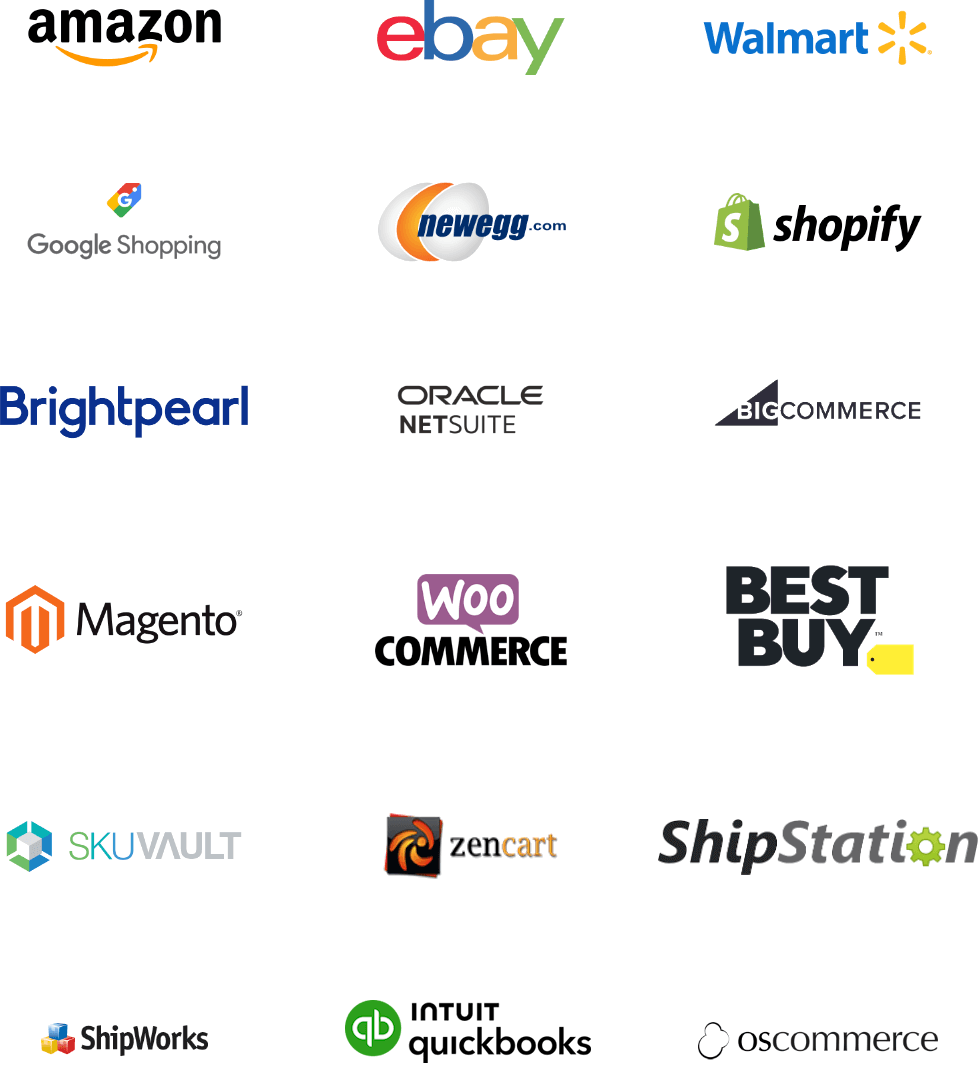
- Added "Date Shipped" option to the "Apply Last Sync To" for the Order Import in ShipStation
- A tracking column has been added to the
 Receiving module that can be enabled to display part tracking inside the table
Inventory
- Resolved: Part costs inflating due to combinations of shipping multiple times and voiding those shipments multiple times for a single order
Payment Viewer
- Resolved: When opening the module, the client and server became unresponsive when trying to load a large number of payments
Sales Order
- Resolved: The ACH payment option was missing when no payment gateway was setup
ShipExpress
- Resolved: USPS now requires that a sender phone and email be provided when purchasing a label
Web Server
- Issue: "Failed to bind" error when starting the Fishbowl Server in Windows environments
- Resolved: Update the message to help the user resolve the issue
- Resolved: "Order out of date" error after deleting an order when using the web connection
Database Changes
- Added indexes on post.refId
- Added indexes on postransaction.dateTime
JUL 18, 2023 - Advanced 23.7
- Download Fishbowl-2023.7.exe for Windows
- Download Fishbowl-2023.7.dmg for macOS (Limited support)
- Download Fishbowl-2023.7.sh for Linux (Documentation only)
- Added the Sales Invoice as a separate report and set it as the default report for Sales Invoice printing and emailing
- ShipExpress is now installed with each new Fishbowl install and this update
- Sales Order
- Resolved: Currency Conversion error when changing the customer on a Sales Order
- Resolved: Sales Order Item type drop down showing incorrect options for certain line item type
- Reports:
- Resolved: Inventory Availability report not matching the Inventory module due to Drop-ship orders
- ShipExpress:
- Resolved: USPS Ground Advantage not showing as a mapping option
JUN 8, 2023 - Advanced 23.6
- Download Fishbowl-2023.6.exe for Windows
- Download Fishbowl-2023.6.dmg for macOS (Limited support)
- Download Fishbowl-2023.6.sh for Linux (Documentation only)
- Improvements to the QuickBooks Online connection.
Purchase Order
- Resolved: Part cost not updating when switching to a Vendor with a different currency.
- Contract status alerts have been reworded throughout the system.
MAY 18, 2023 - Advanced 23.5
- Download Fishbowl-2023.5.exe for Windows
- Download Fishbowl-2023.5.dmg for macOS (Limited support)
- Download Fishbowl-2023.5.sh for Linux (Documentation only)
License Keys
- Resolved: 2023 license keys not auto-generating when updating from a pre-2023 version.
Fishbowl Payments
- Resolved: Declined payments are being imported into Fishbowl when using a payment link.
- Resolved: Avalara estimated tax not being included in payment total when using a payment link.
APR 14, 2023 - Advanced 23.4.1
- Download Fishbowl-2023.4.1.exe for Windows
- Download Fishbowl-2023.4.1.dmg for macOS (Limited support)
- Download Fishbowl-2023.4.1.sh for Linux (Documentation only)
- Active license keys are now permanent. New keys will no longer be required each year. Must be on version 23.1 or later.
- All license keys now include access to Fishbowl Checkout.
- The Fishbowl GO plugin and applicable access rights have been updated to reflect the renaming of the mobile application to Fishbowl Advanced Mobile.
- Part QR Code Label now includes vertical alignment options for individual fields.
- The Fishbowl Drive plugin has been renamed to File Storage.
- Custom footer text can now be hidden on the Sales Order Report and Shipping Invoice.
Payments
- Resolved: ACH type payment methods not available for use if not integrated with Fishbowl Payments.
CSV Imports
- Resolved: PPVP and Part CSV imports throw an error when attempting to import cost values prefixed with the Pound symbol (Canada/International databases only).
Reports
- Resolved: Item History Report does not account for inventory added during the Part Creation wizard.
- Resolved: Batch Packing List by Date - Columns do not hide/show according to selected options.
Schedule Module
- Resolved: Date range parameters are not considered when scheduling a report. Full dataset is shown regardless of selected dates.
Client Login
- Resolved: Client presents a white screen and freezes upon login when "Use Web Connection" is unchecked and a web port is entered.
Settings
- Resolved: Changing a country abbreviation causes a "Duplicate Country Found" error.
Sales Order
- Resolved: Canceling a sales order after picking the second line item leaves an open shipment and inventory remains committed.
MAR 9, 2023 - Advanced 23.3
- Download Fishbowl-2023.3.exe for Windows
- Download Fishbowl-2023.3.dmg for macOS (Limited support)
- Download Fishbowl-2023.3.sh for Linux (Documentation only)
- New Purchase Order Summary Export. This new report that displays the same content as the Purchase Order Summary report, but it's formatted in column/row style for a better experience when exporting as CSV or XLS. The report also includes the option to display and filter by custom fields from the PO and PO items.
- Shipping Invoice now includes a Pay Online button for Fishbowl Payments users.
- Asset Valuation by Account report now includes a date selector. When a date in the past is chosen, cost values will be displayed as of that date.
- GS1 codes (application identifiers) are now pre-populated for Lot Number(10), Expiration Date(17), and Serial Number(21). The values can still be edited.
- Work Order Consumption report has been reformatted for a better experience when exporting as CSV or XLS. Users can now opt to group the report by WO# or Part#.
- Dropdown menus and text fields throughout the application have been given a slight facelift with new arrows and inset text.
- A new user access right, "Allow finished good quantity to exceed original quantity," on MOs and WOs. The quantity can still be reduced when this new access right is not given.
- Part QR Code Label now includes an optional custom text field that will print on every label.
- Added a new column to display Item Type on the Sales Order Summary Export. The report can now also be filtered by Item Type.
- Sales By Month report now includes options to include/exclude all item types.
Fishbowl Advanced Mobile (formerly Fishbowl GO)
- Resolved: Error when trying to print a packing list from the mobile app.
Payments
- Resolved: "Other" payment type produces an error when used on a payment.
Reports
- Resolved: Production Yield Report won't show split batch total quantities.
- Resolved: Shipping Invoice - Tax shown as $0 when total is a net negative. Negative values are now displayed correctly.
- Resolved: Shipping Invoice - HTML formatting not reading properly in the custom footer text field.
- Resolved: Packing List - Carton layout not presenting for transfer order shipments
RMA
- Resolved: RMA produces a sales order with no number when "Auto-assign SO numbers" is turned off.
Purchase Order
- Resolved: Vendor cost rule not accounting for UOM when part is added to PO.
Client Login
- Resolved: Client presents a white screen and freezes upon login when using the web connection and an invalid port is entered.
Picking
- Resolved: Order level commit button doesn't commit newly available inventory if a portion has already been committed.
FEB 9, 2023 - Advanced 23.2
- Download Fishbowl-2023.2.exe for Windows
- Download Fishbowl-2023.2.dmg for macOS (Limited support)
- Download Fishbowl-2023.2.sh for Linux (Documentation only)
- New Fishbowl Payments product in Fishbowl Advanced (rebranded from Stax Pay to Fishbowl Payments).
- Added a Dashboard tab for Fishbowl Payments with product messaging and sign-up links for new users.
- Embedded the Fishbowl Payments portal on the Dashboard tab of the Payment Gateway module.
- Added a Settings tab in the Payment Gateway module for Fishbowl Payments.
- Improved Fishbowl Payments enrollment flow for users with an active legacy gateway connection.
- ACH transactions are now available with Fishbowl Payments.
- New Part QR Code Label.
- This is a new interactive product in the
 BI Report module. QR code labels can be printed for all your parts in any dimensions you need. All report elements are draggable and resizable.
- This is a new interactive product in the
- Pick Ticket report - Added an option to combine like items. Multiple rows with the same part number and locations will be combined into one item.
- Schedule module - The Batch Pick Ticket, Batch Packing List, and Tag Barcodes One Off / Avery reports are now available in the
 Schedule module.
 - Packing List report - Added an option to show totals on the quantity columns. Item columns on transfer order shipments can also hide or show.
- Dormant Customers report - This report has been redesigned to make it more intuitive and functional.
- PPVP CSV import - Added the ability to update the Next Value for Serial Number, Lot, and other tracking fields.
- Part CSV import - Added the ability to update the Next Value for Serial Number, Lot, and other tracking fields.
Reports
- Resolved: Packing List - Custom fields will now be hidden when Display field is unchecked.
Database Changes
- paymentgateway table: Stax Pay name and java class changed to Fishbowl Payments.
- wallet table: Stax Pay gatewayname changed to Fishbowl Payments.
- paymenttype and paymentmethod tables: ACH type was added (id value of 120).
JAN 12, 2023 - Advanced 23.1
- Download Fishbowl-2023.1.exe for Windows
- Download Fishbowl-2023.1.dmg for macOS (Limited support)
- Download Fishbowl-2023.1.sh for Linux (Documentation only)
- Added Stax Pay payment links. Fishbowl users can generate a payment link for a sales order and email their customers the Sales Order Report, which now includes a Pay Online button.

- Added module options for payment links that allow Fishbowl users to accept partial payments/tips and select which payment methods will be accepted.
- Added a scheduled task to import online payments received using payment links.
- Report updates
- Shipment History Report - Added the option to display the Ship Number instead of the SO/PO/TO number. This is to help differentiate split shipments.
- Inventory Shipment Summary - Added a new optional column for Customer PO# and one for Product Description. Added the ability to modify the report title. The footer will now disappear when "Format Report For Exporting" is selected.
- Customer Purchase History - Added a new optional column for Customer PO#. Changed orientation to landscape to better fit all the data.
Discounts
- Resolved: Discount module not loading properly in Australian and Canadian databases.
Schedule
- Resolved: Custom fields not displaying properly when a report is run through the Schedule module.
Mac Client
- Resolved: Fishbowl Client for Mac not saving or loading the layout settings (client size and position).
Database Changes
- Added so.paymentLink.
- Added a new type (Import Gateway Payments) to the fbscheduleactiontype table.
DEC 8, 2022 - Advanced 22.12
- Download Fishbowl-2022.12.exe for Windows
- Download Fishbowl-2022.12.dmg for macOS (Limited support)
- Download Fishbowl-2022.12.sh for Linux (Documentation only)
- Added the Sales Order Summary Export report.
- This new report includes all the great features of the Sales Order Summary report, but in a wide format that exports nicely to Excel.
- The report has additional columns for Ordered Qty, Shipped Qty, and Remaining Qty. These are in addition to the Ordered Price, Shipped Price, and Remaining Price fields.
- The report can be saved in CSV, XLS, or various other formats by clicking the
 Save button in the
  Reports module.
 - The exported report file can also be automated and emailed in the Schedule module.
- Enhanced the Stax Pay enrollment process by automating more populated data on the payments application.
- Added Stax Pay status updates inside Fishbowl so users can track account and underwriting statuses throughout the enrollment process.
- Added Stax Pay Card on File functionality. Fishbowl users can save tokenized cards on file for their customers with Stax Pay.

- The
 Discount module table columns can now be sorted, rearranged, and hidden. Settings will persist across logins and restarts.
 - The Export Summary report can now be run in the Schedule module.
- Payments in the Stax Pay portal display the Fishbowl SO# in the Memo field.
Web Connection
- Resolved: Web connection memory inefficient. Slowness in large objects like reports.
CSV Import
- Resolved: CSV file extensions are case sensitive. Will only import when lowercase.
- Resolved: Instructions for the configuration sort order field for BOM & BOM Details imports were unclear.
Reports
- Resolved: Work Order Traveler - Used and Scrapped columns not hiding upon unchecking boxes.
User
- Resolved: Specific phone numbers on the user record were throwing an error.
Manufacture Order
- Resolved: During the finish process, when a quantity and/or money type tracking value is selected with the magnifying glass, both fields populate as 0.
Xero
- Resolved: Negative payments were causing an error during export to Xero. Negative payments are no longer possible when connected to Xero and will be met with an error message when attempted.
Database Changes
- walletpayment table was renamed to cardonfile
- sysproperties.sysKey (2 changes)
- UseWallets -> UseCardOnFile
- ShowWalletCvv -> ShowCardOnFileCvv
- paymenttype.name (1 change)
- Wallet -> Card on File
- useraccess.moduleName (1 change)
- Customer-Wallet -> Customer-Card on File
NOV 10, 2022 - Advanced 22.11
- Download Fishbowl-2022.11.exe for Windows
- Download Fishbowl-2022.11.dmg for macOS (Limited support)
- Download Fishbowl-2022.11.sh for Linux (Documentation only)
- Improved the Stax Pay enrollment process by adding the ability to validate company information in Fishbowl before starting the payments application.
- The On Hand and Inventory Availability reports can now display and filter custom fields.
- The following reports are now available to run in the Schedule module: Part Activity Report, Part Activity Export, Historical Part Cost, MTD Sales, POS Hourly Breakdown, Dormant Customers.
Avalara
- Resolved: No error when shipping an Avalara order when a required tax rate is missing.
Client
- Resolved: Client to Client messenger not sending messages.
Pricing Rules
- Resolved: Creating a new pricing rule not populating the date created.
QuickBooks Online
- Resolved: Currency export errors when Drop Shipping.
Sales Order
- Resolved: Clicking Back during Custom Work Order wizard on a Sales Order causes the wizard to stop working.
- Resolved: Adding a Build to Order BOM to a Sales Order not allowing the wizard to finish.
- Resolved: Clicking Back during Add Item wizard for a Kit containing build to order BOMs on a Sales Order causes the wizard to stop working.
- Resolved: Navigation issues with the Add Item wizard.
Transfer Order
- Resolved: "Unable to save location to database" error caused by issues with the Transit location.
Reports
- Resolved: PO Report order field data defaults to the first PO created in the system and does not update upon changing the data in the PO module.
OCT 13, 2022 - Advanced 22.10
- Download Fishbowl-2022.10.exe for Windows
- Download Fishbowl-2022.10.dmg for macOS (Limited support)
- Download Fishbowl-2022.10.sh for Linux (Documentation only)
- New payment gateway integration to Stax Pay in Payment Gateway module (enrollment link included). Stax Pay allows users to process, refund, and void credit card (not present) transactions.
- The Packing Slip 4x6 label previously available on our Reports store has been added as a standard report.
- Gross Sales By Product Report: Added some options and a slight redesign to make the report more Excel friendly.
- Added custom fields to the following reports: Packing List, Shipping Invoice, and Sales Order Summary.
- Sales Order Summary: The report can now be filtered by a custom field. Added the option to show orders with a Cancelled status. Reorganized the Modify Report dialog.
- Updated to the latest version of JxBrowser.
Picking
- Resolved: Insufficient quantity error when picking decimal quantities from a UOM conversion with date or text tracking.
- Resolved: UOM conversion issue during picking causing database problems.
Manufacture Order
- Resolved: Custom bill of materials + button not functional. It has been removed.
Reports
- Resolved: Product Catalog V2 replacing original Product Catalog in new databases.
Mac Client
- Resolved: Command-Q keyboard shortcut not logging the user out.
CSV Import
- Resolved: Currency ID not importing with Purchase Order CSV Import.
Receiving
- Resolved: Receiving details load slowly in some circumstances.
Part
- Resolved: Part creation error due to not having a "returning as" part associated even for types other than "Outsource."
SEP 8, 2022 - Advanced 22.9
- Download Fishbowl-2022.9.exe for Windows
- Download Fishbowl-2022.9.dmg for macOS (Limited support)
- Download Fishbowl-2022.9.sh for Linux (Documentation only)
- Sign in with Microsoft. Updated authentication process for Microsoft email settings.
- Custom fields can now be displayed on standard reports. The SO Report can now display up to 6 SO custom fields and 3 SO line item custom fields. Custom fields will be added to additional reports in the coming months.
- Estimated tax will now be displayed in the Payments wizard when integrated with Avalara.
- Added a user access right to hide/show tax columns in the Receiving module (non-US versions only).
- Added a new Manufacture Order module option: "Do not recalculate labor quantities in fulfillment wizard." When checked, labor quantities will not be adjusted in the consumption step of the WO fulfill wizard.
- Option to modify field titles added to PO Report, Shipping Invoice, and Packing List. Modify report window has also been reorganized with tabs and groups in these reports.
Sales Order
- Resolved: Variable kit items with associated build-to-order BOMs are not creating Work Orders when added to a Sales Order in some instances.
Database Changes
- Increased column sysValue to VARCHAR(3072) on the SysProperties table.
AUG 11, 2022 - Advanced 22.8
- Download Fishbowl-2022.8.exe for Windows
- Download Fishbowl-2022.8.dmg for macOS (Limited support)
- Download Fishbowl-2022.8.sh for Linux (Documentation only)
- Functionality has been added to better allow for the organization of the Modify Report window. More tabs can now be added, along with grouping and sorting inside of each tab. We’ve also made it possible for the displaying of tooltips for each setting within the tabs. Select reports have been updated to make use of this new functionality (SO Report, Customer Purchase History, and Part Activity Report). Additional reports will be updated in the coming months.
- The Sales Order Report now has the ability to modify all field titles.
Class
- Resolved: Creating a new class froze the client or gave an error but still created the class, depending on client connection type.
CSV
- Resolved: Mismatched error message when trying to update part UOMs with the Part UOM CSV import.
Product
- Resolved: Adding products to a product tree caused the client to freeze when using the non-web connection.
Receiving
- Resolved: Blank error when receiving an order with two parts and only entering a ref # on the first item.
REST API
- Resolved: Missing information on Import data via JSON curl example.
- Resolved: Null error when using the MO Create call when the user does not have a default location group and does not specify a location group in the request.
Sales Order
- Resolved: Kit pricing became incorrect when changing the customer on the order.
Server
- Resolved: Logging out API users not logging out the API users.
Database Changes
- Removed Substitute product links from kits on the KITITEM table.
JUL 14, 2022 - Advanced 22.7
- Download Fishbowl-2022.7.exe for Windows
- Download Fishbowl-2022.7.dmg for macOS (Limited support)
- Download Fishbowl-2022.7.sh for Linux (Documentation only)
- The web connection Client functionality is now available to all users.
- New Fishbowl installs now use the web connection by default.
- Added a module option to allow Bank Transfer as an available payment method in QuickBooks Online.
- Combo boxes in the Client now update appropriately when using the web connection.
CSV
- Updated Bill of Materials and Bill of Materials Details CSV instruction to remove Work Order as a BOM Item Type.
Checkout
- Resolved: Advanced search default filters not saving.
Database Rebuild
- The PARTCOST table is now cleared out on rebuild.
Inventory
- Resolved: Blank WO column storing last WO hyperlink value.
Part
- Resolved: UOM conversion error when changing a part's UOM if it is associated with a bill of materials.
Purchase Order
- Resolved: Alert Notes not being displayed when adding parts via the + button.
QuickBooks Online
- Resolved: Initial connection null error.
REST API
- Resolved: Create PO call causing an error when a location group is not specified.
Shipping
- Resolved: Weight showing 0 when the product UOM doesn’t have a conversion set for the default weight UOM.
Web Connection
- Resolved: Report errors when using the web connection.
- Resolved: Xero accounts not being auto selected when they already exist.
- Resolved: QuickBooks Online accounts not being auto selected when they already exist.
- Resolved: Company module displaying blank information.
- Resolved: Find Fishbowl Servers magnifying glass returning a blank result.
Work Order
- Resolved: Assigned users not saving when being set by right-clicking a Work Order.
JUN 9, 2022 - Advanced 22.6
- Download Fishbowl-2022.6.exe for Windows
- Download Fishbowl-2022.6.dmg for macOS (Limited support)
- Download Fishbowl-2022.6.sh for Linux (Documentation only)
- Amazon Plugin customer mapping functionality updated to comply with Amazon's Data Protection Policy.
Checkout
- Resolved: Selecting an order tax rate being required for international customers.
Consignment
- Resolved: Auto Replenish being unable to finish.
Database Rebuild Tool
- Resolved: Memos not being cleared out on rebuild.
- Resolved: Costing layers not being cleared out on rebuild.
Picking
- Resolved: UOM conversion issue when voiding the pick for a Work Order.
- Resolved: Slot numbering issues when adding more picks to an existing group pick.
Purchase Order
- Resolved: Null error running the Auto PO with an empty summary page.
- Resolved: Outsourced Returning As UOM conversion error in receiving.
Receiving
- Resolved: Item receiving user rights error when receiving tracked items.
REST API
- Resolved: Address creation issues when creating Purchase Orders.
Sales Order
- Resolved: Incorrect salesperson displayed after creating a new user.
Shipping
- Resolved: Fixed column width not saving after logging out.
Vendor
- Updated the example database's vendor costing-rule names to match functionality.
Work Order
- Resolved: Error when saving a Work Order after removing the class selection.
MAY 19, 2022 - Advanced 22.5
- Download Fishbowl-2022.5.exe for Windows
- Download Fishbowl-2022.5.dmg for macOS (Limited support)
- Download Fishbowl-2022.5.sh for Linux (Documentation only)
Database Update
- Resolved: Update issues related to removing UPS Ready.
APR 22, 2022 - Advanced 22.4.1
- Download Fishbowl-2022.4.1.exe for Windows
- Download Fishbowl-2022.4.1.dmg for macOS (Limited support)
- Download Fishbowl-2022.4.1.sh for Linux (Documentation only)
- Updated Fishbowl to account for a Java remote code execution vulnerability.
Fishbowl Advanced Mobile
- Resolved: Unable to Pack a shipment.
Picking
- Resolved: Unable to void picks that were finished prior to the update to 2022.4.
Database Changes
- Removed DCOPTIONS table.
- Removed PACKAGETYPES table.
- Removed PACKAGETYPEID column from SHIPCARTON table.
- Removed DELIVERYCONFIRMATIONID column from SHIPCARTON table.
APR 14, 2022 - Advanced 22.4
- Download Fishbowl-2022.4.exe for Windows
- Download Fishbowl-2022.4.dmg for macOS (Limited support)
- Download Fishbowl-2022.4.sh for Linux (Documentation only)
- Added Password Policy options that allow for more-secure user passwords.
- The UPS Ready integration has been completely removed.
- Database password is now blank when creating a new database on a Mac or Linux server install.
- Fishbowl Advanced Mobile iOS is now auto-approved in the demo database.
- Added the ability to do an inventory move through the REST API.
- Added the ability to cycle count inventory through the REST API.
- Updated UPS Carrier Codes to be editable after UPS Ready removal.
API
- Updated password hash change on Java and C# code samples.
Bill of Materials
- Resolved: Module options are available to all, regardless of user-right settings.
Clover Connect
- Resolved: Wallets disappearing on update.
- Additional name updates for Clover Connect rebrand.
CSV
- Resolved: Import errors on Part Product and Vendor Pricing import when tracking columns are missing.
- Resolved: "Column 'consumptionRate' cannot be null" error when importing the Part CSV.
License
- Removed "ExpressTech" from license agreements.
Mac Version
- Resolved: MySQL port defaulting to 3306 when creating a new database.
Database Changes
- Removed SHIPUPSCARTONDETAILS table.
- Removed SHIPUPSCARTONDETAILS_AUD table.
- Removed SHIPUPSDETAILS table.
- Removed SHIPUPSDETAILS_AUD table.
- Removed UPSACCOUNT table.
- Removed UPSACCOUNT_AUD table.
- Removed UPSCOD table.
- Removed UPSPAYMENTTYPE table.
- Removed UPSRETURNSHIPMENT table.
- Removed UPSRETURNSHIPMENT_AUD table.
- Removed column UPS from the COUNTRYCONST table.
MAR 10, 2022 - Advanced 22.3
- Download Fishbowl-2022.3.exe for Windows
- Download Fishbowl-2022.3.dmg for macOS (Limited support)
- Download Fishbowl-2022.3.sh for Linux (Documentation only)
- Added the ability to run a data query through the REST API.
- Updated CardConnect branding to Clover Connect.
- Updated documentation for the REST Import call.
API
- Updated the REST documentation for logging out.
Client
- Resolved: Client auto update not including all required files.
Server
- Optimized server startup when connection to Fishbowl's online services is interrupted.
Database Changes
- Removed the READONLY column from the BISCRIPT table.
- Updated OUTSOURCEDPARTNUMBER and OUTSOURCEDPARTDESCRIPTION on the POITEM table to be empty strings instead of null.
FEB 15, 2022 - Advanced 22.2.1
- Download Fishbowl-2022.2.1.exe for Windows
- Download Fishbowl-2022.2.1.dmg for macOS (Limited support)
- Download Fishbowl-2022.2.1.sh for Linux (Documentation only)
- Resolved: Client Auto Update running for plugins, causing the client to become inoperable.
FEB 10, 2022 - Advanced 22.2
- Download Fishbowl-2022.2.exe for Windows
- Download Fishbowl-2022.2.dmg for macOS (Limited support)
- Download Fishbowl-2022.2.sh for Linux (Documentation only)
- The report rights assigned to the default user groups on new databases have been updated.
- The REST API documentation page now shows the Fishbowl server version in the header.
- The User License Agreement has been updated in the Fishbowl Installer.
Accounting Exports
- Resolved: "The total debits must equal total credits" export error due to rounding differences (AU).
CSV
- Resolved: Sales Order Details CSV failing due to no data being provided to a required custom field with the "Create an access right to restrict the modification of this field" custom field option enabled.
- Resolved: Sales Order CSV failing due to no data being provided to a required custom field with the "Create an access right to restrict the modification of this field" custom field option enabled.
Part
- Resolved: Cost discrepancy caused by voiding a shipment and reconciling a purchase order.
Picking
- Resolved: Order Link Section sizing to small and cutting off text.
- Resolved: Unit of Measure conversions causing quantity discrepancies when picking from multiple locations.
QuickBooks Online
- Resolved: Export errors due to duplicate tax rates (Canada).
Sales Order
- Resolved: Amounts not being classified as negative when currency uses a trailing negative sign.
Xero
- Resolved: Vendor street address pulling the company address instead of the vendor's address.
JAN 13, 2022 - Advanced 22.1
- Download Fishbowl-2022.1.exe for Windows
- Download Fishbowl-2022.1.dmg for macOS (Limited support)
- Download Fishbowl-2022.1.sh for Linux (Documentation only)
- Updated Log4j to the latest version.
- Added module options in the Receiving module to require the Ref # and Bill Date fields during the Reconcile wizard.
- Added the ability to save the Advanced Search in the Inventory module.
- The CardConnect payment gateway has been updated to save cards to the Wallet when processed through a terminal device.
- The CardConnect payment gateway has been updated to use new mandated classification fields on transactions sent to CardConnect.
- A column displaying the part UOM was added to the Summary step of the MRP wizard.
- The Square Payment Gateway has been updated to exclude inactive locations in the Location selection list.
- Removed the 32-bit version of the Fishbowl Installer.
- Added the ability to scrap inventory through the REST API.
- Updated the SaveImageRq API call to accept images for Sales Orders.
- Updated the SaveImageRq API call to accept images for Work Orders.
CSV
- Resolved: Incorrect column header in the Customer Parts CSV (Previously listed as "CustomerLastPartPrice").
Dashboard
- Resolved: Client login being slowed down due to the Dashboard loading as a saved tab.
Email Settings
- Resolved: Using "Sign in with Google" while also having data in the Username and Password fields causes emails to fail to send.
Sales Order
- Resolved: Right-click and Issue ignored the "Issue Sales Orders" module option when manager approval would be needed.
DEC 9, 2021 - Advanced 21.12
- Download Fishbowl-2021.12.exe for Windows
- Download Fishbowl-2021.12.dmg for macOS (Limited support)
- Download Fishbowl-2021.12.sh for Linux (Documentation only)
- Custom fields can now be viewed in the Sales Order line item table as additional columns.
- Custom fields can now be viewed in the Purchase Order line item table as additional columns.
- Updated encryption of passwords.
- Added the ability to Add Inventory with Tracking through the REST API.
- Added the ability to Add Inventory with Serial Numbers through the REST API.
- Updated third party dependencies .
- Improved REST API documentation.
API
- Resolved: Being able to add inventory for parts that are not Inventory type.
Part
- Resolved: The Part search "Display more information" button not showing correct data.
Pricing Rules
- Resolved: Pricing Rules using vendor currency instead of home currency.
Purchase Order
- Resolved: Error when trying to close short a Purchase Order created from a drop ship Kit product.
REST API
- Resolved: Product Best Price curl command text update.
Database Changes
- Added column passwordLastModified DATETIME(6) to the SYSUSER table.
- Increased column userPwd to VARCHAR(255) on the SYSUSER table.
NOV 11, 2021 - Advanced 21.11
- Download Fishbowl-2021.11.exe for Windows
- Download Fishbowl-2021.11.dmg for macOS (Limited support)
- Download Fishbowl-2021.11.sh for Linux (Documentation only)
- The Part Search has been updated to include inventory numbers and images.
- Added the ability for the Amazon plugin to purge Personal Identifiable Information (PII) data from Fishbowl.
- Added the UOM column to the Inventory Search table.
- Added the ability to update a Manufacture Order through the REST API.
- Added the ability to search Inventory through the REST API.
- Added Category to the Manufacture Order REST API object.
- Added the ability to add inventory via the REST API.
- Added the ability to get pricing rule pricing through the REST API.
- JXBrowser has been updated to the latest version.
- The QuickBooks Desktop integration has been updated to create the Cost Variance Account as a COGS type account.
CSV
- Resolved: Consumption Rate missing from the Part CSV instructions.
- Resolved: Consumption Rate missing from the PPVP CSV instructions.
- Resolved: Tax Rate errors when importing the Product CSV in a Canadian database.
Customer
- Resolved: Date Last Modified being updated when a new Sales Order is created/saved.
Dashboard
- Resolved: Report Widget arrows being backwards.
QuickBooks Desktop
- Improved error messaging for errors dealing with Closing Dates.
Sales Order
- Resolved: Sales Order item details dialog loading slowly.
Shipping
- Resolved: Slowness when shipping large quantities of kits.
Time
- The plugin has been updated to change time/WO/part records to the new plugin format.
Xero
- Resolved: Receiving holding account not reversing when order is fulfilled.
Database Changes
- Removed SOITEMTOMOITEM table.
OCT 14, 2021 - Advanced 21.10
- Download Fishbowl-2021.10.exe for Windows
- Download Fishbowl-2021.10.dmg for macOS (Limited support)
- Download Fishbowl-2021.10.sh for Linux (Documentation only)
- Added a Consumption Rate to the Part module to be used in Reorder Point calculations.
- Updated the Auto ROP wizard to be named MRP.
- Added Days of Stock to Part Inventory details to show an estimated days of stock based on the Parts Consumption Rate.
- The Select Parts step of the MRP wizard has been updated to only show Inventory type parts.
- The Date Range step of the MRP wizard now has an option to use the Parts Consumption Rate stored in the Part module.
- The Date Range step of the MRP wizard now has options to select which Consumption to include when calculating a Parts Consumption Rate.
- The Forecasting step of the MRP wizard now has the option to select which Consumption to include when Part Consumption Rate was chosen on the previous step.
- The Reorder Point step of the MRP wizard has been updated to pull the Default Vendors Lead Time for the ROP calculation.
- The Order Up to Level step of the MRP wizard has been updated to the new MRP terminology.
- The Summary step of the MRP wizard has been updated with additional columns, sorting, and inline editing.
- The Summary step of the MRP wizard has the option to update the Part's Consumption Rate upon finishing the wizard.
- Added an access right for duplicating Sales Orders.
- Added an access right for duplicating Purchase Orders.
- Added Barbados to the Currency list.
- Added the ability to update a Manufacture Order through the REST API.
Checkout
- Resolved: Company image not displaying on Checkout secondary monitor screen.
CSV
- Updated the Product Import instructions to match terminology used in the client.
Customer
- Resolved: Being able to update the currency rate for customers set to Home Currency through the module and CSV import.
Part
- Resolved: The Default Returning As part is incorrectly set after duplicating a part.
QuickBooks Desktop
- Resolved: No Certificate being displayed when integrating.
REST API
- Resolved: REST API does not use the server option to only allow a user to be logged in once.
- Resolved: SSL Context error with Jetty Server on startup.
Settings
- Updated the Max Thumbnail Size to not allow a number below 16.
Server
- Improved calculation rounding precision in situations dealing with money.
Square Payment Gateway
- Resolved: The location chosen when integrating was missing in the transaction requests sent to Square.
Transfer Order
- Resolved: Module Option dictating which location the Transit location is created in not working as designed.
Vendor
- Resolved: Being able to update the currency rate for vendors set to Home Currency through the module and CSV import.
Work Order
- Issue: Error when creating a custom Work Order where the Finished Good is a Kit.
- Resolution: Removed Kits from the available list when selecting a Finished Good.
Xero
- Issue: Balance Debits and Credits error displaying only the PO Ref #.
- Resolution: The PO # is now displayed in the error as well as the PO Ref #.
Database Updates
- Added CONSUMPTIONRATE column to the PART table.
SEP 9, 2021 - Advanced 21.9
- Download Fishbowl-2021.9.exe for Windows
- Download Fishbowl-2021.9.dmg for macOS (Limited support)
- Download Fishbowl-2021.9.sh for Linux (Documentation only)
- Updated the PartGetRq to select active parts first when searching based on UPC.
- Added Suriname to the Currency country list.
Accounting Integrations
- Issue: "Balance Debits and Credits" export error.
- Resolution: Locked down scenarios allowing for landing costs across multiple reference numbers and bill dates.
CSV
- Resolved: Pricing Rule CSV duplicate entry error.
Picking
- Updated error message on pick module refresh when the pick has been removed.
Square
- Resolved: Failed to Process error message due to multiple emails in the email field.
Work Order
- Resolved: Custom Work Order wizard allowing partial eaches.
Database Changes
- Resolved: Added dateExpiration column to the PaymentGateway table.
AUG 12, 2021 - Advanced 21.8
- Download Fishbowl-2021.8.exe for Windows
- Download Fishbowl-2021.8.dmg for macOS (Limited support)
- Download Fishbowl-2021.8.sh for Linux (Documentation only)
- The line item Scheduled Date on Transfer Orders has been opened up to allow editing until item is received.
- The Order Location Group has been added to the Next Orders section of the Inventory Details screen.
Accounting Integrations
- Resolved: "Please Balance your debits and credits" export error.
API
- Resolved: Errors caused by UOM conversion issues when picking serial numbers.
Client
- Resolved: Server Shutdown Timer message showing an error.
CSV
- Resolved: Customer Parts not using the customer full name for import/export.
- Resolved: Location CSV not using the customer full name for import/export.
- Resolved: Incorrect character limit for salesperson in SO and SO Details CSV instructions.
Linux
- Resolved: Incorrect line encoding in eve.sh file.
QuickBooks Online
- Resolved: Null export error on note/subtotal type line items.
REST API
- Resolved: UserId missing from login request.
Work Order
- Resolved: Updated finished good and raw good text during the Custom WO wizard.
Xero
- Resolved: Purchase Order inventory holding account transactions not being reversed upon fulfillment.
JUL 15, 2021 - Advanced 21.7
- Download Fishbowl-2021.7.exe for Windows
- Download Fishbowl-2021.7.dmg for macOS (Limited support)
- Download Fishbowl-2021.7.sh for Linux (Documentation only)
- Added a user right to limit the Add functionality of the Inventory module.
- Updated the Check Balance button of the Customer module to exclude estimate status orders.
- Added Location Group search options through the REST API.
- Added the ability to create UOM's through the REST API.
- Added the ability to update UOM's through the REST API.
- Enhanced the MO create REST API call to allow for creation of custom orders.
Custom Fields
- Resolved: Checkbox type custom fields are not transferred to the Sales Order module from the Customer module.
Fishbowl Client
- Resolved: Enter button not working in Advanced Search after closing and reopening a module.
- Client Connection changes for connection issues.
Pick
- Resolved: Pick custom fields being cleared out when using API calls.
QuickBooks Desktop
- Resolved: Miscellaneous Credit general journal entries posting incorrectly.
- Issue: Payments exporting and automatically applying to invoices incorrectly.
- Resolution: Added a module option for Automatically Applying Payments that can be disabled.
QuickBooks Online
- Resolved: Vendor credit return posting incorrect journal entries.
REST API
- Resolved: Issues with Purchase Order custom fields.
- Resolved: Custom-field issues on Manufacture Order creation.
UOM
- Resolved: Make default UOMs, like Each, inactive did not remove them from the UOM list when creating new parts.
- Updated text for Abbreviation fields.
User Group
- Resolved: "See All Customers" user access right not limiting customers in the Product module, Customers tab.
Xero AU
- Resolved: "Unexpected error: Please reintegrate with Xero."
JUN 10, 2021 - Advanced 21.6
- Download Fishbowl-2021.6.exe for Windows
- Download Fishbowl-2021.6.dmg for macOS (Limited support)
- Download Fishbowl-2021.6.sh for Linux (Documentation only)
- Mac installer improvements.
- Added the ability to right-click multiple sales orders in the search pane and close short the orders.
- Added the Zimbabwean Dollar to the available currencies list.
- Updated the login message when exceeding the number of licensed users.
- The Sales Order CSV import now looks at the customer's priority setting if the Priority field is left blank.
- Unchecked "Always use the multiple finished goods step" MO module option by default for new databases.
- Updated the default MySQL settings for new installs.
- Updated Jetty to the latest version.
- LDAP logins are now supported in the REST API.
- Added the UOM object to the REST API.
- Added the ability to delete a UOM through the REST API.
- Added Part Search to the available REST API calls.
- Added UOM Search to the available REST API calls.
- Added Vendor Search to the available REST API calls.
- Added the Manufacture Order object to the REST API.
- Added the ability to create a Manfacture Order through the REST API.
- Added the ability to issue a Manufacture Order through the REST API.
- Added the ability to unissue a Manufacture Order through the REST API.
- Added the ability to close short a Manufacture Order through the REST API.
Client
- Resolved: Unable to open multiple client instances on the same computer.
- Resolved: Login and logout issues that caused the client the freeze.
- Resolved: Chat box goes off screen for long messages.
Company
- Updated text for LDAP module options.
CSV
- Resolved: Null import error when importing blank UPC with the module option "Only allow numeric characters in UPC code" enabled.
- Resolved: Import issues when importing incomplete data in the UOM CSV import.
Intuit Payments
- Resolved: Error when taking a payment for a card already stored as a wallet.
Manufacture Order
- Resolved: Unissuing a Manufacture Order did not clear out the issue date.
- Resolved: Partially fulfilling a WO, the secondary WO doesn't auto commit inventory when that option is enabled.
- Resolved: Partially fulfilling a WO, the secondary WO doesn't pick from the correct location.
- Resolved: Finishing a WO/MO does not allow duplicate serial numbers for separate serial type tracking.
Purchase Order
- Resolved: Data not being saved after changing the date scheduled to the same date and choosing to update the line-item dates.
QuickBooks Online
- Resolved: "Please balance your debits and credits" error when exporting bills.
Receiving
- Resolved: Currency showing USD for a multicurrency order with the multicurrency values.
Sales Order
- Resolved: Unable to save after fulfilling a Service item that is part of a kit.
Database Changes
- Removed unused leadTimetoFulfill from the Part table.
MAY 13, 2021 - Advanced 21.5
- Download Fishbowl-2021.5.exe for Windows
- Download Fishbowl-2021.5.dmg for macOS (Limited support)
- Download Fishbowl-2021.5.sh for Linux (Documentation only)
- Added the ability to enter a Forecast % on the Auto PO wizard Summary page.
- You can now set the schedule date for the Purchase Orders being created during the Auto PO wizard.
- Added hover-over details to Quantity and Cost columns in the Auto PO wizard Summary page.
- Quantity, Unit Cost and UOM columns have been added to the Auto PO wizard Summary page.
- Added an option to round up quantities to the nearest whole number during the Auto PO wizard.
- Added the ability to edit in line on the Auto PO wizard Summary page.
- The vendor lead time is displayed per part in the Auto PO wizard.
- The Date Scheduled during the Auto PO wizard automatically uses vendor lead times to set the date.
- Added a module option in the Receiving module to update vendor lead times when receiving a part.
- The Sales Order CSV pulls custom field values for customers when module option is enabled.
- The Sales Order CSV pulls custom field values for products when module option is enabled.
- Add a delete confirmation when removing a part from a PO during the Auto PO wizard.
- Available Address Validation has been updated to communicate over HTTPS.
- Updated "Send email when shipment is shipped" to have options for the Shipping Report, Shipping Invoice report, or None.
- The "Specify Kit Price" option now functions the same way whether the order is created via the client or CSV.
- Added a Manufacture Order search call to the REST API.
- Added ability to delete a Manufacture Order through the REST API.
- Manufacture Order Memos can now be created/updated/deleted through the REST API.
- Upgraded the REST documentation navigation pane.
- Updated the Part Best Cost call to include vendor minimum quantities.
- Packing Slip - Added carrier service. Added a "Blind Shipment" checkbox. When checked, the company logo and address info will not print.
- Pick Ticket - Added carrier service.
Accounting
- Resolved: Errors in export due to voiding items in receiving.
Database
- Resolved: QtyOnOrder view not matching On Order quantity in Inventory module.
CSV
- Update instructions text for the Bill of Materials Details CSV.
- Resolved: SO Details and SO CSVs do not check for duplicate vendor names.
Customer
- Resolved: Tax exempt checkbox and number field showing available in the New Customer wizard in Canadian databases.
Gmail Integration
- Resolved: Old Fishbowl logo showing on the final integration step.
QuickBooks Desktop
- Resolved: Export errors on misc items.
Part
- Resolved: Able to add tracking to default return as Part.
Purchase Order
- Resolved: Ability to edit qty/cost during Auto PO on the "No Vendor" step.
REST API
- Updated the Purchase Order search CompletedTo/From to FulfilledTo/From.
- Resolved: Server Connections screen not updating for REST users on login and logout.
Vendor
- Resolved: Vendor Last Cost not updating the Last Date when cost is updated.
APR 15, 2021 - Advanced 21.4
- Download Fishbowl-2021.4.exe for Windows
- Download Fishbowl-2021.4.dmg for macOS (Limited support)
- Download Fishbowl-2021.4.sh for Linux (Documentation only)
- Added customer reference to Purchase Order journal entries in QuickBooks Online.
- Increased Customer and Vendor alert notes character limit to 256.
- Added a module option in Fishbowl Checkout to default the Salesperson field to blank.
- Added a user right to control access to Payment Terms dropdown on a Sales Order.
- Added a module option to set the Sales Order # or Shipment # to go to the QuickBooks Desktop "Other" field.
- Updated custom field REST API search to search by ID instead of name.
- Added the ability to close short a Purchase Order through the REST API.
- Added the ability to close short Purchase Order items through the REST API.
- Updated the Currency REST call to include the currency code.
- Added a user search call for the REST API.
- Added a get part best cost call in the REST API for Purchase Orders.
- Updated legacy VendorGet API call to link in addresses.
- Z Report: Now displays the salesperson and has an option to sort by various columns.
- SO Report: Fulfillment Date label changed to Date Scheduled (still displays the item Date Scheduled).
API
- Resolved: Calls not setting the userid on the REVINFO table.
Client
- Resolved: Inactivity causing the client application to become unresponsive.
CSV
- Resolved: EDI Shipping blank export due to Null error.
- Resolved: Sales Order CSV instructions text update.
- Resolved: Locations import running slow when importing thousands of locations for a single location group.
- Resolved: Slowness when importing the Receiving Data import.
Custom Fields
- Resolved: Slowness with custom lists.
Part
- Resolved: Issues changing the default return as part when duplicating an outsourced part.
Picking
- Resolved: Pick Location selection issue across multiple locations.
Product
- Resolved: Product Module Sort by Product Type sorting issue.
Purchase Order
- Resolved: Unable to unissue Purchase Order after voiding receipt.
- Resolved: Outsourced PO item Null error.
- Resolved: Auto PO location group reordering issue.
QuickBooks Online
- Resolved: Receiving holding account entry not being reversed upon fulfill.
- Resolved: Purchase Order journal entries should set the class for the line item and not the order class.
QuickBooks Online - Australia
- Resolved: Imbalance and rounding issues.
QuickBooks Online - Canada
- Resolved: Query Parse Export error on Invoice.
Receiving
- Resolved: Discrepancy between multicurrency subtotal and billed total.
Reports
- Resolved: Sales By Rep BI Report - Not including discounts.
- Resolved: Inventory Availability Report - Available to Pick calculating incorrectly.
REST API
- Resolved: Blank error for Purchase Orders with tax rate of none on Non-US databases.
- Resolved: Documentation for QuickBooks Class listing as option but it is being required.
- Resolved: Inconsistencies between Purchase Order and Purchase Order item Tax Rate references on the documentation.
RMA
- Resolved: Null error when creating a Return and not verifying by order.
Work Order
- Resolved: Seemingly random quantities when splitting repair Work Order lines.
Database Changes
- Updated Customer.note field to be varchar(256).
- Updated Vendor.note field to be varchar(256).
- Created Notification table.
- Created NotificationType table.
MAR 11, 2021 - Advanced 21.3
- Download Fishbowl-2021.3.exe for Windows
- Download Fishbowl-2021.3.dmg for macOS (Limited support)
- Download Fishbowl-2021.3.sh for Linux (Documentation only)
- Added the ability to require approval for Purchase Orders over a specified dollar amount.
- Added user right to allow users to approve Purchase Orders in the Pending Approval status.
- Added the ability to assign different print defaults for packing and shipping.
- Added logos for plugins into the module header bar.
- Sales Orders created by RMAs without a verified order will use customers default salesperson.
- Added a user right to limit access to the Payment Deposit Account in the payment wizard.
- Added a user right to limit access to the Payment Date in the payment wizard.
- Added Home Currency flag on currency object for Purchase Order REST API.
- Added total cost for Purchase Order in REST API.
- Updates to error messages when using the Purchase Order REST API.
- Added the ability to access memos in the Purchase Order REST API.
Checkout
- Resolved: Null error when fulfilling a credit return.
CSV
- Resolved: Bad error message for duplicate abbreviation when importing the UOM CSV.
- Resolved: Imported discount amounts not coming in properly for multicurrency customers.
Customer
- Resolved: Customers with stored wallets not loading due to missing icons.
Database Update
- Resolved: Database update failure due to multiple shipping invoice reports.
Installer
- Resolved: Inability to install a Client Only version due to license-key requirement.
- Updated the installer to exclude the webapp folder on Client Only installs.
Kits
- Resolved: UOM UI conversion error when editing quantities on a Sales Order.
Linux
- Resolved: Notification animation causing the client to lock up.
- Resolved: Environments without a system tray unable to see server window.
Purchase Order
- Resolved: Line-item notes not saving on Partial or Fulfilled status line items.
- Resolved: Unissuing a PO does not clear out the date issued.
- Resolved: Unissuing a PO does not change the Last Modified info.
QuickBooks Desktop - Canadian
- Resolved: Issues with Sales Receipts vs. Invoice/Payment creation on export.
- Resolved: Rounded cash transactions not exporting the amount on sales receipts.
QuickBooks Online
- Resolved: Business Validation error on export.
- Resolved: Jobs imported from QuickBooks Online creating new job entries on export.
Receiving
- Resolved: Errors when receiving an outsourced item with a rejection.
REST API
- Resolved: Bad error message when updating an existing Purchase Order.
Database Updates
- Dropped dependencies on SOITEMTOMOITEM table.
- Module Table.
- Renamed “Shipping Label” to “Shipping Invoice.”
- PO Table.
- Added column IssuedByUserId int(11) default null.
- POStatus Table.
- Increased Name column to 20 characters.
- Added “Pending Approval” with id 15.
FEB 18, 2021 - Advanced 21.2
- Download Fishbowl-2021.2.exe for Windows
- Download Fishbowl-2021.2.dmg for macOS (Limited support)
- Download Fishbowl-2021.2.sh for Linux (Documentation only)
- Fishbowl's look and feel has been updated with a new color scheme, icons, and splash screen for 2021.
- Beta release of web based Rest API with endpoints for Purchase Orders.
- The Advanced Search for sales orders has a new tab to be able to search line item custom fields.
- Added a Program Option for setting the table line height throughout Fishbowl.
- Updated the description for the custom report text in the Sales Order module options.
- Added additional license key and support contract validation during installation.
- The installer has been updated to include a few "Things to consider before updating."
- The Part CSV import now has the ability to assign a default outsourced return part.
- The Receiving Data CSV import now has the ability to update shipping information for the order.
API
- Resolved: API not updating UserID on audit tables.
Accounting Exports
- Resolved: Issues causing the Mark as Posted function to fail.
Client
- Resolved: Auto logout caused the Sales Order module to lock up.
- Resolved: Auto logout not closing additional open windows (Advanced Searches, etc.).
Company
- Updated text in Module Options.
CSV
- Updated instructions text on Part Cost import/export.
- Updated instructions text on Part UOM import/export.
- Resolved: Locations import not updating location types.
- Resolved: Sales Order CSV import does not transfer line item notes to the Work Order for Build to Order products.
- Resolved: "Duplicate Bill of Materials Option Group found" import error when modifying parts on the Bill of Materials.
Custom Fields
- Resolved: Long Text type custom fields not providing a scroll bar when needed.
Intuit Payments
- Resolved: A declined payment did not show the appropriate exception when taking a payment.
Location
- Resolved: Location type of a default location could be changed.
Location Groups
- Resolved: Inactive users showing in location group user section.
Manufacture Order
- Significant speed improvements to Advanced Search.
Purchase Order
- Resolved: Being able to search order custom fields without user access rights assigned.
QuickBooks Online
- Resolved: Part/Product/Item validation errors.
- Resolved: Updating customer details in Fishbowl erasing customer info in QuickBooks Online.
- Resolved: A miscellaneous sale not hitting the COGS Account when cost was added.
- Resolved: "Cannot Change who Customer Bills With" error when exporting customer job updates.
- Resolved: Missing classes on reconciled journal entries.
- Resolved: Partially shipped kits sending tax twice.
QuickBooks Online AU
- Resolved: Updating vendor info in Fishbowl erases banking info on export.
Sales Order
- Resolved: Price discrepancies when closing short a drop ship order.
- Resolved: Add button in Custom Work Order wizard not functional.
- Resolved: FedEx Shipping Tracking # link did not pull up the tracking on www.fedex.com.
- Resolved: Divide by zero error when partially shipping and closing short an order with a kit.
Schedule
- Resolved: Sorting issues when sorting the Last Run Time column.
Shipping
- Resolved: Shipping custom fields clearing out when saving with shipping through ShipExpress.
Tax Rate
- Resolved: View Only rights still allowing users to edit tax rates.
UOM
- Updated text descriptions during the Add New UOM Conversion wizard.
Work Order
- Resolved: Save dialog popping up when nothing was changed.
Database Changes
- Remove SOITEMTOMOITEM table.
- Added a new column to the MOITEM table for SOITEMID.
NOV 13, 2020 - Advanced 20.11.1
- Download Fishbowl-2020.11.1.exe for Windows
- Download Fishbowl-2020.11.1.dmg for macOS (Limited support)
- Download Fishbowl-2020.11.1.sh for Linux (Documentation only)
- Added new BI Report: Category Capacity Planning.
- Added new report: Sales Production Demand.
- Added an option to fulfill the receipt with the Receiving Data CSV import.
- Added Active flag to Bill of Materials CSV.
- Added Active flag to Bill of Materials Details CSV.
- Added Calendar Category to Bill of Materials CSV.
- Added Calendar Category to Bill of Materials Details CSV.
- Purchase Order Summary report: Added an option to show the vendor name instead of the contact.
- Export Summary report: Added an icon to indicate if an order was "Marked as Posted."
- SO Report: Added the option to "Show Customer Name in Address" instead of the contact.
Fishbowl Client
- Connection security improvements.
CSV
- Issue: Customers CSV marks all contacts of a single type as default upon import.
- Resolution: The last record on the import for that contact type is selected as default.
- Issue: Vendors CSV marks all contacts of a single type as default upon import.
- Resolution: The last record on the import for that contact type is selected as default.
- Resolved: UOM CSV allows changes to read-only UOMs.
Picking
- Resolved: Changing the Sales Order Number does not update the Pick Number(s).
Purchase Order
- Resolved: Unable to receive when a tracked outsource item is set to return as a non-tracked item.
QuickBooks Online
- Issue: Export issues when taking negative payments on a return Sales Order.
- Resolution: When taking a negative payment on a return Sales Order, an error message is now displayed with directions to take the payment in QuickBooks Online.
- Issue: Customers address information is updating based on Ship To address.
- Resolution: Changed customer update to modify address information based on the Bill To or Main Office address.
- Resolved: Receiving Journal entry not being voided when using a specific process.
- Resolved: Null pointer on export.
Reports
- Resolved: TPS Report not accounting for split shipments.
- Resolved: Sales Backorder Report - POs in summary were not appearing on XLS/CSV exports.
- Resolved: Sales Order Summary - Date not displaying correctly when range is set to a single day.
Sales Order
- Speed improvements when quick-fulfilling an order with a high number of items.
Square
- Resolved: Unable to integrate the payment gateway for the first time.
Xero
- Resolved: Tax Rate export issue with multicurrency enabled.
OCT 8, 2020 - Advanced 20.10
- Download Fishbowl-2020.10.exe for Windows
- Download Fishbowl-2020.10.dmg for macOS (Limited support)
- Download Fishbowl-2020.10.sh for Linux (Documentation only)
- Added a Calendar tab to the Work Order Configuration wizard.
- Making changes to a Bill of Materials now prompts users to update open orders as well.
- Added the ability to set a calendar category before the Manufacture Order is issued.
- Added the ability to define a calendar category on a custom Work Order through the Sales Order module.
- Added a module option to set a Manufacture Order's Number to the Sales Order Number that created it.
- The Work Order configuration scheduled date now flows to the Sales Order item schedule date.
- Added a module option to send "To be emailed" to "Send Later" in QuickBooks Online.
- Added a module option that only allows numeric characters when importing UPC fields.
- Added E-Check support for Intuit Payments.
API
- Resolved: AddSoItemRq getting a new Sales Order Number instead of using the order number supplied.
Linux Installer
- Resolved: Headless installer installing the Client Only.
Manufacture Order
- Resolved: The "Short Quantity" Auto Create option was creating orders for full order qty instead of what was short for Staged Bill of Materials.
Purchase Order
- Resolved: Automatically issue Drop Ship orders option not working with CSV imported Sales Orders.
- Issue: Auto PO location group class filter not showing expected data.
- Resolution: Clarified usage through user interface and logic changes.
QuickBooks Online
- Resolved: Export errors causing multicurrency orders to fail.
Database Changes
- Added CalCategoryId column to MoItem table.
SEP 17, 2020 - Advanced 20.9
- Download Fishbowl-2020.9.exe for Windows
- Download Fishbowl-2020.9.dmg for macOS (Limited support)
- Download Fishbowl-2020.9.sh for Linux (Documentation only)
- Added Intuit Payments as an available Payment Gateway integration.
- Added Wallet support for Intuit Payments.
- Enhanced the Check Balance button in the
 Sales Order module to include the current Sales Orders total and any unposted payments.
 - Enhanced the Check Balance button in the
 Customer module to includes a total of all open orders and any unposted payments.
- The API requests to GET and SAVE work orders now include the calendar category.
- Updated to the latest QuickBooks Online API.
- Vendor data changes in Fishbowl now update the vendor in QuickBooks Online.
- Customer data changes in Fishbowl now update the customer in QuickBooks Online.
- Enhanced the QuickBooks Online and Xero integrations to pass Classes on all transactions.
- Products created after a part is exported to QuickBooks Online now mark the For Sale field.
- Added a QuickBooks Online module option to send the Fishbowl Invoice Number to Invoice, Statement, or Do not include.
- Updated Sales Order and Purchase Order CSV imports to use the zero tax module option in Fishbowl Canada.
- Added a calendar category column to the Sales Order CSV import and export.
- Added a calendar category column to the Sales Order Details CSV import and export.
- Fishbowl now stores and uses the QuickBooks Online ID for tax when exporting.
- Tax is additionally stored in the sales order post database tables.
Avalara
- Resolved: Quick Fulfill issues with service type items.
CSV
- Resolved: Historical Sales Order status triggers Build To Order settings on Bill of Materials.
- Resolved: Add Inventory CSV incorrect line # error.
- Resolved: Sales Order CSV errors when importing more than one order per file.
Custom Fields
- Resolved: Searching data in custom fields yielding inconsistent results.
- Resolved: Email Address Book list included inactive users' emails.
Installer
- Resolved: Installer auto assigns too much server memory.
Manufacture Order
- Resolved: Finished Good rounding issues.
Part
- Resolved: Next Value column for Tracking only accepts single-digit values.
QuickBooks Online
- Resolved: Full payment not being sent over for an order with multiple shipments.
- Resolved: Accounts Receivable and Accounts Payable account creation showing the other account in the description.
Receiving
- Resolved: Tracking Numbers placed in the Shipping tab are unable to be copied.
- Resolved: Inconsistent Rounding for items added during the Add Item step of the Reconcile wizard.
Reports
- Resolved: Sales Order Taxes - Credit items showing $0.
- Resolved: Customer Purchase History - Filtering for Product Trees broken.
- Resolved: Sales Backorder Report - Show PO not working.
Xero
- Resolved: Accounts Receivable and Accounts Payable account creation showing the other account in the description.
Database Changes
- Login column increased field size to 2048 on PaymentGateway table.
- Secret column increased field size to 2048 on PaymentGateway table.
- Added TotalTax column to PostSo table.
- Added TotalTax column to PostSoItem table.
AUG 13, 2020 - Advanced 20.8
- Download Fishbowl-2020.8.exe for Windows
- Download Fishbowl-2020.8.dmg for macOS (Limited support)
- Download Fishbowl-2020.8.sh for Linux (Documentation only)
- Replaced the Dropbox module with the
 File Storage plugin.
 - The Class field on a Sales Order is now sent to the LocationCode in Avalara.
- Added an option to remove the prefix of the order number sent to Avalara.
- Added an option to connect to a sandbox account for testing the Avalara integration.
- Added an option to send either the Customer Name or Customer Account Number to the CustomerCode in Avalara.
- Enhanced flow for drop ship, credit return and other non-sale type items when integrated with Avalara.
- Added an Accounting module option to send shipping tracking numbers to the Sales Order and Accounting integration without needing to use Carton Based Shipping.
- Added option to import custom single-level Bill of Materials on the Sales Order CSV import.
- Customer Jobs entered on the Customer CSV now inherit the parent customer's address when leaving the address fields blank.
- Enhanced the VoidShipment API call to allow for unpacking a packed shipment.
- Separated User Rights in Sales Order for Void and Delete.
- Increased text type Part Tracking fields to allow for 256 characters.
- Optimized the Auto PO function.
- Updated Xero to send 4 decimal places for unit costs.
- Updated Xero to append original unit qty to the Description field.
- Added green text to show payment processing for E-check payment methods.
- Updated the GS1 Code field to display 0's and leading 0's.
Avalara
- Resolved: Estimate button not sending the product code to Avalara.
- Resolved: Null error when quick-fulfilling an order with an invalid zip code.
CSV
- Resolved: Part Product and Vendor Pricing import does not update length, width, or height for Non-Inventory type items.
- Resolved: BOM Import requires Part field for Note type items.
Checkout
- Resolved: UOM Conversion errors.
- Resolved: Canadian version would not allow you to edit a line item.
Custom Fields
- Resolved: Required List type custom fields won't allow users to issue Purchase Orders with "Access right to issue order" enabled.
Email Templates
- Resolved: Email template carriage returns not working.
Payments
- Resolved: Issues taking E-check payments with business type checking accounts.
Picking
- Resolved: 0 qty pick issues.
- Resolved: Selecting an alternate pick location with insufficient inventory and clicking Finish resets item back to Entered status.
Reports
- Resolved: Purchase Order Summary - PO# hyperlink broken.
- Resolved: Sales Backorder Report - Summary data not matching main items.
- Resolved: Customer Statement - Very old orders showing $0 price.
- Resolved: Packing Slip - Show Carton Info checkbox broken.
- Resolved: Packing Slip - Not showing all tracking.
- Resolved: POS Receipt - Rounding issues.
- Resolved: Batch Packing List by Date - Null error when trying to run report.
- Resolved: Margins Report - Displaying incorrect data when grouped by Product Tree.
Reports Module
- Resolved: Default search filters for MO Status set to All instead of All Open.
Sales Order
- Resolved: Duplicating a credit return resulted in a positive total price on each line item.
- Resolved: Duplicate Sales Order error when using an _ in the order number.
Work Order
- Issue: Disassembling a WO with a raw good that consumed 2 different lot numbers only adds 1 of the lot numbers to inventory.
- Resolution: When more than value of the same type tracking was consumed, the disassemble requires entry of the tracking to add to inventory.
Xero
- Resolved: "The line total does not match the expected line total" on Sales Order Export.
Database Changes
- Updated TrackingInfo.info and TrackingText.info fields to be varchar(256).
JUL 9, 2020 - Advanced 20.7
- Download Fishbowl-2020.7.exe for Windows
- Download Fishbowl-2020.7.dmg for macOS (Limited support)
- Download Fishbowl-2020.7.sh for Linux (Documentation only)
- Added a column in Part Tracking for GS1 code to support GS1 barcodes.
- Added a Sign in with Google button to the email setup to use the Google OAuth 2.0 integration.
- Updated MakePaymentRq API call to allow for negative payments and to store additional information.
- Updated GetPartListRq to have StartIndex and RecordCount parameters.
- Updated Long Text type Custom Fields to allow for 512 characters.
- Additional Home screen updates.
- Added options to the Purchase Order Summary report to hide/show headers, totals, and timestamp to make it more Excel friendly.
API
- Resolved: User access rights for viewing orders working opposite of expectation (GetSOSearchListRq).
Checkout
- Resolved: Round Cash Transactions module option not working for home currency customers.
- Resolved: Default Customer module option doesn't save home currency customers.
Custom Fields
- Updated the URL custom-field advanced search textbox to allow for more characters.
- Updated the text custom-field advanced search to search containing instead of an exact match.
- Custom Field changes now show on the Audit Tables.
CSV
- Resolved: Null error when importing the Location CSV.
- Resolved: Errors caused after Part and Product Renaming CSV fails on import.
Locations
- Resolved: Auto Create Locations creation failing when the number of location to create ends in 0 or is a factor of 10.
- Resolved: Location Num search does not filter results.
Reports
- Resolved: Sales Order Taxes - Order tax not showing in Australian databases.
- Resolved: Margins Report - Discounts duplicating when there are split shipments.
- Resolved: Lot History Report - Customer info not showing.
- Resolved: Packing Slip - Some backorders not showing.
- Resolved: Bill of Lading - Item weights were not being multiplied by the quantity.
- Resolved: Customer Purchase History - Price duplicating in some instances.
- Resolved: Customer Purchase History - Credit Return items showing a positive quantity.
RMA
- Resolved: RMA Tracking Search step in the New RMA Item wizard was missing.
Sales Order
- Resolved: Saving changes to an SO causing original pick to be deleted and recreated.
Shipping
- Resolved: Inactive Carriers show up in the Batch Shipment wizard.
Xero
- Resolved: Export errors related to records containing an "&."
- Additional changes to Xero integration to help with reconnecting error.
- Resolved: Export error causes the entire export to stop and fail.
Database Changes
- Added column on part tracking for GS1 code.
JUN 11, 2020 - Advanced 20.6
- Download Fishbowl-2020.6.exe for Windows
- Download Fishbowl-2020.6.dmg for macOS (Limited support)
- Download Fishbowl-2020.6.sh for Linux (Documentation only)
- Xero integration upgraded to OAuth 2.0 secure connection.
- Added custom fields to the Location module.
- Added an advanced search to the Location module.
- Added custom fields to Work Order Steps and BOM Instructions.
- Added a module option for custom field flow from Sales Order to Pick.
- Added a module option for custom field flow from Pick to Ship.
- Reports
- Shipment History Report
- All columns now stretch with overflow.
- Order Number and Ship To columns are wider.
- Report Title can be modified.
- Pagination will auto-hide when "Format Report for Exporting" is checked.
- ABC Report
- Updated to be more Excel-friendly.
- Part and Description fields are in their own columns.
- Qty and UOM fields are in their own columns.
- Added options to remove headers, totals, and timestamp.
- Pagination will auto-hide when "Format Report for Exporting" is checked.
- Report Title can be modified.
- Bill of Lading
- Modified design.
- More fields are editable including Seal #, Trailer#, NMFC, and Class.
- Added options to display Third Party Bill To address and PRO Number.
Avalara
- Updated order total and tax line item names to match Avalara requirements.
CSV
- Resolved: Sales Order Details CSV doesn't have residential flag.
- Updated Custom Field Data CSV to include Pick.
- Resolved: Sales Order and Sales Order Details CSV's import sets carrier service to customer default when left blank.
- Resolved: Shipping Data CSV does not clear out the carrier service when the carrier is set.
- Updated Part CSV Instructions (Import/Export) to add POItemType.
- Updated Sales Order CSV export instructions.
- Updated Sales Order Details CSV export instructions.
- Resolved: Sales Order Details CSV error with updating historical status orders.
- Resolved: Sales Order CSV does not import residential flag correctly.
Custom Fields
- Resolved: Checkbox custom fields clear data when the name is changed.
- Resolved: Error when adding a new item to the RMA Issue custom list.
Customer
- Resolved: Customer combobox search searching "containing" instead of "starts with."
Picking
- Resolved: Custom Fields on finished picks were still editable.
Reports
- Resolved: Tracking Report won't run when there's too much data. Added Count and Skip parameters.
RMA
- Resolved: Cannot complete RMA wizard for substitutions.
Sales Order
- Resolved: Sales Order details tab, contact field, pulls from Bill To address, while other fields pull from the Ship To address.
Database Changes
- Updates to Custom Field helper functions.
- Added SHIPNUMVIEW for UPS WorldShip and FedEx Ship Manager integrations.
- Added customFields column to BomInstructionItem table.
- Added customFields column to WoInstruction table.
- Added customFields column to Location table.
- Updated CustomFieldsView to include BomInstructionItem, WoInstruction, and Location custom fields.
MAY 21, 2020 - Advanced 20.5
- Download Fishbowl-2020.5.exe for Windows
- Download Fishbowl-2020.5.dmg for macOS (Limited support)
- Download Fishbowl-2020.5.sh for Linux (Documentation only)
IMPORTANT INFORMATION REGARDING FISHBOWL 2020.5 UPDATE: Fishbowl 2020.5 introduces a new way of storing Custom Fields. This change also affects custom reports and plugins. If you have custom reports and/or plugins, please contact Fishbowl's Reports Team (reports@fishbowlinventory.com), Plugins Team (pluginsdev@fishbowlinventory.com), or the partner who built the plugin prior to updating to 2020.5 to make sure they continue working after the update.
- Custom Field speed improvements.
- Custom Field creation does not require a client restart.
- Updated Custom List location, layout, and functionality.
- Updated Custom Field module layout, and functionality.
- Updated Custom Field advanced search options for checkbox type to All, Checked, or Unchecked.
- Added URL type for Custom Fields.
- Part Custom Fields and values now display in the Inventory module.
- Added ability to delete custom fields and values.
- Added Custom Fields to the Picking module.
- Added Custom Fields to the advanced search in the Picking module.
- Added custom fields for Bill of Materials Items.
- Money and Quantity type custom fields can now store blank and 0 values.
- Converted radio button custom fields to required dropdown lists.
- User access right added to Part for editing UOM.
- Added Cancelled stamp for orders in Cancelled status.
- Added custom field advanced search to the User module.
- Added a status for importing Historical purchase orders.
- Added a status for importing Historical sales orders.
- Updated "Available for Sale" title to "Available."
- Added a module option in the Company module to require Data module access to run data queries through the API.
- Home page layout has been updated.
- Added module option for Canadian databases to always use part/product tax rate when rate is 0%.
- Reports
- Item History Report
- The Qty field has been widened. It can now fit 6 digit numbers without wrapping.
- Purchase Order Summary
- Added Date Confirmed and Order Date Scheduled as date range options.
- Title can now be modified.
- Minor cosmetic changes.
- Work Order Summary
- Added the option to filter by assigned user to enable users to see only the orders they are assigned to.
- Shipping Invoice
- Added the option to hide/show Tax Code, Tax Amount, and Item Currency Tax columns for Australia and International versions.
- Added an option to show carton details including shipment tracking numbers.
- SO Report
- Added an option to display the tax code name in place of "Sales Tax" in the totals section.
- Title can now be modified.
- WO Flag Report
- Added the option to filter by assigned user to enable users to see only the orders they are assigned to.
- The selected date range now displays at the top of the report.
- CC Receipt 3in
- The receipt has been completely redesigned. A copy of the old receipt file can be obtained for free at https://store.fishbowlinventory.com/products/cc-receipt-3in-legacy.
- Added an option to show/hide the signature name.
- Added a customizable line of text at the bottom. It defaults to "Thank You!" Character limit is approximately 16-50 (depending on which characters are used).
- MO Projected Cost Report
- Added an option include/exclude WOs that are stages from the MO Total Cost.
- Calendar Report
- Added an MO filter. Only the WOs for the selected MO will show, unless the filter is left blank.
- Inventory Availability Report
- Added an option to Show Parts with 0 Qty.
- Pick Efficiency Report
- Changed the User text input field to a combo box (dropdown list).
- Part Allocated Report
- Added an option to include drop ship items in Qty Allocated to SOs.
Accounting
- Added pop-up message when selecting "Create a bill in {Accounting} after reconciling a receipt."
Bill of Materials
- Resolved: Sorting part number column.
- Resolved: BOM Min/Max Variable Qty doesn't save without additional change.
Checkout
- Resolved: Error when cancelling payment when Auto Pack module option is enabled.
CSV
- Custom Field - Updated module name from SysUser to User.
- Custom Field - Updated the export sorting.
- Cycle Count CSV - Updated instructions pertaining to part tracking.
- Resolved: BOM/BOM Details import alters unchanged sort order.
- Resolved: Export and reporting a Purchase Order created by drop ship Sales Order breaks the link between the orders.
- Resolved: Part Product and Vendor Pricing allowed updating the COGS account for Capital Equipment type parts.
Custom Fields
- Resolved: Required List-type custom fields can be saved without a value.
- Resolved: Values not saving for List type when partially typing a value and selecting from the filtered list.
Customer
- Resolved: Customer save prompt after viewing a secondary address.
Manufacture Order
- Resolved: Search not showing "Multiple BOM's" for multiple Finished Goods.
Picking
- Resolved: Issues with module option for "Assign user to pick on finish."
Product
- Resolved: Product details banner display issues.
Purchase Order
- Resolved: Customer/job not updating on receipt until PO is unissued and reissued.
- Resolved: Being able to close short items created by drop ship kit items.
- Resolved: Incorrect buyer name from Drop Ship Sales Orders.
- Resolved: Carrier Service doesn't carry through to Shipment for Credit Return POs.
- Resolved: Order Fulfill or Line Fulfill removes carrier service from the Shipping tab.
QuickBooks/Reckon
- Integration compatibility improvements.
Receiving
- Resolved: Outsource parts costing layer issues when reconciling multiple times.
- Resolved: Blank error when reconciling consumed part.
- Resolved: Reconcile wizard showing the landed cost step when there is nothing to land into.
Reports
- Resolved: Part Barcodes Avery - Label alignment drifts when part description is greater than 3 lines.
- Resolved: Sales Order Taxes - The tax rate field does not stretch with overflow.
- Resolved: Sales Order Taxes - Discounts showing a negative tax.
- Resolved: Customer Purchase History - Duplicating discounts.
- Resolved: Customer Purchase History - Quantities incorrect if split into more than one ship item.
- Resolved: Margins Report - Product Tree filter not working correctly.
- Resolved: Being able to edit tracking when receiving an outsourced item.
Sales Order
- Quicklist dropdown improvements.
- Resolved: Cost issues when changing from credit return to sale type.
Server Administration
- Added a confirm dialog to the Database Disconnect button.
Shipping
- Resolved: SO/PO Item descriptions not carrying over to shipping.
Work Order
- Resolved: Work Order item sort order not matching Bill of Materials sort order.
Xero
- Resolved: Class not exporting for SO reconcile journal entries.
Database Changes
- Added customField JSON field to BOM, Company, Customer, MO, PO, PoItem, Part, Product, RMA, SO, SoItem, Ship, SysUser, Vendor, WO, XO, Pick, and BomItem tables.
- Removed the following tables: CustomDecimal, CustomInteger, CustomSet, CustomTimeStamp, CustomVarChar, CustomVarCharLong.
- Removed the CustomFieldAuditView.
- Added function to help with custom field queries: CustomFieldByName(customFields, “custom_field_name”).
- Added function to help with custom field queries: CustomFieldByID(customFields, "id").
- Updated CUSTOMFIELDVIEW.
- Updated ONTRACVIEW.
MAR 12, 2020 - Advanced 20.3
- Download Fishbowl-2020.3.exe for Windows
- Download Fishbowl-2020.3.dmg for macOS (Limited support)
- Download Fishbowl-2020.3.sh for Linux (Documentation only)
- The Broadcast feature can now be unlocked for all users, allowing client-to-client messaging.
- File exports can now be exported as XLS instead of just CSV.
- Pick Save API call now saves the username on the Pick Details tab.
- Added a module option in the RMA module to use the RMA # as the credit Sales Order #.
- Added an access right for editing the receipt item location.
- Updated the "Invoice (No payment now)" payment method to use the preference set in the Checkout module options for "Print Checkout Report."
- CardConnect devices settings are now disabled until you select a device.
- Clarified tooltip for Accounting Repost function.
- Created an Inventory Watch List report that can be displayed in the Dashboard.
Auto PO
- Resolved: Parts with sufficient quantity showing to be ordered.
Bill Of Materials
- Resolved: BOM Instructions missing browse for URL.
Fishbowl Advanced Mobile
- Resolved: Error caused by a part stored in pounds being consumed in ounces on WO.
Imports
- Resolved: Spaces not being trimmed from beginning or end of column headers.
- Resolved: Unable to import kits with option groups or discounts.
- Resolved: Importing a kit on the Sales Order CSV with only the kit header will show part cost as $0.
- Resolved: Importing the PPVP for an existing part with only the required columns will overwrite Tax Codes to blank (AU).
- Resolved: EDI Shipping Export exporting the SO number instead of the shipment number.
- Resolved: Incorrect line number errors on WO Steps CSV import.
- Resolved: Incorrect line number errors on BOM Instructions CSV import.
- Resolved: Incorrect line number errors on BOM Details CSV import.
- Resolved: Incorrect line number errors on Kit Items CSV import.
- Resolved: Incorrect line number errors on SO Details CSV import.
Monitor
- Resolved: Displayed negative available quantity.
Pricing Rules
- Resolved: Using Adjust Prices wizard only updating the first 100 records.
QuickBooks Desktop
- Re-integration improvements.
QuickBooks Online
- Issue: Discount Account mappings not overriding the Integration Default Mappings.
- Resolution: Disabled the dropdown in Discounts to select specific accounts.
Reports Module
- Resolved: Report module wouldn't load after getting logged out for inactivity until you exit and restart the client.
Sales Order
- Resolved: Return SOs from RMAs do not take BOM adjustments into account.
- Resolved: Sales Order not refreshing after voiding a shipment.
Shipping
- Resolved: Layout changes not saving.
User
- Resolved: Errors when logging in with a User whose default location group was inactivated.
XERO
- Resolved: Connection error when trying to reintegrate.
FEB 20, 2020 - Advanced 20.2
- Download Fishbowl-2020.2.exe for Windows
- Download Fishbowl-2020.2.dmg for macOS (Limited support)
- Download Fishbowl-2020.2.sh for Linux (Documentation only)
- Added a Date field for all payment types except credit cards.
- Changing a customer's Status prompts to apply the new status to all customer jobs.
- Customer Status is now displayed in the Shipping module.
- Added the ability to print the invoice after clicking the Quick Fulfill button on a sales order.
- The advanced search in Checkout now has the option to show all open sales orders.
- Memo Data CSV can now be exported.
- Add Inventory CSV now includes QuickBooks Class.
- Added a Sales Order module option to use the sales order Carrier for drop ship purchase orders.
- Added the Difference field that shows the remaining cost when Manually landing costs in the Reconcile wizard.
- Added the ability to use order number hyperlinks on reports for shipments.
- BOM Description was added to the work order search and advanced search.
- Added a user access right to view the cost in the Part module.
- Added the Ref No to transfer order receipts.
- Added the ability to store a different Merchant ID and Device ID per client when integrating with CardConnect.
- Default Issue Status is now included in the New Customer wizard.
- Users with sufficient rights can now edit the custom fields of sales order items after the order has been fulfilled.
- Added a Cancel button in the Sales Order module that will void an order that has been picked and packed.
- Sales Order Details CSV import can now cancel a sales order (cancelled order status).
- Parts can now have a default PO Item Type of Purchase, Credit Return, or Outsourced.
- Added the ability to specify a return part when a part's default purchase order type is Outsourced.
- Added more detail for image import on the following CSV imports: Part, Product, Part Product & Vendor Pricing.
- Added the ability to right-click a sales order item and change the type to Credit Return or Drop Ship.
- The Duplicate button in the Sales Order module now has the option to duplicate the sales order as Drop Ship or Credit Return.
- The Customer Part Number can now be added to a sales order with the Sales Order CSV import.
- Added a warning message when integrated with Xero and taking a multicurrency payment.
- Added a Vendor module option to use the vendor minimum order quantity when auto-generating purchase orders.
- Added a Part access right to allow/prevent the ability to edit the part's default location.
- Reports
- Shipping Invoice
- Title is now modifiable. Proforma and Invoice titles can be changed separately.
- Downsized the font on the item list. The report can now display more items per page.
- Work Order Flag
- Now displays calendar categories.
- Added options to filter by, sort by, and hide/show categories.
- Title can now be modified.
- Work Order Summary
- Now displays calendar categories.
- Added options to filter by, group by, and hide/show categories.
- Added an optional Location Group column.
- Title can now be modified.
- Work Order Traveler
- This report has been completely redesigned.
- Changed to portrait and downsized the font to make room for many more items on a page.
- Now displays calendar categories.
- Added option to hide/show categories.
- Title can now be modified.
- BOM Instructions no longer display on their own page.
- Manufacture Order Traveler
- This report has been completely redesigned.
- Changed to portrait and downsized the font to make room for more WOs per page.
- Now displays calendar categories.
- Added option to hide/show categories.
- Title can now be modified.
- Export Summary
- Added "Apply Date Filter" option. The date range can now be set to look at either Date Posted or Item Date Fulfilled.
- Purchase History
- "Apply Date Filter" titles have been changed to reflect the names in the client.
- Report title has been changed to "Customer Purchase History."
Authorize.Net
- Resolved: Payment Gateway integration being removed after deleting a payment that was taken before integrating with Authorize.Net.
Checkout
- Resolved: No prompt to print the invoice after selecting Invoice payment method.
CSV Import/Export
- Resolved: Users created from CSV import would not show in dropdown lists until after a server restart.
- Resolved: Generic Shopping Cart CSV missing QuickBooks Class column.
- Resolved: Yahoo Shopping Cart CSV missing QuickBooks Class column.
- Resolved: PO as SO export blank error because of missing QuickBooks Class column.
- Resolved: Receipt Item unit cost showing $0 when PO was created via CSV.
- Resolved: Add Inventory XLSX import error with 3 or more decimal digits..
- Updated Part Product & Vendor Pricing import instructions to specify that the Asset Account column maps to the expense account field for non-inventory parts.
- Resolved: Tooltips & CSV instructions showing incorrect character limits.
- Resolved: Importing locations requires a server restart to show in lists.
- Resolved: Part Product & Vendor Pricing import allowed non-inventory type parts to have tracking assigned.
- Resolved: Using Part Cost CSV to update costs on databases not using Average Cost caused accounting export errors.
Customer
- Resolved: Null error when trying to save a customer when the address and contact information was added, and then the address was deleted.
Dropbox
- Resolved: Error when opening a file uploaded for a Work Order.
Fishbowl Advanced Mobile
- Resolved: Receiving clears out customer/job field on receipt item.
Installer
- Resolved: Linux installer errors.
- Auto-updater optimizations.
Inventory
- Resolved: Moving an item with a serial number containing "%" causes an error.
Locations
- Resolved: Null error when deleting non-required location.
Location Groups
- Resolved: Creating a new Location Group requires a server restart to show locations in lists.
Manufacture Order
- MO to PO speed improvements.
- An MO with multiple WOs for the same BOM will display the BOM number in the search instead of saying "Multiple BOMs."
- Resolved: Inability to pick higher-level WO when deleting a lower-level stage on a multi-stage order.
Picking
- Resolved: Finished pick item status orb shows green circle instead of a checkmark.
- Resolved: Splitting Work Order picks causing decimal eaches.
Purchase Order
- Resolved: Deliver To on CSV import not being accessible in the client.
- Changed PO Item Details "Outsourced" field label to "Returning As."
Receiving
- Resolved: Modifying a consumed Raw Good's serial number when selecting Finished Good tracking from consumed tracking caused a blank error.
Sales Order
- Resolved: Sales Order CSV attachment being blank or missing when sending Purchase Order emails.
- Resolved: Payment Receipt module option set to None still tries to print receipt.
Shipping
- Resolved: Paid stamp not showing because of rounding errors.
- Resolved: Shipping an item with a serial number containing a "\" caused an error.
- Resolved: Voiding a shipment with Carton Based Shipping turned on removes all manually added Shipping type line items.
QuickBooks Desktop
- Resolved: Customers without a set country not importing state into Fishbowl.
- Resolved: Partial fulfillment with multiple subtotals export issues.
- Resolved: Suspense account type would break the export/integration (UK version).
QuickBooks Online
- Resolved: Part/Product assigned accounts not overriding integration default account mappings.
Xero
- Resolved: Classes not being included on journal entries in certain situations.
- Resolved: Vendor credit journal debiting inventory asset rather than crediting it.
- Resolved: Export rounding errors.
- Issue: "Invoice # must be unique" error when fulfilling 2 different drop-ship items on the same order.
- Resolution: Added module option to add a unique ID to the order number.
- Resolved: "The line amount cannot be zero or empty" export error.
Database Changes
- Added column PART.DEFAULTOUTSOURCEDRETURNITEMID.
- Added column PART.DEFAULTPOITEMTYPEID.
- Dropped table PLUGINDATA_AUD.
- Also added "Cancelled" status IDs for SO and SO Item (85 and 75, respectively).
- Updated the following fields to size 60:
- SO.billToName
- SO.shipToName
- SHIP.shipToName
- PO.shipToName
- PO.remitToName
- XO.shipToAttn
- XO.fromAttn
NOV 21, 2019 - Advanced 19.11
- Download Fishbowl-2019.11.exe for Windows
- Download Fishbowl-2019.11.dmg for macOS (Limited support)
- Download Fishbowl-2019.11.sh for Linux (Documentation only)
- Installer now asks for business type and industry to select the best demo database for prospective users.
- Auto-updater improvements to preserve download files when attempting to run with a client or server already running.
- Option on export to QuickBooks to set the invoice number as the QuickBooks number / Fishbowl sales order number / Fishbowl ship number.
- Carrier settings will now allow "Will Call" and "Delivery" to be inactivated if there is one default active alternative.
- Finishing a work order with serial numbers now includes a "select all" option.
- API changes and improvements.
- DiscountGetRq now allows for filtering on active only and returns the active flag.
- New call to unissue a sales order has been added (UnissueSoRq).
- LocationGroupRq only returns the location groups the user has access to.
- New call to show all parent classes (Get QBClassListRq).
Avalara Integration
- Resolved: Sales orders created in version 2019.7 or earlier that include the Avalara tax item that are then exported after updating to 2019.10 cause an error because of the item name change.
CSV Import/Export
- Resolved: Part, Product, and Vendor Pricing import is not importing part custom field data.
Part
- Resolved: Creating a new part with a default location doesn't save; the default location must be set after the part is created.
- Resolved: When part default location is set, default locations cannot be removed.
Picking
- Resolved: Money type tracking fields default to $0 in the Pick Finish wizard and won't allow for searching to show all tracking.
- Resolved: Consuming the entire quantity from a tag causes the tag to be deleted, which, in turn, limits the pick from being voided.
Plugins
- Resolved: Shopify plugin cannot be loaded because of a class included in the jar file.
Purchase Order
- Resolved: Auto PO tool filter to not include parts with No ROP/OUL isn't consistently returning data.
QuickBooks Desktop Integration
- Resolved: Exporting sales orders with the module option set to "Export sales order number last invoice number" is prefixing with an "S" character on the number.
- Resolved: Purchase order import fails when attempting to import orders.
- Resolved: Error messages aren't being properly displayed for credit memo orders.
- Issue: Error occurs when attempting to export an order with an invoice number that is longer than QuickBooks allows.
- Resolution: Any invoice numbers that exceed 11 characters will be automatically truncated when posted to accounting.
- Issue: Error occurs when attempting to export any payment with an associated invoice number that is longer than QuickBooks allows.
- Resolution: Any invoice numbers that exceed 11 characters will be automatically truncated when posted to accounting.
- Resolved: Exporting customers can cause an error in some cases, exporting again solves the problem.
- Issue: When multicurrency is enabled in QuickBooks, but off in Fishbowl, a message appears stating "unset error message."
- Resolution: Message now indicates that Multicurrency must be enabled in Fishbowl before the export can be completed.
QuickBooks Online Integration
- Resolved: Validation fails when sending a batch of more than 100 items.
Reports
- Resolved: Tracking information on shipping reports is not separating by quantity.
Sales Order
- Resolved: Creating an order for a product with a build to order finished good creates the manufacture order with the order quantity, even if the BOM quantity is different.
Schedule
- Resolved: Running a scheduled task, selecting another module and attempting to return to the schedule locks the display until the task completes.
API
- Resolved: Printing through the API fails (dies to silent rollback).
OCT 24, 2019 - Advanced 19.10
- Download Fishbowl-2019.10.exe for Windows
- Download Fishbowl-2019.10.dmg for macOS (Limited support)
- Download Fishbowl-2019.10.sh for Linux (Documentation only)
- Home currency can now be defined on database creation.
- Added a default home country.
- Default country is now pre-populated based on default home currency.
- New example database.
- Avalara item sent to Accounting now posts as "AVATAX."
- Selecting Finish when picking now completes all available pick status options.
- Classes now post to Xero journal entries.
- Classes now post to QuickBooks Online journal entries.
- QuickBooks Online connection has been updated to the latest API version.
- QuickBooks Online connection now uses Oath 2.
- Link in QuickBooks integration panel to buy QuickBooks or renew - shop.fishbowlinventory.com .
- Option in Accounting module options to not pass the invoice number in the Memo field.
- Update code for temporary keys can now be copied from the user interface.
- Export CSV dialog stays open when an error occurs.
- Bill of materials Note field size has been increased in the user interface.
- Additional shipments from the same order will now be numbered beginning with 2, instead of 1 (10098, 10098-02, 10098-03, etc.).
- Carrier service now displays on the Shipping tab of the Receiving module.
- Purchase order CSV import now allows for quantity changes/updates on Bid Request and Issued status orders.
- Fishbowl Advanced Mobile Android part creation and part images workflow has been simplified.
- Database threads now automatically adjust based on the license key count (based on user count).
- Sales order now shows the created by user on the Details tab.
- Work order disassemble tracking data can now populate based on the previous raw goods when finishing.
- Tracking from raw goods is now available to select from when entering tracking for finished goods on work order finish step.
- Reports
- Sales Order Report
- Updated look and feel.
- Added an option to select logo alignment.
- PO Number can now be displayed in the boxes directly above the item list.
- Service Order Report
- Updated look and feel.
- Added an option to select logo alignment.
- Packing Slip
- Updated look and feel.
- Added an option to select logo alignment.
- The report title has been changed to “Packing Slip.”
- Added an option to change the report title in the settings.
- POS Receipt
- Updated look and feel.
- Added an option to select logo alignment.
- Purchase Order Report
- Updated look and feel.
- Added an option to select logo alignment.
- Transfer Order Report
- Updated look and feel.
- Added an option to select logo alignment.
- Sales Order Summary
- Added a new filter called "Show Historical Product Name." When unchecked, each item will show the current product name, even it was changed after the item was placed on the order.
- On Hand Report
- When the "Show Parts with Zero Quantity" box is checked, and a location group is specified, all parts will be displayed, even if there is no stock for that part in the location group. Quantity will show as 0 for those parts.
General
- Updated to latest Hibernate and Spring.
- Updated to latest Avalara SDK file (Sandbox).
- PayPal payment gateway has been deprecated and is no longer available for configuration for databases that are not already connected before updating.
Accounting
- Issue: Setting Home currency to format like Euro (, instead of .) causes issues on close into money and quantity fields.
- Resolution: Values now save in the proper format.
CSV Import/Export
- Resolved: Sales order drop ship items with no default vendor import the first item, but not subsequent items.
- Resolved: Sales order doesn't create a new order class if the class doesn't already exist in Fishbowl.
- Resolved: Sales order details import has two QuickBooks Class header names; "QBClass" header doesn't import correctly, though.
- Resolved: Part, Product, and Vendor Pricing import allows parts with UOM other than each to turn on Serial Number type tracking.
- Added the work order order level notes column to the instructions.
Currency
- Resolved: Formatting issues with commas and periods for numerous fields have been updated to accommodate for differences in currency formatting.
- Resolved: Money conversion fields now format currency values according to currency type.
- Resolved: When home currency is defined the rate isn't always set to 1 and field locked down.
Customer
- Resolved: Deleting a tax rate on a customer causes an error.
- Multicurrency customer currency is locked on order creation.
Dashboard
- Resolved: Open Sales Order gadget is missing the sales order number hyperlinks.
Data
- Issue: Data module support login displays support login as invalid if the company name has a # in the text.
- Resolution: Support login now validates with name from license key.
Inventory
- Resolved: Inventory search panel pagination count fails when the size is set to 5.
Manufacture Order
- Resolved: Details tab doesn't always display the most-recent fulfilled date when multiple work orders have been fulfilled at different times.
- Resolved: Order search query to filter orders by any criteria beyond status is stupid slow.
Part
- Resolved: Part last user field doesn't update when the update occurs through an import or API update.
Picking
- Resolved: Pick search is calculated incorrectly with group picks.
Plugins
- Resolved: Every additional plugin beyond the first installed plugin causes the initial module load time to extend significantly.
Product
- Issue: Product income accounts can allow users to set the income account to an inactive account in some cases.
- Resolution: Inactive accounts are filtered from the list of available accounts.
Purchase Order
- Resolved: Purchase order "ship to" dropdown field won't open after modifying the customer address:address name field.
- Resolved: Advanced search "ship to" field causes an error when attempting to utilize it to search information.
QuickBooks Desktop Integration
- Resolved: Orders created in QuickBooks are referencing the sales order carrier and service, rather than the shipment carrier and service like they should.
QuickBooks Online Integration
- NOTICE! - QuickBooks Online integration has been updated to updated OAuth2 and will require reintegration on update.
- Resolved: Sales order with a misc credit that has the taxable flag set causes a "transaction not in balance" error.
- Resolved: Creating a sales order with a $5 item, a $10 item, then $5 item all with any tax and export. A credit memo with a positive tax amount is mistakenly created.
- Resolved: Limiting the QuickBooks Online results during the validation check can cause errors so no result set limitations are applied.
- Resolved: Part mapping is posting to accounting when updating to a new account.
Receiving
- Resolved: Advanced search lists the same order multiple times when searching containing files for items split into multiple receipts.
- Resolved: Reconciling an order, adding a labor or service item during reconcile, adding the item to the vendor bill is greyed out, but after selecting OK and then editing the option to add to the vendor bill is no longer greyed out.
- Resolved: Outsourcing a part, receiving as a different part causes an error in the costing layer on the newly received part despite landing any additional costs when reconciling.
Reports
- Resolved: Sales Order Summary - When a product number is changed, historical data will now be displayed even when filtered by the new name.
- Resolved: Sales Order Taxes - Tax total no longer duplicates when there are multiple shipments per order.
RMA
- Resolved: Returning a Substitute type item and selecting cross ship in the wizard doesn't fully display the price field in the user interface.
Sales Order
- Resolved: Setting the default carrier for a customer, then creating a new order, displays a blank dropdown for the carrier service until the carrier is reselected.
- Issue: Drop ship sales order, with a part missing a necessary UOM conversion, issues the sales order, even though the purchase order creation fails.
- Resolution: Sales order displays the error, the PO isn't created, and the sales order remains unissued.
- Resolved: Sales Order to Purchase Order tool creates orders for full quantity of items, even when specifying short quantity only in certain conditions.
- Resolved: Sales orders with flat-rate discounts are not showing the correct date completed when the shipment is backdated.
- Resolved: Creating a new order, adding a product, and then opening the Item Details window and selecting Pricing, followed by closing twice and then loading a new order never prompts to save pending changes.
- Resolved: Sales Order module option to send email when issued prompts regardless of the setting.
- Resolved: Checking for a unique customer PO number displays an error in the stack trace, even though there is no error.
- Resolved: Adding a product with a build to order configuration orders the option group sort order randomly and should follow the bill of materials order.
Server
- Issue: Client timeout setting doesn't always disconnect clients at the specified inaction time in some cases.
- Resolution: Timeout now disconnects sessions based on a single timeline.
- Issue: Force shutdown dialog is not centered on the server UI when the server window is not on the primary monitor.
- Resolution: Dialog should display in the correct window now.
- Resolved: Database and Restore tabs are active while the server is running and should be disabled.
- Resolved: Database creation progress dialog window always shows on the primary monitor when multiple monitors exist, even when Fishbowl is on a secondary display.
- Resolved: Selecting a new database doesn't show on the server user interface until the server is started.
Shipping
- Resolved: Sales order item status isn't updated correctly when the user fully ships an item, partially ships another, voids the shipment, reships, and then picks the item again without closing short - crazy, right?
- Resolved: Module options window isn't big enough to display all the options. It's bigger now.
- Resolved: Drop ship service items with fulfilled service items on shipping causes an error when shipping products if the drop ship items are not fulfilled.
Vendor
- Resolved: Vendor default payment terms are defaulting to COD, even when the term is set to inactive.
- Multicurrency vendor currency is locked on order creation.
Xero Integration
- Resolved: Reconciling three transfer orders with 2 landed cost items and then exporting inflates the cost of each successive transfer order beyond the first.
Fishbowl Advanced Mobile
- Issue: Receiving allows indefinite receiving of items.
- Resolution: Receipt now checks to see that all receipt items have been received and will close on last item.
- Resolved: Part tracking that causes the user to scroll off the initial page size duplicates tracking data displayed when scrolling back up the list.
- Resolved: Adding a part also allows the user to modify an existing part in Fishbowl Advanced Mobile, but doesn't update the part in Fishbowl.
- Resolved: First time adding inventory for a part with lot number and expiration date tracking displays a general error.
- Resolved: Receiving an order multiple times with serial number tracking and receiving a duplicate number, saving and attempting to continue errors and the duplicate serial number is automatically removed from the list.
- Resolved: Adding a finished good in the Work Order module and then opening in the client lists the description as "add" and should say "create."
- Resolved: Adding inventory for a serialized part, logging out and then back in, and attempting to repeat the process no longer displays the tracking panel to enter serial numbers.
Fishbowl Advanced Mobile Android Release Notes since last Fishbowl Release
- Version 3.3 / Released July 16
- Fixed an issue with part tracking not showing properly.
- Version 3.4 / Released Aug 8
- Better flow when Scan Each is enabled.
- Consolidated settings, which can be accessed from any module.
- Delivery Signature forces view into landscape.
- Fixed: Receiving item was being removed from the list when an error occurs during receiving.
- Fixed: Adding inventory to a newly created part with lot number and expiration date tracking throwing "General Error."
- Version 3.4 (Hot Fix) / Released Aug 26
- Fixed: Part Tracking Information & Location Lookup view were displaying colors incorrectly in older versions of Android.
- Version 3.5 / Released Sep 9
- Fixed: Inventory List duplicating labels when scrolling out of view.
- Fixed: Right arrow overlap on Inventory list on smaller screens.
- Fixed: Adding Part module would allow edit of an existing part.
- Fixed: Image rotating image on its side on some devices.
- Batch serial input for adding Inventory module and Receiving module.
- Improved flow for part image.
- Prompt user for confirmation when printing from the Part module.
- Version 3.6 / Released Oct 7
- Fixed: Prevent multiple user sessions from the same device.
- Added:
- Option to log in with fingerprint.
- Option to remember login.
- Option to continue when tapping on any line item.
- UOM dropdown when creating a part.
- Users can now complete an instruction for multiple items at once instead of having to increment by one.
- Improvement in the Pick module allowing pick items to still be saved when there is an error with a different item in the pick.
Fishbowl Advanced Mobile iOS Release Notes since last Fishbowl Release
- 4.07:
- Changed all decimal numbers, such as quantities, to specific Decimal number object to prevent issues with floating point precision.
- 4.08:
- Added ability to add more raw goods or finished goods to an existing work order.
- Added searching to location selection to make it easy to filter locations by name or ID.
- Fix for issue preventing serial numbers on serial-tracked items to be separated into their respective cartons when packing.
- Fix for issue in Pack module when packing the same item into the same Carton at different times overwrites the previous item quantity.
- Improvements to text fields in all modules.
- 4.09:
- A fix for issue when scanning barcodes for non-serial-tracked items in the Pick module.
- 4.10:
- Added the ability to designate tracking information and the location for finished goods that have been added to existing work orders.
- Added the ability to continue with a work order without picking in certain cases.
- Fix in Pack module allowing items with non-serial tracking to be packed correctly into cartons.
- Fix in Work Order module that was preventing users from stepping through instructions and finishing the Work Order (“Out of date” error).
- Fix in Pick module that was preventing some line-item notes from appearing.
- 4.11:
- Added the ability to create new parts in the Part module.
- Added the ability to generate batch serial numbers in the Add Inventory module.
- Added the ability to print directly from the app.
- Added barcode scanning for the UPC field in the Part module.
- Added confirmation before printing in the Part module.
- 4.12:
- Added serial-number batching to the Receive module.
- Improvement in the Pick module allowing pick items to still be saved when there is an error with a different item in the pick (instead of reloading the entire pick only the items with errors will reload.)
- New text field for instructions in the Work Order module allowing users to complete an instruction for multiple items at once instead of having to only increment by one.
- A fix for crashing when scanning barcodes on iOS 13.
- A fix to prevent multiple user sessions from the same device.
- Improved quantity text field throughout the app.
Fishbowl AU
- Resolved: Fishbowl Checkout module option for "Amount includes Tax" doesn't do anything.
- Resolved: Hiding the Carton type field on the shipment causes shipments with carton tracking data to fail on shipping - we reenabled the field.
Table: SO Added column: createdByUserId
Table: SysProperties Column sysValue size changed to 2048
Table: ReceiptItem Added column: carrierServiceId
Table: ShipCarton Removed column: cartonTypeId
JUL 11, 2019 - Advanced 19.7
- Download Fishbowl-2019.7.exe for Windows
- Download Fishbowl-2019.7.dmg for macOS (Limited support)
- Download Fishbowl-2019.7.sh for Linux (Documentation only)
- British Sterling Pounds added to currency default list.
- UPS Package type field is now hidden in shipping for Canada and Australia/New Zealand versions.
- Receiving Label report has been updated/enhanced.
Avalara Integration
- Issue: AvaTax line is not recalculating the sales order total price field.
- Resolution: Adding the line-item tax now also recalculates total correctly.
Bill of Materials
- Issue: Selecting the stage magnifying glass icon allows user to see all BOMs and select an invalid option. Once an invalid selection is made, there is no error until the bill of materials is reloaded.
- Resolution: Only valid bills of material are available in the list.
- Issue: Changing the viewable records in the search pane to 5 shows "record 1 of 1" and doesn't allow the use of the change-page arrows.
- Resolution: Search panel now displays records correctly.
Class
- Issue: Deleting a class and then immediately creating a new class allows the user to select the deleted class as the parent class when creating the new class, which then errors.
- Resolution: Deleted classes cannot be used as parent classes.
CSV Import/Export
- Issue: Part, Product and Vendor pricing export errors when there are custom fields.
- Resolution: Export successfully creates a file.
Manufacture Order
- Issue: When a raw good is staged and set to build to order, picking the top-level item shows short, even after the work order is completed.
- Resolution: Staged item is available.
- Issue: Orders with required custom fields ask for fields to be completed when deleting line items from the order, enter custom field data and delete re-prompts.
- Resolution: Custom-field data has been synchronized with each line item on the order.
Payment Viewer
- Issue: Search-panel sales order number sort is ordering by numeric place value, not numeric value.
- Resolution: Sort now displays numerically, so 1 and 2 are together, not 1 and 11.
Pricing Rule
- Issue: Pricing rules calculated relative to the last cost calculate using vendor currency rather than home currency.
- Resolution: Currency is now normalized to home currency during calculation.
Reports
- Issue: Printing the module default report uses the operating system default regardless of report settings.
- Resolution: Printer default settings are now used when set on the report.
- Issue: Bill of Materials report isn't using the UOM conversion to calculate the short quantity when the raw good and finished good have differing UOMs.
- Resolution: Report now accounts for UOM conversions.
RMA
- Issue: Search panel displays an empty status dropdown and returns no results.
- Resolution: Status dropdown populates correctly.
Sales Order
- Issue: Adding a product to an order via the green Add button doesn't properly apply quantity-based pricing rules.
- Resolution: Pricing rules are now properly applied when using the Product Add button.
- Issue: Credit return sales orders created from a Replacement type RMA are charging customers for the replacement item when the order is not verifying products and cross ship is enabled.
Shipping
- Issue: Shipping a Non-Inventory type item, converting the Non-Inventory item to an Inventory type and then attempting to void the shipment causes an error.
- Resolution: Converting an item now accounts for shipments that may be impacted.
Work Order
- Issue: Completing a work order with 3 or more steps limits the access to the Reset button until the order is saved.
- Resolution: Save button is now active for use.
- Issue: Creating a new manufacture order, then changing and saving the order, resets the scheduled start time to 12 am.
- Resolution: Date and time are now preserved on save.
- Issue: Starting a work order can cause an error in some cases when there is no pick associated with the work order.
- Resolution: Work order now accounts for order that have only items that are not pickable.
Fishbowl Advanced Mobile
- Issue: Android - Users that log into Fishbowl Advanced Mobile, but don't have any access to modules, display a blank screen.
- Resolution: Login now shows that there isn't any access.
- Issue: Android - Date format always shows in US format.
- Resolution: Date format now shows in Fishbowl date format to accommodate other countries.
- Issue: Crash occurs on login if you have no part tracking or only one part-tracking field.
- Resolution: It's okay to not have tracking or only have 1 tracking field now.
- Issue: Work order list doesn't load if there is an order with a quantity of 1000 or more.
- Resolution: Orders with 1000+ quantities are okay again.
- Issue: Creating a location with a name of "2.D" isn't properly saved and removes the ".D" on save.
- Resolution: Location name now accepts ".D"...and other characters.
Fishbowl Checkout
- Issue: Highlighting the price difference after save doesn't disable, even though there is a module option to do so.
- Resolution: Module option removed.
Canada
- Issue: Part, Product, and Vendor Pricing import won't import duplicate tax codes.
- Resolution: Validation is now looking at tax name, not code.
- Removed unused column (reference) from POStransaction table.
JUN 13, 2019 - Advanced 19.6
- Download Fishbowl-2019.6.exe for Windows
- Download Fishbowl-2019.6.dmg for macOS (Limited support)
- Download Fishbowl-2019.6.sh for Linux (Documentation only)
- Carrier service added as a column in the Shipping module search results.
- Part, Product, and Vendor pricing CSV import now includes revision level column to update parts.
- Part CSV import now includes revision level column to update parts.
- Fishbowl Advanced Mobile iOS now directs users to pick when loading a work order that doesn't have a completed pick.
- Improved scanning using the device camera in Fishbowl Advanced Mobile.
- Cycle count via Fishbowl Advanced Mobile now includes customer:job and notes.
- Add Inventory via Fishbowl Advanced Mobile now includes customer:job.
- Carrier service is now displayed on a shipment in Fishbowl Advanced Mobile.
- Fishbowl Advanced Mobile Picking module redesign.
- Fishbowl Advanced Mobile Receiving module redesign.
- Fishbowl Advanced Mobile Delivery module redesign.
- Fishbowl Advanced Mobile no longer requires Data module access for user rights.
- Option to see pick item notes in Fishbowl Advanced Mobile.
General
- State-names database character limit increased from 30 to 60 characters.
- Next number field (sales order, purchase order, manufacturing order, transfer order, RMA) now displays max character and truncates auto-generated numbers.
Bill of Materials
- Issue: Instruction image Save button doesn't do anything.
- Resolution: The button has been removed from the panel.
- Issue: Bill of materials statistics for best, worst, and average times are always returning for all dates, even when filtered by a different date set.
- Resolution: Date filters now apply properly.
Calendar
- Issue: Deleting calendar categories that have associated children categories doesn't change the children categories.
- Resolution: Deleting a parent category moves all children up one level to the place of the former (deleted) parent.
CardConnect Integration
- Improved the error message when processing a card fails due to declined cards.
- Improved messaging when a user attempts to integrate and then cancels before successful integration.
Class
- Issue: Nested creation of classes allows for indefinite levels of nesting.
- Resolution: New class creation set to 5 levels of chaos to match current QuickBooks settings.
CSV Import/Export
- Issue: Importing the Part CSV, with the part tracking next value not populated, deletes the next value from the Part Details tab.
- Resolution: Part tracking value is no longer removed when left empty.
- Issue: Sales order import errors when attempting to drop ship a Non-Inventory type item.
- Resolution: Legacy check removed from import to now allow this functionality.
- Issue: Sales order details import errors when attempting to drop ship a Non-Inventory type item.
- Resolution: Legacy check removed from import to now allow this functionality.
- Issue: Generic shopping cart import errors when attempting to drop ship a Non-Inventory type item.
- Resolution: Legacy check removed from import to now allow this functionality.
Customer
- Issue: Customer Parts tab data doesn't sort correctly when sorting by last date.
- Resolution: Date sort properly includes years in sort now.
Inventory
- Issue: Attempting to move a serial number from one location to another, when there is a serial number with an underscore and another with a dash in the same sequential order, causes an error.
- Resolution: Dashes and underscores are handled correctly now.
Manufacture Order
- Issue: Changing scheduled start and scheduled dates doesn’t always save changes.
- Resolution: Changes are now saved correctly.
Part
- Issue: Auto ABC date and time filter calculates incorrectly when the user sets the beginning date to the day before and then doesn't set the end date.
- Resolution: Adjusting the date to yesterday no longer incorrectly removes the timestamp.
- Issue: Creating a new product using the + New Product button from the Part module doesn't mark the newly created product as default.
- Resolution: Default is now on by default.
Pricing Rule
- Issue: Quantity-based pricing rules aren't prompting the update of the sales order item in all cases.
- Resolution: Updating again, sorry.
Product
- Issue: Error can occur when saving a new product and auto fill Cartons is enabled.
- Resolution: Auto fill and product creation are harmonious again.
Purchase Order
- Issue: Setting the beginning date after the end date on the auto PO wizard returns blank for the time on both dates.
- Resolution: Time information is now preserved on the dates.
- Issue: Auto PO date and time filter calculates incorrectly when the user sets the beginning date to the day before and then doesn't set the end date.
- Resolution: Adjusting the date to yesterday no longer incorrectly removes the timestamp.
QuickBooks Desktop Integration
- Issue: Exporting multiple jobs with the same name that are associated with different customers causes an export error for the orders, but creates the customers and jobs fine.
- Resolution: Invoices now post correctly.
- Issue: Inventory adjustments with parts that have illegal characters fail on export.
- Resolution: Characters are trimmed accordingly.
Reconcile
- Issue: Current quantity and reconciled qty can record differently in some instances.
- Resolution: Query now casts to big Decimal.
- Issue: Reconciling an order with multiple landed cost items can multi-post costs in some cases.
- Resolution: Posting is recorded correctly.
- Issue: Changing the row information costs recalculates the unit costs.
- Resolution: Total cost now remains unless the field is entered again.
- Issue: Landed-cost screen amount displays in USD for multicurrency values when landing cost manually.
- Resolution: Value now shows in vendor default currency.
RMA
- Issue: RMA-created date field isn't always saved when it's the only change made on the RMA.
- Resolution: Dirty flag is set on change.
Sales Order
- Issue: Placing cursor over a sales order item price that has been modified by a pricing rule only displays in blue with the list price popup for unissued orders, issuing removes the blue link.
- Resolution: Issued orders now display correctly once more.
- Issue: Sales order created from an RMA always sets the payment terms to COD instead of the customer default terms.
- Resolution: Customer default is now used for terms.
UOM
- Issue: Typo in the 3rd step of the UOM creation, the word "character" needed an s.
- Resolution: We added the s.
User
- Issue: Attempting to delete a user that is in use as an assigned user on a work order displays a "null" error.
- Resolution: Error message now clarifies the constraint in deleting the user.
Work Order
- Issue: Adding a labor item with time in minutes and a conversion to hours can cause an error.
- Resolution: UOM conversion now allows for finish on these orders.
- Issue: Work order search BOM number is blank for custom BOMs.
- Resolution: It works again.
- Issue: Work order dateFirstReady isn't being set when steps are skipped in the instructions process.
- Resolution: We set it now.
- Issue: Search status dropdown allows for selection of Issued status, but no work orders are set to Issued in the process.
- Resolution: Status removed.
Fishbowl Advanced Mobile
- Issue: Android version errors when attempting to partially finish an order that is consuming raw goods that are serialized.
- Resolution: Workflow now works, sorry for the inconvenience.
- Issue: Android version device printing doesn't work on newer versions of Android OS.
- Resolution: Device printing now works across all supported versions again.
- Issue: Attempting to finish a receipt with partial receive quantity causes an error.
- Resolution: Partial receipts can be saved again.
- Issue: Receive screen doesn't show the original receipt quantity.
- Resolution: Receiving now shows receipt quantity and acceptance quantity.
- Issue: Android picking screen displays the slot number field smaller than all others.
- Resolution: Field size increased.
- Issue: iOS Pack screen allows user to pack greater quantity for parts with tracking (lot, serial, etc.) than were picked.
- Resolution: Pack now validates the max quantity correctly.
- Issue: iOS errors when attempting to load locations on an iPad.
- Resolution: Locations now display correctly on an iPad.
- Issue: iOS Carrier service gets cleared from the shipment after packing.
- Resolution: Carrier service is properly preserved on the pack.
- Issue: Changing the receive finished quantity for non-tracked parts doesn't properly update finished-good quantities.
- Resolution: Finished-good quantity is managed correctly.
- Issue: Packing removes carrier service from sales order when packing through Fishbowl Advanced Mobile.
- Resolution: Sales-order data is no longer removed.
- Issue: Android scrap function records a customer when setting a customer:job, deleting it, and then completing the scrap.
- Resolution: Customer:job
Australia/New Zealand
- Issue: Authorize.Net wallet payments are not properly saved, missing the billing city.
- Resolution: Wallet token data now includes all necessary data to bill correctly.
MAY 10, 2019 - Advanced 19.5.1
- Download Fishbowl-2019.5.1.exe for Windows
- Download Fishbowl-2019.5.1.dmg for macOS (Limited support)
- Download Fishbowl-2019.5.1.sh for Linux (Documentation only)
- Released an update to address an issue with the Sales Order CSV import item header data.
MAY 9, 2019 - Advanced 19.5
- Download Fishbowl-2019.5.exe for Windows
- Download Fishbowl-2019.5.dmg for macOS (Limited support)
- Download Fishbowl-2019.5.sh for Linux (Documentation only)
- Shipping module option to warn users on pack and ship steps if an order has NOT been paid.
- Module option in Shipping to show the PAID stamp when an order has been paid in full.
- A new report was created that displays the work order instruction steps.
- Added a CSV import/export for work order instruction steps.
- Work order steps can now be loaded via the API.
- The width of the Reconcile wizard was increased to allow for more columns to be displayed.
- Customer part numbers are now included when creating a credit return sales order.
General
- Updated the way that Fishbowl closes MySQL connections to improve speed and performance.
Carrier
- Issue: Adding a carrier service doesn't save correctly - creating and then attempting to use on an order causes an error.
- Resolution: Service now saves correctly.
CSV Import/Export
- Issue: Product Tree Category CSV path with spaces before the ":" character do not find the parent category correctly.
- Resolution: Spaces are trimmed so the path can be found accurately.
- Issue: Sales Order Details Fulfillment Date exports blank instead of the scheduled date.
- Resolution: Scheduled date now exports in the column correctly.
- Issue: Sales Order import sets the order issue date even if the order has not been issued.
- Resolution: Date is only set when the order status is Issued.
- Issue: Sales Order Details import sets the order issue date even if the order has not been issued.
- Resolution: Date is only set when the order status is Issued.
Manufacture Order
- Issue: Labor items are not posting cost correctly to accounting.
- Resolution: Cost is now correctly sent to accounting.
- Issue: Notes field is not disabled when there is not an order loaded.
- Resolution: Notes field is now loaded when an order is selected.
- Issue: Entering exactly 5 lines of note data on an issued order causes an anomaly in the display with resizing issues.
- Resolution: Resizing resolved.
Part
- Issue: Auto ROP wizard "Safety Stock" is not capitalized correctly.
- Resolution: We FixeD it...
Picking
- Issue: Picks created from Move type transfer orders update the destination location of items that were already picked if the location group for the pick is changed while the pick is in progress.
- Resolution: Finished items are no longer changed when they shouldn't be.
Purchase Order
- Issue: Vendor part numbers don't display correctly on the Purchase Order Item Details window in certain instances.
- Resolution: Display is working again, sorry.
Receiving
- Issue: Reconciling an item that has a UOM conversion from each to a 100 count quantity, using the 100 count UOM and then reconciling incorrectly sets the cost too high.
- Resolution: Cost and count are correctly stored and recorded through UOM conversions.
RMA
- Issue: Selecting "send" is marking items as taxable, even when they are nontaxable.
- Resolution: Tax is correctly set when "sending" the RMA.
Sales Order
- Issue: Build to order bill of materials created from a sales order isn't auto-committing finished goods for picking.
- Resolution: Finished goods are now auto-committed correctly.
- Issue: Sales order not paid warning still continues if you click the "X" to dismiss the dialog box.
- Resolution: Window now closes correctly.
Shipping
- Issue: Shipping a Non-Inventory part, voiding the shipment and then re-shipping resets the COGS to $0.
- Resolution: COGS value is now properly maintained.
- Issue: Updating the carrier service in the Shipping module also updates the carrier service on the sales order.
- Resolution: Shipment no longer modifies the sales order.
User
- Issue: Attempting to delete a user that has saved GUI properties causes an error.
- Resolution: GUI properties file is now deleted, too.
- Issue: Shipping an order as a user, then attempting to delete the user, causes an error.
- Resolution: Error message now accurately explains when a user cannot be deleted.
User Group
- Issue: User Groups with access to the BI Reports view and/or edit settings access don't open.
- Resolution: User groups can be accessed again, sorry.
Canada Edition
- Issue: Sales order import that includes a kit sets tax codes above the kit incorrectly.
- Resolution: Tax codes are set correctly above and below kits on orders now.
New Zealand Edition
- Issue: Creating a new database doesn't set the home currency to NZD by default.
- Resolution: Home currency is now set to NZD by default on database creation.
APR 11, 2019 - Advanced 19.4
- Download Fishbowl-2019.4.exe for Windows
- Download Fishbowl-2019.4.dmg for macOS (Limited support)
- Download Fishbowl-2019.4.sh for Linux (Documentation only)
- Module option to define acceptable date range with warning when user-entered date falls outside specified range.
- Notification when adding inventory with no cost to ensure the user wants a $0 valuation on the item(s).
- Purchase Order CSV template now includes purchase order item custom fields.
- Picking Advanced search now includes an option to filter by carrier service.
- Vendor Cost Rules are now stored in vendor currency to support multicurrency vendor purchase management.
General
- Fulfillment date has been renamed to Date Scheduled in messages, user interface labels, and search panels.
CardConnect Integration
- Entering an incorrect merchant ID (MID) still allows for integration to be completed (albeit with an error) and subsequent payments seemingly processed.
- Resolution: Error now displays both on integration and each attempted transaction informing the user that the administrator must reintegrate.
CSV Import/Export
- Issue: Partial receipt of items on a multicurrency purchase order using the receiving data import causes the multicurrency cost to inflate.
- Resolution: Cost is now properly stored and recorded using the import file.
- Issue: Importing a file with an invalid date displays an unclear error message.
- Resolution: Error message has been updated to be more descriptive.
- Issue: Receiving data allows for an over receipt of outsourced items.
- Resolution: Validation of outsourced items now checks the original order.
- Issue: AU orders - Sales order import with "amount includes tax" isn't calculating properly.
- Resolution: Tax amount is properly calculated.
Custom Field
- Issue: Advanced search does not properly return information when filtering by Date type custom fields.
- Resolution: Data is now filtered correctly once more.
Manufacture Order
- Issue: Pasting a note that exceeds the default size of the display causes a visual issue with the Note field.
- Resolution: Note area is now accepting of large text amounts without creating a viewing issue.
- Issue: Adding a note item to the BOM on the WO Details tab of the MO, then saving, then adding a BOM to the MO and issuing the order, then using arrows to move items and saving moves note back to start position.
- Resolution: Moving note items is now properly recorded.
- Issue: Auto MO displays a negative quantity in some cases.
- Resolution: Only positive numbers and actual demand are displayed.
- Issue: Auto MO filter to select a location group still creates the order for the user default location group, not the selected location group.
- Resolution: Orders are now associated with the filtered location group.
- Issue: Manufacture items are not created on BOM sort order like they should be.
- Resolution: Sort order is now referenced when creating the order.
- Issue: Adding a repair item in the WO Details tab causes an error.
- Resolution: Error resolved. Sorry about that...
QuickBooks Desktop Integration
- Issue: Integrating using Fishbowl-created accounts, deleting the cost variance account in QuickBooks, and then attempting to export causes an error, but doesn't display a clear error message.
- Resolution: Error message now includes the detail that includes information on why the error occurred.
- Issue: Error message when invoice can't be created shows as a parse xml error instead of the actual error message, requiring the stack trace to be read to understand the error.
- Resolution: Error message now displays as it should. Error still occurs, but the message indicates why it happened.
- Issue: Posting a payment to QuickBooks has the potential to possibly error on export in some cases.
- Resolution: Posting now aligns the payments and orders differently.
QuickBooks Online Integration
- Issue: Exporting sales orders and purchase orders causes an error when the order number exceeds the limit allowed. Exceeded amounts were reported from appended shipment numbers (-1,-2,-3).
- Resolution: Order numbers are truncated to remain within the QuickBooks Online maximum limit accounting for appended characters associated with multiple shipments.
- Issue: Reconcile journal entries are defaulting to the date they export.
- Resolution: Date is set to the bill date by default.
- Issue: Exporting an order with sales tax when QuickBooks doesn't have tax enabled causes an "unset" error message.
- Resolution: Improved error message now includes detail.
QuickBooks Online Integration
- Issue: In certain conditions, an entry may be sent with no cost on a work order entry, and this causes a "transaction out of balance" error.
- Resolution: Text on error has been updated to offer more description as to why the entry (and potential error) occurred.
- Issue: Occasionally, error messages are not properly displayed in the interface, causing a search of the stack trace to understand the issue.
- Resolution: Message text has been updated.
Receiving
- Issue: Changing the unit cost of an item in receiving can sometimes revert to the original cost when tabbing out of the field.
- Resolution: Cost is preserved when focus leaves the field.
Reports
- Issue: Item History Report doesn't run correctly.
- Resolution: Jasper file has been placed in the correct directory, and it works better now. Sorry about the inconvenience.
Sales Order
- Issue: Adding a discount to an order won't allow the order to be saved if another discount with a similar value or name exists (e.g., 5% and 50%).
- Resolution: Discount duplicity issues have been discontinued.
- Issue: SO to PO isn't using the purchase order default phone or email information.
- Resolution: Contact information is now being utilized when SO to PO orders are created.
Server Administration
- Issue: Restoring a database isn't using the last file path if the eve.properties file no longer exists.
- Resolution: Restore uses last-known path when available.
- Issue: Databases with a trailing "\" character don't update.
- Resolution: Additional characters are ignored for update process.
Shipping
- Issue: Carrier service reverts to the previous selection when attempting to save the field blank.
- Resolution: Saving a blank entry is now possible once more.
Transfer Order
- Issue: The "To Receive" button is enabled for Move type orders.
- Resolution: Button now checks the order type.
Vendor
- Issue: Setting the vendor last cost to a value that includes more than 2 decimal places does not save and use the full value, it's rounded to the 2 decimals.
- Resolution: Vendor cost is now utilizing the full value that is saved on the vendor part record.
- Issue: Advanced search field for state dropdown is misaligned with other fields.
- Resolution: Fields now properly align.
- Issue: Cost rules don't clear out when closing and reopening the module.
- Resolution: Cost rules now clear correctly when closing the module.
Work Order
- Issue: BOM with a note item included in the items won't create a work order.
- Resolution: Note items are all good on work orders once more.
- Issue: Configuration tab shows multiple repair items for a single repair item.
- Resolution: Display now correctly shows the single item.
Xero
- Issue: Posting a vendor credit return with multicurrency in Australia errors out on export.
- Resolution: Vendor credit is now posting again.
MAR 14, 2019 - Advanced 19.3
- Download Fishbowl-2019.3.exe for Windows
- Download Fishbowl-2019.3.dmg for macOS (Limited support)
- Download Fishbowl-2019.3.sh for Linux (Documentation only)
- Avalara integration improvements.
- Update to latest API version.
- Option to connect using username and password or key.
- Posting data automatically truncates data when necessary.
- Quick Fulfill now supported.
- Improvements to drop-ship process.
- Discounts are now calculated to the order or line.
- Improvements to Address Validation process.
- Integration and warning messages have improved detail.
- Module option to label BOM Instructions tab to a user-defined field up to 25 characters.
- Option to not advance steps in the Work Order Finish wizard.
- Option in Company module options to commit each CSV import line as the file progresses.
- Company module option to display the company website on reports.
- Customer PO field added to the Fishbowl Checkout Details tab.
- Manufacture order advanced search user field converted to a dropdown field.
- Transfer order advanced search buttons have been updated to align with other search panel sizes.
- Transfer Order module now includes a "To Receive" button to quickly navigate to the receipts.
- Tooltip added to the Shipping Cost field in the Carton Details panel to clarify the cost.
- Ability to edit the Customer PO field on the sales order after the order has been fulfilled (user rights apply).
- Customer contact data column character limit is now set to 256 characters.
- Fishbowl Checkout splash screen and images updated from TM logo to R logo.
- Four new built-in reports: Available to Build, Reverse Lot History, Item History, and Work In Progress.
- Access right to access custom-field data on sales order and purchase order.
Accounting
- Text changes made to location text, bill of materials, and inventory quantities messaging.
Avalara
- Error-message text has been updated to make it more readable.
- Invalid-address error message has been improved to no longer reference an estimate.
- Issue: Orders with both sale and credit items that are fulfilled multiple times post credits multiple times in some scenarios.
- Resolution: Orders no longer duplicate the post of credit items.
CSV Import and Export
- Issue: Part and Product Renaming import is updating the part cache list before committing the changes, potentially causing scenarios with part lists that are not in sync.
- Resolution: Cache updating is done after successful import and commit to the database.
- Issue: Updating part standard cost on part import is not updating the part cache list before committing the changes, potentially causing scenarios with part lists that are not in sync.
- Resolution: Cache updating is done after successful import and commit to the database.
Dropbox
- Issue: Access rights for Dropbox integration are not editable.
- Resolution: Rights can now be set again.
Manufacture Order
- Issue: Manufacturing an item with a different UOM than the storage UOM for the part creates the wrong quantity of finished goods.
- Resolution: Finish process now accounts for UOM variation to correctly create the specified and intended number of finished goods.
Part
- Issue: Auto ROP calculator doesn't calculate reorder points when the filtering date range is set to all and ROPs are to be generated by location group.
- Resolution: Calculations now return correctly.
- Issue: New Part wizard hides the custom-field step of the creation after a user selects "don't show this step again" on previous screens.
- Resolution: Applicable screens are still shown after selecting the "do not show again" option.
Picking
- Issue: Changing the location when committing inventory doesn't recalculate the pick quantity correctly.
- Resolution: Changing the location properly updates.
Purchase Order
- Issue: Right-clicking and deleting a purchase order item prompts automatically for the next item.
- Resolution: Deleting an item no longer auto-prompts to continue.
Receiving
- Issue: Reconcile wizard doesn't properly launch the New Part wizard when attempting to create a new part when reconciling and adding items.
- Resolution: New Part wizard properly launches again.
Reports
- Inventory Availability by LG
- Added an option to "Show Parts With Zero Quantity."
- Customer Statement
- Added the option "Due Date Includes Net Days." When selected, and if the order has Net type payment terms, the net days will be added to the date selected in "Add Net Days To:" and displayed in the Due Date field.
- Added an option to "Show Payment Terms."
- On Hand By Product Tree
- Added an option to "Show Inactive Parts."
- Issue: Sales Backorder Report displayed an incorrect header.
- Resolution: "Fulfillment Date" was changed to read "Date Scheduled."
Schedule
- Issue: Editing schedule settings on an existing task doesn't update or save if you only update report parameters.
- Resolution: Editing now saves the report parameters correctly.
Fishbowl Checkout
- Issue: When multicurrency is enabled, customer doesn't display in dropdown if there is a currency rate on the customer.
- Resolution: Customers with the same currency as home currency are visible.
Fishbowl Advanced Mobile
- Issue: Attempting to finish a work order causes an error.
- Resolution: Work orders can now complete once more.
Table: Contact Field: datus – size increased to 255
Table: GuiProperties Field: properties – increased size to LongBlob, no longer truncating settings
FEB 14, 2019 - Advanced 19.2
- Download Fishbowl-2019.2.exe for Windows
- Download Fishbowl-2019.2.dmg for macOS (Limited support)
- Download Fishbowl-2019.2.sh for Linux (Documentation only)
JAN 31, 2019 - Advanced 19.1
- Download Fishbowl-2019.1.exe for Windows
- Download Fishbowl-2019.1.dmg for macOS (Limited support)
- Download Fishbowl-2019.1.sh for Linux (Documentation only)
- Created a new
 Work Order module.
 - Steps/instructions from bill of materials to complete a work order.
- User access rights with manager override to complete work orders.
- Improved Finish Work Order wizard with auto-advance functionality.
- Multi Select to start and assign users.
- Custom fields added to work orders.
- Memo tab added to work orders.
- Updated to the latest version of the Authorize.Net SDK for card processing.
- Database creation/restoring now replaces spaces with the underscore character (_) when creating.
General
- JxBrowser component has been updated to the latest point release to resolve an issue where values in dropdown lists cannot be selected.
CSV Import/Export
- Issue: BOM Details import BOM description populates the description; item description doesn't do anything.
- Resolution: Import now sets the item description.
- Issue: Part and Product Renaming import causes an error when attempting to import any existing part with no new part number or old product number.
- Resolution: Import now accounts for parts that the number doesn't change.
- Issue: BOM Import clears instructions unintentionally.
- Resolution: Import preserves instructions.
Forecast Module
- Issue: Credit return items are being added into the quantity-used calculation, not subtracted as they should.
- Resolution: We hopefully have all the maths adding up correctly now, sincere apologies on the mistake.
Location Group
- Issue: Removing location group access from an existing user and saving displays a null error.
- Resolution: Removing location group(s) from a user is working correctly once again.
Manufacture Order
- Issue: Quick Fulfill function is enabled after the order has already been fulfilled.
- Resolution: Button is now disabled once the order has been fulfilled.
- Issue: Issuing an order, picking, then voiding the pick displays an incorrect status on the manufacture order.
- Resolution: Order status is now refreshed correctly.
- Issue: Duplicating a manufacture order without having the order number auto-assign enabled, causes an error and attempts to utilize the original order number.
- Resolution: Duplicating the order now displays a descriptive error to assist the user in correcting the issue.
Picking
- Issue: Some users are experiencing slow responses when loading and saving picks.
- Resolution: Optimizations to the way picks are loaded and saved have been made.
Reports
- Purchase Order Report
- Added Ship Service as a display option.
- Sales Order Report
- Added an option to "Show Order Notes."
- Sales Order Taxes
- Added the ability to select the date field upon which the report filters (Apply Date Filter).
- Sales by Count
- Report now displays the date range.
- Packing List
- Added an option to "Show Order Notes."
- Issue: Kit report run as a scheduled task causes an error.
- Resolution: Report should now allow for scheduling.
- Issue: The BOM Instructions sub report was not included in the release, sorry.
- Resolution: Sub report has been added as it should be.
- Issue: The Shipping Invoice was displaying a negative tax on discount items when they were set to taxable.
- Resolution: The report now shows 0 tax in this scenario.
- Issue: The Purchase Order Report was no longer displaying the Vendor Account # even when the box was checked.
- Resolution: Vendor Account # has been restored.
- Issue: The Product Yield report was showing an incorrect Finished Good quantity when there are multiple finished goods and when filtered by a specific WO number.
- Resolution: Finished Good quantity is now correct in this scenario.
- Issue: Inventory Allocated to Work Orders - the WO # hyperlink was broken.
- Resolution: WO # number hyperlink now opens the specific order in the new Work Order module.
- Issue: RMA Report - Resolution field cuts off when there are too many characters.
- Resolution: If the contents of the Resolution field don't fit on one line it will wrap to the next line.
Shipping Terms
- Issue: Creating a shipping term displays a null error.
- Resolution: Shipping-term creation should be shipshape once again.
Transfer Order
- Issue: Duplicating a transfer order without having the order number auto assign enabled, causes an error and attempts to utilize the original order number.
- Resolution: Duplicating the order now displays a descriptive error to assist the user in correcting the issue.
Fishbowl Checkout
- Issue: Deleting a customer from the customer selection combo box causes a null error.
- Resolution: Error has been resolved and users are allowed to select customers as needed.
Fishbowl Advanced Mobile
- Issue: Fulfilling a work order via Fishbowl Advanced Mobile removes the WO start date on completion.
- Resolution: Work order start date is preserved on fulfillment via Fishbowl Advanced Mobile and the API.
- WoItem Table
- Added oneTimeItem column
- Created WoInstruction table
DEC 13, 2018 - Advanced 18.12
- Download Fishbowl-2018.12.exe for Windows
- Download Fishbowl-2018.12.dmg for macOS (Limited support)
- Download Fishbowl-2018.12.sh for Linux (Documentation only)
- New Schedule tab on the work order.
- Work order start date is now displayed on the Schedule tab of the work order.
- Manufacture Order module option to always use the Multiple Finished Goods step on Work Order Finish.
- Adding tracking on the Multiple Finished Goods step shows text instead of "...", tooltip also shows tracking information.
- Adding a new finished good can be completed on the Add Finished Good step.
- Adding a custom manufacture order now asks for raw and finished goods in the Order Creation wizard.
- Manufacture order WO Details tab is not visible when empty; orders must be issued before it displays data.
- Manufacture order Materials tab has been renamed to "Configuration."
- CSV Import/Export search now allows for partial name search and abbreviations like PPVP.
- Shipping data CSV now includes the carrier/service as an available column.
- CSV Import/Export for bill of materials now includes a single header format called Bill of Materials Details.
- CSV Import/Export for bill of materials instructions.
General
- Improved server startup time for databases with large customer lists.
BI Editor
- Issue: Delete button is inactive after creating and saving a new script until the tab has been reloaded.
- Resolution: Delete button remains active.
CSV Imports/Exports
- Issue: Generic shopping cart contact name on sales order shows blank instead of pulling the customer.
- Resolution: Customer contact now populates on the sales order.
- Issue: Partially receiving via the Receiving Data import sets the billed cost incorrectly.
- Resolution: Billed cost should now be set accurately.
- Issue: Purchase Order import doesn't validate data in required custom fields.
- Resolution: Required custom fields now check to ensure that data is present.
- Issue: Sales Order import doesn't validate data in required custom fields.
- Resolution: Required custom fields now check to ensure that data is present.
- Issue: Sales Order Details import doesn't validate data in required custom fields.
- Resolution: Required custom fields now check to ensure that data is present.
- Issue: Customer import doesn't validate data in required custom fields.
- Resolution: Required custom fields now check to ensure that data is present.
- Issue: Users import doesn't validate data in required custom fields.
- Resolution: Required custom fields now check to ensure that data is present.
- Issue: Product import doesn't validate data in required custom fields.
- Resolution: Required custom fields now check to ensure that data is present.
- Issue: Kit Items import doesn't validate data in required custom fields.
- Resolution: Required custom fields now check to ensure that data is present.
- Issue: Part import doesn't validate data in required custom fields.
- Resolution: Required custom fields now check to ensure that data is present.
- Issue: Bill of Materials import doesn't validate data in required custom fields.
- Resolution: Required custom fields now check to ensure that data is present.
- Issue: Transfer Order import doesn't validate data in required custom fields.
- Resolution: Required custom fields now check to ensure that data is present.
- Issue: Purchase Order import doesn't validate data in required custom fields.
- Resolution: Required custom fields now check to ensure that data is present.
- Issue: Part, Product, and Vendor Pricing import doesn't validate data in required custom fields.
- Resolution: Required custom fields now check to ensure that data is present.
- Issue: Vendors import doesn't validate data in required custom fields.
- Resolution: Required custom fields now check to ensure that data is present.
- Issue: Sales Order import customer contact shows as required on instructions, but is not.
- Resolution: Instructions have been updated to correctly reflect that contact is not required.
- Issue: Purchase Order import vendor contact shows as required on instructions, but is not.
- Resolution: Instructions have been updated to correctly reflect that contact is not required.
- Issue: Part import active column imports parts as inactive when left blank.
- Resolution: Leaving the column blank creates the part as active.
Custom Field
- Issue: Creating a new custom field causes a server error when the name is not unique.
- Resolution: New custom fields can be created again.
- Issue: Creating a user with a required custom field, and attempting to save without data in the required field, does not warn the user.
- Resolution: User is warned when there is a required custom field.
- Issue: Creating a bill of materials with a required custom field, and attempting to save without data in the required field, does not warn the user.
- Resolution: User is warned when there is a required custom field.
Dashboard
- Issue: Items to be shipped gadget is not using the shipping advanced search filters.
- Resolution: Filters are pulled correctly.
Location Group
- Issue: Creating a new location group allows for the "Default locations for type and group" to all be unchecked.
- Resolution: Setting defaults is now disabled on the default location, and users will need to select the box on the desired new default.
Manufacture Order
- Issue: Creating an order with multiple work orders and fulfilling only one while setting a note on the MO, the note is lost on the MO.
- Resolution: Notes on manufacture orders are now saved across multiple work orders.
Purchase Order
- Issue: Orders created via the Auto PO function aren't adding the phone and email to the order.
- Resolution: Phone and email are now added as they should be.
- Issue: Carrier Service field is not locked when loading the Purchase Order module with no order selected.
- Resolution: Field remains locked like all other fields until a specific order is loaded.
- Issue: Adding an item utilizing the "green plus" icon to add a misc credit does not list the item with a negative value.
- Resolution: Negative value is correctly applied.
Receiving
- Issue: Attempting to receive an outsourced item causes an error when saving the receipt.
- Resolution: Outsourced items can be received again, sorry about that.
- Issue: Receiving an outsourced item from one part number to another causes an error in cost layer calculations, and a duplicate line is created.
- Resolution: Duplicates are negated, and the cost layer transfers from one part to the next as it should.
- Issue: Partially receiving a multi-line order and closing short can cause an error in some cases.
- Resolution: PO item should not divide by zero, fixed, sorry for the hassle.
Reports
- Adjustment Report
- Changed orientation to landscape and added a column for the adjustment notes.
- Purchase Order Report
- Fixed the "Show Bill to Phone" parameter to pull from the PO module > Details tab.
- Added an option to "Show Company Name."
- Sales Order Report
- Added an option to "Show Company Name."
- Packing List
- Added an option to "Show Company Name."
- Shipping Invoice
- Added an option to "Show Company Name."
- POS Receipt
- Added an option to "Show Company Name."
- Sales Order Summary
- Added the ability to group by Ship To State/Province.
- Added a Ship To State/Province filter.
- Added an optional Ship To State/Province column.
- Fulfillment Date column has been renamed to Date Scheduled to more accurately describe the data it displays.
- Added an optional Date Fulfilled column.
- Issue: Grand Total fields were not wrapping on the Sales Order Summary. Anything with more than 13-14 characters was being truncated.
- Resolution: The data now wraps properly.
- Issue: Vendor Performance Report - Rejected items were showing as "Entered"
- Resolution: Rejected items now display proper status.
Schedule
- Issue: Once the expired sales order task has been deleted it cannot be created in the client again.
- Resolution: We now check on update that the task is in place.
User Group
- Issue: Creating, and then immediately editing, a new user group can cause errors in some cases.
- Resolution: Editing new user groups is okay to do :).
- Issue: Duplicating a user group doesn't copy over BI reports.
- Resolution: Duplicating now gets all data.
Vendor
- Issue: Vendor Details tab alert note box formatting does not match all other fields.
- Resolution: Alert notes field now matches other fields on the tab.
Fishbowl Advanced Mobile
- Issue: Receiving via Fishbowl Advanced Mobile removes the multicurrency cost of a part and receives all parts at $0.
- Resolution: Receiving now persists the cost as it should.
Australia
- Issue: Database creation allows for LIFO costing and should not.
- Resolution: LIFO has been blocked for Australia installs.
Canada
- Issue: Customer CSV Import wasn't allowing the tax code to be imported by name then code.
- Removed:
- Bom.typeID
- MO.typeID
- WO.typeID
- MOItem.instructionUrl
- BomItem.instructionNote
- BomItem.instructionUrl
- BomItem.sortIdInstruct
- Created: BomInstructionItem table with
- Id
- bomId
- description
- details
- name
- sortOrder
- url
OCT 11, 2018 - Advanced 18.10
- Download Fishbowl-2018.10.exe for Windows
- Download Fishbowl-2018.10.dmg for macOS (Limited support)
- Download Fishbowl-2018.10.sh for Linux (Documentation only)
- Receiving module improvements.
- Details tab order notes.
- Item Note tab.
- Reject receipt item is a separate window.
- Additional fields added to Details tab.
- Access rights for component toolbar functions.
- Unit cost is the vendor/order currency.
- Carrier service added to purchase order.
- Default carrier service added to vendor.
- Option to open the file after saving an import/export template.
- Restoring a database auto-populates based on the file name.
- Plugins auto-update when updating to the latest version of Fishbowl.
General
- Issue: License-key activation by phone displays an error in some instances.
- Resolution: Phone activation works correctly now.
Consignment
- Issue: Creating a new location and new location group through consignment causes an error stating that the location number must be unique.
- Resolution: Creating location groups has been removed from consignment; users need to create location groups in the Location Group module.
CSV Import/Export
- Issue: Receiving data import isn't validating tracking.
- Resolution: Import now validates the item-tracking needs and does not receive items that don't have applicable tracking included.
- Issue: BOM export isn't exporting selected BOMs, sends all.
- Resolution: Only selected BOMs are exported when filtering the list of BOMs.
- Issue: Sales order and sales order details automatically mark the "to be printed/emailed" option regardless of customer default settings.
- Resolution: Import now uses the customer default settings when importing.
Dashboard
- Issue: Sales Goal dashboard gadget displays the sales goal and doesn't truncate after 10+ decimal places.
- Resolution: Decimal places are limited to 2 places.
Forecast
- Issue: Forecast shows the quantity used for a finished good after finishing a work order when filtering by quantity for today.
- Resolution: Display now looks correctly at the finished good as a finished item rather than consumption.
Location
- Issue: Creating a new location won't allow the user to select "In Transit" type, but it's still in the list.
- Resolution: In Transit has been removed as an available type.
- Issue: Creating a new location doesn't show in the list until the user logs out and refreshes the cache list of locations.
- Resolution: A message to inform the user has been added.
Manufacture Order
- Issue: Auto assign next number still populates the number field.
- Resolution: Field is now able to be set blank with checks for features like Auto MO or BTO items.
- Issue: Manufacture order items flagged as one-time items when part of an option group are multiplying out.
- Resolution: We're actually using the one-time item flag now.
Payment Gateway Integrations
- Issue: Window to connect/integrate displays too small until data has been entered for the first time, making it hard to see.
- Resolution: We increased the default size.
Picking
- Issue: Build To Order items are not showing up in the search when filtering by "something fulfillable."
- Resolution: Fixed.
- Issue: Error message when auto commit fails is ambiguous.
- Resolution: We added more words to hopefully clarify by being verbose.
Plugins
- Issue: Plugin filter by category doesn't display anything.
- Resolution: It should actually do something again.
Purchase Order
- Issue: Selecting an item, selecting a job and then selecting the type field can cause an error.
- Resolution: Fixed.
QuickBooks Desktop Integration
- Issue: Turning off account numbers causes an issue when filtering accounts during the account-mapping steps of integration.
- Resolution: Account numbers are no longer required.
- Issue: Creating a tax rate, then importing items without importing vendors, causes a rate with no vendor and a message to import vendors.
- Resolution: Tax rates are only imported when vendors are present on the rate.
- Issue: Using many decimals in quantity, cost, or other fields isn't rounding as expected in some cases.
- Resolution: Rounding rules have been updated.
QuickBooks Online Integration
- Issue: Fulfilling and exporting a partial kit causes an error.
- Resolution: Fixed.
- Issue: Orders with credit return items and sale items are posting as all credit when credit value items are higher value than sale items.
- Resolution: Sale or credit value is properly posted.
- Issue: Unit cost is only coming in for first line item and is calculating incorrectly for a single line item split due to tracking - weird, right?
- Resolution: Costs are now posting correctly and multitracking shipments display on a single row.
Receiving
- Issue: Currency billed cost and total cost are locked during the reconciling process.
- Resolution: Multicurrency values are now stored in the database and editable.
- Issue: Email attachment name isn't very clear.
- Resolution: Name now matches the file name.
- Issue: Closing the Receiving module and then opening again doesn't reload the order link.
- Resolution: Link loads correctly.
- Issue: Order icon doesn't change with the order type.
- Resolution: Icon now updates when selecting PO, SO, etc.
Reports
- Issue: Advanced search magnifying glass doesn't reload on any subsequent runs.
- Resolution: Refresh is occurring properly once more.
- Issue: Auto PO report runs for all associated vendors of a part instead of just the default vendor.
- Resolution: Report runs for default vendor now, just like the Auto PO wizard.
- 4x6 Part Barcodes One-Off
- Fixed printing orientation.
- 4x6 Product Barcodes One-Off
- Fixed printing orientation.
- Aging Report
- Allowed description field to stretch beyond 25 characters.
- On Hand by Date
- Fixed issue with dates created by backdating scenarios.
- On Hand by Product Tree
- Added a checkbox to include parts with zero quantities.
- Sales by Count
- Fixed customer display issue.
- Sales by Month
- Fixed issue with dates from backdating scenarios.
Sales Order
- Issue: Attempting to edit a misc item on an order causes an error with UOM conversions.
- Resolution: Misc items can be edited once more.
- Issue: Orders with credit return items cannot be voided.
- Resolution: Credit items can be voided once more.
- Issue: Error message when deleting an item that is build to order and the pick is started is not descriptive.
- Resolution: We added more words, and hopefully more clarity.
- Issue: Drop shipping an item with a multicurrency vendor causes the multicurrency value to replace the home value of the item.
- Resolution: Home currency value is preserved.
- Issue: Sales order search by custom fields is stupid slow.
- Resolution: Optimized when possible; future rewrite will improve more.
Shipping
- Issue: Voiding a shipment with multicurrency can sometimes create a negative total cost value on an item.
- Resolution: Voiding no longer has the ability to set the cost negative.
- Issue: Carton-based shipping with a partial order and then voiding can cause the line items to reorder.
- Resolution: Voiding now preserves the line-item order.
- Issue: Outsourced PO times cannot ship if the location group doesn't have an "in transit" type location.
- Resolution: Now it works.
Transfer Order
- Issue: Carrier service combo box is empty.
- Resolution: Carrier service list is now populated.
- Issue: Pick, pack, and ship an item partially allows the original quantity to be edited in some cases, but the original quantity is left in picking and shipping.
- Resolution: Order is now locked down once it's picked.
Unit of Measure
- Issue: Creating a new UOM doesn't show up in dropdowns until logout and reconnect.
- Resolution: Lists should be updated now.
Xero Integration
- Issue: Check customer balance button breaks for customers that have an "&" in the customer name.
- Resolution: Fixed. Sorry about that...
Fishbowl Australia
- Issue: New Part wizard display isn't tall enough to show all fields.
- Resolution: Window is taller now.
- Issue: Checkout "round cash transactions" module option isn't working.
- Resolution: Rounding is properly applied once again.
- Issue: Creating a PO with amount that includes tax doesn't post to Xero with the tax included.
- Resolution: Fixed, we think.
Fishbowl Canada
- Issue: Creating an order and setting the exchange to .0137137 and the foreign unit price to $12.50 exports to QuickBooks Canada with a different total.
- Resolution: Total now matches in this and other scenarios.
API
- Issue: Source Proxy isn't handling invalid JSON requests as it should.
- Resolution: Invalid requests are now addressed.
- Issue: Sending a JSON request doesn't actually validate that it's JSON.
- Resolution: JSON requests now validate.
Fishbowl Advanced Mobile - Android Only
- Issue: Selecting a part image crashes the Fishbowl Advanced Mobile client because permissions of the app have changed.
- Resolution: Permissions have been updated to allow the camera/images to be accessed correctly.
- Issue: Attempting to scan a barcode on Fishbowl Advanced Mobile crashes the app.
- Resolution: Permissions have been updated to allow the scanned barcode to be scanned.
Database Changes
- ReportSecurity table added to demo is dropped for db version 119 (table unused).
AUG 30, 2018 - Advanced 18.9
- Download Fishbowl-2018.9.exe for Windows
- Download Fishbowl-2018.9.dmg for macOS (Limited support)
- Download Fishbowl-2018.9.sh for Linux (Documentation only)
- Issue: Part-search speed has degraded performance with larger part lists.
- Issue: Non-admin user report favorites don't display correctly.
- Issue: Opening a product that doesn't have an associated part cost entry fails.
- Issue: Sales orders with a misc item as the first line item can't be duplicated.
- Issue: Sales order Details tab isn't calculating weight with UOM conversions.
- Issue: Auto PO wizard doesn't always display the magnifying glass icon to select from an existing order.
- Issue: Accounting access rights are lost when updating.
- Issue: Import/Export access rights are lost when updating.
- Issue: Customer/Vendor CSV export doesn't export data.
- Issue: Closing the processing card dialog with a card reader connected keeps the payment processing, but doesn't record properly.
AUG 23, 2018 - Advanced 18.8
- Download Fishbowl-2018.8.exe for Windows
- Download Fishbowl-2018.8.dmg for macOS (Limited support)
- Download Fishbowl-2018.8.sh for Linux (Documentation only)
- BI Editor module can now open multiple tabs associated with a page.
- New module group called "Reporting" with BI Report, BI Editor, Data, and Reports module.
- Option to "Use System Printing" is now on by default for all new databases.
- Exporting a CSV file now asks the user if they would like to open the file on export completion.
General
- Issue: Tab hot keys aren't working.
- Resolution: Hot-key functionality has been restored.
- Issue: Connections to the database aren't always limiting and continue to grow until the server becomes overtaxed.
- Resolution: Database connections are being managed to limit max connections.
- Issue: Client Port range isn't monitored and entering a port number outside the acceptable port range causes an error that isn't displayed.
- Resolution: Check is performed when entering the port number to ensure it's within the acceptable port range.
Calendar
- Issue: Sales orders aren't displaying in the calendar.
- Resolution: Sales orders are visible again.
Company
- Issue: TLS settings on email without having a certificate set causes an error.
- Resolution: TLS setting now bypasses the cert when it isn't present.
CSV Imports/Exports
- Issue: Location import does not update description.
- Resolution: Description updates as it should.
- Issue: Location import displays a vague error message when attempting to create a new location with an existing location number.
- Resolution: Error message has been improved.
- Issue: Sales order import with a status listed of 25 (in progress) displays a vague error message.
- Resolution: Error message has been updated to more articulately clarify the issue.
Custom Field
- Issue: Checkbox type fields cannot inherently be made required fields.
- Resolution: Option to set the "required" flag on checkbox type custom fields has been removed.
Customer
- Issue: New Customer wizard address information name isn't required, but an error occurs if left blank.
- Resolution: Name is now a required field and an error displays properly.
Dashboard
- Issue: Open sales order gadget isn't populating.
- Resolution: Orders now show correctly once more.
Java Version
- Updated default Java to version 8 u181.
Payment Terms
- Issue: Search window doesn't return any results.
- Resolution: Search is working again.
Reports
- Issue: Auto PO report doesn't use the "Only Show Default Parts for Vendor" option like the Auto PO wizard does.
- Resolution: Default behavior has been set to mirror the logic used in the Auto PO wizard.
Sales Order
- Issue: Advanced search by products doesn't return orders.
- Resolution: Search is working correctly once more.
- Issue: Sales Order part cost isn't always showing in home currency when the part is supplied by vendors of another currency.
- Resolution: Part cost always displays in the home currency now.
- Issue: Price override access right limits control to the pricing button.
- Resolution: New access right to "Access Pricing Rules" has been added.
- Issue: Adding a short item with with the BOM set to "never create," then selecting the option to "manufacture," doesn't create a new manufacture order as expected.
- Resolution: Regardless of BOM default, the order is created if a user selects "manufacture."
Shipping
- Issue: Voiding a shipment when shipping option is set to "standard shipping" sets the value of the shipping part to $0.
- Resolution: Voiding a shipment with standard shipping does not change the shipping $; voiding a shipment on carton based removes shipping costs.
Purchase Order
- Issue: Ship to address contact field overwrites the user info with the address name when you save the purchase order.
- Resolution: User info now persists.
QuickBooks Desktop Integration
- Issue: Orders and customers that are imported via CSV file aren't exporting email information to QuickBooks on fulfillment/creation.
- Resolution: Email data is now sent successfully to QuickBooks when the data originated from an import.
User Rights
- Issue: Calendar Category edit access right doesn't work.
- Resolution: Edit access now gives access correctly.
Vendor
- Issue: Vendor Parts tab only stores up to 3 decimals.
- Resolution: Value stores up to 5 decimal places like other currency fields in Fishbowl.
API/SDK
- Chaining API calls is no longer supported; only one call per request will be run.
AU/CA
- Issue: Adding a vendor to a PO with no items makes the dialog to update tax codes for the items appear.
- Resolution: Dialog no longer shows where it shouldn't.
- Added BiReportAccess table.
- Added publish boolean column to BiScript table.
JUL 12, 2018 - Advanced 18.7
- Download Fishbowl-2018.7.exe for Windows
- Download Fishbowl-2018.7.dmg for macOS (Limited support)
- Download Fishbowl-2018.7.sh for Linux (Documentation only)
- Shipping Advanced Search now includes carrier service.
- Database backup can now be performed with the server still running.
- Creating a new location group no longer creates a default "storefront" location.
- Location tag has been renamed location number.
- BI Scripts module now uses F5 as a hot key to refresh the preview window.
- Option to upload and override BI scripts.
- Added an option to Lint check BI scripts.
Accounting
- Issue: Creating a new account dialog window description textbox is too small to fully display text when all characters are used.
- Resolution: We increased the window display size.
Checkout
- Issue: Non-Inventory, Service, and Shipping type items have $0 cost.
- Resolution: Cost for these items now pulls correctly.
CSV Import / Export
- Issue: Part, Product, and Vendor Pricing import sets all new parts' UOM to Each, regardless of the data in the import file.
- Resolution: UOM is now being set based on the import file column correctly, defaulting to Each if left blank.
- Issue: Part, Product, and Vendor Pricing import allows tax items to create new parts.
- Resolution: Tax items are now validated part types when importing.
- Issue: Part import allows both tax and misc. items to create new parts.
- Resolution: Tax items and misc. items are now validated part types when importing.
Currency
- Issue: Editing currency rates doesn't always store and save the typed value when commas or periods are used in the currency type value.
- Resolution: Currency values now save as input.
Custom Fields
- Issue: Custom list items "100%" "10%" are conflicting as a duplicate record saved.
- Resolution: We fixed it.
Customer
- Issue: Deleting a customer group, then selecting cancel, still deletes the customer group and associated pricing rules.
- Resolution: Deletion is confirmed on save.
Location
- Improved the error message when a duplicate location number (location tag) is used or attempted to be used.
Manufacture Order
- Issue: Using the hot keys +,=, ^ to add inventory don't operate properly when receiving a finished good.
- Resolution: Hot keys are working now.
Part
- Issue: Duplicating parts does not work.
- Resolution: It works again, sorry.
- Issue: Bill of Materials panel is displaying in the Part module for Warehouse edition users.
- Resolution: Panel is hidden for Warehouse users.
- Issue: Attempting to delete a part deletes the reorder points and monitor watch points, even when the part is not actually deleted (cancelled actions or messages that the part is being used by other modules).
- Resolution: Reorder points and part watches are preserved until the part record is actually removed.
- Issue: Auto ABC updates the last changed date, but not the last user.
- Resolution: Last user is now recorded with the Auto ABC updates.
Picking
- Issue: Pick tag search isn't sorting the tracking column.
- Resolution: Sorting now works for tracking column again.
Plugins
- Message to update plugins after an update of Fishbowl has been improved.
Pricing Rule
- Issue: Module option "Don't allow calculated price to be less than Customer Last Price" disables the abilities in the Product Customer tab and won't add items to the sales order.
Purchase Order
- Issue: Misc. purchase items can't be updated on an order once saved, forcing the order to not be saved as well.
- Resolution: Misc. items and orders can once again be saved.
- Issue: Inline math functions aren't calculating correctly when multiple operators (+,-,*%) are used in sequence.
- Resolution: Calculations with multiple and sequential orders now follow the standard order of operations to calculate.
QuickBooks Online Integration
- Issue: Sales Order and Purchase Order unit prices are not calculating when exporting.
- Resolution: Unit prices are handled properly on the orders now.
- Issue: Message dialog when fulfilling and exporting a sales order with multiple fulfillments and multiple items coupled with a service item is too small to display the full message.
- Resolution: Message dialog size has been increased.
Receiving
- Issue: Receiving an item, selling on a sales order, credit returning the item, and then reconciling the item with a landed cost converts the item cost to a negative value.
- Resolution: Cost now maintains a positive value.
Reports
- Asset Valuation by Account Summary
- Fixed LIFO/FIFO cost display issue.
- Forecast Report
- Fixed an issue with on-hand qty and TOs.
- Kit Report
- Fixed rounding issues that caused the report to crash.
- Part Allocated Report
- Added totals per order type.
- Sales by Month
- Updated the report to show the currency symbol for the database's home currency.
- Sales order Summary
- Modifying the report, removing the salesperson columns, then saving and closing the client blanks the salesperson filter dropdown on subsequent logins.
- WO Flag
- Repair type WOs now show correctly.
- Z Report
- Updated the report to have a floating grand total line.
Sales Order
- Issue: Advanced search field for the paid filter and amounts doesn't return data.
- Resolution: Searching for a paid status and/or $ amount now returns correctly.
- Issue: Selling a kit with a finished good that has an option group and variable quantity always forces the item to pop up a Build To Order dialog, even though its not Build To Order.
- Resolution: Selling a kit with a finished good with this criteria sells correctly.
- Issue: Credit return orders show a positive part cost until the item is fulfilled.
- Resolution: Cost no longer shows as the item cost is negated by the return.
- Issue: Inline math functions aren't calculating correctly when multiple operators (+,-,*%) are used in sequence.
- Resolution: Calculations with multiple and sequential orders now follow the standard order of operations to calculate.
- Issue: Sales order item dialog won't open for Kit type items.
- Resolution: Item dialog now opens for kits again, sorry all.
- Issue: Margins on fulfilled orders can still be edited.
- Resolution: You can't do that, for a plethora of reasons.
Schedule Module
- Issue: Scheduled tasks pane doesn't save the column layout.
- Resolution: Table has been updated to a jide table and now saves column layouts.
UPS Ready Integration
- Issue: UPS label and calculations don't convert from on UOM to another, e.g., ounces to pounds.
- Resolution: UOM conversions are now included in the parcel calculations.
User
- Issue: Search pane doesn't search on the "enter" keystroke.
- Resolution: Enter key now fires search.
Vendor
- Issue: A vendor cost rule can be entered with a negative quantity.
- Resolution: Quantity now validates for a positive number.
- Issue: Parts tab is missing the description field in the user interface.
- Resolution: Description column is available once more.
Australia/Canada
- Issue: Tax codes can't be changed in the reconcile wizard.
- Resolution: Codes can be edited once more.
- Issue: Add reconcile item to vendor bill causes a "business validation error" with no assigned tax code on the line items added during reconcile.
- Resolution: Tax codes are properly set for items added during reconcile.
- Issue: Changing order tax updates the line items, but doesn't notify the user.
- Resolution: A prompt was added to warn the user a change will occur.
JUN 14, 2018 - Advanced 18.6
- Download Fishbowl-2018.6.exe for Windows
- Download Fishbowl-2018.6.dmg for macOS (Limited support)
- Download Fishbowl-2018.6.sh for Linux (Documentation only)
- Currency codes are now validated and imported to Fishbowl from QuickBooks Online
- Multi-currency payments are now posted from Fishbowl
- Customers and vendors are now multi-currency and international compatible
- Invoices and sales receipts are now multi-currency and international compatible
- Bills and receipts are now multi-currency and international compatible
- International tax codes are now validated on export
- Server improvements when running as a service / "Headless" environment
- Mauritian Rupee (MUR) added to default currency list
- Payment CSV Import now references the default account associated with a payment if no account is specified in the import
- Xero accounting integration no longer has an option to sync currency and a message appears indicating this
- QuickBooks and QuickBooks Online module option to "Separate sales receipts to payments and invoices" so that sales receipts are never created
- Updated instructions on Scrap CSV import to be more informative
- Updated instructions on Cycle Count CSV import to be more informative
- Updated instructions on Customer CSV import to be more informative
- Clicking the "Disconnect" button in the Accounting module now requires the "Accounting-Integration" access right
- Order Total information now shows on the first step of the reconcile wizard
- Added ability to inline edit vendor part information
- Fishbowl Advanced Mobile can now pick and receive by vendor part number
CardConnect Integration
- Issue: Transactions can be recorded as debit rather than credit if the device records a PIN.
- Resolution: Pin is now always set to false.
- Issue: Taking a negative payment for a credit return using the credit card payment method instead of "Return credit card" records as a negative in Fishbowl but a positive transaction in CardConnect.
- Resolution: Fishbowl client now checks to ensure that only positive payments are taken. Users are directed to use the "Return credit card" payment method to refund a card.
- Issue: Storing multiple wallet cards can process the default card on the profile only in some cases.
- Resolution: Each wallet card now stores on a separate profile.
CSV Import / Export
- Issue: Sales order import incorrectly sets the product price on the import when no price is defined and the part and product have differing units of measure.
- Resolution: Product price is now set correctly based on product UOM.
- Issue: Vendor import instructions address info field says 30 char limit, should be 64 characters.
- Resolution: we fixed it.
Payment Gateway
- Issue: module scroll bar is dog slow.
- We fixed it. period.
Picking
- Issue: Finishing a pick caused an XML parse error in certain scenarios.
- Resolution: We fixed it.
Purchase Order
- Issue: Adding items to a purchase order using the "Add item wizard (little green plus icon next to the part combo box)" mistakenly increments the next order number up as each part is added via this method.
- Resolution: We no longer incorrectly increment mistakenly when adding items to the order.
QuickBooks Desktop Integration
- Issue: Order messaging that exports to the invoice / bill has been updated and no longer includes periods.
QuickBooks Online Integration
- Issue: special characters in tracking can cause the invoice export to QuickBooks Online to fail.
- Resolution: tracking data is now sanitized before sending to remove prohibited characters to QuickBooks Online.
- Issue: 21 character limit in the info field caused an error when attempting to export.
- Resolution: Data now truncates when the max character count is reached.
- Issue: Carrier and service posting to QuickBooks Online can error when exporting special characters.
- Resolution: Carrier and service now post correctly.
- Issue: importing currencies to Fishbowl by code rather than unique name can create duplicate currencies.
- Resolution: Currency name is now the primary data, not code.
- Issue: In certain instances an error occurs when posting an invoice that does not balance debits and credits, resulting in an order that won't export until balanced.
- Resolution: Rounding differences in the way credits and debits are calculated has been adjusted.
- Issue: Importing customer / vendor lists from QuickBooks Online can result in only partial lists being imported depending on the number of customers / vendors.
- Resolution: Importing lists now paginates to ensure that lists can be imported regardless of number of entries.
Receiving
- Issue: Adding a negative value during the reconcile process can cause an error depending on the line item order stating that no negative values are allowed.
- Resolution: Check has been enhanced to look at total value so line order doesn't impact the order and cause the error.
- Issue: when a receipt item has been received, then used on a work order, then sold on a sales order, using order reconcile will not allow the user to uncheck the reconcile flag.
- Resolution: the flag to reconcile can now be user modified when this sequence of events occurs.
- Issue: Receiving a bill for a zero dollar item then adding multiple service charges when the order includes an outsourced item can incorrectly calculate the item value in some cases.
- Resolution: Part calculation now includes all associated service charges correctly.
Reports
- Asset Valuation by Account Summary
- Added options to hide inactive and zero qty items.
- COGS by Account Summary
- Fixed a bug with orders disappearing after voiding a partial shipment and shipping it again.
- Compare Sales by Month
- This report was re-written to fix issues with information lining up correctly.
- Part Barcodes by PO - Avery
- Fixed sorting options.
- Part Committed Report
- Updated the report to show tracking for committed parts.
- Pick Ticket
- Updated the sorting options.
- Receiving List
- Added option to show vendor part #.
- Shipping Invoice
- Added delivery signature.
- Sales Order Report
- Updated the payment box to only show when a payment is taken and the "Show Payments" checkbox is checked.
- SO to PO Margins
- Widened cost and total columns.
Sales Order
- Issue: Customers with a default email on multiple addresses sometimes display an error message when selecting a new address on the order. the email is properly populated, but an error still occurs.
- Resolution: erroneous error message has been removed.
- Issue: Using the "add to RMA" function for a sale order line item is slow.
- Resolution: code has been enhanced to offer more better performance.
- Issue: Notes added to an item that creates a manufacture order doesn't display the WO notes when creating the work order.
- Resolution: WO notes and SO item notes are appended to the same field and displayed on the work order.
Square Integration
- Issue: Connecting and integrating with Square isn't properly pulling in locations due to an update in the dependency library.
- Resolution: update to latest version of Square and libraries has been done, it works again.
Tax Rate
- Issue: Taxes can never be renamed if they have been used on an order.
- Resolution: Limitation to change names is only limited if the tax has been used as a line item tax.
Transfer Order
- Issue: Creating an order with a user that has access to the ship location, but not the receive location doesn't allow ship if the TO owner is set to the receipt side for the order.
- Resolution: Users with access to only one group in the transfer process can now ship.
API / SDK
- Issue: SoSaveRq isn't setting the markup / margin values correctly.
- Resolution: values are now properly set.
Avalara Integration
- Issue: Sales orders that contain both sale and credit return items can cause an issue with the tax calculation in some cases.
- Resolution: A message now appears instructing the user of this potential liability and instructing sales and credit type items to be split to multiple orders.
UPS Ready Integration
- Issue: High Value Dollar Report isn't returning.
- Resolution: Image file has been updated and displays now.
Fishbowl Advanced Mobile
- Issue: Receiving Misc items asks for a location and doesn't need one.
- Resolution: Locations aren't required for Misc items.
- Issue: Over picking a work order doesn't allow you pick more than the original quantity.
- Resolution: Over picking a work order now completes successfully.
- Issue: Finishing a work order with labor items can result in an order that only fulfills labor items when the pick hasn't been completed and the order is finished.
- Resolution: Fishbowl now checks to validate the items have been picked.
- Issue: Add inventory allows a negative cost to be entered.
- Resolution: Cost is validated on save to ensure a positive value is entered.
Fishbowl Time and Labor App
- Intercom chat functionality has been removed.
MAY 10, 2018 - Advanced 18.5
- Download Fishbowl-2018.5.exe for Windows
- Download Fishbowl-2018.5.dmg for macOS (Limited support)
- Download Fishbowl-2018.5.sh for Linux (Documentation only)
- If you are updating to 2018.5 from a version that is older than 2017.1 please note that you will first need to update to a version between 2017.1 and 2017.9 before proceeding with this version.
- The integration with QuickBooks Merchant Services will be disabled for any users that are not currently integrated with QuickBooks Merchant Services as the gateway for credit card processing.
- Carrier and service now post to ship via field on invoice
- Shipment tracking number now posts to tracking no. field on invoice
- Payment terms now post to invoice and QuickBooks Online calculates Due Date
- Customer:Job structure is now posted on Invoice/Customer
- Customer Email now posts from SO details tab to customer email field on invoice
- Customer:job is now created as a customer and sub customer in QuickBooks Online
- Customer:job is now used as the customer when creating an invoice
- Bill number now uses reference number when present
- Class now exports to line items on bill
- Customer:jobs post to the bill
- Tax rates are exported from Fishbowl
- QuickBooks Online preferences such as charging sales tax, multi-currency settings, etc. are now validated during integration
- Customer:job reference is now posted from the receipt in Fishbowl to the Bill
- Fishbowl validates use of Automated Sales Tax and posts accordingly
- Integration credentials are now auto populated
- Classes are now imported from QuickBooks Online to Fishbowl
- Option to use QuickBooks Online generated Invoice number or Fishbowl SO number
- Vendors are now imported into Fishbowl
- Customers and sub customers are now imported into Fishbowl
- Payment Terms are now imported into Fishbowl
Bill of Materials
- Issue: Adding an Image to a Bill of Materials doesn't trigger a save prompt before loading another Bill of Materials.
- Resolution: Save prompt now occurs as it should.
CSV Imports / Exports
- Issue: Sales order import when using a kit header only (no specified line items, which then utilized default items) does not create work order configurations for items in the kit associated with a bill of materials.
- Resolution: Configurations are now properly loaded and saved.
Customer
- Issue: Address information screen in new customer wizard displays too small causing characters such as "_" to be hidden from the display.
- Resolution: Field size has been increased to properly show characters.
Dashboard
- Issue: Gadget Hyperlinks for Reports aren't working.
- Resolution: Hyperlinks in gadgets are back to working again.
Part
- Issue: Converting a part from non-inventory to Inventory type does not update product cache.
- Resolution: Cache list now updates when converting a part type.
Purchase Order
- Issue: Part dropdown is displaying the part ABC code instead of the part UOM. The issue was further convoluted when a vendor part number exists, a duplicate entry appears in the list.
- Resolution: UOM abbreviations now show in the part dropdown table correctly once again - sorry all.
QuickBooks Desktop Integration
- Issue: The "QuickBooks Preparation" step of the integration wizard can be edited and is performing incorrect spell check functionality the text area.
- Resolution: Spell check has been disabled and the text field is no longer editable.
- Issue: CANADA ONLY - Negative payment for a multi-currency order attempt to add the customer reference to the payment which causes a currency error on export.
- Resolution: the customer reference is no longer exported with any negative payments.
QuickBooks Online Integration
- Issue: Posting an invoice and payment at the same time always sets the sales receipt to the undeposited account instead of the account selected for the payment.
- Resolution: The payment now posts to the account associated with the payment used.
- Issue: FB_MISC product/service is not being created as a purchasable item in QuickBooks Online.
- Resolution: We're doing it right now...
- Issue: Existing service type items in QuickBooks Online may not be marked as "for sale". Exporting an order with these services will cause an error.
- Resolution: Service type items are updated to be marked as sellable.
- Issue: Exporting refunds / negative payments that create a "refund receipt" causes an error in QuickBooks Online
- Resolution: Refunds now post correctly.
Receiving
- Issue: Reconcile allows an outsourced PO Billed Total Cost field to be modified, causing a potential cost discrepancy.
- Resolution: the Billed Total Cost has been locked down in this scenario.
Reports
- Packing List
- Fixed a null error when changing layout from Standard to By Carton for TO’s and PO’s.
- Added option to show delivery signature from Fishbowl Advanced Mobile. (Must take signature in landscape mode instead of portrait.)
- Manufacture Order Traveler
- Fixed comma display issue on tracking names.
- Updated the WO sorting options to allow sorting by WO Date Schedule, WO# Ascending or WO$ Descending.
- Work Order Traveler
- Fixed comma display issue on tracking names.
- User Access Rights
- Fixed user rights display issue with Fishbowl Advanced Mobile rights.
- Inventory Allocated to Sales Orders
- Added customer name to the report when grouping by SO.
- Turnover Report
- Fixed truncation.
- Purchase Order Report
- Fixed backend parameter mapping issue.
- Cycle Count List
- Optimized how parts not in inventory show.
- Walmart Label
- Completely redesigned Walmart Label to comply with Walmart standards.
- There are 2 sizes, a 4x3 (small) and a 4x6 (large). (Email reports@fishbowlinventory.com for smaller size)
- Each will run for every line item in a selected Shipment (required). There will be 1 label per line item.
- Data for the following fields need to be entered at run-time. Their defaults are "none" with exception of the Zip Code Prefix, which defaults to Bentonville's Zip Code Prefix (420).
- Case GTIN Number
- Department Number
- Facility Or Location Number
- PO Type
- Pro Number
- Zip Code Prefix
- Users can decide whether the Customer PO number or Sales Order number appears as the Order Number.
- The WMIT # is the Customer Part Number.
- SO to PO Margin
- Fixed an issue where the sale price was blank for the first line.
- Removed voided PO’s from showing in the PO section.
Sales Order
- Issue: Sales order loading, saving and general functions are slow when checking for duplicate PO numbers and multiple exist.
- Resolution: Checking the PO num has been optimized to allow for improved performance.
- Issue: QuickFulling a misc sale item with a customer part number causes an error to occur.
- Resolution: Misc items can now have a customer part number without the negative implications.
Transfer Order
- Issue: Order status doesn't carry over to advanced search, or from advanced search to the standard search.
- Resolution: Switching between the standard and advanced search now preserves the order status field.
User Group
- Issue: User with all rights does not have access to the BI script gadget in the Dashboard Module.
- Resolution: Permissions now include BI scripts in all access right.
UPS READY
- Issue: Details can occasionally save multiple times and in other instances fail to load.
- Resolution: Save and load have been refactored to eliminate errors.
Vendor
- Issue: Address information screen in new vendor wizard displays too small causing characters such as "_" to be hidden from the display.
- Resolution: Field size has been increased to properly show characters.
Xero Integration
- Issue: Partially fulfilling a kit and exporting then fulfilling the remainder and exporting again causes an error because it uses the same Invoice number.
- Resolution: Partially fulfilled kits now reference the shipment number rather than the invoice number.
- Issue: Orders with inventory items and service items that are partially fulfilled cause a duplicate error.
- Resolution: Partially fulfilling an order now exports correctly.
Fishbowl Advanced Mobile
- Issue: Add Inventory function is not working.
- Resolution: Add inventory now works once again.
- Issue: Finishing a work order doesn't account for UOM's on the finished goods.
- Resolution: UOM and conversions are now included in the finish good step.
- Issue: Receiving an item in partial quantity removes the tax on the remaining item quantity on the receipt.
- Resolution: tax is now preserved on partially received items.
API/SDK
- Issue: Voiding a sales order with an associated pick that has been committed allows the void and leaves committed inventory numbers.
- Resolution: Void checks to see the order status and returns a response that the pick must be voided before the SO can be voided.
Fishbowl Commerce
- Issue: Importing an order that contains a kit always displays the kit as collapsed with only the header visible, regardless of kit settings.
- Resolution: Kit now displays according to kit preference settings.
APR 12, 2018 - Advanced 18.4
- Download Fishbowl-2018.4.exe for Windows
- Download Fishbowl-2018.4.dmg for macOS (Limited support)
- Download Fishbowl-2018.4.sh for Linux (Documentation only)
- If you are updating to 2018.4 from a version that is older than 2017.1 please note that you will first need to update to a version between 2017.1 and 2017.9 before proceeding with this version.
- Stripe integration for credit card processing has been discontinued. Fishbowl recommends utilizing an alternate provider or establishing a workflow that is external of the Fishbowl client to continue utilizing Stripe.
- New Business Intelligence (BI) Scripts module which allows the creation of robust HTML reports.
- New dashboard gadgets are available in conjunction with the new BI Scripts module including:
General
- Updated user group access right name from "Quick Ship" to "Quick Fulfill" under Sales Order group
- Cleanup of tooltips for search and advanced search buttons for all modules and updated combo boxes in the Shipping and RMA modules
- Issue: Sales Order/Purchase Order custom fields could not be edited unless both "Edit Custom Fields" and "Can Always Change Custom Fields" user rights were selected. This also caused the order(s) to be un-issuable
- Resolution: Both access rights are no longer required to issue the order
- Issue: Location and Location Group New button was available with view-only rights assigned
- Resolution: "New" button in Location and Location Group is unavailable if user rights are set to view only
- Issue: Sending Email with no designated default email address, when selecting the "To" button, the tabs wouldn't show allowing the user to select available email addresses
- Resolution: In this scenario the tabs now show with all associated email addresses available to select
- Issue: Users with view-only access to the custom field module were still able to add custom fields and lists
- Resolution: Users with view-only access can no longer make changes in the custom field module
- Issue: Importing purchase orders from QuickBooks desktop errors out if the vendor address is missing
- Resolution: The import finishes and imports the purchase order(s) in this scenario
- Issue: AU version only When a new version is available for download, the link on the FB server prompt points to the US download page not the AU download page
- Resolution: The link now points to the correct download page
- Issue: After creating a new contact the data in the name field could be deleted
- Resolution: Data in the name field for contact data is now required
Accounting
- Issue: When exporting to QuickBooks Online the export would fail with illegal characters in the state data field(s)
- Resolution: The export now fixes the data and allows the data to go through to QuickBooks Online
- Issue: Deleting a class in use doesn't give the user an error message it simply doesn't allow the class to be deleted
- Resolution: An error advises the user the class in use cannot be deleted in the software
- Issue: If the part FBItem doesn't exist when syncing accounting data a non-descriptive error was received
- Resolution: An error now advises the user to rerun the accounting integration
- Issue: (AU version only) When exporting to the accounting package and the last item on a PO has a $0.00 cost with other items that do have a cost, the journal entry does not add cost for any of the items to the inventory asset account
- Resolution: In this scenario, the inventory asset account reflects the correct amount after the export completes
- Issue: (AU version only) Transactions are not in balance on bills with a landed cost
- Resolution: In this scenario, the transactions now balance correctly
Bill of Materials
- Issue: A BOM set to never auto-create still brought up the MO wizard if added to SO via the Quicklist
- Resolution: In this scenario, the MO Wizard no longer initiates
Consignment
- Issue: Cycle count function would not work unless user reselected UOM first in the Consignment module
- Resolution: Cycle count now works without having to reselect UOM first in the Consignment module
- Issue: Searching by tag in consignment module did not work as expected
- Resolution: You can now search by tag in the consignment module
Customer
- Issue: In step 4 when adding a new customer via the wizard the fields displayed incorrectly when classes and multi-currency are enabled
- Resolution: Fixed layout to display correctly in the new customer wizard step 4
CSV Imports and Exports
- Issue: an Incorrectly formatted date on SO CSV import gives the user a "null" error
- Resolution: In this scenario, the error generated advises the user the date format is incorrect
Fishbowl Advanced Mobile
- Issue: When disconnecting from Fishbowl Advanced Mobile the server doesn't show the user disconnected unless refreshed
- Resolution: Fishbowl Advanced Mobile Clients disconnect with no refresh required on the server
Inventory
- Issue: Viewing inventory details for an item with no inventory on hand would allow you to show the modal to edit the average cost after switching between open tabs
- Resolution: You can no longer bring up the edit average cost modal with no inventory on hand even after switching between tabs
Manufacture Order
- Improved performance in certain situations where making changes in the WO details tab caused performance issues
Payments
- Issue: It was possible to try and process a credit card refund using the payment option in the sales order module with no payment gateway configured
- Resolution: Refund is no longer an option from within the payment methods for Sales Orders. Refunds must be processed through the payment viewer
Purchase Order
- Issue: PO CSV import instructions incorrectly stated the FulfillmentDate and LastFullfilmentDate fields were required
- Resolution: The import instructions were updated removing the required designation on those fields
Sales Order
- Issue: When exporting a SO to the accounting integration and afterward editing the SO, upon saving the dialog advising the SO will not update in the accounting integration has text that is cut off
- Resolution: The dialog now shows all of the warning text
- Issue: Using the SO Item Wizard the data displayed in the Quantity and Price step was cut-off and displayed incorrectly
- Resolution: In this step of the SO Item Wizard now displays the data correctly]
- Issue: Using the SO Item Wizard, during the Quantity and Price step, when changing the UOM from the default the cost displayed for the item displayed on the SO did not update accordingly
- Resolution: In this scenario, the cost data is now updated and displayed correctly
- Issue: Searching only the letter "S" in the SO Number field would pull all SO's even the ones that did not contain the letter S
- Resolution: The SO search now yields the correct results when searching for "S"
- Issue: When creating a sales order the Customer Alert window for customers with an assigned credit limit has text not visible without scrolling causing confusion with the Yes and No buttons
- Resolution: The window has been resized to show all text with the scrollbar removed
Shipping
- Issue: Trying to delete a shipping term that is used in transactions gives a "null" error
- Resolution: The error now tells you the term is in use and cannot be deleted
UOM
- Issue: When adding a custom BOM to a Sales Order, it was possible to put in a non-whole number where the UOM for the associated part(s) is "each"
- Resolution: In this scenario, an error now advises the user the UOM is each and qty must be a whole number
Reports
- Fixed sort parameter "null" error when loading reports
- Work Order Flag
- Notes section now shows Note line items.
- Reorder Report
- Added ABC code column to the report.
- On Hand
- Added ABC code column to the report.
- On Hand by Product Tree
- Added ABC code column to the report.
- Sales Order Report
- Fixed payment section to show negative payments as well as zero balance payments.
- Sales Order Tracking
- Fixed the Tracking Date parameter.
- Production Yield Report
- Fixed Part Number parameter.
- Manufacture Order Traveler
- Added tracking to finished MO's.
- Forecast Report
- Fixed the way Outsourced PO items show.
MAR 8, 2018 - Advanced 18.3
- Download Fishbowl-2018.3.exe for Windows
- Download Fishbowl-2018.3.dmg for macOS (Limited support)
- Download Fishbowl-2018.3.sh for Linux (Documentation only)
- Customers using CardConnect for the payment gateway will be required to reintegrate to configure merchant ID settings at the client level.
- If you are updating to 2018.3 from a version that is older than 2017.1 please note that you will first need to update to a version between 2017.1 and 2017.9 before proceeding with this version.
- CardConnect now allows payment through direct entry (card not present) with no additional hardware required.
- Ability to refund credit card payments is now available through the sales order payment window as well as in the payment viewer.
- Added option to choose whether or not to store card to the wallet when processing payment(s).
- Updated label and tooltip in the Schedule Module for the import file name when creating a new import scheduled task.
- Improved connection to CardConnect now only requires the MerchantID.
- Added FB version # to filename sent to Fishbowl support team when sending from Help -> Send Database to Fishbowl.
- Added option to show cvc using a previously stored wallet card.
- Each Fishbowl client now allows for a different merchant id with CardConnect as the payment gateway integration.
General
- Issue: When using email functionality where there is no association with customers or vendors, an error would show warning there was no default email address
- Resolution: In this scenario, the error no longer occurs
Accounting
- Issue: When syncing with an inactive account on the Chart of Accounts in QuickBooks would return the error "Unset Error Message" when running the accounting sync
- Resolution: The error message now advises you to fix the account mapping
- Issue: When running the accounting export and the export failed the error was non-specific
- Resolution: The error log now provides a more detailed error
Bill of Materials
- Issue: Using the new BOM button in the part module will not ask to save a previously started and unsaved BOM
- Resolution: In this scenario, when clicking the New BOM button, it asks to save the previous BOM
Checkout
- Issue: Product Alert Notes do not pop-up in Checkout when adding to an order
- Resolution: Alert Notes now work for products in Checkout
Customer
- Issue: Using the checkbox to "Show all related jobs" in conjunction with the active/inactive status filters in the customer advanced search caused confusion
- Resolution: A tooltip was added to clarify that selecting the option to show all related jobs displays results regardless of active/inactive status of a customer job
Payment(s)
- Issue: If processing payments through Stripe and the name field is blank the payment would not process
- Resolution: Payments will now process even if the name field is blank
- Issue: When importing payment data from a csv file and transaction id has data with payment method set to something other than credit card, attempting to delete the payment would give an error
- Resolution: Payments can now be deleted in this scenario without error
- Issue: Using wallets with Authorize.Net, when a customer profile reached more than 10 cards, an error message incorrectly stated the transaction was declined even if the card was successfully charged. Also, no payment record was created in Fishbowl.
- Please note Authorize.Net only allows a maximum of 10 cards to be saved to the customer profile (wallet).
- Resolution: The message in this scenario has been updated to advise the transaction was successful but the customer profile was not updated
Manufacture Order
- Issue: When opening a Manufacture Order a null pointer exception was received when the MO created automatically due to a Sales Order scheduled import
- Resolution: In this scenario, you no longer receive the null pointer error
- Issue: If a Fishbowl user didn't have access rights to finish work orders but did have access rights to BOM's, the finish WO button was still available to use in the WO details tab
- Resolution: User access rights do not allow a user to finish the WO in the WO details tab if they have BOM access rights
- Issue: User access right to view for Dropbox in MO could not be selected/deselected
- Resolution: You can now select/deselect this access right
Sales Order
- Issue: When manually fulfilling a service item on a SO a complete timestamp was not saved to the database
- Resolution: In the above scenario, a full timestamp is saved to the database
- Issue: Searching SO custom fields gave an error
- Resolution: Custom field search in the SO Module returns results rather than error
- Issue: When adding items to a SO using the quick list the margin, markup, and cost fields have no value assigned ( Zero Dollar/Zero Percent)
- Resolution: These fields now have the correct dollar(s) and percentages displayed
- Issue: When using carton based shipping and adding a shipping line item to the SO, the SO Subtotal, and SO Total Price do not update to the correct amounts
- Resolution: SO Subtotal and SO Total Price are now correct in this scenario
- Issue: In the schedule module, if the current task runs longer than when the next scheduled task is set to run and you cancel the queued up task it gives an error
- Resolution: If the task hasn't completed the next task will not get added to the queue
Products
- Issue: In certain scenarios, using the auto fill cartons in shipping feature would cause tags to combine incorrectly and cause errors when trying to pick and ship
- Resolution: This error is now fixed when using the auto fill carton feature with products
Purchase Order/Receiving
- Issue: Using multi-currency, when you set the exchange rate on the PO, after receiving the PO you could change the exchange rate causing costing issues when syncing to accounting packages
- Resolution: Once a PO is received the exchange rate is not able to be edited unless the receipt is first voided
Reports
- Advanced Purchasing by Sales Order
- Fixed incorrect Short qty calculation.
- Advanced Purchasing by Work Order
- Fixed incorrect Short qty calculation.
- Customer Statement
- Added Adjustment Amounts into the totals and fixed rounding issues.
- Margins by Sales Order
- Updated the report to allow 25 characters in the Sales Order # column.
- Packing List
- Added hyperlinks for carton tracking numbers on "By Carton" layout.
- Pick Report
- Fixed an error where the description would show as Null when running this report for a WO.
- Pick Ticket
- Fixed an error where the description would show as Null when running this report for a WO.
- Pick Ticket by Order (Batch)
- Added an option to "Show Committed".
- Reorder Report
- Fixed a coding error that prevented the report from running on new databases.
- Sales Order Report
- Added an option to show/hide $0 priced line items.
- Sales Order Summary
- Fixed the Grand Totals to all for 10,000,000.00 in qty and price.
- Sales Order Tracking
- Fixed the tracking type column to show the type instead of the Company Name.
- Shipping Invoice
- Updated the report to error out appropriately when running for a credit return PO.
- Fixed address issues to allow country and state to be blank.
- Tracking Detail
- Fixed duplication on WO listings.
- Vendor Performance Report
- Fixed an issue where the status showed Rejected for Entered status items.
FEB 8, 2018 - Advanced 18.2
- Download Fishbowl-2018.2.exe for Windows
- Download Fishbowl-2018.2.dmg for macOS (Limited support)
- Download Fishbowl-2018.2.sh for Linux (Documentation only)
- If you are updating to 2018.2 from a version that is older than 2017.1 please note that you will first need to update to a version between 2017.1 and 2017.9 before proceeding with this version.
- Added ability to set a calendar category on Sales Order Details tab with the ability to manipulate the Sales Order event on the calendar.
- Added ability to assign customers default priority on Customer Details tab.
- Ship Carton Tracking csv - added carton cost, declared value, weight, length, width, and height fields.
- Added 9 new label reports.
- ShipToResidential field added to the sales order CSV import.
- Default Priority field added to the Customers csv import.
- ABC code is now shown in the Auto MO Wizard during the confirmation step.
- Updated dropdowns for the "Status" Sales Order and Purchase order search panes, "Type" in Purchase Order Advanced Search, and all dropdowns located in Program Options -> General tab.
- Added a warning when changing the payment gateway advising it will remove the previous integration.
- Changed the info field in the plugindata table to allow for more characters.
- Updated instructions for the "Users" csv import.
- Added ability to run queries from Fishbowl server in the event an update fails.
- Shipping Data csv imports all possible data before failing and provides improved error logging to resolve import errors.
- Improved the closing date error when exporting accounting data for Purchase Orders to include the PO Number(s).
General
- Issue: Updating the license key by phone through manual entry didn't update correctly unless the server was restarted
- Resolution: The license key is now updated correctly
- Issue: When changing from tabbed view to frame view in program options, upon client restart, the frame view was not displayed
- Resolution: Frames are now displayed correctly after setting the option and restarting the client
- Issue: "Setup" was not alphabetized correctly in the Setup Module
- Resolution: Setup is now alphabetized
- Issue: A warning would pop-up if a SO has an email assigned in the SO details and the customer does not have a default email address assigned to the customer profile
- Resolution: The pop-up warning no longer occurs in this scenario
- Issue: Emails addresses were previously able to be separated by commas and semi-colons
- Resolution: Emails are now only separated by semi-colons
- Issue: SaveShipmentRq API call occasionally caused committed inventory numbers to commit incorrectly
- Resolution: The SaveShipmentRq API call now commits inventory as expected
Accounting
- Issue: Illegal characters were not being removed and/or changed when exporting to QuickBooks Online and causing the export to fail
- Resolution: Illegal characters are now removed or changed to an identifiable and usable character when exported to QuickBooks Online
- Issue: Creating a new customer or vendor shows there are items to post to QuickBooks Online but when running the export nothing would post
- Resolution: Exporting to QuickBooks Online in this scenario posts to QuickBooks Online
Bill of Materials
- Issue: The estimated build time field on any given Bill of Materials (BOM) was updated using the last time entered when editing other BOM's
- Resolution: Estimated build time now only updates for the current BOM being edited
Calendar
- Issue: Fulfilled Sales Orders time were editable by dragging and dropping through the Calendar Module
- Resolution: Fulfilled SO's are no longer editable
- Issue: Editing an all-day calendar event to a specific time would cause the dialog box to load multiple times which could trigger an error when closing the dialog box
- Resolution: The dialog box doesn't reload when closed after editing
Fishbowl Advanced Mobile
- Issue: Part Numbers that look like numbers but had non-numerical characters didn't show correctly in Fishbowl Advanced Mobile
- Resolution: In this scenario, the part numbers load correctly now
Picking
- Issue: Pick Report shows the part description rather than the description entered on the sales order
- Resolution: Added a module option, which is enabled by default, on the Pick Report to show the sales order description rather than the part description
Reports
- Pick Ticket
- Added an option to show the product description from the Sales Order line item.
- Pick Report
- Added an option to show the product description from the Sales Order line item.
- Asset Valuation by Account Summary
- Fixed a spelling error in the report title.
- Calendar Report
- Updated to include Sales Order and Purchase Order events.
- Sales Order Summary
- Updated the report to include Adjustment Amount in the Order Totals.
- Reorder Report
- Added "Show Parts with BOM" and "Show Parts without BOM" checkboxes. The "Show Parts with BOM" checkbox is unchecked by default.
Sales Order
- Issue: "Fulfillment Date" field created confusion and was not labeled consistently
- Resolution: Updated the field to "Date Scheduled"
- Issue: Kit items imported through csv would revert to a sale type rather than the default item type
- Resolution: The default item type is now used in this scenario
- Issue: Total Cost was incorrect for non-inventory items on partially fulfilled Sales Orders
- Resolution: In this scenario total cost is now fixed
Shipping
- Issue: Using the email feature in the Ship Module previously attached a PDF file with an unidentifiable file name
- Resolution: The file name now reflects the shipment when emailed
- Issue: "Package Type" field in ship details was unclear to its use and purpose. It is intended to be used with UPS Ready within Fishbowl
- Resolution: The field was renamed to "UPS Package Type"
- Added calCategoryId column to SO table
- Added dateCalStart and dateCalStart columns to SO table
JAN 11, 2018 - Advanced 18.1
- Download Fishbowl-2018.1.exe for Windows
- Download Fishbowl-2018.1.dmg for macOS (Limited support)
- Download Fishbowl-2018.1.sh for Linux (Documentation only)
- If you are updating to 2018.1 from a version that is older than 2017.1 please note that you will first need to update to a version between 2017.1 and 2017.9 before proceeding with this version.
- Option to choose a dark theme for Fishbowl by clicking the Tools menu | Program Options | General tab.
- Added spellcheck to large text areas. Hover the mouse over a misspelled word to see suggestions.
- Ability to use parameters in queries in the Data module.
- Customers that have a current support contract will automatically have a new license key created and activated once they install and start Fishbowl 2018.
- Part and Quantity CSV - Import to create basic data for Parts and Products including Vendor associations and quantity.
- Product Pricing CSV - simple CSV that includes only the Product Number and Product Price.
- Vendor Parts CSV with Vendor selection on the export.
- Custom field support for Purchase Order Items with option to pull from Part custom fields with the same name.
- You can now multi-select specific Work Orders and Start OR Finish only those orders.
- Manufacture Orders will now store the user that created the MO as well as the last user to modify it.
- SO to PO now has an option to not transfer the Carrier to the new PO that is created.
- The subject line for the email generated for a scheduled report will now include the report name.
- The display field for Long Text custom fields is now much larger.
- User Right for creating Credit Return orders in Fishbowl Checkout.
- Adjusted the Scrap Inventory window to be a little larger.
- Sales Order Close Short message was updated to help a user understand they may need to unlink a Manufacture Order from a Sales Order to be able to close short.
Authorize.Net
- Issue: Using wallet cards would fail unless the wallet was processed with the card security code.
- Resolution: The card security code will only be required if your account settings require it.
Calendar
- Issue: The calendar module does not work for displaying orders on newly created databases.
- Resolution: All calendar functionality is now working correctly.
Checkout
- Issue: Checkout does not have a view access right.
- Resolution: A view access right was created to be in line with all other modules.
- Issue: Checkout does not work properly unless the user has the Sales Order-QuickShip access right.
- Resolution: Users can now process orders as long as they have access to Checkout.
- Issue: Checkout is unable to process payments for credit return orders.
- Resolution: Processing credit payments now works correctly unless it is a credit card type. This will still need to be processed in the Payment Viewer module if you are connected to a Payment Gateway.
CSV Import/Export
- Issue: The Part and Product CSV's cannot import part images.
- Resolution: Both CSV's can now upload images correctly.
- Issue: The Currency CSV instructions reference "QuickBooks Class".
- Resolution: This incorrect reference has been removed.
- Issue: The Payment Data CSV will import payments with a $0 amount causing errors when exporting to accounting.
- Resolution: Payments with $0 will be skipped on the import.
Manufacture Order
- Issue: Changing an items quantity to 0 on the WO Details tab will cause it's associated pick item to also be changed to 0.
- Resolution: Items can no longer be set to a 0 quantity on the WO Details tab.
Part
- Issue: The edit window for Vendor Parts is too small and cuts off the Default checkbox.
- Resolution: The Vendor Parts edit window is now sized correctly.
Pick
- Issue: Some picks are not able to be opened and receive a null error due to an issue with location sorting.
- Resolution: These picks no longer receive an error and open correctly.
Product
- Issue: If you delete a product that has custom field data then open another product the module would ask you to save changes.
- Resolution: Custom field data is no longer left filled in after deleting a product so it will not ask to save changes to a blank product.
Receiving
- Issue: Reconciling a part will fail if that part was received and then was on a pick and shipment that were both voided after being shipped.
- Resolution: This scenario no longer causes an error as the voided shipment should not be considered during the reconcile process.
Sales Order
- Issue: Sales Order items with Manufacturing configurations can take a long time to open if you have a lot of images.
- Resolution: Added better indexing to the Image table to load these orders much faster.
DEC 18, 2017 - Advanced 17.13
- Download Fishbowl-2017.13.exe for Windows
- Download Fishbowl-2017.13.dmg for macOS (Limited support)
- Download Fishbowl-2017.13.sh for Linux (Documentation only)
- If you are updating to 2017.13 from a version that is older than 2017.1 please note that you will first need to update to a version between 2017.1 and 2017.9 before proceeding with this version.
- If you have already updated to 2017.12 and are having issues with images, please contact support as additional steps may be needed to update to 2017.13.
Issue: After updating to 2017.12, some companies are seeing issues with images being incorrect and in some cases are not able to make changes to those images.
- Resolution: Images are now migrating correctly and can be updated as needed. If you are having these issues on 2017.12, please contact support and they can help you through the process of correcting the problem.
DEC 14, 2017 - Advanced 17.12
- Download Fishbowl-2017.12.exe for Windows
- Download Fishbowl-2017.12.dmg for macOS (Limited support)
- Download Fishbowl-2017.12.sh for Linux (Documentation only)
- If you are updating to 2017.12 from a version that is older than 2017.1 please note that you will first need to update to a version between 2017.1 and 2017.9 before proceeding with this version.
- If you install 2017.12 to a new folder, you will need to move your Images folder from the previous Fishbowl install to your new install folder in order for your images to migrate.
- Any custom reports that include images may be impacted by the change to storing images in the database directly. Please contact the custom reports team (email: reports@fishbowlinventory.com) before updating to ensure that your custom report is compatible with 2017.12.
- Minimum order quantity added to Vendor Parts.
- Default vendor lead time on the Vendor Details tab.
- Fishbowl SalesPoint has been renamed to Fishbowl Checkout.
- The payment panel in Fishbowl Checkout will show the change amount that should be given back to customers for overpaying on Cash payments.
- New Production Yield report added to the Work Order folder.
- Dropbox is now available in the RMA module.
- Part and Product alert notes now allow 256 characters.
- Purchase orders are now visible on the Calendar.
- If taking payment on a Voided order, a new warning message will prompt for confirmation.
- CSV Import for Memo data.
- CSV Import/Export for Currency exchange rates.
Accounting
- Issue: Updating currency conversions gets an error when using Yahoo as the conversion source.
- Resolution: Yahoo has discontinued their finance API. Please connect to QuickBooks Desktop in order to import currency conversions or use our new Currency CSV import option.
Checkout
- Issue: The window that opens when a user needs admin approval to override a price is not sizing correctly.
- Resolution: The override window now sizes correctly and contains more information on what is needed.
CSV Import/Export
- Issue: Product CSV fails to create new products if the carton count field is left blank.
- Resolution: New products can now be created with or without the carton count field data.
- Issue: The Product CSV can create products for part types that don't allow products as long as the part already exists.
- Resolution: The Part type is now validated on import and products can only be created for part type's that allow products.
- Issue: New Info field is not included on the Payment Data CSV.
- Resolution: The Info field has been added to the Payment Data CSV.
Manufacture Order
- Issue: Using the Search icon then selecting an item from the list does not add it to the order when you close the dialog.
- Resolution: The first highlighted item in the list will now be added to the Manufacture Order.
Payment Gateway
- Issue: If you are not integrated with a Payment Gateway, selecting a Check or E-check method in the payment wizard does not work.
- Resolution: You can now use Check and E-check regardless of Payment Gateway status. (patch available for 2017.11 version, please contact support if needed.)
- Issue: When integrated with Authorize.Net, Check functions the same as E-check requiring an account and routing number.
- Resolution: Check now functions as intended asking for a check number and reference. (patch available for 2017.11 version, please contact support if needed.)
- Issue: Using Wallet cards for payment with Authorize.Net fails in some cases citing that the security code cannot be left blank.
- Resolution: A Security Code field has been added to the payment dialog in case it needs to be used for Wallet Cards.
- Issue: On a Sales Order with a negative total price, selecting a Wallet card for the payment method will process the payment with a positive amount instead of directing you to the Payment Viewer module to use the Refund feature.
- Resolution: Regardless of payment method, the payment wizard will direct you to the Payment Viewer module if the amount on the payment is negative.
QuickBooks Desktop
- Issue: Exporting a Check type payment to QuickBooks was adding "Check #" to the data entered in the field.
- Resolution: We now only send the Check number itself instead of all the data in our payment info field.
Reports
- Issue: AU Only: In some cases the tax amount calculated on the Sales Order report and the Shipping Invoice report does not match what shows in the Sales Order module.
- Resolution: These reports have been updated to round correctly to match the Sales Order module UI.
Sales Order
- Issue: Product alert notes are not displaying if items are added through the Add SO Item wizard.
- Resolution: Product alerts now display once a product is selected and you hit Next in the wizard.
- Issue: If a user doesn't have the Price Override user right, they can still add Discounts through the Add wizard.
- Resolution: The manager approval window will now ask for a valid user name and password when adding Discounts this way without the Price Override user right.
- Issue: Adding line items to an issued Sales Order and hitting the Check Inventory button without saving first will cause a duplicate pick to be created.
- Resolution: Using the Check Inventory button now saves the Sales Order correctly and will add new items to the current pick instead of creating a new one.
Vendor
- Issue: New Vendors can be created from the Purchase Order Vendor dropdown even if a user does not have Edit access for Vendors.
- Resolution: The Purchase Order Vendor dropdown now checks user access correctly.
Xero
- Issue: AU Only - Exporting a credit return sales order with the amount includes tax box checked will not send the invoice properly to Xero.
- Resolution: Credit return Sales Orders now send to Xero correctly for amounts include tax.
Avalara
- Issue: If a sales order item is split into different cartons on the shipment you may get a $0.00 item sent to Avalara returning no tax.
- Resolution: The correct price is sent to Avalara regardless of how quantities are split on shipments.
- Issue: If a Sales Order is set to use Avalara and the shipment is only packed, it will not let you void the shipment.
- Resoltuion: As long as the order has not been shipped, you can use the Void button to undo a packed status.
Fishbowl Advanced Mobile for Android
- Issue: When you don't have the access right to overpick Work Order's it errors saying you can't pick a quantity greater than what is listed.
- Resolution: We now display an error message specifically saying you need the access right to overpick.
- Added image table
NOV 9, 2017 - Advanced 17.11
- Download Fishbowl-2017.11.exe for Windows
- Download Fishbowl-2017.11.dmg for macOS (Limited support)
- Download Fishbowl-2017.11.sh for Linux (Documentation only)
- If you are updating to 2017.11 from a version that is older than 2017.1 please note that you will first need to update to a version between 2017.1 and 2017.9 before proceeding with this version.
- Storing payment card information has been converted to a payment gateway specific token based system. Any payment card information stored prior to updating to 20107.11 will be removed from Fishbowl and will need to be reentered using the new Customer Wallet functionality.
- CardConnect payment gateway integration for both card not present and EMV transactions (hardware required).
- Storing credit cards to a Wallet for Stripe or Authorize.Net integration - includes storing cards per customer, using previously stored cards as payment methods, and removing cards as needed.
- Authorize.Net can now take E-Check payments using a bank account and routing number.
- Ability to edit the amount on Flat Rate taxes and amount type Discounts on Sales Orders.
- Date Driven terms now send the due date to QuickBooks Online and Xero.
- List of available features for each Payment Gateway offering.
- Fishbowl Advanced Mobile Android - long pressing on a line item in Picking will show the order line item notes.
- SalesPoint now uses the new payment wizard.
- When dropping a database from Server Administration the confirmation message includes the schema name of the database that will be dropped.
- Added columns to the Product CSV Import/Export to set the Carton Count and Carton Type.
- Receive Date is added to the item columns in the Reconcile Wizard.
- Calendar events will now display the Bill of Materials associated with a Work Order.
- Added Payment Viewer as one of the available modules in SalesPoint for quick access to credit card tools like Refund.
General
- Issue: Customer, Vendor, Part, and Company modules all store a user name of only 15 characters when user name can be 100 characters.
- Resolution: Tables have been updated to 100 characters for storing the user name.
- Issue: When created a new blank database the Core option in Product module options is left blank.
- Resolution: Added a default "-Core%' value to this module option so other options can be changed without having to enter something new into the field.
Authorize.Net
- Issue: When zip code is selected as an option, it will only send to Authorize.Net if the all the address options are selected.
- Resolution: Each billing address option now processes correctly regardless of other options selected.
CSV Import/Export
- Issue: A number of CSV Imports were refreshing the entire cache of items instead of just the changes made by the CSV causing the import to take an extended period of time.
- Resolution: The following CSV's now refresh cache appropriately: Part, Product, Part Product and Vendor Pricing, Customer, Customer Parts, Part Units of Measure, Part and Product Renaming, Purchase Order, Vendor, Kit Items, Tax Rates, and QuickBooks Class.
- Issue: The Sales Order CSV import will create a blank customer record for the order if CustomerName is blank on the CSV.
- Resolution: The Sales Order CSV will now check if CustomerName is filled in and will error if it's blank.
- Issue: The Sales Order CSV is not creating customer contact details when creating a new customer.
- Resolution: The customer contact details will now save to the customer record on import.
Fishbowl Advanced Mobile
- Issue: If you don't have View access to the Data module, the message on login is unclear.
- Resolution: New error message tells you that you need the Data-View access right.
- Issue: In some parts of Fishbowl Advanced Mobile you could not load a part number if it contained an apostrophe.
- Resolution: The apostrophe character can now be searched for correctly.
- Issue: When using the "Print From Device" setting the reports would be saved with the "Format Report for Exporting" option selected.
- Resolution: Reports now print all pages correctly from Fishbowl Advanced Mobile.
- Issue: When using the "Scan each individual item" option in Packing you are not able to scan a product UPC code once the edit screen is available.
- Resolution: Using Product UPC is now working correctly when in the packing item edit screen.
- Issue: When using the "Scan each individual item" in Picking, if the part you're editing doesn't have any Vendor associations and you type in the quantity to edit, Fishbowl Advanced Mobile will force close.
- Resolution: In the Picking item edit window, decimal quantities can now be set regardless of Vendor parts or options selected.
Purchase Order
- Issue: Fulfilling and exporting a receipt to Accounting and then voiding that receipt and immediately voiding the PO will remove the post records and not remove the PO from Accounting.
- Resolution: Attempting to Void a PO after the Receipt is voided will require you to export to Accounting first.
QuickBooks Online
- Issue: Using an American Express for payment would fail to export the payment details due to the reference being too long.
- Resolution: Change Info saved to payment to says "Amex" instead of "American Express" to be within the required length.
Reports
- Issue: Attempting to save reports as a .xls file will cause an error.
- Resolution: Reports can again be saved as any of the available file types.
- Service Order
- Kit Header line would show when price was $0 and "Show Products with zero dollar value" was unchecked. Updated the report to exclude zero dollar Kit Header line items.
- All Barcode Labels
- Centered the barcode on the label.
Sales Order
- Issue: When using a Drop Ship item, the Carrier does not transfer from the Sales Order to the new Purchase Order.
- Resolution: Carrier now transfers from Sales Order to Purchase Order for Drop Ship items.
- Issue: When carton based shipping is turned on and you back date a shipment, the shipping line added to the Sales Order is using today's date for the fulfilled date instead of the date used on the shipment.
- Resolution: The shipping line item will use the date used on the shipment.
- Issue: When taking multiple payments, hitting enter does not advance the confirmation dialog to take the next payment.
- Resolution: Hitting enter will now advance the dialog and continue to the payment screen.
Shipping
- Issue: When using the Product carton count feature the cartonCount field on the ship record does not populate correctly.
- Resolution: Ship.cartonCount now populates the correct number or cartons when using Product carton count.
- posTransaction table - removed reference column
- Added wallet and walletPayment tables
OCT 12, 2017 - Advanced 17.10
- Download Fishbowl-2017.10.exe for Windows
- Download Fishbowl-2017.10.dmg for macOS (Limited support)
- Download Fishbowl-2017.10.sh for Linux (Documentation only)
- If you are updating to 2017.10 from a version that is older than 2017.1 please note that you will first need to update to a version between 2017.1 and 2017.9 before proceeding with this version.
- If you are having trouble starting your server on Mac or Linux, you may need to add a timezone setting to your MySQL .cnf file. Find your current .cnf file then add this line: default_time_zone=-07:00
- The -07:00 number represents the Mountain timezone. Please adjust your timezone number accordingly (i.e. -08:00 for Pacific time)
- PayPal Payment Processing Integration
- Square Payment Processing Integration
- Avalara works with Quick Fulfill
- Dimensional Weight calculation on Purchase Order Details tab
- When using the SO to PO function, the carrier from the SO will be used on the new PO that is created.
General
- Issue: Selecting multiple emails in an email wizard will cause an SMTP error.
- Resolution: Selecting multiple emails now sends correctly to all addresses selected.
Accounting
- Issue: Changing the cost of an item in between fulfilling and exporting a Work Order will cause the transaction to fail when exporting to QuickBooks Online or Xero.
- Resolution: The standard cost of items is now stored at completion of Work Orders to avoid errors or future cost problems.
Customer
- Issue: If a customer name included "\" then it would fail when exporting to QuickBooks Desktop.
- Resolution: Corrected the issue for both customer and vendor names.
Inventory
- Issue: When using an Outsourced item on a PO and going from one part to a different part, the new part's On Order count is not increased.
- Resolution: On Order now reflects the new part that will be received in place of the old part for Outsourced items.
- Issue: If a new part has never had inventory, attempting to edit the average cost will cause errors.
- Resolution: You can only edit the average cost if you have current inventory available.
Payment Viewer
- Issue: Delete and Refund payments always showed available even if no payment was loaded.
- Resolution: Delete and Refund options only show when available to use.
- Issue: Refunding a cash payment would cause an error.
- Resolution: Cash payments can now be refunded.
- Issue: Attempting to refund payments from previous versions of Fishbowl would not display an error if the Store Credit card option was turned off when the payment was taken.
- Resolution: This scenario will now display an error correctly.
Picking
- Issue: If a pick is fully committed, changing the Location Group option will not flag the pick as changed and you can't save the pick.
- Resolution: Changing the Location Group dropdown will now mark the order as changed and will save accordingly.
Product
- Issue: The Inventory info button on the Details tab shows no inventory info.
- Resolution: This inventory info button now shows inventory correctly based on user access.
Purchase Order
- Issue: Outsourced PO's use the company ship to address from the order on the shipment created instead of the vendor you're sending the part to.
- Resolution: Outsourced PO shipments now pull the Vendor's address from the order.
QuickBooks Desktop
- Issue: Fishbowl's character limit for FOB Points is 15 characters while QuickBooks only supports 13 characters.
- Resolution: We now trim the FOB point name to 13 characters when exporting to QuickBooks to avoid errors.
Reports
- Costing Layer Valuation
- Added UOM to Qty column.
- Purchase Order Report
- Added option to show/hide order notes.
- Margins by Sales Order
- Fixed issue where the part line item was duplicating.
- Manufacture Order Traveler
- Fixed the "Show WO Travelers" option to show all Work Order Travelers.
- On Hand Report
- Fixed an issue where the tracking fields were showing in an inconsistent order.
- Turnover Report
- Updated the report to account for selling products in different UOM's.
- Compare Sales by Month
- Report now always pulls from current product number/description instead of what it was on a given Sales Order.
- Shipping Invoice
- Fixed an issue where the Ship To address would disappear when the order had a discount or shipping line item.
- Fixed an issue where the Subtotal wasn't correctly using discount or shipping items.
Sales Order
- Issue: After unissuing a Sales Order, if you right click on that order in the search pane, the options available are still for an issued order.
- Resolution: Search pane will show correction menu options for whatever status an order is in.
- Issue: In some cases, mostly on Canada databases, the tax at the bottom right of orders doesn't match what shows up on the order once it makes it to QuickBooks.
- Resolution: The database stored the correct value for the order so we now display that instead of recalculating in the UI.
- Issue: The check inventory wizard was not refreshing properly when using the back and next buttons and changing date options.
- Resolution: You can now move between pages of the wizard, change options, and see correct results.
- Issue: AUSTRALIA ONLY - New payment wizard does not account for the round to nearest module option.
- Resolution: New payment wizard now correctly rounds for cash payments.
- Issue: When using a Drop Ship part, if there is no Vendor association and you select Yes to create one, the Vendor part number does not fill in with the part number.
- Resolution: The Vendor part number field will now fill in with the part number and can be edited if needed.
SalesPoint
- Issue: Module options were not fitting correctly in the window.
- Resolution: Resized the window to fit all options.
- Issue: AUSTRALIA ONLY - When price rounding option is turned on, the change given doesn't calculate on payments taken.
- Resolution: Change given now calculates correctly for SalesPoint payments.
Schedule
- Issue: The Schedule module can lock up on tasks in some cases.
- Resolution: Fixed issues where the schedule module locks up which should no longer require a server restart.
Shipping
- Issue: Order type dropdown includes WO option which isn't necessary.
- Resolution: Removed the WO option from the order type dropdown in Ship search.
Avalara
- Issue: The tax line item added to the sales order does not get a price set on its postSoItem record causing issues with some reports.
- Resolution: The postSoItem for the Avalara tax item added to orders now gets price set correctly.
- woItem table - added standardCost column for tracking the standard cost at the time of WO fulfill
SEP 21, 2017 - Advanced 17.9
- Download Fishbowl-2017.9.exe for Windows
- Download Fishbowl-2017.9.dmg for macOS (Limited support)
- Download Fishbowl-2017.9.sh for Linux (Documentation only)
- If you are updating to 2017.9 from a version that is older than 2017.1 please see Considerations before updating to 2017 before proceeding.
- Credit card processing APIs have been updated. If you process credit cards through Fishbowl, please review this page before updating. After updating to 2017.9 a re-integration to your payment processor is required.
- Payment method no longer lists VISA, MasterCard, Discover, etc. and are just listed as Credit Card type.
- QuickBooks Merchant Services Gateway has been re-instated. This is marked as deprecated by Intuit, but still available for the time being. Please note, all transactions processed through QuickBooks Merchant Services will be run as "card not present" type transactions. For EMV compliant transactions, integration with the CardConnect payment gateway is required.
CSV Import/Export
- Issue: The Sales Order Details CSV was able to change an SO's status even if it was In Progress.
- Resolution: The CSV will now only be able to change the order status if it's available to be changed.
Inventory
- Issue: If you have a lot of custom fields the Advanced Search window will not always be able to display all of them.
- Resolution: The Advanced Search window will now have a scroll bar instead of attempting to fit all the field in one window.
Fishbowl Advanced Mobile
- Issue: Trying to Pack in Fishbowl Advanced Mobile causes an error.
- Resolution: Packing in Fishbowl Advanced Mobile now works as expected.
Payment
- Issue: Attempting to enter a CVC number with a 0 at the beginning will cut off the 0.
- Resolution: The CVC field will now accept all numbers.
- Issue: When saving a payment's data to the Info field the wrong Name type was being used.
- Resolution: The Payment Method name will now be stored in the Info field for future reference.
Reports
- Shipping Invoice
- Fixed an issue where the ship to address would disappear on a fulfilled shipment when the order has a shipping or discount line item.
- POS Receipt
- Updated the report to pull payment method and last 4 of the card number based on the new database table setup.
- PosTransaction table - column transactionId adjusted to be 100 characters instead of 20.
SEP 14, 2017 - Advanced 17.8
- Download Fishbowl-2017.8.exe for Windows
- Download Fishbowl-2017.8.dmg for macOS (Limited support)
- Download Fishbowl-2017.8.sh for Linux (Documentation only)
- If you are updating to 2017.8 from a version that is older than 2017.1 please see Considerations before updating to 2017 before proceeding.
- Credit card processing APIs have been updated. If you process credit cards through Fishbowl, please review this page before updating. After updating to 2017.8 a re-integration to your payment processor is required.
- Default Calendar category for each Bill of Materials which will set the Work Order Calendar category.
- In the Data module, a single click will now highlight a row and a double click will highlight a cell.
General
- Issue: Customer and Vendor Address Info on the Account Info tab was difficult to read because it was grayed out.
- Resolution: The Address Info section now displays as normal text but is still uneditable. Go to the Address tab to make changes.
- Issue: Attempting to use more than one email address in the BCC field for email setup will cause an error when sending emails.
- Resolution: You can now use multiple email addresses in the BCC field.
- Issue: CANADA ONLY - Creating a new blank database was getting an error that would allow you to use the database, but no views were created causing errors throughout Fishbowl.
- Resolution: New databases now create with the views correctly.
Bill of Materials
- Issue: Removing a Finished Good item from an Always Create type BOM will leave the Always Create flag marked on the part sometimes causing issues with Sales Orders.
- Resolution: If the removed item is on no other Always Create BOM's, the Always Create flag on the part will be set to false.
Consignment
- Issue: The error message for items attempting to be sold but that don't have an assigned product was incorrect.
- Resolution: The error is now grammatically correct.
CSV Import/Export
- Issue: If the UOM Each is inactive and you try to import "Part Product and Vendor Pricing" without any vendor part info you will receive a null error.
- Resolution: "Part Product and Vendor Pricing" can now be imported while each is inactive as long as each is not used as the part UOM.
Location
- Issue: Users are able to create "In Transit" location types.
- Resolution: You now receive an error when attempting to save an In Transit location type as this type is reserved for Transfer Orders only.
- Issue: The location module Tag field was using comma's for number of 4 digits or more.
- Resolution: This field will now display only the number and no comma.
- Issue: The location Auto Create feature would not create locations in some cases due to the way it was checking for existing locations.
- Resolution: The Auto Create feature will now check existing locations correctly and will create new locations if necessary.
Part
- Issue: For a part with multiple products, if you delete the default Product on the details tab, the remaining product will not be set as default which can cause errors in Consignment.
- Resolution: You are no longer able to delete the default Product from the Part module.
Picking
- Issue: When using inventory tracking, picking (as well as shipping and other inventory functions) can be very slow.
- Resolution: Fishbowl no longer uses the tracking views in the database to look up the tracking needed and instead queries the database directly.
Purchase Order
- Issue: Advanced search label says "Date Received" when it really is searching for Date Completed.
- Resolution: Label updated to reflect search results. Go to Receiving Advanced Search for actual Date Received advanced searches.
QuickBooks Desktop
- Issue: When importing new classes from QuickBooks an error would return for every class that already exists in Fishbowl causing confusion.
- Resolution: If a class already exists in Fishbowl during the import, no error will display.
- Issue: Sales Orders get an error posting to QuickBooks when Class tracking is assigned to names but the customer in QuickBooks does not have an assigned class.
- Resolution: Sales Orders now have no trouble posting to QuickBooks regardless of how Class is assigned in QuickBooks.
- Issue: CANADA ONLY - Tax Angency Vendors were making the Vendor import from QuickBooks fail when using certain tax reporting periods.
- Resolution: Vendors can now be imported regardless of which tax reporting period is selected.
Reports
- Part Barcodes One Off
- The Count field now has two functions: If a part number is selected, it will print that specific quantity of labels for the selected part number. If the part number field is left blank, the count is the number of parts from your part list to print in conjunction with the skip field.
- Product Barcodes One Off
- The Count field now has two functions: If a product number is selected, it will print that specific quantity of labels for the selected part number. If the product number field is left blank, the count is the number of products from your product list to print in conjunction with the skip field.
- Vendor Backorder Report
- Now includes miscellaneous PO items on the report.
- Vendor Performance Report
- Now includes miscellaneous PO items on the report.
- Receiving History
- Selecting a vendor now excludes customer receipts and vice versa.
- Packing List
- Updated to pull Ship To address information from the Shipping module.
- Fixed a spelling error in part number footnote. (Parenthesis to Parentheses)
- Shipping Invoice
- Updated to pull Ship To address information from the Shipping module.
- Inventory Shipping Summary
- Updated to pull Ship To address information from the Shipping module.
- Shipment History
- Updated to pull Ship To address information from the Shipping module.
- Bill Of Lading
- Updated to pull Ship To address information from the Shipping module.
Sales Order
- Issue: Adding configurable items to a Sales Order no longer allowed you to manually set price adjustments for applicable items.
- Resolution: Price adjustments can now be set manually or use the default for the item during the configuration wizard.
- Issue: Kit headers do not get fulfilled when one of the items is a Drop Ship type item.
- Resolution: Kit headers now fulfill correctly when all items are fulfilled regardless of item type.
- Issue: The Sales Order item Margin field is not calculating correctly for Non-Inventory items with a quantity more than 1.
- Resolution: The Margin field now calculates correctly regardless of item type or quantity.
- Issue: For BOM's that have sub-assemblies with price adjustments, the adjustments are not calculating correctly with more than 1 quantity.
- Resolution: Price adjustments now calculate regardless of quantity or assembly level.
- Issue: In some cases line items fulfilled at the same time will get a slightly different fulfillment date and will cause the order to not get a date completed.
- Resolution: The order date completed is now set correctly as long as all the lines are closed.
Shipping
- Issue: If a shipment gets a Part Cost ID database error during shipment, the shipment does not roll back properly and commits only a partially completed shipment.
- Resolution: If a Part Cost ID error is given, the shipment now rolls back correctly to the open status.
Avalara
- Issue: The tax line item added to the Sales Order was being added with cost causing a journal entry in QuickBooks for Misc. COGS.
- Resolution: The tax line item is now price only.
- BOM table - added defaultCalCategory field.
- PosTransaction table - added info field to store card type and last 4 digits of a processed card. Also removed miscCreditCard column as it was unused.
- Ship table - added columns for shipping address.
- SO table - changed residentialFlag field to shipToResidential
AUG 10, 2017 - Advanced 17.7
- Download Fishbowl-2017.7.exe for Windows
- Download Fishbowl-2017.7.dmg for macOS (Limited support)
- Download Fishbowl-2017.7.sh for Linux (Documentation only)
- If you are updating to 2017.7 from a version that is older than 2017.1 please see Considerations before updating to 2017 before proceeding.
- Outsourced parts on a purchase order can now go out as one part number and come back as a different part number.
- The Setup module now includes a tab to view and edit the country and state list.
- The Margin percentage can now be edited in-line on sales order items.
- The Reports menu in every module now has a link to go directly to the Reports module.
- The Purchase Order import now includes the ability to specify the Customer:Job on each line item.
- The item Class in the SO and PO modules now shows the full class name, which matches the format of the order Class field.
- The buttons on the Add items step of the Reconcile wizard now have keyboard shortcuts.
- Custom fields have been added to the User module.
- The carrier Service field was added to transfer orders.
- Each payment method type now has a Deposit Account field.
- Tables in Fishbowl are now searchable.
General
- Issue: When a date field becomes uneditable, sometimes it has a gray background making it difficult to read the date.
- Resolution: Date fields now have a white background once they are uneditable.
- Issue: Attempting to delete an address that includes contact information will give an unhelpful error.
- Resolution: Deleting an address will contact information will now give you the option to cancel or also delete the contacts associated.
- Issue: If the Fishbowl Server properties file did not include the License Key line, the Fishbowl server would crash on startup.
- Resolution: The Fishbowl Server will no longer crash in this scenario and will instead ask you for a license key to add to the properties.
Accounting
- Issue: Running a repost export that includes Work Orders does not clear all the necessary for re-exporting causing errors.
- Resolution: Using the repost function will now post Work Order's correctly.
- Issue: During data validation to QuickBooks Online some products or customer names would return an error in come cases saying it already exists.
- Resolution: Fixed one possible issue where this error would occur.
CSV Import/Export
- Issue: The Custom Field Data and Part Product and Vendor Pricing CSV's do not validate list type Custom Field data.
- Resolution: You can only use case-sensitive values from the custom list specified when importing data for a list type custom field.
- Issue: If the Sales Order CSV cell types are formatted incorrectly, dates will import as the year 0017 instead of 2017 in some cases.
- Resolution: All dates will import as 2017 regardless of Excel cell formatting.
Picking
- Issue: The Finish search column was not displaying correctly for some orders that were started but had short items.
- Resolution: The Finish icon now shows correctly for started picks with short items.
Purchase Order
- Issue: If you have an item that is received but not reconciled, you will not be able to add or delete current PO items.
- Resolution: You are now able to change PO items regardless of receipt status.
- Issue: The UOM dropdown in the PO Item Details window or the Add Miscellaneous Item window was displaying blank even though the data was available to use.
- Resolution: The UOM dropdown now displays correctly for all PO Items.
- Issue: Starting a new PO and not selecting a vendor then opening an existing PO will not allow you to change the item quantity.
- Resolution: Item quantity is available for existing PO's regardless of the previous PO's state.
Sales Order
- Issue: Fulfilling kits with only one kit item does not always calculate the quantity fulfilled for the kit header correctly.
- Resolution: Kit header quantity fulfilled is now calculated correctly regardless of the number of kit items.
- Issue: Sales Orders created by RMA's had a null Note and mcTotalTax fields in the database causing errors in some cases.
- Resolution: RMA's now create Sales Order records correctly.
- Issue: Switching between Markup and Unit Price fields on Sales Order items could continually recalculate the price or markup very slightly.
- Resolution: If numbers are not changed we no longer try to recalculate the price or markup fields.
Setup
- Issue: When changing a Payment Method name to something with the same spelling but different casing, you would get a unique name error.
- Resolution: You can now change the casing of a Payment Method name and save it without an error.
Shipping
- Issue: Carton weight does not calculate correctly if you partially pick an item, then finish the rest of the pick and add it to the same shipment.
- Resolution: Carton weight now calculates correctly regardless of quantity picked.
- Issue: Using the Carton Count feature in the product module while having more than one line of the same product on an SO causes the SO items to fulfill incorrectly.
- Resolution: The Carton Count number will now apply to individual line items instead of total product quantity on an order.
Fishbowl Advanced Mobile
- Issue: Fishbowl Advanced Mobile will crash when trying to open a receipt for a credit return Sales Order created by an RMA.
- Resolution: Fishbowl Advanced Mobile can now open these types of receipts with no issue.
JUL 13, 2017 - Advanced 17.6
- Download Fishbowl-2017.6.exe for Windows
- Download Fishbowl-2017.6.dmg for macOS (Limited support)
- Download Fishbowl-2017.6.sh for Linux (Documentation only)
- If you are updating to 2017.6 from a version that is older than 2017.1 please see Considerations before updating to 2017 before proceeding.
- If your automatic Client update is failing after the Fishbowl Server is updated, please adjust your Client memory allocation by following the steps here.
- Scheduled task names can now be 255 characters instead of only 30.
- Server notification when plugins updates are available.
General
- Issue: Updating or backing up a MySQL database will leave a backup copy in a general Windows temp folder.
- Resolution: These temp files are now deleted after we are done using them during the update or backup process.
- Issue: New and Delete Address buttons were not displaying correctly throughout the software.
- Resolution: These buttons now display the full text and are no longer cut off.
CSV Import/Export
- Issue: On the Vendors CSV Import the Address Name was only allowing 60 characters when the database limit is 90.
- Resolution: The Address Name field now allows the full 90 characters on the Vendors import.
Customer
- Issue: The new customer wizard would always do a default class of None.
- Resolution: The new customer wizard now leaves the Class field blank so that it can always be set or does nothing.
Inventory
- Issue: In the Inventory module "Display more Information" screen, the checkbox to "Show all location groups" was working incorrectly.
- Resolution: Removed the checkbox so you only see inventory for your location groups.
Picking
- Issue: If remaining items on a Sales Order are deleted, the pick will have all finished items but still have an Entered pick status.
- Resolution: If all remaining items are removed from a pick, that pick will be set to Finished.
Product
- Issue: Duplicating products can be very slow in some cases.
- Resolution: Refactor of code to improve speed.
Receiving
- Issue: If you enter a Reference Number on a line item and hit Fulfill, the Reference Number field will be cleared.
- Resolution: The Reference Number on the line item now saves when hitting Fulfill.
- Issue: In the Edit Tracking window in the Receiving module, the auto-generate tracking buttons show available for Outsource type items.
- Resolution: The auto-generate tracking icons now only show if the tracking field is editable.
SalesPoint
- Issue: The Customer's default class is not assigning to the order or items.
- Resolution: Class is now selected from the Customer's default.
Sales Order
- Issue: Adding a Build to Order item with price adjustments to an SO can get the wrong price adjustment if an adjustment option line's box is not checked.
- Resolution: The price adjustments on Build to Order items will only update if the box is checked for a specific item.
Schedule
- Issue: Attempting to run a Currency update schedule will fail if you are not connected to an accounting package.
- Resolution: Running a Currency update schedule can now be done regardless of accounting integration.
Shipping
- Issue: Voiding a shipment does not clear the SO Item's date fulfilled.
- Resolution: Voiding a shipment will now clear the SO Item's date fulfilled as long as the quantity fulfilled goes down to 0.
- Issue: When using serial numbers sometimes the list would be truncated between picking and shipping causing shipping errors stating there's not enough serial numbers.
- Resolution: All serial numbers now correctly make it to shipping.
- Issue: Some shipments show a successful ship but are actually failing in the background and not rolling back the shipment, usually on larger orders.
- Resolution: These errors now cause the shipment to fail and roll back what was successfully shipped to avoid corruption.
- Issue: UPS Ready COD settings were not working correctly in some cases.
- Resolution: Updated the UPS COD options to be correct in the database.
Unit of Measure
- Issue: When creating a UOM conversion it does not check if current items on BOM's are compatible with the new conversion causing errors when finishing Work Order's later on.
- Resolution: An error now shows when current BOM items are not compatible with a new conversion.
API
- Issue: Using the SO Delete call can cause corruption.
- Resolution: SO delete call removed to avoid this corruption. Use the Void API call instead.
iReport
- Issue: Using the accountID parameter from our iReport documentation would cause reports not to run.
- Resolution: This parameter has been fixed and can now be used without issue.
General
- Issue: The Fishbowl Server was not deleting old plugin files after updating the plugin.
- Resolution: The old plugin files now delete correctly when updating or uninstalling plugins.
- Issue: Updating the Fishbowl Client would sometimes hold old plugin files and install them again when updating the client to a new Fishbowl version.
- Resolution: The Fishbowl Client now deletes the update files when the update is complete.
- Issue: User Group access right options for plugins weren't duplicating and showing twice.
- Resolution: Access rights only show once for plugins.
Avalara
- Issue: Shipping an order would fail to process if the Sales Order has no taxable line items on it.
- Resolution: If an SO has no taxable line items we will not process the order through Avalara.
- Issue: If a customer is set to Tax Exempt, the Sales Order would be changed to a Tax Rate of None.
- Resolution: If integrated with Avalara, the Tax Rate for Sales Orders is completely determined by the Customer's tax rate. If the Customer's rate is set to "AvaTax Order" then it will process through Avalara.
** This update requires Fishbowl 2017.5
** iOS release coming soon.
New Features
- Print part label barcodes
- Print receiving label barcodes
- Reference number in Receiving
- Work Order can add raw good and finished good items
- Go to Pick and back to WO on an unpicked order
- Ability to edit the Finished good quantity for orders with multiple finished goods
- Order notes on Pick
- Order notes on Receiving
- Option to show only completely fulfillable picks
- Option to only show picks assigned to your user
- Option to print from the device instead of the server
Bug Fixes
- Issue: When scanning with the camera, app would force close if adding more than one serial number.
- Resolution: All serial numbers can now be added regardless of scanning method.
- Issue: WO Finish only asks for primary tracking instead of all tracking.
- Resolution: WO Finish now asks for all tracking.
- Issue: The Scrap feature was requiring all tracking instead of just the primary tracking.
- Resolution: Scrap now only asks for the primary tracking (i.e. Serial Number).
JUN 15, 2017 - Advanced 17.5
- Download Fishbowl-2017.5.exe for Windows
- Download Fishbowl-2017.5.dmg for macOS (Limited support)
- Download Fishbowl-2017.5.sh for Linux (Documentation only)
- If you are updating to 2017.5 from a version that is older than 2017.1 please see Considerations before updating to 2017 before proceeding.
- The Fishbowl Server will now automatically activate your license key for you if necessary.
- The Reports module now has a Server Log button just like the Data module.
- Updated the Part/Product creation wizard to include Product SKU.
- Added tooltips to the Default Locations tabs in the BOM and Part modules to add clarity for each use of default locations.
- Users will now be prompted on log into enter phone number and email information for their user if it is not already provided.
- Sending a database to Fishbowl will now allow the user to continue working while the database sends and then notify the user upon completion.
- The new product button in the Part module now auto fills the product number and description data.
General
- Issue: Fishbowl Server window still show "Database URL" text for Firebird database files.
- Resolution: Fishbowl Server window now shows "Database Host" to indicate which MySQL server is being used.
- Issue: Certain characters are not encoding correctly to the backup file when made through Fishbowl causing errors on restore in some cases.
- Resolution: All characters are now encoded correctly on backup.
- Issue: On low resolution monitors or small Fishbowl windows the email settings would cut off.
- Resolution: Email settings now has a scroll bar.
CSV Imports/Exports
- Issue: The Payment Data CSV was importing lines without error even when the CSV fails due to errors on other lines.
- Resolution: This CSV will only import data on a successful import.
- Issue: Importing kits using the Sales Order CSV would fail if the Kit Header item type was not set to 80.
- Resolution: Kit headers will now import with a type of 80 or 10.
- Issue: Importing a Sales Order CSV requires the Tax Code but the code is not required to be unique so it may not select the tax you're hoping for.
- Resolution: The Tax Code field will now check the Tax Name first then the Code if it can't find the name.
Linux Installation
- Issue: A change made to the system causes the .sh files not to work properly.
- Resolution: The .sh files can now be used correctly. Please speak with Fishbowl Support about a resolution for the 2017.4 version or use the app files instead of the .sh files.
Location
- Issue: The Customer/Job field would be available to select from but would hide if you switched location types.
- Resolution: The Customer/Job field is now available to use for any location type.
Picking
- Issue: If an item on a pick becomes short or partial while the pick is open, attempting to pick or refreshing the pick would clear the location from other finished items on the pick.
- Resolution: A line item splitting or becoming short no longer removes the location from other pick items.
- Issue: The status icon in the Pick search pane is not correct when dealing with non-inventory items.
- Resolution: The status icon is now correct regardless of item type.
Purchase Order
- Issue: Duplicating PO's can take a significant amount of time in some cases.
- Resolution: Refactor of code to improve speed.
- Issue: Part tax codes are not being applied to PO items in the Australia and Canada versions of Fishbowl.
- Resolution: Tax codes now apply properly.
- Issue: Unable to search for Miscellaneous Item number and description in the Advanced Search window.
- Resolution: You can now use the Advanced Search Part Number and Description fields to find Miscellaneous Parts.
QuickBooks Desktop Integration
- Issue: Pulling in open PO's from QuickBooks would leave the Vendor Number field blank on the PO Item when it's not allowed to be blank.
- Resolution: The Vendor Number field now fills in with the Part Number.
Reports
- Issue: Reports Module Options for Default Date Range, Location Group, and Salesperson do not work.
- Resolution: These options have been removed since they can be saved per report.
Sales Order
- Issue: Double clicking on a flat rate Discount item will reset the item price to the original amount from the Discount module.
- Resolution: Double clicking to edit a flat rate Discount item now has no effect on the item price.
- Issue: Margin and Markup calculations were not correct in some cases when large quantities were used.
- Resolution: Margin and Markup calculations are now correct regardless of quantity.
- Issue: Closing short a not-inventory item will cause a "Dividing by 0 is not allowed" error when using the Margin/Markup option.
- Resolution: You can now close short a non-inventory without any errors.
- Issue: Voiding a shipment would not clear the Sales Order Date Completed or the shipment's Date Shipped.
- Resolution: Voiding a shipment now clears the above dates.
- Issue: If an item was closed short to 0 quantity and you opened the Item Details window it would tell you the quantity could not be set to 0.
- Resolution: Item Details can now be viewed on items closed short at 0 quantity.
- Issue: Line Item custom fields are visible even when inactive.
- Resolution: Inactive custom fields no longer show on SO line items.
User
- Issue: Saving user details is unavailable on users other than admin when they should be able to update contact info and their password.
- Resolution: Saving user details is now available for users without edit access so they can save their own details and password.
API
- Issue: There is no option to set an SO item tax rate or code on the US version when using the SO Item call.
- Resolution: You are now able to set the tax on an SO item regardless of country version.
Dropbox
- Updated to the latest Dropbox API
MAY 11, 2017 - Advanced 17.4
- Download Fishbowl-2017.4.exe for Windows
- Download Fishbowl-2017.4.dmg for macOS (Limited support)
- Download Fishbowl-2017.4.sh for Linux (Documentation only)
- If you are updating to 2017.4 from a version that is older than 2017.1 please see Considerations before updating to 2017 before proceeding.
- Each client computer will need to be manually updated to the 2017.4 version as a result of changes made to the way the client update is received from the server.
- Server Update options to download files and notifications on Fishbowl client
- Product option to auto fill cartons with a default quantity and carton type
- Sales order module option to customize the estimate title on the sales order report
- Price adjustments associated with kits or manufacture order items can now be manually adjusted
- Improved database logging data is sent to Fishbowl when sending a database
- Country specific reports have been combined and now determine country at run time
- Issue: Associated products, RMA's and custom field data via the API causes the Fishbowl client to run slowly.
- Resolution: Optimization to each of these areas allows the client to run queries faster.
- Issue: Items that have been used on a Work Order after being received cause an error when trying to reconcile.
- Resolution: Items that have been received then consumed on a Work Order can now be reconciled properly.
- Issue: Using the X to kill a scheduled task removes it from the list but doesn't always stop it from running.
- Resolution: Killing a scheduled task now completely stops it from running in all cases.
- Issue: In the Products section of the Part module, using the New or Edit Product window could cause some fields to be filled in with incompatible data.
- Resolution: The New and Edit Product buttons now take you to the Product module to perform those functions.
- Issue: The Bill of Materials CSV is not setting the Auto Create type to the module option default if the type was not set on the CSV.
- Resolution: The Bill of Materials CSV will now use the default Auto Create type if not set on the CSV.
- Issue: Importing a Bill of Materials through CSV would cause the Bill of Materials report to not show the BOM Number or Description until the BOM is manually saved.
- Resolution: The Bill of Materials report now shows the BOM details immediately after the CSV is imported.
- Issue: When adding a part to a Purchase Order, the UOM was not being set correctly and would cause it to be set to Each.
- Resolution: UOM is now being set correctly when adding items to a Purchase Order.
- Issue: Fishbowl Advanced Mobile - Android version: Cycle counting an item with multiple tracking types doesn't record the secondary tracking correctly.
- Resolution: Cycle counting with multiple part tracking fields works like a charm.
APR 13, 2017 - Advanced 17.3
- Download Fishbowl-2017.3.exe for Windows
- Download Fishbowl-2017.3.dmg for macOS (Limited support)
- Download Fishbowl-2017.3.sh for Linux (Documentation only)
If you are updating to 2017.3 from a version that is older than 2017.1 please see Considerations before updating to 2017 before proceeding.
- User layout is now stored in the database rather than gui.properties file
- Server settings can be viewed and edited while the server is running, with changes being applied next time the server restarts
- Schedule module now shows currently running task, start time and has an option to end a running task
- Back ordered term in inventory module has been updated to Short to more accurately reflect the calculation
- Program Options window can now be resized
- Note column added to the bill of materials items table
- Username field length character limit increased from 30 characters to 100 characters
- Access right added to allow users other than admin send database to Fishbowl
- Help / About menu now shows plugin versions along with the Fishbowl version
- Access right for creating payment methods
- SO to PO function in the sales order module now includes an option to use the product description as the part description
- Ghana Cedi added to the currency list
- Report logging now logs to a separate file than the server logging
- Option during Auto MO wizard to group items into single MO
- Ability to change server logging level from the Data module options
- Export to Xero Invoice now maps from the shipment number in Fishbowl and the customer PO # as the Xero Reference #
- Module option to hide the Paid flag in the sales order module
- Users with a Mac Fishbowl Server should copy the my.cnf file as described at the end of the Mac MySQL instructions
General
- Issue: Dashboard module button shows in the module pane even if you don't have access to it.
- Resolution: Dashboard module button now only shows if you have the access right.
- Issue: URL paths that don't exist don't display an error when attempting to navigate to the path.
- Resolution: Error now displays correctly in the client.
- Issue: Using the email button doesn't load company email addresses unless a customer or vendor is loaded.
- Resolution: Company email addresses will now load any time the email button is used.
- Issue: URL links are not working correctly if they are pointing to a shared or network drive.
- Resolution: URL links now work correctly.
- Issue: Server logging for reports is showing extra XML information.
- Resolution: Logging no longer shows the extra unneeded information.
API
- Issue: Processing credit card payments through the API doesn't charge the card or store details correctly.
- Resolution: Card processing through the API now works correctly.
- Issue: Using the Issue SO call after an order has already been issued or even fulfilled will create a duplicate pick.
- Resolution: Attempting to use the Issue SO call will error out if the order has already been issued.
- Issue: Using the Save Ship call will clear carton weight, length, height, and declared value if they have been filled in on the carton.
- Resolution: the Save Ship call now includes the weight, length, height, and declared value fields to be set.
Company
- Issue: Certain areas of the company module are able to be edited in some cases even when the user only has view access.
- Resolution: All areas of the company module are locked down for view only access.
Consignment
- Issue: Cycle counting an item causes a null error.
- Resolution: Cycle counting now works correctly.
CSV Imports / Exports
- Issue: Custom field data instructions refer to the "export" but there isn't an export for custom field data
- Resolution: Instructions updated
- Issue: Sales Order Details would get a null error if it didn't recognize the status ID.
- Resolution: Incorrect status on the CSV will now give an appropriate error.
Part
- Issue: Loading parts can be slow, especially if you have a lot of custom fields
- Resolution: Refactor of code to improve speed
- Issue: During the new part wizard, the Product Income account does not save if you go to the next page and then back to the Default Accounts page.
- Resolution: Product Income account now saves regardless of moving through wizard pages.
Picking
- Issue: The picking module is slow in some cases (load module, open pick, or finish).
- Resolution: Refactor of code to improve speed
- Issue: Using the "Group Single Item Orders" option in the Group Pick window groups multi item orders as well.
- Resolution: The "Group Single Item Orders" option now works correctly.
- Issue: Ungrouping picks doesn't work correctly when two different order types have the same ID.
- Resolution: Ungrouping picks works correctly regardless of order type.
Purchase Order
- Issue: Opening the item details window would load slowly in some cases due to loading inventory details
- Resolution: Don't load the inventory details until that tab is selected.
- Issue: Adding an item to be a PO can be slow because it queries more data than it needs.
- Resolution: Only the necessary data for the PO is loaded when adding a part.
- Issue: If item description is too long, the inventory tab of the item details window loads incorrectly.
- Resolution: Inventory tab now loads correctly regardless of description length.
- Issue: Some Advanced Search fields are not being cleared when using the Reset Filters button.
- Resolution: All Advanced Search fields now clear correctly when resetting filters.
QuickBooks Desktop Integration
- Issue: On a brand new integration, the "Days" fields for importing orders are not initially available to edit.
- Resolution: Days checkbox edit availability is now based off of its assigned order type check box.
QuickBooks Merchant Services
- Issue: Errors returning from QuickBooks Merchant Services were not being captured and displayed.
- Resolution: Errors returning from QuickBooks Merchant Services are now handled correctly.
QuickBooks Online Integration
- Issue: Sending over a credit return Purchase Order would fail with an error that the amount must be greater than zero.
- Resolution: Credit return PO's now send over correctly to QuickBooks Online.
Receiving
- Issue: Non-inventory drop ship items can be voided after being received, reconciled, or fulfilled.
- Resolution: Non-inventory drop ship items can no longer be voided after moving on from Entered status.
Sales Order
- Issue: Orders are slow to load and add products.
- Resolution: Refactor of code to improve speed.
- Issue: Opening the item details window would load slowly in some cases due to loading inventory details
- Resolution: Don't load the inventory details until that tab is selected.
- Issue: If item description is too long, the inventory tab of the item details window loads incorrectly.
- Resolution: Inventory tab now loads correctly regardless of description length.
- Issue: The phone and email fields on the Details tab can still be edited after fulfill even if you don't have access.
- Resolution: Phone and email fields now tie to the "Can Always Change Details" user right.
- Issue: Margin and Markup fields will show incorrectly data when item has more than one quantity fulfilled.
- Resolution: Margin and Markup fields now display correct data.
- Issue: Customer PO field is not checked for duplicates if the Sales Order is saved while the cursor is in the Customer PO field.
- Resolution: Customer PO field is correctly checked for duplicates.
- Issue: Duplicating Sales Orders can take a significant amount of time in some cases.
- Resolution: Refactor of code to improve speed.
- Issue: Checking for duplicate Customer PO's can take a significant amount of time if lots of Sales Orders have the same Customer PO data.
- Resolution: Refactor of code to improve speed.
- Issue: Some Advanced Search fields are not being cleared when using the Reset Filters button.
- Resolution: All Advanced Search fields now clear correctly when resetting filters.
User Group
- Issue: Sorting by the "Access Right" column will sort Accounting to the top instead of All Modules.
- Resolution: When sorted, All Modules is on the top then everything else sorts alphabetically.
Xero Integration
- Issue: AU version of Xero Integration doesn't export order totals correctly when the "amount includes tax" option is enabled
- Resolution: Xero export always changes the amount to NOT include tax when exporting.
Avalara
- Issue: Sales Orders with subtotal items would send the subtotal to Avalara to be taxed.
- Resolution: Subtotal type items no longer send through to Avalara.
MAR 9, 2017 - Advanced 17.2
- Download Fishbowl-2017.2.exe for Windows
- Download Fishbowl-2017.2.dmg for macOS (Limited support)
- Download Fishbowl-2017.2.sh for Linux (Documentation only)
- If you are updating to 2017.2 from a version that is older than 2017.1 please see Considerations before updating to 2017 before proceeding.
- Ability to advance search sales orders by total $ value
- Paid status stamp on paid in full sales orders
- Payment amount field in lower right corner of sales orders
- Salesperson, Carrier, and Service moved to the General tab of the sales order
- Customer module option to limit unpaid or partial paid orders from being issued. Also includes a manager override option
- Default Issue Status for customers' paid/unpaid sales orders
- Sales orders now show in the Calendar module
- Cayman Islands currency added to currency list
- Payment method tab added to Company module
- Special characters that previously caused export error now post or are removed during export to QuickBooks Desktop
- Buyer, Carrier, and FOB moved to the General tab of the Purchase Order module
- Status field on transfer order has been set to bold text
- Status field on manufacture order has been set to bold text
- Calendar category field can now be set on the work order in the manufacture order module
- Module option to rename manufacture order category label at users discretion
- Saving and/or issuing an expired sales order now resets the status and expiry date
- Option to right click and expire a sales order
- User access right to expire a sales order
- Sales order advanced search now includes the ability to search for paid orders
- Customer CSV import now includes the IssuableStatus field
- Email button in the Sales Order, Shipping, and Purchase Order modules now launches a window to select email addresses
- BCC email field now includes a separate email field to include a BCC copy of an email
- Option to email, even when there is no default report for a module
- Email field on the Details tab of the Sales Order and Purchase Order modules is now used by default when emailing
- Ability to modify the description for items on a specific purchase order
Calendar
- Issue: Editing a work order calendar event and category shows as grayed out, but it can still be edited.
- Resolution: Fields are no longer grayed out.
CSV Imports / Exports
- Issue: Sales order import fails when an order contains a kit within a kit.
- Resolution: Importing an order with kits that contain kits returns an error message saying it is not handled.
Database Backup
- Typo on the message that the database was backed up successfully has been resolved. (We can spell, but apparently we couldn't type correctly)
Dropbox
- Issue: Attempting to download a file multiple times causes an error.
- Resolution: File downloads work multiple times, no limit no :).
Inventory
- Issue: loading inventory parts with tracking is slow.
- Resolution: Loading tracking has been optimized with the MySQL database.
Locations
- Issue: Attempting to delete a location causes an error.
- Resolution: Deleting a location is possible when it's not in use.
Picking
- Issue: Picking a non inventory item displays the wrong color pick icon, shows yellow, even though its pickable.
- Resolution: Pick icon status color now shows in green for non inventory items.
Part
- Part tracking type "check box" has been updated to "checkbox"
- Issue: Advanced search window appears on primary monitor, not necessarily the monitor the Fishbowl client resides on.
- Resolution: Advanced search window always launches on the same monitor as the Fishbowl client.
Payment Viewer
- Issue: A payment that has a transaction ID, but no merchant service connected it still attempts to void through a merchant service and causes an error.
- Resolution: When a transaction ID is present, but no current merchant integration is in place, the void skips the merchant step.
Purchase Order
- Issue: Order cannot be saved if the last item added is a misc purchase item.
- Resolution: orders can now be saved with misc items...oops.
QuickBooks Desktop Integration
- Issue: Using an underscore (_) in the name of a payment method causes an export error if there are multiple methods with this character.
- Resolution: Exporting payment methods with an underscore in the name works just fine.
- Issue: Importing an inventory assembly from QuickBooks brings the raw goods in as an "each" even when the UOM is different.
- Resolution: Importing assemblies from QuickBooks now includes the UOM on raw goods.
- Issue: Sending a customer to QuickBooks doesn't populate the "Company Name" only the customer name.
- Resolution: Customer name and company name are both populated on customer creation.
- Issue: Partially shipping orders that contain a flat tax will duplicate the tax on each subsequent shipment, not just the initial shipment.
- Resolution: Flat rate taxes are only included on one shipment, not all.
Receiving
- Issue: Reconcile bill date auto resets to today's date when left empty in the reconcile wizard.
- Resolution: Bill date is no longer reset and defaulting to the current date.
Reports
- Issue: Auto PO report doesn't populate correctly.
- Resolution: Report now populates with correct reorder data.
- Issue: Bill of Materials report with the same stage multiple times only rolls up once, and doesn't account for UOM's.
- Resolution: Report now includes UOM's and stages roll up correctly. Available and short quantity also added to the report.
Sales Order
- Issue: Date issued stays populated in the database even after an order has been unissued.
- Resolution: Unissuing a sales order removes the issue date.
- Issue: Part cost on the sales order isn't updating when the order is fulfilled.
- Resolution: Part cost now updates when the order is fulfilled.
- Issue: Items can't be deleted from expired sales orders.
- Resolution: Items can now be deleted form expired orders.
- Issue: Sales order search causes an error when a voided status order is selected.
- Resolution: Selecting voided errors works just fine.
- Issue: Non inventory, service and ship type items cost doesn't update the margin / markup fields.
- Resolution: Margin / Markup now reference the cost field on these types of parts to update the fields.
Transfer Order
- Issue: Splitting items or attempting to partially ship a transfer order causes an error.
- Resolution: Partial transfer orders can now be completed error free...sorry.
User
- Issue: searching for a username and default email causes an error.
- Resolution: Search now returns with no error.
Fishbowl Canada
- Issue: Importing sales orders from QuickBooks doesn't correctly import the currency for multi-currency orders.
- Resolution: Currency is now imported with the order.
Fishbowl Advanced Mobile
- Issue: Packing an order clears the ship service associated with the order.
- Resolution: Packing preservers the ship service.
- Issue: When closing FB the JX browser didn't also close
- Resolution: JX Browser now closes when FB exits
Volusion
- Issue: Product sync only allowed 100 items to sync at a time.
- Resolution: All products now sync correctly
- Issue: Cancelled orders import into FB.
- Resolution: Cancelled orders are no longer imported into FB.
- Issue: Sync failed if only one product is synced
- Resolution: Single products now sync
- Issue: Syncing product from FB to Volusion didn't return the product id to FB
- Resolution: Product ID is now stored in the product id custom field in FB
- Issue: Discount items not importing correctly
- Resolution: Discount items now import correctly on FB SO
Forecast
- Issue: Error returned when trying to run forecast data
- Resolution: Forecast plugin now works in 2017 version of FB
QuickBooks Online
- Issue: Error when trying to load plugin
- Resolution: Plugin now works in 2017 version of FB
Magento Cart
- Enhancement to store Magento Cart Store ID in SO Custom Field
- Issue: Last Sync Date was set to task completion not task start
- Resolution: Last Sync Date now sets to when scheduled task starts
- Issue: New products when pulling from Magento to FB not created
- Resolution: New products created in FB when pulling from Magento.
- Note - product will try to map Magento SKU to FB Product Number. If no match then a new product will be created.
- SO table added column "totalPrice"
- SO table added column "subTotal"
- Address table column "addressName" length is now 90 characters
- IssuableStatus table was created
- Customer table added column "issuableStatusId"
FEB 9, 2017 - Advanced 17.1
- Download Fishbowl-2017.1.exe for Windows
- Download Fishbowl-2017.1.dmg for macOS (Limited support)
- Download Fishbowl-2017.1.sh for Linux (Documentation only)
- Before updating to Fishbowl 2017.1, you must first be running Fishbowl 2016.14.
- After updating, the database will be migrated from Firebird to MySQL. A new database will be created and populated with all existing data. This process will take a significant amount of time, especially when updating large databases.
- If you have integrations such as shopping carts, custom reports, or custom shipping integrations, please contact the partner you purchased them from before upgrading to make sure they will work with 2017.1. We recommend that you test all custom integrations before updating.
- When using ODBC shipping integrations, the ODBC driver will need to be reconfigured.
- If you have your Fishbowl Server running on a Mac, please contact our support team. The database migration tool will not run on a Mac. We will be more than happy to assist you in migrating your database.
- Migrated to MySQL database
- Added a Salesforce plugin
- Carton based shipping now offers a default markup percentage to the shipping price
- Import files can now be XLS or XLSX type files along with CSV file types
- Created an option to send the server logs and database to Fishbowl
- Fishbowl Advanced Mobile for iOS
- Ability to add kits to a Purchase Order
- Ability to add kits to a Transfer Order
- Sort Order added to Location CSV import/export
- Payments can be taken through the payment viewer module
- CSV import / export for class
- Fishbowl+ section has been replaced by the plugin module
- Module option to show Pipeline sync button in customer module
- Transfer order CSV import/export
- CSV import/export list can now be searched by any name in the import/export title
- CSV import file to update sales order details
- Vendor module advanced search now includes the vendor account number as a search parameter
- Option for assigned pick user added to Fishbowl Advanced Mobile
- QuickBooks desktop order import now includes line item notes during sync
- Importing purchase orders from QuickBooks desktop now imports kit items as parts
- Importing sales orders and invoices from QuickBooks desktop now imports kit items as products
- Importing orders from QuickBooks desktop now imports sub items for order as parts/products
- Tooltips added to show max characters to numerous Fishbowl fields
- Running Fishbowl server on Debug level now shows plugin CSV data
- Tooltips added to monitor module Alert and Critical inventory level data
- Exporting CSV files remembers the last file location for future exports
- Customer / Job information now posts to QuickBooks Desktop for each line item on an item receipt or bill
- Shipment tracking in the shipping module now works with USPS shipments
- Message received when maximum number of users is reached now correctly refers to the account sales executive
- Functionality to multi select and issue multiple manufacture orders
- Saving a file now recalls the last save location when saving files from Fishbowl
- Hot keys added to database selection panel
- Shipping Details tab allows the phone and email fields to be copied
General
- Issue: Opening multiple clients concurrently doesn't always load correctly unless any clients after the first run the client.bat file.
- Resolution: Opening multiple client instances now works correctly.
- Issue: Quantity and money type field data can become corrupted.
- Resolution: Data storage and saving of quantity and money fields saves correctly.
- Issue: Newfoundland state code lists as "NF" but it should be "NL".
- Resolution: State code now correctly lists "NL".
- Issue: Client computers aren't always checking for plugin updates from the server.
- Resolution: update check is working correctly.
Class
- Issue: Inactivating a sub class causes strange behavior in the class module.
- Resolution: Inactivating now displays everything correctly.
CSV Import / Export
- Issue: Instruction file includes a line that says, " the file does not contain column names, just data" and this is incorrect.
- Resolution: Incorrect instructions have been removed.
- Issue: Sales order import doesn't import correctly when discounts directly follow a kit header on the order import.
- Resolution: Discounts now import correctly regardless of other item types being imported.
- Issue: Instructions for the sales order import don't designate that importing a kit item requires that the soitemtypeid is required.
- Resolution: Instructions now identify all required fields.
Currency
- Issue: Updating currency conversions using the schedule module doesn't work.
- Resolution: Scheduler correctly updates conversions again.
Customer
- Issue: The error message when changing a customer account number to an account number that is already is use isn't clear as to what the error is.
- Resolution: Error message now reads more clearly.
- Issue: New customer wizard is requiring a default tax to be set, even though it's not required during a customer edit.
- Customer tax rate is no longer required during the new customer wizard.
- Issue: Creating a customer address with the state as Alabama (AL) actually enters as Alaska (AK) if you just tab through the field.
- Resolution: State entry is now recorded correctly when using tab key to advance through fields.
- Issue: Maps Button doesn't display the address correctly when there is a carriage return in the address.
- Resolution: Address displays correctly now.
Dropbox Integration
- Issue: Downloading files from dropbox fails on a Mac client because the file mapping structure is formatted incorrectly.
- Resolution: File download now works correctly on a Mac client.
Mac Installer
- Issue: Installing Fishbowl on a Mac that doesn't have Java installed doesn't run without manually installing Java or a previous version of Fishbowl.
- Resolution: Installer now installs Java if needed, so that the installer can run correctly.
Monitor
- Issue: Monitor module Refresh Rate option always runs for 30 seconds when enabled, regardless of user defined time setting.
- Resolution: Refresh rate frequency now looks at the defined time interval.
Part
- Issue: Part allows serial number tracking to be enabled when a part is on a picked but not finished work order.
- Resolution: All part tracking can now only be enabled when a part isn't on any open orders or picks.
- Issue: Saving a part with default locations that the user doesn't have access to, deletes the default locations for those groups.
- Resolution: Saving now preserves default locations.
- Issue: Part tracking type "check box" changed to "checkbox".
- Issue: Lead time field on the bottom of the vendor tab doesn't save the data.
- Resolution: Field now saves.
Pick
- Issue: Pick search Finish icons showed incorrectly when items were on hold.
- Resolution: Icons now show inventory as unavailable to pick with yellow or red status icons when items are on hold.
- Issue: Pick search gives bad results when searching by number when there are multiple order types with the same number.
- Resolution: Searching by number now accounts for multiple order types.
Product
- Issue: Product Module advanced search window sometimes opens on a different screen.
- Resolution: Advanced search will now open over the main search pane.
- Issue: Product hyperlink tooltip says "part number" instead of "product".
- Resolution: Tooltip now accurately says "product".
- Issue: Editing a kit resets the UOM and SO item type fields to default settings.
- Resolution: Editing a kit now saves the UOM and SO item type settings.
- Issue: Product tree description changes don't take until a server restart occurs.
- Resolution: Changes now take correctly on save.
Purchase Order
- Issue: Purchase Order search fields would fail to search if too many characters were in the field.
- Resolution: Purchase Order search fields are limited to the amount of characters of the original field.
QuickBooks Desktop
- Issue: Importing orders from QuickBooks that have an item with 0 quantity would break the import.
- Resolution: 0 quantity items in QuickBooks now import as a quantity of 1 and a price of 0.
- Issue: Running a "Mark as Posted" export resets the date posted on all posted sales orders.
- Resolution: Exporting as "Mark as Posted" only updates the dates on sales orders flagged as posted within the given posting batch.
- Issue: Posting an item receipt that is behind a closing date doesn't actually post, only the bill is sent.
- Resolution: Posting an item receipt behind a closing date now displays a message to the user indicating that QuickBooks doesn't allow this.
Receiving
- Issue: Receiving a non-inventory drop ship item updates to an incorrect cost on the Sales Order item data.
- Resolution: Receiving non-inventory drop ship items now uses the correct cost.
RMA
- Issue: RMA's in International versions would assign line item tax code to non if the customer had a tax with a duplicate code.
- Resolution: Product tax code is now assigned correctly for RMA's.
Sales Order
- Issue: Sales Order item markup field can be edited to change the price of the item when the price should not be edited.
- Resolution: Markup field can only be edited when price can be edited.
- Issue: Clicking in the markup field on a Sales Order item with 0 cost would reset the price of the item.
- Resolution: Sales Order item price does not update by clicking in markup field.
- Issue: When a customer default tax rate is set to "None" the sales order is defaulting to the default tax rate rather than the customer default.
- Resolution: Sales orders now use the customer default tax rate when it is present.
- Issue: Kit item prices can be adjusted from 0 even when the kit price is set by the kit header.
- Resolution: Kit item prices can no longer be adjusted when the kit price is defined in the kit header.
- Issue: Entering a quantity with a decimal quantity on a part with an "each" UOM and dismissing the error dialog, then entering the item again, saves the item with the decimal quantity.
- Resolution: Quantity now clears correctly when adding items to the sales order.
- Issue: Credit return items update the customer part number last price when using the Quick Fulfill feature.
- Resolution: Customer part number price is now properly reserved.
- Issue: Custom line item fields don't transfer to the new order when using the duplicate feature.
- Resolution: Custom line items are now included in the sales order duplicate.
- Issue: Selecting back in the sales order item add wizard in the associated price step doesn't work if you don't have associated prices on the products.
- Resolution: Back button now works.
Shipping
- Issue: Some shipments receive an "Unable to void shipment" message when an item didn't make it into shipping due to an error.
- Resolution: Error message now includes the part number causing the issue.
- Issue: Product CSV import does not notate SKU and UPC character limit on the import instructions like the Part Product and Vendor Pricing import does.
- Resolution: Product CSV import instructions now show character limit for SKU and UPC.
- Issue: Voiding a shipment does not properly decrement the soItem.TotalCost when shipping an order it adds to the cost again, causing reporting discrepancies.
- Resolution: Voiding a shipment now calculates correctly.
UPS Ready
- Issue: Carrier service dropdown on a return shipment doesn't display carriers.
- Resolution: Drop down menu populates correctly.
User Right
- Issue: Right to "Always edit item notes" on sales order only apples to item edit window, you can still edit in line.
- Resolution: Access right now applies to inline edit also.
Vendor
- Issue: Saving a vendor cost rule with duplicate names on the same part doesn't display a clear error message.
- Resolution: Error message now reads more clearly.
Fishbowl Australia
- Issue: Help/About dialog doesn't display information.
- Resolution: Dialog now shows correctly.
Amazon
- Issue: Amazon item total price is populating the imported order as the unit price.
- Resolution: Price is now setting correctly.
- Issue: Having a comma (,) in the company name of the Amazon account causes an error when attempting to configure the plugin.
- Resolution: Commas and other special characters can now be used in the company name with no issues.
Avalara
- Issue: Products with a number that is greater than 50 characters in length causes an error and doesn't display a clear error message.
- Resolution: Error message from Avalara is now passed through to Fishbowl.
- Issue: An error occurs when syncing with Avalara via the estimated tax button if the location group on the order does not have a default address in the company module.
- Resolution: Estimated tax now displays a message informing the user that an address needs to be entered before estimated tax can be calculated.
- Issue: Multiple shipments against a single sales order update Avalara with the latest transaction only when the "commit transactions" option is not enabled.
- Resolution: Multi shipment orders now process each shipment correctly.
BigCommerce
- Issue: BigCommerce plugin does not correctly verify if an order already exists in Fishbowl causing errors.
- Resolution: Plugin now checks for current orders correctly.
- Issue: Spaces on the end of a SKU are causing problems when looking up products by SKU.
- Resolution: Carts that use SKU for identification now trim any spaces from the beginning or end of the SKU field.
- Issue: Payment isn't pulled in on any orders paid for with store credit.
- Resolution: Store credit now works as payment for orders when importing to Fishbowl.
- Issue: Order number field is limited to a 30 character limit, orders with longer numbers do not import correctly.
- Resolution: Field has been updated to varCharLong to accommodate for more characters.
- Issue: If a product already exists in Fishbowl, any subsequent product syncs do not link variants.
- Resolution: Variant products are now correctly linked during the product sync.
- Issue: Verifying whether an order already exists in Fishbowl doesn't always work correctly.
- Resolution: Order verification now correctly looks at existing orders.
- Issue: Orders with more than 50 items don't include any items past the 50 item mark.
- Resolution: Orders with more than 50 items now import correctly.
- Issue: Coupons aren't coming in as a discount line item.
- Resolution: Coupons now import correctly as a discount.
- Issue: Inventory sync is occurring by product SKU instead of the item ID in the BigCommerce custom field.
- Resolution: Inventory sync is now occurring by ID.
- Issue: Sales order export isn't using the custom field for ID.
- Resolution: ID field is now being used correctly.
- Issue: Discounts are applying to the line item level, not the order level.
- Resolution: Discounts now correctly apply to the order.
Magento
- Enhancements
- Ability to push product price and description changes from FB to Magento after initial product sync
- Added more product field mapping options for SKU, Name, and Description fields
- Customer email from Magento order now imports to the FB SO
- Magento Store identity is now stored on the FB SO
- Line item identity is now stored in SO Line Item custom field
- If the FB carrier is set to UPS, USPS, FEDEX or DHL that will be sent to Magento, otherwise the value "custom" is sent along with the tracking number.
- Fixes
- Configurable Products now import correctly to FB
- Zero Dollar Orders now import to FB
- Line item level discounts now apply correctly
Magento 2x
- Issue: Magento 2 plugin was not properly hiding the Tax field in the order import settings for international versions making it unusable.
- Resolution: Tax fields now hides correctly for international versions of Fishbowl.
- Issue: Discounts on orders cause an error when attempting to import.
- Resolution: Discount field added to plugin to allow for mapping.
- Issue: Unpaid orders come into Fishbowl as paid, while paid orders are coming in as unpaid.
- Resolution: Paid orders and unpaid orders now come in with the correct payment status.
- Issue: Attempting to connect to a shopping cart store when credentials are incorrect doesn't display a failure message.
- Resolution: Failure to connect to a store now displays a user friendly message.
ShipStation
- Enhancements:
- Push Carrier and Carrier Method (when selected) from FB SO to Shipstation Order
- Added reset last sync button
- Push Carton Dimensions (when defined) from FB to Shipstation
- Push product price from FB to Shipstation
- Orders synced to SS will push over the customer email address
- Fixes
- Issue: Transfer orders don't import to ShipStation.
- Resolution: Transfer orders are now included in the shipment sync to ShipStation.
- Issue: syncing orders can create duplicate data when the order of operations isn't carried out correctly.
- Resolution: Sync to and from Fishbowl have been combined into a single button.
Shopify
- Issue: Manually linking a kit doesn't pull the kit product number, it pulls the title or SKU based on settings.
- Resolution: The kit product number is now used for linking.
Volusion
- Issue: Order export does not add store group number to query causing orders to fail when pushed to Fishbowl.
- Resolution: Store group number is now included and order sync is working properly.
WooCommerce
- Issue: Orders are using the customer address information instead of the order address which causes a null error when importing orders.
- Resolution: Order address is now being used so the order import can successfully run.
- Issue: When a user has the "company" field populated but nor first or last name a blank customer record is created.
- Resolution: Customer record no longer includes blank data.
- Issue: Using the Avalara Avatax plugin with WooCommerce cannot pull in orders because of an error that occurs when attempting to sync.
- Resolution: Orders with Avatax now correctly sync.
API
- Issue: Save CarrierService on shipment doesn't work.
- Resolution: Save works now
- Issue: GetNextNumber causes incorrect commiting.
- Resolution: Removed the bad request
- Removed: OpenModuleRq
- Removed: ProductQuery
- Use Instead: ProductGet
- POSTransaction table column "change" has been updated to "changeGiven"
- ShippingImport table column "ignore" has been updated to "ignoreThis"
- PluginProperties table column "key" has been renamed to "dataKey"
- PluginData table column "key" has been renamed to "dataKey"
- DataExport table column "sql" has been renamed to "dataQuery"
- Part table column "rev" has been renamed to "revision"
- Data auditing is now enabled. When audits occur, new tables are created as tableName_aud
NOV 10, 2016 - Advanced 16.14
- Download Fishbowl-2016.14.exe for Windows
- Download Fishbowl-2016.14.dmg for macOS (Limited support)
- Download Fishbowl-2016.14.sh for Linux (Documentation only)
- Issue: Cost of goods sold may be off if you receive, sell the product, and then export to QuickBooks Desktop before you reconcile the cost or add landed costs.
- Resolution: Reconciled costs get correctly applied to COGS.
- Issue: ABC wizard was not calculating the codes correctly.
- Resolution: Ordered the parts by percentage before calculating the ABC code.
- Issue: Volusion shopping cart plugin orders don't always import due to a data field being formatted incorrectly.
- Resolution: Field now formats correctly so import can successfully complete.
OCT 13, 2016 - Advanced 16.13
- Unit of measure conversions and default item UOM for each part now pull from QuickBooks desktop to Fishbowl when integrating
- Open sales orders now pull from QuickBooks desktop to Fishbowl as an estimate when integrating
- Open unpaid invoice orders now pull from QuickBooks desktop to Fishbowl as an estimate when integrating
- Open purchase orders now pull from QuickBooks desktop to Fishbowl as a bid request when integrating
- Work order Finish button has been added to the work order Details tab
- Manufacture order General tab now includes icons that show the status of each order
- Purchase order advanced search now includes "Remit To", "Ship To" and "Customer/Job" search filters
- New installer for Fishbowl Manufacturing and Fishbowl Warehouse
- Pick Finish icon updated to a blue check to better distinguish between entered, started and finished lines
- Improved error handling in QuickBooks Desktop data importing
- Refresh button added to the server log window.
Accounting Integration
- Issue: Connection flag for accounting doesn't release on import failure.
- Resolution: Connection flag now releases correctly.
- Issue: Nexus port number gets reset on install.
- Resolution: Port is preserved during install process if the install is an update.
API/SDK
- Issue: Pick can be saved even when it is already a finished status.
- Resolution: Pick can only be saved before finish.
Bill of Materials
- Issue: Note type items cannot be added to a bill of Materials.
- Resolution: Notes can be added successfully once more.
CSV Import / Export
- Issue: Sales order import ignores the quantity if the kit items aren't listed out.
- Resolution: Quantity is now included when importing kits.
- Issue: PPVP import does not allow drop ship items to be non inventory type. The product import and UI do allow.
- Resolution: PPVP import now allows this change.
Database Administration
- Issue: Changing database connection confirmation window uses red "x" icon that looks like an error message.
- Resolution: Icon updated to informational icon.
- Issue: Database name on backup sometimes lists incorrectly.
- Resolution: Backup name is now correct.
Picking
- Issue: Typo for the word "each" in the tool tip for grouping a pick.
- Resolution: Fixed the typo and re-enrolled in Hooked on Phonics®.
Product
- Issue: Searching for a product by UPC doesn't correctly return the product.
- Resolution: Search now returns expected results for UPC field.
Purchase Order
- Issue: Error message when attempting to void an order that has been posted isn't clear.
- Resolution: Error message text has been clarified.
QuickBooks Desktop Integration
- Issue: Exporting a sales order with a sub total that has a credit card payment causes an error.
- Resolution: Exporting this type of order now posts correctly.
- Issue: Export error when a customer name ends in a colon (:), QuickBooks expects this to be a customer/job.
- Resolution: Export is still restricted, character still allowed in Fishbowl, but an error message now explains this.
Receiving
- Issue: Voiding a line with a deficient available quantity displays a committed error.
- Resolution: Incorrect error is no longer displayed.
Sales Order
- Issue: Sales order line item custom fields transfer to a new sales order when the module option to sync product custom fields to sales order is not enabled.
- Resolution: New sales orders don't maintain incorrect custom field settings when creating a new order.
- Issue: Quickfulfill errors on orders with misc sale/service items when combined with discount/sub total type lines.
- Resolution: Orders now fulfill correctly.
Shipping
- Restored UPS Ready connection.
General Plugin Changes
- Issue: Removing / uninstalling a plugin leaves plugin data and scheduled tasks.
- Resolution: Uninstalling a plugin now removes the data and any scheduled tasks.
- Issue: Missing data on save doesn't switch to the tab with the missing data.
- Resolution: On save, the tab with missing data is now loading.
- Issue: Product tree filter for products fails when the product tree has branches / nodes.
- Resolution: Product tree filter now works with multiple branches / nodes.
Fishbowl Anywhere
- Issue: The user.properties file is encoding incorrectly when updating the Anywhere password.
- Resolution: the password is being saved correctly again.
Avalara
- Issue: Validating an address frequently fails when fields contain any additional data like an ATTENTION: listing.
- Resolution: Rather than a direct fail, Fishbowl now attempts a secondary validate using City/State/Zip.
Fishbowl Advanced Mobile
- Issue: Picking or receiving a part with tracking can only be completed successfully once, any subsequent attempts cause an error.
- Resolution: Working with parts that have tracking now functions as it should.
- Issue: Packing a part with tracking and then voiding the shipment and pick in the client creates a shipment error.
- Resolution: Shipment integrity is now maintained for this process.
- Issue: Changing order information in Fishbowl Advanced Mobile causes an error when the client auto refreshes.
- Resolution: Error no longer occurs when changes are made via Fishbowl Advanced Mobile.
Magento
- Issue: Saving the sales person is required for import order, even when the task is not active.
- Resolution: Required fields are only required on active tasks.
Shopify
- Issue: Orders that are already fulfilled in Shopify when Fishbowl attempts to update the order display an ambiguous error message about URL ID's.
- Resolution: Error message now clearly indicates the order number / order ID.
WooCommerce
- Issue: OrderID can now be a string, not just an integer field.
- Resolution: Our field once again matches the updated field from WooCommerce.
3dcart
- Issue: Fishbowl creates products in the cart but then fails to import the custom field ID that identifies the product.
- Resolution: Custom field data is now entered correctly.
- The new installer will set the Fishbowl Server to run as Administrator automatically. If you are integrating with QuickBooks, your QuickBooks shortcut will also need to be set to run as Administrator.
SEP 8, 2016 - Advanced 16.12
- Fishbowl generated emails now support HTML
- Batch add option when creating BOM's and work orders to add multiple raw goods and finished goods
- Work order multiple finished goods step now includes a duplicate and delete button for changing finished goods received
- Updated to Java 8. The new installer will need to be run on all client and server computers
- Added a new Country and State CSV import to create new countries and states
- Added a new Custom Field Data CSV import to add data to existing custom fields
- Faster server start times with server threading management updates
- Schedule module now shows last history run time
- Added Republic of Maldives to the Currency list
- Added South Sudan currency code
- Added an Advanced Purchasing Report by Sales Order
- Added an Advanced Purchasing Report by Work Order
- Updated to Hibernate 5.2.2
- QuickBooks Online oAuth connection is now encrypted
- Magento Cart plugin Speed Improvements, Phone & Email, Product Tree Filtering, AU Friendly, Canadian Friendly
- Magento 2.x plugin Speed Improvements, Phone & Email, AU Friendly, Canadian Friendly
- 3dcart shopping cart plugin Speed Improvements, Phone & Email, Product Tree Filtering, AU Friendly, Canadian Friendly
- Volusion shopping cart plugin Speed Improvements, Phone & Email, Product Tree Filtering, AU Friendly, Canadian Friendly
- WooCommerce shopping cart plugin Speed Improvements, Phone & Email, Product Tree Filtering, AU Friendly, Canadian Friendly
Accounting
- Issue: The accounting configuration wizard tooltip for the misc expenses account displays the HTML tags.
- Resolution: Tooltip now displays correctly.
Carrier
- Issue: Error occurs when attempting to delete new carriers or create new carriers. Carrier still saves, but displays an error.
- Resolution: Carriers can be saved and deleted correctly once again.
- Issue: Selecting "new" with another carrier already loaded keeps the services list from the current carrier for the new entry.
- Resolution: Selecting "new" now refreshes the list of services correctly.
Discount
- Issue: Discounts are always using the default account rather than the discount specific mapping.
- Resolution: Account mapping now uses the discount level mapping instead of default mapping.
Manufacture Order
- Issue: Multiple finished goods step "apply remaining costs" allows for negative numbers.
- Resolution: Only positive numbers are allowed to be entered.
- Issue: Order URL is disabled after the order is fulfilled.
- Resolution: URL remains enabled after fulfillment and also when a user has view only rights.
QuickBooks Desktop Integration
- Issue: Importing assemblies from QuickBooks as a bill of materials errors when attempting to pull an inactive item from QuickBooks.
- Resolution: Any inactive items will be omitted, active items will be pulled to Fishbowl. Error when all raw goods are inactive.
QuickBooks Online Integration
- Issue: Exporting to an item that is "inventory" type in QuickBooks Online causes errors in accounting. All items should be "service" type.
- Resolution: Improved error message when attempting to export inventory type items instructs the user that it needs to be service type.
- Issue: Scrap account default type is expense, should be cost of goods sold.
- Resolution: Default account type changed to cost of goods sold.
Reports
- Issue: Receiving history part/desc field doesn't wrap to next line when data exceeds feild length.
- Resolution: Field now wrap now works as it should.
- Issue: Inventory allocated to work order duplicates repair type items.
- Resolution: Duplicates removed.
- Issue: Forecast report only pulls for the main location group.
- Resolution: Report now includes correct inventory, not just main LG.
- Issue: Margins by sales order option to show voided orders isn't including voided orders
- Resolution: Voided order option now does something.
- Issue: Receiving label includes all parts, not just those received.
- Resolution: Only received items are included.
SalesPoint
- Issue: Avalara integration button displays, but doesn't process through SalesPoint.
- Resolution: Button has been removed from SalesPoint.
Amazon
- Issue: Tooltip on the pull product incorrectly says "product name".
- Resolution: Updated tooltip now correctly labes as "product number".
Sales Data
- Issue: Module doesn't always load correctly.
- Resolution: Module now loads again.
Shopify
- Issue: Bad error message when weight UOM field isn't populated.
- Resolution: Defaults to lbs when not set.
- Issue: Weight field lists as required but is not actually required.
- Resolution: Field is now required.
- Java 8 update requires that each client computer will need to be manually updated. Fishbowl's auto update feature won't be able to run.
- Database encoding is now enforced. This limits the "special characters" to the UTF-8 subset of supported characters. If you have orders or products that will not load please contact Support.
- iReport uses a previous version of Java. If using iReport, please follow these steps to reconfigure iReport.
AUG 11, 2016 - Advanced 16.11
- Line item custom fields on sales order items
- Shopify plugin now supports Shopify POS orders
- Ship services can now be customized for each carrier
- Kits can be imported using the sales order CSV, when no kit items are listed, order will use default kit items
- Firebird updated to 2.5.6
- Shopify ecommerce integration standardized and speed improvements
- Shopify orders will now sync phone and email to the Sales Order Details tab
- BigCommerce ecommerce integration standardized and speed improvements
- BigCommerce orders will now sync phone and email to the Sales Order Details tab
- Scrap Inventory CSV import
- Quickship API call now has the option to include a fulfillment date
- Generic shopping cart CSV import now includes the phone and email fields on the sales order
- Location CSV import now includes "Available for Sale", "Pickable" and "Receivable"
- Payments can now be multi-selected and deleted in the payment viewer module
- Release notes link now available in the installer
- Fishbowl Username now allows for up to 30 characters, previous limit was 15
- CSV Import/Export general speed improvements
- Client startup time speed improvements
- Schedule module history panel increased size so more entries are visible
- Code signing certificate added to remove "Unknown Publisher" errors when installing Fishbowl
General
- Issue: Hovering the mouse over a module tab when the dashboard module is open always displays the hourglass icon, even though it's not needed.
- Resolution: Cursor icons are now working correctly.
Bill of Materials
- Issue: Bill of Materials with a stage displays an error when you select the staged item then select the finished good.
- Resolution: Error message no longer appears.
Carrier
- Issue: Search pane would not load a new record when using the Enter key.
- Resolution: Enter key will now load a new record.
CSV Import/Export
- Issue: Add Inventory import only imports quantities using the part base UOM, regardless of the UOM specified in the CSV import file.
- Resolution: CSV import now properly calculates with any UOM that has a conversion to the part.
- Issue: Sales Order CSV creates a blank contact if creating a new customer for the order import.
- Resolution: Contact field is now properly populated when created via the sales order import.
- Issue: Sales Order CSV would create a blank order if no line items are present.
- Resolution: CSV now requires items to import orders.
Discount
- Issue: New Discount dialogue box would allow Name and Description fields to be longer than the database field length.
- Resolution: Dialogue fields now match database length.
Location Group
- Issue: Search pane would not load a new record when using the Enter key.
- Resolution: Enter key will now load a new record.
Payment Terms
- Issue: Module title bar isn't displaying the selected payment term.
- Resolution: Title bar is now populating correctly.
- Issue: Search pane would not load a new record when using the Enter key.
- Resolution: Enter key will now load a new record.
Picking
- Issue: Quantity type tracking fields are auto setting to 0 in the finish wizard.
- Resolution: Value no longer defaults.
Purchase Order
- Issue: Auto PO places the vendor name in the item note.
- Resolution: Item note is no longer populated.
QuickBooks Online
- Issue: Export errors display two times in the error log window of the export
- Resolution: Error now shows one time, rather than in duplicate.
- Issue: Orders that are back dated in Fishbowl would send journal entries with today's date.
- Resolution: Journal entries now use correct date.
Reports
- Issue: Inventory Shipping Summary would not show orders that did not have a state code filled in.
- Resolution: Report options now include a checkbox to show orders with no state.
- Issue: Margins Report does not filter by product tree when a tree category is selected.
- Resolution: Report now filters by product tree correctly.
- Issue: Sales Order Summary report will still include orders with an Expired status when the Expired box is not checked.
- Resolution: Report now filters Expired status correctly.
- Issue: Running reports in the schedule module will use incorrect dates and show incorrect data in some cases.
- Resolution: Reports run in the schedule module now use dates correctly and match those run in the reports module.
Sales Order
- Issue: Sales order item in line edit doesn't correctly calculate the total price when price adjustments are used.
- Resolution: Total price now calculates adjustment values correctly.
- Issue: Kits within kits don't fulfill correctly, the header of any sub-level kits don't get a date last fulfilled.
- Resolution: Date last fulfilled is now set on all kit headers when fulfilling the order.
- Issue: Customer default class will assign to the order, but line items still use Location Group class.
- Resolution: Customer default class now assigns to the order and line items unless the Product itself has a default class.
Shipping
- Issue: Calculated carton weights aren't converting to lbs correctly when the part base UOM is KG.
- Resolution: calculation now works correctly across multiple UOM's.
Vendor
- Issue: Adding a vendor cost rule only allows 2 decimals to be entered into the cost field through the dialog box.
- Resolution: Cost field now supports entry of 5 decimal places.
Xero
- Issue: Orders that are back dated in Fishbowl would send journal entries with today's date.
- Resolution: Journal entries now use correct date.
API
- Issue: Date fields were inconsistent, sometimes using UTC, other times server local time.
- Resolution: All dates now use the server local time.
Amazon Plugin
- Issue: Plugin isn't pulling the Amazon ASIN.
- Resolution: ASIN is now pulling.
eBay Plugin
- Issue: Syncing products doesn't pull all products, only the first portion on the first sync.
- Resolution: Product sync now batches and pulls all products instead of just the first batch pulled.
Shopify Plugin
- Issue: Order address is only pulling the first line, not any secondary line address information.
- Resolution: Address now pulls both Address line 1 and line 2.
- Issue: Product sync doesn't correctly pull default weight UOM or product weight.
- Resolution: weight and weight UOM are now set correctly during product sync.
Fishbowl Advanced Mobile
- Issue: Entering part tracking during a receive or cycle count for a new part with no inventory doesn't record the tracking on the first entry.
- Resolution: Part tracking is now properly recorded on the first inventory entry.
- Issue: Packing calculates the carton weight based on the unit weight rather than the total weight.
- Resolution: Calculation now looks at total weight.
- Issue: Receiving a misc type item causes an error that crashes the Fishbowl Advanced Mobile client.
- Resolution: Misc purchases now display with misc item number and receive correctly.
- Issue: Picking a part with tracking from two different lot numbers (or other tracking type) doesn't display tracking on the 2nd lot picked.
- Resolution: Both tracking fields can now be selected.
- Issue: About screen version doesn't show the correct version.
- Resolution: Versioning is now up to date.
- Removed UPSServices table
- Created CarrierService table
JUL 14, 2016 - Advanced 16.10
- Ability to copy the customer PO and Vendor PO fields on a fulfilled sales order
- Access right to void/delete a sales order
- Inventory module advanced search option to search by active part status
- Accounting module import access right
- Payment Terms and Fulfillment Date now show in the Reconcile wizard
- Sales order advanced search now includes a Carrier filter
- Cycle Count Data CSV now includes Customer/Job field
- Customer now includes "To Be Emailed" and "To Be Printed" check boxes and Sales Orders will use these defaults
- Text inside of a disabled field has been darkened for easier visibility
Accounting
- Issue: The user group access right for running an accounting package integration only applies to QuickBooks desktop integrations.
- Resolution: The access right controlling accounting integration now applies to all accounting packages (QuickBooks, QuickBooks Online, and Xero).
CSV Import/Exports
- Issue: Manufacture orders created through sales orders that are created from a CSV import or shopping cart integration don't have the note item from the bill of materials.
- Resolution: Notes now show correctly on the work orders.
Custom Field
- Issue: Date type custom fields in the Canada version of Fishbowl would switch the month and day fields every time you hit save.
- Resolution: Date type custom fields now format correctly for each country version of Fishbowl.
Home
- Issue: Bill of Materials and Manufacture Order module can be accessed even when the license key is warehouse.
- Resolution: Access to manufacturing functionality now references the license key correctly.
Inventory
- Issue: Inventory search resets each time you leave the module when advanced search criteria is used.
- Resolution: search now saves correctly.
Picking
- Issue: Voiding a grouped pick would set the slot number field to 1 for every item.
- Resolution: Voiding a grouped pick now sets the slot number based on the order the item is tied to.
- Issue: Parts with money type custom tracking would not show tracking options in the pick Finish wizard until you searched for the tracking amount.
- Resolution: Inventory for money type tracking will now show up as soon as you hit Finish and will select the first available if nothing is searched for.
QuickBooks Online Integration
- Issue: Posting address info errors on phone and email if the character account exceeds 21 characters.
- Resolution: Email and phone fields are now truncated during export to match the field length required in QuickBooks Online.
Reports
- Issue: Using some features of Plugins would cause reports to no longer run until restarting Fishbowl.
- Resolution: Reports now work correctly.
Sales Order
- Issue: Swiping a credit card does not advance the data between fields from card number to name.
- Resolution: Fields now advance correctly when swiping a card.
Fishbowl Advanced Mobile
- Issue: Packing in Fishbowl Advanced Mobile does not update the carton weight correctly.
- Resolution: carton weight now calculates and updates correctly.
- Issue: Text for Options to update UPC and image were not correctly labeled.
- Resolution: These Options now indicate that are to update Product UPC and Image and provide a Tool Tip.
JUN 9, 2016 - Advanced 16.9
- Integration with QuickBooks desktop now pulls the manufacturer number as the vendor part number when present.
- The Date Expired field on the sales order is now included on the sales order CSV import.
- Added a button in the Picking module to jump to the Inventory module on a selected pick item.
- Added a Download Fishbowl link in the check for updates window that takes the user directly to the update download page.
- Sales Order phone and email fields added to the Details tab.
- Purchase Order phone and email fields added to the Details tab.
- Sales Order and Purchase Order phone and email fields added to their respective CSV import/export files.
- Closing short a sales order now stores the original quantity from the order.
- Check All button now available on the Select Additional Tasks step of the installer.
General
- Memo panels now include alternating color striping (zebra striping)
- Trailing spaces are no longer allowed in database names
BigCommerce Plugin
- Issue: Importing products and orders can occasionally error depending on volume.
- Resolution: Importing data now loads in batch quantities to avoid overload errors.
- Issue: Products with no SKU are still pushing to BigCommerce.
- Resolution: Only products with a SKU are pushed to BigCommerce.
- Issue: Importing a Sales Order with the Note field filled in would fail.
- Resolution: Importing Sales Order's with notes now works correctly.
CSV
- Issue: Product Export will only export 2 decimals even when more exist.
- Resolution: All decimals now export correctly.
Consignment
- Issue: Auto numbering consignment orders can create a corrupted order.
- Resolution: Auto numbering now correctly creates the order.
Customer
- When creating a new address the validate button will now only show if you are integrated with either USPS or Avalara.
Part
- Issue: New part wizard overrides product custom fields for products with a matching part id in the database.
- Resolution: Product custom fields now save correctly.
- Issue: New part creation allows serialized tracking, then backing to UOM and changing from each to another UOM.
- Resolution: UOM is validated on tracking selection step of the new part wizard.
Purchase Order
- Issue: In line edit for Auto PO doesn't work for the notes field.
- Resolution: In line edit works correctly.
QuickBooks Desktop
- Issue: Importing sales taxes doesn't properly assign a tax code.
- Resolution: Tax codes are being properly assigned during import and creation.
QuickBooks Online Integration
- Issue: Posting a sales order with a drop ship item posts the sales order date, not the date it's actually fulfilled.
- Resolution: Posting now works correctly with multiple
- Issue: Vendor bills don't properly export when there are multiple item receipts.
- Resolution: Bills now export correctly and auto number up when multiple receipts occur.
- Issue: Exporting items with all 0% tax rates fail to post correctly.
- Resolution: Export now posts correctly.
- Issue: Payments posted with a sales order still create a payment and invoice rather than a sales receipt.
- Resolution: Sales receipts now post correctly.
- Issue: Part accounts don't update in QuickBooks Online when they are changed in Fishbowl.
- Resolution: Updating part accounts now applies correctly.
Sales Order
- Issue: Sales order credit return and sale fails to post to QuickBooks Online - Credit memo and the invoice are the same number.
- Resolution: Order numbers now append.
- Issue: Adding a product associated with a BOM that's is short creates a manufacture order with a 0 quantity.
- Resolution: Manufacture orders are only created when needed, nothing with a 0 quantity is created.
- Issue: Prices are not displaying in the sales order combo box when the product has been edited and the server hasn't been restarted.
- Resolution: Prices are now showing correctly.
- Issue: users that don't have access rights to view markup still see the total markup in the order total in the lower right corner.
- Resolution: Total display now refers to access rights.
Shopify Plugin
- Issue: Pulling products from Shopify only syncs a portion of the products, the last 250 are left off.
- Resolution: Product pull now includes all products.
- Issue: Tooltip for mapping products doesn't fully explain the mapping process.
- Resolution: Tooltip has been updated to properly explain mapping.
Vendor
- When creating a new address the validate button will now only show if you are integrated with either USPS or Avalara.
MAY 12, 2016 - Advanced 16.8
- Database view added to allow Ontrac connection for Shipping
- Shipping tracking number character limit increased to 255 characters
- Call in API added to return CSV headers
- ImportHeaderRq and VoidSORq added to the Fishhook developer tool
Bill of Materials
- Issue: Quantity and UOM fields don't show by default in the bill of materials module configuration panel.
- Resolution: Bill of materials now includes the quantity and UOM columns by default.
Fishbowl Advanced Mobile
- Issue: Leading zero on orders, parts and other information are dropped and then the information is no longer valid.
- Resolution: Leading zero characters are now preserved correctly.
Inventory
- Issue: Inactive locations still show on the location search pane.
- Resolution: Only active locations show in the search pane filter.
Part
- Issue: Message when attempting to change UOM on a part that has dependencies doesn't give clear information on what dependencies exist.
- Resolution: Messages now include the precise dependency that needs to be removed.
Picking
- Issue: Pick finish flags (red, yellow and green color code in pick search panel) doesn't always list partially available orders correctly.
- Resolution: Pick finish flags are now displaying correctly.
QuickBooks Online Integration
- Issue: Posting to the QuickBooks Online other fields using the 'other 1 or other 2' field mapping for description include the part number appended to the description.
- Resolution: Only the description is used in the other field mapping when selecting description.
- Issue: Item import fails on second sync if there are kits present. Items still import, just not kits.
- Import now work when kits are present.
- Issue: When exporting a sales order with more that 21 characters in the order number, the export to QuickBooks Online fails, but the error message doesn't include the order number as reference.
- Resolution: The error message now includes the sales order number.
Reports
- Issue: Pick Report won't run if there's an apostrophe in the pick number.
- Resolution: Pick will now run with an apostrophe in the number.
Sales Order
- Issue: The unissue icon and issue icon are the same on the search menu context menu.
- Resolution: icons are now displaying correctly.
- Issue: Auto increment sales order numbers turns itself back on after a server restart.
- Resolution: Auto increment no longer re-enables itself after a restart.
Server Options
- Issue: The "user can only be logged in once" option doesn't work if one login username is lowercase and the next is uppercase.
- Resolution: Connection now looks at the username without case sensitivity.
Shopify Shopping Cart Integration
- Issue: Inventory sync doesn't work when product mapping is done by SKU.
- Resolution: Regardless of SKU or title mapping the inventory will sync.
Tax Rate
- Issue: Importing a new tax as default doesn't update the existing list.
- Resolution: Importing now updates the list correctly.
WooCommerce
- Issue: Order items are missing information and causing an error on import.
- Resolution: Item information is now complete and syncing correctly.
FMW
- Issue: Non admin users can't log into FMW is they have rights to Time & Labor.
- Resolution: Users can now access both tools so long as they have sufficient rights.
API
- Issue: VoidSORq voids estimate orders instead of following order rules to delete an estimate.
- Resolution: The request now follows order rules.
APR 14, 2016 - Advanced 16.7
- Accounting module option to post payment only after a sales order is fulfilled
- Report module button to request a customized report
- Classes now sync to QuickBooks Online
- Line item taxes now sync to QuickBooks Online
- Batch ship wizard now includes a column to show the shipment number and the order number
Accounting Export
- Issue: Receipt items with an associated customer sometimes cause an error when posting the accounting export.
- Resolution: Receipt items with customer associations now post correctly.
- Issue: Fishbowl validates and sends all users to accounting system and creates as "employee", even when this is not always the case.
- Resolution: Only users that are set as the default sales rep or used on an order will be pre-validated and created.
Fishbowl Anywhere
- Issue: Installing updates overrides the properties for the Fishbowl Anywhere client.
- Resolution: Updating now preserves properties correctly.
- Issue: Saved client memory isn't being loaded in the user interface.
- Resolution: Client memory is now being loaded correctly.
Manufacture Order
- Issue: Adding a bill of material with two stages that has item notes on both levels doesn't include the notes on second level.
- Resolution: Both stages now include notes from the bill of materials.
Merchant Services
- Issue: Merchant services integration wizard only displays QuickBooks Merchant Services as an option.
- Resolution: The setup wizard now displays all options once again.
Picking
- Issue: Pick doesn't load properly when the inventory goes short or becomes "entered new" status.
- Resolution: Pick now loads correctly.
Pricing Rule
- Issue: Start date on a pricing rule subtracts a day on each save of the rule.
- Resolution: Date now saves correctly.
Product
- Issue: Deleting a product doesn't clear out all the product information on the screen.
- Resolution: Product information is now completely removed from the screen after deleting a product.
Receiving
- Issue: Receipt for a drop ship PO is blank until something is changed and saved on the receipt if the drop ship is auto issued.
- Resolution: Receipt now loads correctly.
Sales Order
- Issue: Payment window isn't big enough to display the full date when previous payments have been taken on an order.
- Resolution: Payment window is now large enough to display data properly.
Fishbowl Advanced Mobile
- Issue: Field lock resets when screen orientation changes or a Bluetooth scanner is connected to some devices.
- Resolution: Lock now remains static until the user changes it.
- Added an option for syncing locations on the device.
- Released both aforementioned items as version 1.2.
Australia / New Zealand
- Issue: Customer tax code validation is requiring a code be set and fails when this is not the case.
- Resolution: Tax code is no longer required on customer (should never have been required).
MAR 24, 2016 - Advanced 16.6
- Sales Order CSV import now allows for a line item note and customized description on the product
- Product advanced search now includes UPC and SKU fields
- Disconnect button to disconnect from an integrated accounting system
QuickBooks Online Integration
- Customer name in Fishbowl now maps to company name and display name in QuickBooks Online
- Customer phone now exports to QuickBooks Online
- Customer mobile phone now exports to QuickBooks Online
- Customer email now exports to QuickBooks Online (Requires proper formatting)
- Customer website now exports to QuickBooks Online (Requires proper formatting)
- Customer fax now exports to QuickBooks Online
- QuickBooks online mapping option to custom fields for sales order- Sales Rep, Customer PO #, Vendor PO # and Carrier
General
- Magento Module has been removed and replaced by the Magento plugin.
Accounting Export
- Issue: QuickBooks Classes are being validated even when they are turned off.
- Resolution: Classes are now validated only when they are in use.
- Issue: Tax group validation attempts to validate against tax rates rather than groups.
- Resolution: Tax group validation now validates against groups rather than rates.
API
- Issue: Check for user count validates before connection and consumes an additional user.
- Resolution: User validation works correctly with user count.
Dashboard
- Issue: Columns on dashboard gadgets don't save when adding, removing or changing layout order.
- Resolution: Column layout now saves
Fishbowl Advanced Mobile
- Issue: Pick, pack and receive don't reference the UPC / SKU when scanning a part or product barcode.
- Resolution: UPC / SKU fields are now scan capable.
- Issue: When scanning the UPC in the part module the part field doesn't repopulate with the part number, it still shows the UPC number.
- Resolution: Scanning the UPC now displays the part number when scanning a valid UPC.
- Issue: Picking a part with null information in the part details can't finish the pick correctly.
- Resolution: Picking can complete regardless of the part details.
Picking
- Issue: Refreshing a pick between multiple clients can cause and error in the pick status and a shipment.
- Resolution: Status is now set correctly.
Pricing Rule
- Issue: Pricing rules based on the 'customer last cost' are displaying the wrong text info for a rule.
- Resolution: Text now shows text for last cost instead of listing for average cost.
- Issue: Pricing rules based on the 'customer last cost' aren't displaying the 'new price'for a rule correctly.
- Resolution: The 'new price' now displays correctly when rules are tied to a single customer (not possible with multiple customers because it's a single field).
Reports
- Issue: Modify report for sales order and purchase order doesn't allow the magnifying glass customer/vendor search to select correctly.
- Resolution: Customer/vendor selection now works on the reports.
RMA
- Issue: Error message when attempting to create a RMA and sales order auto numbering isn't active isn't descriptive.
- Resolution: Error message now clearly explains why the sales order can't be created.
Sales Order
- Issue: Closing short a kit header doesn't close short the kit items on an order.
- Resolution: Closing short now impact the kit items as it should.
Schedule
- Issue: Schedule type of accounting export always said "QuickBooks Export" regardless of integrated accounting package.
- Resolution: Accounting export now matches the name of the integrated accounting solution.
Canada
- Issue: Data validation for "none" tax rate requires a vendor and should not require this.
- Resolution: The "none" tax rate no longer validates for this information.
- Issue: Tax code in Fishbowl is attempting to validate against the item list in QuickBooks and causes an error.
- Resolution: Tax codes now validate against the correct list.
Australia / New Zealand
- Issue: Prevalidating data fails because the "none" tax code can't be created.
- Resolution: Data prevalidation now works correctly.
- Issue: Currency for AU / NZ attempts to validate and should not.
- Resolution: Currency doesn't attempt to validate.
MAR 10, 2016 - Advanced 16.5
- Fishbowl Advanced Mobile provides access to essential warehouse functions from Android devices
- The Amazon plugin integrates with Amazon MWS and Amazon FBA.
- Data is pre-validated before exporting to QuickBooks
- Added a Class field to the Kit Items import
- The
 Currency module options now have an option to show currency codes for reports
 - Added a Customer field to the search pane of the Sales Order module
- Added a Vendor field to the search pane of the
 Purchase Order module
Dropbox Integration
- Issue: adding a file to Dropbox via the Fishbowl client on a Mac displays a "file not found" error.
- Resolution: Adding a file now works correctly.
Location
- Issue: location name allowed the "-" to be used, but this is a reserved character to separate location from location group names.
- Resolution: The "-" character is once again a reserved character when creating or renaming locations.
QuickBooks Export
- Issue: Credit return purchase order causes an export error when posting to QuickBooks.
- Resolution: Exporting now works correctly.
- Issue: Line item taxes export to QuickBooks hitting the default sales retail account on the audit trail instead of the sales tax payable account.
- Resolution: Line item taxes now post to the sales tax payable account.
Pricing Rule
- Issue: Pricing rule with a 0% markdown to customer price should always use the customer last price when it exists or use the list price, currently it's set to $0.
- Resolution: Price now uses customer last price or list price, not $0.
Purchase Order
- Issue: Drop Ship PO address name is changing to the buyer name when the buyer name is modified.
- Resolution: Address now stays named according to the order, not the buyer.
Receiving
- Issue: Changing the bill date in reconciling doesn't update the display field on the receipt.
- Resolution: Field now displays correctly when a change is made.
Reports
- Issue: Uploading a custom report doesn't assign user access rights to the report.
- Resolution: Uploading a report now assigns user rights to all users by default.
- Issue: Tracking Detail Report is showing incorrect finished good and quantities.
- Resolution: Finished goods and quantities now display correctly.
- Issue: Batch pick ticket by date doesn't include committed items.
- Resolution: committed inventory is now correctly included in the batch pick ticket.
- Issue: Manufacture order projected cost report includes any sub assemblies with the parent part UOM in the total cost which can be different units and calculate incorrectly.
- Resolution: Calculations now use UOM's for cost calculation.
RMA
- Issue: Returning an RMA with tracking but manually creating the return sales order and manually linking won't allow the tracking to be received because it's not available.
- Resolution: RMA receipt now works with manually created and linked credit return sales orders.
Sales Order
- Issue: Credit returning a service item causes a double entry when fulfilling.
- Resolution: fulfill now completes the qty correctly.
Schedule
- Issue: Double clicking on a scheduled task would edit the task, users expected it to queue the task and run.
- Resolution: Double click now runs or queues the task to run.
UPS Ready
- Issue: UPS Ready API is changing and Fishbowl will be sunsetting this feature. Feature is hidden on new databases, warning appears for any users that use the tool.
Xero Integration
- Issue: Updated connection to SHA2 security.
Fishbowl AU
- Issue: Inline editing a sales order item causes and error.
- Resolution: inline edit works again.
- Database password updated
FEB 11, 2016 - Advanced 16.4
- ShipStation plugin
- Signature panel in the Shipping module
- Line item tax code on sales order items
- LDAP now allows SSL connections
- Fishbowl Advanced Mobile for Android
BigCommerce Plugin
- Issue: No warning that the SKU is required.
- Resolution: Warning is now visible that the SKU is required.
Calendar
- Issue: Opening and closing a work order event on the calendar causes an error.
- resolution: Opening and closing now works with no errors.
CSV Import/Export
- Issue: Customer import doesn't create the 'address info' such as fax, email, etc. for a customer.
- Resolution: Customer import now includes address info with the customer.
- Issue: Vendor import doesn't create the 'address info' such as fax, email, etc. for a vendor.
- Resolution: Vendor import now includes address info with the vendor.
Custom Field
- Issue: Date type custom field formatting for 2016 converts to 0016.
- Resolution: Date formatting now works correctly.
Fishbowl Anywhere
- Issue: Linux and Mac webclient doesn't launch automatically.
- Resolution: Webclient (Fishbowl Anywhere) now launches automatically on Windows, Linux and Mac.
Manufacture Order
- Issue: Work order details add item doesn't display the "add another item" option fully.
- Resolution: Increased panel size now displays the option correctly.
Purchase Order
- Issue: Auto PO "no vendor" step does not use the part default UOM, everything defaults to each.
- Resolution: Parts now use the default UOM when no vendor is associated in auto PO
- Issue: Custom note for purchase order isn't saving properly when changed.
- Resolution: Note now saves correctly when edited.
- Issue: Auto PO generates for the default location group of the user running Auto PO, not the Location group with the reorder point or inventory demand.
- Resolution: Orders now generate for the location group when demand occurs.
Receiving
- Issue: Receiving multiple items, then reconciling one and exporting still shows multiple items on the receipt.
- Resolution: Receipt and bill now store reconciled items correctly.
Reports
- Issue: Margins by sales order report description doesn't explain date filtering.
- Resolution: Updated description now includes the detail that date created is the filter date.
- Issue: Receiving label location barcode doesn't scan correctly.
- Resolution: Barcode now includes tag ID rather than just the location name.
- Issue: POS receipt isn't showing the company name on the report.
- Resolution: Company name now shows.
Sales Order
- Issue: Custom note for sales order isn't saving properly when changed.
- Resolution: Note now saves correctly when edited.
Shipping
- Issue: Flat rate tax items don't fulfill on ship even when the module option to fulfill is set.
- Resolution: items now tie to the service/misc items module option and fulfill accordingly.
Fishbowl Canada
- Issue: Purchase order report multi-currency tax column shows total amount instead of correct amount.
- Resolution: Report now shows tax value for item rather than total amount.
JAN 14, 2016 - Advanced 16.3
- BigCommerce shopping cart plugin
- LemonStand shopping cart plugin
- WooCommerce shopping cart plugin
- Fishbowl Anywhere allows users to access Fishbowl from anywhere by using any web browser as a Fishbowl Client.
- BigCommerce shopping cart plugin
- LemonStand shopping cart plugin
- WooCommerce shopping cart plugin
- Ability to search & filter CSV import/export list
- User access right to always edit carton tracking in shipping module
- Product weight added to Shopify shopping cart plugin sync
- Option to select/un-select work orders in Auto MO
- Fishbowl Anywhere plugin
- Product weight now syncs with Magento plugin
- Product weight now syncs with BigCommerce plugin
Big Commerce
- Issue: Custom products/variations don't import into Fishbowl.
- Resolution: Products now use SKU to sync so custom products will import correctly.
CSV Import / Export
- Issue: Cycle count data export for a part with expiration date tracking that is greater than the year 2030 exports as 1930.
- Resolution: date now exports correctly for 2030 and beyond.
Currency
- Issue: When home currency is set to AED (United Arab Emirates)and a shipping item is landed in on a receipt it causes an error when exporting to accounting.
- Resolution: Export to accounting now works correctly.
Custom Fields
- Issue: Sales and purchase orders that require a custom field won't let you select the customer or vendor until the custom field is populated.
- Resolution: Customer and vendor can now be set on the order correctly.
Magento Shopping Cart Plugin
- Issue: Semicolon in the product name prevents product import.
- Resolution: Semicolon is now included in product name and products sync properly.
Manufacture Order
- Issue: Auto MO wizard isn't auto selecting the orders to be created, user has to un-select and then re-select the orders.
- Resolution: Selected orders now work correctly.
Shopify Shopping Cart Plugin
- Issue: Semicolon in the product name prevents product import.
- Resolution: Semicolon is now included in product name and products sync properly.
- Issue: Custom products break the product import sync.
- Resolution: Product sync no longer fails when custom products are present in Shopify.
Fishbowl+
- Removed Fishbowl Workforce in lieu of Fishbowl Time & Labor plugin.
- Database version update
- Shipcarton tracking import can now load after ship
- Create Manufacture Order from BOM
DEC 10, 2015 - Advanced 16.2
- Shopify Shopping cart plugin
- Buyer is now on the PO Details tab and available via the advanced search
- Matching custom fields will transfer from the vendor to a purchase order
- Matching custom fields will transfer from the customer to a sales order
- Sales order CSV import can now write to line item Rev level
- Updated plugin module (look & feel & navigation)
- Module option for SO import when the customer PO # field is already used
- Bill of materials revision field now allows for decimals, letters, and special characters
- Currency now includes Afghani in the list
- Products On Order report now includes a product filter
General
- Issue: Closing any tab also closes the support chat window in the client.
- Resolution: Chat now stays open when closing tabs.
API/SDK
- Issue: QuickshipRQ doesn't account for orders with only service type parts.
- Resolution: service orders now fulfill correctly.
Calendar
- Issue: Work orders that have a schedule date that is prior date started don't appear on the calendar.
- Resolution: Work orders that have a date started in this scenario will now display from the date started forward on the calendar.
CSV Imports/Exports
- Issue: Expiration dates aren't using the date format settings.
- Resolution: Import now uses the date formats correctly.
- Issue: EDI shipping export has an error on the ship from state in some cases.
- Resolution: Ship from state now lists correctly.
Manufacture Order
- Issue: Setting a customer/Job on a work order can't be cleared once set.
- Resolution: Customer/Job can once again be removed from the work order.
Mac OS
- Issue: Installing the Mac server points the database path back to the FB Demo database instead of the correct database.
- Resolution: Install now preserves the database connection path.
- Issue: Auto update doesn't restart the client.
- Resolution: Auto update now restarts client correctly.
Payment Viewer
- Issue: Search isn't saving columns when making changes to the default column settings.
- Resolution: Search columns now save correctly.
- Issue: Deleting a payment from the viewer doesn't clear the amount.
- Resolution: Delete now works correctly.
Purchase Order
- Issue: Auto PO filters aren't calculating correctly when the "include auto ROP/OUL" and "Create orders for each location group" are both selected.
- Resolution: Filters are now applying correctly.
QuickBooks Integration
- Issue: Reconciled ship items in export aren't posting correctly.
- Resolution: Export now posts correctly.
QuickBooks Canada integration
- Issue: Export on payments fails in certain cases and causes the payment to double post.
- Resolution: Payments now post correctly.
QuickBooks Online Integration
- Issue: Databases set to standard costing aren't sending manufacturing adjustments when the standard cost is lower than the cost layer.
- Resolution: manufacturing adjustments now post correctly.
Reports
- Issue: Packing list no longer aligns properly with an envelope when folding.
- Resolution: Adjusted to align properly again.
- Issue: Margins report doesn't run correctly when it includes shipping items that have been closed short.
- Resolution: Report now calculates correctly.
- Issue: Inventory availability isn't calculating available correctly.
- Resolution: Report no calculates correctly.
Sales Order
- Issue: Searching for a specific order doesn't return in the list if the result is not at the top of the list until you select search a second time.
- Resolution: Search now works correctly...the first time.
SalesPoint
- Issue: Kits aren't displaying correctly when saved in the client and viewed in SalesPoint.
- Resolution: Kits are displaying items and headers correctly.
NOV 12, 2015 - Advanced 16.1
- Module option to default new products to taxable or non-taxable.
- Sales terms now export to QuickBooks Online on sales orders.
- Access right to edit the description of an item on a sales order.
- Magento module converted to a plugin.
- Server administration now has an option to right click to show the database version.
- Server administration now has the option to right click to run database maintenance.
- Added a Historical Part Cost report that uses the new snapshot feature.
General
- Issue: Advanced searches don't populate correctly in some cases.
- Resolution: Advanced searches are correctly pulling all parameters once more.
API
- Issue: AddWOitem call doesn’t use a default UOM if the unit isn’t provided in the call.
- Resolution: AddWOitem now uses the default UOM for the item.
Consignment
- Issue: Dialog box in splitting quantity doesn’t display correctly.
- Resolution: Dialog box now for split quantity now shows correctly.
CSV Imports/Exports
- Customer and Vendor import instructions for the country character limit on addresses isn’t correct.
- Resolution: Instructions are now corrected to match Fishbowl character limit.
- Issue: Vendor cost rule export doesn’t export all the information correctly.
- Resolution: Export now formats and populates correctly.
- Issue: Exporting product tree causes an error in some cases.
- Resolution: Product tree no longer errors when exporting.
- Issue: Exporting custom fields from and existing database to a new database causes errors in some cases.
- Resolution: Errors no longer occur when exporting from one database and importing to another.
- Issue: Generic shopping cart import error message states that no orders are imported when an import fails, but should say that not all orders are imported as it commits the orders line by line.
- Resolution: Error message text is now correct.
- Issue: Cycle count export instructions aren’t formatted correctly.
- Resolution: Instructions are now corrected to show layout correctly.
Data
- Issue: Columns of information in the data section can't be selected.
- Resolution: Column information can now be selected and copied.
Plugins
- Issue: Forecast module constant average doesn't account for chart group by.
- Resolution: Chart group by is now included in the constant average.
QuickBooks Online Integration
- Issue: Unable to automatically save information to the Fishbowl accounts table when changing the integration.
- Resolution: Changing integrations now saves correctly.
- Issue: Display name does not allow for a colon in the name.
- Resolution: Colon’s can now be used in the name.
- Issue: Data validation step for products fails when attempting to validate more than 1000 products at a single time.
- Resolution: Validation step now processes for any quantity of products.
Reports
- Issue: Gross sales by product tree report isn’t calculating the quantity sold correctly.
- Resolution: Report is now calculating correctly.
- Issue: Margin by sales order report shows a discount multiple times if it’s fulfilled partially and multiple times.
- Resolution: Discount now shows correctly on the report, not duplicated.
- Issue: Work order traveler duplicates the bill of materials instructions.
- Resolution: Instructions no longer duplicate on the work order traveler.
Sales Data
- Issue: Sales Data chart doesn’t populate correctly when there are apostrophes in the country or state name.
- Resolution: Data now pulls correctly for states and countries with apostrophes.
Sales Order
- Issue: Order with Inventory items, a subtotal and a flat rate or percentage discount that is fulfilled in multiple shipments includes the discount on all shipments.
- Resolution: Discount is now included only on the order that the discount is fulfilled on.
- Issue: Product dropdown is blank if the part or product number or description is empty for an item.
- Resolution: The dropdown now populates correctly.
- Issue: Products with a bill of materials set to short quantity don’t dismiss if you change to a quantity that’s available, it makes the BOM quantity zero or negative.
- Resolution: Short quantity is now used correctly.
Scheduling
- Issue: Label for emailing the scheduled task isn’t all visible.
- Resolution: Label now shows all the applicable text.
Shipping
- Issue: Fulfilled shipments show as greyed out instead of leaving them black in the shipment table.
- Resolution: Shipment table now stays black after the order has been shipped.
- Issue: Default shipping terms can be deleted from the database.
- Resolution: Default terms are now unable to be deleted from the database.
- Issue: UPS Ready ‘Next Day Air – Early Morning’ won’t return a quote.
- Resolution: Quote now returns correctly for UPS Ready.
Xero Accounting Integration
- Issue: Customers associated with contact groups fail to export to Xero.
- Resolution: Export now completes successfully when customers are associated with contact groups.
Fishbowl Canada
- Issue: POS receipt doesn’t display the bottom line of the receipt.
- Resolution: Line is now included again.
- Updated Database password
- created a plugin data table
- Read only flag for shipping terms
- Inserted US military states by default
OCT 8, 2015 - Advanced 16.0
- Plugin Manager
- New Look & Feel
- Click here for a video overview of new features included in the 2016 release.
- Address validation is now in the Customer and Vendor modules
- Updated theme and icons
- Forecast module converted to a plugin
- Plugin module for sales data
- Chat window added directly to Help menu in the client
CSV Imports / Exports
- Issue: Location import requires a description but the client does not.
- Resolution: Import no longer requires a location description.
Data
- Issue: Semicolons used in a query in the data module aren't supported.
- Resolution: Semicolons can now be entered and used in queries.
Part
- Issue: Tracking panel on the details tab doesn't show correct count in the usage column.
- Resolution: Usage now shows correctly on the part.
QuickBooks Integration
- Issue: Home currency set to something other than USD and selling to a customer currency of United Arab Emirates truncates to one decimal place and errors out on export to QuickBooks.
- Resolution: Export will always round out to two decimal places when posting to QuickBooks.
- Issue: When home currency and customer currency are set the same export is still attempting to post to a multi-currency account.
- Resolution: When home currency and order currency match the default Accounts Receivable will be used.
QuickBooks Online Integration
- Issue: Description field for order items has a 4000 character limit in QuickBooks Online, Fishbowl is unlimited, this causes an error when exporting.
- Resolution: Fishbowl now truncates line info when posting to QuickBooks Online to accommodate for limitation.
- Issue: Error when exporting occurs when no parts are taxable on the order.
- Resolution: Export now completes when no parts are flagged as taxable.
Reports
- Issue: Sales Order Report custom note doesn't display when the note is longer than 3 lines of information.
- Resolution: Font size reduced to allow for more characters.
- Issue: Products on order report total sales order items aren't calculating.
- Resolution: report now calculates correctly.
- Issue: Purchase Order Summary Report shows the total cost when the option to show cost is not checked.
- Resolution: Cost option now controls the display of the total cost on the report.
- Updated Database version to 2016.0
- Admin (sysdba) database password changed.
For prior versions of Fishbowl see the Release Notes archive page.
SEP 10, 2015 - Advanced 15.9
- Batch Ship feature now includes a module option to determine if all, none, or packed orders should be selected by default.
- Ability to set category for work orders on calendar.
- Fishbowl Server now includes a support window to reset the admin password for the current database.
- Data module now includes row count on the data set.
- Address Validation via USPS.
- User access right to allow a user to mark as posted on accounting export.
- Ability to export CSV templates with column headers and custom fields.
General
- Issue: Client module toolbar duplicates and won't reattach once it's been un-docked from the client window.
- Resolution: Module toolbar will no longer disconnect from the client.
- Issue: Database maintenance fails when run via the server options panel and there is an active database connection.
- Resolution: Panel is no longer visible when an active database connection is present.
- Issue: Several panels didn't properly display zebra striping (alternating row colors).
API
- Issue: Creating a tax rate through the API does not get set in the cache.
- Resolution: Tax rates are now included in the cache.
- Issue: ShipRQ fails when the order number doesn't include the order type prefix.
- Resolution: ShipRQ will now complete without order type prefix.
CSV Import / Export
- Issue: Removing the ".csv" extension from a file during the export selection process won't save the file as a .csv.
- Resolution: All files exported will now default to .csv if the file extension isn't included.
- Issue: Imports with states (sales order, purchase order, customer, vendor, etc.) force the state to be defined as a required field.
- Resolution: State is no longer required to import.
Customer
- Issue: Default Salesperson combo box on details tab isn't populating.
- Resolution: Salesperson now populates with sales reps again.
- Issue: Customer class is saving class of "None" rather than a blank class when the warning that a customer doesn't have a class appears and the user selects no to save.
- Resolution: Class will save as blank when the option is set to not save.
Inventory
- Issue: Zebra striping (alternating row color) isn't displaying correctly when the inventory is displaying more than two rows.
- Resolution: Zebra striping is now displaying correctly.
Payment
- Issue: Turning off CC storage then taking a payment with a CC and then turning back on causes and error when loading the payment in the payment viewer.
- Resolution: Payments load correctly.
Product
- Issue: Product module isn't showing the inventory information, the values are all blank.
- Resolution: Inventory now displays correctly.
Reports
- Issue: WO traveler report doesn't include item notes when the WO is a custom bill of materials.
- Resolution: Item notes are now included.
- Issue: Sales order report is missing the company name in the top left corner.
- Resolution: Name now appears correctly.
- Issue: Sales order doesn't show the Revision field when checked as an option on the report.
- Resolution: Revision is now displayed correctly.
- Issue: WO traveler report doesn't display the description/instructions for a custom work order that's created via a sales order.
- Resolution: Description and instructions now display correctly.
- Issue: Packing List doesn't include the SO Prefix even with the option enabled.
- Resolution: Prefix is now displayed correctly.
- Issue: Packing list by carton doesn't display the headers correctly.
- Resolution: Packing list headers are now displaying correctly.
- Issue: Sales order report with an associated work order doesn't display raw good item quantities correctly.
- Resolution: Raw good quantities now display correctly.
- Issue: Packing list doesn't display the default container title when modified from "carton" in tools/module options in shipping.
- Resolution: Container name is now used in the packing list.
- Issue: Vendor Address List displays address overlapping when there are more than five lines in the address or when the vendor name is too long.
- Resolution: Corrected overlapping of lines and cutoff field names, the report now displays correctly.
- Issue: Sales order taxes report displays the customer name above the divider line when the name exceeds a certain length.
- Resolution: Adjusted sizing and wrap to display correctly.
- Issue: Reorder report doesn't include line separators, makes it difficult to read.
- Resolution: Added line separators to increase ease of use.
- Issue: Inventory Availability report doesn't include line separators, makes it difficult to read.
- Resolution: Added line separators to increase ease of use.
- Issue: Inventory shipping summary report doesn't include line separators, makes it difficult to read.
- Resolution: Added line separators to increase ease of use.
Sales Order
- Issue: Note type items don't warn or limit the user when the character limit of 265 has been exceeded, it just truncates on save.
- Resolution: When character limit of 265 has been reached the field locks down to prohibit any additional characters.
- Issue: Adding a kit to a sales order with the option to specify kit price enabled won't allow the kit to be added to the order.
- Resolution: Kits with a specified price now add correctly.
Schedule
- Issue: Schedule shows success when attempting to run a backup to a directory that doesn't exist.
- Resolution: Schedule will now show an error if the task can't finish correctly.
Unit of Measure
- Issue: Ounce UOM isn't included in the default list of UOM's for new databases.
- Resolution: Ounce is now included in default UOM list.
Fishbowl Mobile Warehouse
- Issue: Picking a part in mobile that is lot controlled and picking a decimal quantity shows an incorrect validation error.
- Resolution: Removed unnecessary validation message, pick still finishes the same way.
Fishbowl Australia
- Tax description now shows as a tooltip on orders.
- Issue: Carton based shipping adds tax to the shipping invoice.
- Resolution: tax no longer applies to the shipping invoice when carton based shipping option is selected.
- Issue: Using the module option "round transaction" and then selling a product for $10.01 errors when quick shipping the sales order.
- Resolution: Sales order now fulfills correctly.
- Issue: When multi-currency is enabled reconciled PO's don't post to accounting correctly.
- Resolution: Orders now post correctly.
- Issue: Integrating with Reckon displays an error that adding tax rates failed.
- Resolution: Error no longer appears.
Fishbowl Canada
- Issue: CA shipping invoice is adding tax to the subtotal and adding tax to the order total when currency is turned on.
- Resolution: Tax now calculates correctly.
- Create PluginProperties table and move information from IntegrationProperties over.
- Dropped IntegrationProperties table.
- Add calCategoryId column to the WO table.
- Create the access right for the accounting module which allows the user to mark as posted. All users with "export" access will get this new access right.
AUG 13, 2015 - Advanced 15.8
- A custom work order can be created and added from a sales order
- The installer can now install the Fishbowl Server on a Mac
- Added a Ship Carton CSV export
- Work order to new bill of materials button
- Custom sales order to work order configuration
- Module option to assign user to pick on finish
- Module option to confirm shipment when selecting ship and option to enter ship date
- Option in Inventory advanced search to include parts with zero quantity on hand
- All Dropbox modules are now selected by default
- Dropbox now includes recursive files in sub folders
- A list of the database tables is now available in the Data module
- Ability to set a default class on a customer
- Fishbowl server for Mac
- Proforma invoice now shows for shipping invoice prior to the order being shipped
- Help button for all modules is now labeled "How To"
- Drop ship items can now be combined on the same invoice when exporting to the Accounting system
- FOB Points are now a user defined list in the Company module
General
- Issue: Client only installer shows option to "Run Fishbowl" but it doesn't do anything.
- Resolution: Option will now launch the client when install is complete.
- Issue: Customers with a software updates only contract are showing as expired in the client support status.
- Resolution: Support status now displays date correctly for companies with updates only.
CSV Imports/ Exports
- Issue: Product import doesn't save the price correctly if the product price is changed to $0.00
- Resolution: Import now checks for $0.00 as an option for the price.
- Issue: Bill of materials import sort order numbers grow to large numbers quickly instead of refreshing.
- Resolution: Sort order now refreshes so the numbers don't get too large too quickly.
- Issue: Reorder level import doesn't allow for items that have quotations in the name or description.
- Resolution: Import now allows quotations as long as they are wrapped in correct formatting.
- Issue: Error message when importing the bill of materials that is missing a description does not list the issue specifically.
- Resolution: Error message now clearly states that the description is missing.
Currency
- Issue: Creating a new currency with the same name as an existing currency doesn't show the correct error message.
- Resolution: Error now indicates clearly that the name is duplicate.
Custom Field
- Issue: Creating a checkbox type field then editing and modifying and converting to a list type custom field causes an error.
- Resolution: Field type can be modified with no errors.
- Issue: Count type custom fields aren't allowing decimal quantities.
- Resolution: we can now have decimal places in count type custom fields again.
Customer
- Issue: creating a new customer with no required fields, then adding required custom fields and attempting to save the customer again doesn't auto route to the custom field tab.
- Resolution: Error now also auto routes to the custom tab of the customer rather than memo tab.
Data
- Issue: History of queries run resets when switching between modules.
- Resolution: History will be stored per user session, not just while the module is loaded.
Inventory
- Issue: When two lines have the same tracking but different work order numbers associated, modifying one changes both.
- Resolution: Changing a line now modifies only the selected line, not all that share the same tracking.
Manufacture Order
- Issue: Working with a manufacture order that doesn't have a priority set doesn't show a good error message.
- Resolution: Error message is more clearly defined by explaining the actual problem.
Part
- Issue: Module option to search combo boxes by descriptions as well as part/product number is off by default on all new databases.
- Resolution: Option is now set on by default for all new databases.
- Issue: Non-inventory type parts don't include the size and weight information for the part.
- Resolution: Non-inventory parts now include this information.
Pricing Rule
- Issue: Pricing rule doesn't calculate properly if the part and product UOM are not the same and the rule is cost based.
- Resolution: Pricing rule now accounts for the part UOM in the cost.
Product
- Issue: deleting the product price and attempting to save causes a null pointer error.
- Resolution: Deleting the price now displays the proper error message.
Purchase Order
- Issue: Purchase order item class doesn't save if nothing else on the order changes.
- Resolution: PO item class now saves correctly.
QuickBooks Desktop Integration
- Issue: Exporting a Purchase order that is associated with a vendor with a foreign currency fails because Fishbowl isn't mapping to the AP account associated with the currency type for the vendor.
- Resolution: Export now directs to the proper accounts payable based on the currency.
- Issue: Exporting a sales order credit return with a subtotal and a discount doesn't post.
- Resolution: Exporting a sales order credit return now exports again.
QuickBooks Online Integration
- Issue: Exporting more than 25 of any type of transaction causes an export error on the data validation.
- Resolution: Data validation now allows for unlimited transaction counts.
Receiving
- Issue: Reconcile default should be to cost for landing costs against a receipt, currently set to "Do Not Calculate".
- Resolution: Default setting for new databases will now be land by cost.
Reports
- Issue: Projected cost report MO total doesn't include service type items.
- Resolution: Report now includes service type items to match the WO total cost.
- Issue: PO Report order currency field defaults to USD even when the currency is different.
- Resolution: Report now looks as the home currency module option.
- Issue: Misc purchases are adding an empty line to the Export Summary Report.
- Resolution: Empty line are no longer populating on the report.
RMA
- Issue: RMA module doesn't save the location group when changed if nothing else on the order is modified.
- Resolution: Location group now saves correctly.
Sales Order
- Issue: Changing the UOM, then price then customer then price again doesn't apply the changed UOM.
- Resolution: UOM is now included regardless of the number of changes that a line item has.
- Issue: Markup field on sales order item doesn't display properly when the part and product UOM are not the same.
- Resolution: Markup calculation now includes the proper part cost with UOM included.
Schedule
- Issue: Scheduler shows QuickBooks export regardless of which accounting package is used.
- Resolution: Reference changed to Accounting Export.
User
- New databases don't default to allowing access to the homepage or dashboard modules.
- Resolution: Modules are now included by default.
Xero Integration
- Issue: A Purchase order that doesn't list a state on the ship to address won't export correctly.
- Resolution: Purchase order now exports correctly regardless of state information.
- Issue: Exporting an entry with debits and credits must be equal, otherwise order will never balance.
Fishbowl Australia/New Zealand
- Issue: Customer addresses that include "WA" as the state abbreviation are defaulting to Washington and not Western Australia.
- Resolution: Default now correctly stays with Western Australia.
- Issue: Links to support and remote assist are wrong.
- Resolution: Links now point correctly to the support page and remote assist.
- Issue: Importing a sales order with a new customer doesn't set the tax code correctly. It's defaulting to Non, but should be left blank.
- Resolution: Import no longer sets the tax code.
Fishbowl Canada
- Issue: Customer addresses that include "NV" as the state abbreviation are defaulting to Nevada and not Nunavut.
- Resolution: Default now correctly stays with Nunavut.
Fishbowl Mobile Warehouse
- Error message when application isn't approved lists outdated steps to approve mobile, still suggests going to the server to approve.
- Resolution: Error now properly directs the user to go to the company module to approve the application.
API
- Issue: Null Pointer exception when adding items to a sales order via the API.
- Resolution: Removed exceptions to items add correctly.
JUL 9, 2015 - Advanced 15.7
- The new Forecast module can be purchased as an add-on module.
- Memos can now be added in the Picking module.
- Added the ability to automatically issue purchase orders for drop ship items.
- Users can now check the status of their support contract in the Fishbowl Client, and renew online.
- Markup for cost now looks at the Default vendor last cost if there is no cost on the part.
General
- Issue: Installing on Linux shows a stack trace error when attempting to load the icons and is unable to set permissions error also appears.
- Resolution: errors no longer occur.
API/SDK
- Issue: Non inventory items on a sales order aren't calculating costs correctly when the quantity is greater than 1.
- Resolution: quantity is now included in the calculations for cost on a sales order with non inventory items.
- Issue: Quickship API call doesn't process misc sales when there is nothing else on the order.
- Resolution: Quickship now includes misc sales correctly.
Customer
- Issue: Attempting to create a customer with a name that's already in the vendor list doesn't display the correct error message.
- Resolution: Error message now displays correctly that a customer cannot have the same name as a vendor name and must be unique.
Home
- Issue: Logging out and then accessing the Home module via the Home button in the file toolbar doesn't log you in correctly.
- Resolution: User must use the connection status button or client login before the Home button is enabled.
Picking
- Issue: Starting a pick and then committing and finishing through the context menu in the search pane doesn't complete the pick correctly.
- Resolution: Picking now finishes correctly.
- Issue: Starting a pick, committing it and then changes details on the pick can incorrectly commit inventory in some cases.
- Resolution: Picking now saves and finishes correctly.
- Quantity type tracking fields are not displaying correctly when picking.
- Resolution: Quantity type tracking fields are now displaying correctly.
Pricing Rule
- Issue: attempting to save a pricing rule with a name that exceeds the max character limit displays the wrong error message.
- Resolution: Pricing rule name field now limits the character count to the max number of characters allowed.
Reports
- Issue: Work Order Consumption report total is not calculating correctly.
- Resolution: Total now calculates correctly.
Sales Order
- Issue: SO combo box dropdown shows kits as "non-inventory" type items.
- Resolution: Kit type products now show as kits.
- Issue: Creating a payment method warns that it must also be created in QuickBooks but Fishbowl creates it on export.
- Resolution: Warning no longer appears.
- Issue: Price override user access right doesn't work correctly if a user right clicks and uses the context menu to add items to the sales order.
- Resolution: user access right now works correctly.
- Issue: Adding a kit as a substitute item doesn't work correctly.
- Resolution: Kits can now be added as a substitute product with no issues.
- Issue: Order status is not updating correctly when fulfilling an order with only a misc part and the picking option to auto commit is on.
- Resolution: Order status now updates correctly.
Shipping
- Issue: Adding a carton to a shipment then highlighting a different carton doesn't save.
- Resolution: Changes now save correctly when modifying a shipment.
Tax Rate
- Issue: Attempting to delete a tax rate that is in use throws a null error message.
- Resolution: Error message now displays correctly.
JUN 10, 2015 - Advanced 15.6
- QuickBooks Online Accounting Integration.
- Click here for a video overview of new features included in the 2015.6 release.
Accounting
Dropbox
Manufacture Order
Shipping
User
General
- Encoding now defaults to UTF-8 instead of ISO.
- Recreating views during updates will also set access rights correctly.
Bill of Materials
- Issue: BOM import doesn't work when the first item is a note type item.
- Resolution: Import now loads regardless of what the item type is, so long as its valid.
Data
- Issue: Exporting query results to .XLS doesn't save properly.
- Resolution: Export file now saves correctly.
Dropbox
- Issue: Files can't be loaded once an order is fulfilled.
- Resolution: Files can be accessed regardless of order status.
Reports
- Issue: Bill of Materials report only sorts correctly for the first 26 items, then sort is random.
- Resolution: Report now sort correctly for up to 78 items.
Sales Order
- Issue: Arvest Bank and similar cards with a space rather than "/" to separate the first and last name when processing a card don't read correctly.
- Resolution: space and "/" are both accepted delimiters when processing a card.
Shipping
- Issue: Databases created on 2015.5 don't properly include shipitems and won't fulfill an order without a config change.
- Resolution: shipments fulfill correctly again.
Transfer Order
- Issue: Editing the address on a transfer order doesn't save.
- Resolution: Addresses now save correctly when edited.
MAY 14, 2015 - Advanced 15.5
- The new Dropbox integration provides the ability to associate an unlimited number of files with items in Fishbowl.
- You can now integrate with a Magento shopping cart using the new Magento integration.
General
- To contact the Account Sales Executive that is assigned to you, open the Fishbowl Client, click the Help menu, select About, and then click the Support tab.
- The Currency module is now listed in the Accounting module group.
- The Fishbowl version and build number is now included in the Server log files.
- Custom views in the database are now recreated when updating from one version to another.
Accounting
Data
Integrations
- A new Integrations group was added for Fishbowl's built-in integrations.
- The new Dropbox integration provides the ability to associate an unlimited number of files with items in Fishbowl.
- You can now integrate with a Magento shopping cart using the new Magento integration.
Sales Order
Shipping
General
- Issue: Email addresses to customers and vendors are separated by "<>" when multiple addresses are listed, but these characters don't work with QuickBooks.
- Resolution: email addresses that contain "<>" characters to separate multiple addresses are now stripped out when email information is sent to QuickBooks.
- Issue: Client log file on server computer doesn't show all stack information in some cases.
- Resolution: Client log file on the server now logs all stacks correctly.
Bill of Materials
- Issue: Bill of Materials with an option that is a stage, if configured in the materials tab on the work order before issuing is removing the scheduled date.
- Resolution: Scheduled date now saves correctly in this scenario.
Consignment
- Issue: Auto fulfill option on TO doesn't finish the order correctly for a move type TO, the destination location is missing.
- Resolution: Auto fulfill option completes the order again.
- Issue: When Auto fulfill option is enabled move type TO's out of a consignment location don't finish correctly.
- Resolution: This now works correctly again.
- Issue: When "Auto Fulfill Transfer Order" is enabled a move type transfer order out of consignment type locations will not move inventory.
- Resolution: Moving inventory out of consignment type locations now works properly again.
CSV Import / Export
- Issue: Sales order import doesn't import correctly if the order isn't tracking sales tax.
- Resolution: Import now works correctly for orders that don't include tax rates.
Customer
- Issue: Customer last price only saves 2 decimals.
- Resolution: Price will now save up to 5 decimal places
Data
- Issue: Data module options doesn't default to the "OK" button.
- Resolution: Focus is set to the "OK" button automatically now.
Part
- Issue: Last user isn't set when creating a new part.
- Resolution: Creating a new part captures the user once again.
Picking
- Issue: Find tag / auto-assign right click function doesn't finish the pick.
- Resolution: Find tag function finishes the pick correctly again.
- Issue: Voiding some picks from previous versions in the current version doesn't work correctly (when missing shipid).
- Resolution: Picks now void correctly.
Pricing Rules
- Issue: Pricing rules that are customer or product tree specific don't display correctly on the pricing rules details tab.
- Resolution: The details tab of the pricing rule now displays correctly, regardless of the pricing criteria.
Purchase Order
- Issue: Auto PO doesn't run properly when there are parts that don't have a default vendor and vendor part number assigned.
- Resolution: Auto PO will display the parts with no associated vendor once again. (Contact Fishbowl Support for patch before release)
- Issue: Drop ship items can be deleted using the delete key, should be removed by unissuing the associated sales order.
- Resolution: Delete key no longer deletes drop ship type PO items.
QuickBooks Integration
- Issue: Importing customers when you have two users that have matching initials causes an error on import.
- Resolution: Import now pulls correctly, regardless of user initials.
- Issue: Error exporting when a partial PO has been partially exported before updating, is pending during the update and then exported after updating to 15.4.
- Resolution: Export now posts correctly in this scenario. (Contact Fishbowl Support for patch before release)
- Issue: Shipping an order with a discount doesn't export the discount to QuickBooks every time.
- Resolution: Discounts now export to QuickBooks correctly.
Receiving
- Issue: Outsourcing a part, receiving it and picking it doesn't land cost correctly when reconciling, causes an error.
- Resolution: Reconcile now completes correctly.
- Issue: Receiving advanced search doesn't reset the RMA# and Vendor fields when you clear fields using the clear fields button.
- Resolution: Fields now clear correctly.
Reports
- Issue: When the reports module is saved as a default tab in the client the reports are blank when a log out and log in occur without restarting the client.
- Resolution: Log out no longer impacts the report data returning correctly.
- Issue: Shipping invoice does not include price adjustments on line items.
- Resolution: Shipping invoice now includes any price adjustments correctly.
- Issue: Shipping Invoice doesn't show partial discounts properly.
- Resolution: Discounts show the amount correctly when a partial order occurs.
- Issue: Export summary report is not showing shipping prices.
- Resolution: shipping prices are now included.
- Issue: MTD Sales is using the datecreated and not the postdate, causing issues like back dating orders to display incorrectly.
- Resolution: The postdate is now used on the report query to get accurate data.
- Issue: Gross Sales by Product Tree can't display any more than 7 digits on the total.
- Resolution: The report now stretches to accommodate additional digits.
- Issue: No access report is now reverenced by name and not ID.
Sales Order
- Issue: Drop ship items on a sales order are not posting the correct cost to the postsoitem table in the database, correct cost is still on the soitem table.
- Resolution: Data on both tables now matches.
- Issue: Custom fields that are list type aren't clearing correctly in some cases on save.
- Resolution: Custom lists now clear correctly.
- Issue: Attempting to sale a drop ship type product where the product UOM and the part UOM are different from the vendor part UOM causes an error when no conversions exist to convert between all UOM's.
- Resolution: An error will now display that informs the user to created the needed UOM conversions.
- Issue: Kits with optional and standard items don't include all the kit items when they are tied to bill of materials set to when short.
- Resolution: Sales order will now include all items again.
- Issue: Drop shipping a product with a UOM that is different than the part UOM and a vendor part number with a third UOM causes and error.
- Resolution: Message now appears informing the user when a UOM conversion is needed.
Shipping
- Issue: Voiding a shipment with a unit of measure that differs from the part base unit of measure brings the cost back to Fishbowl incorrectly.
- Resolution: Voiding a shipment now sets the cost correctly.
Transfer Order
- Issue: Transfer order addresses don't refresh when changing the location group on the order.
- Resolution: Addresses properly refresh again.
- Issue: Saving a TO with an order number that has already been used doesn't display the correct error message.
- Resolution: Error message specifically states that the order number has already been used.
Xero Integration
- Issue: Cost of goods sold account mapping on the part level doesn't filter the list of available chart of accounts to COGS type only.
- Resolution: Account list is now filtered correctly.
- Issue: Expense account mapping on the part level doesn't filter the list of available chart of accounts to expense types only.
- Resolution: Account list is now filtered correctly.
APR 8, 2015 - Advanced 15.4
- Accounting integration with Xero Online Accounting.
- Shipping invoice now includes discounts and subtotal pricing for partial shipments.
- Module option to pull currency conversions from Yahoo.
- Option to filter columns in the data module.
Accounting
Currency
- Module option to pull currency conversions from Yahoo.
- Added the following countries to the currency list: Burundi, Democratic Republic of Congo, Kenya, Rwanda, Somalia, Sudan, Tanzania, Uganda
Data
Manufacturing
Payment Viewer
- Payment Posted field now shows in the transaction info section of the payment viewer module.
- The Payment Viewer now has a link that opens the associated sales order.
Reports
- Shipping invoice now includes discounts and subtotal pricing for partial shipments.
- Added an On Hand by Expiration Date report that shows inventory with an expiration date.
- Added a Service Orders report with an option to show or hide $0 items in a separate section.
- Added a Bill of Materials Standard Cost report.
Sales Order
- Discount window now includes the discount description and rate.
- Added a field to search by customer account number in the sales order advanced search.
Schedule
User Group
- Added an access right to be able to convert non-inventory parts to inventory type parts.
- Added access right to access each tab of the Company module.
General
- Added a timeout to the "check version" on the server so Fishbowl will still start if/when the Fishbowl website is down.
- We now include the 32 bit .DLL file with both the 32 bit and 64 bit installer package.
- Default thread pool count is now set to 1-3 for min max and not 5-10 min max.
- Issue: Setup wizard requires a state regardless of the country.
- Resolution: State is now an optional field when a country like New Zealand is selected.
- New database connection / creation wizard will now auto select the newly created database connection.
Calendar
- Issue: Work orders that aren't associated to a bill of materials (custom bill of materials and work orders) are not displaying correctly in the calendar and cause all other work orders to disappear from the calendar view.
- Resolution: All work orders, regardless of bill of materials show on the calendar correctly.
CSV Imports / Exports
- Issue: Generic Shopping Cart import doesn't import correctly when kits are included on the order.
- Resolution: Kits are imported correctly once more.
- Issue: Part product and vendor pricing import won't import the "%" symbol when it's included in the part number or description.
- Resolution: Importing "%" sign now works correctly.
Customer
- Issue: Customers and new addresses cannot be deleted, even if they aren't being used.
- Resolution
- Customers and addresses can be deleted if they aren't in use on any orders.
Inventory
- Issue: The average cost button in the inventory details should not be enabled when no inventory part is selected.
- Resolution: Average cost is disabled when no part is selected.
- Eventdate on the inventory log table doesn't record the correct date on ship and receive.
- Resolution: Inventory log now updates correctly.
Manufacture Order
- Issue: Parts are removed from the work order if changes are made to the sales order configuration and then saved without reloading the manufacture order.
- Resolution: Items are now saved and reloaded correctly between modules.
- Issue: Saving manufacture orders save slowly.
- Resolution: Optimized order save to increase speed and reduce time to complete.
- Issue: Adding items to a work order, then deleting items won't allow additional items to be added.
- Resolution: Items can be added and deleted at will with no limitation.
- Issue: The combo box to add a bill of materials to a manufacture order is showing the type column as the build to order status instead of the actual type.
- Resolution: Adding a bill of materials now shows the type correctly.
Mobile Warehouse
- Issue: Picking items with a UOM that has numerous conversions doesn't finish properly.
- Resolution: The pick now finishes regardless of the UOM conversion list.
- Issue: Picking a product with a UOM that is different than the part causes calculation discrepancies on the part inventory.
- Resolution: UOM calculations are now handled correctly when picking across UOM's.
Monitor
- Issue: Running Auto-Create then logging in as a different user won't allow the new user to run auto-create or to delete all watches.
- Resolution: Watches can once again be created or deleted by any user with sufficient access rights.
Part
- Issue: Editing product information on the part details tab clears any product custom fields from the product.
- Resolution: Product custom fields are properly loaded and saved when editing the product from the part module.
- Issue: Advanced search doesn't work if any characters in the details field are capitalized.
- Resolution: Details field no longer impacts whether or not the advanced search works properly.
Payment Terms
- Issue: Creating a date driven payment term creates a name that is too long for the payment name in some conditions.
- Resolution: Naming convention now creates a name that fits within the field.
Payment Viewer
- Issue: Deselecting all options in the module options for credit card processing and card information causes an error when saving options.
- Resolution: All fields can be deselected and saved with no issues.
Picking
- Issue: Changing a pick item pick location on a started pick changes all the items on the pick.
- Resolution: only the selected item(s) are changed with a pick location is modified.
Purchase Order
- Issue: Option to send PO as an SO includes the user from the PO as the sales rep on the sales order and should not.
- Resolution: The SO CSV file no longer includes a sales rep for this order type.
- Issue: Emailing a purchase order from Fishbowl causes the auto numbering count to skip the number directly following the emailed order.
- Resolution: emailing an order no longer affects the next order number to be used.
- Issue: Auto PO tool doesn't include parts that don't have a reorder point if ROP's are location group based and some locations have ROP's.
- Resolution: Auto PO now includes part calculated need regardless of ROP value or absence.
- Issue: Closing a PO short doesn't set unreceived items to zero qty so the closed short PO shows incorrect totals for unreceived items.
- Resolution: Closing a PO short now updates the line items correctly.
- Issue: Drop ship type items can be deleted manually from a purchase order.
- Resolution: Like previous releases, drop ship items can now be deleted from a purchase order by un-issuing the sales order, but not manually on the PO.
QuickBooks Import / Export
- Issue: Exporting data that is dated to be entered prior to a closing date doesn't show the correct error message.
- Resolution: Error message states the reason the export fails is due to the closing period.
- Issue: Running a report during export to QuickBooks causes export freezing and failure under certain scenarios.
- Resolution: Reports have been modified so they no longer conflict with any exporting processes.
Receiving
- Issue: Over receiving and receiving with tracking doesn't receive.
- Resolution: over receiving and receiving with tracking finishes properly.
Reports
- Issue: Gross sales by product and gross sales by salesperson won't run when set as scheduled reports.
- Resolution: reports run and populate when set as scheduled tasks.
- Issue: Cycle count data shows parts with default locations in the inventory section and the not in inventory section.
- Resolution: An option to include parts in their default locations that have no qty has been added.
- Issue: Several scenarios exist that have potential to cause exporting issues when running a report and exporting to QuickBooks concurrently.
- Resolution: Cleaned up default reports to avoid potential hanging issues when running a report and exporting to QuickBooks.
- Issue: Customer statement report is removing credit returns when the option to show customers with a 0 balance is unselected.
- Resolution: The option to show customers with a 0 balance only impacts these customers, not customers with credit returns.
- Issue: Uploading a report doesn't upload the description on a new report.
- Resolution: Report descriptions now upload correctly.
- Issue: Export summary report doesn't show the quantity used, it only shows the original quantity.
- Resolution: Export summary now shows actual quantities used to match export to accounting system.
- Issue: Report errors if the report description parameter exists without a value.
- Resolution: description parameter can now be left blank.
- Issue: Accounting Export Summary report doesn't include reconciled cost, only the purchase order cost.
- Resolution: Reconciled costs are now used in the report.
- Issue: POS receipt shows a negative amount in the balance due field when overpayment occurs.
- Resolution: label now shows "Difference" rather than "Balance Due" when overpayment occurs.
- Issue: Export summary doesn't update to show qty used on a work order, only the original quantity.
- Resolution: Export summary now includes actual quantity used.
Sales Order
- Issue: Discounts can't be added through the add item wizard.
- Resolution: Discounts can be added again.
- Issue: Sales order to purchase order doesn't create if the default vendor has cost rules that are applicable.
- Resolution: SO to PO now creates the order(s) correctly regardless of whether or not vendor cost rules are used.
- Issue: Creating a sales order with multiple lines for a product tied to a manufacture order and then changing one line to a drop ship type removes both finished goods from the manufacture order.
- Resolution: Modifying a product to be a drop ship type only changes the selected line, not all products on the order.
- Issue: Creating a sales order with a product that creates a manufacture order and then changing the product to a drop ship type leaved the manufacture order in the list of orders.
- Resolution: Changing the product to drop ship now removes the associated manufacture order.
- Issue: Multiple discounts after a subtotal don't calculate tax correctly, tax is affected by first discount but not subsequent discounts.
- Resolution: Tax calculations now calculate correctly for multiple discounts.
SalesPoint
- Issue: Advanced search for SalesPoint order doesn't display fields on the right column correctly.
- Resolution: Advanced search now displays the fields correctly.
API
- Issue: Loading and then immediately saving a customer through the API causes an error when attempting to save.
- Resolution: Save now functions correctly.
Shipping
- Issue: Shipping Import table doesn't have a default value for cartonvoid on new databases, this causes issues with
- Resolution: default value is now set properly.
- Issue: Sending an email from the shipping module doesn't send.
- Resolution: emails generated through the shipping module will now send correctly.
- Issue: Error message on UPS Ready setup is missing some carriage returns.
- Resolution: We added the carriage returns to make the error message easier to read.
- Issue: Voiding a shipment doesn't void any service or shipping type items on the shipment.
- Resolution: Voiding an order now voids all the item types on the order.
- Issue: Reloading a packed order will re-prompt to print the packing list, even after the order has been packed.
- Resolution: The prompt to print the packing list is only displayed when the order has not been packed.
- Issue: Shipping a sales order with a set discount then a percentage discount and a subtotal causes and error when shipping.
- Resolution: Shipping an order with multiple discounts or numerous discount types now fulfills correctly.
- Issue: Voiding a shipment with a kit doesn't always void the kit items correctly.
- Resolution: Kits now void correctly.
User Group
- Issue: New users with no report right access can still see the part cost over time report.
- Resolution: Part cost over time report now checks for user access rights.
Vendor
- Issue: Credit return orders should not update the vendor last cost.
- Resolution: Credit returns will no longer update the last cost recorded on the vendor.
- Issue: Vendors and new addresses cannot be deleted, even if they aren't being used.
- Resolution: Vendors and addresses can be deleted if they aren't in use on any orders.
FEB 12, 2015 - Advanced 15.3
- Added an access right that allows a user to over pick work orders.
- Quantity, cost, and price fields can now solve mathematical equations. Enter the equation and the answer will appear when leaving the field.
- A shipped sales order can be now voided using the Void button in the Shipping module.
General
CSV Import/Export
Customer
- Part Last Price is now a user editable field.
- Added an access right to control which customers a user can see.
Fishbowl Mobile
Picking
- Module option to update pick priority when the SO priority is changed.
- Column in pick search to show the assigned user for the pick.
- To Work Order link goes to the general tab instead of the materials tab.
- Finish column in pick search now shows finish icon for completed picks.
- Alt. Part number column added to show customer part number or vendor part number in the column.
Pricing Rule
Purchase Order
Reports
Sales Order
- Ability to void a shipped sales order if it hasn't been exported to QuickBooks.
- To be Printed and To Be Emailed flags on the details tab of the sales order.
- Sales order item for product is now a blue link that connects to the product module.
- Inventory Variance report now has options to show inventory adjustments and work orders.
API
User Group
Bill of Materials
- Issue: Inactive location groups still show on the default locations tab of the bill of materials.
- Resolution: Only active location groups show on the default locations tab now.
- Issue: Quick Build tool doesn't have a space between the quantity and UOM abbreviation for the Create Finish Goods panel.
- Resolution: Proper spacing has been added between the quantity and the UOM.
- Issue: Deleting a default option in a bill of materials and adding a new default to the option group doesn't work if the new item is listed first.
- Resolution: The import now works correctly regardless of the order.
Company
- Issue: LDAP configuration allows the user to enable LDAP authentication without entering any settings.
- Resolution: LDAP now validates that data is entered and defaults to Fishbowl authentication if settings are incorrect.
- Issue: Closing the company module and then re-opening during the same client session locks all fields.
- Resolution: The company module can be opened and closed at will with no lock down to any fields.
CSV Import / Export
- Issue: Tax rates that share a common value like 6% and 16% cannot be imported on the Customer import.
- Resolution: Customer import allows tax to be set correctly.
Customer
- Issue: Pipeline integration to push and pull customers doesn't sync correctly.
- Resolution: the Pipeline connection now works correctly again.
- Issue: the state name for Delaware is spelled incorrectly.
- Resolution: We fixed it...Delaware, Delaware, Delaware.
- Issue: Newly created customers are set to -1 for the default sales rep, it shouldn't be set to anything.
- Resolution: New customers are once again set to none for the default rep unless a sales rep is specified.
- Issue: Importing Customers from QuickBooks creates a memo every time the customer is imported again.
- Resolution: The memo is now added during the initial import and then any subsequent imports do not add a memo.
Dashboard
- Issue: Receiving gadget filters don't look at the advanced search settings for the receiving module.
- Resolution: Gadget now looks at the settings on the advanced search in Receiving.
- Issue: Pick gadget doesn't populate when the picking advanced search has a saved parameter of a specific location group.
General
- Issue: URL links don't format correctly when linking to a document that isn't on the same computer that is attempting to access the URL link.
- Resolution: URL Links are now formatted correctly to allow access.
Home
- Issue: Labels for Inventory and Purchasing are cut off on some mac operating systems.
- Resolution: The labels now display correctly.
Inventory
- Issue: Unable to move inventory tracked by a quantity type part tracking field.
- Resolution: Inventory with quantity tracking fields can be moved as needed.
- Issue: Drop ship quantity doesn't calculate or populate in the inventory module.
- Resolution: Drop ship calculations now display correctly.
- Issue: Inventory Valuation Summary doesn't run when you specify an asset account.
- Resolution: Asset accounts can now be specified in the reports filter.
Location Group
- Issue: Creating a new location group with an inactive user doesn't save correctly.
- Resolution: Inactive users no longer prohibit the saving of a new location group.
Manufacture Order
- Issue: Auto MO is pulling needed parts based on the BOM rather than the part, when a part has multiple BOM's the need is replicated based on the number of BOM's associated with the part.
- Resolution: Auto MO now calculates based on the part and not the BOM count.
Mobile Warehouse
- Issue: Module sort order doesn't save the user preference correctly.
- Resolution: The sort now saves according to the user's selection.
- Issue: Picking parts with many UOM conversions won't allow the pick to load and finish.
- Resolution: The UOM conversions are no longer included with the part, no loss of functionality though.
Part
- Issue: Inactive location groups still show on the locations tab of the part.
- Resolution: Only active location groups show on the locations tab now.
- Issue: Part inventory information doesn't display the correct "next orders" info when a PO has multiple parts on multiple lines on the same PO.
- Resolution: Next order information now displays correctly.
- Issue: Part accounts are being set to the default account mapping, but not flagging as default, so if accounts are re-mapped the parts don't get updated.
- Resolution: Part accounts are now being set properly.
Picking
- Issue: Pick finish column doesn't account for inventory in "Not Pickable" locations.
- Resolution: The finish criteria now includes whether or not the location is "Pickable".
- Issue: Pick scheduled date doesn't save when selecting save but changing nothing else.
- Resolution: Scheduled date now saves properly.
Pricing Rule
- Issue: Pricing rule advanced tab tier settings don't match the module options until reset in the module options.
- Resolution: Advanced tab and module options now match.
Product
- Issue: Product class field can't be unassigned once they are set.
- Resolution: Product classes can now be unassigned again.
Purchasing
- Issue: Closing short a partial order without saving deleted items before close short adds them back to the order.
- Resolution: Deleted items are saved automatically before a close short occurs.
- Issue: Loading a purchase order increments the auto number up one each time the client is loaded.
- Resolution: Numbers will only increment when new orders are created now.
- Issue: ROP in one location group but not in another doesn't include needed inventory in the location group without a ROP in the Auto PO calculation.
- Resolution: Auto PO now includes all needed items, regardless of ROP setting.
- Issue: Part advanced search included Tax and Misc type parts in the part type combo box.
- Resolution: Only valid part types are now displayed in the part type combo box.
QuickBooks Integration
- Issue: export to QuickBooks fails when you have more than 1500 inactive accounts.
- Resolution: Export will now post regardless of the number of inactive accounts.
Receiving
- Issue: Searching for RMA's in the advanced search returns orders that aren't associated with the RMA.
- Resolution: RMA search now returns the correct order(s) only.
- Issue: Items added during the reconcile process are not classed the same as the order class.
- Resolution: Any items added during reconcile will be classed the same as the order class.
- Issue: Non-inventory parts that are outsourced cannot be received in to Fishbowl because they are looking for a location.
- Resolution: Outsourced non-inventory parts can be received in again.
Reports
- Issue: Sales Order Summary shows duplicate entries when orders are partially fulfilled.
- Resolution: the report now pulls data correctly.
- Issue: Gross Sales by Product Tree product number and description don't wrap to the next line if they are longer than the field size.
- Resolution: Product and description fields now wrap to the next row if the information exceeds the field length.
- Issue: On Hand By Date Report doesn't show the full UOM.
- Resolution: The report now shows the full UOM abbreviation name.
- Issue: Creating a new folder in the reports tree can't be deleted.
- Resolution: Folders can be deleted once more.
- Issue: Report parameters won't accept apostrophes as valid characters, causing issues such as a bill of materials that has an apostrophe in the name to fail when running the bill of materials report.
- Resolution: Apostrophes are now allowed in report parameters.
- Issue: Copying and pasting a report into the same folder removes all the module associations and parameters on the original report.
- Resolution: The original report now retains the module associations and saved parameters.
RMA
- Issue: Changing the expiration date of an RMA that was created in an old version of Fishbowl (pre 2015) causes an error.
- Resolution: dates can now be changed at will, regardless of when the RMA was created.
Sales Order
- Issue: The Add Item wizard in the sales order doesn't show the entire description for some item types that can be added to the order.
- Resolution: The wizard is now sized correctly.
- Issue: Inactive Discounts still show as available.
- Resolution: Inactive discounts no longer show as available discounts.
- Issue: Partially shipping an order then exporting to QuickBooks and then taking payment and finishing the order doesn't apply the payment to the order.
- Resolution: The payment is now applied correctly, regardless of whether the payment is taken on partial or complete orders.
- Issue: Closing short a partial order without saving deleted items before close short adds them back to the order.
- Resolution: Deleted items are saved automatically before a close short occurs.
- Issue: Quantity pricing rules are not applied to the sales order item when you specify the quantity at the same time as adding the item.
- Resolution: The pricing rule now applies correctly.
- Issue: Sales rep combo box won't select the correct user when assigned as numeric values such as 12 and 120.
- Resolution: User combo boxes now sort correctly so any user can be correctly selected.
- Issue: Products with Bill of Materials that have sub assemblies aren't allowing changes to be made as long as the SO and MO are linked.
- Resolution: Orders can now be completed and/or modified without breaking the link between the SO and MO.
- Issue: UPS Ready rates don't work correctly when there is a kit on the sales order.
- Resolution: Rates now work correctly when there are kits on the order.
- Issue: Order total weight on the details tab doesn't have enough room to show message when multiple UOM's are on the order that don't convert.
- Resolution: Error message now displays correctly when multiple units are on the same order and don't convert.
API
- Issue: Sales order item notes are required on pick RQ and this causes the pick to fail in FMW if the item note is blank (null).
- Resolution: The pick note is now an optional field in the call.
Shipping
- Issue: UPS label shows "Fishbowl" as the company name when no company name is set in the properties.
- Resolution: When no company name is set in the properties the label will now reference the company name from the company module.
- Issue: Shipping notes is limited to 255 characters, should be unlimited.
- Resolution: the notes field is unlimited once again.
- Issue: Pound abbreviation reads LB and should be LBS for UPS integration.
- Resolution: Abbreviation has been appended with an S to work with UPS.
- Issue: Customer default Email address is not populating when using the email button in Shipping.
- Resolution: Email address is pulled correctly.
Transfer Order
- Issue: Misc items on the transfer order lock it from being edited or fulfilled.
- Resolution: Misc items can be added to the order again.
- Issue: Ship type transfer orders aren't using the "owner" field to properly record the owner while in transit, it always uses the From location.
- Resolution: Orders reference the "Owner" field once again.
User
- Issue: Users can't be created if the default location is changed.
- Resolution: Users can be created again.
User Group
- Issue: Duplicating a user group doesn't duplicate the user access rights.
- Resolution: Duplicate now copies the rights and the group information.
DEC 11, 2014 - Advanced 15.2
- Fishbowl can now generate serial numbers and part tracking automatically which significantly decreases the time required to enter new tracking information.
- A new Finish column in the Picking search panel makes it easy to see if an order can be picked completely or not.
- The user assigned to a pick can now be modified on the Details tab of the
 Picking module.
Company
- Module option to disable the Fishbowl+ section
Currency
- Added Haiti to the currency list
- Added Nigeria to the currency list
- Added Trinidad and Tobego to the currency list
Data
- Back button for queries remembers the last query rather than sequential order
General
- DELETE key is now an alternative hot key to delete items from sales orders, purchase orders and work orders
- Property to control date format in Fishbowl
- Added a shipping email view to the database
Part
- Auto generated tracking for serial numbers, lot & revision numbers and date type tracking fields
Picking
- Added a Finish column to picking search panel to show pick completion ability in green, yellow or red.
- Assigned User per pick
API
- Call to get product pricing rule information
- Call to add items to work orders
User Group
- User access right to finish a work order when materials are short - access right is Manufacture Order-Consume When Short
Bill of Materials
- Issue: Changing the UOM on a BOM item changes all the items, not just the selected item.
- Resolution: Only the selected item UOM is changed.
Class
- Issue: Sub classes don't display correctly, only the sub class name shows, not the entire class name including parent classes.
- Resolution: Class selection now shows the entire class name.
Company
- Issue: tooltip on LDAP Authentication included a typo "FIshbowl".
- Resolution: Corrected tooltip to read correctly.
CSV Import/Export
- Issue: Sales order import can't be imported when sub classes are present on the order.
- Resolution: Sub classes can now be included on the import file for the sales order.
- Issue: Part, Product, Vendor Pricing import doesn't set a default product.
- Resolution: The import now sets the first product per part as the default product when there are multiple products per part.
Customer
- Issue: Customer part numbers can't be edited or deleted.
- Resolution: Editing and deleting customer part numbers is no longer restricted.
Database
- Issue: Databases created on 2015.1 are setting the primary key constraint and not null flag on the ID column of the ShippingImport table.
- Resolution: This is being set properly now.
Inventory
- Issue: Inventory advanced search tracking tab doesn't display the date range correctly.
- Resolution: Size increased to display properly.
- Issue: Advanced search doesn't return proper results when advanced searching by custom fields.
- Resolution: Searching now works correctly.
Manufacture Order
- Issue: databases created on version 2015 can't issue an order with a note type item.
- Resolution: orders with notes now issue with no problem.
- Issue: Adding a note type item to a work order defaults the sort order to "1".
- Resolution: Sort order is now assigned as the last item on the list.
Part
- Issue: Standard cost databases only - part information cannot be edited when there is a receipt that has been reconciled but not yet received.
- Resolution: Part information can be edited regardless of the status of any receipts.
- Issue: Part UOM cannot be changed even when the part is not in use on any orders.
- Resolution: The UOM can be updated once again.
- Issue: Changing the part UOM doesn't update the associated combo box selections.
- Resolution: Combo box selections are now updated properly.
- Issue: Part default locations cannot be removed once set.
- Resolution: Default locations can now be deleted from the part.
Picking
- Issue: Editing the destination location changes all items on the order, not just selected line(s).
- Resolution: Destination is only changed for selected line(s).
- Issue: Picking serialized parts for a work order with non-serialized items incorrectly picks inventory and over picks the serialized part(s).
- Resolution: Pick now finishes the parts correctly.
- Issue: Picking serialized parts in mobile doesn't allow more than 1 serial number to be picked at a time.
- Resolution: Picking serial numbers now works correctly regardless of quantity.
Purchase Order
- Issue: Misc items cannot be highlighted on the purchase order.
- Resolution: Misc items can be properly selected.
Receiving
- Issue: Tax total shows in the US version of the Receiving module.
- Resolution: tax is now hidden for the US version of Fishbowl, still shows for CA and AU versions.
Reports
- Issue: Switching reports or changing the viewed page doesn't auto scroll to the top of the page.
- Resolution: Loading a new report or a new page now auto scrolls to the top of the report.
- Issue: Reports can be accessed for other sales reps even when the "access others" right is not given.
- Resolution: User access rights are now considered when selecting links on sales reports so users can only access data according to rights.
- Issue: POS receipt doesn't calculate paid amount with tax correctly when multi-currency is enabled and the order is in the home currency.
- Resolution: paid amount now includes the tax total of the order.
- Issue: 2" receipt doesn't calculate paid amount with tax correctly when multi-currency is enabled and the order is in the home currency.
- Resolution: paid amount now includes the tax total of the order.
- Issue: 3" receipt doesn't calculate paid amount with tax correctly when multi-currency is enabled and the order is in the home currency.
- Resolution: paid amount now includes the tax total of the order.
- Issue: Packing list by location doesn't run.
- Resolution: Packing list by location now runs correctly.
- Issue: On Hand by Date doesn't show inventory from a transfer order.
- Resolution: On hand inventory now shows correctly regardless of method of inventory movement type.
- Issue: Costing Layer Valuation report asset account doesn't populate correctly.
- Resolution: Report now displays correctly.
- Issue: Work Order Flag doesn't display short inventory correctly.
- Resolution: short inventory now calculates correctly.
RMA
- Issue: RMA validate by order doesn't work if the item is a drop ship type.
- Resolution: All orders, regardless of sale type will show in the RMA validate process.
Sales Order
- Issue: Tax line items are showing a zero total even when price is not.
- Resolution: Tax now shows and calculates correctly.
- Issue: Misc sale items can only be sold in UOM "ea".
- Resolution: Misc sale items can now be sold in any UOM.
- Issue: Fulfilling a credit return service item doesn't fulfill the order correctly.
- Resolution: credit returns now fulfill correctly.
API
- Issue: ExecuteQueryRq call access check doesn't work properly.
- Resolution: Call now works as designed.
- Issue: ProductGetRq fails on kits.
- Resolution: call works correctly now.
- Issue: SaveSORq doesn't save sales rep initials.
- Resolution: Sales rep initials save correctly now.
Server
- Issue: Changing the server memory setting resets MaxPermSize setting in Fishbowl Server VMOptions file.
- Resolution: MaxPermSize setting now saves when resetting memory for server.
Shipping
- Issue: Packing list is really slow.
- Resolution: optimized report to work better for larger orders.
- Issue: Shipping Invoice is really slow.
- Resolution: optimized report to work better for larger orders.
User Rights
- Issue: Saving user access rights causes any open nodes to close.
- Resolution: Saving rights leaves any open nodes open still.
NOV 20, 2014 - Advanced 15.1
- The new LDAP integration allows users to log into Fishbowl using their Windows password, making the login process easier and more secure.
- Notes can now be added as line items on a sales order and displayed on the Sales Order report.
- Work orders now load significantly faster in the
 Manufacture Order module.
Company
- LDAP Integration
RMA
- RMA advanced search by linked SO number or customer PO number
Sales Order
- Sales order note type items
- Product Price now shows as an optional column on the product tab
Company
- Issue: Refresh button locks all the fields in the company module
- Resolution: Refresh now loads the module correctly.
- Issue: Email settings don't save correctly when a new module is opened before saving the company module.
- Resolution: Save now works correctly.
CSV Import/Export
- Issue: Sales Order Import fails when order contains kits with headers displayed.
- Resolution: Kit headers can now be imported with the order.
- Issue: Part import must have ABC code specified, even though it's not a required field.
- Resolution: Import no longer requires ABC code, it's optional again.
Dashboard
- Issue: Saving advanced search filters in shipping cause the ship gadget to display no information.
- Resolution: Advanced search now shows gadget correctly.
Data
- Issue: Save to xls button doesn't save when there isn't a description for the query.
- Resolution: Export to xls is now available any time a query is written.
General
- Issue: About screen still says 2014...oops.
- Resolution: Updated to 2015.
- Issue: Server Auto Update doesn't verify the new version correctly.
- Resolution: Auto Upate will now look at the correct new version number.
- Issue: 2015 client will connect to a 2014.1 server.
- Resolution: This is now version specific once more.
- Issue: Logging in as correct username but incorrect case connects to the client but doesn't load the client correctly.
- Resolution: Log in is now case insensitive.
- Issue: Fishbowl Database update window shows the default Java icon.
- Resolution: We now use the Fishbowl icon.
Manufacture Order
- Issue: Build to order work orders with raw goods that are a stage don't fulfill properly.
- Resolution: BTO work orders with staged raw goods now fulfill again.
- Issue: work orders with multiple stages or many items load slowly.
- Resolution: optimized work orders to load significantly faster.
Mobile Warehouse
- Issue: Mobile doesn't connect to a database created in 15.0.
- Resolution: 2015.1 allows Mobile Warehouse to connect.
Picking
- Issue: Picking serial numbers separates the needed numbers by tag count, but still combines all available serial numbers in the list.
- Resolution: Total quantity needed for the line can now be picked all at once.
QuickBooks Integration
- Issue: QuickBooks Export fails when exporting sales orders for customer jobs.
- Resolution: The export allows customer jobs to be sent again.
- Issue: Adjusting part cost from $0 to a positive value doesn't export to QuickBooks.
- Resolution: Adjusting the cost now exports the value correctly.
- Issue: Inventory adjustment export to QuickBooks fails if your home currency is set to United Arab Emirates.
- Resolution: We now support UAE currency format when exporting to QuickBooks.
- Issue: Importing customers doesn't pull the main address information.
- Resolution: Integration will now pull all addresses for customers and update if new addresses have been entered.
- Issue: Exporting customers to QuickBooks the default tax code is being reset in Fishbowl.
- Resolution: The tax code is no longer reset, instead it remains as set in QuickBooks.
Receiving
- Issue: Receiving advanced search RMA num doesn't search correctly.
- Resolution: RMA num now returns the correct results.
- Issue: Outsourced PO's with serialized parts can't be received in correctly.
- Resolution: Serialized parts can now be received back into inventory.
- Issue: Receiving module would only allow orders in the first 25 location groups to be loaded.
- Resolution: You can once again access all location groups when loading receipts.
Reports
- Issue: Cycle Count List filtered by location doesn't work.
- Resolution: Filter now applies correctly
- Issue: Pick Report option to "show address" doesn't work.
- Resolution: Option now changes the report to display correctly.
- Issue: Receiving History Report doesn't show non inventory type parts.
- Resolution: We now include non inventory parts by default
- Issue: 3 inch receipt doesn't show 4 characters correctly in the quantity field.
- Resolution: quantity field has been increased to support additional characters.
- Issue: New reports don't upload correctly.
- Resolution: New reports will now save and load like existing reports.
- Issue: Margin Report doesn't filter by product tree correctly.
- Resolution: Filters now apply correctly.
- Issue: Shipping Invoice runs slow on large shipments.
- Resolution: the report has been optimized to run faster.
- Issue: Removing the custom report from the custom reports directory after uploading prohibits it from being run as a scheduled report.
- Resolution: Scheduled Report no longer errors out when removed from the custom reports directory.
Sales Order
- Issue: Ctrl+shift+R doesn't launch the tax rate window.
- Resolution: the hot key now launches the tax rate window again.
- Issue: UPS Get Rates function doesn't work without items on the sales order.
- Resolution: Function is now available for the order regardless of items.
- Issue: Total markup column label is cut off when tax rates are not used in sales order.
- Resolution: Field size has been increased so the entire label is visible.
- Issue: Sales orders created from the RMA that were not associated with a previous order that has a tax rate won't get created.
- Resolution: When no tax rate is set we specify "none" as the rate.
Schedule
- Issue: Scheduled Reports parameters aren't working correctly.
- Resolution: Parameters now load into the report as designed.
Shipping
- Issue: Kits with subtotals can't be shipped.
- Resolution: These orders can now be fulfilled.
- Issue: Searching by custom fields doesn't work correctly in the advanced search.
- Resolution: Advanced search now uses custom fields correctly when searching.
NOV 6, 2014 - Advanced 15.0
- The new
 Data module allows custom SQL queries to be run against the database so now you can get exactly the data you need and export it to CSV and XLS.
 - The Fishbowl user interface has been re-designed. New buttons are larger and easier to use.
- Fishbowl tables now have alternating row shading (zebra striping), making it easier to view large tables.
- The new
 Home module shows the basic data flow in Fishbowl and allows you to quickly jump to any of the modules.
 - A new Email button simplifies the process of emailing the default report from any module.
- A new Refresh button makes it easier for you to reload whatever is currently open in any module.
- The new MO to PO button allows you to create purchase orders for the items on a manufacture order. This simplifies the process of ordering the parts that are needed to manufacture an item.
- Three new reports were added. Inventory Shipping Summary, Receiving Label, and Lot History.
- Now you can rename parts and products using the Part and Product Renaming CSV.
- Customer part numbers can also be entered using the new Customer Parts CSV.
- When the new Markup field is edited on a sales order, the product price changes automatically. This allows you to easily monitor and adjust the profit margin on each item and the total markup on the order.
- If another user makes changes to an order when you have it opened, the order will automatically refresh. This ensures that you're always working on the most recent version.
- There are now checkboxes in the Picking module options to auto-commit and auto-finish picks, allowing many companies to streamline the picking process.
- The Auto PO wizard now has the option to create orders for each location group and items can now be added to existing bid requests or open orders.
- The New Part wizard has been improved and can be customized to show only the steps that are applicable to your company.
- The installer for future versions can now be downloaded and installed from the Fishbowl server window, allowing you to install Fishbowl updates more quickly and easily.
Home
- Added a Home module that shows the basic data flow in Fishbowl.
Reports
- Reports can now be shown in a separate window from the reports module.
- Created an Inventory Shipping Summary report that shows a summary of shipped orders.
- Created a Lot History report that shows the history for a specified lot number.
- Created a Receiving Label report that can print a label for all parts received with their tracking information.
- Option on MO traveler report to show labor in a separate column.
- Option on Product barcode by SO report (Avery and one off) to hide service and shipping products.
- Added the ability to show payment information on Invoice.
- Added Pricing information as optional data to show on the packing list.
Data
- Added a Data module allows custom SQL queries to be run and exported.
Part
- Details show Length, Width, Height.
- Added ability to add a product to the product tree in the new part wizard.
- Added ability to set a part's default locations in the new part wizard.
- Added ability to set your default part and product accounts in the new part wizard.
- Many of the steps in the new part wizard can now be hidden.
Product
- You can now multi-select and move more than one product in the product tree.
Sales Order
- Added ability to add multiple products to the sales order by highlighting multiple items in the sales order quick add.
- Added ability to add multiple products to the sales order by highlighting multiple items in the sales order item search.
- Lead time now shows for insufficient parts when adding a product with a bill of materials to a sales order.
- Sales order items now have an option to show cost in the item table.
- Options to skip the pick and payment screens in quickship wizard.
- Changed payment screen in Quick Ship to include No Payment Now.
- Added description to the substitute product panel in sales order module.
- Ability to add a new address to the customer from the sales order module.
- Button to go from SO to PO when the SO item is a drop ship type.
- The customer PO now can be shown in the Sales order search pane.
- Added ability to add multiple products to the sales order by highlighting multiple items in the product search.
- Added a markup column to the sales order that will show your markup percentage. Changing your markup will change price on SO item.
- Added ability to close short SO line items.
Picking
- Pick Module Option to automatically commit issued sales orders.
- Pick Module Option to automatically commit issued work orders.
- Pick Module Option to automatically commit issued transfer orders.
- Pick Module Option to automatically finish automatically created picks.
Shipping
- Barcode order prefix can now be scanned in the client as well as Fishbowl Mobile.
- Button to go from shipping to receive when shipping outsourced PO or TO.
- Added ability in the shipping module to change the "Carton" name to anything you want.
RMA
- RMA advanced search now includes customer PO # and linked SO # fields in the search.
Customer
- Added Address data to the customer module advanced search.
- Added the ability to save and load filters on the customer advanced search.
- Customer jobs will now use the parent default billing address.
- Added the "Check Balance" button to the Customer module.
Purchase Order
- Option in Auto PO to add needed parts to existing PO's in bid request or issued status.
- Added ability in the Auto PO to change the cost of the items being added as well as the quantity in line.
- Option in Auto PO to create orders for each Location Group when ROPs are set by location group.
- Added a pick button in the PO when items are outsourced or credit return type.
- Ability to add a new address to the customer from the sales order and purchase order modules.
- Button in purchase order module to go to sales order when the PO is linked to a drop ship type sales order.
- Added inventory information tab to the purchase order item details window and a corresponding user access right to view inventory in the purchase order module.
- Added Ability to change the addresses on a purchase order after the order has been fulfilled and a corresponding user access right.
- Added ability to edit the total cost on a purchase order line item.
- Added a module option to "Show only vendor parts" in the Part field.
- Added Customer Job and Revision to the Purchase Order row data.
- Added ability to add multiple parts to the purchase order by highlighting multiple items in the part search.
- Added ability to close short PO line items.
Receiving
- Warning column in reconciling when items to be reconciled have already been consumed.
- Added the vendor part number into the reconcile wizard step 1.
Manufacture Order
- Added a URL on the MO module so users can link to a file or website for the Manufacture order.
- Added all parts lead times when building a work order with insufficient quantities.
- Added ability to create purchase orders from manufacture orders. (MO to PO)
- Added ability in MO to PO to combine line items of the same part number
- Added ability in MO to PO to create to PO using short items only or all items
- Added ability in MO to PO to round quantities up to the nearest whole number
- Added ability in MO to PO to use the manufacture order's UOM on the purchase order.
Bill of Materials
- Added a button in the add bill of material item wizard to "Add another item". This will allow to add multiple items in a row without leaving the wizard.
Payment Viewer
- Module option to limit CC storage in Fishbowl even when payment is processed in the client.
Company
- Added a Test Connection button in the email setup of Fishbowl.
- Integrated apps can now be approved from the Company module.
Currency
- Added ability to set default home currency.
Custom Field
- Ability to assign users to order based custom fields.
User Group
- Added expand / collapse to the user access rights and report rights panel.
- Added a "view only" user access right.
- New user access right in sales order limiting ability to edit the salesperson field.
- New user access right to edit custom fields for orders (SO, PO, RMA, MO, and SalesPoint).
- Added Ability to change the addresses on a purchase order after the order has been fulfilled and a corresponding user access right.
- Added access rights to view markup column on sales order.
CSV import and export
- Customer Part Export now includes a filtering option to select customers instead of exporting all customers.
- Added a new import/export called Part and Product Renaming that will allow you to change part/product names through a csv file.
- You can now inactivate a location through the Locations CSV import.
- Added ability to set a default customer through the Location CSV import on existing locations.
- Added ability on the customer import/export to set the credit limit for a customer.
- Added ability on the customer import/export to set alert notes for a customer.
- Added ability on the customer import/export to set the status of a customer.
- Added ability on the customer import/export to set the shipping terms on a customer.
- Added ability on the customer import/export to set the active flag to the customer.
- Added ability on the vendor import/export to set the active flag to the vendor.
- Added ability on the vendor import/export to set the status on a vendor.
- Added ability on the vendor import/export to set the default terms on a vendor.
- Added ability on the vendor import/export to set shipping terms on a vendor.
- Added ability on the vendor import/export to set the URL on a vendor.
- Added ability on the vendor import/export to set an alert note on a vendor.
- Added ability on the vendor import/export to set the default carrier on a vendor.
- Added ability on the vendor import/export to set account number on a vendor.
- Added ability on the vendor import/export to set minimum order amount on a vendor.
Other
- Added an Email button to all modules that attaches the default report.
- Added a Refresh button to all modules to reload whatever is currently open.
- SO, PO, MO, Picking, Shipping, and Receiving modules will automatically refresh the open order if it is changed by another user.
- SO, PO, MO, Picking, Shipping, and Receiving modules will notify the user if conflicting changes have been made by multiple users.
- The URL field in all modules now displays the actual URL, instead of just the word "URL".
- Added ability to download new version installer on the server window.
SalesPoint
- Ability in SalesPoint to right click and delete and open order.
Fishbowl Canada
- Added a warning when creating a new customer to remind user if no tax is set for the customer.
- Added GST/HST to the company module, this number will show on PO report, SO report, POS receipt, 2in, 3in, SO report, and shipping invoice.
Accounting
- Fixed: Selecting "back" in the merchant services configuration wizard would retain account settings for T1 when attempting to change to a different merchant option.
- Fixed: You can type in more characters when selecting the class on orders.
CSV import/export
- Fixed: trying to create a location through the Location import would not throw a correct error when the import contained no name/description.
- Resolution: An error is now thrown when no name or description exists on the line.
- Fixed: importing a customer with multiple customer groups would break the import.
- Resolution adding a ; in between customer groups will now allow multiple customer groups.
- Fixed: Getting an error on the Customer CSV import would give duplicate errors.
- Only one error will be given on a bad import.
- Fixed: Customer CSV import will give a successful import message if there was a row with no customer name.
- A proper error message will now display when not having a customer name.
- Fixed: Vendor CSV import will give a successful import message if there was a row with no vendor name.
- A proper error message will now display when not having a vendor name.
- Fixed: Part module advanced search automatically switches to "Show Active Only" when leaving and then returning to the part module.
- Resolution: the active status will only be refreshed with the rest of the advanced search.
- Fixed: Account number column is listed twice in Vendor CSV file, removed duplicate entry.
- Fixed: Kit items import instructions list that kit notes are required, but they are not, removed required text from the instructions.
Currency
- Fixed: On a Canadian database, the USD would not update.
- Resolution: The USD will now update when updating currencies from QuickBooks.
Custom Fields
- Fixed: You can no longer inactivate a required custom field.
- Fixed: Count type custom fields no longer default to a quantity of 0.
- Fixed: You can now do an advanced search for a custom field that is date driven.
Customer
- Fixed: FB Canada doesn't default to Canada as the country when creating new customers
Monitor
- Fixed: Only inventory parts can be monitored, but any part type can be selected.
Part
- When creating a new product from the part module, the dialogue window for creating the new product does not require required custom fields.
- Resolution: Added the custom field tab to the new product dialogue window.
- The new part wizard is rounding the price field to two decimal places on the add product step of the wizard.
- Resolution: The price field now allows five decimal places.
- Fixed: In the new part wizard, if you selected "this part is not for sale". Hit next, then back, your selection should remain the same.
- Resolution: hitting next then back remembers your selection.
- Fixed: The hover-over description in the accounts tab for the expense accounts for shipping and other type parts have been corrected.
- Fixed: A change to the expense account for labor, service, and non-inventory type parts can be seen once you hit the save button.
Payment Terms
- The default payment term can no longer be inactivated.
Picking
- Hold button on the picking line item doesn't save or prompt user to save.
- Resolution: Placing an item on hold will now automatically save.
- Fixed: Serial Numbers can be modified in the serial number select window when picking.
- Resolution: Serial numbers can no longer be edited in the picking window, only in the inventory screen by users that have sufficient rights.
- The option to group single item orders in picking works properly.
Product
- Fixed: Product module general tab tooltips always say 'Kits'
- Resolution: Tool tips will now accurately reflect which type of product is selected, a kit or a product.
- Fixed: Kits that had an item with a BOM set to 'Never', asked if you want to build a Work Order.
- Resolution: If kits with BOM items, that are set to 'Never auto create', are added to an SO, then it will not create a Work Order.
Pricing Rule
- Advanced search window is too small to display all available fields by default.
- Resolution: increased window size for the advanced search panel.
Purchase Order
- Bringing up the part search without selecting a vendor would lead to the vendor part number column to never show
- Resolution: you can no longer look up parts in the part search without selecting a vendor first.
- Purchase order access rights reference SO for message stating that changes won't go to QuickBooks.
- Resolution: added PO access rights.
- Fixed: Changing the vendor part number in the part purchase order item details window then tab down to the unit cost field (6 tabs) it reverts the part number back to what it was prior to your change.
- Fixed: CA/AU ONLY A new PO created through the Auto PO feature will now populate the default tax code of the vendor.
QuickBooks Export
- Fixed: Doing an accounting re-post removes the reference numbers for bills.
- Resolution: Reference numbers now export on a re-post.
- Fixed: AU Only - Standard cost variance issue when using standard cost.
Receiving
- Multi-Currency: module will no longer show sales order totals.
- On split receipts the customer/job will now remain in place.
Reports
- Shipping Invoice: report does not have the option to show the home currency totals if order is multi-currency.
- Resolution: Report now has option to show home currency totals.
- Fixed: AU, Shipping Invoice: fixed a rounding issue with tax.
- Fixed: WO Traveler report bar code does not contain the "w" prefix needed for scanning the bar code in picking.
- Fixed: PO Report: Report does not work with module option to set decimal length to different lengths.
- Resolution: Report now works with module option to set decimals to 5 places.
- Fixed: SO Report: Report does not work with module option to set decimal length to different lengths.
- Resolution: Report now works with module option to set decimals to 5 places.*
- Fixed: Shipping Invoice Report: Report does not work with module option to set decimal length to different lengths.
- Resolution: Report now works with module option to set decimals to 5 places.
- Fixed: POS Receipt Report: Report does not work with module option to set decimal length to different lengths.
- Resolution: Report now works with module option to set decimals to 5 places.
- Fixed: PO Report: Report does not work with module option to set decimal length to different lengths.
- Resolution: Report now works with module option to set decimals to 5 places.
- Fixed: 2 In receipt Report: Report does not work with module option to set decimal length to different lengths.
- Resolution: Report now works with module option to set decimals to 5 places.
- Fixed: 3 In receipt Report: Report does not work with module option to set decimal length to different lengths.
- Resolution: Report now works with module option to set decimals to 5 places.
- Fixed: Sales Order report fails with a divide by zero error when a sales order has been closed short and a line items qty is changed to zero.
- Resolution: The report now handles scenarios dealing with the qty of a line item being zero.
- Fixed: AU ONLY SO Report: Headers duplicate if you have kits that don't specify kit price
- Resolution: Report headers no longer duplicate if you have kits on the SO that don't specify kit price.
- Fixed: AU ONLY POS receipt: Headers duplicate if you have kits that don't specify kit price
- Resolution: Report headers no longer duplicate if you have kits on the SO that don't specify kit price.
- Fixed: CA ONLY Several reports contain the ABN field that is unique to Australia release.
- Resolution: Removed the ABN from CA reports.
- Fixed: AU/CA only: rounding issue in POS receipt
- Resolution: the sales order module and POS receipt totals now match.
- Fixed: CA/AU only2in and 3in receipt calculate tax based off of the order tax.
- Resolution: The reports now calculate tax based off of the line item tax.
- Fixed: CA only 2in receipt calculates tax wrong if the order has a price adjustment
- Resolution: The report now calculates tax correctly if the order has a price adjustment
- Fixed: any multi-currency report - click on the red x, then run the report, it wont show the total or unit price columns for the MC values or home currency values
- Reslution: this no longer happens.
- Fixed: AU 3in recipt, rounding issue with total.
- Fixed: Sales Order Report was showing a total tax even if you unchecked the tax boxes on teh line items.
- Resolution: the report now shows the correct tax.
- Fixed: POS recipt was showing a balance due of $0.01 when taking a full payment sometimes.
- Resolution: the report how shows the correct balance due when taking a full payment.
- Fixed: SO report will now correctly reflect tax amounts when price adjustments exist on the order.
RMA
- AU/Canada: Creating a sales order through the RMA will have the correct tax codes on the items.
- Resolution: Orders created through RMA will set the default tax code on the product.
- First row in the RMA table is now selected by default.
Sales Order
- Adding a part to the PO through the add item wizard will have the last part added highlighted in blue.
- Quick fulfilling a misc item, shipping, or discount item would give in-correct format if using (-) in the date
- Resolution: we no longer allow (-) in the date.
- When removing line items with the status of entered from a sales order and saving the system does not fulfill the order if all remaining line items are fulfilled.
- Resolution: When all the line items are fulfilled and the user saves, the order becomes fulfilled.
- Fixed: AU ONLY - Misc items added to the sales order should get tax code of GST.
- Resolution: Misc items added to the SO now have a default tax code of GST.
- Fixed: When doing an in line edit of a custom part number on an so line item, if you tab over to the price field the vendor part number will revert to the previous text.
- Resolution: Tabbing over after editing the customer part number field no longer reverts to previous text.
- Fixed: CA Version only, fixed an issue where line item taxes were breaking the export to QuickBooks.
- Fixed: Product cannot be added to an order without first selecting a customer.
- Resolution: Products can be added to the order and customer just has to be set before saving the order.
- Fixed: Typos in tool tip for SO module options.
- Fixed: Backing out a customer name no longer tabs to the quantity field.
Shipping
- Canada/AU the default length for cartons is now set to cm.
- Fixed: typing a - in the ship date would give wrong date.
- Resolution: you can no longer type a - in the ship date.
- Fixed: Advanced search "containing item" field doesn't clear when resetting search filter criteria.
- Fixed: Fedex tracking URL has been updated to use the latest options.
UPS Ready
- UPS Ready registration uses the company name from the company module which can sometimes differ from how the customer registered with UPS.
- Resolution: The company name field in the UPS Ready wizard is now independent of the company name as found in the company module.
User Group
- User Access rights automatically collapse when saved.
- Resolution: no longer collapses, also added expand all / collapse all buttons.
- The "All Rights" check box isn't selected when all rights are given.
- User that did not have acccess to issue a PO could issue a PO through the Auto PO wizard.
- Resolution: User can no longer issue a PO through the Auto PO wizard if they don't have that right.
Miscellaneous
- Fixed: DB Tools no longer allows column name aliasing.
- Resolution: Column names can now be given an alias.
- Changed: Removed export queries functionality from Fishbowl Server dialog and placed it in Fishbowl client data module.
- Changed: Tool tips now display until mouse is moved, no longer a 4 second max display time.
- Fixed: Option to uncheck rearrange and floatable can be saved.
- Changed: Moved integrated applications from the server to the company module in the client.
- Changed: Some of the search panels status field said 'Any'.
- Resolution: All the status fields in the search panels consistently have option for 'All'.
FEB 13, 2014 - Advanced 14.1
Consignment
- Fixed: Sales Orders created through consignment defaults the payment term to COD instead of using the customer's default terms.
- Resolution: The sales order will uses the customer's default term.
Inventory Module
- Changed: Information field to display next 5 orders has been expanded to display all orders and purchase order line item notes has been added as a column.
Manufacture Order
- Fixed: Duplicating a manufacture order that has a memo removes the memo from the original manufacture order.
- Resolution: The original manufacture order will retain the memo.
- Fixed: Auto MO will create a work order with a finished good with a qty that is less than the qty for a single BOM.
- Resolution: Auto MO will now create the work order in the proper qty that is specified for a full BOM.
Part
- Fixed: Service type parts do not show the default accounts properly if a specific account is not selected.
- Resolution: The default account is now properly represented.
Pricing Module
- Fixed: Advanced search for product tree throws an error.
Property Module
- Fixed: Doing a search sets the dirty flag prompting the user the save changes.
Purchase Order
- Fixed: Applying a vendor cost rule to the PO would not apply to the correct part if you added 2 or more parts to the PO and did not save before applying the vendor cost rule.
- Resolution: You can now add vendor cost rules and have them work properly at any time.
- Fixed: The total column was allowing more than 2 decimals, which caused problems in the reconcile wizard.
- Resolution: we no longer allow more than 2 decimals in the total column.
Receiving
- Fixed: Costlayer cost is calculated wrong when you have an open receipt that has been received but not reconciled and an add inventory is performed before the items are reconciled.
- Fixed: Multi selecting lines to receive produces an error when clicking receive.
- Resolution: An error is no longer displayed.
- Fixed: Receiving against a credit return sales order by using the fulfill icon to the right of the items can cause the costlayer and average cost to be off for the items received.
- Resolution: The active icons to the right of the items now mirror the icons at the top of the module.
- Fixed: Receiving an item partial by using the fulfill option will duplicate the remaining qty to be received to two lines.
- Resolution: Using the fulfill option will no longer duplicate the remaining quantity of a partially received item.
Reports
- Changed: Gross Sales By Product Tree has now has an option to either show the current product number associated with an id or an historical product number.
- Fixed: Pick report sorts by location sort order descending.
- Resolution: Pick report now sorts the same as the Pick Ticket report.
- Fixed: Bill of Materials report fails if the Bill of Materials number contains an apostrophe.
- Resolution: Bill of Materials report will now run for Bill of Materials that contain an apostrophe in the number.
- Fixed: Putting a customer part number on a miscellaneous item causes an error.
- Resolution: Miscellaneous sales will now accept text in the customer part number field.
- Changed: Added option in Part Activity report to show or not show tag numbers.
- Fixed: Month to Date cumulative sales and Month to Date Sales Bar graph using the wrong date field to select orders.
- Resolution: Changed the date field used to match other sales reports.
- Fixed: Cycle Count list duplicates quantities and does not accurately reflect items with zero quantity and a default location set.
- Resolution: Report will now more accurately reflect items not in stock that have a default location and not duplicate quantity.
- Fixed: Null error when running Sales Order Summary report by class and show details.
- Resolution: The Sales Order Summary report will now run as designed when grouping by class and showing details.
- Fixed: Part Committed report does not accurately reflect transfer order quantity committed.
- Resolution: Fixed an issue where items of the same part and qty but different line items on the same transfer order were only being counted once.
- Fixed: Sales order report would fail if it had a closed short item with an average cost of $0.00
- Resolution: the report now works with closed short items with an average cost of $0.00
Sales Order
- Fixed: Modifying a configurable item with a bill of materials will not let you finish the wizard with the bill of materials change.
- Resolution: Configuration wizard can now be finished and the changes saved.
- Fixed: If a customer did have a default tax code, it was not overriding the product tax codes on the sales order.
- Resolution: Default customer tax codes now overwrite the product tax codes.
- Fixed: AU Only: Misc items added to the SO now have a default tax of GST
UOM
- Fixed: In the uom conversion wizard the back button is not available once you reach the step to specify the ratio between conversions.
- Resolution: The back button is now active throughout the wizard.
UPS Ready
- Fixed: Customer phone field on the UPS tab will not save data.
- Resolution: The field can now be saved to.
API
- Fixed: The GetPartListRequest was requiring a vendor ID.
- Fixed: AU Only: TotalIncludesTax was not calculating the total correctly.
- Changed: Reverted change to SOSaveRq that disallowed modifications to sales orders that had items with a bill of materials.
- Changed: Added <IgnoreItems> flag to SOSaveRq. When updating an already existing sales order in the system, setting this flag to true will only change the sales order details and not the items.
NOV 14, 2013 - Advanced 14.0
- Fishbowl Canada has been released for companies in Canada.
- Fishbowl allows multi-currency in the Sales Order, Customer, Purchase Order, and Vendor modules.
- Fishbowl can be run as a 64-bit application to increase performance.
- The Schedule module allows reports to be scheduled and emailed.
- Fishbowl can process credit cards using any merchant service provider that supports an Authorize.Net emulator.
- Created an installer for Fishbowl Canada and added support for line item tax codes.
- Added Ability to set if cost/price is in home currency if order is multi-currency order in PO/SO import.
Dashboard
- Fixed: Sales Order gadget not filtering location group as saved in the advanced search in the sales order module.
- Fixed: Removing all gadgets from dashboard and then closing and reopening Fishbowl client does not allow new gadgets to be added.
Fishbowl Client
- Changed: Delete buttons are not active if no item is loaded.
- Changed: Editing and creating memos save button was misleading.
- Changed: Removed forum link from the help menu.
Fishbowl Mobile
- Fixed: If order is picked and packed in mobile, then voided in the client, a GDS exception was thrown.
Import/Export
- Fixed: Sales Order import commits on failure.
- Fixed: Customer import instructions incorrectly state that the address contact field allows 60 characters.
- Fixed: Product import has invalid columns.
- Changed: Export wizard now retains the last location a specific export was saved to.
Currency
- Fixed: If "associate multiple fishbowl customers to one QuickBooks customer" module is on, you will no longer be able to use currency.
Location
- Fixed: Error message when saving a location that has no location group set is not useful.
Manufacture Order
- Fixed: A manufacture order with multiple custom work orders would not save when one of the work orders was fulfilled and new items were added to the unfulfilled work order.
- Fixed: Adding a new item to a work order has a typo in the wizard.
- Fixed: New item wizard throws a null pointer if a part is not selected before advancing through the wizard.
Miscellaneous
- Fixed: The step in the Fishbowl setup wizard to create location groups allows the use of a dash which is a reserved character.
- Resolution: Dashes are no longer allowed to be used in the naming of location groups in the setup wizard.
- Fixed: Adding a banner to the bottom of the Fishbowl client causes the client to not open.
- Resolution: Adding a banner to the bottom of the Fishbowl client is no longer allowed.
Part
- Fixed: Vendor Part number field in advanced search does not filter properly.
- Resolution: Vendor part search field now filters in advanced search.
Picking
- Fixed: When picking parts that are tracked by serial numbers, picking does not distinguish between upper and lower case.
- Resolution: Picking now differentiates between cases.
Product
- Fixed: Setting the income account for an associated price will still use the default income account for the system.
- Fixed: Bad error message was thrown when trying to change the default UOM while it was being used on an open order.
Purchase Order
- Fixed: hiding/showing columns would not save if order was not issued.
- Fixed: (Multi-Currency) Fixed rounding issue between client and PO report totals
- Fixed: AU ONLY (Multi-Currency) fixed rounding issue between Home currency total and QuickBooks
- Fixed: AU Only (Multi-Currency) Clicking the "Amount Includes Tax" checkbox would miscalculate the unit and total prices.
- Fixed: AU Only (Multi-Currency) The home currency total price was not rounding to 2 decimals
- Fixed: Using the binoculars to search for parts when adding parts does not return all available parts.
QuickBooks Integration
- Fixed: Bill of materials are not imported into Fishbowl on initial integration.
- Fixed: Vendor Credit is not being exported to QuickBooks when option "Export bill after reconciling a receipt" is selected.
- Resolution: Vendor credit now export as expected.
Receiving
- Fixed: (Multi-Currency) Fixed rounding issue between PO module and Receiving module totals.
- Fixed: (Multi-Currency) Billed and Landed totals were not rounding correctly in reconcile wizard.
Reports
- Fixed: Price Discrepancy Report - Kit items would multiply lines on the order if their prices were adjusted.
- Fixed: Sales Order Summary - Dollar amounts would double if an order was partially shipped.
- Fixed: SO Report - If the product number was only one character it would not include the dash before the description.
- Fixed: POS receipt - taking a full payment on a multi-currency order would show a balance due of $-0.00
- Fixed: 2in receipt - taking a full payment on a multi-currency order would show a balance due of $-0.00
- Fixed: PO report (AU Only) Fixed rounding issue with Multi-Currency orders
- Fixed: Inventory Availability Report cuts off the uom abbreviation when longer than 2 characters.
- Resolution: UOM is now in a single column rather than every column as every column was redundant.
- Fixed: Fixed rounding issue with Multi-Currency and percentage discounts on POS receipt and Sales order Repot
- Resolution: The home currency amount will not round to match quickbooks with mulit currency orders with line item discounts
- Fixed: POS receipt shows 0 for Multi Currency line item total price on subtotal line items, also the 3in receipt and 2in receipt.
- Resolution: the reports now show a total for subtotal line items.
- Fixed: all multi currency reports were not reflecting price adjustments correctly
- Resolution: the SO report, POS receipt, 2in receipt, 3in receipt all correctly reflect the price adjustments of kit and BOM items.
- Fixed: Sales Order Backorder report customer name is blank.
- Fixed: Pick Efficiency report does not allow for the saving of default parameters.
- Resolution: Parameters now save.
- Fixed: Tracking Detail report shows transactions for XO when it should say TO.
RMA
- Fixed: Credit return sales orders created from the RMA module do not set the product class correctly if the product has a default class set.
- Resolution: Class will now be set according to the product default.
Sales Order
- Fixed: hiding/showing columns would not save if order was not issued.
- Fixed: AU Only (Multi-Currency) Line item total is off from QuickBooks line item total.
- Fixed: AU Only (Multi-Currency) Home currency tax amount is rounding wrong.
- Fixed: Multi-Currency - Fixed issue where adding discounts greater than 10% would miscalculate the currency unit price
- Fixed: Typo in refund credit card processing step.
- Fixed: (Multi-Currency) adding an associated price would set the wrong price for home currency.
- Resolution: Adding an associated price to the sales order will set the price of the associated price to the home currency, it was the order currency
- Fixed: Changing the rate of a multi-currency order would change the order currency price rather than the home currency
- Resolution: Changing the rate of the order will change the home currency price rather than the order currency
- Fixed: Fixed rounding issue with Multi-Currency and percentage discounts on
- Resolution: The home currency amount will round correctly when line item discounts are applies.
- Fixed: (multi currency only) if you hide columns then set the rate to 0, columns hidden will re-appear
- Resolution: Setting the rate to 0 will no longer un-hide columns hidden.
- Fixed: adding an item to sales order with price adjustments would not set the multi-currency values correctly
- Resolution: Adding items with a price adjustment will now set the total price correctly on multi-currency orders.
- Fixed: Hyperlink to purchase order created by drop ship non-inventory item returns an error.
- Fixed: Cycle Count List option to show inventory not in a location will return inventory from whole warehouse.
Schedule
- Fixed: Java schedule - tasks would get stuck running if they didn't return a message or failed within the third-party plugin.
Shipping
- Fixed: Backdating a shipment does not set tax line items date fulfilled for the order shipped properly.
API
- Fixed: CustomerSaveRq - Customer number does not save properly.
- Fixed: GetSOList-(AU Only) - Sales Order with no order tax would cause call to fail.
- Fixed: SOSaveRq - Updating an existing order resets associated work orders.
- Resolution: You can not update issued sales orders with associated work orders. They need to be unissued before you can update them through the API.
- Added: SaveMemoRq - You can save a memo to any item or order directly.
- Added: POSaveRq - You can now set if cost is home currency (for multi currency orders) with "CostIsHomeCurrency"
- Added: SOSaveRq - You can now set if cost is home currency (for multi currency orders) with "PriceIsHomeCurrency"
SEP 26, 2013 - Advanced 13.6.1
Fishbowl Client
- Fixed: Saving the SO or PO tabs to launch at start up would cause your client to not close if you did not click on them after you logged in.
Consignment
- Changed: Creating a PO from consignment for multiple items was creating multiple orders for the same vendor instead of adding them to the same order.
- Fixed: Auto-fulfill TO module option and you do a replenish TO it would give an error but create the order anyway.
Custom Field
- Fixed: Having a custom field type of Date would cause items to fail to save.
Inventory
- Fixed: Custom tracking type not displaying correctly in inventory module.
Miscellaneous
- Fixed: Cannot import new parts from QuickBooks with quantity.
Part
- Fixed: You could not add a weight to an item that was on an open order.
- Fixed: Always manufacture flag was not getting removed when the default BOM was removed or inactivated.
Payment Terms
- Fixed: You could not inactivate a payment term that was used by another module.
Picking
- Fixed: Tag search returns no results if the part is using custom tracking.
Product
- Fixed: Unchecking the specify kit price was not displaying the correct prices on the individual items.
- Changed: You can set the default class for a kit.
Purchase Order
- Fixed: If the vendor had a minimum amount set and the order total was for $0 it was not displaying a message.
- Fixed: Multi-Currency, rounding issue on the MC total and US total.
QuickBooks Export
- Fixed: The first time you take a custom payment in Fishbowl would fail to export.
- Fixed: Bills would not export to QuickBooks if the module option "Create bill in QuickBooks after reconciling a receipt" was checked and you fully fulfilled the receipt.
Reports
- Fixed: Part Vendor List Report - Vendor link was not working.
- Fixed: Sales Order Summary - Splitting order with different date filters selected would not pull in the order.
- Fixed: Shipping Invoice (Australian Version Only) rounding issue where report total was different than Sales Order.
RMA
- Fixed: Creating a return order that contained an item with an always create BOM would create an MO for that item.
Sales Order
- Fixed: The short warning was being displayed for credit return items if they were in a kit.
- Fixed: (AU Only)(Mutli-Currency) fixed rounding discrepancy on sales order total and tax invoice total when shipping line item is present.
- Fixed: (Multi-Currency) Fixed a rounding issue on sales order totals when using .33333 in rate.
- Fixed: (AU only)(Multi-Currency) The payment wizard was showing USD in the home currency payment info step.
- Fixed: In line edit of line item unit price gives a useless error messages when moving focus to quantity field.
Sales Point
- Fixed: (AU only)Taking payment without shipping items, exporting, then fulfilling item was not correctly applying payments to tax invoice.
Scheduling
- Fixed: Trying to remove the top task from the schedule queue did nothing.
- Fixed: Scheduled imports that could not find the file log it as a partial success.
UOM
- Fixed: You could add more decimals to UOM conversions when creating then you could when editing.
- Fixed: Deleting a UOM conversion and saving would prompt you to save again when you try to load another UOM.
Vendor
- Fixed: You could add a vendor cost rule with more decimals through the import then you could through the client.
API
- Fixed: SalesOrderItem Object - Taxable flag was always coming in as false.
- Fixed: PO Object - Ship city and remit zip were always blank.
Fishbowl Mobile
- Fixed: Bill of Materials with labor parts with a (,) would break when opening a work order.
SEP 12, 2013 - Advanced 13.6
- Multi-currency support has been added to the Sales Order module and the Customer module.
- Currencies can be updated from QuickBooks by clicking the new Update button in the Currency module.
- Currencies can also be imported and updated from QuickBooks by creating a new scheduled task.
- The Sales Order Report and the Shipping Invoice display the alternate currency when applicable.
- The Purchase Order module and the Vendor module also support multi-currency.
- Fishbowl can now process credit cards using any merchant service provider that supports an Authorize.Net emulator.
- Added Multi-Currency to the sales order.
- We now import a customers currency when importing from QuickBooks.
- We now export a customers currency when exporting to QuickBooks.
- We now export the sales order currency when exporting credit memos, invoices, and sales receipts.
- You can set a customers currency in the new customer wizard.
- Sales orders will load the correct currency when a customer with currency is selected.
- The sales order report will now show currency rates if the order has a different currency.
- The shipping invoice will now show currency rates if the order has a different currency.
- You can now schedule an import from QuickBooks to update your currencies in the schedule module.
Consignment
- Fixed: After new location creation in consignment the user cannot receive inventory into the location if the transfer order was created in consignment.
Customer
- Fixed: Override hold status can be changed in customer module by users who cannot override the hold normally.
Import/Export
- Fixed: Sales Order import is case sensitive for discount types.
- Fixed: Customer import gives misleading error message when address contact field is blank.
- Fixed: Purchase Order import requiring QuickBooks Classes to be assigned for items.
- Fixed: Sales Order import allows kits to be imported without kit items.
Manufacture Order
- Fixed: Disassembling a work order with multiple finished goods fails if one of the finished goods has a decimal quantity.
- Fixed: Disassemble wizard for a work order incorrectly displays the qty of finished goods rather than the qty of BOMs to disassemble.
Miscellaneous
- Fixed: Dirty flag being set in multiple modules prompting user to save when no changes have been made.
- Fixed: Nothing happens in client when user clicks Help --> About.
- Fixed: Starting the server is slow with large databases.
Part
- Fixed: Loading parts can take a long time because of re-caching of vendor part information.
- Fixed: Loading parts can take a long time for databases with many locations.
- Fixed: Saving or creating a part is much slower in latest version.
- Fixed: The advanced search includes the vendor part number again.
Picking
- Fixed: Search for part tracking containing money, quantity or count defaulting to zero and returning no results.
- Fixed: Cannot void a pick that has a non-inventory item.
Product
- Fixed: Inactive products show up in Quick Add List.
- Fixed: Saving or creating a product is much slower in latest version.
- Fixed: Prompt to fill in a required custom field places focus on memo tab rather than custom field tab.
Purchase Order
- Fixed: Clearing out the currency rate and tabbing out will now set the rate to what it was before it was deleted.
- Fixed: Switching from a vendor with multi currency to a vendor without will now remove the currency columns.
- Fixed: Width of Currency unit cost column was to small.
- Fixed: When adding a miscellaneous item, opening the Item details and tabbing through the fields will remove the vendor part number.
QuickBooks Export
- Fixed: Scheduled export to QuickBooks fails (deprecated).
- Changed: Journal entries for Transfer order shipping accrual will not report the transfer order number.
- Fixed: Export dialog window does not update properly when exporting.
Receiving
- Fixed: When receiving a line item with tracking for a partial amount the landed cost is not always represented correctly.
- Fixed: Receiving a partial qty after the qty has already been reconciled it can create multiple bills in QuickBooks.
- Fixed: With carton based shipping the tracking number was not being sent over to QuickBooks if it has a $0 cost.
Reports
- Fixed: Formatting of "Fax" heading is not consistent among all reports.
- Fixed: Bill of Material report showing null on large Bill of Materials.
- Fixed: Purchase Order Summary using scientific notation for large totals at the top of the report.
- Fixed: Outstanding Items Report showing blank sales order number when the number is larger than provided field.
- Fixed: Inventory Variance report excludes some transactions that effect beginning and ending balance.
- Fixed: Price Discrepancy report is not filtering by sales person correctly.
- Fixed: Bill of Material report not calculating service cost correctly when a uom conversion between stored and consumed must be done.
- Fixed: Part Committed report not calculating committed qty for outsourced purchase order items that have been shipped but not received back in.
- Fixed: PO report, total cost only showed one decimal place.
- Fixed: PO report, There were extra spaces in the line items.
- Fixed: Bill of Material report not rolling up cost of raw goods for items with sub assemblies when report has more than one page.
- Fixed: Margins Report does not include miscellaneous sales.
- Changed: Purchase History report product description set to pull from product module.
- Fixed: User Login Log not working when filtered by user.
- Changed: Created option to choose date field that is displayed in upper right corner of Sales Order Report.
RMA
- Fixed: Creating a memo does not set dirty flag to save.
Sales Order
- Fixed: Customer part numbers now show in the quick list.
- Fixed: Hot key control->shift->up arrow/down arrow when moving line items moves price and total price incorrectly in some scenarios.
- Fixed: Changing the qty on a credit return kit will update the kit price to a positive amount.
- Fixed: Sales Tax on discount lines not calculating correctly when multiple discount lines are used.
- Fixed: Changing an item with an "Always Create" BOM from a sale to a credit return does not remove the already created manufacture order.
Schedule
- Fixed: CSV export saves first file properly but does not put proper extension on subsequent exports with same name.
- Fixed: QuickBooks export does nothing after latest release.
- Fixed: Error when scheduling Inventory Valuation Summary for databases with many users and location groups.
- Changed: Removed reports from list of available reports to be scheduled if the report contained the product tree parameter.
Shipping
- Fixed: Using "Get Quote" without saving new cartons creation will return UPS labels that are blank.
API
- Changed: Can now use unique shipment number in shipping calls.
- Changed: SOSave request for Australian version now includes tags for line item tax.
- Fixed: Reference for all payment types being encrypted, only need to encrypt Credit Cards.
- Fixed: SOSave request not setting soitem.totalcost field correctly.
- Fixed: GetShipment does not return the shipment number.
Fishbowl Mobile
- Fixed: If a Purchase Order is first reconciled in the Fishbowl Client and then received in mobile the Purchase Order is left in a partial state.
JUN 13, 2013 - Advanced 13.5
- Fishbowl now integrates with QuickBooks Multi-Currency.
- Bills can now export to QuickBooks with an alternate currency set.
- Currencies can be imported from QuickBooks.
- Vendors with associated currencies can be imported from QuickBooks.
- The Reconcile report now shows alternate currencies.
- Fishbowl automatically uses Fishbowl Nexus to export to QuickBooks. This allows Fishbowl to run in 64-bit mode for faster performance.
- Customer part numbers are now saved and items can be added to a sales order by typing the customer part number.
- Items can be added to a purchase order by typing the vendor part number.
- When updating to 2013.5 it may be necessary to remove Fishbowl from the integrated applications list in QuickBooks and then reintegrate with QuickBooks.
- The Reconcile report now shows alternate currencies.
- A change to a PO rate can now update the Vendors default rate.
- Currencies cannot be changed on PO, currency is now changed only when a different vendor is selected.
- Fishbowl will now export using QuickBooks SDK version 8.
- Choosing a country when adding an address will now filter the states based off of that country.
- You can now import currencies from a QuickBooks file using Currency Conversion.
- You can now import vendors with associated currencies from QuickBooks.
- You can now export Bills to QuickBooks with a currency set.
- You can import currencies from QuickBooks.
- A Java Class can be used to add a custom module button to run a scheduled task].
- Fishbowl can now run in 64-bit mode and still export to QuickBooks.
- Export to QuickBooks now runs through Fishbowl Nexus.
- Customer part numbers will now save and load on sales orders.
- You can filter items added to the sales order by customer part number.
- You can filter items added to the purchase order module by the vendor number.
Accounting
- Fixed: the module option window was covering the bottom option in the window. re-sized to fix.
Bill of Materials
- Fixed: When class tracking is not active the bill of materials module still prompts to save a class when creating a new bill of materials.
Customer
- Fixed: Street text box, save button and default shipping service fields are active when no customer is selected.
Currency
- The currency module now asks if the user would like to save if they make a change and click the x to close.
Dashboard
- Fixed: Dashboard widgets cannot be re-sized.
- Fixed: Pick widget causes error when pick creation is set to by item and fulfillment date for items on the same order is different.
Import/Export
- Fixed: Receiving export instructions do not match what is exported.
- Fixed: Shipping import instructions changed to reflect unique ship numbers.
- Fixed: Kit import allows products to be assigned to a product type when it should only allow products to be assigned to kit type products.
Inventory
- Changed: Description field can now accessible through copy and paste.
Manufacture Order
- Changed: Added Date Started to Finish work order wizard.
Part
- Fixed: Users can view and edit location group Reorder Points for location groups they do not have access to.
Product
- Fixed: Option to not show product images is turned back on when restarting client.
Purchase Order
- Fixed: Changing the Vendor after adding parts would not update the vendor part number.
- Fixed: Adding new part does through add item combo box does not retain quantity already entered.
- Fixed: Message advising that changes made to purchase orders already exported to QuickBooks will not re-export has visible new line characters.
QuickBooks Export/Import
- Fixed: Contact type for email has typo when imported.
Receiving
- Fixed: Partially receiving items with tracking not splitting remaining qty to receive properly.
- Fixed: Setting the reference number on multiple lines and using the top left receive button not retaining the reference number.
- Fixed: Reference number and bill date not persisting if item is reconciled and then qty split and received.
Reports
- Changed: Option to hide or show part tracking on Packing List.
- Fixed: Manufacture Order Stage report does not show fulfilled or entered.
- Fixed: Packing List by batch does not show part tracking.
- Fixed: Inventory Allocated to Work Orders will duplicate information in some cases.
- Fixed: Purchase Order report uom field will not display four characters without wrapping to the next line for some uoms.
- Fixed: The BOM report sort is not the same as the BOM sort order.
- Fixed: Packing List column headers not being printed on multiple page packing lists.
- Fixed: Packing List back-ordered items not being displayed when show kit headers option unchecked.
- Changed: The column headers for currencies now match the checkbox labels in the modify report dialog.
Sales Order
- Fixed: When adding an item to a sales order that has a configurable bill of materials, on the last step of the configuration wizard, if you go back a step and then forward you cannot finish the wizard.
- Fixed: System property for checking insufficient inventory in module options is being deleted on latest update. Won't allow items to be added to the sales order.
Schedule
- Changed: Double clicking a scheduled task will now take the user through the edit wizard.
- Changed: Added column to show last run result.
Shipping
- Fixed: Get quote for UPS does nothing if the ship from address in the company module does not have a state set.
- Fixed: Additional handling charge not calculating correctly.
- Fixed: Auto sort by carton by line item not working properly when scroll bar is present.
Vendor
- Fixed: Vendor module information not populated when the vendor tab is saved.
API
- Fixed: Manufacture order not being created on SOSave when item on order being created has bill of materials that should trigger manufacture order creation.
- Fixed: Product image not sending through the API correctly.
APR 22, 2013 - Advanced 13.4
- The new Currency module provides the ability to create alternate currencies.
- Purchase order currency conversion allows the cost of items to be set and displayed in alternate currencies.
- The Purchase Order report displays alternate currencies which allows the order to be sent to the vendor in their default currency.
- A purchase order can also be Reconciled in the alternate currency.
- The Schedule module now provides the ability to schedule a report to exported and emailed.
- The Accounting Module Options now have an option to mark QuickBooks invoices as To Be Emailed.
- Fishbowl is now UPS Ready® which means that UPS features are built into Fishbowl and directly accessible with no additional software required.
- When upgrading from a version of Fishbowl prior to 2013, the Fishbowl installer will need to be run on each client computer.
- A new currency module has been added to Fishbowl where you can create new currencies and set their conversion to USD.
- A module option to the currency module has been added to turn off and on currency conversion.
- You can now select a currency and set a conversion rate on a new PO.
- You can import PO via CSV and set the alternate currency and rate.
- You can add a PO to Fishbowl via the API and set the alternate currency and rate.
- Purchase orders now display new columns for alternate currencies and you can edit the PO item's cost in other currencies.
- The PO report now displays alternate currencies, rates, and totals.
- The report module options for decimal places also apply to alternate currencies.
- Foreign currency symbols now display correctly in the PO module and on the PO report.
- You can now schedule a report to be run via the schedule module.
- Added an option to the Accounting module options to check the "To Be Emailed" box on the QuickBooks Invoice.
- You can set a vendor default currency that sets the currency on a PO.
- You can reconcile a PO using an alternate currency.
Customer
- Fixed: Search pane is not resizing properly.
Dashboard
- Fixed: Gadget option for displaying reports not working properly.
Import/Export
- Fixed: Importing a sales order that auto creates a manufacture order does not set the priority on the manufacture order properly.
- Fixed: Part, Product and Vendor Pricing columns are off when custom fields are shown.
- Fixed: Sales Order import/export has a typo in the instructions.
- Fixed: Customer Group import will import as null if when trying to import customers with new groups.
- Fixed: Purchase Order import will create blank vendor part numbers if the vendor part number field is blank.
Manufacture Order
- Fixed: Cannot delete a note or move a note up and down on work order details tab.
Miscellaneous
- Changed: Shipping import table contains new column to be used with Endicia shipping integration.
Part
- Fixed: Advanced search is not showing scroll bar for custom field tab when many custom fields are present.
Picking
- Fixed: When changing the location group for the pick the destination location will use the default of the previous location group.
Product
- Fixed: Inventory button is active when a kit is selected.
- Changed: Misleading error message when trying to delete an associated price type that is in use.
- Fixed: Editing associated pricing types will only allow for editing of the last associated pricing type created.
Purchase Order
- Fixed: Backdating a credit return sometimes will use the wrong post date.
- Fixed: Vendor cost rules are not applying after a purchase order is saved.
Receiving
- Fixed: Reconciling allows item to be landed in decimal qty when uom of item is each.
- Fixed: When fulfilling items that have already been received an error message is displayed saying the costs cannot be landed when no costs are being landed.
- Fixed: Changes made to the column order in the receiving module are not saved when loading a new order or closing and opening the module.
Reports
- Fixed: Vendor Part Barcodes and Vendor Part Barcodes One Off failing when vendor part number is empty.
- Fixed: Part Activity Report does not handle long location and location group names properly.
- Fixed: When hiding the totals on the Sales Order report it leases the sales tax field.
- Fixed: The hazardous materials field on the Bill of Lading report is always checked.
- Fixed: Sales report that take into account line item adjustments are incorrectly inflating the sales price.
- Fixed: Part Activity report is not taking into account adjustments to tracking information.
- Fixed: Columns in Reorder Report do not contain enough space for unit of measure code.
- Changed: Sale Order Report now has option to show description and adjustment amounts when option to show bill of material items is selected.
RMA
- Fixed: When cross shipping an rma where the uom of the original item and the uom of the returned item are different it does not create the return item with the proper uom.
Sales Order
- Fixed: Backdating a drop ship item does not update the so line item with the proper date fulfilled.
- Fixed: Optional and variable kit items qty is not calculated correctly when kit qty is greater than 1.
- Fixed: Mouse wheel click on a so line item will display the image for the item but then pulls up right click options when image is closed.
- Fixed: A service type item that is drop ship does not update the corresponding purchase order when line item is manually fulfilled.
- Fixed: In line editing to type credit return for items that have a configurable bill of materials incorrectly displays dialog box that you cannot return configurable items.
- Fixed: Gift card payment types run through merchant services requiring valid credit card number in order to process.
- Fixed: Hot key to create new sales order places focus in quantity field rather than the customer field.
- Fixed: When adding a kit the module option to check for insufficient inventory in all location groups is still only checking the location group of the sales order.
Shipping
- Fixed: Pack option is greyed out when order is processed through UPS and order status is "Entered".
- Fixed: Null error in shipping when two serial numbers are committed to a single item.
- Fixed: Date last modified not being saved.
UPS
- Fixed: Return request is not sending email as entered in field.
- Fixed: Saturday delivery option is sometimes set incorrectly.
- Fixed: Address name duplicates on UPS ship label.
- Fixed: Prompt to print UPS label not working for all installations.
- Fixed: Negotiated Rates not being displayed properly and accepted as designed.
- Fixed: Error response from UPS: Missing or invalid ship from company name.
- Fixed: Message is displaying for weight requirement when non UPS process is being handled.
Manufacturing
- Fixed: Unable to disassemble a work order with qty greater than 1000.
- Fixed: Starting a work order changes the work order scheduled date.
- Fixed: Creating a custom work order without using the add work order wizard does not set the priority for the work order.
API
- Fixed: ImportRq for Bill of Materials requires Fishbowl client to have been opened. Cached BOMType list not being loaded on server.
SalesPoint
- Fixed: When you change a configurable item to a credit return it asks if you want to apply adjustments. When you click yes it changes the price.
FEB 14, 2013 - Advanced 13.2
- A new Bill of Materials report has been added that rolls up cost from staged BOMs.
- The part lead time is now displayed in the sales order Insufficient Inventory dialog and the Add SO Item wizard.
- A priority can now be assigned to work orders on the bottom of the Manufacture Order General tab and viewed on several reports.
- The Sales Order Payment Wizard now allows custom payment methods to be created.
- Bill dates and reference numbers can not be set on a per-item basis on the Receipt tab of the Receiving module.
- The values that are exported to the QuickBooks Memo and To Be Printed fields can now be customized in the Accounting Module Options.
- Fishbowl is now UPS Ready® which means that UPS features are built into Fishbowl and directly accessible with no additional software required.
- When upgrading from a version of Fishbowl prior to 2013, the Fishbowl installer will need to be run on each client computer.
- New Feature: A new BOM report has been added that rolls up cost from staged BOMs.
- New Feature: You can now view the vendor lead time on the shortage dialog.
- New Feature: You can now view the vendor lead time in the SO add item wizard.
- New Feature: You can now add a priority to a work order.
- New Feature: You can now see the wo priority on the MO and WO traveler.
- New Feature: You can now see the priority on the WO Instructions report.
- New Feature: You can now see the priority on the WO report.
- New Feature: You can now create your own payment methods.
- New Feature: You can now set multiple Bill Dates/Ref No's on one PO without exporting to QuickBooks in between.
- New Feature: You can now set a module option to uncheck the "To Be Printed" option in QuickBooks.
- New Feature: You now have the option to not send sales order detail notes to the QuickBooks memo field.
Accounting Export
- Fixed: Receiving a credit return sales order and inputting a ref no was setting the QuickBooks credit memo # to the ref no.
- Fixed: Some combinations of qty and unit price would create a landed cost of .01 on bill in QuickBooks when no landed cost existed.
- Fixed: Export to QuickBooks fails with a large number of customer payments to send.
Bill of Materials
- Fixed: When you set the location for a bom part it cannot be unset without changing focus.
Customer
- Changed: Under groups tab, double clicking an available group will now send the selection to the "Customer Belongs To:" pane.
Dashboard
- Fixed: Auto-refresh is active when dashboard tab is not selected.
- Fixed: Users without access rights to view dashboard will still see dashboard with no options.
Discount
- Fixed: You can change the name of a discount when it is still in use creating an issue when shipping or exporting to QuickBooks.
Import/Export
- Fixed: Importing a Sales Order with a non inventory part type does not set cost correctly.
- Changed: Part, product and vendor pricing export has column named stagegroup that is not used. Column was removed.
- Fixed: Inventory Qty Cost column rounds to two decimals on export.
- Changed: Product Tree export does not allow for import into new database because of order of nodes in csv file.
- Fixed: Sales Order import will now follow module option for setting sales rep for order.
- Fixed: Customer import will not import if a customer's group is set in the import.
Inventory
- Fixed: Cannot scrap a part with serial tracking if several tags exist in the database for common tracking.
- Fixed: Part cost being set to zero in some scenarios when returning a part via credit return.
- Fixed: Multi-Serial tracking will allow for more than one to be set as primary.
Location
- Fixed: Changing location type and group gives a server error.
Look and Feel
- Changed: Changed all tabs to FBTabbedPane for consistency throughout.
Manufacture Order
- Fixed: Date issued is not populating when a MO is created and issued on sales order issue.
- Fixed: Disassemble and reverse work orders add items to the in correction section of the build.
Miscellaneous
- Fixed: Database Maintenance fails when clients are disconnected via stopping the server by going to the options.
- Changed: Fishbowl Server Service automatically installed during Fishbowl installation.
Monitor
- Fixed: Auto-refresh is active when monitor module tab is not selected.
Picking
- Fixed: When pick is started an user can right click in search pane and click start again and again.
- Changed: Tool tip on go to ship button is misleading.
Purchase Order
- Fixed: Credit return purchase order not using vendors ship to address in shipping module.
- Changed: Item date scheduled should use the same terminology when the line item is double clicked.
- Fixed: Purchase Order with many line items will jump to wrong line when double clicking line and sorting by line number.
QuickBooks Integration
- Fixed: Initial integration throws a stack trace for duplicate carriers causing any remaining carriers to not be imported into Fishbowl.
Receiving
- Changing the tax code in the reconcile wizard and canceling the wizard would update the receipt items with the tax code (Australian version only)
- Updated: the tax code of a part through reconcile will now update the total tax in receiving (Australian version only)
- Updated: Voiding a receipt will change the tax rate back to the original (Australian version only)
Reports
- Changed: Shipping Invoice set to sort by line item number.
- Changed: Work Order Summary report description updated.
- Changed: All reports that have payment methods have been updated with a new combo box.
- Fixed: Inventory Variance column headers do not line up.
- Changed: Pick Report sort order now sorts by available and then by location.
- Fixed: Margins report multiples qty when group by product is selected and a product is in multiple product tree nodes.
- Fixed: Margins report printing off page.
- Changed: Option to remove barcode added to multiple reports.
- Fixed: Batch Report SO Invoice By Date will not run when date option "Last Changed" is selected.
- Fixed: Products on Order report does not give totals for parts correctly when a UOM conversion must be made.
- Fixed: Part Committed Report does not report on Transfer Orders properly when the parts have been shipped and not yet received.
- Changed: On Hand By Product Tree report does not sort parts intuitively.
- Changed: Inventory Allocated to Sales Order now has a date range to filter by.
- Changed: CC Receipt 3in Report and Payment Details Report can now be run in the payment viewer.
- Fixed: Purchase Order report wraps uom of line items if four alpha characters are used.
- Fixed: WO Consumption report no longer contains the part number and description field when the report is saved as a .csv or .xls.
- Fixed: Margins By Sales Order report does not take into account price adjustments initiated by kit or bom configurations.
- Fixed: Gross Sales By Product Tree report does not take into account price adjustments initiated by kit or bom configurations.
- Fixed: Sales By Month report does not take into account price adjustments initiated by kit or bom configurations.
- Fixed: TPS Report report does not take into account price adjustments initiated by kit or bom configurations.
- Fixed: MTD Sales report does not take into account price adjustments initiated by kit or bom configurations.
- Fixed: Compare Sales By Month report does not take into account price adjustments initiated by kit or bom configurations.
- Fixed: Inventory Availability report does not filter by user's location group rights.
- Fixed: Export Summary report is not calculating percentage discounts correctly for sales orders.
- Changed: New module option for total and subtotal number of decimals added.
- Fixed: A long description on a BOM will break the BOM report.
Sales Order
- Fixed: Changing the fulfillment date on closed short sales order changes the date completed.
- Fixed: Price adjust for variable kit items set to zero is incorrectly stating that an adjustment will be made.
- Changed: Adding a kit with a tax to sales order with the same tax shows misleading error message.
- Fixed: Setting the order tax will no longer tax a subtotal line item. (Australian version only)
- Changed: Error message when attempting to create quicklist now specifies that item types must be of type "sale".
- Fixed: Kit price adjustments are not calculated correctly when the kit quantity is greater than one.
- Fixed: Manually fulfilling item types misc credit, service etc. not closing Sales Order when it should.
Shipping
- Fixed: Having carton based shipping turned on prohibited you from shipping or packing (Australian version only).
- Changed: Having multiple shipments will start with sonumber-1 rather than sonumber-2.
- Fixed: When country, city, state and zip are empty for the bill to and ship to address on an order a null error is displayed when the order is finished shipping.
- Changed: Error message when location group tied to sales order does not have a country updated.
- Fixed: Splitting a line with serial tracking initiates dialog box but cancelling dialog loses qty split.
- Fixed: Negotiated rates for UPS not displaying correctly.
Transfer Order
- Fixed: Ship type transfer order will strand part "in transit" if receipt is voided in receiving.
User Group
- Fixed: In a new database, default user groups have no report access rights.
- Fixed: When user group is duplicated, the report rights don't copy over.
- Fixed: Access rights for picking still allowing commit with right click.
- Fixed: User without rights to issue a sales order can still right click in search pane and issue.
- Fixed: User without rights to issue a transfer order can change the owner of the transfer order and the option becomes active.
API
- Fixed: Updating memos through SOSave removes previous memos for order.
- Fixed: Setting class on an sales order line item resets the Sales Order class with SOSave.
SalesPoint
- Fixed: Doing a credit return that requires a credit card refund throws an error in payment wizard.
- Fixed: Register number is not being recorded at the proper register if order was created at different register.
DEC 20, 2012 - Advanced 13.1
- Fishbowl is now UPS Ready® which means that UPS features are built into Fishbowl and directly accessible with no additional software required.
- The UPS integration in the Sales Order module provides the ability to display UPS rates for the open Sales Order and allows the shipping amount to be added to the Sales Order.
- The UPS integration in the Shipping module provides the ability to get and accept quotes, create and void shipments, print labels, and return shipments.
- The Schedule module has been improved to be cleaner, faster, and more reliable.
- Fishbowl Pipeline includes many new features and pulls more information when syncing with Fishbowl, such as location groups, UOMs, sales tax rates, detailed inventory numbers (on hand, on order, allocated), and more.
- When upgrading from Fishbowl 2012.7 or earlier, the Fishbowl installer will need to be run on each client computer.
- Added Total Cost column to step 1 of reconcile wizard.
- Added Subtotal to summary step of reconcile wizard (Australia version only).
- New Feature: You can now set default class on BOM, this transfers to the Manufacture Order when adding the BOM to it.
- New Feature: You can now set BOM class through the BOM Import.
- New Feature: You can now set a priority on a Sales Order.
- New Feature: Picks now inherit the pick priority of the Sales Order.
- New Feature: One is now prompted to print a UPS label upon accepting a UPS shipment.
- New Feature: One can now view the next 5 PO's coming in from the SO shortage dialogue by clicking the additional information button.
- New Feature: The cost of items not added to vendor bill will now show separately in the summary step of the reconcile.
- New Feature: The part description has been added to step 3 of the WO Finish Wizard.
Consignment
- Fixed: Creating a transfer order for a part with multiple lot numbers failing in some situations.
Import/Export
- Fixed: BOM Import throws an error when importing notes.
Inventory Module
- Fixed: Hot Keys not working
Manufacture Order
- Fixed: Can't edit quantity on WO Details tab.
- Fixed: The BOM search will find not find staged bill of materials correctly.
- Fixed: If you add notes during the Custom Work Order wizard they do not get added to the work order.
Miscellaneous
- Fixed: iReport installer not correct.
- Fixed: Error updating databases to latest version. "upsserviceid"
Product
- Changed: Updated error message when deleting products that have been used.
Reports
- Fixed: Margin By Sales Order not calculating estimated margins correctly for partially fulfilled orders.
- Fixed: User Login Log Report hyperlinks don't work.
- Changed: Price Discrepancy Report, change List Price column header to Product Price.
- Fixed: Tracking Detail Report. Unit cost being listed incorrectly.
- Changed: Gross Sales By Product Tree now has option to not include credit returns.
- Fixed: Shipping Invoice not displaying order number when saved as an xls.
- Fixed: Receiving List Report drops the last digit on the qty received column when more than four digits.
- Fixed: POS Receipt report has unused parameter "Only Show BOM Price Adjustments".
RMA Module
- Fixed: Verify by Order not recalling serialized tracking.
Sales Order
- Fixed: Default report for "Pick Report" in Quickship wizard using program default for work order pick.
- Fixed: UPS Rates, XML could not be parsed. XML Expected "RatedShipment" end tag, found "NegotiatedRates" start tag (line 2, col 1385)
Shipping
- Fixed: UPS integration throwing an error when weight is less than a tenth of a pound.
- Fixed: Remove extra bill third party tag. The XML document is well formed but the document is not valid.
- Fixed: When registering UPS integration company name cannot be longer than 35 characters. Error response from UPS: The data length is in error for the Software Installer
DEC 6, 2012 - Advanced 13.0
- Fishbowl is now UPS Ready® which means that UPS features are built into Fishbowl and directly accessible with no additional software required.
- The UPS integration in the Sales Order module provides the ability to display UPS rates for the open Sales Order and allows the shipping amount to be added to the Sales Order.
- The UPS integration in the Shipping module provides the ability to get and accept quotes, create and void shipments, print labels, and return shipments.
- The Schedule module has been improved to be cleaner, faster, and more reliable.
- Fishbowl Pipeline includes many new features and pulls more information when syncing with Fishbowl, such as location groups, UOMs, sales tax rates, detailed inventory numbers (on hand, on order, allocated), and more.
- Fishbowl has been updated to Java 7. As a result, the Fishbowl 2013 installer will need to be run on each client computer.
- New Feature: Fishbowl is now integrated with UPS.
- New Feature: Fishbowl can register up to 100 UPS accounts.
- New Feature: You can now get UPS shipping Quotes from the SO module.
- New Feature: You can now get UPS Quotes from the Shipping Module.
- New Feature: You can now Print UPS shipping labels from the Shipping Module.
- New Feature: You can now Print UPS Return Labels from the Shipping Module.
- New Feature: Tracking Numbers and Shipping Costs are automatically written to Fishbowl when a shipment is processed using the UPS buttons in the shipping module.
- New Feature: You can now see what work orders are demanding inventory from the receiving module under the Open Orders tab.
- Change: The details tab of the shipping module has be rearranged.
- Change: Location, Location Group, Carton Count and Total weight have been moved to the details tab.
- Change: Additional Handling, delivery Confirmation and shipper release have been moved to the UPS carton tab.
- A Shipment UPS tab and carton UPS tab have been added for databases integrated with UPS.
- Australian Only: You can now select if a tax rate is for use in sales or purchasing or both.
- Australian Only: You can now only create Average Cost Databases.
- New Feature: Updated to Java 7.
Bill of Materials
- Fixed: Pick location tab removal reverted. MO Picks Locations will only be used if initiated from the MO module.
- Fixed: Add a bill of materials item wizard leaves default selection highlighted in step one even if different option is selected.
Consignment Module
- Changed: When creating a Sales Order from consignment the ship to address is also used as the bill to address. Bill to address now pulls into wizard.
Import/Export
- Fixed: Customer export not exporting distinct addresses when customer has multiple addresses.
- Fixed: Customer export not exporting data from custom fields.
- Fixed: Part Product and Vendor Pricing typo in adjustment account text.
- Fixed: You can import a BOM that references UOM's that are not in the database, this caused a BOM to fail to load and a null error in the BOM module.
Inventory Module
- Fixed: Transfer of inventory from location to consignment location does so improperly.
- Fixed: Move inventory is not recording tracking information associated with inventory although the tracking info is moving properly.
Kits
- Fixed: When creating a kit if you have a variable-optional on the kit, the price will not calculate correctly when qty is greater or less than default qty.
Manufacture Order
- Fixed: Disassembling a previously built work order is not maintaining raw goods to finished goods ratio correctly.
- Fixed: Auto numbering of work orders is not accounting for changes to MO number after work orders are partially fulfilled.
- Changed: Issuing an MO with multiple work orders is faster.
- Fixed: Partial fulfillment of work order where raw good has custom uom creates work order with incorrect qty for remaining raw good.
- Fixed: Some times after printing a report you cannot save a Manufacture order.
- Fixed: If you save a closed short manufacture order the status reverts to issued.
Picking
- Fixed: Error message when trying to load a pick for an inactive location group does not indicate what the problem is.
Purchase Order
- Fixed: Credit Return items on Purchase Order update vendor last cost to negative value.
Receiving
- Fixed: Partial receipt of item with tracking does not allow a few of the text fields in the tracking dialog box to receive text.
Reports
- Fixed: Inventory Allocated to Work Order is hard coded to look at wo.typeid but wo.typeid can change via import.
- Fixed: Margin By Sales Order does not calculate qty correctly for line items that have separate shipitems but are shipped at the same time.
- Fixed: Font on PO Report above bar code is small.
- Fixed: Sales Order Summary does not subtotal correctly when grouped by class.
- Fixed: Export Summary Report includes all fulfillment dates for a sales order if any of the fulfillment dates for the so fall in the range selected.
- Fixed: Adjustment report hyperlink not working.
- Fixed: Margins By Sales Order: When bill to address is blank on Sales Order the report is referencing there is no reference to customer on report.
- Fixed: The customer price list date range parameter doesn't do anything, the parameter has been removed.
- Fixed: A typo in the Price discrepancy report has been fixed "salesperso".
Sales Order
- Fixed: When creating a new sales order, if the previously created SO had a default Sales Person the new SO will have the same sales person.
- Fixed: SO to PO function not calculating short quantity correctly when short item on more than one line.
- Fixed: Tax rates not computing tax correctly in some instances.
- Fixed: Miscellaneous items not editable when uom is something other than each.
Sales Point
- Fixed: Default Sales rep not being set when customer has a default sales rep.
Tax Rate
- Fixed: Save tax is not checking date last modified.
Transfer Order
- Fixed: You can create a TO for partial eaches that causes the TO to get stuck in picking.
User Module
- Changed: No initials message not accurate.
- Fixed: Saving a user with blank initials will display an error but still save.
- Changed: Changing a users initials will display a message regarding initials matching in QuickBooks.
QuickBooks
- Fixed: The export to QuickBooks fails if you try to export a customer with a colon in the name customer:name.
API
- Fixed: Error handling within the API was passing back bad error messages.
- Changed: Sales Orders, Customers, and Vendors have been changed to allow for unordered objects.
Fishbowl Mobile
- Fixed: You cannot pack shipments into multiple cartons.
- Fixed: Some WO Picks with UOM conversions will error out when you finish the pick from Mobile.
AUG 9, 2012 - Advanced 12.7
- Products and Inventory quantities can now be synced with Fishbowl Pipeline and viewed from the cloud.
- Fishbowl Pipeline is a new product from Fishbowl that allows some of Fishbowl's data to be accessed from a web-based application on computers, tablets, and phones.
- Carton weights in the Shipping module are now automatically calculated based on the contents of the carton.
- The Vendor field in the Receiving module is now a hyperlink that opens the vendor in the Vendor module.
- There is a new Ship Service field that can be set on the Customer or on the Sales Order.
- Purchase Order item fulfillment dates are now set by the Vendor lead time.
- Added the ability to sync products with Fishbowl Pipeline.
- Added Service type to the SO report.
- PO item fulfillment dates are set by the vendor lead time.
- You can now import the service type for customers.
- A bar code option has been added to the receiving list report.
- Carton weights now automatically set the sum of their items.
- Hyperlink has been added to the vendor name in the receiving module.
- PO item fulfillment date can be printed on the PO report.
- SO item fulfillment date can be printed on the SO report.
Bill Of Materials
- Changed: Bill Of Materials pick locations settings were removed.
Calendar
- Fixed: Creating a calendar event starting and ending at 12:00 doesn't show up on the calendar.
- Fixed: Right click menu gives rights to view WO even if user doesn't have right to the MO module.
- Fixed: User that doesn't have rights to edit calendar events can right click and see 'new' option.
- Fixed: User that doesn't have rights to a location group can still see WO's on the calendar assigned to that group(s).
- Changed: Added the work orders to the Calendar Report. Shows WO status and Location.
- Changed: Added delete button for categories.
Custom Fields
- Fixed: Could enter more characters than could be saved.
Database
- Fixed: No error shown when starting a database that is for a version higher than current installed version.
Import/Export
- Changed: The Product import will not update the price to 0.00 if the price column is left blank.
- Fixed: Pricing Rule import would only accept one product tree name, so it wouldn't pick the right tree if there were 2 trees with the same name. We fixed this by making the import take a path of product tree names just like customer jobs.
- Fixed: Tax Rate Import does not check if TaxName Column is blank.
- Fixed: Part Product and Vendor Pricing import sets parts to inactive if the "Active" column is not set or is set improperly.
- Fixed: Sales Order Import will set credit return line items to a positive value if price column is set to positive value in the import.
- Fixed: Part Product and Vendor Pricing import sets product details to part details if product details is left blank.
Kits
- Fixed: Quantity on optional kit items are multiplying wrong.
- Fixed: When saving a kit without a description error is thrown but user is not taken to the area of concern.
- Fixed: Adding Tax Rate to kit would allow kit to be added to SO with same tax rate.
- Fixed: Adding more than 1 kit (or changing the quantity) would not multiply the total adjustments by the new quantity.
- Fixed: Credit return kits would not credit return optional items.
Locations
- Changed: We removed the ability to delete or inactivate the last shipping, receiving, or stock location from a location group. In this process we fixed a number of other bugs with dirty flags and buttons being enabled when they shouldn't be. We updated all databases that were missing the required locations and added them in.
Look and Feel
- Fixed: Some of the look and feel options were breaking the carton add options.
Manufacture Order
- Fixed: UOM quantities were not calculating correctly for the MO items.
- Fixed: Starting or voiding a Work Order would change which Work Order was selected.
- Changed: The Auto Number for the next Manufacture Order no longer updates according to the last MO Number used. The only way to change the sequence is in the module options.
- Fixed: Adding a BOM to a Manufacture Order then loading a different Manufacture Order would not ask the user to save.
- Fixed: Advanced Search returns the same record multiple times when MO has the same part as a finished good but also as a repair in instructions.
Misc
- Fixed: Searching with wildcards broken.
- Fixed: Installer would not ask for installation folder.
- Fixed: Installer would not add shortcuts to start menu.
- Fixed: Desktop Icon for trial installation does nothing.
- Fixed: Clearing a date using dropdown options in date range for search does clear date fields.
- Fixed: Beginning Date for searches is using the date plus a day for each day client is left open rather than date selected.
- Changed: System Property "QB Version" is now visible in Fishbowl Client.
- Changed: Added POS receipt report to list of reports that will populate auto fields in email boiler plate.
- Changed: Default size UOM for Australia set to centimeter.
Part
- Fixed: Can put in extra long part number in part module before saving.
- Fixed: "Type" column in asset account combo box displays "non-posting" when selecting default asset account.
Product
- Changed: We removed the ability to use a : in the product tree. This allowed us to use the : to select a specific tree in imports that used the product tree.
- Fixed: For parts with products associated there must be at least one default product. This was not the case with databases from previous versions.
Purchase Order
- Changed: The Auto Number for the next Purchase Order no longer updates according to the last PO Number used. The only way to change the sequence is in the module options.
- Fixed: Can delete drop ship items from a purchase order, which locks up both that purchase order and the associated sales order.
- Fixed: The Auto Purchase Order wizard no longer consumes extra Purchase Order Numbers when finishing the wizard.
- Changed: The Auto Purchase Order wizard will now allow Purchase Order Numbers to be changed within the wizard.
- Fixed: PO numbers with strings break the Auto PO.
- Fixed: Auto Purchase order user rights are not disabled when rights are revoked.
QuickBooks
- Fixed: Importing a customer from QuickBooks would add the customer name to the first line of the address causing duplicate customer names on Fishbowl addresses.
- Fixed: Posting to QuickBooks while using Carton Based Shipping and obtaining a negative cost would error out.
- Changed: Edit Sequence error for item receipts that were manually changed in QuickBooks will now display associated PO.
- Fixed: Transaction not in balance error dealing with Transfer Orders.
- Fixed: Service Type parts with cost not multiplying cost for qty greater than one.
- Fixed: Misc Credits not transferring to QuickBooks correctly.
- Fixed: Creating a new email for a customer in Fishbowl overwrites existing email in QuickBooks even when the new email is not default for that customer.
Receiving Module
- Fixed: Receiving List Report wouldn't populate the receiving num parameter in Modify Report.
- Fixed: Items added through reconcile wizard always show current date as scheduled date.
- Fixed: In line edit of serial number for items received from RMA is disabled.
- Fixed: Cannot open or reconcile Transfer Order in receiving module for Australian version.
Reports
- Updated: Updated iReport to iReport 4.5.1
- Fixed: Margin's by SO, the quantity wasn't working properly for credit returns.
- Fixed: MO Projected Cost report total cost is off when MO has attached notes.
- Fixed: POS Hourly Breakdown was showing null when no data was available.
- Fixed: POS Hourly Breakdown allows numbers outside 24 hour time range.
- Fixed: Sales By Count Report, the product header was "Part".
- Fixed: Shipping Invoice report, Totals are incorrect when there is an item that is tracked by lot that come from different lots.
- Fixed: Shipping Invoice report, we warn users if they are trying to run this report for an invalid shipment.
- Fixed: Sub PO Carton Items from Packing List was not formatted correctly.
- Fixed: PO Summary Report would not show the entire description or part number if they were too long.
- Fixed: TO Summary Report would not show the entire description or part number if they were too long.
- Fixed: TO Summary Report would only show 1 line item if you had a part on there 2 or more times with the same quantity.
- Fixed: Gross Sales by Product Tree excludes product number column when saved in excel format.
- Fixed: Sales Backorder Report lost option to only show backorders.
- Fixed: Export Summary Report displays tax subtotals when no orders are displayed.
- Fixed: COGS by Account Summary does not do partials correctly.
- Changed: Standardized all reports with same font and header sizes.
- Fixed: Sales Order Report doesn't show line item notes if you break the item and item description into separate columns.
- Fixed: Purchase Order Report doesn't show line item notes if you break the item and item description into separate columns.
- Fixed: Sales Order Summary Report modified to more accurately reflect partial shipments.
- Fixed: New Tracking Incremental one off "Start at Label" field does nothing.
- Fixed: Location Tag One-Off Description says "Avery".
- Changed: Show contact on PO Report.
- Fixed: Gross Sales By Product Tree Report Summary page shows all product trees when parameter points to a single tree.
- Fixed: Reorder Report company wide reorder points were for location.
- Fixed: Turnover Bar Graph has filters that do not apply to the report.
- Fixed: COGS By Account Summary report parameter description is labeled "Asset Account". Should say "COGS Account".
- Fixed: Product Barcodes by SO Avery and One Off have description referencing PO's.
- Fixed: Gross Sales By Product Tree not calculating UOMs Correctly.
- Fixed: Margins Report is not filtering by product tree when a product tree is selected.
- Fixed: Sales Order Report has an extra line after each line item.
Sales Order
- Fixed: Kit conversions between the part, product and SO item would cause errors.
- Fixed: Shipping line items aren't being fulfilled on ship of SO.
- Changed: Message stating "Any Changes made to this Sales Order after it has been exported to QuickBooks will not update QuickBooks" will only display if order has had something fulfilled.
- Fixed: Product add wizard doesn't display inventory levels.
- Fixed: Substitution not creating or deleting manufacture order if item added or deleted should create a manufacture order.
- Fixed: Can't add discount using add item wizard.
Shipping
- Fixed: Adding carton without selecting a UOM shows null value in module.
- Fixed: Adding and sorting cartons repeatedly duplicates carton items.
- Fixed: Changing Ship Service in shipping doesn't update the Ship Service selection on SO.
- Fixed: Moving items between cartons changes the case of the carton UOM.
- Fixed: Using arrows and hot keys to move items between cartons is inconsistent.
- Fixed: Clicking on cartons occasionally changes the weights.
Schedule Module
- Fixed: Schedule requires closing twice.
- Changed: Added warning before deleting a task.
Tax Rate Module
- Fixed: Tax Rate can be created with a ':' in the name.
- Fixed: Can create flat tax rate type with negative dollar amount.
Transfer Order
- Changed: The Auto Number for the next Transfer Order no longer updates according to the last TO Number used. The only way to change the sequence is in the module options.
APR 19, 2012 - Advanced 12.6
- The Calendar Module now has customizable categories
- The Calendar Module now has improved Work Order functionality.
- The Part Details field has been added to the advanced search in the Part and Purchase Order modules.
- The word order of a Fishbowl search no longer matters. A search for mountain bike will yield the same result as bike mountain.
- To search for an exact phrase in Fishbowl, use quotes around terms such as "mountain bike".
- The Fishbowl API is continually improving and features new functionality.
API
- Advanced search functionality is available for Sales Order lists.
- Advanced search functionality is available for Part lists.
- Option to get just the inventory changed within a date range.
Bill Of Materials
- Fixed: When adding a part in the wizard, can't set uom.
Calendar
- Fixed: Delete button shows as enabled when not clicking on a calendar event
Database
- Fixed: Customfieldview table has duplicate entries.
Export to QuickBooks
- Fixed: If you reconcile a purchase order then fulfill it you could not post it to QuickBooks.
Imports
- Fixed: Importing a custom field list type without a specified list didn't throw any errors.
- Fixed: Could change custom field type while it was in use.
- Fixed: Unable to import Receiving Data for items with serial numbers.
Reports
- Fixed: User access rights report bottom margin was too small.
- Fixed: Z Report not showing all of the customer names.
- Fixed: Tracking link for the Packing List don't work.
SalesPoint
- Fixed: Non-Sales / Inventory line items crash Sales Point
Shipping
- Fixed: Ability to copy carton tracking number
APR 12, 2012 - Advanced 12.5
- You can now create categories for new calendars.
- You can now view work orders on the calendar.
- You can now search by part details in the part module.
- You can now search by part details in the PO module.
- Searches now allow to find similar multi-word strings using quotes.
- Searches now use wild card searches by default.
Bill Of Materials
- Fixed: Change estimated time in BOM Details won't set a dirty flag.
Calendar
- Fixed: Work Orders do not show on the calendar if it days multiple days, weeks or months.
- Fixed: The mini calendar shouldn't scroll when mouse clicking on days.
- Fixed: Sometimes right click doesn't work correctly on events.
- Fixed: Events that span multiple days do not show up when you are viewing one day.
- Fixed: You cannot save update case in saved categories.
- Fixed: You can type in the Calendar Error message box.
- Fixed: Right clicking on a work order event breaks calendar events.
Consignment
- Removed the ability to edit tracking in the consignment module.
- Fixed: when you click on a sorted list the product selected creates a duplicate and puts it at the end of the list.
Custom Fields
- Fixed: Required custom fields were not showing up during the creation of Parts, Vendors, and Customers.
- Fixed: Show only required custom fields in wizards option defaulted on.
CSV Export Import
- Fixed: In the CSV Export wizard, double clicking on the export should advance the wizard.
- Fixed: The Receiving Data export does not show SKU and UPC correctly.
- Fixed: When importing SO via CSV, leaving blank payment terms uses the wrong default.
- Fixed: In the Receiving Data export, the SKU column header is in the wrong order.
- Fixed: When changing cost via CSV on a Standard Cost Database the change doesn't export QuickBooks.
- Fixed: When importing an SO that has a Kit within a kit on it the Quantities are incorrect.
- Fixed: When importing a Generic Shopping Cart a wrong fulfillment date is entered.
- Fixed: When importing Receiving Data for PO with same part number on multiple lines, Receipt is incorrect.
- Fixed: When importing Receiving Data Dates are incorrect.
- Fixed: When importing Customer data QuickBooks would never get updated.
- Fixed: When importing BOM data an error would happen when trying to do an option group with items that were not the default.
- Fixed: When importing locations the location group was being read incorrect.
Database Update
- Fixed: If database has no shipping locations, after the updating from ver. 9.2 it created several issues with shipping.
- If you have multiple ship to addresses with different email addresses, the wrong email is used.
- Fixed: Emailing from the shipping module displays the wrong name of the attached report if the report is not the default for the module.
Export to QuickBooks
- Fixed: Customer payment terms now get exported to QuickBooks with the customer.
- Fixed: Misc sales order items will have their accounts set properly.
- Fixed: Reconciling then receiving would sometimes send wrong amounts to QuickBooks
Location Module
- Fixed: type, location group, default customer, tag, and the generate button would compress incorrectly when the client was re-sized.
Manufacture Order
- Fixed: Selling a BOM with a different UOM than the part UOM will create wrong qty amount.
- Fixed: On a Mac client the total fields are too small to display the amounts.
- Fixed: In Quick fulfill wizard, the pick location field has been given extra room.
- Fixed: Adding a second BOM to a MO would set the date scheduled to be midnight.
Memos
- Fixed: The hot keys do not work on all memos.
Misc
- Fixed: Changing database Server console won't show new database path.
- Fixed: Newer credit card readers read CC's as 2 lines.
Part
- Fixed: Allowed to change the Part UOM to something incompatible with BOM UOMs.
- Fixed: When setting a default vendor during part creation the part field was not auto populated.
- Fixed: New part wizard did not allow user to populate required custom fields on linked products.
- Fixed: Inactive products still show in part details tab.
Purchase Orders
- Fixed: Auto PO assigned created PO's to the users default location group instead of LG the products were associated to.
- Fixed: You cannot enter a negative cost item during the add item step in the reconcile wizard.
- Fixed: change cost in the reconcile wizard then click cancel, cost still gets updated.
Picking
- Fixed: The picking advanced search does not save the part number filter.
- Fixed: Grouped pick had an incorrect status after voiding one of the picks.
Pricing Rules
- Fixed: Pricing rules that were based off a percentage of Last Cost or Default Vendor Last cost had issues with UOMs.
Receiving
- Fixed: You could not enter a number larger than three digits number in the Accept field.
- Fixed: Receiving Data Import allowed input of fractional each quantities.
- Enhanced the interface for receiving RMA items with serial numbers.
Reports
- Fixed: In some cases the export summary report does not show order information if the SO is partial fulfilled.
- Fixed: The Forecast Report only shows work orders if tied to a SO.
- Fixed: The Shipping invoice is not showing tracking.
- Fixed: Problems with the raw materials and finished goods.
- Fixed: The Shipping invoice has no ship date on the top right.
- Fixed: The Reorder Report sometimes displays available as 0 when qty is available.
- Fixed: The PO report should have an option to add or remove the bar-code.
- Fixed: The report descriptions are inaccurate.
- Fixed: The Sales Order Taxes report shows 0 for line item tax when order ax is none.
- Fixed: The Export Summary Report if you have items finished on the 29 of February.
- Fixed: The WO Traveler Report shows double headers for repair type BOMs.
- Fixed: Turnover Report was not calculating subtotals correctly when activity was only in 1 location group.
- Fixed: Sometimes you cannot deselect or select the Only Show Default Parts check box.
- Fixed: The Export Summary Report does not display SO % correctly.
- Fixed: Shipping Invoice does not calculate tax correctly with untaxable items.
- Fixed: COGS by Account Summary had links to Sales Orders that did not work.
- Changed: Updated the POS Receipt to show the Date Scheduled Fulfillment of the Sales Order.
- Fixed: Margins by Sales Order Report not showing correct Qty for items that were combined on picks.
- Fixed: Export Summary Report would show tax/discount line items as needing to be posted
- Fixed: Shipping Invoice has a typo in the dropdown in the optional tab.
- Fixed: Vendor Fulfillment History report gave duplicate line items and other bad numbers.
- Fixed: Shipping Invoice would over lap words from the SO Note.
Sales Order
- Fixed: The saved search doesn't load by default when opening the SO module.
- Changed: The auto ROP wizard default selections improved.
- Fixed: Hold status alert doesn't work during Quick-ship.
- Fixed: Hold status doesn't work on duplicated orders.
- Fixed: Changing SO Number will change the auto-numbering to start at that new number.
- Fixed: Selling multiple misc. items with various UOMs causes blank error.
- Fixed: Vendor PO Number on the Sales Order would not update when a drop ship item gets removed due to a close short, void, or unissue.
- Fixed: Changing a kit date scheduled fulfillment does not update the kit items date scheduled fulfillment (This will only work once the Sales Order has been saved.)
- Changed: A Customer without a default tax rate will use the company default when creating a Sales Order.
- Fixed: Can't change qty of Kit Header after you save and reload SO.
- Fixed: when saving a SO with no shipping terms you get an error message, but didn't take you to the source of the problem.
- Fixed: SO contact on details tab using contact info not address name.
- Fixed: API no longer accepts fractional eaches
Transfer Order
- Fixed: An issue where a shipment would get stuck in the 'In Transit' location.
FEB 23, 2012 - Advanced 12.4
- Work orders are automatically added to the calendar.
- Work order duration is determined by the bill of materials estimated time.
- Added "Shipped By" field to the shipping module to log who ships an order.
- Added ability to search by part number and part description in the shipping module.
Calendar
- Fixed: Click and drag to create a calendar event doesn't create when dragging from the end to the beginning of the event.
Customer
- Fixed: API required carrier and salesperson when it shouldn't.
Import/Export CSV
- Fixed: Part, Product, and Vendor Pricing import shows certain exception messages twice.
- Fixed: Part, Product, and Vendor Pricing import allows the so item type to be changed on service/shipping type parts.
- Fixed: Product import allows the so item type to be changed on service/shipping type parts.
- Fixed: Receiving Data import doesn't fulfill sales orders for drop ship type products.
Manufacture Order
- Fixed: Add items through the work order details tab doesn't select the part UOM if there is a mouse click on the wizard rather than enter or tab to advance
Misc
- Fixed: Changing the license key without logging client connections out first won't allow new clients to log in until the previous client has been closed.
Pick
- Fixed: Picking an order with multiple line items, then voiding and re-picking multiple times can cause an error when opening the shipment
Purchase Order
- Fixed: QuickBooks Class field now shows in the part table of the purchase order.
- Fixed: Export a PO credit return now works.
- Fixed: Deleting a vendor from the AutoPO choices leaves the other vendor-specific options enabled.
Reports
- Fixed: Shipment History "Sort By" field doesn't appear correctly.
- Fixed: "Sort By" field value would not save.
- Standardized the item notes on the POS Receipt report to match the Sales Order report
Sales Order
- Fixed: Adding a product attached to a "when short" type bill of Materials doesn't adjust the MO quantity when the sales order quantity is modified.
- Fixed: QuickBooks Class and Customer Part # fields now show in the product table of the sales order.
- Fixed: Adding a kit using the add item wizard and modifying the fulfillment date doesn't update the kit item fulfillment dates.
- Fixed: Search pane only displays a single page of results, if there are multiple pages of results they cannot be accessed unless the max row count is increased.
FEB 9, 2012 - Advanced 12.3
- Ability to set default decimal places to see on all reports for quantities, pricing and costs.
- Simplified updating report process.
- Created a Calendar Module in Fishbowl.
- Added a context menu to the calendar to right click Add, Edit, and Delete events.
- Added Ability to edit an event by double clicking.
- Ability to drag to schedule an event with location, start & end time and notes.
- Ability to drag and drop edit existing events on the calendar.
- Created a today button link for the calendar.
- Ability to view by Day, 5 Day, Week, Month.
- Added a 12 month calendar for navigation.
- Back & Forward arrows to navigate the calendar in the viewing pane.
- Ability to schedule All Day events.
- Added edit and view user rights for the calendar.
- A new button has been added to Fishbowl Customer Module that creates customers in Fishbowl Pipeline.
- If you do not have a Pipeline account you can click a sign-up link inside of Fishbowl.
- You can now get Accounts from pipeline that have been converted to customers in batch.
- Add the ability to change the date format for all reports. This is a module option in the reports module.
- Ability to edit notes inline in sales order module.
- Ability to edit notes inline in purchase order module.
- Created a "select needed" button on the serial number panels to auto select the correct number of serial numbers.
- Added the ability to search the product details field in the sales order module.
- Added the ability to search the product details field in the product module.
- When picking for a staged manufacture order the pick will now fulfill any auto committed BTO items along with entered items.
- When saving an entry in Fishbowl that has an associated custom field that is required the custom tab will be automatically displayed.
- Created a search panel in the calendar module.
- Created a Calendar Events report.
- Added a Customer Purchase History button in the sales order module and customer module.
SalesPoint
API
- Ability to add individual SO Items to a Sales Order.
- Ability to save custom fields on a Sales Order.
- Ability to add and update reports.
- Ability to process a payment through Fishbowl.
Accounting
- Added the ability to map cost variance accounts to COGS type accounts.
Bill of Materials
- Fixed: Duplicating a BOM then creating a new finished good doesn't set the BOM as the default for the part.
- Fixed: Selecting the one time item box on raw goods can be selected across the entire panel.
- Fixed: Selecting Delete then clicking "X" to close the dialog without deleting still deletes the bill of materials.
Carrier
- Fixed: Deactivating a carrier can't be used on future orders but can finish existing orders.
Consignment Module
- Fixed: Consignment allowed consigned inventory to be split into a negative qty.
Customer
- Fixed: Address fields allow more characters to be entered than are stored when saving, this truncates the address.
- Fixed: Customer status of "Hold Shipment" doesn't work for non admin users.
Discount
- Fixed: Creating a duplicate discount shows two error messages.
Import/Export CSV
- Fixed: The abc code column was not populated on the part export.
- Fixed: Setting tracking types to false does not uncheck box in client on the part import.
- Fixed: User import doesn't create a reports favorite when importing new users.
- Fixed: Part standard cost import showed success message when no header was present, but nothing gets imported.
- Fixed: Exporting CSV files that contain carriage returns in a data string include a "\" at the end of each line.
- Fixed: Miva Shopping Cart import has added columns that weren't in Fishbowl.
- Fixed: BOM export fails if there is a BOM pick location set for an inactive Location Group.
- Fixed: Kit import with variable item qty won't import into Fishbowl.
- Fixed: BOM import isn't validating incorrect data and returning an error, instead if nothing can be imported the message returns for success.
- Fixed: BOM import instructions are missing the instructions for default locations and custom fields.
- Fixed: Payment Data import is encrypting the check reference field so that its unreadable.
- Fixed: Importing a kit with only two optional items as the kit items fails.
- Fixed: Part BOM import doesn't update the BOM's where that part is being used.
- Fixed: Sales Order import with quantity 2 of 2 items on a kit only creates a pick for 1 of each item.
- Fixed: Part Product and Vendor Pricing import doesn't set primary tracking when enabling serialized tracking on a part.
- Fixed: Bill of Materials import won't update option groups when importing to change the bill of materials.
Location
- Fixed: Changing the location tag number doesn't save the updated tag value unless you select enter first.
- Fixed: Location Auto Create wizard no longer appends auto generated locations with "0" to ensure consistent location length.
Manufacture Order
- Fixed: assigning a user to a work order then changing to another manufacture order would not prompt you to save.
- Fixed: Search list wasn't reloading after fulfilling the manufacture order.
- Fixed: Auto MO wizard class filter is available even when class tracking isn't enabled.
- Fixed: MO update dialog about changes made when the order is issued appears before issuing the order.
- Fixed: WO# link in the picking module goes to WO details tab instead of the general tab to finish the work order.
Misc
- Removed the synthetica look and feel.
- Removing the client.properties line for username won't allow a user to log into Fishbowl client or SalesPoint.
- Login screen doesn't advance to login after selecting "Enter" when focus is in the server or port field.
- Improved the speed of the FedEx view.
- Updated encoding to be 8859-1 for all databases.
- Image option default height is 1024.
- Fixed: Changing the server license key only updates when the server is exited and restarted.
Part
- Fixed: Viewing the inventory info summary from the part module and selecting a PO doesn't close the summary window.
- Fixed: You cannot see COGS accounts in the part module on the variance account setting.
Picking
- Removed the "keep pick history" option from Tools/Module Options in picking.
- Fixed: Ordering 10 BTO items, then only finishing only 2 still includes all finished tracking.
Pricing Rule
- Fixed: The advanced search window would show up on the wrong monitor if the client was not on the primary monitor.
- Fixed: pricing rules larger than 100% can be entered then saved.
Product
- Fixed: Default product class field cannot be left blank once a class has been set.
Purchase Order
- Fixed: Auto PO wizard would show the "no parts" error when running for a date range that didn't include parts, then selecting back and running for a range that included items to be ordered.
- Fixed: Auto PO wizard class filter is available even when class tracking isn't enabled.
- Fixed: Orders created using Auto PO don't set the default class for the order.
- Fixed: Address fields allow more characters to be entered than are stored when saving, this truncates the address.
- Fixed: Editing a line item doesn't prompt to save when leaving the PO.
QuickBooks Import/Export
- Fixed: Import a customer bill to address was being creating in Fishbowl as a bill to and ship to address.
- Fixed: Importing customers from QuickBooks doesn't set default tax rate for the customer in Fishbowl.
- Fixed: Customer job ship to address is not importing from QuickBooks.
- Fixed: Importing customer addresses from QuickBooks sets the bill to as the bill to and ship to address, should only set bill to.
- Fixed: Exporting to QuickBooks with a closing date set doesn't display the closing date error in the client.
- Fixed: Attempting to export to QuickBooks when there is already an export in progress doesn't show the correct error message.
- Fixed: Fishbowl is calculating multiple tax rates differently than QuickBooks when multiple tax rates and multiple subtotals exist.
- Fixed: Fishbowl is unable to export to QuickBooks files that have advanced receiving enabled in QuickBooks 2012 enterprise edition.
- Fixed: Attempting to advance from the account mapping step when integrating with QuickBooks when there are missing accounts shows incorrect info in the error message.
- Fixed: Error message when exporting illegal characters doesn't include any order information.
- Fixed: QuickBooks integration window in Fishbowl always displays on the primary monitor when there are multiple displays present.
Receiving Module
- Fixed: The advanced search window would show up on the wrong monitor if the client was not on the primary monitor.
- Fixed: Reconciling and landing cost by weight doesn't always calculate and distribute the cost correctly.
Reports
- Added: Module option to change date format in all reports.
- Added: Packing List, ability to show unique shipping numbers.
- Added: Reorder Points Report, part description.
- Added: Reorder Report, default vendor.
- Changed: Uploading the same custom report multiple times will move old files to a backup directory instead of renaming them.
- Changed: Dormant Customer Report, added the option to show or hide inactive customers.
- Changed: Dormant Customer Report, added purchased between filter.
- Fixed: Compare Sales By Month, quantities were not pulling correctly.
- Fixed: Cost Layer Valuation, grand total was not calculating correctly.
- Fixed: Customer List Report, was not linking to the Customer module.
- Fixed: Emailing reports was not looking at the correct name for the email template.
- Fixed: Export Summary, dates were not always displaying correctly.
- Fixed: Inventory Allocated to Work Orders, type's were not displaying correctly.
- Fixed: Inventory Valuation Summary, part descriptions were not wrapping.
- Fixed: Inventory Valuation Summary, asset account was not wrapping.
- Fixed: Manufacture Order Projected Cost, all Manufacture Orders were being displayed in certain instances.
- Fixed: Packing List, the spacing was off on items with tracking.
- Fixed: Part Average Cost, the hyperlink to the part was not working correctly.
- Fixed: Part Barcode by SO, sorting items by line item for orders with more than 10 items was not working correctly.
- Fixed: Part Barcode by PO, sorting items by line item for orders with more than 10 items was not working correctly.
- Fixed: Pick Ticket, build to order items were showing even if they weren't started.
- Fixed: PO Report, item UOM field was not allowing 4 characters.
- Fixed: Pricing Rule Report, description was wrapping into other lines.
- Fixed: Pricing Rule Report, sorting by description wasn't working.
- Fixed: Product Catalog, the product number now wraps for longer numbers.
- Fixed: Products On Order, date range parameter was off by a day.
- Fixed: Sales by Count, customers in multiple groups no longer multiplies totals.
- Fixed: Sales by Count, group by parameter was not working correctly.
- Fixed: Sales by Month, product number was not wrapping.
- Fixed: Sales by Month, product hyperlink was not working correctly.
- Fixed: SO Report, line item column was not displaying correctly.
- Fixed: SO Summary, removed parameters from the optional tab that already had column parameters.
- Fixed: SO Summary, running the report for the first time on a new database would have a customer pre-selected in the modify reports screen.
- Fixed: SO taxes, running the report on a new database would have a customer pre-selected.
- Fixed: Tracking Report, Lot Number and Revision Level were not displaying correctly.
- Fixed: Turnover Report, information was not pulling correctly.
- Fixed: Vendor Part List, UOM was cut off.
- Fixed: WO Report, repair type items were showing up twice.
- Fixed: WO Traveler, repair type items were showing up twice.
- Fixed: Tools/Module options/Selected Reports - Opening the select window then selecting cancel removes the selected report.
- Fixed: Combo box selections aren't being loaded as the default parameters for a report after report filters have been saved.
- Fixed: CC receipt 3in report doesn't show up in the reports/module options selected reports search.
- Fixed: Uploading a report that already exists then changing the report name still uses the original name, not the changed name.
- Fixed: Adding a report to favorites without changing the report name, then adding it again removes the original report.
- Fixed: Sales order and POS receipt don't use the same size field for the custom notice at the bottom of the report.
Sales Order
- Changed: The error message regarding an invalid entry for a CC payment was updated to better explain the problem.
- Fixed: Adding items to a quicklist uses the SO item quantity and not the quantity specified when creating the list.
- Fixed: Check inventory wizard doesn't calculate different units of measure correctly when the part default UOM is not used on the order.
- Fixed: Substituting an SO item with an associated MO was not removing the tie to the order.
- Fixed: Adding a multi-level kit with the sub kits specifying price for the kit calculates the price incorrectly.
- Fixed: Selling in sq feet and purchasing/storing in sq mtrs doesn't convert quantity correctly on the sales order.
- Fixed: Address fields allow more characters to be entered than are stored when saving, this truncates the address.
- Fixed: Adding a configured product with a bill of materials and selecting pick from existing disables the "Back" button.
- Fixed: Creating a new order then selecting a different customer doesn't prompt to save existing pricing.
Schedule
- Fixed: Scheduled task shows a blank error when exporting if there is already an export in progress.
Shipping
- Fixed: The fulfill service dialog would show up on the wrong monitor if the client was not on the primary monitor.
- Fixed: Search and multi selecting shipments doesn't print the packing lists in order.
- Removed Invoiced and Vendor Credited types from the shipping module search options.
Unit of Measure
- Fixed: UOM conversion summary step included unneeded punctuation in the instructions.
- Fixed: Component toolbar is hidden on the conversion tab when the client is not displayed in full screen.
User
- Fixed: Creating a user then immediately attempting to delete it won't remove the user.
User Group
- Fixed: Duplication button was not duplicating correctly.
- Added: You can now set access rights for the Pipeline sync.
- Fixed: Users with view only rights in purchase order can create new orders.
SalesPoint
- Partially fulfilling an order then adding an additional item and taking cash payment default to full payment amount rather than balance.
- Partially fulfilling an order then opening it again later and selecting "Checkout" then cancelling causes an out of date error.
- Partially fulfilling an order then adding additional items removes existing pick items that weren't fulfilled before adding additional items.
- Fixed: If no payment receipt report is set to default for the module the order won't fulfill, but there is no message indicating this.
- Fixed: SalesPoint doesn't set the ship to address in the database.
Fishbowl Mobile
- Fixed: Packing lists won't print from Fishbowl Mobile.
- Fixed: Selecting login with no username or password returns a max users error instead of unknown username or password.
OCT 20, 2011 - Advanced 12.2
- When installing the free trial, an icon is placed on the desktop which will start the server and client.
- Updated iReport to version 4.1.2
Location
- Changed: When creating a new database we only create 3 locations, Stock, Shipping, Receiving
Part
- Fixed: when searching for a part type that had no parts, Fishbowl would throw a null pointer.
Sales Order
- Fixed: Flat Tax Rate, the amount was not being added to the SO correctly.
Shipping
- Fixed: when deselecting a default weight in the module option, you could not load shipments.
OCT 11, 2011 - Advanced 12.0
- Ability to recall the last customer credit card number used as a payment method.
- Added a module option in payment viewer to mask CC numbers from all users.
- Java 7 support.
- Product alerts in Sales Order module.
- Part alerts in Purchase Order module.
- Added option to add default vendor and UPC to new part wizard.
- Added fulfillment date column for SO line items.
- Added fulfillment date column for PO line items.
SalesPoint
- Increased the button size in the checkout wizard, details tab, and applicable icons.
- Created a custom receipt footer message in SalesPoint module options.
- Added receipt footer message to SalesPoint default reports.
- Created a user right to limit drop ship in SalesPoint.
- SalesPoint orders are now recorded as "POS type" in the database.
- Summary report now points to the SalesPoint module report rather than the default payment receipt.
- Added a date and time display to the title bar.
- Increased the size of all applicable combo boxes, dropdowns, and fields to be touchscreen friendly.
- Created a customer display window for the small POS monitor.
- Created an option to check insufficient inventory by "Available to Pick" or "Available for Sale".
- Ability to recall the last customer credit card number used as a payment method.
- Added a "Total Savings" field that displays in SalesPoint and the customer display.
- Option to default the SalesPoint report to print, preview, or none.
- Ability to export SalesPoint sales receipts in a batch format so multiple receipts are combined.
- Batch memo now includes the sales receipt date range and total sales receipts included.
- Ability to open previous orders.
Bill of Materials
- Fixed: Doing a quick build would ignore the sort order of option groups.
Export to QuickBooks
- Fixed: transaction not in balance. This would happen when you changed the standard cost of a raw good item after it was on a WO.
GUI
- Fixed: When creating a country it would load the country with what was selected when you created the new.
- Fixed: when creating new country you would get a duplicate country error.
- Fixed: Updated the update warning to exclude manually updating reports. Fishbowl does this automatically now.
- Fixed: When selecting a date in an advanced search, it could select another date depending on where your server was located.
Import from QuickBooks
- Fixed: Customer with blank ship to address would create blank address in Fishbowl.
- Fixed: Importing customers from QuickBooks again updates existing contact info instead of creating new ones.
Import/Export CSV
- Added: Picture URL to part import
- Fixed: PPVP, you could import parts/products without a description.
Inventory
- Fixed: You could get incorrectly committed inventory from picking from multiple locations and closing short a manufacture order.
Location
- Fixed: The auto create wizard would allow you to put a "-" in locations, this is a reserved character.
Part
- Fixed: Saving Updating a part through the client would refresh the full list of parts on every client.
Picking
- Fixed: Serialized parts don't update to a "started" status when picking.
Purchase Order
- Fixed: Updating the cost in the PO item details was not updating the total cost.
- Fixed: Issue where the Auto PO would not calculate correctly.
- Fixed: You could change the qty of a PO line item on drop ship.
- Fixed: Changed to total at bottom of report to stretch with overflow.
- Fixed: When changing UOM on PO line item, you could change it to a UOM that was not converted.
- Fixed: You could change the qty on the Drop Ship PO.
- Fixed: Ordering a PO by line, then by part would mess up the sort order.
Receiving
- Fixed: Updated warning message when moving to another receipt to better reflect what is happening.
- Fixed: Default search status was set to "Any" instead of "All Open"
- Fixed: Cannot set default landed cost method in receiving module options.
Reports
- Fixed: Vendor part list did not have a default sort. It now sorts by part #.
- Fixed: Compare Sales By Month, UOM conversion problem.
- Fixed: Compare Sales by month, the qty field would not hold 9 digits.
- Fixed: Report viewer window icon is low resolution and looks distorted.
- Fixed: Part Committed Report, added totals to the report.
- Fixed: Auto PO, the report was not showing vendor UOM's correctly.
- Fixed: MTD Sales Bar Graph, report was not pulling any data.
- Fixed: Gross Sales By Product Tree, Summary section of report will show all trees even if one tree is selected.
- Fixed: MTD Cumulative sales, report was not pulling correct data.
- Fixed: Purchase History Report, ordering by customer was not working when grouping by product.
- Fixed: Purchase History Report, product description was not showing when grouping by product.
- Fixed: Export Summary, when using system printer, the report would get cut off at the bottom.
Sales Order
- Fixed: Kit price adjustments were being made twice with variable items.
- Fixed: Doing an SO to PO where the PO number had already been used gave a blank error.
- Fixed: Work Order Flag Report: report was including inventory in "non pick-able" locations as available.
- Fixed: Packing List, Kit headers were not counted as a line item.
- Fixed: changing the qty in line would not throw the warning that the MO would not be updated if it was issued.
- Fixed: Deleting the last line of an SO item that had created an MO would leave the MO open.
- Fixed: Adjustments on SO Item Details were not updating until hitting OK.
- Fixed: In line edit of SO item type service doesn't swap cost to negative like the edit dialog does.
SalesPoint
- Fixed: Entering the qty field always asks for pick info even if the qty has not changed.
- Fixed: Mac client icon is distorted.
- Fixed: Selecting the pricing button then cancel leaves focus on the button.
- Fixed: SalesPoint and Manufacturing license key removes BOM rights from the user rights tab.
- Fixed: Payment method window shouldn't show if the balance on the order is $0.
- Fixed: Picking across multiple tags selects the wrong quantity.
- Fixed: exiting the program doesn't ask the user to save if there is an open order.
API
- Fixed: Create tax rate request isn't saving properly.
- Fixed: Quick Ship issue, the user that created the order had to ship it.
- Fixed: Creating a new customer should require a default main office address.
- Fixed: No longer allow a zero dollar payment
Server
- Fixed: would get a destination tag error when the server computer and client computer were on different time zones and tried to pick a part tracked by expiration date that expired that day.
Tax Rate
- Fixed: The All was ALL, changed spelling.
AUG 11, 2011 - Advanced 11.8
- Updated Version to 2011.8
- Added ability to hide and show columns on the SO Module
- Added ability to hide and show columns on the PO Module
- Added ability to in line edit the Type on the SO item
- Added ability to in line edit the Type on the PO item
- Added ability to in line edit the Cost on the PO item
- Added ability to in line edit the Price on the SO item
- Added ability to in line edit the Qty on the PO item
- Added ability to in line edit the Qty on the SO item
- Added Australian States into the Database
- Added ability to set default Weight UOM in Shipping Module.
- Updated PCI Compliance Credit Card Security standards for storage of payment data. To see the latest information refer to PCI security standards council website PCI Security Standards
SalesPoint
- Created a Point of Sale Client.
- Ability to create POS orders and checkout.
- Added class, notes, type, quantity and UOM with inline edit.
- Ability to inline edit unit & total price.
- Ability to assign a default customer.
- Ability to create and assign register numbers.
- Added SalesPoint to Fishbowl installer.
- Ability to add misc items and line item tax.
- Modified Layout to be touch screen friendly.
- Ability to sell kits in SalesPoint.
- Added user dropdown to General tab for easy change.
- Added touch friendly move up/down, increment/decrement quantity.
- New order auto created when order is completed and on login.
- Created SalesPoint specific order numbering module option.
- Module option for number of credit card receipts to print.
- Module option to show printer options at checkout.
- SalesPoint user access rights to access module or modify info.
- Display payment types in large text for finger friendly selection.
- Display subtotal, tax, and change due in large, easy to read text.
- Updated Checkout summary step to include payment receipt option.
- Connected SalesPoint to Fishbowl reports and created module associations.
- Ability to select tracking information as the product is added to the order.
- Ability to resize the application and button size automatically to work with varied screen resolutions.
- Created a Summary step in Checkout to display tax, total, discounts and payment.
- Ability to preview or print a payment receipt from the checkout summary.
- Message when creating a new order to save, delete, or cancel.
- Checkout defaults to the payment screen with the option to go back to misc items and picking.
- Focus returns to the product combo box after line item edit.
Dashboard
- Fixed: Creating a new palette and tab layout isn't saved correctly.
- Fixed: Emailing a customer with a comma in the contact name causes an error and does not send the email.
Import/Export
- Fixed: Customer Group Relations export isn't exporting the customer/job in the correct format.
- Fixed: Issue with true commerce export with specific SO #.
- Fixed: Vendor Import, the import would allow you to import a vendor without a main address.
- Fixed: Product Import, issue with having the same subclass as another class. The import now separates the classes by a :
Installer
- Fixed: Linux Install, went back to Tar.gz instead of RPM
Inventory
- Fixed: Any part type can be cycled into stock using the add function in inventory.
- Fixed: Cycle counting configured parts when more than one inventory tag exists in the system won't adjust inventory.
Manufacture Order Fixed: Receive multiple finished goods with tracking doesn't validate the quantity of finished parts on the enter tracking step. Fixed: Receive multiple finished goods location dropdown doesn't save settings. Fixed: Auto MO wizard, added "Location Group" to the front of class to clarify what was being filtered.
Part
- Fixed: Flag to save isn't set when inactivating a part.
- Fixed: Client didn't ask you to save when checking a default BOM.
Picking
- Fixed: WO picks don't have a scheduled date if the pick creation method isn't by order.
- Fixed: long numbers truncated in details area.
- Fixed: picking a part tracked by serial number and expiration date didn't throw an error that you were picking an expired part.
Product
- Fixed: Product tree items are not sorted correctly.
Purchase Order
- Fixed: double clicking on a line item without saving anything would request a save
- Fixed: You could add Misc items to PO with a decimal
QuickBooks Export
- Fixed: QuickBooks errors are not being passed back to Fishbowl when an error occurs.
- Fixed: Fixed an issue with the Canadian version dealing with tax form values.
- Fixed: Adding a customer reference to receipt item wouldn't allow the receipt to go to QuickBooks.
- Fixed: Partially fulfilled orders with price adjustments didn't export correctly
- Fixed: Fixed a rounding issue with multiple decimals
- Fixed: vendor info was not exporting to QuickBooks, Email, Fax, ext.
QuickBooks Import
- Fixed: BOM's in QuickBooks with blank lines would not import.
Receiving
- Fixed: issue with search filters not saving
- Fixed: issue where you could change the tracking on an outsourced PO Item.
Reconcile
- Fixed: Part can be added at a negative cost and landed into the part cost which can cause a negative part cost.
Reports
- Fixed: Export summary report is not displaying not-posted PO's correctly.
- Fixed: Part cost over time part link is broken.
- Fixed: WO flag report doesn't filter inventory when filtering by location group.
- Fixed: Compared sales by month isn't calculating correctly when there are partial shipments.
- Fixed: Sales order summary customer name field doesn't expand to fit the customer name correctly.
- Fixed: Purchase order report order number doesn't display long PO numbers, cost, and total cost correctly.
- Fixed: Receiving history UOM field isn't spaced correctly.
- Fixed: Pick Report can now handle long SO # above bar code.
- Fixed: SO Report, Added a customer field, and changed the Bill to address to look exactly as it does in the client.
- Fixed: Packing List, made it easier to read when tracking was split into multiple cartons
- Fixed: Reorder report didn't include parts without a reorder level
- Fixed: Purchase History, both the date fulfilled and fulfillment date goes off the line item fulfillment.
- Fixed: Customer Details List, report didn't run on a customer job.
- Fixed: Inventory Allocated to WO, WO type check box didn't work correctly with legacy code
- Fixed: Gross Sales By Product Tree, fixed spacing issue with large numbers
- Fixed: Product Barcode one off, barcode was printing on the left hand side of the label
- Fixed: Gross Sales By Product Tree, if the part # was too long, it would cut off, the number should now wrap.
- Fixed: MO Traveler, the FG would show up as many times as it was tracked by.
- Fixed: BOM Reports, the available number went negative instead of going to zero, this was skewing the short numbers.
RMA
- Fixed: RMA failed creating SO when the tax rate name had changed
Sales Order
- Fixed: Prices aren't updated when changing customers on an order of any products below an order subtotal.
- Fixed: Generic card type payments aren't working in a new database.
- Fixed: You could get a qty of 0 when using the decrement hot key.
- Fixed: You could add an associated price to a voided/fulfilled order by using the hot key
- Fixed: creating a Sales Order with an always create BOM item, and changing it to drop ship would not delete the MO created.
API
- Fixed: Creating a new customer didn't populate the date created.
User
- Fixed: issue importing users from QuickBooks when you removed them from the initial setup wizard.
Fishbowl Mobile
- Fixed: Work orders can't be fulfilled in Fishbowl Mobile when the WO has assigned users.
MAY 12, 2011 - Advanced 11.7
- Updated Version to 2011.7
- Updated the communication layer between Fishbowl and QuickBooks to be faster and more efficient. (Removed Castor and Jacob and replaced with JibX and ComfyJ)
- Uploading a custom report now replaces the files instead of creating additional files.
- Updated QuickBooks integration supported versions to 2009 and newer as QuickBooks is discontinuing support of 2008 QuickBooks.
- Updated to iReport version 4.0.2.
- Added the PO global address search back into the purchase order module.
- Improved the speed of issuing / unissuing a sales order with MO's attached.
Bill of Materials
- Adding a note line item to a BOM prevents the user from issuing the manufacture order, this is fixed.
- Changed the delete item hot key combination from ctrl+shift+D to ctrl+shift+X to be more consistent with other functions in Fishbowl.
Carrier
- We now limit the carrier name in Fishbowl to the same length that QuickBooks allows.
Company
- Fixed: Inactivating shipping terms leaves a blank line when selecting terms in the customer module.
Customer
- Fixed: New customer wizard isn't validating the default carrier or salesperson.
Import/Export
- Importing pricing rules doesn't import or display an appropriate error when the PaBaseamounttype is not spelled correctly.
- Fixed: Location import allows the "-" character to be used in the location name.
- Fixed: Sales order import doesn't validate the quantity field.
- Fixed: Sales order import creates a manufacture order for BOM's set to when short even when they are not short.
- Fixed: Generic shopping cart import requires a country field to be entered.
- Fixed: The Part Product and Vendor pricing import doesn't correctly set the part weight / size UOM.
- Fixed: Reorder Point import creates location group reorder points even when the module option is set to company wide reorder points.
- Fixed: Kit import will update the price when the "specify kit price" option is set to false.
- Fixed: Customer import allows contact information to be imported without a contact name.
- Fixed: Sales order import doesn't create manufacture order quantities and staged work order quantities correctly when 2 or more products are purchased.
- Fixed: PPVP updates kit prices as product prices when the kit number is used as the product number.
- Fixed: Customer import allows an address to be imported without a street.
- Fixed: Product import doesn't import new classes.
- Fixed: BOM import sets the IsGroupDefault to be blank if nothing is specified in the import.
- Fixed: TrueCommerce CSV export doesn't export quantities correctly.
- Fixed: Sales order import doesn't recognize UOM conversions for products.
Installer
- Fixed: Installing a trial version a 64 bit computer selects the wrong file path.
- Fixed: Installer isn't building a tar.gz file.
- Fixed: iReport installer points to a wiki page that no longer exists.
Inventory
- Fixed: The add inventory button is available even when the user doesn't have rights to add inventory.
- Fixed: Adding inventory in a standard cost database doesn't use the standard cost.
- Fixed: Next 5 orders display is showing items with zero quantity to be received.
Location
- Fixed: Resizing the search pane causes the search button to disappear.
- Fixed: Default customers cannot be removed once assigned to a location.
Manufacture Order
- Fixed: Work order finish wizard doesn't allow the user to preview the pick report.
- Bill of materials item notes on a repair work order limits the manufacture order from being fulfilled, this is fixed.
- Fixed: Work Order notes disappear when finishing a work order.
- Fixed: Work Orders that are created from a sales order are reversed from the order on the sales order.
- Fixed: Auto MO isn't calculating correctly when filtering by a location group.
- Fixed: Staged Bill of materials don't always round correctly when calculating through the stages.
Misc
- Timestamps now include a time zone when setting a time in Fishbowl.
- Updated URL's to work with new wiki.
- iReport message to install is outdated and references Fishbowl 2009.
Part
- Fixed: Lead time isn't being calculated and updated on the vendor part record.
- Improved the warning message when changing a part UOM to a new unit.
- Fixed: New part wizard stops displaying the UOM field when the part number is very long.
- Fixed: BOM default column doesn't show up as a saved column again after it has been removed from the layout.
Payment Terms
- Renamed "month" payment term type to "date driven" to be more consistent.
Payment Viewer
- Fixed: Taking a generic credit card payment causes an error in the payment viewer module.
Picking
- Fixed: Picks with only non-inventory items cannot be started, only started.
- Fixed: Parts with tracking info can pick a zero qty using the finish pick wizard.
Product
- Fixed: Deleting a product does not remove it from the product tree.
- Fixed: Items can't be removed from the product tree when many (more than 150,000+) products exist.
- Fixed: Product tree nodes cannot be moved when many (more than 150,000+) products exist.
- Fixed: Product tree nodes cannot be renamed when many (more than 150,000+) products exist.
- Fixed: Product UOM can be changed when the product is on open orders.
Purchase Order
- Auto PO doesn't include the "when short" status listed in the Auto PO options, the text has been modified.
- Fixed: Email settings in purchase order aren't working correctly when set to prompt.
- Fixed: Back dating a credit return purchase order doesn't post to QuickBooks properly, it always uses the current date.
- Renamed the class filter to "Location Group Class" to clarify functionality.
- Updated the message associated with closing a credit return purchase order short.
QuickBooks Export
- Fixed: Exporting payment terms of 7%, 14%, 28% causes an error on export.
- Fixed: Exporting a sales tax rate of 7% causes an error on export.
- Fixed: BTO bill of materials export the customer name on the journal entry even when the option "add customer references" is not selected.
- Improved the "unable to test for salesman's existence" error message.
- Fixed: Error stating a dialog box in QuickBooks is open doesn't clear when dismissed.
QuickBooks Import
- Fixed: Carriers are not imported from QuickBooks if one already exists in Fishbowl.
- Fixed: Percent type discounts imported from QuickBooks are divided by 100 twice.
- Fixed: Discounts aren't imported in from QuickBooks if any of the discounts already exist in Fishbowl.
- Fixed: Importing tax rates & groups don't set the description.
- Fixed: Kit items don't import from QuickBooks.
- Fixed: Items with a description in QuickBooks are imported without the descriptions in Fishbowl.
- Fixed: Importing discounts from QuickBooks doesn't import the discount description.
- Fixed: Importing assemblies from QuickBooks doesn't import the purchasing description.
Receiving
- Fixed: an order can't be closed short an order with rejected items on the receipt.
- Fixed: Reconciling an order with quantities that have been received then cycle counted out of inventory don't calculate part cost correctly.
Reports
- Sales order report doesn't display bill of materials items correctly when the product description is too long.
- Delete button is always enabled, it should be edit right protected, this is fixed.
- Loading a custom report, then highlighting a built in report and hitting delete, deletes the built in report from the report list, this is fixed.
- Fixed: Pick ticket doesn't show non inventory parts on hold correctly.
- Fixed: Pick ticket doesn't print through the Quick Ship wizard.
- Fixed: Part activity report truncates any expiration dates in the tracking column.
- Fixed: Auto PO report header for company wide or by location group is reversed.
- Part barcode avery doesn't exclude service type parts, this is fixed.
- Fixed: Receiving list report doesn't properly display tracking information when the part description stretches onto multiple lines.
- Fixed: Users imported from QuickBooks don't have a Favorites folder created for them.
- Fixed: Purchase order summary report doesn't run properly when running the date last changed parameter.
- Fixed: Bill of Lading report doesn't look at the location group address on the order.
- Fixed: Compare monthly sales report doesn't look at the sales order UOM.
- Fixed: Vendor fulfillment history report description is incorrect.
- Fixed: Inventory variance report date range doesn't filter correctly.
- Fixed: Sales order report pulls the wrong SO when run for an order with no items.
- Fixed: Purchase history report doesn't run correctly for orders with a closed short status.
- Fixed: Shipping invoice tax amount doesn't round to two decimal places when the tax is less than $1.
- Fixed: Sales order report doesn't display the company name it uses the address contact name on the report.
- Fixed: Custom reports cannot be uploaded when the report name contains an apostrophe.
- Fixed: Customer price list doesn't run when many (more than 150,000+) products exist.
- Turning on the option to show the report dialog box then sending an email of the report corrupts the attachment.
- Fixed: Receipt 3in report defaults to a page break in the report.
- Fixed: Sales order summary doesn't run correctly when an order is closed short.
- Fixed: Packing list report tooltip for USPS is incorrect.
- Fixed: Dormant customer report always filters by the first three customer groups.
- Fixed: Part committed report doesn't calculate correctly when there are multiple lines for the same part.
- Fixed: Vendor fulfillment history report incorrectly displays lead time, qty, and PO count.
- Fixed: Auto PO report isn't filtering parts that aren't associated as the default with the vendor when a specific vendor is selected in the filter.
- Fixed: Purchase history report isn't calculating price adjustments correctly.
- Fixed: Gross sales by product tree doesn't calculate the average price correctly when there is a credit return.
- Fixed: Part committed report Qty and UOM fields are spaced incorrectly.
- Fixed: Part activity report tracking info field stretches to overlap the part field.
- Fixed: Part allocation report part description field stretches to overlap the part number field.
- Fixed: WO flag report part field stretches to overlap the part description field.
- Fixed: Receiving list report order name field stretches to overlap the location group field.
Sales Order
- Fixed: Creating a credit return through the add item wizard sets the price to positive so no credit is issued.
- Fixed: Taking a credit card payment doesn't properly display the required fields according to the module options set in the payment module when there is no configured merchant account.
- Fixed: Drop shipping multiple items skips PO numbers when creating orders.
- Fixed: Adding a misc sale item with the same product number as an inventory product won't fulfill the misc item.
- Fixed: Adding a configurable BOM with a price adjustment to an order as part of a kit with a price adjustment incorrectly applies the total price adjustment for the product.
- Fixed: BOM adjustments aren't being applied to the sales order adjustment correctly.
- Fixed: Adding a kit with configurable items allows the finish button to be selected before configuration is completed.
- Fixed: Adding configurable products in multiple quantities doesn't calculate the unit cost correctly.
- Fixed: BOM configuration add wizard doesn't create an order if you select the back button during configuration.
- Fixed: Add product wizard allows the product UOM to be modified when the option to sell product in other UOM's is not selected.
- Fixed: Duplicating a credit return then changing the customer converts the prices to be positive values, even though the order is a credit return.
- Fixed: Adding a product to an order that creates a MO doesn't recognize the product UOM, it adds to the MO in the part UOM.
- Fixed: Adding an item through the SO item wizard doesn't update the price when the UOM is changed.
- Fixed: Emailing a sales order without a default report doesn't display an error message.
- Fixed: Selling a kit with multiple products to be manufactured will only create a work order for the first BOM.
- Fixed: Having an empty class name causes problems with sales order items.
- Improved the speed of issuing / unissuing a sales order with MO's attached.
Shipping
- Fixed: Backdating the order posts the invoice in the past, but the shipping cost on the actual date shipped.
Tax Rate
- Fixed: Having more than 100 tax rates shows "no records found" in the bottom of the search pane.
Transfer Order
- Fixed: The ship to address on the transfer order is referencing the address name and not the name on the address.
- Fixed: Creating a putaway type TO then changing it to a ship type doesn't pull the address for the location group.
User Group
- Fixed: User rights to export and mark as posted in accounting are not working properly when the user has rights to access the module, but not perform these functions.
- Fixed: Accounting configuration and merchant services integration rights aren't working correctly.
FEB 10, 2011 - Advanced 11.6
- Created a module option in manufacture order to automatically issue the manufacture order when the sales order that created the MO is issued.
- Added Vendor PO field on the sales order to the API.
- Added an insufficient inventory button when adding items to a sales order so if the product doesn't have enough available to fulfill the full qty the available will be added.
- Added the ability to search manufacture orders by location group.
- Added the ability to search sales orders by the vendor PO field.
- Removed the "enable location group tracking" module option in location group.
- Updated the payment viewer module to a Jide table to improve searching and columns.
- Sales order Addresses can now be edited after the order has been fulfilled.
- Purchase order line item notes now export to QuickBooks.
- Added a Wal-Mart shipping label to the default Fishbowl reports.
- Added the part description to the reconcile report, also updated to table format.
- Updated iReport to v4.0, includes ability to recompile custom reports in update.
- Created a product export that includes product module information.
- Created a product import that includes product module information.
Fishbowl Mobile
- Created a work order panel in Fishbowl Mobile that displays all entered and started work orders.
- Added an option to limit the number or work orders to display in the module.
- Created a panel that displays all the raw materials to be consumed.
- Created a panel to receive finished goods into inventory.
- Added a popup window that warns the user if the order has not been picked yet.
- Added an option in work order to view "all open" work orders.
Accounting
- Modified the text on module options in accounting to be more understandable.
- Fixed: Exporting tax rates to Canadian QuickBooks causes an export error on QuickBooks 2008 v19 and newer QuickBooks.
- Fixed: Exporting a sales order with a tax rate assessed, with products that are not taxed, but a discount that is taxed - exports an invoice and a payment instead of a sales receipt.
- Updated URL's for merchant service providers in the merchant services configuration wizard.
Bill of Materials
- Fixed: Adding a bill of materials from the part module won't save unless you select the finished good.
- Fixed: Importing assemblies from QuickBooks doesn't bring any data in.
Class
- Improved the error message when attempting to create a class with a duplicate name.
Company
- Fixed: Changing the company name doesn't update the title bar in the client.
Consignment
- Fixed: Unable to create a new location group in the new location wizard.
- Replenish wizard isn't working correctly.
Customer
- Fixed: Customer Wizard would die when trying to enter invalid data.
Fishbowl Mobile
- Standardized column width for common columns between modules.
Inventory
- Add inventory wizard displays an error when an invalid value is entered.
- Available for sale and available to pick calculations are incorrectly calculated with committed parts, this is fixed.
- Fixed: Scrapping inventory with more than 2 decimal places causes rounding errors.
- Fixed: Moving an item that doesn't have a WO tied to it into a location that has existing WO tied to it causes a move failed error.
- Cycle count wizard UOM selection doesn't select unless you click off the box, this is fixed.
Import/Export
- Fixed: UOM conversion import doesn't validate that the conversion value is greater than zero.
- Fixed: UOM conversion import doesn't handle decimals correctly.
- Receiving data import doesn't set the default location to the part default when the location is left blank.
- Fixed: Inventory move import that contains more than a few hundred serial number entries won't import.
- Fixed: PPVP import doesn't close the picture file after reading it.
- Fixed: Default locations import doesn't allow default locations to be removed.
- Fixed: Location import instructions reference the delimiter, removed text.
- Sales order import is not setting raw good and finished good quantities correctly when importing a configurable product on the order, this is fixed.
- Fixed: Generic shopping cart import sets the words "ship to" in the ship to address.
- Fixed: Bill of materials import allows option groups with no default to be set.
Installer
- Fixed multiple misspelled words in the installer.
- Improved the way that file names for the installer are handled to handle versions better.
- Installing over the top of an existing Fishbowl directory completely replaces any .FDB files named "example" with the Bicycles Unlimited practice database.
- Fixed: Advanced settings features require a value on the memory settings, they cannot be left blank.
Inventory
- Fixed: The "next 5 orders" is not listing orders based on dates correctly.
- Fixed: Parts with compatible tags can't be combined if they come from separate work orders.
Location
- Fixed: The Auto create location tool allows locations to be created for groups a user doesn't have access to.
- Fixed: Auto create location tool modified the delimiter between location & LG incorrectly, removed the delimiter setting.
Manufacture Order
- Fixed: Can't add repair items to an order.
- Relabeled the auto number module option to be "next number".
- Fixed: Manufacture order scheduled date displays incorrectly if a work order is split.
- Finish work order wizard requires tracking information on the finished good, even when the quantity being created is zero, this is fixed.
- Saving a manufacture order changes the destination location for the pick, this is fixed.
- Fixed: Auto MO doesn't account for companies that have not reorder points, or have reorder points by location group.
- Fixed: Manufacture order asks which work order to add a raw good to even when there is only one work order on the manufacture order."
- Changing the location of a MO to a new Location Group will now correctly update the WOs and Picks.
Misc
- Location type combo boxes are not clearing correctly, this is fixed.
- Tag tracking view, part tracking view, custom field view truncate dates incorrectly.
- QtyNotAvailable view isn't subtracting the qty committed number, this is fixed.
- Database version 39 doesn't properly escape parenthesis every time.
- Fixed: Shipping import table view doesn't work properly with UPS Worldship.
Part
- Fixed: Part search is running very slowly when loading parts.
- Fixed: Quantity tracking fields don't trim before the part correctly.
- Fixed: Tracking fields don't limit spaces properly.
- Fixed: You can't add inventory to a part through the new part wizard.
- Parts created from the purchase order module are temporarily displayed on any open part in the part module, this is fixed.
- Fixed: Selecting a product for a part sometimes removes the default status of the product.
Pick
- Fixed: Using the auto find in pick resets the current slot #.
- Fixed: Using Fishbowl Mobile to pick resets the current slot #.
- Improved error message when a pick has duplicate number information.
- Fixed: Grouping picks still leaves the "ship" module button available, but it doesn't do anything.
- Fixed: partially picking multiple parts through the pick wizard removes parts incorrectly.
- Fixed: Multi-selecting products in the part module caused some issues when trying to perform functions.
- Accounting tab now shows all available and valid accounts for selection.
POS
- Fixed: Can't add a product that doesn't have a UOM that converts to each.
- Fixed: Selling the same product on multiple lines causes a "not available" error.
Pricing Rule
- Fixed: The "last modified by" field is only modified when the user is admin.
- Fixed: a pricing rule cannot be switched from one specific product to another.
- Removed the "new price" column from the pricing rule module.
Product
- Fixed: Unable to add a substitute product when creating a new product.
- Fixed: Associated pricing in a kit isn't being cleared when viewing then creating a new product.
- Fixed: Associated prices can be deleted when they are in use on sales orders.
Purchase Order
- Removed the "Ship to" address dropdown above the ship to address because it wasn't working.
- Fixed: Vendor ship to contact name allows more data than allowed to be entered.
- Updated module option text for "Only show vendor parts in part quick add".
- Fixed: Ship to contact name doesn't change the first time that it is edited.
- Removed the Ship to combo box field on the PO and combined functionality into the existing ship to address box.
- Fixed: map address tool is disabled on all fulfilled orders.
- Fixed: Vendor last cost is being updated when saving a bid request, not when receiving.
- Fixed: Reconciling a purchase order with only non inventory items doesn't allow costs to be landed to the parts.
Receiving
- Fixed: Receiving a PO with large quantities in small batches of inventory causes duplicate bills in QuickBooks.
- Fixed: Reconciling by cost and landing in cost over multiple items that are all zero cost doesn't distribute costs evenly.
- Fixed: Saving a receipt with a fulfilled drop ship item opens an invalid pick for the part.
Reports
- Fixed: Turnover report returning null for part numbers.
- Fixed: WO report doesn't display serial number tracking info on a fulfilled WO.
- Fixed: Vendor backorder report is showing bid requests.
- Fixed: Trying to add a report that already exists during an updated causes an error.
- Fixed: MTD Sales report isn't pulling data correctly.
- Title corrected on Vendor Backorder Report.
- Fixed: Production report is not properly displaying qty when its more than 999.
- Shipping Invoice displays internal part number in parenthesis, this is fixed.
- Production report isn't grouping work orders together, this is fixed.
- Manufacture order report description field is wrapping and causing bad layout for long descriptions.
- Fixed: Sales backorder report is showing line items that are completely fulfilled on the sales order.
- updated Packing list description to be more accurate.
- Work order report isn't sorting raw goods correctly, this is fixed.
- Production report doesn't convert UOM conversions properly, this is fixed.
- Creating a new database breaks the favorites folder, it doesn't create a report tree entry for the administrator favorites, this is fixed.
- Margins report filtered by product tree when the product is in more than one category doesn't calculate correctly.
- Fixed: Margins report doesn't filter by products correctly.
- Sales order report shows unit price incorrectly when more than 2 decimal places are being calculated.
- Modified the title of Select reports for the work order pick report.
- Fixed: Pick report status and type are reversed.
- Fixed: Purchase order summary shows total value as null when the report total is zero.
- Margins report is displaying the grand total on every page.
- Fixed: Pick Report is not displaying customer for work order picks.
- Fixed: Bill of Lading weights are not being added up.
- Gross Sales by product tree doesn't always display totals, this is fixed.
- Fixed: Asset valuation by account part and description fields don't stretch correctly.
- Fixed: Inventory availability report count and skip fields are not working.
- Fixed: Production report description is incorrect.
- Fixed: Transfer order report is using the incorrect address name for the address.
- Fixed: Part committed report doesn't include status committed and doesn't correctly display committed numbers when the part is stored in one UOM and it is picked in another UOM.
- Fixed: Margins report shows ship item quantity rather than the sales order item quantity.
- Fixed: Packing List shows incorrect quantity shipped if using multiple cartons.
- Fixed: BOM reports don't load the correct BOM if one number contains the number of another BOM.
- Fixed: Packing List doesn't show the correct quantities for Transfer Orders that were shipped with multiple cartons.
RMA
- Fixed: Creating an RMA with two items and finishing the order doesn't change the second item cost to a negative value.
Sales Order
- Fixed: Right click on a substitute product changes the line item type.
- Fixed: Setting the auto next number in PO to be an existing number then creating a drop ship in SO causes number collision and an error.
- Modified the error message when adding a vendor association on a drop ship part to be more descriptive.
- Fixed: Modifying the UOM on the SO line item can only be done if there is a conversion between the current UOM and desired UOM.
- Fixed: SO item price is not always calculating correctly when the UOM is changed.
- Fixed: map address tool is disabled on all fulfilled orders.
- Using the add item wizard to add items to the sales order that aren't inventory type show back ordered even though they aren't inventory items, this is fixed.
- Fixed: parts with null values in the database on the UPC or SKU field can't be added to the database.
- Duplicating a fulfilled point of sale transaction doesn't change the sales order type in the database.
- SO to PO options now use default vendor if it match's all selected options.
Schedule
- Fixed: After 1 year of history on a scheduled event the history removes the most recent rather than the oldest event.
Setup Wizard
- Fixed: Entering a Company name does not save and set in the company module.
Shipping
- Fixed: Moving products between cartons doesn't validate the quantity.
- Fixed: Deleting the quantity of a product in a carton to move it to a new carton causes an error.
Transfer Order
- Relabeled the auto number module option to be "next number".
- Fixed: map address tool is disabled on all fulfilled orders.
- Fixed: Trying to add a nonexistent part to an order, then selecting cancel causes an error.
UOM
- Fixed: editing a conversion rounds to 3 decimal places.
User
- Always access rights in PO are actually tied to the SO user rights.
Vendor
- Relabeled the vendor part table part number field.
- Fixed: Adding a part association only displays each and corresponding UOM's.
- Fixed: Vendor address is duplicated in QuickBooks under certain conditions.
- Fixed: Saving a new address always defaults to the previous state used.
- Fixed: On some occasions the vendor has to be saved multiple times.
DEC 9, 2010 - Advanced 11.5
- Installer uses Firebird 64 if installation takes place on a 64 bit operating system.
- Added a user right for Manufacture order Quick fulfill.
- Pricing tab in product module is now dependent on product pricing user right.
- Alert notes on PO now have the option to add to Purchase order notes.
- Added a grand total to the discount summary report.
- Added a button in Transfer order module that links to Pick module.
- Created a URL link in the Customer module.
- Created a link from the configuration tab of the sales order item to the MO that is creating the part.
- Service type parts can be set to units of measure other than hour.
- Purchase order advanced search now includes a location group filter.
- Added an "Available to Pick" number to the Inventory module.
- Added a check box in Program Options to Hide the splash screen when loading the client.
- Added a URL link to the Details tab of the Purchase Order.
- Added a URL link to the Details tab of the Sales Order.
- Updated iReport Version to 3.7.6
- Created an Import/Export for Carriers.
- Picking advanced search now includes part number/part description.
- Import/Export for Payment Terms.
- Shipping advanced search now includes product number/product description.
- Product module search pane now includes product/part UOM columns in the table.
- Added line item fulfillment dates to the receiving module.
- Payment viewer module now includes a "received by" field to record the user.
- Ability to set a default vendor from the sales order if the part associated with the product does not have a current vendor association.
- Updated the database maintenance function to include a backup and database fix with reindex.
- Changed the Fishbowl installation wizard to be easier to navigate.
Accounting
- Fixed: Posting a credit return with a 7% discount causes a rounding error during export to QuickBooks.
Bill of Materials
- Fixed: A Bill of materials with an invalid configuration can be saved.
- Fixed: BOM's with an invalid configuration cause an error when used via the Sales order module.
Carrier
- Fixed: Trying to save a carrier name with more than 60 characters throws an error.
- Fixed: Trying to save a description with more than 252 characters throws an error.
- Carrier names are case sensitive and should not be, this is now fixed.
- Fixed: Duplicate carrier name message is not descriptive of what the problem is.
- Fixed: Read only carriers can be modified if you save them.
- Carrier Name is hard coded as id 1 in several areas of code, this is fixed.
Class
- Fixed: Class module has duplicate header bars, eliminated the second label.
Customer
- Fixed: Duplicate address name doesn't show a good error.
Custom Field
- Fixed: Adding a new custom field list formats the window incorrectly, it stretches the window out too much.
- Fixed: numeric fields don't properly display decimals.
Dashboard
- Fixed: Receiving gadget can't be added to dashboard when the advanced search in receiving
- Fixed: adding certain gadget modules to the dashboard can force client to remain open even when user attempts to close it.
Database
- Firebird has been updated to version 2.5.
- Fixed: Emailing the Sales order report no longer uses the SO email template.
Import/Export
- Fixed: Part UOM instructions on where the import will affect parts.
- Fixed: Kit import allows optional items to be imported without a default item.
- Customer Import doesn't allow for import of customers/jobs more than 41 characters.
- Part import allows parts to be imported with incorrect UOM's.
- Fixed: Vendor add on part does not set part number when parts are imported and the part has not yet been modified.
- Vendor import isn't displaying error or line number when an error occurs during import.
- Fixed: Vendor export window refers to parts to be exported, not vendors to be exported.
- Sales order import instructions say that product price is required, but it's not.
- Fixed: Customer import allows for carriage return in the name field.
- Bill of Materials import doesn't validate UOM's and quantities, this is fixed.
- Fixed: Sales order import only allows a product to be imported in part base UOM.
- Customer import doesn't display line number when an error occurs on the address.
- Fixed: PO import with no issue date when creating the PO causes an error when reconciling that order.
- Printing import/export instructions causes the client to flicker and flash, this is fixed.
- Fixed: OS Commerce import doesn't display a good error when the payment method is unknown.
- Fixed: Imports are case sensitive on the first column of the import.
- Fixed: Part UOM allows you to change serialized parts to pair.
- Fixed: Part UOM import throws exceptions twice.
- Fixed: Part UOM import isn't checking for open orders.
- UOM Conversion import shouldn't change the description of the UOM, this is fixed.
- UOM Conversion import isn't validating conversions, this is fixed.
- Fixed: Part UOM import shows null error when importing an unknown UOM.
- Location Groups in User import are case sensitive, this is fixed.
- Fixed: Inactive location groups can be set as the default for a user using the user import.
- Fixed: Vendor Pricing import is case sensitive on the part number.
- Fixed: SO & PO imports display the entire line when an error occurs.
- Fixed: PO import shows a null error when a status is invalid.
- Fixed: Sales order import auto populates the ship to state, zip, and country from the bill to if no ship to information is present.
Inventory
- Fixed: changing the display UOM displays all inventory quantities as committed.
- Fixed: Displaying inventory details sets the taskbar icon to low resolution.
Location
- Fixed: Location names are not trimming correctly with spaces on the end.
- Fixed: Auto create location wizard is incorrectly saving length limit data.
Location Group
- Fixed: Can't inactivate a location group if it's still the admin default.
- Fixed: Inactive group doesn't show up in Sales Order advanced search dropdown.
- Fixed: Default location groups aren't being used to determine order origin when creating an order.
- Fixed: Turning off Location Group Tracking then restarting the client and loading the location group module again causes errors to occur.
- Fixed: Location Group names are not trimming correctly with spaces on the end.
- Fixed: Issue of giving users access to inactive location groups.
Manufacture Order
- Fixed: The calculate cost button on the manufacture order stretches incorrectly.
- Fixed: Orders that contain BOM's with an invalid configuration cannot be unissued.
- Component toolbar delete button hot key isn't working properly, this is fixed.
- Fixed: BOM items with no UOM conversion don't display a clear error message.
Misc
- Fixed: Duplicate Button loses focus on order and item duplicate, should be on OK.
- Fixed: "Available" tool tip in inventory module is missing punctuation.
- Details tab needs a details bar on all order type modules, some had this and others did not. All orders are now consistent.
- Eliminated unneeded tool tips from custom fields.
- Fixed: several Firebird out of memory issues.
- Database backup on update should be a .FDB file.
Monitor
- Fixed: Editing a part watch doesn't save updated information.
- Fixed: Selecting a part in the dropdown doesn't pull correctly when part numbers and descriptions overlap between parts.
- Fixed: Updating to 2011.4 wipes out all monitor watches if the Location group tracking is switched from company to location group.
- Fixed: Doesn't show location group even though you can create a watch that is company wide.
Part
- Fixed: Deleting part tracking that has been used eliminates text before validating the delete.
- Fixed: Deleting a part throws an unable to find part error.
- Editing reorder points allowed for multiple points for a single LG, and also set incorrectly when editing, this is fixed.
- Fixed: Reorder level button doesn't default focus to the OK button.
- Fixed: The weight label has a value in it and shouldn't.
- Fixed: Edit Part UOM on a labor type part allows for non time UOM.
- Fixed: Advanced search in part returns multiple part listings for products associated with it.
- Fixed: Deleting a ROP then selecting OK throws an error.
- Fixed: Creating a part Bill of Materials doesn't always set it as the default BOM.
- Part module option to search by part & product description has been re-phrased.
- Fixed: Part names are not trimming correctly with spaces on the end.
- Fixed: Including forecasting on step three in the Auto ROP will not allow you to advance through the rest of the wizard.
- Fixed: Inactive vendors can be set as the default for a part.
- Fixed: Inactive bill of materials can be set as the default BOM for the part.
Picking
- Fixed: Partially picking and shipping, then trying to void a second pick wouldn't work.
- Fixed: Completely fulfillable search criteria in advanced search returns items on hold.
- Fixed: Picking advanced search Order type doesn't transfer to the standard search.
Product
- Fixed: Advanced search "include in" search doesn't save and return data properly.
Purchase Order
- Fixed: Bill date for a blanket PO doesn't default to today's date when receiving.
- Adding a misc item on a PO prevents issuing the order, this is fixed.
- Purchase order module option to update part info when new PO's are created refers to vendor price not vendor cost, this is fixed.
- Purchase Order details tab lists "Details" redundantly.
- Fixed: Purchase Order module options for report are no longer needed because they are on the report already.
- Fixed: Options panel layout is an incorrect layout format.
- Fixed: Purchase orders that are created for a drop ship then the SO is changed are left open in purchasing, they should be deleted.
Receiving
- Fixed: Receiving, reconciling, or fulfilling an item causes the module to lose focus.
- Fixed: Loading a receipt is very slow when the location to be received in to has lots of tags in the location.
- Fixed: Receive and Reconcile date are in different formats.
- Reconciling a part that has been cycle counted out does not update QuickBooks, this is fixed.
- Reconciling a part that was received at a zero cost after it has been sold does not update QuickBooks.
- Fixed: Reconciling a part that has been consumed on a work order doesn't update the inventory asset value for the finished good.
- Fixed: Reconciling a part that was sold through Point of Sale doesn't update QuickBooks COGS value.
- Fixed: Reconcile wizard "Add Items" step doesn't default to the OK button.
- Fixed: Fulfilling an order doesn't save any of the data on the Receiving Details panel.
- Fixed: Placing an item on hold in receiving still leaves other buttons enabled.
- Fixed: Multi selecting items in receiving doesn't disable button selections.
- Fixed: Unselecting a row of data in receiving table should clear data from SO tab.
Reports
- Fixed: Company name on the PO report overwrites the company address if you have a very long company name.
- File print now displays the printer options, this was removed in 2011 but added back in for 2011.5.
- Fixed: Products on Order report doesn't have a space between On+Order.
- Fixed: Purchase History Report won't run by customer group or product, and doesn't group by correctly. It also shows incorrect pricing on kits with price adjustments.
- Fixed: Work Order Traveler report shows part UOM rather than BOM item UOM.
- Fixed: Previewing the Invoice using the Invoice button in SO displays invoice, but then prints the Sales Order report title.
- Fixed: RMA notes that extend to more than one line aren't formatting correctly.
- Part Activity report isn't registering all activity, this is fixed.
- Fixed: Using "Ctrl+P" doesn't print the loaded report.
- Sales order report doesn't collapse kits.
- Sales order report truncates the company name incorrectly.
- Fixed: Long names on the WO report wrap incorrectly.
- Sales by Count report doesn't display correctly when filtering by quantity.
- User Rights Report doesn't work for reports, this is fixed.
- Shipping invoice isn't totaling correctly, this is fixed.
- Purchase Order report should default to displaying part/description in one column.
- Sales Order and Purchase Order report column names and filters don't match the client column names, this is fixed in the next release.
- Fixed: SO/PO reports aren't consistent between report column names and client.
- Fixed: Multi & Single level BOM reports don't display inactive BOMs.
- Fixed: Aging Report is displaying the 123dummypart in the database.
- Fixed: Cycle Count List report displays blank information at the top of the report.
- Fixed: Tracking Detail report doesn't include Repair WOs in the activity list.
- Fixed: Purchase order report displays part number instead of vendor part number.
- Fixed: Purchase order report doesn't properly display part number for number/description column.
- Added the turnover report back into Fishbowl.
RMA
- Fixed: RMA rounds return price to two decimal places.
Sales Order
- Fixed: SO to PO fails if a company address is missing a location group.
- Invoice button needs to be disabled until an order is loaded, this is fixed.
- Fixed: SO to PO is applying the "round qty up to part UOM" incorrectly.
- Fixed: Deleting all items from an issued order is possible in the client.
- Changing the address on a Sales order modifies the customer record in QuickBooks, this is fixed.
- Fixed: Duplicating a Sales order doesn't clear the Vendor PO field.
- Fixed: Hitting "Tab" in the customer field throws a null pointer exception.
- Fixed: Taking multiple payments at one time doesn't update the difference for subsequent payments after the first is entered.
- Sales order line item price rounds to two decimal places when highlighted.
- Fixed: Add SO item wizard limits price to two decimal places.
- Fixed: Selecting the configuration tab on a sales order item for a part with a bill of materials that only has a repair item and no finished good causes an error.
- Renamed SO price field to unit price.
- Fixed: Multi selecting credit card type payments does not calculate the total owed based on the difference, but on the original amount owed.
- Fixed: The report module options are no longer needed because the same options are now available on the report.
- Fixed: Drop ship allows you to create a PO for an inactive vendor.
- Fixed: SO to PO allows you to create a PO for an inactive vendor.
- Fixed: Payment viewer isn't properly calculating amount due in rare instances involving common sales order numbers.
- Fixed: Credit return sales order with a discount will not export to QuickBooks.
Shipping
- Fixed: Right click delete function to delete a carton doesn't delete the carton.
Transfer Order
- Fixed: Receiving a TO with the small component fulfill button doesn't allow for void.
User
- Fixed: If you remove a default location group user from a location group all other users of that location group become the new default.
- Fixed: Doesn't ask to save changes after changes are made.
- Fixed: Icon to change password is the wrong icon.
User Group
- Work Order Finish right allows a WO to be finished even when it has not been started, this has been fixed so that start rights are required to finish entered WO's.
- Fixed: User Groups are case sensitive.
- Fixed: User Groups are properly trimming spaces on the end of a name.
Vendor
- Fixed: Vendor Part Dialog doesn't include a default button.
OCT 28, 2010 - Advanced 11.0
- Users all have their own favorites folder in the Reports module.
- Users can now save report filters per user instead of per client.
- Users can set reports to their own sections of the reports menu.
- A new access right has been created that will restrict users from editing the company reports names, descriptions and tree.
- A new tab has been added to the modify report dialog that allows a user to select what columns of a report shows.
- You can now select to show or hide columns on the SO Summary Report.
- You can now select to show or hide columns on the WO Summary Report.
- You can now select to show or hide columns on the SO Report.
- You can now select to show or hide columns on the WO Report.
- You can now select to show or hide columns on the PO Report.
- You can now select to show or hide columns on the Invoice Report.
- You can now select to show or hide columns on the Sales Back Order Report.
- The SO report and the Invoice report have been combined.
- The Cycle Count Wizard no longer requires tag number entry, it now part, location, and tracking specific.
- Removed Batch "Inventory" function from inventory module.
- Updated inventory module to display inventory by location and tracking rather than tag number. Tags have been removed from the inventory table.
- Cycle Count Wizard now allows inactive locations to be cycle counted.
- Updated Inventory module "Add" function to be part and location specific, tags are no longer required to add new inventory.
- Removed Tag from Inventory search.
- Line item cycle count now works across tags.
- Line item Move & Yield now works across tags.
- Line item Scrap now works across tags.
- Inventory Edit and View have been combined into a single function.
- Part Description added to Picking Tracking panel.
- Part Description added to Receiving Tracking panel.
- Removed Tags from Cycle Count Data import.
- Removed tags from Inventory Quantities import.
- You can now create new folders in the Report module.
- You can copy reports from on folder to another.
- Firebird has been changed to Classic 2.16.
- Cycle Count List Report no longer breaks by tag, it now lists by part, location, and tracking where applicable.
- Tags removed from On Hand Tracking Report.
- Tags removed from Aging Report.
- Tags removed from Inventory Valuation Summary Report.
- Tags removed from On Hand by Product Tree.
- Removed Transaction Import.
- Tags removed from Point of Sale credit return wizard.
- Updated inventory tab in location module to group by part, removed tag references.
- Combined Inventory Yield import and Inventory transfer data import into Inventory move import that completes either function.
- Tags removed from Manufacture order finish wizard.
- Tags removed from New part wizard add inventory step.
- Receiving module location dropdown added, tag entry has been removed from location selection.
- On hand report now displays tracking information in correct formatting.
- Removed tags from Receiving Data import.
- Inventory advanced search tracking tab only displays tracking types that are being used. previous versions included inactive and unused tracking fields in the search pane.
- Inventory Module part UOM can be changed to view inventory quantities in alternate units of measure.
Fishbowl Mobile
- Created a packing panel that displays orders to be packed.
- Added an option to picking that shows only "In Progress" parts.
- Pack items into cartons by scanning the part number and then scanning tracking info.
- Ability to Create new cartons and modify which carton a part is placed into.
- Ability to edit items that are being packed, change qty going into a specific carton, etc.
- Created a Serial number panel to allow users to easily select serialized parts.
- Option to display edit screen when packing each part.
- Display the carrier at the bottom of the pack screen, with the ability to modify the carrier using a dropdown list.
- Option to show "Entered" orders in shipping.
- Added an option to the part info that will auto assign the part UPC to the product UPC.
- Added carton number in pack edit screen.
- Updated tracking sort order in list formats to display according to order set in part module options.
- Added a lock/unlock option to "From Location" in the move module that saves a location for multiple moves.
- Added the ability to print the default packing list from mobile.
- Option in packing that sets when the packing list should be printed; always, never, or prompt.
- Option to pack each type parts in quantity one only.
- Option to change error sound to user preference.
- Disabled "ok" button in top left corner of all screens to avoid confusion.
- Option to Display errors in a popup window rather than the system tray.
- Primary tracking now applies to Serial numbers as well. Pick and move can now be completed using a primary serial number tracking type.
- Shipping now allows orders that are not included in the ship list to be processed. The number of orders to display in shipping can be set to zero, which will improve ship processing time.
Accounting
- Fixed: Any info in the alt phone in QuickBooks will import with a blank name.
- Fixed: The QuickBooks company import imports contacts every time and marks the contact as default.
- Fixed: Using Jobs and Carton Based Shipping can cause the export to QuickBooks to error entity not found.
Addresses
- Duplicate addresses errors have been fixed.
- You can now copy and paste from the address fields in Fishbowl
- The state code field is now only 21 characters which is commensurate with QuickBooks.
- Attention name in addresses has been changed to name.
- Contact field on the SO is the main contact for the main default address in the customer module.
- Fixed: Changing the address on a PO or SO selects the wrong the name.
- Fixed: Addresses Line three was too long.
- Editing an address in PO without a vendor would error out.
- Fixed: A null class name in Fishbowl causes export to QuickBooks problems.
Beta Only
- Fixed: The Don't Show parameter has been removed from the CC3 receipt report.
- Fixed: If you have access to a report and you add its parent folder to your favorites you copy all reports not just report you have access to.
- Fixed: The Add to Favorites context menu option displays for nodes in the favorites tree.
- Fixed: The margins report is missing the grand total.
- Fixed: An apostrophe in a user name breaks the RC3 to RC4 database update.
- Fixed: You cannot reprint the credit card receipt or change the default printer for the report.
- Fixed: The margins by SO report does not pull dates correctly.
- Fixed: The cycle count data import instructions talk about the now non-existent delimiter option.
Bill of Materials
- Fixed: Changing a Finished Good out from under a stage Breaks the BOM.
- Fixed: You can get a default BOM link in the part module to a BOM that is not referencing that part at all. This was causing MOs to be created and linked to sales orders that they should not be created for.
- Fixed: Changing a RG does not update the part's stage.
Carrier
- You can no longer delete a carrier that is in use.
- Fixed: We should only create UPS, USPS, Will Call, FedEx, and Delivery as carriers when we create a new database.
Classes
- Fixed: If the name line of an address is missing there is a blank on the SO address field that looks odd.
- Fixed: Inactive classes are showing in the Sales Order module when they should not be.